How to Change Focus Distance — After Shooting on iPhone!
January 2026 Better Pictures Apple Canon Sony Nikon Fuji LEICA Zeiss HASSELBLAD All Reviews
This all-content, junk-free website's biggest source of support is when you use any of these links to approved sources when you get anything, regardless of the country in which you live. Thanks for helping me help you! Ken.
NEW: How to Change the Depth-of-Field — AFTER SHOOTING on iPhone!
NEW: How to Get Motion Blur on iPhone.
iPhone 17 Pro Max Full User's Guide
The iPhone 17 Pro Max is at Amazon and it's at eBay (How to Win at eBay).

|



This on my iPhone 17 Pro Max with iOS 26. It's very similar on other or older iPhones since the iPhone Xs of 2018.
Select your image in the iPhone's Photos app.
Tap the top left ⓕ PORTRAIT ▼ drop-down and be sure the image is set to the Portrait mode (otherwise this doesn't work):
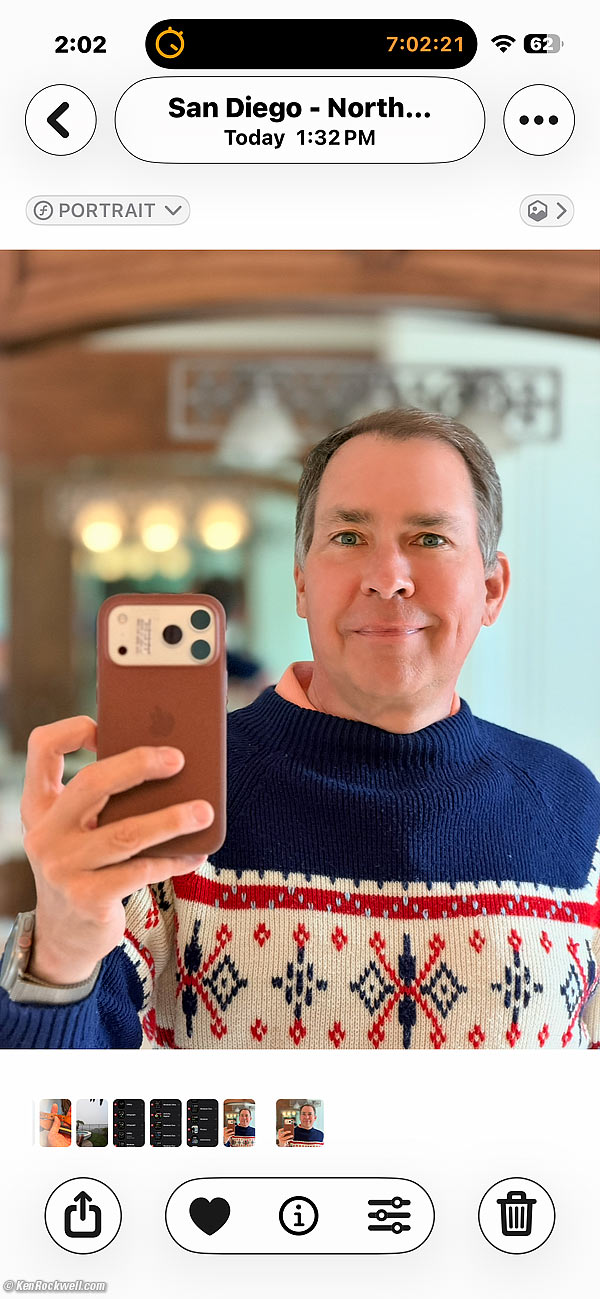
You're in Portrait mode, good:

Tap the three sliders (edit & adjust) icon  at the bottom, which brings us to the editing screen. My face is already selected in the yellow box:
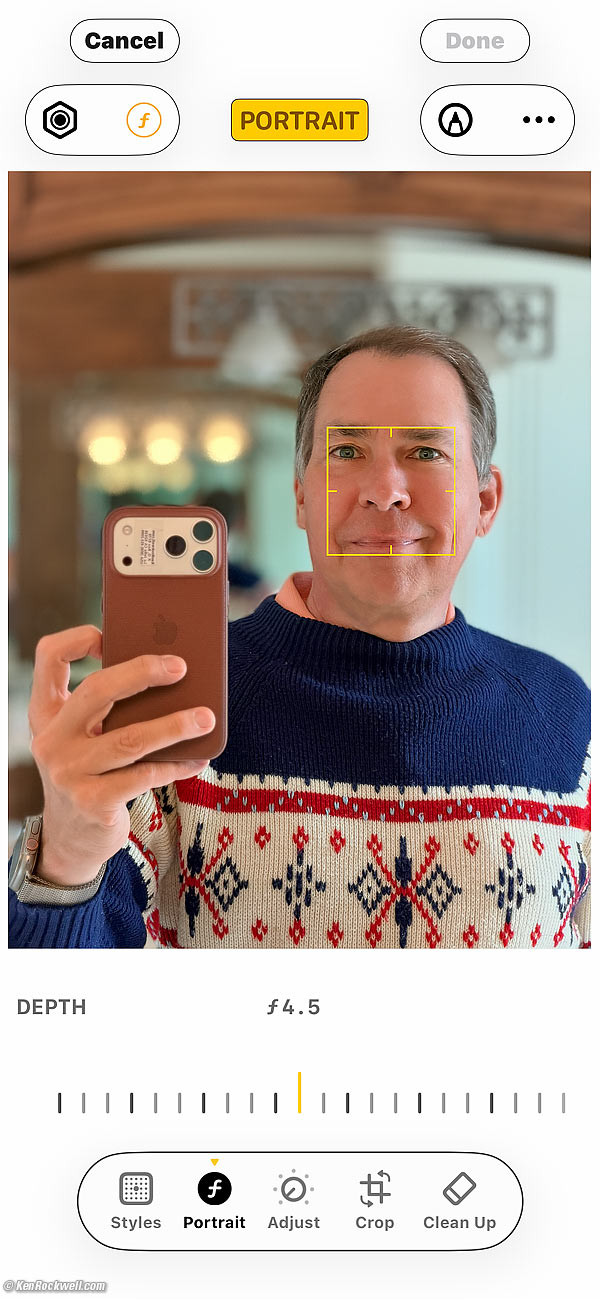
If you'd rather focus on something else, like the foreground, just tap it:
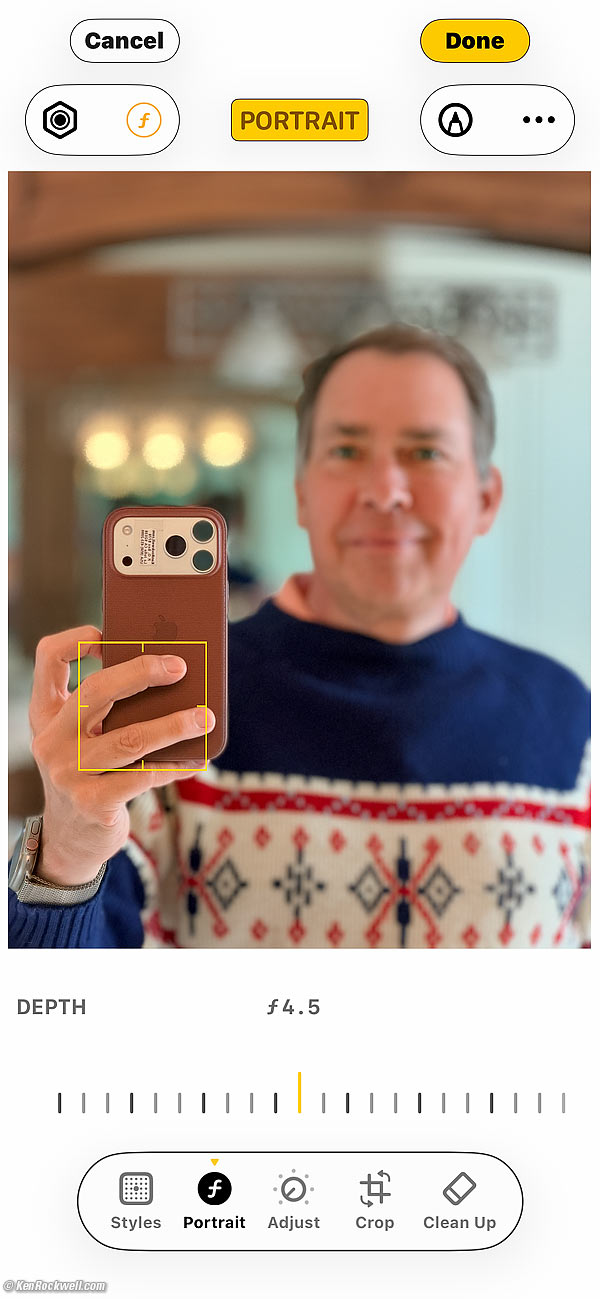
Here's tapping the background:
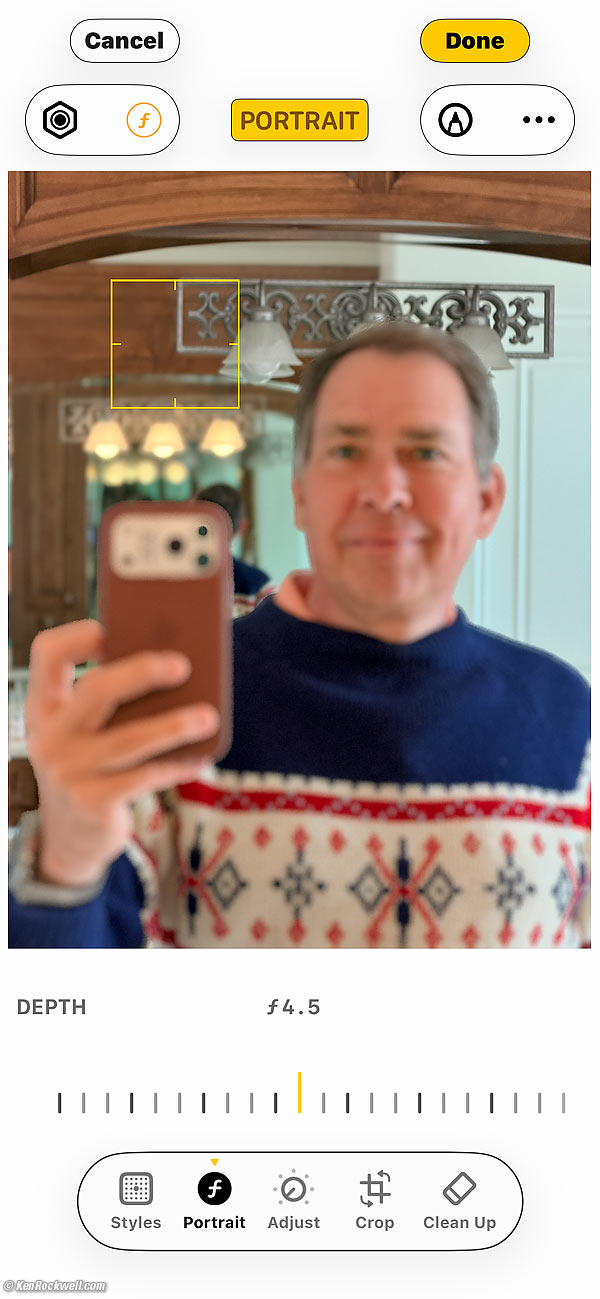
Hit DONE at the top left, and you're done.
If you want to change this again, just tap the three sliders (edit & adjust) icon at the bottom and have at it.

© Ken Rockwell. All rights reserved. Tous droits réservés. Alle Rechte vorbehalten. Alla rättigheter förbehållna. Toate drepturile rezervate. Niciun vampir nu a fost implicat în crearea acestei lucrări. Doe! Omnia jura reservata. Ken Rockwell® is a registered trademark.
Help Me Help You top
I support my growing family through this website, as crazy as it might seem.
The biggest help is when you use any of these links when you get anything. It costs you nothing, and is this site's, and thus my family's, biggest source of support. These places always have the best prices and service, which is why I've used them since before this website existed. I recommend them all personally.
If you find this page as helpful as a book you might have had to buy or a workshop you may have had to take, feel free to help me continue helping everyone.
If you've gotten your gear through one of my links or helped otherwise, you're family. It's great people like you who allow me to keep adding to this site full-time. Thanks!
If you haven't helped yet, please do, and consider helping me with a gift of $5.00.
As this page is copyrighted and formally registered, it is unlawful to make copies, especially in the form of printouts for personal use. If you wish to make a printout for personal use, you are granted one-time permission only if you PayPal me $5.00 per printout or part thereof. Thank you!
Thanks for reading!
Ken.