iPhone 17 Pro Max
48 MP 0.5×, 1× & 4× Stills at 10 FPS, 4K/120 Dolby Vision HDR, 1,080/240p: The World's Most Advanced Camera (2025 ~ today)
Sample Images Intro New Good Bad Missing
Specs Cases Chargers Lenses, Gimbals & etc.
Filters Microphones Performance User's Guide
|
|
iPhone 17 Pro Max, no case: 8.195 oz. (232.4g). bigger. |
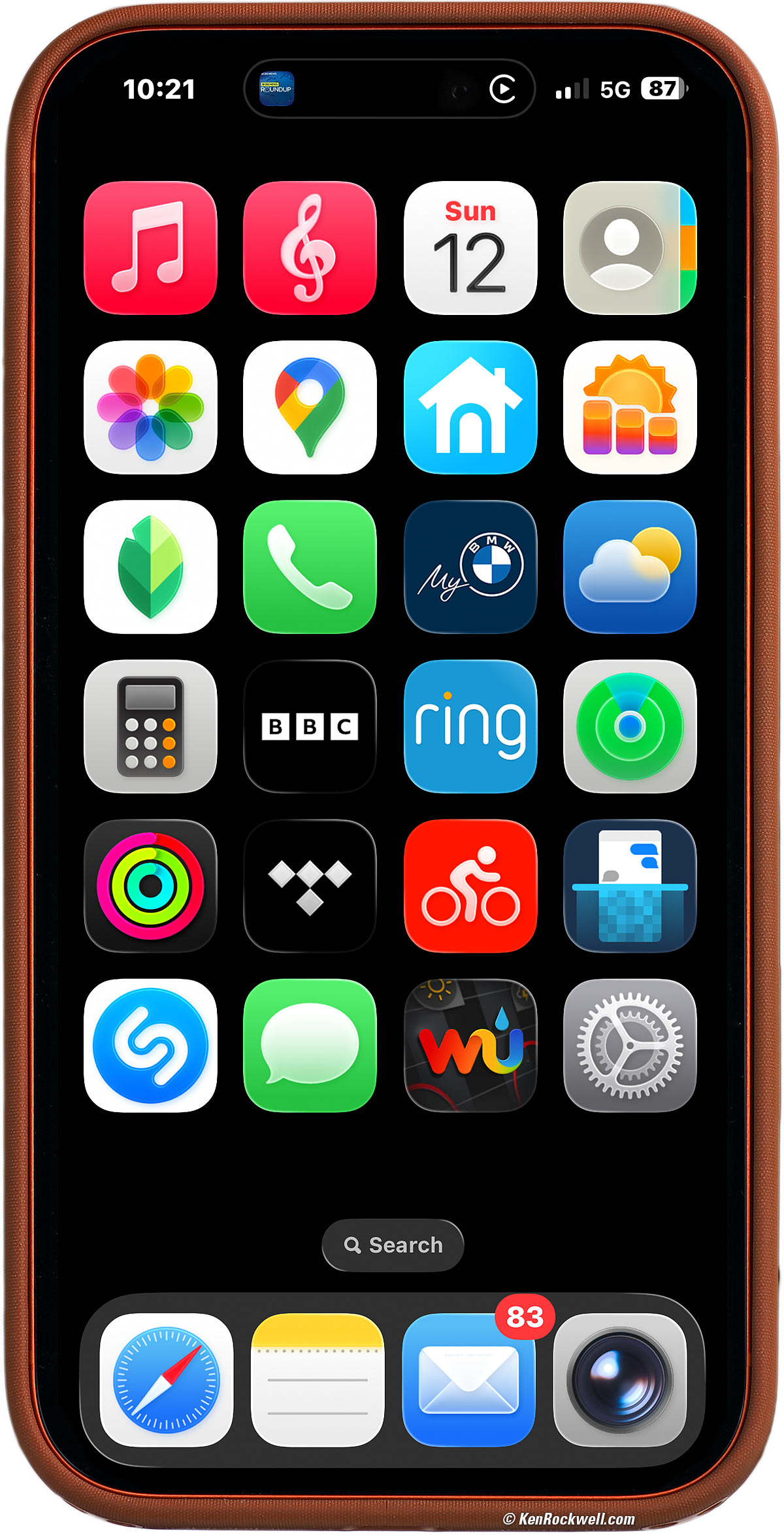
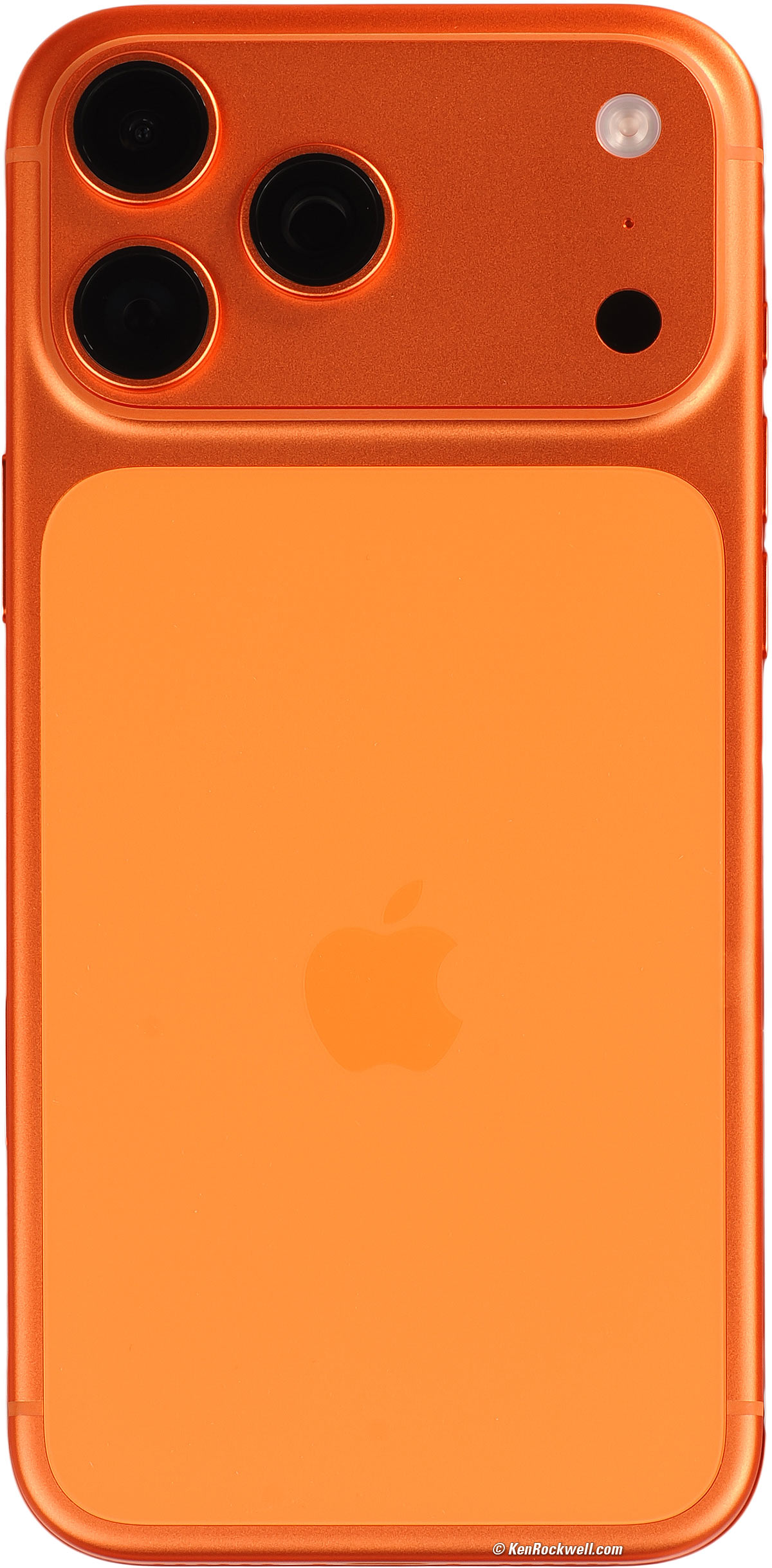
Apple iPhone 17 Pro Max in Cosmic Orange (2TB, 1TB, 512GB or 256GB storage, water cooled, anodized aluminium case, Ceramic Shield and Ceramic Shield 2 screen protection. It's at Amazon and it's at eBay (How to Win at eBay).
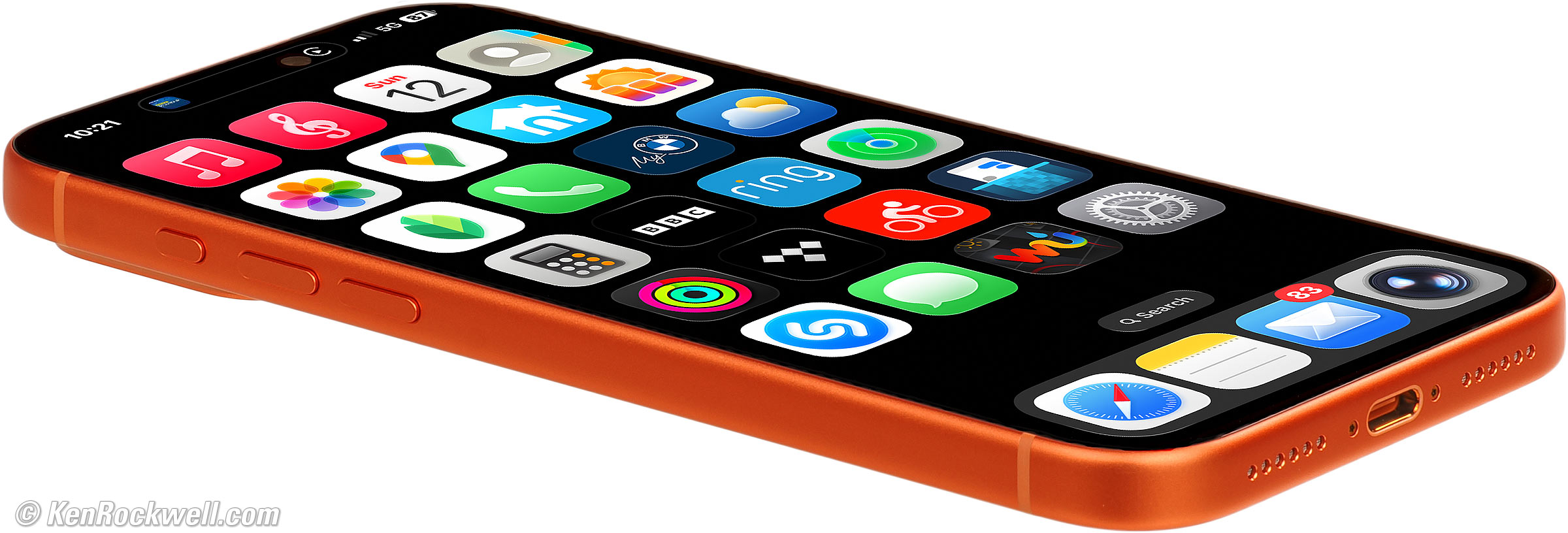
Apple iPhone 17 Pro Max in Cosmic Orange. bigger. It's at Amazon and it's at eBay (How to Win at eBay).
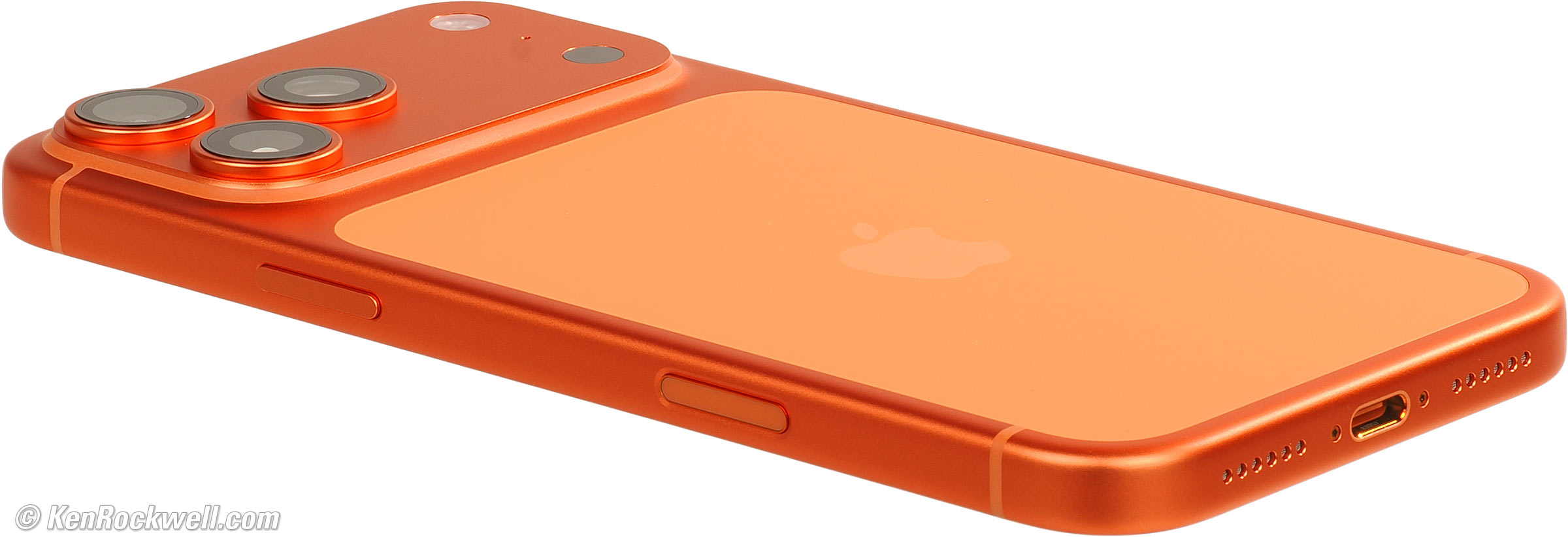
Apple iPhone 17 Pro Max in Cosmic Orange (sapphire lens covers and matte glass over titanium edge). bigger.
This all-content, junk-free website's biggest source of support is when you use those or any of these links to approved sources when you get anything, regardless of the country in which you live. Thanks for helping me help you! Ken.
March 2026 Better Pictures Apple Canon Sony Nikon Fuji LEICA Zeiss HASSELBLAD All Reviews
NEW: Ken Rockwell's iPhone 17 Pro Max User's Guide.
NEW: How to Change the Focus Distance AFTER SHOOTING on iPhone!!!
NEW: How to Change the Depth-of-Field — AFTER SHOOTING on iPhone!
NEW: How to Get Motion Blur on iPhone.
Sample Images top
Sample Images Intro New Good Bad Missing
Specs Cases Chargers Lenses, Gimbals & etc.
Filters Microphones Performance User's Guide
These are all shot in the native Camera app; daylight or starlight, I just point and shoot like everyone else. Any editing was done later.
See more also at
California's Eastern Sierra, October 2025, along with a secret, experimental page that may display in HDR on some devices.
California's Route 66, February 2026
At 200mm
Is it sharp at 200mm equivalent? Absolutely, plus it easily handles the huge dynamic range from dark shadows to looking straight into the sun!
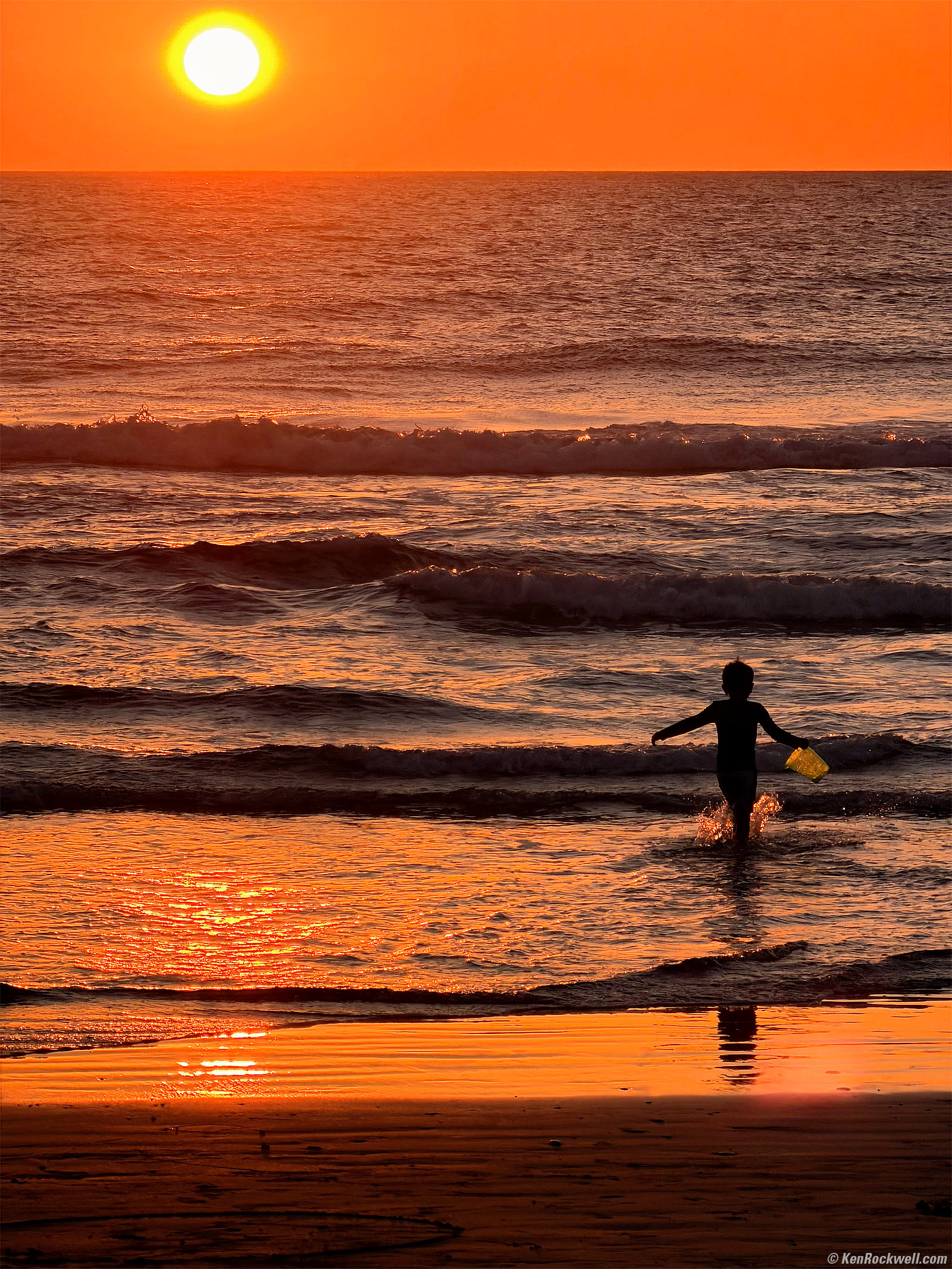
Sunset, Torrey Pines State Reserve, La Jolla, California, 5:07 P.M., Sunday, 08 March 2026. iPhone 17 Pro Max 8× (16.9mm actual or 200mm eq.) camera at f/2.8 at 1/639 at Auto ISO 25 (LV 14.3), Radiant Photo software to add a little light. bigger or fit-to-screen.
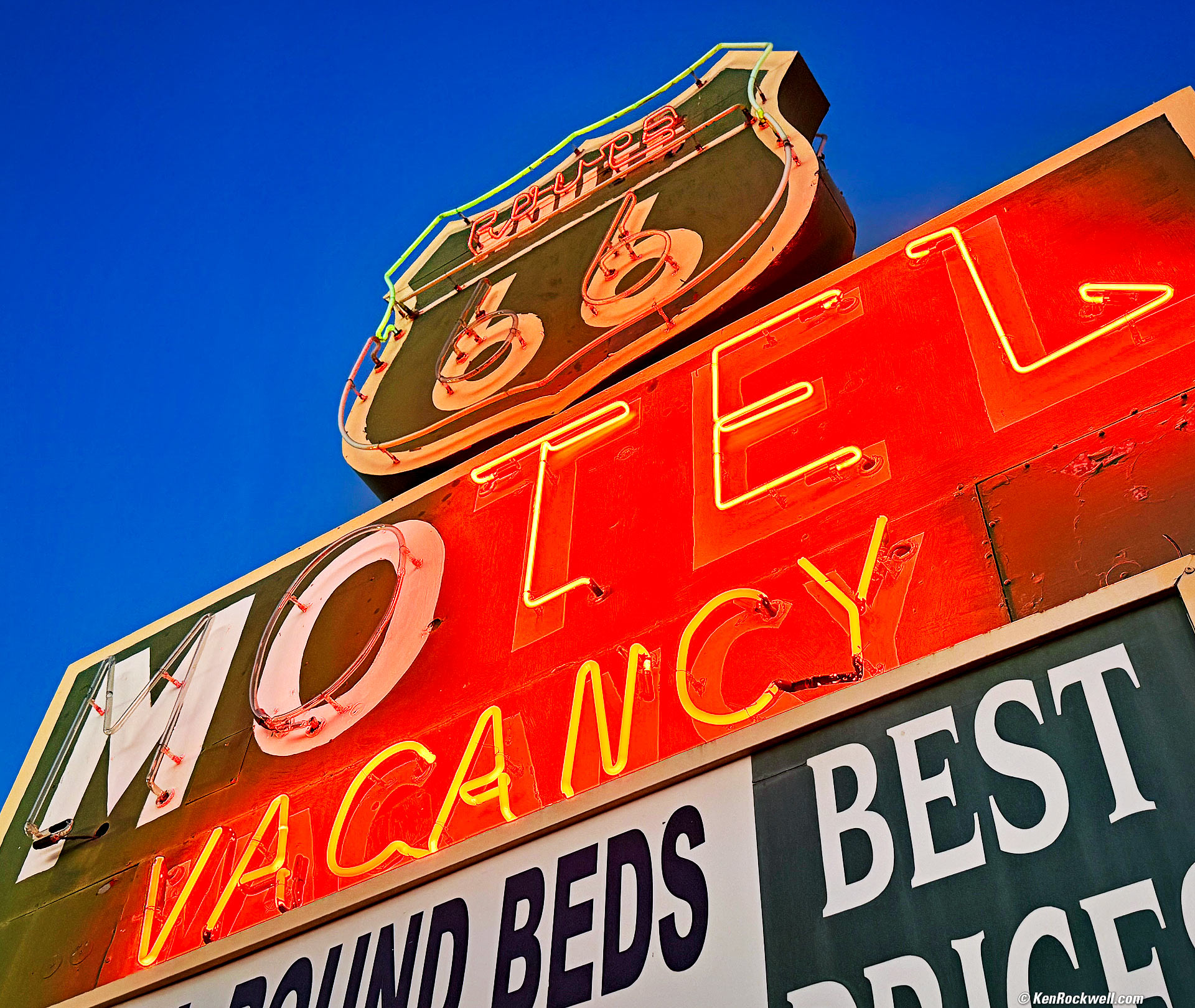
Motel Vacancy, Main Street (Route 66), Barstow, California, 5:42 P.M., 06 February 2026. iPhone 17 Pro Max 1.5× (6.8mm actual or 36mm eq.) camera at f/1.8 at 1/60 at Auto ISO 400 (LV 5.6), Radiant Photo and Skylum Luminar Neo software to add light and deliberate vignetting, curves adjustment layer in Photoshop. More tech details. bigger or fit-to-screen.
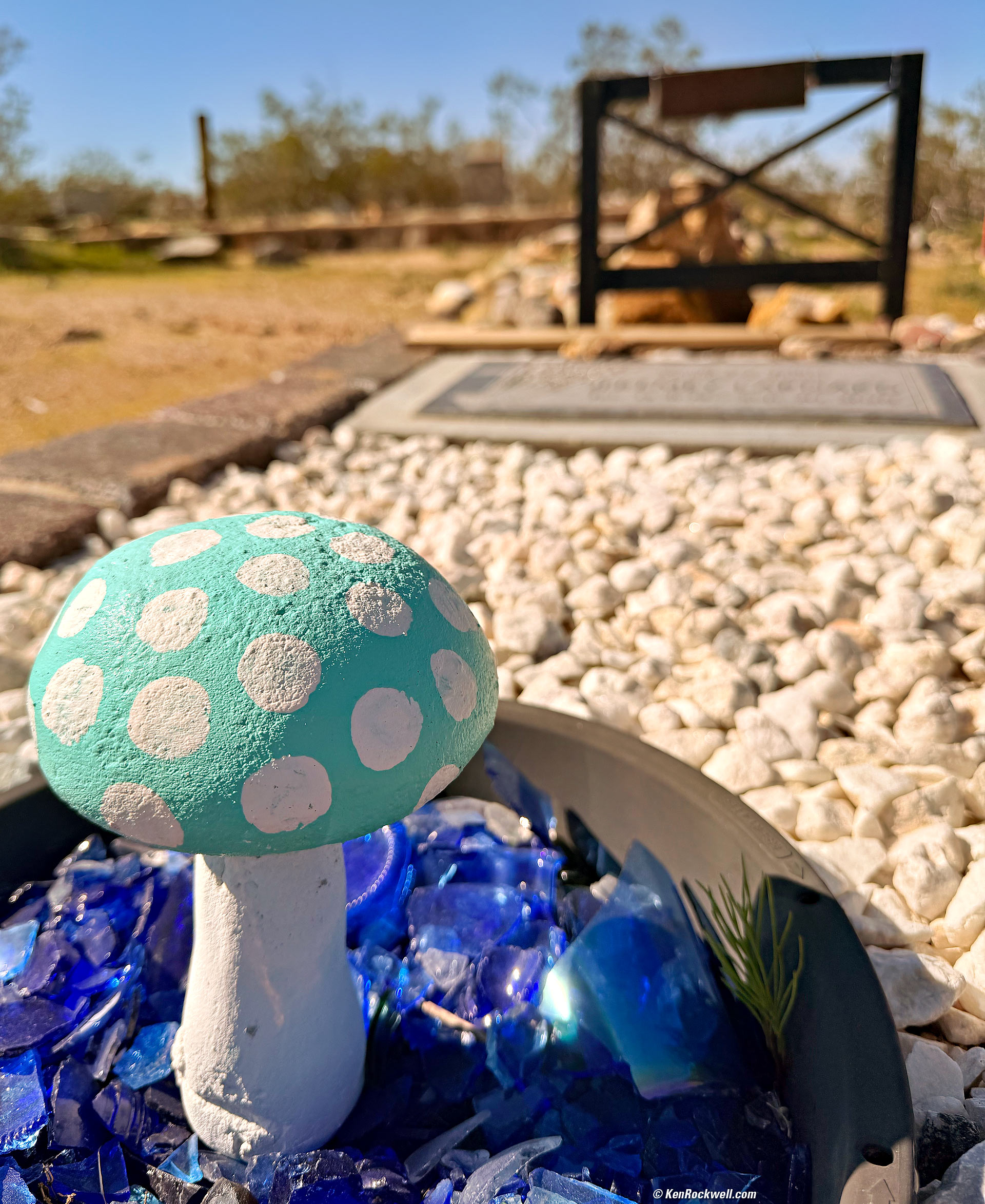
Concrete Mushroom and Grave, Pioneer Cemetery, California, 11:45 A.M., 07 February 2026. iPhone 17 Pro Max 1× (6.8mm actual or 24mm eq.) camera at f/1.8 at 1/9,091 at Auto ISO 80 (LV 15⅙), Radiant Photo software to add light and a little warmth. More tech details. bigger or fit-to-screen.
I love my iPhone. I shot this holding it upside-down just inches above the ground and easily could see what I was doing on its big, bright screen. No way would I have wanted to try this with my Canon R6 III and its tiny screen.
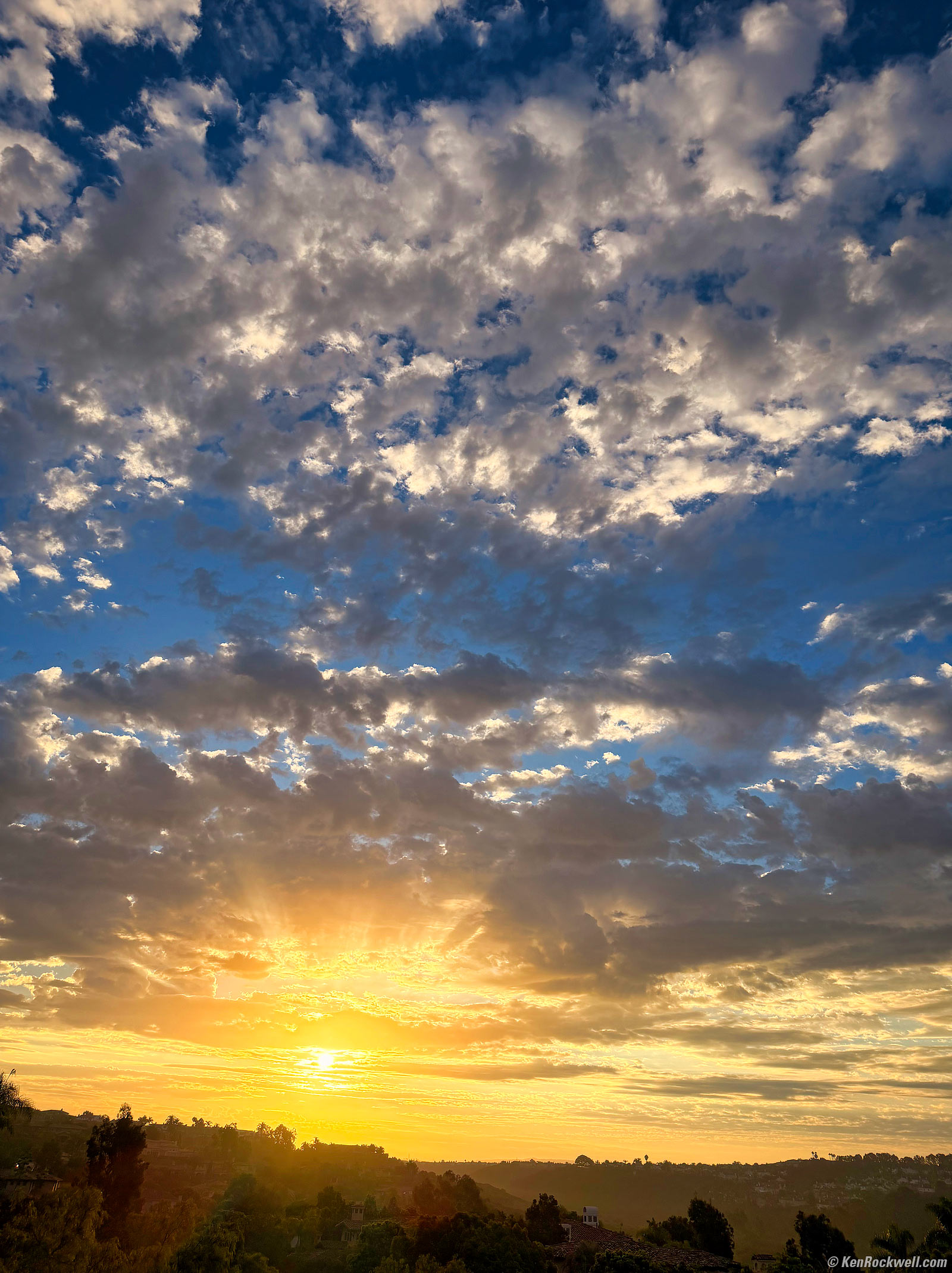
Dawn, San Diego, California, 7:18 AM, Thursday 09 October 2025. iPhone 17 Pro Max 1× (24mm eq.) camera at f/1.8 at 1/6,711 (LV 14.4), spiced up a little and added some deliberate vignetting in Skylum Luminar Neo software. bigger.
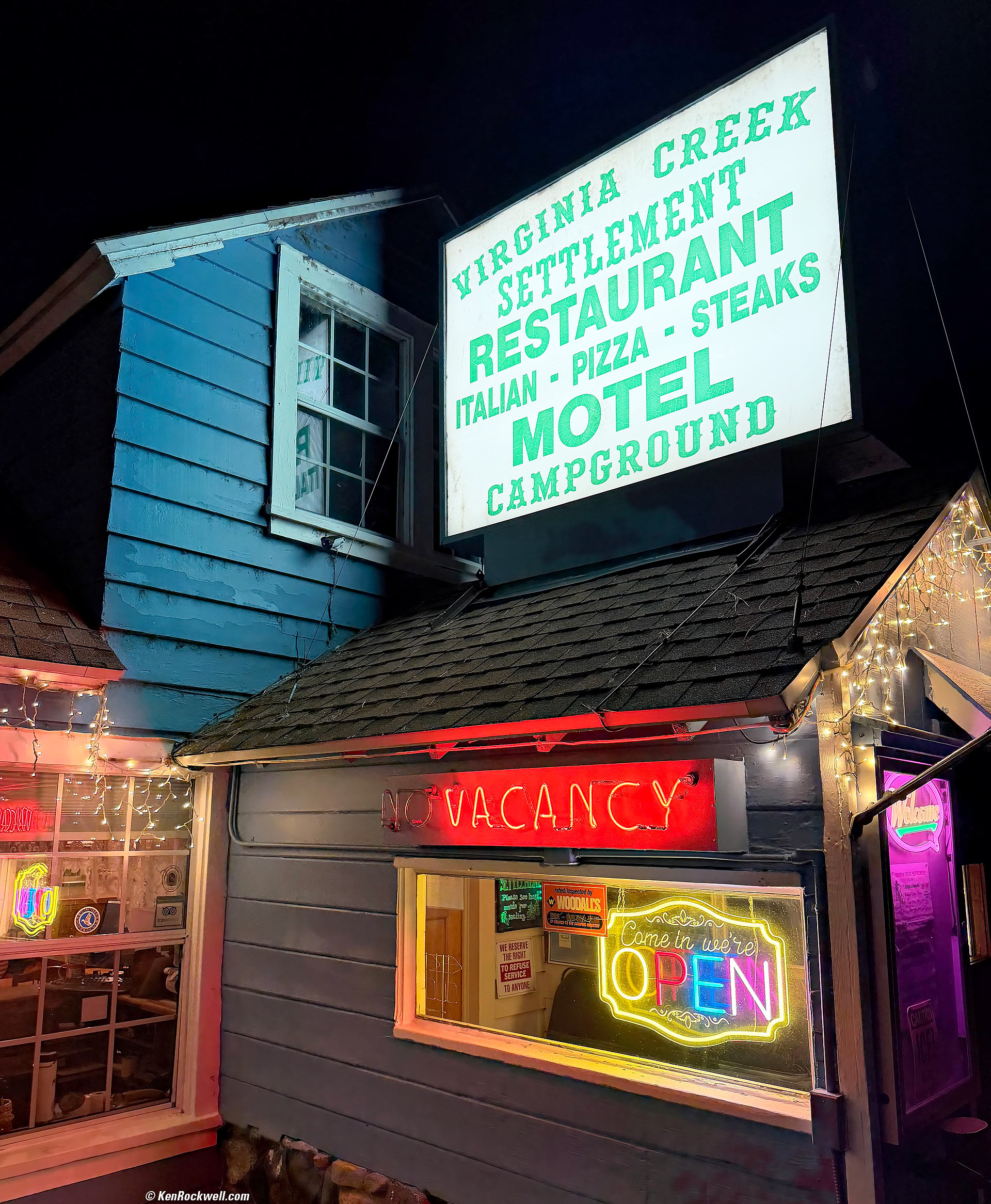
Virginia Creek Settlement, Bridgeport, California, 6:59 P.M., Tuesday, 21 October 2025. iPhone 17 Pro Max 1× (6.8mm actual or 24mm eq.) camera at f/1.8 at 1/60 at Auto ISO 160 (LV 6.9), Radiant Photo software. More tech details. bigger or fit-to-screen.
The Milky Way
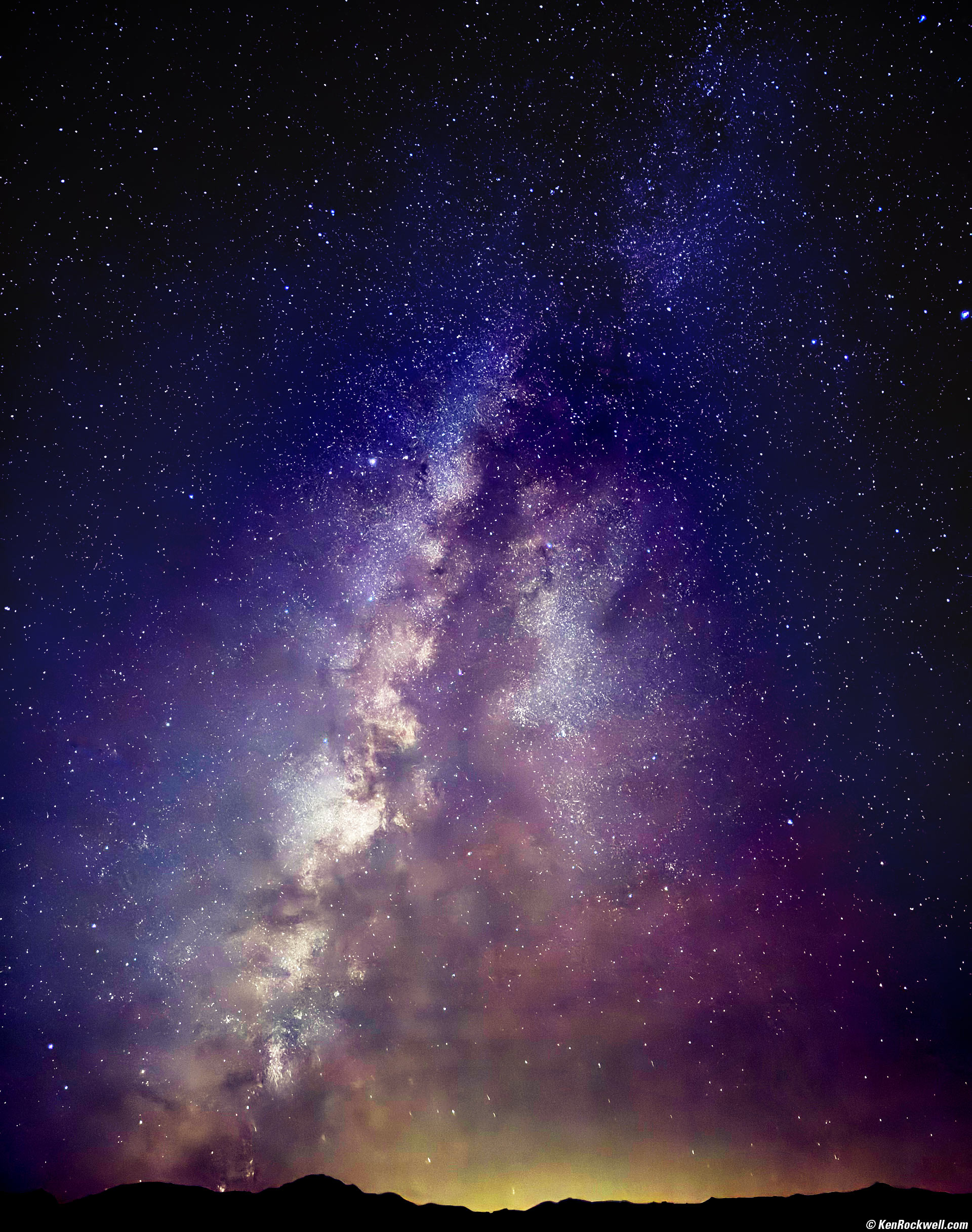
The Comet Swan (C/2025 R2), the North American Nebula and the Milky Way, Bridgeport, California, 9:12 P.M., Tuesday, 21 October 2025. iPhone 17 Pro Max 1× (6.8mm actual or 24mm eq.) camera at f/1.8 for 10 seconds in Night mode at Auto ISO 2,500 (LV minus 6.3!!!!), Tweaked in iPhone's native Photos app and curves adjustment layer masks in Photoshop CC, casual use of my Oben CT-2491 Carbon-Fibre Tripod with my Oben GH3W-15 Geared Head and Oben SPA-1000 iPhone adapter. More tech details. bigger or fit-to-screen.
With the flash off you can simply point-and-shoot the Milky Way handheld, but use a tripod and we can expose for up to 30 seconds rather than the default 3 seconds hand-held. Exposing for 30 seconds reports as a 10 second exposure above.
Even better than ordinary Canon, Nikon, Sony, Fuji and LEICA cameras, the iPhone is so smart in its night mode that it compensates for earth motion to keep the stars as dots and not trails!!!

Fall Aspens and Clouds as seen from the Redwood Motel, Bridgeport, California, 8:14 A.M., Wednesday, 22 October 2025. iPhone 17 Pro Max 0.5× (2.2mm actual or 13mm eq.) camera at f/2.2 at 1/770 at Auto ISO 25 (LV 13.9), Radiant Photo software. More tech details. bigger or fit-to-screen.
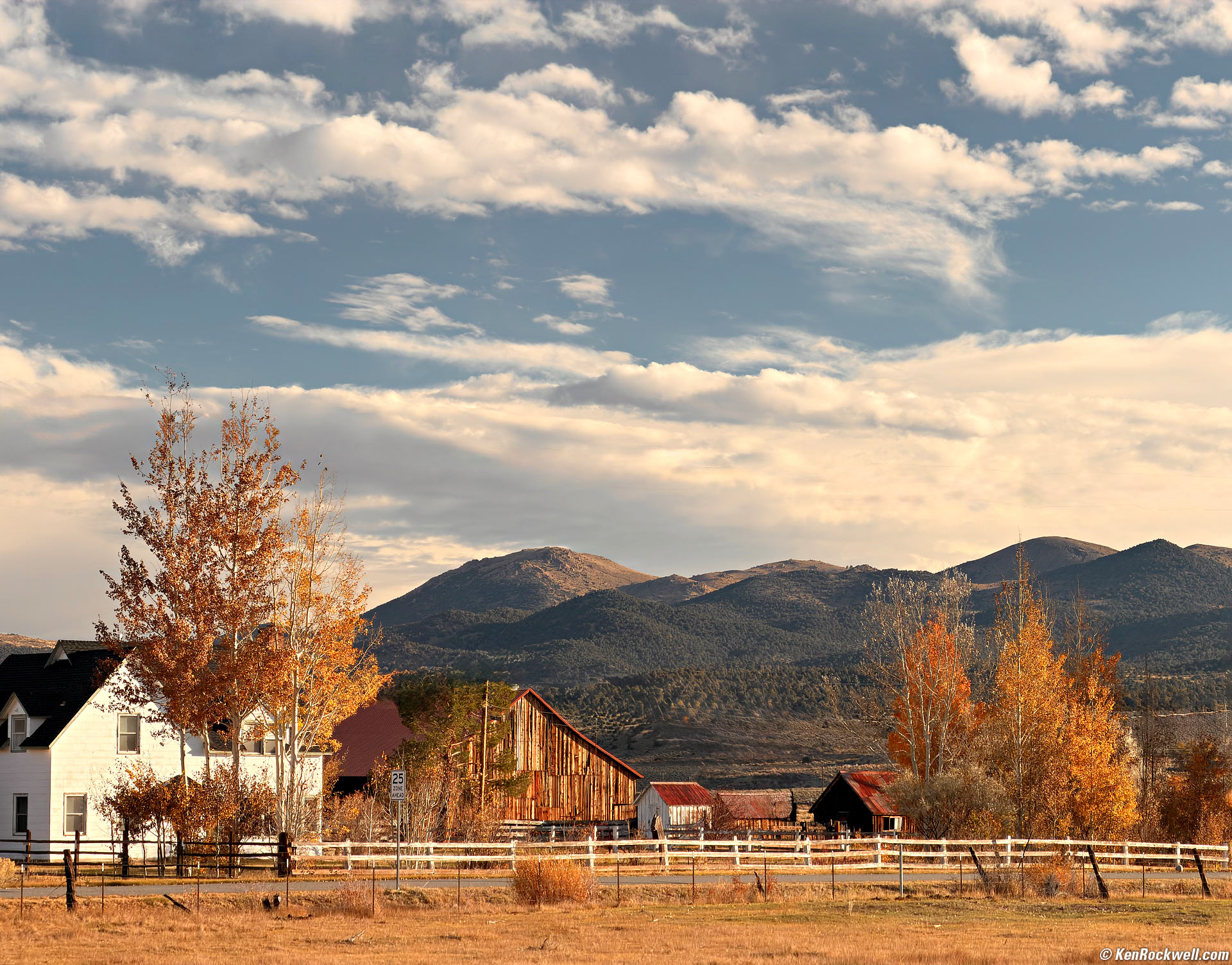
Dawn over Eastern Bridgeport, California, with Fall Color, 8:28 A.M., Wednesday, 22 October 2025. Hoya 67mm HRT Circular Polarizer held over the front of my iPhone 17 Pro Max 4× (16.9mm actual or 100mm eq.) camera at f/2.8 at 1/424 at Auto ISO 40 (LV 13.0), Radiant Photo software. More tech details. bigger or fit-to-screen.
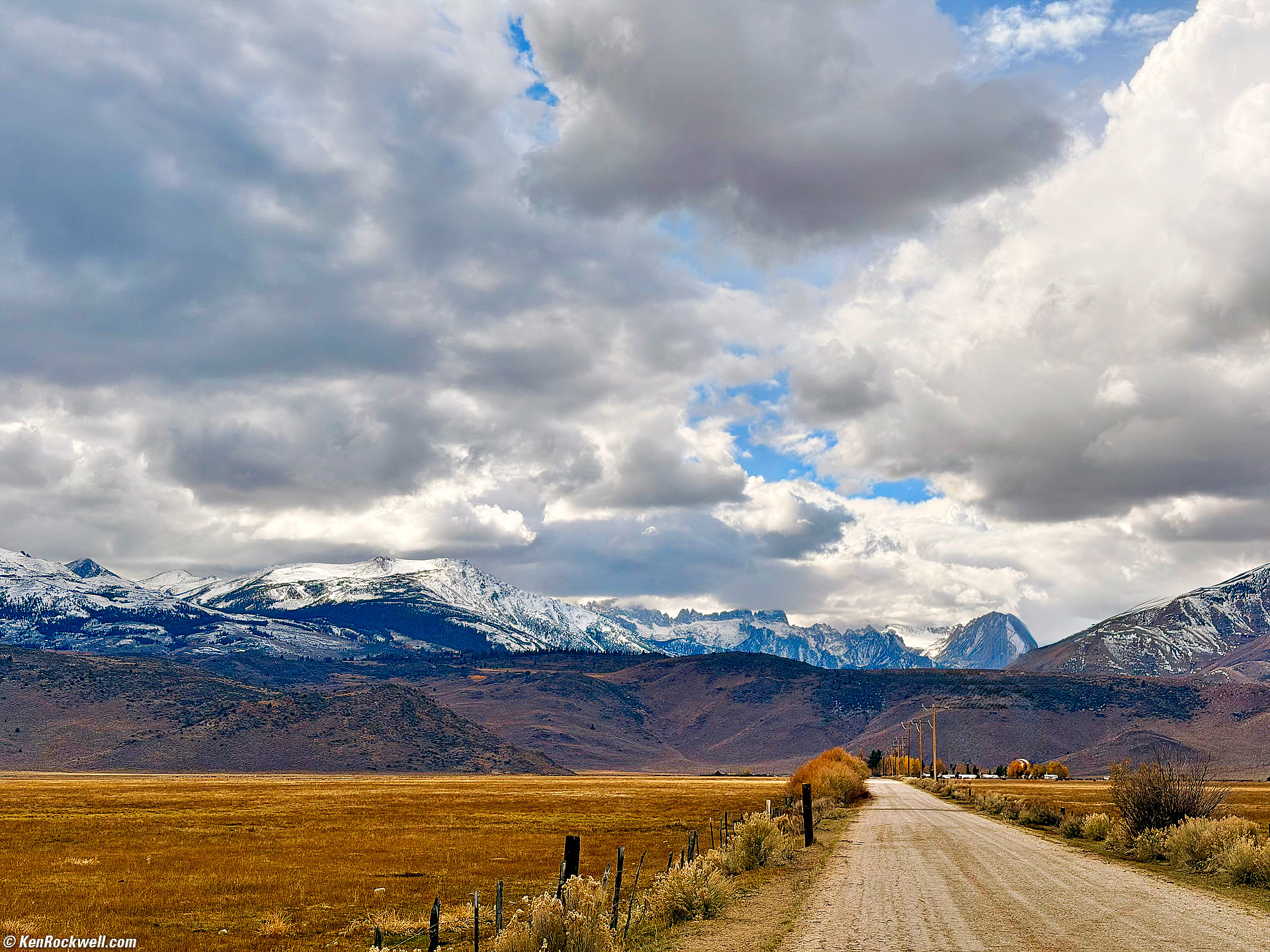
Gathering Storm Clouds over the Sawtooth Range as seen from Bridgeport, California, 12:12 P.M., Wednesday, 22 October 2025. iPhone 17 Pro Max 2× (6.8mm actual or 48mm eq.) camera at f/1.8 at 1/9,901 at Auto ISO 64 (LV 15.6), wires removed with the Clean Up option in the iPhone's Photos app. More tech details. bigger or fit-to-screen.
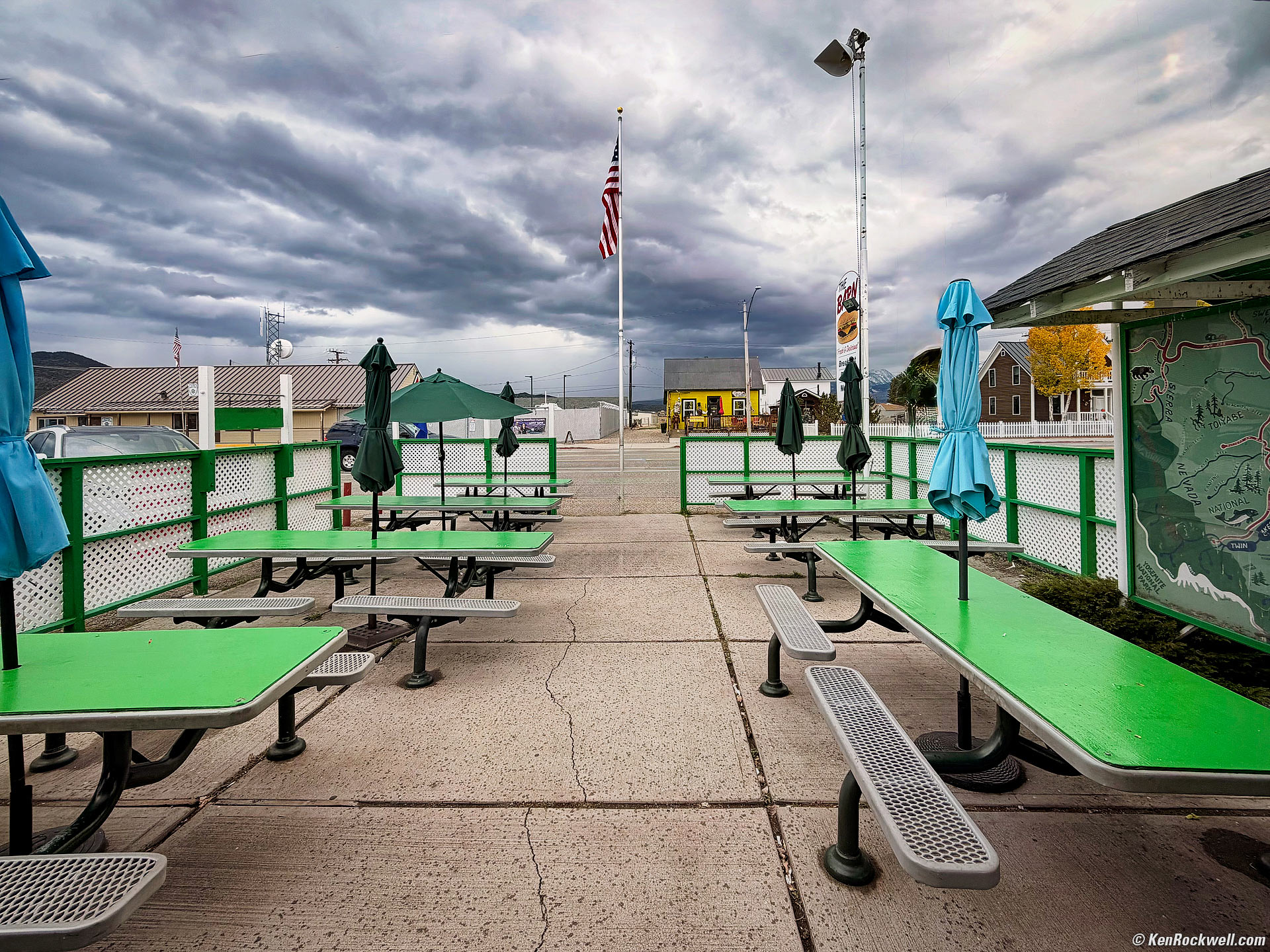
Approaching Storm Looking South from the Burger Barn, Bridgeport, California, 1:01 P.M., Wednesday, 22 October 2025. iPhone 17 Pro Max 0.5× (2.2mm actual or 13mm eq.) camera at f/2.2 at 1/502 at Auto ISO 50 (LV 12¼), Radiant Photo software. More tech details. bigger or fit-to-screen.

Abandoned Gold Mine in the Rain near Bridgeport, California, 4:28 P.M., Wednesday, 22 October 2025. iPhone 17 Pro Max 0.5× (2.2mm actual or 13mm eq.) camera at f/2.2 at 1/83 at Auto ISO 50 (LV 9⅔), split-toned print. More tech details. bigger or fit-to-screen.
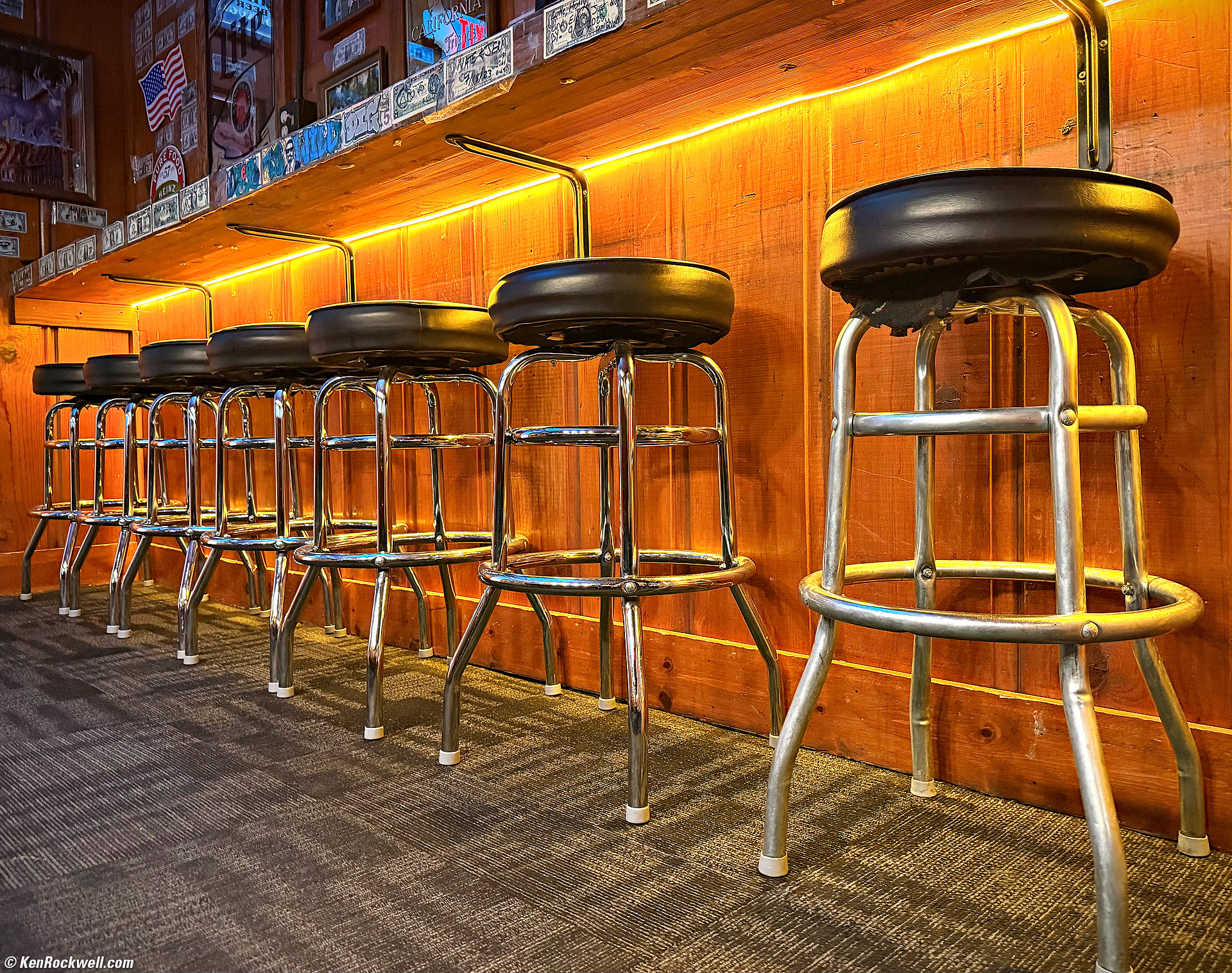
Bar Stools at Night, Rhino's Bar & Grill, Bridgeport, California, 7:45 P.M., Wednesday, 22 October 2025. iPhone 17 Pro Max 1× (6.8mm actual or 24mm eq.) camera at f/1.8 at 1/40 at Auto ISO 800 (LV 4.0), Radiant Photo software. More tech details. bigger or fit-to-screen.

Sunrise over Mono Lake, Lee Vining, California, California, 7:20 A.M., Thursday, 23 October 2025. iPhone 17 Pro Max 1.5× camera (35mm eq.) at f/1.8 at 1/722 at Auto ISO 100 (LV 11⅙), as shot. bigger.

Red Maple, Whoa Nellie Deli, Lee Vining, California, California, 7:47 A.M., Thursday, 23 October 2025. iPhone 17 Pro Max 1.5× camera (35mm eq.) at f/1.8 at 1/1,192 at Auto ISO 80 (LV 12.2). bigger.

Aspens, Poole Power Plant Road, Lee Vining, California, 11:03 A.M., Thursday, 23 October 2025. iPhone 17 Pro Max 1× camera (6.8mm actual or 24mm eq.) set to 48 Megapixels at f/1.8 at 1/2,915 at Auto ISO 64 (LV 13.8), Radiant Photo software to fire it up a bit. bigger or camera-created 48 MP © 21 MB JPG file.

Snow Atop Mount Dana with Brilliant Aspens, Inyo National Forest, Lee Vining, California, 11:06 A.M., Thursday, 23 October 2025. iPhone 17 Pro Max 4× camera (16.9mm actual or 100mm eq.) at f/1.8 at 1/2,915 at Auto ISO 64 (LV 13.8), Radiant Photo software to brighten it just a little a bit. bigger or as-shot 24 MP © 8.6 MB JPG file.

Our Group Transfixed by the Pelton Wheel, Lee Vining, California, 11:56 A.M., Thursday, 23 October 2025. iPhone 17 Pro Max 1.95× (6.8mm actual or 47mm eq.) camera at f/1.8 at 1/535 at Auto ISO 80 (LV 11.0), Radiant Photo software, POOLE HYDRO ELECTRIC PLANT sign dodged in Photoshop 2021. More tech details. bigger or fit-to-screen.

VACANCY Sign, El Mono Motel, Lee Vining, California, 12:44 P.M., Thursday, 23 October 2025. iPhone 17 Pro Max 2× (6.8mm actual or 48mm eq.) camera at f/1.8 at 1/8,772 at Auto ISO 80 (LV 15.1), as shot. More tech details. bigger or fit-to-screen.

Sunrise over the White Mountains as seen from Mono Lake with Tufa, Mono Lake, California, 7:31 A.M., Friday, 24 October 2025. iPhone 17 Pro Max 0.5× (2.2mm actual or 13mm eq.) camera at f/2.2 at 1/770 at Auto ISO 32 (LV 13.5), Radiant Photo and Skylum Luminar Neo software. More tech details. bigger or fit-to-screen.

Arboreal Cathedral of Aspens, Lower Rush Creek Loop, June Lake, California, 10:11 A.M, Friday, 24 October 2025. iPhone 17 Pro Max 1× camera (24mm eq.) set to 48 Megapixels at f/1.8 at 1/1,905 at Auto ISO 64 (LV 13.2), exactly as it came out of my iPhone. bigger or camera-created 48 MP © 25 MB JPG file.

Deer, June Lake, California, 11:33 A.M, Friday, 24 October 2025. iPhone 17 Pro Max 8× camera (200mm eq.) at f/2.8 at 1/122 at Auto ISO 40 (LV 11.2), Radiant Photo software to lighten the face. bigger.
Looks great at 200mm for the first time!

Golden Quaking Aspens at Silver Lake, June Lake, California, 12:07 P.M., Friday, 24 October 2025. iPhone 17 Pro Max 1.25× (6.8mm actual or 30mm eq.) camera in square mode (equivalent to a ZEISS DISTAGON T✻ 50mm f/4 on 6 × 6cm real medium format) at f/1.8 at 1/3,584 at Auto ISO 80 (LV 13.8), as shot. More tech details. bigger or fit-to-screen.

Doe's Parking Spot at Silver Lake, June Lake, California, 12:09 P.M., Friday, 24 October 2025. iPhone 17 Pro Max 6.4× (16.9mm actual or 159mm eq.) camera at f/2.8 at 1/608 at Auto ISO 50 (LV 13.2), as shot. More tech details. bigger or fit-to-screen.

Mono County Courthouse, Bridgeport, California, 5:16 P.M., Friday, 24 October 2025. iPhone 17 Pro Max 0.5× (2.2mm actual or 13mm eq.) camera at f/2.2 at 1/260 at Auto ISO 16 (LV 12.9), vignetted in the iPhone's native Photos app, Radiant Photo software to give it more sparkle, Skylum Luminar Neo software to erase power lines and perspective correction in Photoshop 2021. More tech details. bigger or fit-to-screen.

Travertine Hot Springs, Bridgeport, California, 8:16 A.M., Saturday, 25 October 2025. iPhone 17 Pro Max 1× camera (24mm eq.) at f/1.8 at 1/695 at Auto ISO 80 (LV 11.4), Skylum Luminar Neo software, curves adjustment layer masks for burning and dodging in Photoshop 2021. More tech details. bigger or fit-to-screen.
We saw weird lenticular clouds on our way back to the Bridgeport Inn for breakfast at 8:39 A.M.
This had been such a jaw-dropping sunrise that half the town was out looking at it, so the Bridgeport Inn was a little understaffed when we arrived.
We finished and made it back to the Redwood Motel in Bridgeport, California at 10:00 A.M., and headed out for home at 10:25 A.M.
We stopped in Bishop for fuel at 12:09 P.M. and for goodies at Schat's Bakkerÿ at 12:32 P.M.
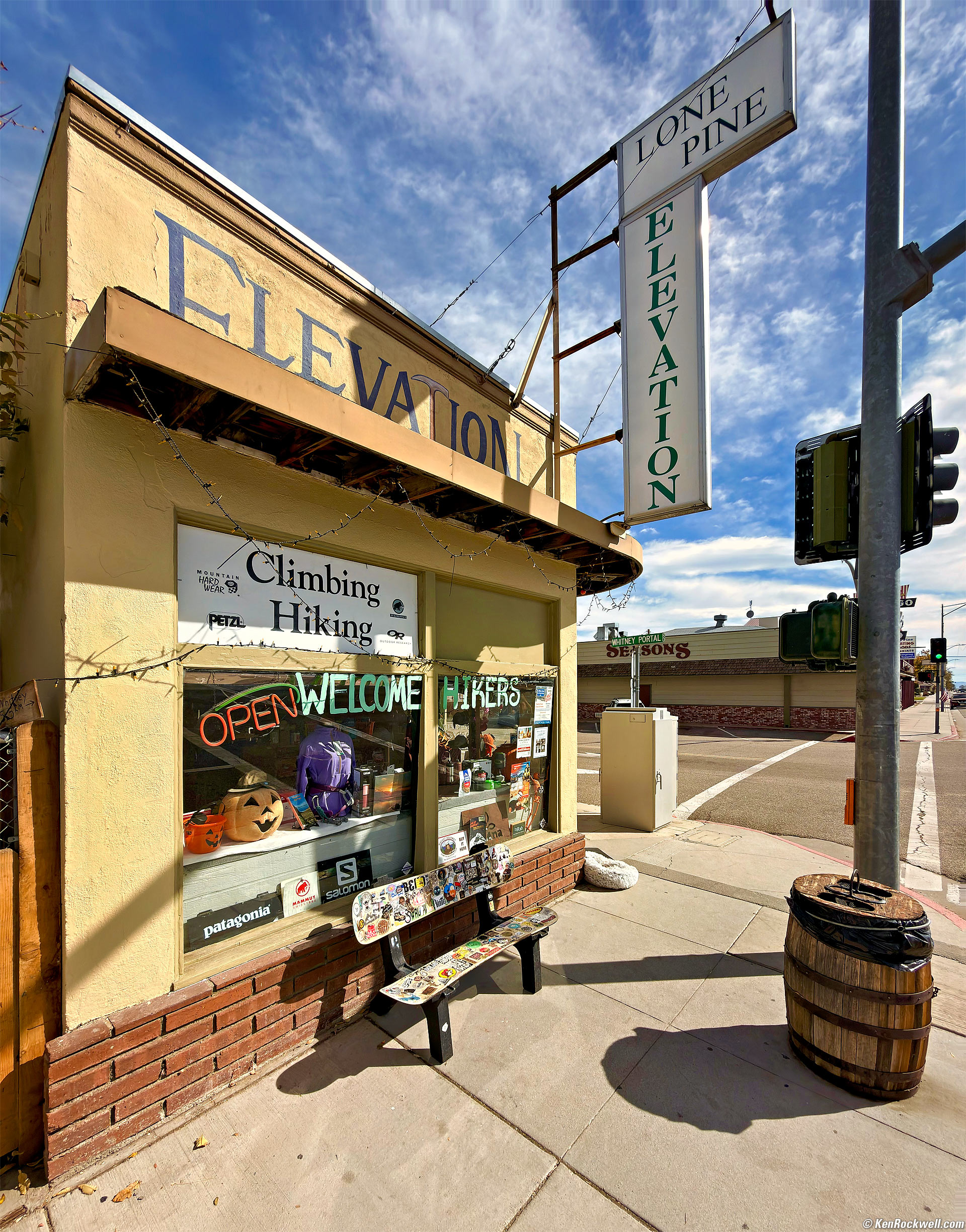
Sierra Elevation, Lone Pine, California, 1:41 P.M., Saturday, 25 October 2025. iPhone 17 Pro Max 0.5× (2.2mm actual or 13mm eq.) camera at f/2.2 at 1/1,117 at Auto ISO 20 (LV 14.7), Radiant Photo software to give it more sparkle. More tech details. bigger or fit-to-screen.
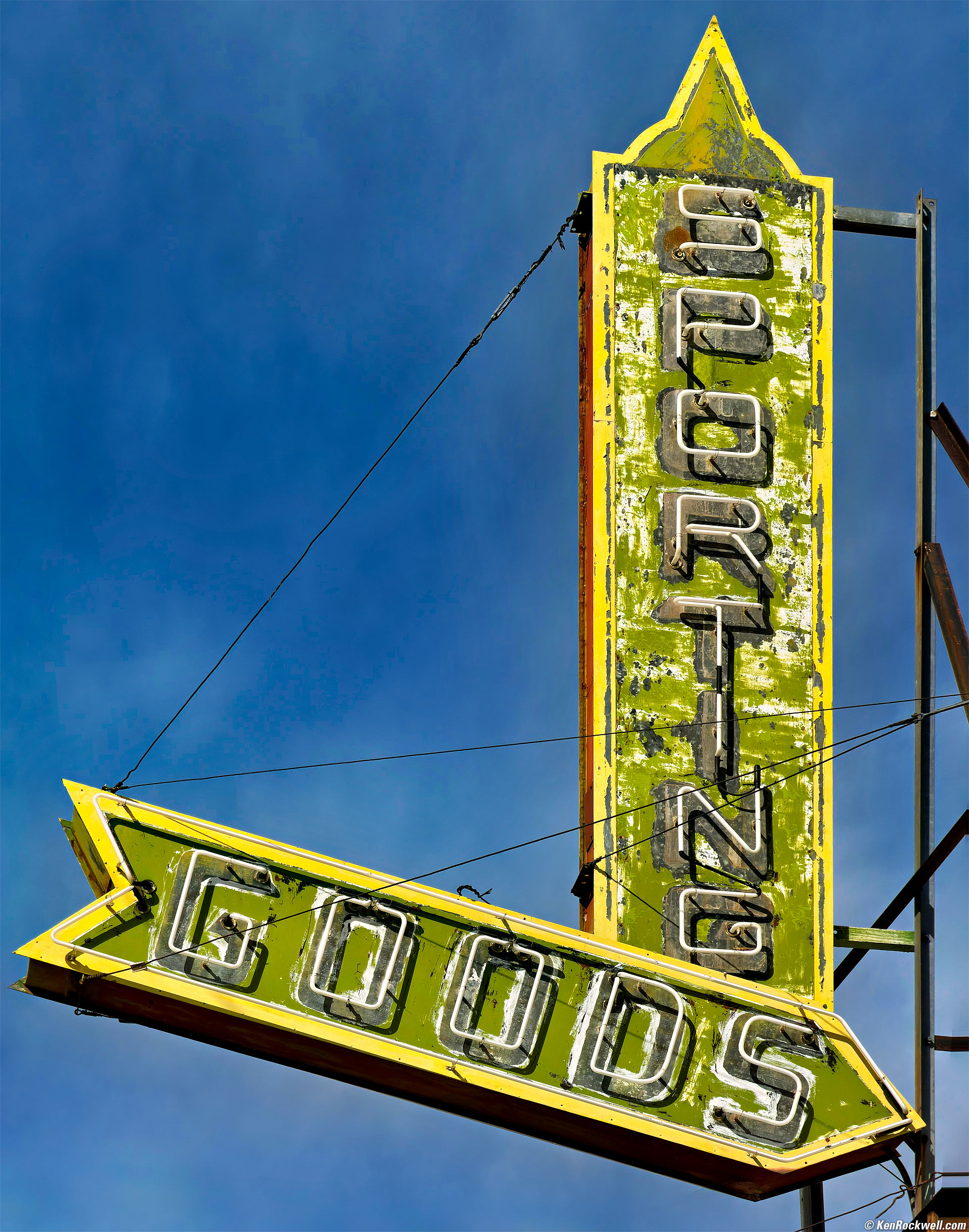
Sporting Goods, Lone Pine, California, 1:45 P.M., Saturday, 25 October 2025. iPhone 17 Pro Max 4× (16.9mm actual or 100mm eq.) camera at f/2.8 at 1/799 at Auto ISO 16 (LV 15¼), Radiant Photo and Skylum Luminar Neo software, perspective correction in Photoshop 2021. More tech details. bigger or fit-to-screen.

Miniature Horse, California, 10:54 A.M., Tuesday, 16 December 2025. iPhone 17 Pro Max 1× (6.8mm actual or 24mm eq.) camera at f/1.8 at 1/3,279 at Auto ISO 80 (LV 13⅔), Radiant Photo software. bigger or full resolution.
This is trivial to shoot with iPhone, but a royal contortion with a conventional camera.
I saw this miniature horse munching the grass, held my iPhone upside-down on the ground, saw my composition on its huge and brilliant OLED screen, and tapped the Camera Control button. I got my shot without having to think about anything other than my image. I doubt my larger cameras could have tracked focus this quickly, they certainly couldn't focus this close, and certainly wouldn't let me see my composition in direct sunlight from arm's length away!
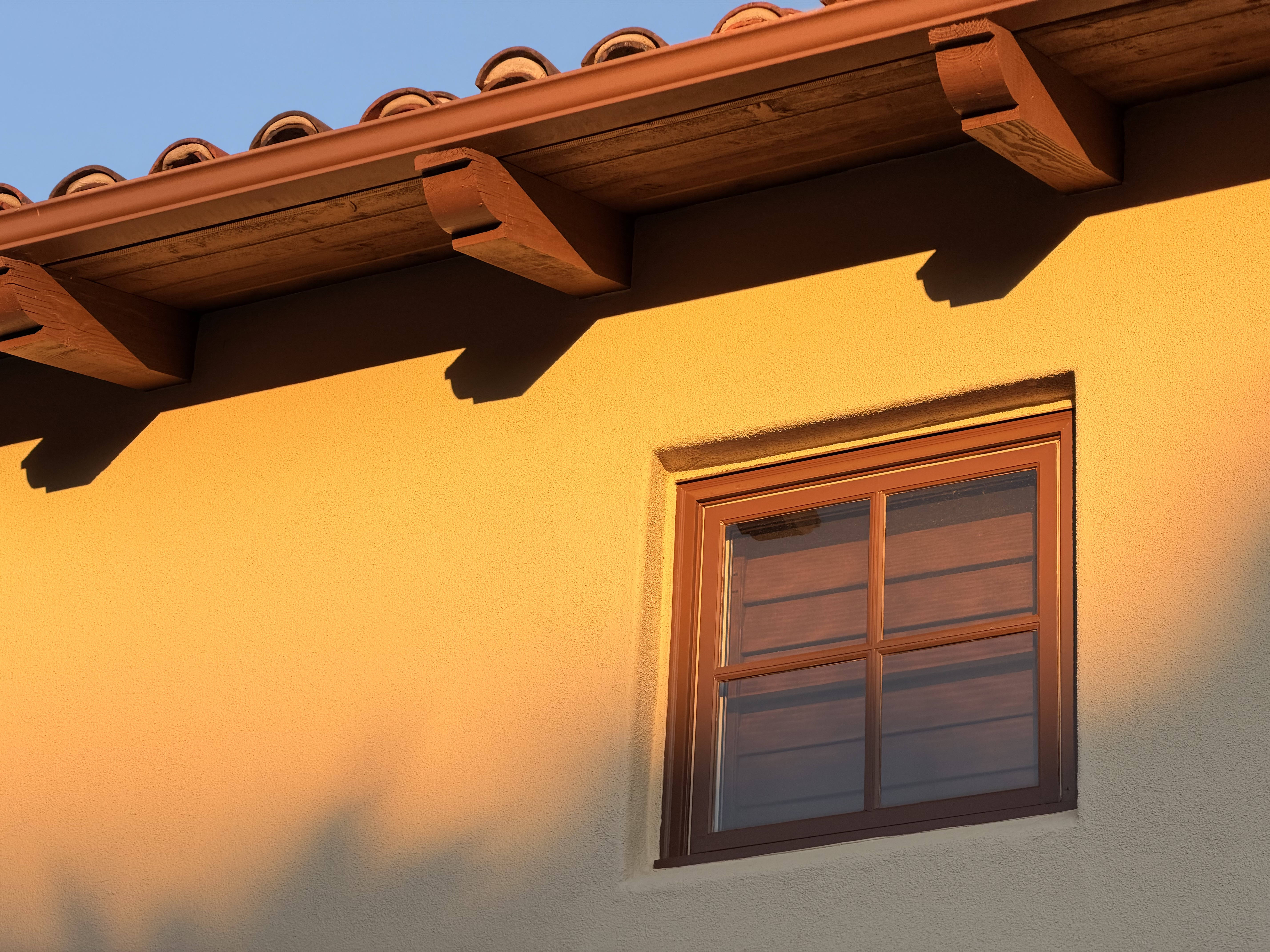
Day's Last Light on a Navajo White (a popular warm-white paint color) home, California, 6:43 P.M., Wednesday, 18 March 2026. iPhone 17 Pro Max 4× (16.9mm actual or 100mm eq.) camera at f/2.8 at 1/386 at Auto ISO 50 (LV 12.6), exactly as shot. bigger or full-resolution 24 MP © 5.5 MB jpeg from camera which includes an HDR gain map.
I love how my iPhone, more than any other camera, can just be pointed at reality and it always sees complex colors correctly. Every other camera's Automatic White Balance usually gets fooled by shots like this, where the warm orange light of the sun is lighting a warm-white-painted home and those images come out way too blue. In this case, my iPhone's screen matched what I was seeing.

Introduction top
Sample Images Intro New Good Bad Missing
Specs Cases Chargers Lenses, Gimbals & etc.
Filters Microphones Performance User's Guide

I buy only from these approved sources. I can't vouch for ads below. |







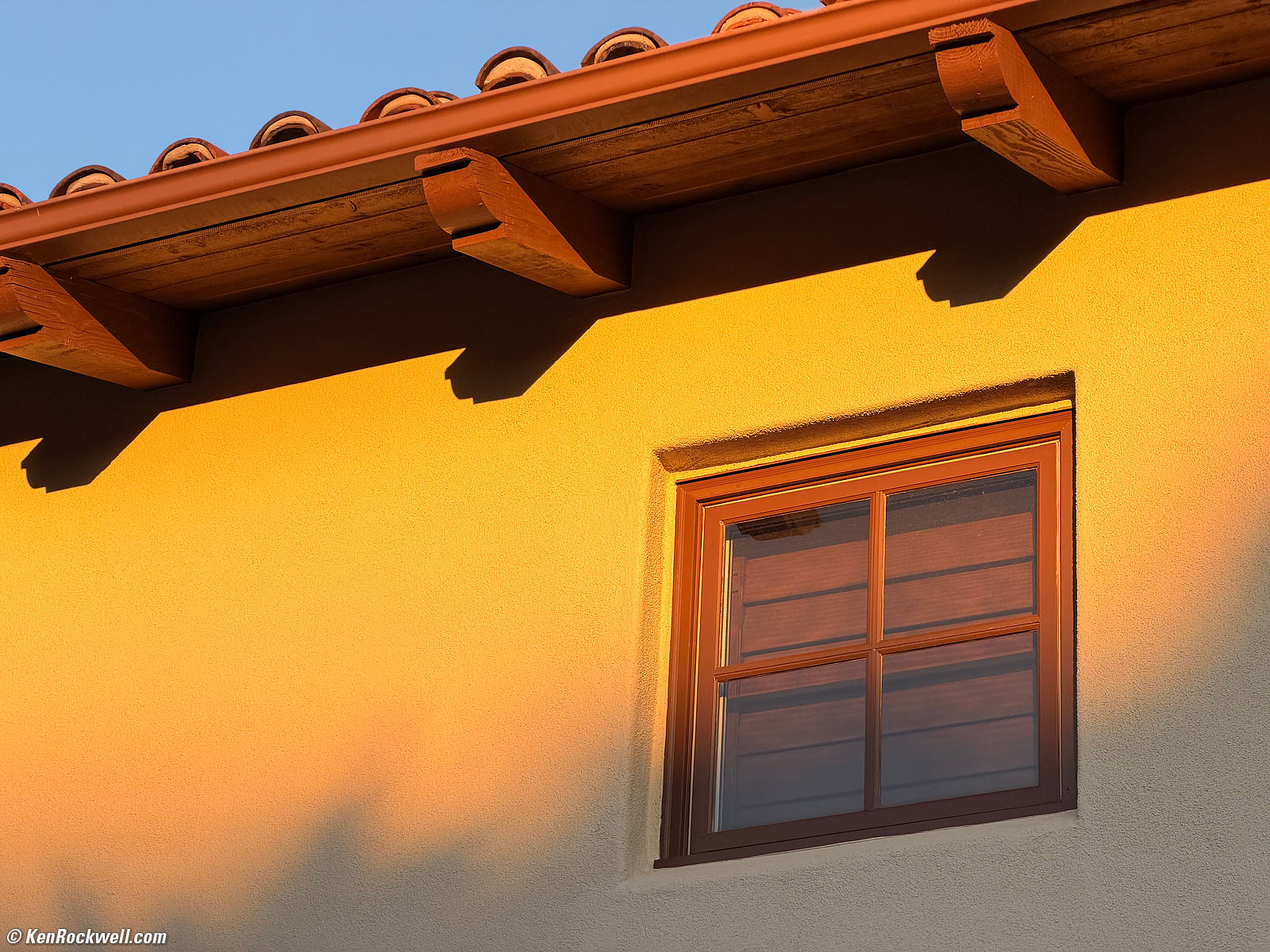
Just look at the pictures. What more do you need to know? I get great shots hand-held from daylight to starlight. The iPhone 17 Pro Max is the world's most clairvoyant camera: it does a better job making the best out of poor lighting or other difficult situations than any other camera, and now with 48MP sensors in all three back cameras, it easily shoots at 200mm equivalent for sharp distant shots.
The new telephoto capabilities of my iPhone 17 Pro Max make it far more useful for many more things than my iPhone 16 Pro Max ever was; for the first time in history we have a 48 MP telephoto camera in our pockets — while Nikon's and Canon's current cameras top out at only 45 MP. Ha!
The iPhone 16 Pro Max had only a 12 MP telephoto camera, so we lost a lot of detail if we zoomed beyond 5×, and the iPhone 16 Pro Max' 48 MP 1× camera had less than 2 MP effective resolution when zoomed to 4.99× before the 5× camera kicked in. The iPhone 17 Pro Max' telephoto camera starts at 4× so we're back at a full 48 MP at 4×, not digitally-zoomed with only 3 MP as we had in the iPhone 16 Pro Max. Bravo!
Every new iPhone outdoes the last at getting every shot perfectly: in-focus with color and exposure that matches the scene exactly as we saw it. No matter what the light, from daylight to weird indoor light to starlight, no other camera gives rendition as accurate as my iPhone 17 Pro Max. This is most apparent under nasty mixed artificial light, under which no other camera gets white balance and color rendition correct all by itself in every shot. With my fancy cameras it takes a lot more work in weak light getting the colors to look right, while iPhone just gets it.
The iPhone 17 Pro Max easily deals with extreme dynamic range with its auto HDR shooting and display, which renders sunsets and other scenes brilliantly on screen, far more bright and vivid than anything from any traditional camera maker. Unlike my fancy cameras, I can't get highlights to blow-out or shadows to disappear with my iPhone unless I do that deliberately in an editing app!
The iPhone 17 Pro Max makes superior images not because of anything listed in marketing claims or specifications, but because of the brilliance programmed into its software and firmware. While innocent people believe baloney like "200 MP Ultra-Wide Camera" or "1,200 image layers" or "Six Cameras working at different exposures for HDR" or whatever from lesser brands, what really matters is if the camera has the intelligence programmed into it to get the exposure, automatic white (color) balance and HDR all looking perfect in every situation.
Few people realize that crucial basics like automatic white balance, which is what creates the correct colors — or not — are extremely difficult to program well. The magic of iPhone 17 Pro Max is how it always gets this right, making every shot exactly as we wanted it. Claims of processors or resolution are easy for laypeople to digest, but not at all related to picture quality or the intelligence within. What really matters is how well hardware and firmware are programmed to work together to capture and process data into the final images, and that's where Apple has more resources and smart people working together to create this magic than anyone else.
Cameras do not simply "capture" an image; there is a lot of art and secret science that goes on under the hood to fine-tune what comes off the sensor to create the "natural" image we want. This is because our brains do an extraordinary amount of processing to create what we perceive based on the raw data captured by our eyes, and the iPhone has to replicate this as best it can to create a natural image. Laypeople rarely understand the highly advanced processing magic that happens in our minds or inside an iPhone to create a natural image from the raw crud that comes out of a sensor.
For over a decade people have been asking me what settings will let their Canon/Nikon/LEICA etc. just get the same consistently great images that we all get from our iPhones, and sadly the answer is that you can't. Traditional cameras lack the synthetic cognition programmed into an iPhone that lets it see as our own eyes and minds do. Traditional cameras make do with just one "capture" and lack the ability to interpret the continuous flow of images that are collected by our iPhones and used to create an image when we tap its shutter button.
iPhone works in many more dimensions at a time than a traditional camera does. A traditional camera takes a single shot and it's done. iPhone is continuously grabbing frames with different exposures, and when you tap the shutter button then takes several of the very best of these frames in HDR and magically creates the file it saves. There’s a lot going on inside an iPhone that Apple does not talk about which is where the magic happens, things requiring far more advanced technology than anything a traditional camera can do.
Traditional camera companies have never really wanted us to be completely happy with our pictures; they want to keep us buying new cameras, hoping the next new nonsense marketing feature will somehow make the pictures better. Apple is in a very competitive market and wants to be sure that our images always look great — and has more money and talent to make it happen than any other company on the planet.
See also my iPhone 16 Pro Max review for many more great things which also apply to the iPhone 17 Pro Max.
The iPhone 17 Pro Max is at Amazon and it's at eBay (How to Win at eBay).
New since the iPhone 16 Pro Max intro top
 All three of the iPhone 17 Pro Max's main cameras now have 48 Megapixel sensors.
The 48 MP 4× telephoto camera is a huge improvement over the previous 12 MP 5× telephoto camera in the iPhone 16 Pro Max. At the 100mm-equivalent 4× setting we're working with a full 48 MP with the iPhone 17 Pro Max, but only had 3 MP effective with the iPhone 16 Pro Max set to 4×. At 4× the iPhone 16 Pro Max has to make a 4× crop from it's regular 48 MP 1× camera, or using only 1/16 of its 48 MP sensor.
20% more battery life so mine runs all day — or two — without needing a charge. Claimed up to 35 hours streaming video playback or 39 hours if played from a file stored on your phone. iPhone 16 Pro Max claimed 29 hours claimed streaming video playback and 33 hours if played from a file stored on your phone.
Brilliant 3,000 nits peak outdoor brightness, up from 2,000 nits. Same general 1,000 nits and 1,600 nits peak HDR brightness
It's now water-cooled so our screens can pump out peak brightness for longer before they have to dim to keep from overheating. I'm impressed, I can run at brilliant levels of brightness for what seems like unlimited amounts of time at reasonable ambient temperatures. This is huge if you are outdoors a lot; the screen is simply brilliant!
Aluminum frame (also called genuine Aluminium in Apple's Event video) for better heat dissipation than the titanium of the iPhone 16 Pro Max.
Lowest ISO in the ultrawide 0.5× and telephoto 4× ~ 8× cameras is now ISO 16, down from ISO 32, for super-clean images. (Remains at ISO 20 for the selfie camera and ISO 50 for the main 1× ~ 2× cameras).
Night shots come out much brighter than in earlier iPhones, looking less like the dark scene did to our eyes and more as I want them to look. Bravo!
40 watt USB-C charging (measured), up from 32 W (measured) in iPhone 16 Pro Max and 25 W (measured) in iPhone 15 Pro Max. Mine throttles back to an average of about 27W as it regulates charge rate based on heat buildup. In English, mine actually charges from completely dead (0%) to 50% in just 16 minutes, and to 80% in just 45 minutes, with a charger rated at least 40W. I betcha if I played mad scientist and kept my iPhone chilled or took it out of the case for better cooling this would be even faster.
The Photos app now offers vignetting, perspective correction, excellent object removal as well as subtle color and tone controls. Make these edits to HEIC or raw images and export as Most Compatible to get well-edited JPGs right out of your iPhone!
There's a new, additional Widgets screen in CarPlay. Depending on the size of my car's CarPlay screen, I'll have either two or three stacks of up to five swappable widgets each on my car's dashboard — as well as the usual CarPlay Screens we all love. Secret: How to Edit CarPlay Screens.
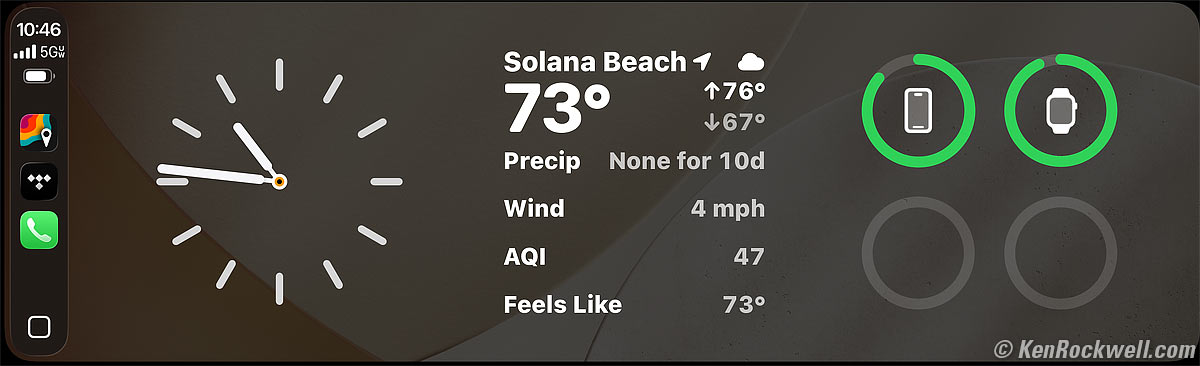
CarPlay Widgets, 2024 BMW 330i with iDrive 8. bigger.
With external hardware and software, now supports Genlock for video!
No longer specifies audio-only playback battery life.
About 0.017 inches (0.5mm or 450 µm) bigger in each dimension.
0.225 oz. (6.4g) heavier (8.195 oz. (232.4g) versus 7.970 oz. (226.0g)).
Good intro top
 Great pictures! It's just a little better at everything as iPhone is continuously refined, especially now for telephoto shots.
Super-smart exposure system adapts itself to any set of conditions for always-sharp pictures. It's so smart that it gets sharp shots out of a car window flying by these trees at 60 MPH because it knew how fast I was going, and automatically chose to increase the ISO so it could shoot at 1/11,905:

Quaking Aspens Shot out of a Car Window at 60 MPH, June Lake, California, 9:43 A.M, Friday, 24 October 2025. iPhone 17 Pro Max 1× camera (24mm eq.) at f/1.8 at 1/11,905 at Auto ISO 320 (LV 13.5), Radiant Photo software. bigger.
Video stabilization so solid it makes gimbals completely unnecessary. It also has an ACTION video mode with more extreme stabilization that gives smooth results if you're running or doing other very active things, no gimbal required!
My battery lasts forever — but we all use our iPhones differently. I've never run it down in a day. One night I deliberately didn't charge it, and it was at 50% the next morning 24 hours after the previous charge. It was at 20% at the end of the second full day of use. It was at 12% on the second morning — 48 hours after being charged. It ran until 12:30 PM on on the third day: a total of 54 hours of light on-and-off use at home, or two and a half days! In fact, to extend battery health, I set mine only to chargeto 80%, and it's rare that I ever run it down to less than 35% by the end of the day.
Super-fast charging. Another time I forgot to put in on my usual charger and it was at 14% when I woke up. Even with only a 30W USB-C charger it was at 88% 50 minutes later when I actually got out of bed. Bravo!
Splash, water, and dust resistant.
Live one-on-one support at (800) APL-CARE.
This also works back to iPhone 14: free satellite roadside assistance, SOS and some text messages covered for two years. In other words when you get back to your car in some remote off-the-grid area and need help after backpacking for a week — but there's no cell signal, you still can get help! Even better news is that Apple has kept extending the free satellite data options beyond the originally claimed two years, bravo Apple!
I could go on all day. iPhone is the most advanced consumer product ever created in all of humanity's history, replacing and improving on innumerable things like cameras, telephones, record players, wristwatch chronometers, printed books, iPods and MP3 players, film, photo labs and photo albums, road maps and atlases, clocks, CD and SACD players, AM, FM and shortwave radios, GPS navigation systems, flashlights, thermometers, calendars, bibles, cassette recorders, barometers and weather stations, stopwatches, camcorders, and, well, you get the idea.
See also my iPhone 16 Pro Max review for many more great things which also apply to the iPhone 17 Pro Max.
This is the most precise product ever sold to consumers. Its semiconductor technology is measured in nanometers, and here's a closeup of a 1.2" (30mm) wide section of the bottom. The holes on the right look like dots to our eyes, and as we can see in this ultracloseup they're actually covered with woven microgrilles:
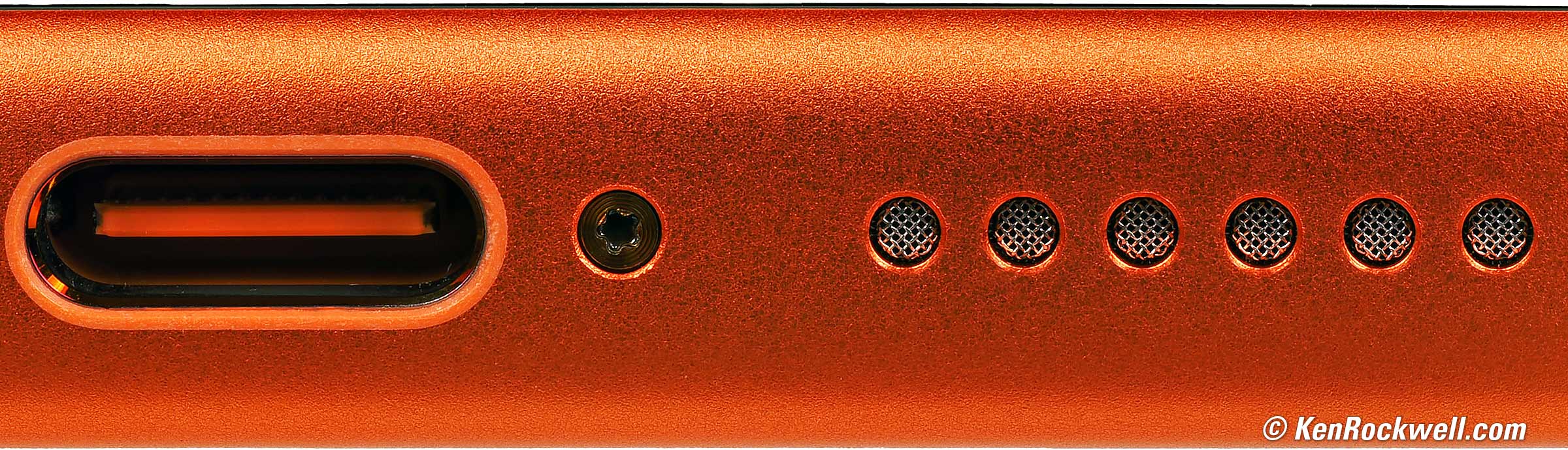
Bottom USB-C Connector — and more! bigger.
If this image is 3" (75mm) wide on your iPhone, this is a 2½× magnified view.
If this image is 6" (150mm) wide on your iPhone, this is a 5× magnified view.
If this image is 12" (300mm) wide on your laptop, this is a 10× magnified view.
Bad intro top
 It still has a ghost image if pointed into the sun or other extremely brilliant source of light. iPhones have been this way since the beginning, so if you haven't seen it before, you won't see it in the iPhone 17 Pro Max either.
Not free, but for something we all use all day, every day, it's worth it.
Missing intro top
 Still no automatic leveling mode a la Canon EOS R7.
Specifications, 17 Pro Max top
Sample Images Intro New Good Bad Missing
Specs Cases Chargers Lenses, Gimbals & etc.
Filters Microphones Performance User's Guide
The iPhone 17 Pro Max is at Amazon and it's at eBay (How to Win at eBay).
See also Apple's iPhone 17 Pro & Pro Max Specs.
Display
6.61" (168mm) diagonal, actual measured size. Apple specifies 6.86" diagonal, which is only if you include the parts that would be there if the corners weren't rounded. Apple then rounds 6.86" to 6.9" in its sales literature.
2,868 × 1,320 pixels at 460 PPI.
6.235 × 2.870 inches (153.36 × 72.89 mm).
Always on, except when it's not.
Brilliant 1,000 nits, 1,600 nits peak with HDR and 3,000 nits peak outdoor brightness.
2,000,000:1 contrast ratio OLED at up to 120 Hz.
P3 color gamut.
True-Tone adapts the screen's color balanced to the ambient light.
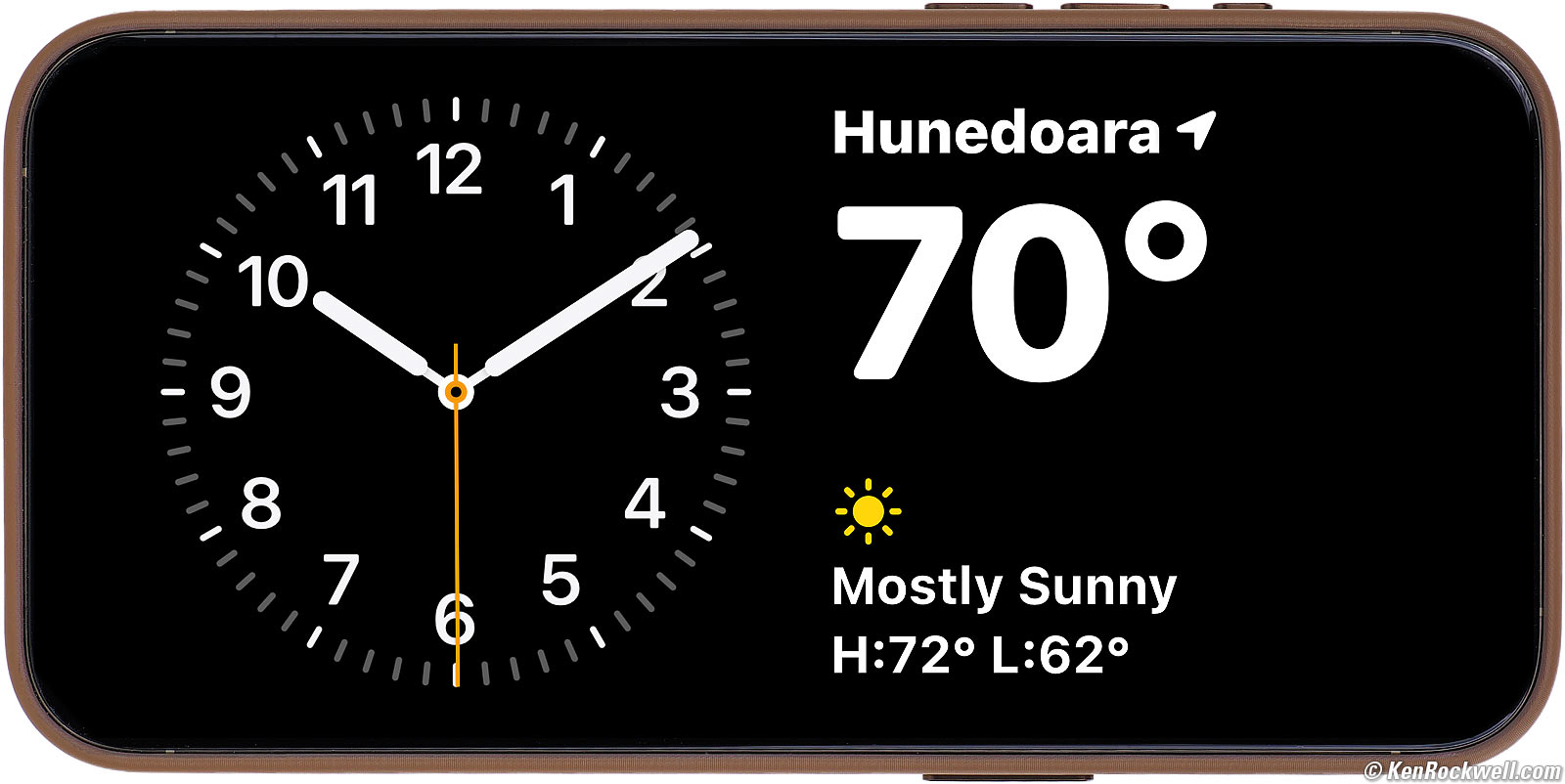
iPhone 15 Pro Max StandBy Display. bigger.
Cameras, Lenses & Sensors specifications top
Every iPhone has about as many cameras as a spacecraft.
In addition to an infra-red LASER RADAR (LiDAR) 3D sensor array on the back and an infra-red emitter and camera system on the front for Face ID, the iPhone 17 Pro Max has four separate visible-light color cameras: one on the front for selfies, and these three on the back:
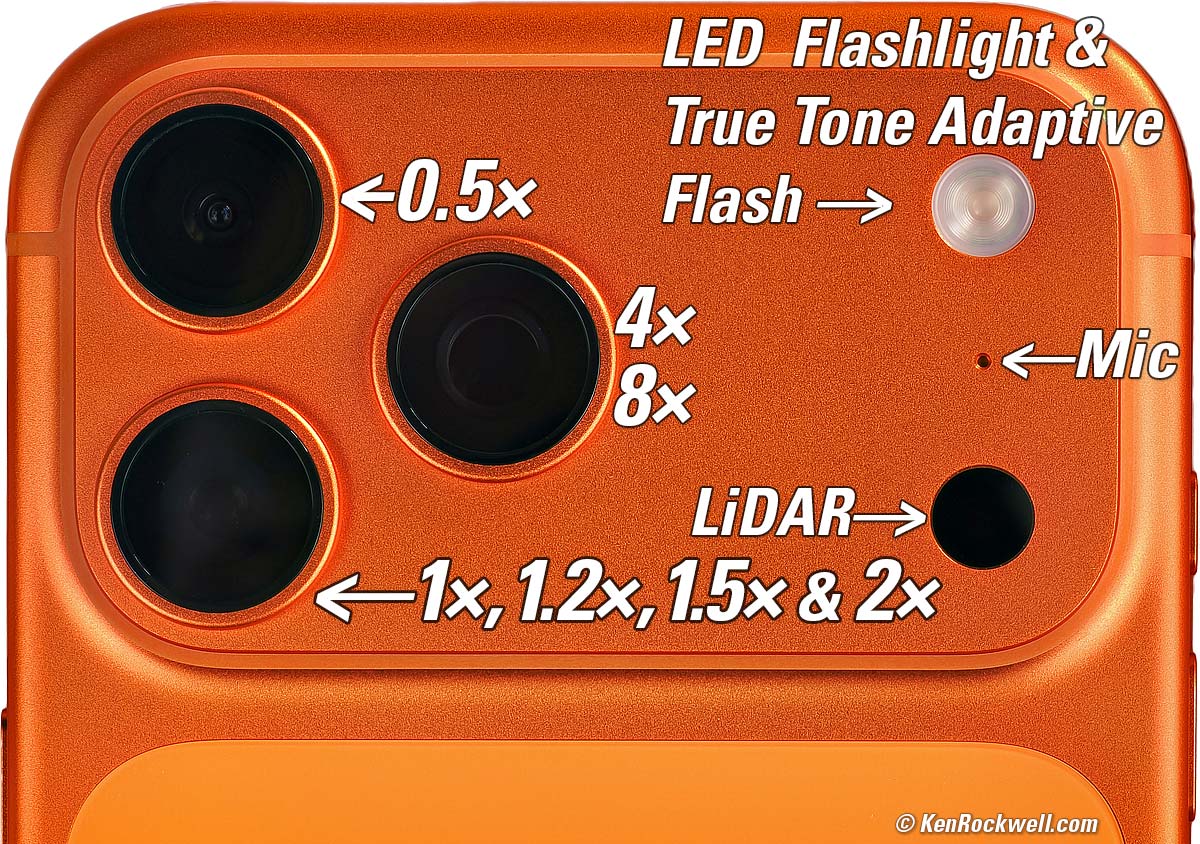
Apple iPhone 17 Pro Max Camera System. bigger.
Front Camera |
0.5× |
1×, 1.2×, 1.5× & 2× |
4×, 8× |
|
Also called |
Center Stage, TrueDepth, Selfie or Screen |
Ultra-Wide |
Main & Digital Zoom |
Telephoto |
20mm uncropped, 30mm cropped. |
13mm |
24mm at 1× 28mm at 1.2× crop 35mm at 1.5× crop 48mm at 2× crop |
100mm at 4× 200mm at 8× crop |
|
Actual Lens |
2.69 mm f/1.9 6 elements |
2.22 mm f/2.2 6 elements |
6.765 mm f/1.78 7 elements |
16.9 mm f/2.8 7 elements + tetraprism |
Crop Factor |
7.4x, or more as cropped |
5.856× |
3.537× 4.24× at 1.2× crop 5.31× at 1.5× crop 7.07× at 2× crop |
5.92× at 4× 11.8× at 8× crop |
Diagonal Angle of View |
94.5º maximum |
120º |
83º at 1× 75º at 1.2× crop 63º at 1.5× crop 48º at 2× crop |
24.4º at 4× 12.3º at 8× crop |
Close Focus |
about 2.2 inches (55mm) from the screen |
about 0.5 inches (12mm) from the lens cover |
6.5 inches (165 mm)1 |
3 feet (35" or 89 cm)1 |
Lens Diaphragm |
None, always shoots at f/1.9 |
None, always shoots at f/2.2 |
None, always shoots at f/1.8 |
None, always shoots at f/2.8 |
Still Image Stabi. |
"Auto image stabilization" |
none |
2nd generation sensor shift optical IS |
3D sensor‑shift optical IS |
Video Stabi. |
"Auto image stabilization" |
electronic |
Sensor shift & electronic |
3D sensor shift optical IS |
Electronic Lens Distortion Correction Available? |
Yes, but I've not seen it make any difference. |
Yes, but I've not seen it make any difference. |
No |
No |
Image Sizes (pixels) |
4,896 × 4,896 sensor, cropped as required to a: Maximum image size of 4,896 × 3,672 or 3,672 × 4,896 |
8,064 × 6,048 (48 MP) 5,712 × 4,284 (24 MP) 4,032 × 3,024 (12 MP) |
8,064 × 6,048 (48 MP) 6,720 × 5,040 (34 MP at 1.2× crop) 5,712 × 4,284 (24 MP) 5,376 × 4,032 (22 MP at 1.5× crop) 4,032 × 3,024 (12 MP) |
8,064 × 6,048 at 4× 4,032 × 3,024 at 8× crop |
Effective Resolution |
Always cropped to 18 MP or less Sensor: 24MP |
48 MP3 at 0.5× 12 MP3 at 0.99× crop |
12, 24 or 48 MP3 at 1× 12, 24 or 34 MP3 at 1.2× crop 12 or 22 MP3 at 1.5× crop 12 MP at 2× crop 3 MP at 3.99× crop6 |
48 MP3 at 4×
12 MP at 8× crop 3 MP at 16× crop6 0.48 MP at 40× crop6 |
Maximum Digital Zoom |
1.5× |
0.99× before swapping to the 1× camera.1 |
3.99× before swapping to the 4× camera.1 |
|
Effective Resolution at Maximum Digital Zoom4 |
8 MP4 |
12 MP4 |
3 MP4 |
480 kP4 (stills) |
1/3.2" or 1/4.8" |
1/2.1" |
1/1.28" 1/1.54" 1.2× crop 1/1.92" 1.5× crop 1/2.56" 2× crop |
1/2.14" 4× 1/4.28" 8× crop |
|
Actual Sensor Size |
4.86mm square, but images are always cropped from that. |
5.6 × 4.2mm |
9.8 × 7.3mm 8.2 × 6.1mm 1.2× crop 6.5× 4.7mm 1.5× crop 4.9 × 3.65mm 2× crop |
5.85 × 4.39 mm |
Sensor Diagonal |
6.8mm, always cropped |
7.00mm |
12.22 mm 10.18 mm 1.2× crop 8.17 mm 1.5× crop 6.11 mm 2× crop |
7.3mm |
Pixel Pitch |
1.0 µm |
0.7 µm |
1.22 µm @ 48 MP (1×) 1.73 µm @ 24 MP (1×) 2.44 µm @ 12 MP (1×) 1.22 µm @ 12 MP (2×) |
0.72 µm |
Fastest Shutter Speed (observed2, 5) |
1/10,000 |
1/76,923 |
1/43,478 |
1/43,478 |
Lowest ISO2 (observed) |
ISO 20 |
ISO 16 |
ISO 502 |
ISO 16 |
1.) Macro mode magically digitally zooms-in from from the next shorter camera if you're too close at the selected zoom setting.
2.) It's super-smart, adapting its ISO and shutter speeds in any light based on how steadily you're holding the camera and/or if you're moving.
3.) Only 12 MP (4,032 × 3,024) in Night Mode and up to about 62 MP (16,350 × 3,800 pixels) in Panorama mode.
4.) Effective Resolution = Sensor Resolution / (Digital Zoom Factor )2
5.) This is pointing the camera at extremely bright things, like the sun. If I had brighter things, it might go faster.
6.) See Digital Gulches.
Digital Gulches specifications top
There is no actual optical zoom in any iPhone, or any phone of which I know.
Instead they use separate fixed-lens high-resolution cameras (0.5×, 1× and 4× in the iPhone 17 Pro Max) and use digital zoom (cropping and subsequent interpolation) for every other zoom setting in-between.
Every iPhone 17 Pro Max camera (0.5×, 1× and 4×) starts at 48 MP. The effective resolution drops as each is cropped for longer zoom settings, until the next longer camera takes over at 48 MP.
48 MP is more than enough for anything, and allows for a 2× 12 MP crop at 0.99×, 1.99× and 8× from each 48 MP 0.5×, 1× and 4× camera.
Effective resolution is 12 MP or more from 0.5× ~ 2× and 4× ~ 8×, but drops below 12 MP in the digital gulches between 2× and 4× and beyond 8×.
Digital gulches (effective resolutions below 12 MP) occur when a camera is digitally zoomed beyond 2× from its basic setting, and is worst when it's cropped the most just below the next-longer camera's zoom, or when the telephoto camera is zoomed beyond 8×. At 40× the telephoto camera is just squeaking by with only 0.48 MP from which the system interpolates back up to a 12 MP file.
iPhones have always been like this, and use very smart AI and vectorization to interpolate up from the limited number of source pixels to the target 12 MP images that are saved.
Don't worry. The iPhone 16 Pro Max and iPhone 15 Pro Max had much bigger and deeper digital gulches just short of their 5× settings. At 4.99× their 1× cameras were cropped to use just the central 1.9 MP — and no one ever noticed due to the excellent interpolation used.
Formats specifications top
Stills
Your choice of JPG ("Most Compatible"), HEIC ("High Efficiency") or DNG ("ProRAW").
Professional 4:3 aspect ratio, as well as crops to 16:9 and square, and also magically stitched swept panoramas of variable width.
Video
4K Dolby Vision at 24, 25, 30, 60, 100 (Fusion) or 120 (Fusion) FPS.
1,080p Dolby Vision at 25, 30, 60, 100 (Fusion) or 120 (Fusion) FPS. (oddly no 24 FPS, so use 25.)
720p Dolby Vision at 30 FPS.
Also Time Lapse and Slo-Mo.
Stereo or Spatial audio.
Panoramas specifications top
Works at any of the 0.5×, 1×, 2×, 4× or 8× fixed settings, but not in between.
Images are up to about 62 MP (16,350 × 3,800 pixels).
Zoom Setting |
Maximum Panorama Angle* |
0.5× |
360º |
1× |
330º |
2× |
180º |
4× |
75º |
8× |
45º |
* It's perfectly OK to do shorter panoramas.
Power & Battery specifications top
Battery rated 20 Wh (5,088 mAh at 3.9V).
Mine consumes 26.4 Wh for a full 0% to 100% charge, which accounts for heat losses and is typical.
I measure charging at up to 40 W via USB-C, but heat limits how long it can charge at 40 W before throttling back to about 27 W after about just 4 minutes at 40 W. It will maintain 40W charging for about 10 minutes if I remove the case and cool my iPhone. The iPhone regulates its charge rate to charge as fast as possible without overheating.
Qi2 and MagSafe wireless charging are rated up to 25 W.
Size specifications top
6.43 × 3.07 × 0.34 inches HWD.
163.4 × 78.0 × 8.75 millimeters HWD.
Weight specifications top
8.195 oz. (232.4 g) actual measured weight, naked.
9.425 oz. (267.1g), actual measured weight, cased.
Rated 8.22 oz. (233g).
iPhone 16 Pro Max was 7.970 oz. (226.0 g) actual measured weight, naked, and rated 7.99 oz. (227 g).
Water Resistance specifications top
Rated IP 68: 6 meters (20 feet) for up to 30 minutes per IEC 60529.
Caveat: As friends at Apple have explained, this is for a new iPhone. As soon as you drop it a couple of times you may break the seals and it won't be this good. Be careful unless you have a new phone. Friends have made awesome underwater videos, but as far as I know Apple doesn't cover water damage if yours leaks. Good luck!
Announced specifications top
Tuesday, 09 September 2025.
Promised for specifications top
Friday, 19 September 2025.
Available Since specifications top
Friday, 19 September 2025, exactly as promised. Bravo!
Cases top
Sample Images Intro New Good Bad Missing
Specs Cases Chargers Lenses, Gimbals & etc.
Filters Microphones Performance User's Guide
The iPhone 17 Pro Max is at Amazon and it's at eBay (How to Win at eBay).
Cases are a very personal choice.
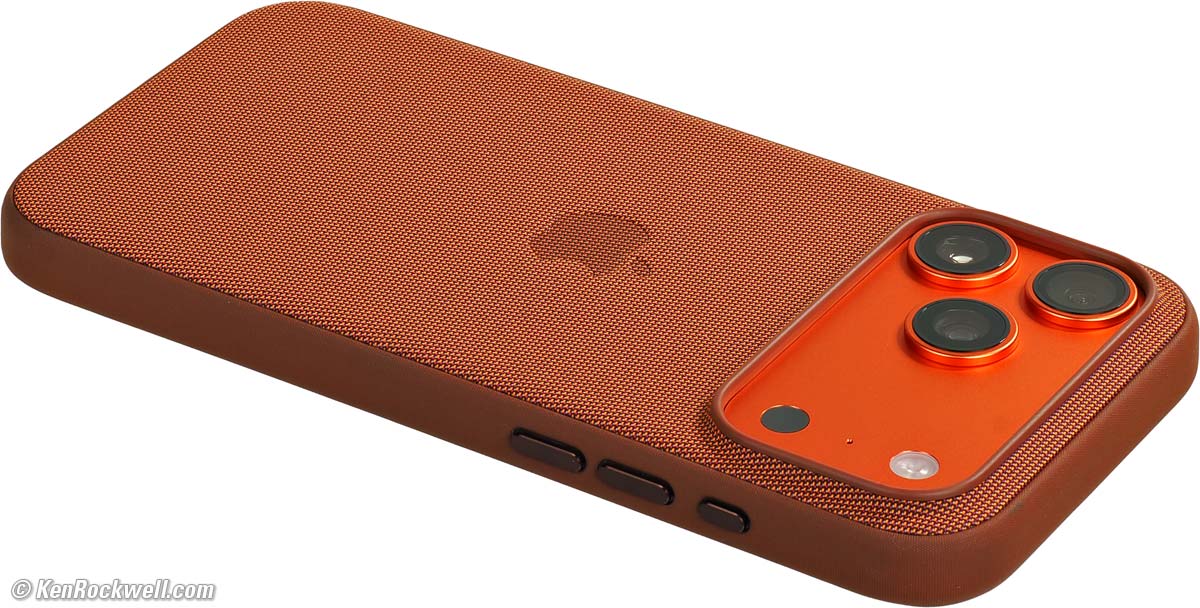
Cosmic Orange iPhone 17 Pro Max in Sienna TechWoven Case. bigger.
I love my genuine Apple TechWoven Case. It's very grippy even when damp, and it slides in and out of my pockets with ease. Its metal buttons work exactly like the iPhone's own metal buttons and Camera Controls.
Contrast this to genuine leather cases like the wonderful Bullstrap leather cases which are beautiful and have a superb warranty, however my Bullstrap cases are very sensitive to water and retain dark spots when they get splashed while washing hands. I have to be very careful of its genuine leather.
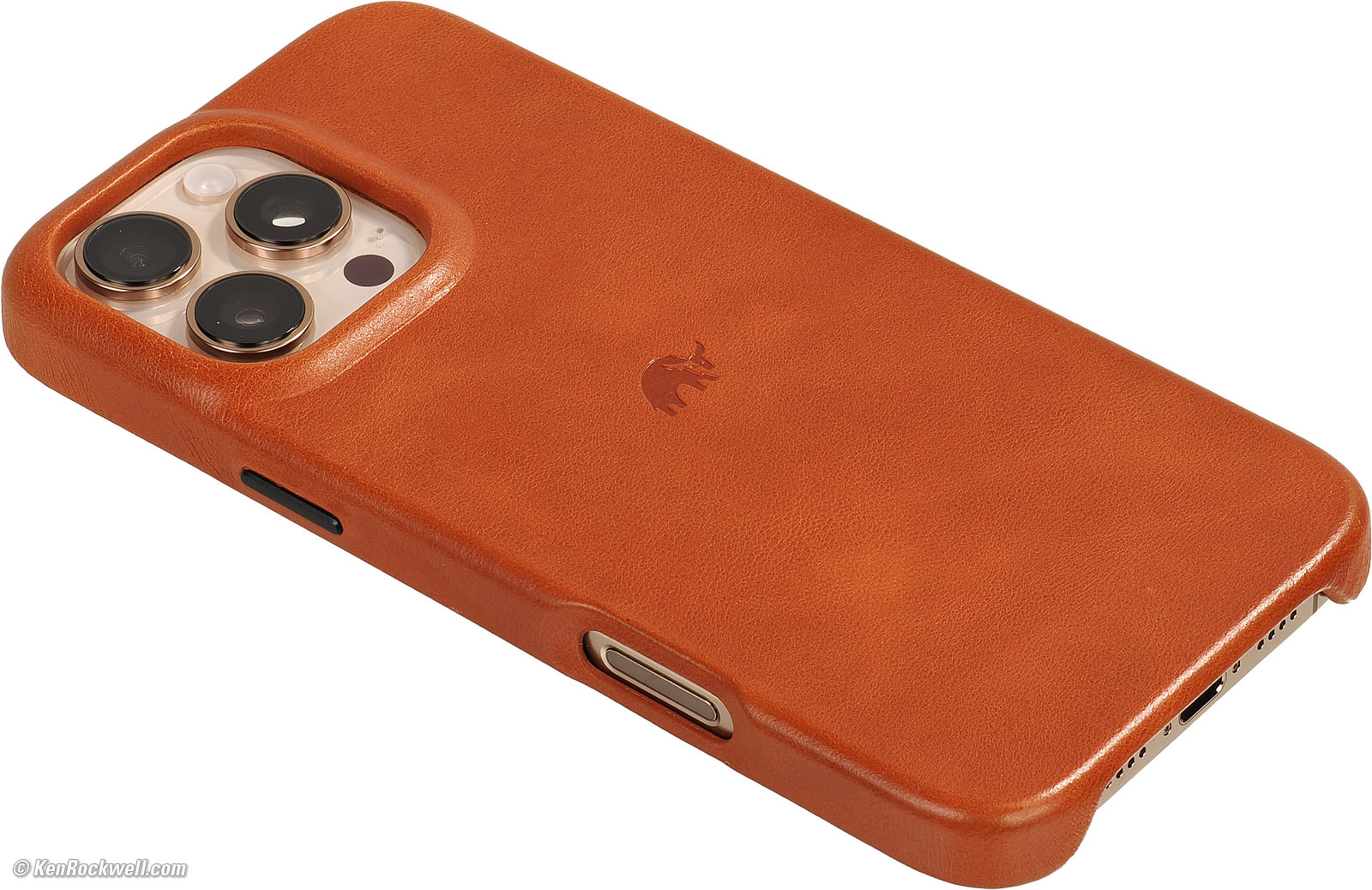
I've used Bullstrap's warranty to get replacements when they discolor after several months (I'm not a fan of patina, which I call discoloration), or if I damage them from dropping them. Bravo!
Silicone cases are so rubbery that it's almost impossible to slide them into or out of my pockets.
All these cases protect iPhones well. I've dropped each of my iPhones several times several feet onto concrete, stone or pavement and never had a phone damaged. This does damage the leather and/or internal steel frame of the Bullstrap cases, which they've cheerfully replaced under warranty.
Chargers top
Sample Images Intro New Good Bad Missing
Specs Cases Chargers Lenses, Gimbals & etc.
Filters Microphones Performance User's Guide
The iPhone 17 Pro Max is at Amazon and it's at eBay (How to Win at eBay).
It charges from anything that connects to USB-C or from anything wireless. Even though the speeds will vary, I've always been impressed at how everything Apple charges from anything without being picky.
USB-C PD chargers are best, and even USB-A to USB-C cables work great, depending on how much speed you want.
It wil charge from USB-C PD chargers, USB-C PD power banks, USB-C PD solar panels or Car 12V to USB-C chargers with USB-C to USB-C cables.
It is slower, and also charges just fine with USB-A to USB-C cables.
If you need the fastest charging, get a 40W or greater USB-C charger and I can go from 0% to 50% in 27 minutes, or 20% to 80% in 37 minutes.
While I have loads of USB-C chargers and my new iPhone 17 Pro Max works great with the same wireless chargers I've had since 2018 for my iPhone Xs Max, I really love my Petino Samba Pad Pro 3-Way MagSafe Wireless Charging Station:

Petino Samba Pad Pro 3-Way Wireless Charging Station.
Of course there are loads of other wireless charging stations. This one is fast and holds three things (iPhone, Apple Watch and any third item in the center like AirPods or another phone) on my night stand for StandBy.
For wireless, ideally use MagSafe wireless chargers. Generic wireless chargers aren't particularly fast, and often generic wireless car chargers do more to make my iPhone get hot than they charge it. Of course try yours in your car before poo-pooing it, but I've never seen an an in-car wireless tray that charged well with any phone; a better idea would be an Apple MagSafe charge cord connected to a 12V to USB-C car charger.
More about charging & fast charging at my iPhone 17 Pro Max User's Guide.
Camera Apps, Grips, Gimbals & Lenses top
Sample Images Intro New Good Bad Missing
Specs Cases Chargers Lenses, Gimbals & etc.
Filters Microphones Performance User's Guide
The iPhone 17 Pro Max is at Amazon and it's at eBay (How to Win at eBay).
Forget these!
The whole point of iPhone is its simplicity: not needing any other rubbish to degrade our experience. Draw and fire, that's what it's all about. Anything that distracts our concentration from what's actually in our picture makes our pictures worse.
There are huge industries developing and selling these tchotchkes to the insecure, but we don't need any of them:
Forget Camera Apps
I've tried third-party camera and shooting apps, and never liked any of them as much as I love iPhone's native Camera app.
The Camera app is simplicity, the whole point of iPhone.
Other apps just make things more complicated, and worse, some of the ones I've tried don't or can't take advantage of all the magic resident in the Camera's own app and processing, making poorer images than if we just shot it in the regular Camera app.
Forget Grips
Are you kidding? Like I'm going to put something on my iPhone to make it as clumsy as my LEICA so I can't put it in my pocket? Why?
Forget these.
Forget Gimbals
You don't need a gimbal; just walk and shoot and video playback is completely smooth!
People used to think they needed gimbals with earlier stabilized iPhones because the shooting display wasn't stabilized, even though the actual as-captured video was flawlessly smooth on playback. iPhone uses both optical and sensor-shift stabilization, and then electronically frameshakes everything to eliminate any vibration before it saves the interframe-aligned file.
Hand-held video is ultra smooth, even when shot at maximum zoom. Ignore your sucker friends with massive dork rigs; just hand-hold and you'll get the same video!
Try the ACTION VIDEO mode with even more extreme stabilization if you're running or doing other very active things.
Forget Most Accessory Lenses
In olden days we needed accessory lenses to get ultrawide or tele, while today's iPhone 17 Pro Max already has these.
Forget accessory lenses, except maybe for ultra-macro, fisheye, ultrateles, telescope adapters or similarly unique lenses that do things the iPhone can't do on its own. Personally I use none of these since carrying them distracts the magic and simplicity of iPhone.
I shot this with a large telescope, but I hand-held my iPhone to its eyepiece. Having a telescope adapter would have been handy, but also more stuff to get in my way:
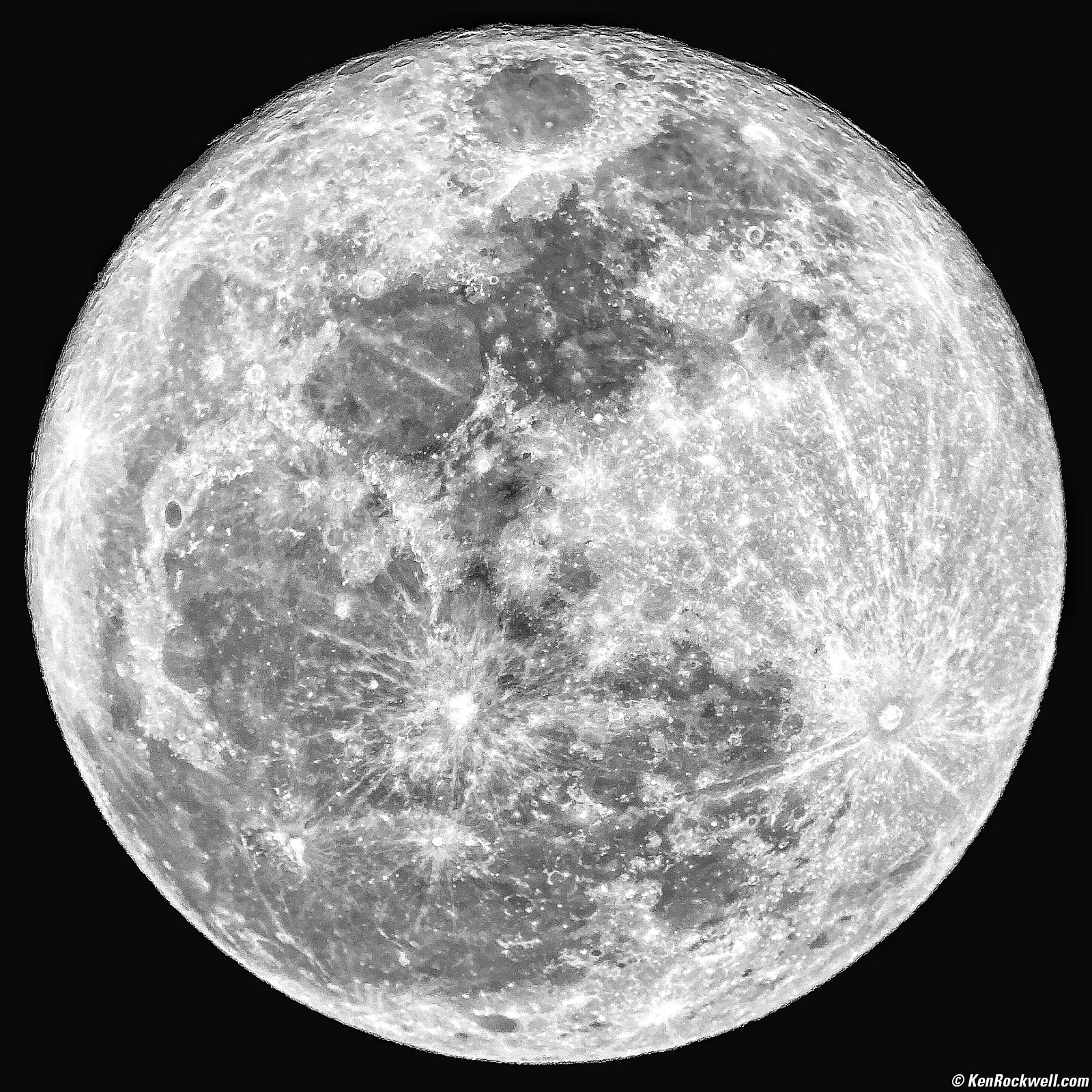
The Moon, 8:26 PM, 31 October 2020. Celestron 8 telescope, iPhone 11 Pro Max hand-held to Vixen LVW 65º 22mm eyepiece, 4.25mm at f/1.8 at 1/355 at Auto ISO 32 (LV 11.8). bigger.
Hint: I've owned classic fisheye lenses since the 1970s, and to be perfectly honest, only made one good photo with any of them. Forget fisheye lenses for iPhone.
Filters top
Sample Images Intro New Good Bad Missing
Specs Cases Chargers Lenses, Gimbals & etc.
Filters Microphones Performance User's Guide
The iPhone 17 Pro Max is at Amazon and it's at eBay (How to Win at eBay).
There's no need for grad filters because the iPhone 17 Pro Max handles extreme light all by itself, something conventional cameras can't do.
Polarizers are rarely helpful, and if I need one, I simply hold a regular camera filter in front of my iPhone and I'm good — no need for special iPhone polarizers.
Hint: Accessory makers have sent me special iPhone filters to review, and the reason I've never published any reviews is because these little filters are often resin or plastic, and not flat so they rob sharpness! Eeech!
Hint: Avoid polarizers with ultrawide lenses because they can make the sky look funny.
If you want to use goofy multi image, split diopter, fog, softening or other Hollywood DP trick filters, by all means use them. This is art.
Microphones top
Sample Images Intro New Good Bad Missing
Specs Cases Chargers Lenses, Gimbals & etc.
Filters Microphones Performance User's Guide
The iPhone 17 Pro Max is at Amazon and it's at eBay (How to Win at eBay).
While I wouldn't waste time with any microphones attached to my iPhone because I find Apple's own internal mics superior, I usually record any serious video using professional external microphones placed away from the camera and record it with a separate pro recorder.
I process the audio tracks on my workstation (Garage Band on my Mac) and then replace the iPhone's audio with my fancy audio track in my video editing software (iMovie).
I don't need a slate; I simply move my external audio track around so its envelope matches the audio native to the iPhone, then remove the iPhone soundtrack. Easy! Everything at KenRockwell.TV is shot this way.
If shooting a concert, recital, wedding or play I'd have mics all up on stage and/or on the talent, edit the audio separately and add it back to my video the same way. Ditto if I record multitrack: I'll edit the audio down to however many channels I need for release and add that completed audio track to my video before I start to cut the combined audio and video.
Fun Fact: When we make an animated film in Hollywood we create the audio first, and then create the animation to match the sound track — backwards from how we make regular movies by recording the music on a stage as we play back the already edited picture on a screen behind the orchestra.
Performance top
Sample Images Intro New Good Bad Missing
Specs Cases Chargers Lenses, Gimbals & etc.
Filters Microphones Performance User's Guide
The iPhone 17 Pro Max is at Amazon and it's at eBay (How to Win at eBay).
Overall
It's brilliant; the world standard in beauty and function.
Apple is one of the very few consumer companies who still care about making brilliant products out of glass, steel and ceramics that work incredibly well, and the only maker who does this at reasonable prices. They're well supported by real people at (800) APL-CARE, and have simple, clear user interfaces that are a joy to use all day. Bravo, Apple!
Let's not take this for granted. Apple could have sold-out like most of the rest of the world and today be selling disposable plastic rubbish with no customer support and crummy, ad-populated interfaces. Apple keeps churning out amazing products that seem as if they were crafted in Heaven by Angels; heck, the iPhone has no writing, numbers or fine print on it, a pure and perfect work of art!
Everything is more pleasant to use than ever, and of course everything responds instantly.
Of course there are a innumerable things that make iPhones amazing; see my iPhone 15 Pro Max Review for many more things common from older models.
From the day I opened my iPhone 17 Pro Max, what I noticed that's new:
Setup & Migration performance top
It was the easiest setup and migration I've ever done from an old iPhone. While of course it took hours for 700 GB of photos and video to transfer to my new phone as it always does, everything worked the first time. Bravo!
See How to Transfer all Your Data and Apps to Your New iPhone.
Screen & Display performance top
The new water-cooled system works well to let my screen work at full brightness outdoors for much longer than my iPhone 16 Pro Max did before having to dim to prevent overheating. Bravo!
As we expect, the screen is brilliant and accurate. It looks fantastic under any kind of lighting, from pitch black to direct sunlight.
It doesn't flicker as dimmed, as many lesser bands do as they control brightness through pulse-width modulation at too low a frequency.
The 17 Pro Max has an astonishingly bright screen for when you need it in sunlight, and is able to stay at these high brightnesses for much longer times before it has to dim itself progressively to keep from overheating. Bravo, Apple!
While it is always on most of the time (😁), it will turn off when you put it face down, or when you walk away from it. It will turn off in StandyBy mode, and you have to wave a hand in front of it or tap it to wake up again. It does this to save energy as it sits on your night stand charger. It works the same as it does in the iPhone 15 Pro Max, which is very well much of the time.
Camera performance top
Of course I love the camera, look at the pictures, and not only does the camera work great, of course when you shoot on iPhone it's trivially easy to post or share them. I don't bother connecting my fancy cameras to my iPhone; if I need to share something, I just shoot it on iPhone.
The 48 MP 4× telephoto camera is a huge improvement over the previous 12 MP 5x telephoto camera in the iPhone 16 Pro Max. At the 100mm equivalent 4× setting we're working at 48 MP with the iPhone 17 Pro Max, but only with 3 MP when the iPhone 16 Pro Max is set to 4×. At 4× the iPhone 16 Pro Max has to make a 4× crop from the regular 48 MP 1× camera, or use only 1/16 of its 48 MP sensor.
Night shots come out much brighter than in earlier iPhones, looking less like the dark scene did to my eye and more as I want my photo to look. Bravo!
Electronic Level performance top
The level is nice (the white line across the center that turns yellow when you're level), but it's hard to see and doesn't work if you're tilted too far up or down.
Rotate your iPhone until it turns yellow, and you're level. The line goes away once you're level.
The camera measures G forces with accelerometers to determine which way is down, so ignore it while in a moving vehicle.
It only shows roll (left-right), not pitch (up-down).
The Camera Control performance top
I don't use the slide-to-zoom function. I find the Camera Control is too small to be useful for zooming with my big hands, but as a pushbutton to get to the camera, it's fantastic!
I set it to work as a regular button, and one click usually brings up the camera immediately, letting me get my shot faster than with any other camera ever created. When fractions of a second matter, the second it used to take to hold the camera icon at the Lock screen matters. One click wakes the Camera (if needed) and the next click fires. Bravo!
In Car Play it may not respond at all, but it is a huge step forwards. I would prefer it takes total control and just goes to the camera with one click regardless of the state of the iPhone, but Apple has its reasons.
Hint: To turn off the flashlight, tap the Camera Control!
Stabilization performance top
I can't recall the last time, if ever, I've gotten a blurry photo or bumpy video. Even at the 8× zoom it's always perfectly sharp, and video stabilization is so good you don't need a gimbal.
Try the ACTION VIDEO mode with even more extreme stabilization if you're running or doing other very active things.
Video performance top
Video looks great. Everything at KenRockwell.TV is shot on iPhone.
What makes it so much better than any mirrorless or DSLR camera is that:
1.) It has magic technology to control highlights and shadows to give great video regardless of how harsh is the real-world lighting. While in Hollywood we may take days to light a set so we can capture it on a regular camera, no other camera can do a better job than iPhone getting great images in real-world conditions without needing extra lighting to control highlights and lighten shadows. Shooting in harsh mid-day sunlight? No problem!
2.) Video autofocus is brilliant, magically figuring out what's important and tracking focus on that. I've never seen any other camera work so well. (In Hollywood film and TV everything is focussed manually because big cameras can't autofocus well enough, we use focus pullers or camera assistants whose sole job is to pull focus manually!)
3.) Flawless exposure control.
4.) Great Auto White Balance; colors always look great in every condition.
5.) Magnificent stabilization. You don't need a gimbal; just walk and shoot and playback is completely smooth! While the shooting display may bump around a bit, but look at the playback and I've always been astounded at how hand-held video looks as smooth and solid as if I shot it on a Sachtler fluid head.
Image Editing performance top
Apple's in-camera editing is very flexible. In the Photos app, select a photo and tap the sliders (edit) option and have at it.
New is a STYLE control that adjusts saturation and brightness with a fingertip, and it's resettable if you want to change or reset your adjustment in the future.
Nice about Apple's in-phone editing ability is that it can be undone even a long time from now, and that what it saves is still in HDR. Very few other apps can do either of that.
See my iPhone 17 Pro Max user's guide for the third-party programs and apps I use.
Charging Speed performance top
40 watts USB-C charging rate, measured.
How long it will charge at 40W is limited by heat. It slows down as it heats up, which is great because it's dynamically varying the charge rate for the fastest possible charge without blowing up.
I can charge from 20% to 80% in 37 minutes if I take it out of the case so it can cool better.
At 30 watts mine charges at about 2% per minute, so 15 minutes gets me from 30% to 60%.
The last 80% to 100% takes longer because the charge rate slows down deliberately for the sake of heat and better health.
Once I forgot to put in on my usual charger and it was at 14% when I woke up. Even with only a 30W USB-C charger it was at 88% 50 minutes later when I actually got out of bed. Bravo!
Power & Battery Life performance top
My charge seems to last forever, but this depends on how much you use your phone and how close you are to WiFi or cellular signals. I've never run mine down in a day, but I'm not glued to it all day, either.
One night I deliberately didn't charge it because it was still at 60%. It was at 50% the next morning, 24 hours after the previous charge.
It was at 20% at the end of the second full day of use. It was at 12% on the second morning — 48 hours after the last charge.
It ran until 12:30 PM on on the third day: a total of 54 hours of light on-and-off use at home, or two and a half days! Of course I wasn't using it much while I was at home most of the time and being connected to my Wi-Fi it didn't have to expend much power talking to 5G.
A friend to whom I handed-down my iPhone 15 Pro Max from last year complained about battery life and having to charge it mid-day. Looking at Settings > Battery > Battery Health her battery was clearly in great shape. Looking at her usage statistics (also at Settings > Battery) I realized that she spends at least twice as much time on her phone as I do — she lives on Facebook all day long! Some people can't put their phones down.
If you need more battery life, use the Low Power Mode or carry a spare power bank.
The battery is rated 20 Wh (5,088 mAh at 3.9V).
Mine consumes 26.4 Wh for a full 0% to 100% charge, which accounts for heat losses and is typical.
I measure charging at up to 40 W via USB-C, but heat limits how long it can charge at 40 W before throttling back to about 27 W. Mine usually only runs about 4 minutes at 40 W if it's in its case.
It will maintain 40W charging over USB-C for about 10 minutes if I remove the case and cool my iPhone. The iPhone regulates its charge rate to charge as fast as possible without overheating.
I can go from 0% to 50% in 27 minutes, or 20% to 80% in 37 minutes with a 40W USB-C charger.
Sound performance top
The built-in speakers are stereo, and smart enough that the stereo channels automatically reconfigure as you flip the phone to keep the stereo image correct. Bravo!
User's Guide top
Sample Images Intro New Good Bad Missing
Specs Cases Chargers Lenses, Gimbals & etc.
Filters Microphones Performance User's Guide
The iPhone 17 Pro Max is at Amazon and it's at eBay (How to Win at eBay).
See My Separate iPhone 17 Pro Max User's Guide.
© Ken Rockwell. All rights reserved. Tous droits réservés. Alle Rechte vorbehalten. Alla rättigheter förbehållna. Toate drepturile rezervate. Niciun vampir nu a fost implicat în crearea acestei lucrări. Doe! Omnia jura reservata. Ken Rockwell® is a registered trademark.
Help Me Help You top
I support my growing family through this website, as crazy as it might seem.
The biggest help is when you use any of these links when you get anything. It costs you nothing, and is this site's, and thus my family's, biggest source of support. These places always have the best prices and service, which is why I've used them since before this website existed. I recommend them all personally.
If you find this page as helpful as a book you might have had to buy or a workshop you may have had to take, feel free to help me continue helping everyone.
If you've gotten your gear through one of my links or helped otherwise, you're family. It's great people like you who allow me to keep adding to this site full-time. Thanks!
If you haven't helped yet, please do, and consider helping me with a gift of $5.00.
As this page is copyrighted and formally registered, it is unlawful to make copies, especially in the form of printouts for personal use. If you wish to make a printout for personal use, you are granted one-time permission only if you PayPal me $5.00 per printout or part thereof. Thank you!
Thanks for reading!
Ken.