Canon R6 Mk III32 MP Stabilized Full-Frame at 40/12 FPS, World's Best Camera 2025 ~ todayNew Same as R6 II Good Bad Missing Specifications Accessories USA Version Performance Compared User's Guide R1 R3 R5 II R5 R5C R6 III R6 II R6 R R8 RP R7 R10 R50 R50V R100 Canon: Bodies Compared RF Lenses EF Lenses Flash
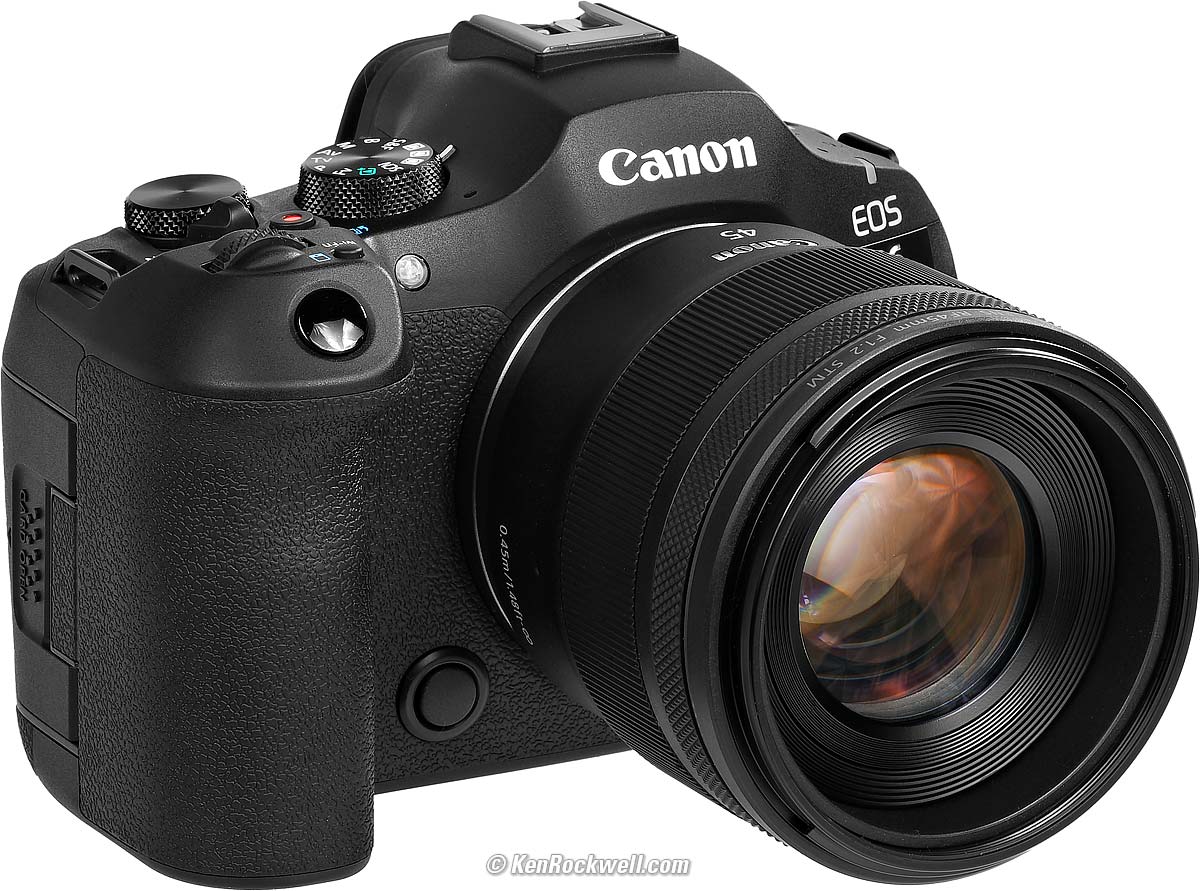
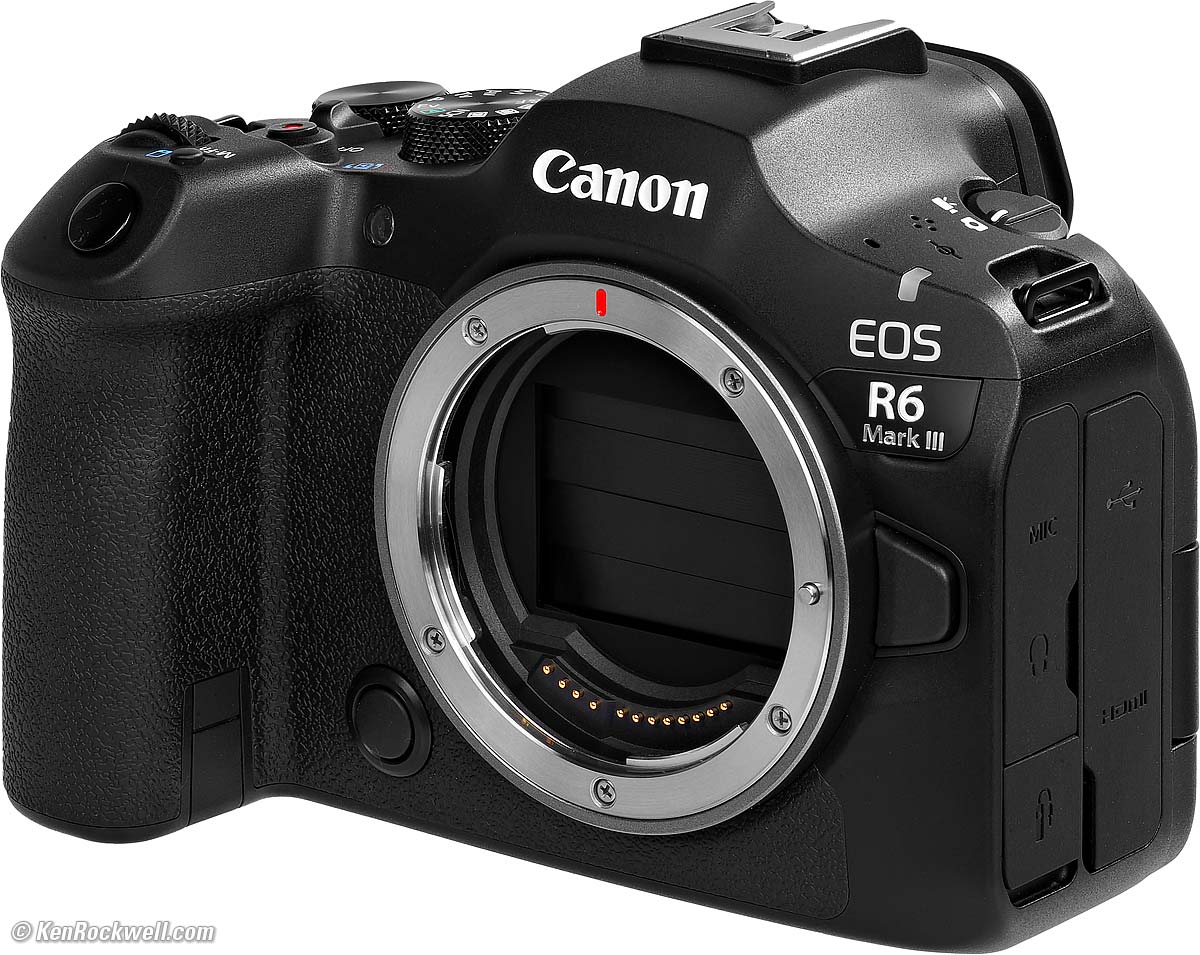
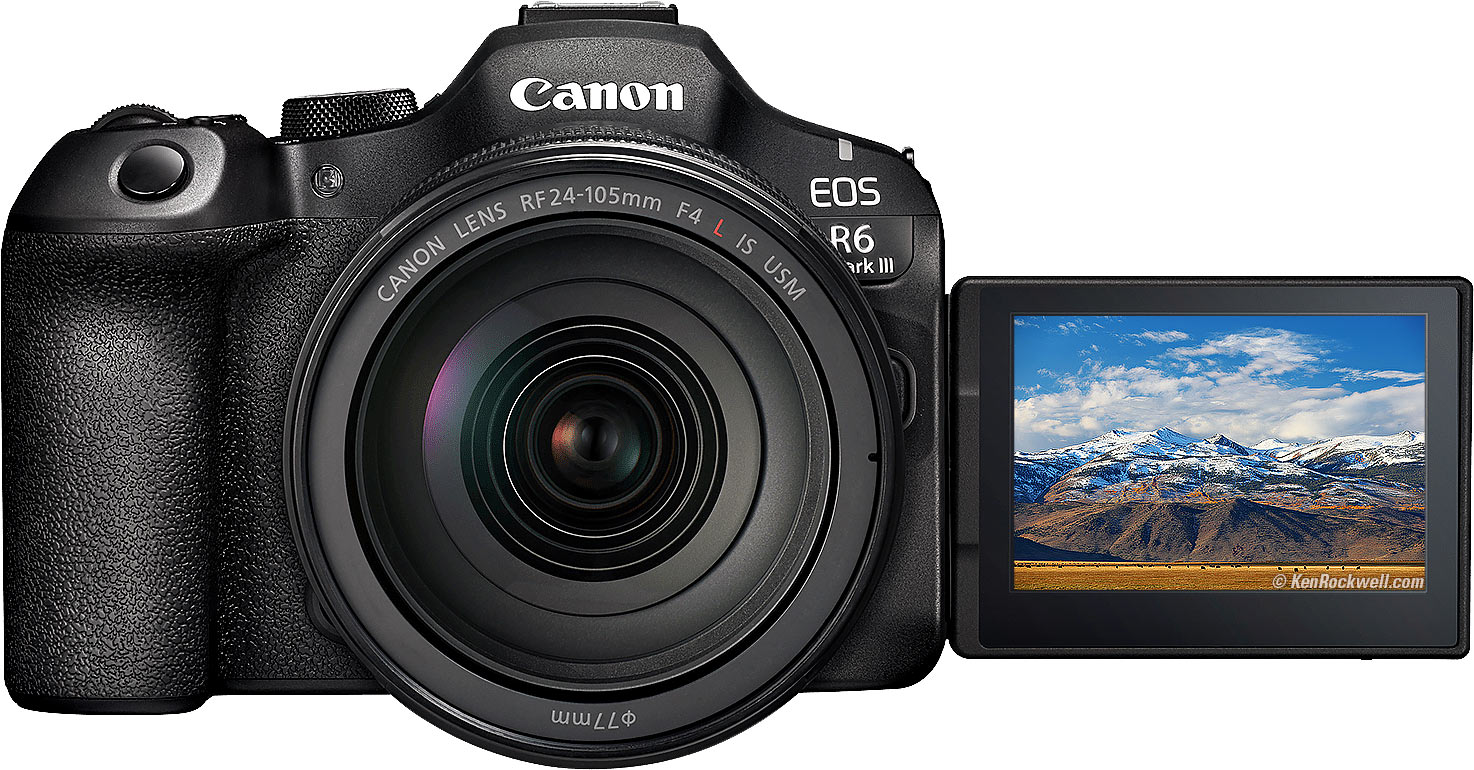
Canon EOS R6 Mk III (24.7 oz./699 g with battery and a CFexpress type B card, also has a second SD card slot, $2,799) and RF 45mm f/1.2 STM. bigger. I got my R6 III from B&H. I'd also get it at Adorama, at Crutchfield or at Amazon, or get it used if you know How to Win at eBay, or get it used at KEH: R6 Mk III body-only: $2,799 at B&H, at Adorama, at Crutchfield and at Amazon. R6 Mk III and RF 24-105mm IS STM: $3,149 at B&H, at Adorama, at Crutchfield and at Amazon. R6 Mk III and RF 24-105mm f/4L IS: $4,049 at B&H, at Adorama, at Crutchfield and at Amazon. R6 Mk III with stop-motion firmware: $2,899 at B&H, at Adorama and at Crutchfield.
This 100% all-content, junk-free website's biggest source of support is when you use those or any of these links to my personally approved sources I've used myself for way over 100 combined years when you get anything, regardless of the country in which you live. Canon does not seal its boxes in any way, so never buy at retail or any other source not on my personally approved list since you'll have no way of knowing if you're missing accessories, getting a defective, damaged, returned, non-USA, store demo or used R6 III — and all of my personally approved sources allow for 100% cash-back returns for at least 30 days if you don't love your new R6 III. I've used many of these sources since the 1970s because I can try it in my own hands and return it if I don't love it, and because they ship from secure remote warehouses where no one gets to touch your new R6 III before you do. Buy only from the approved sources I've used myself for decades for the best prices, service, return policies and selection.
April 2026 Better Pictures Canon Reviews RF Lenses EF Lenses Flash All Canon Reviews All Reviews Sony vs. Nikon vs. Canon Full-Frame Canon, Nikon, Sony, Fuji & OM SYSTEM Menu Systems Compared.
Sample Images topNew Same as R6 II Good Bad Missing Specifications Accessories USA Version Performance Compared User's Guide (more at High ISOs) These are just snapshots; my real work is in my Gallery. These are all shot hand-held as NORMAL (▟ stairstep icon) JPGs; no tripods, FINE (
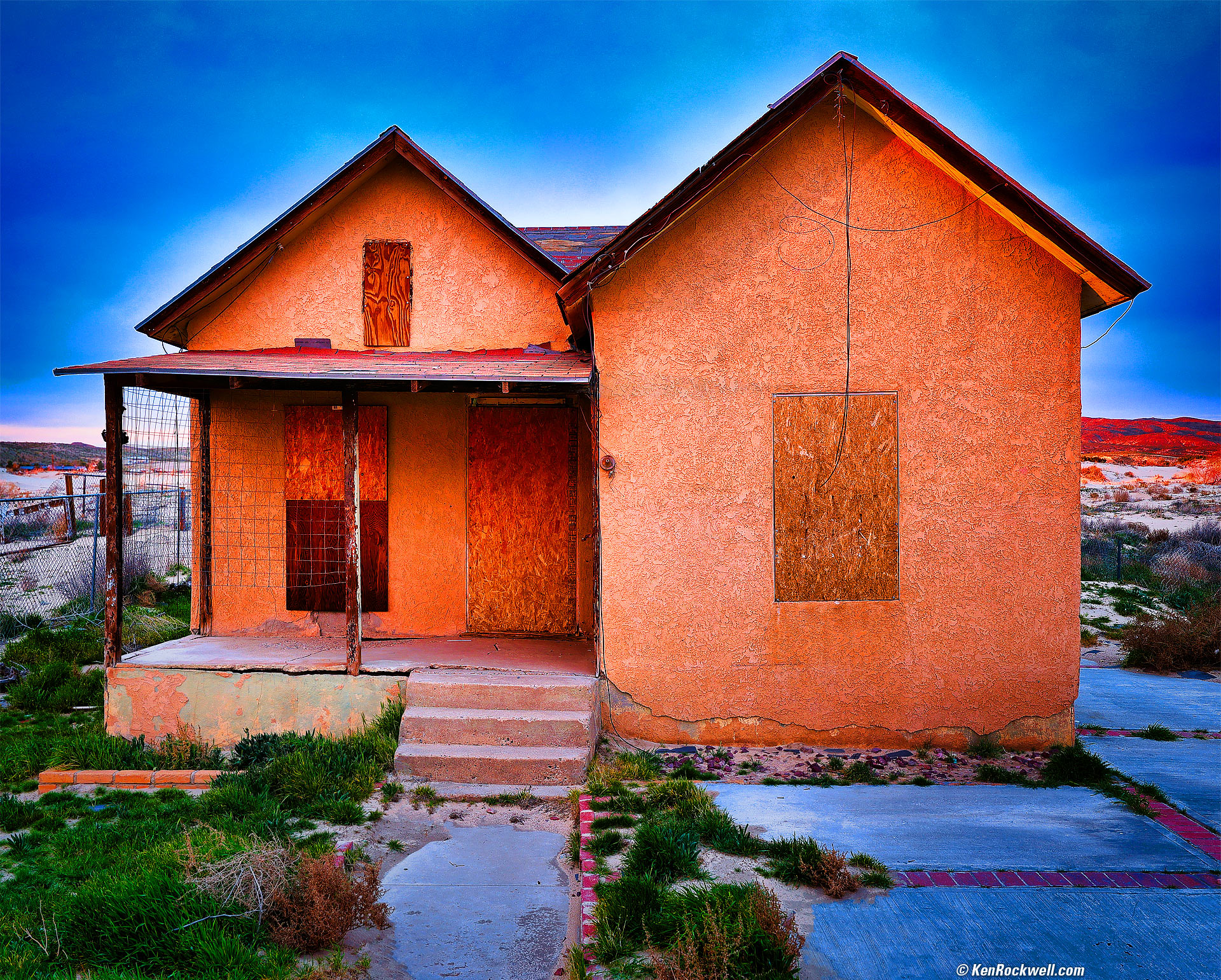
Nature & LandscapesThe R6 III has superb image quality, with tons of resolution, light weight and an affordable price:
Decomposition, Route 66, Barstow, California, 5:15 P.M., 05 February 2026. Canon EOS R6 III, RF 16-28mm f/2.8 IS STM at 28mm at f/4 hand-held at 1/15 at Auto ISO 100 (LV 8.0), Radiant Photo and Skylum Luminar Neo software, perspective correction in Photoshop. More tech details. bigger or fit-to-screen.
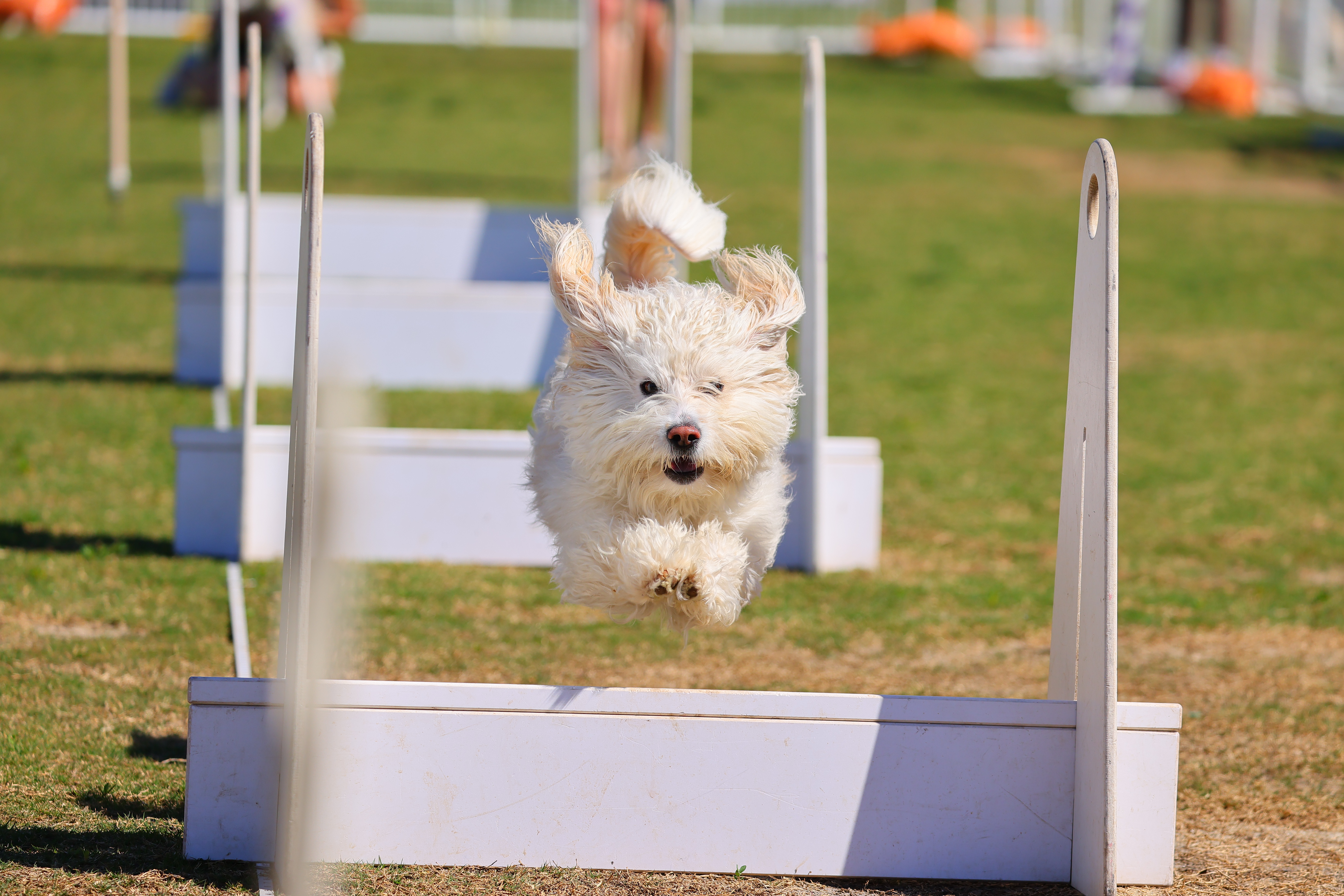
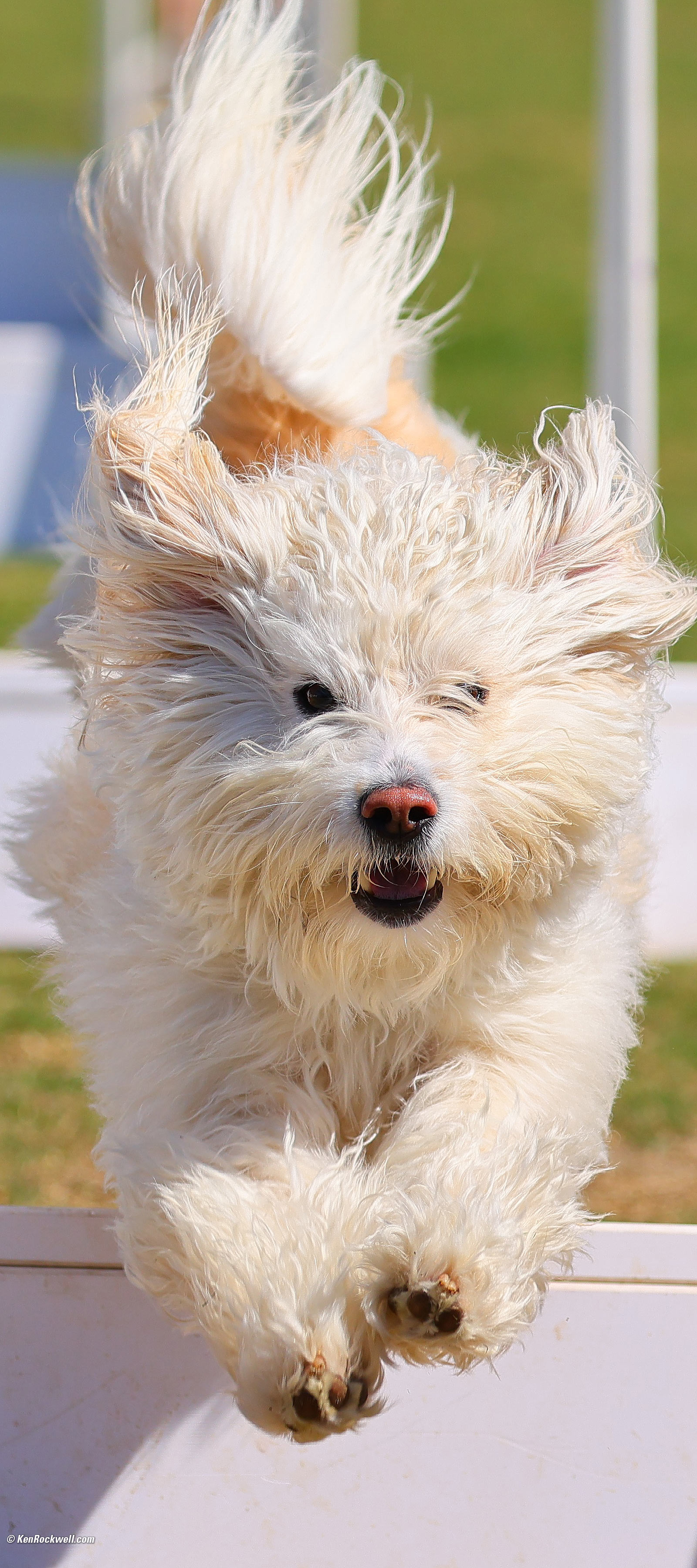
Sports & Action: Flying Dogs!!!It's not 2018 anymore. We no longer need dedicated sports cameras like the old R3 and R1, and this R6 III has more pixels than any of those others from which we can crop a little more tightly if needed. This R6 III easily tracks flying dogs at 40 FPS even with my superb 10+ year-old EF lens on an adapter.
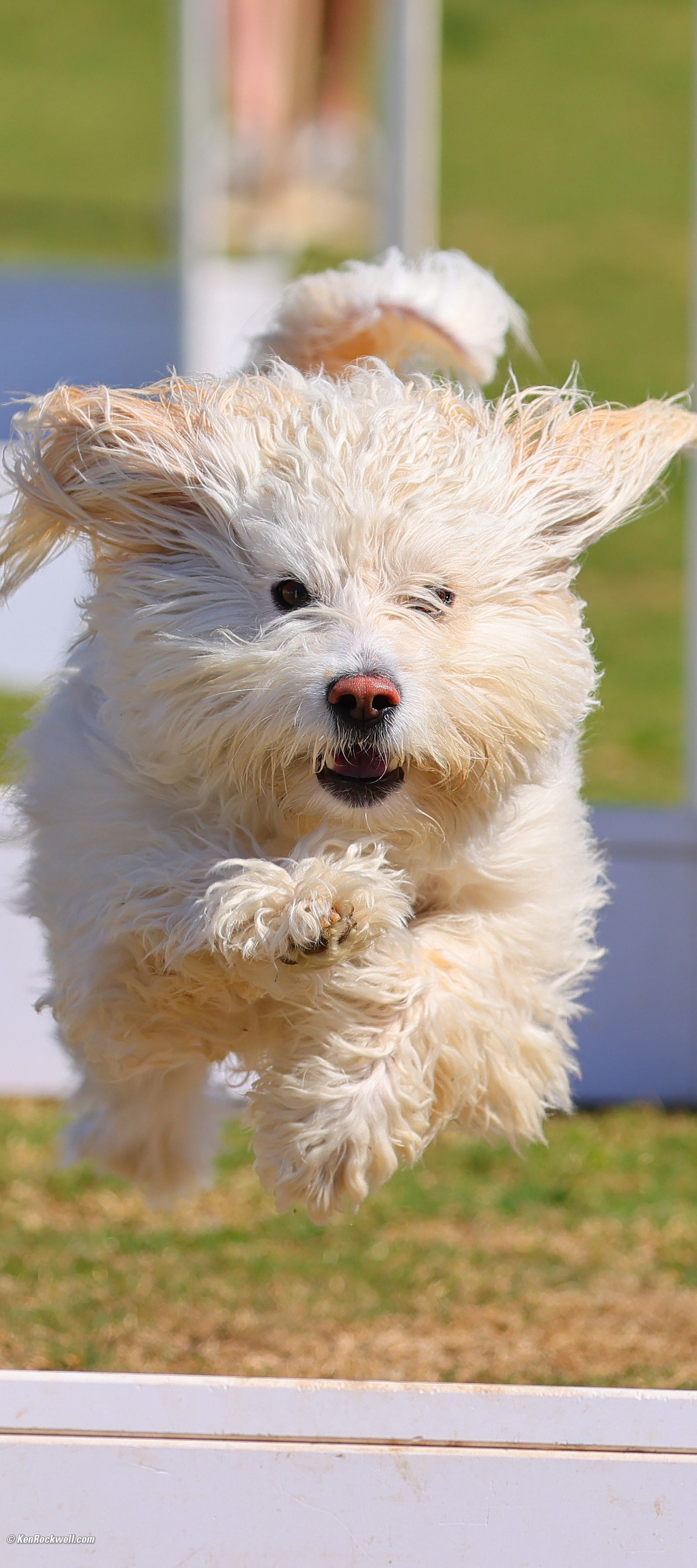
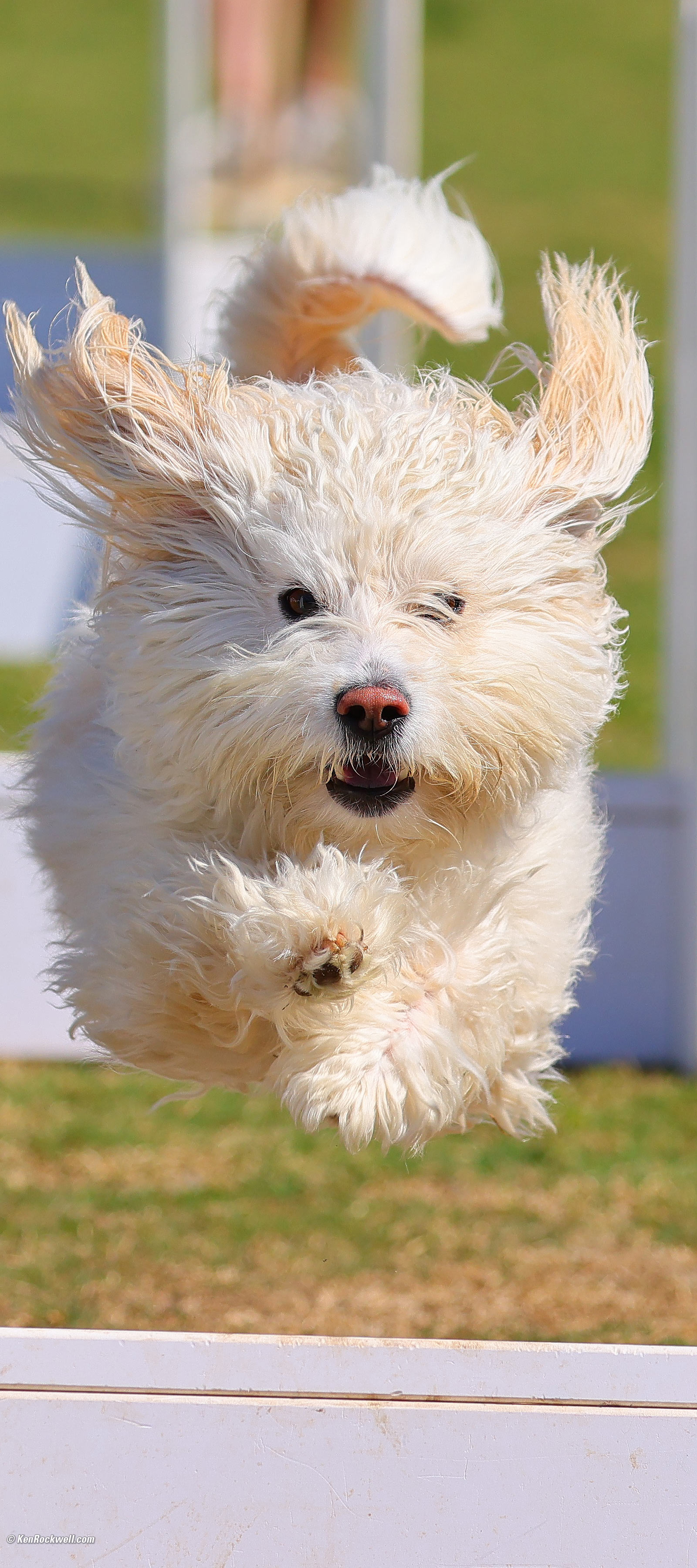
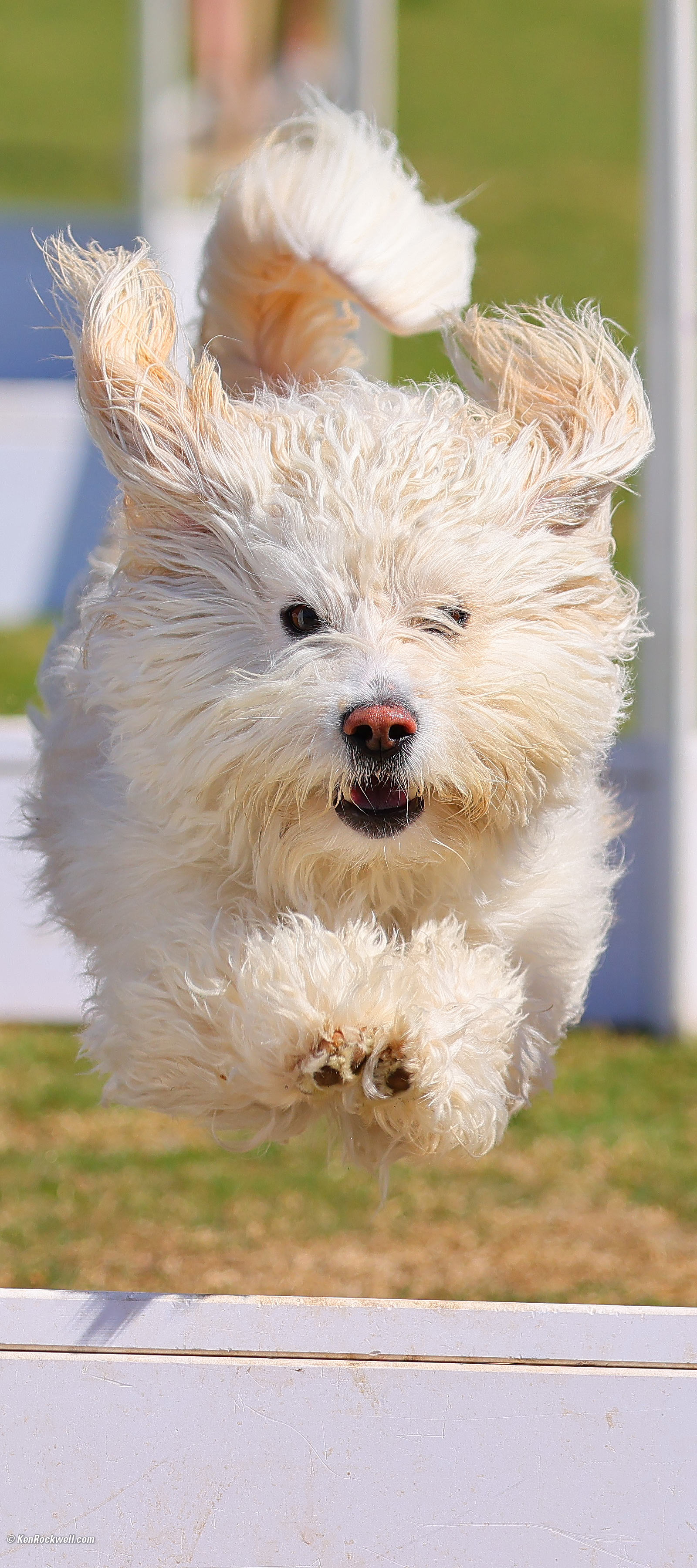
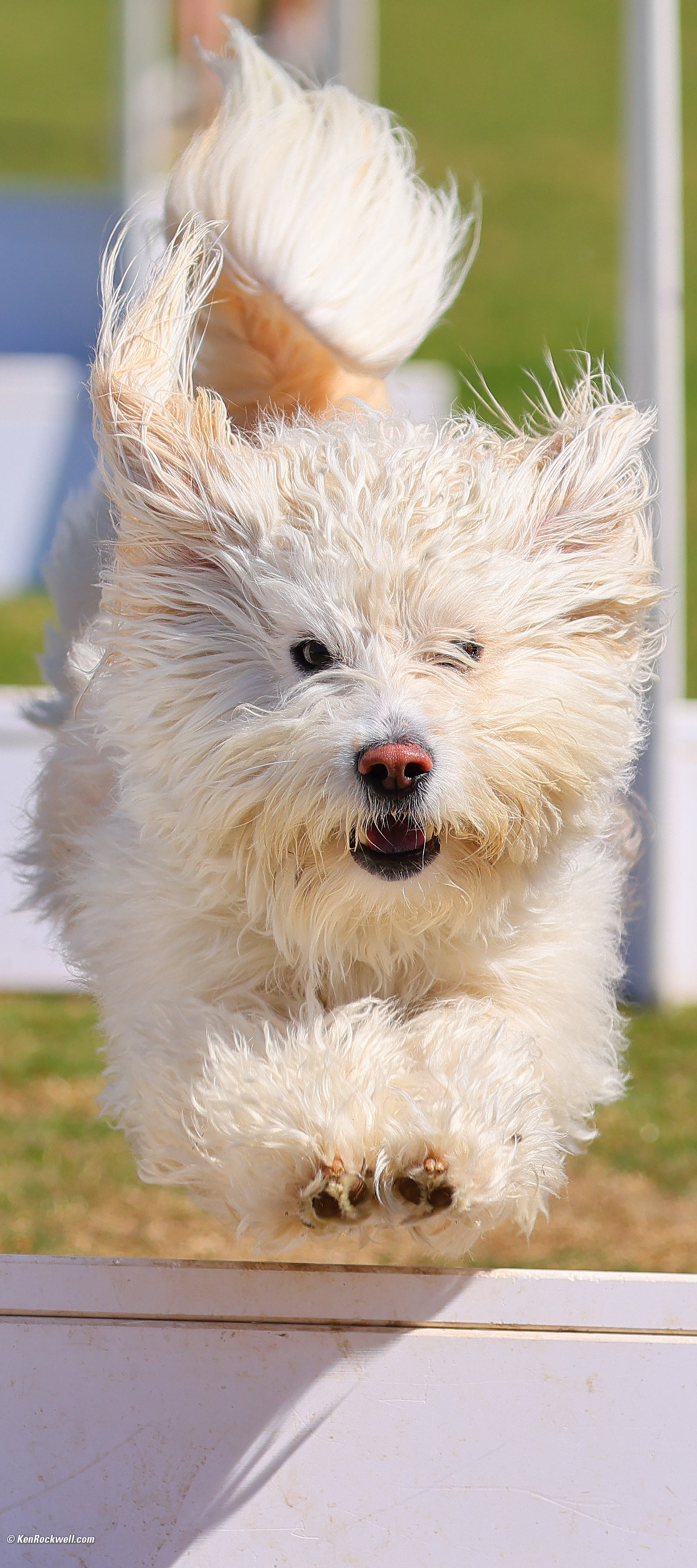
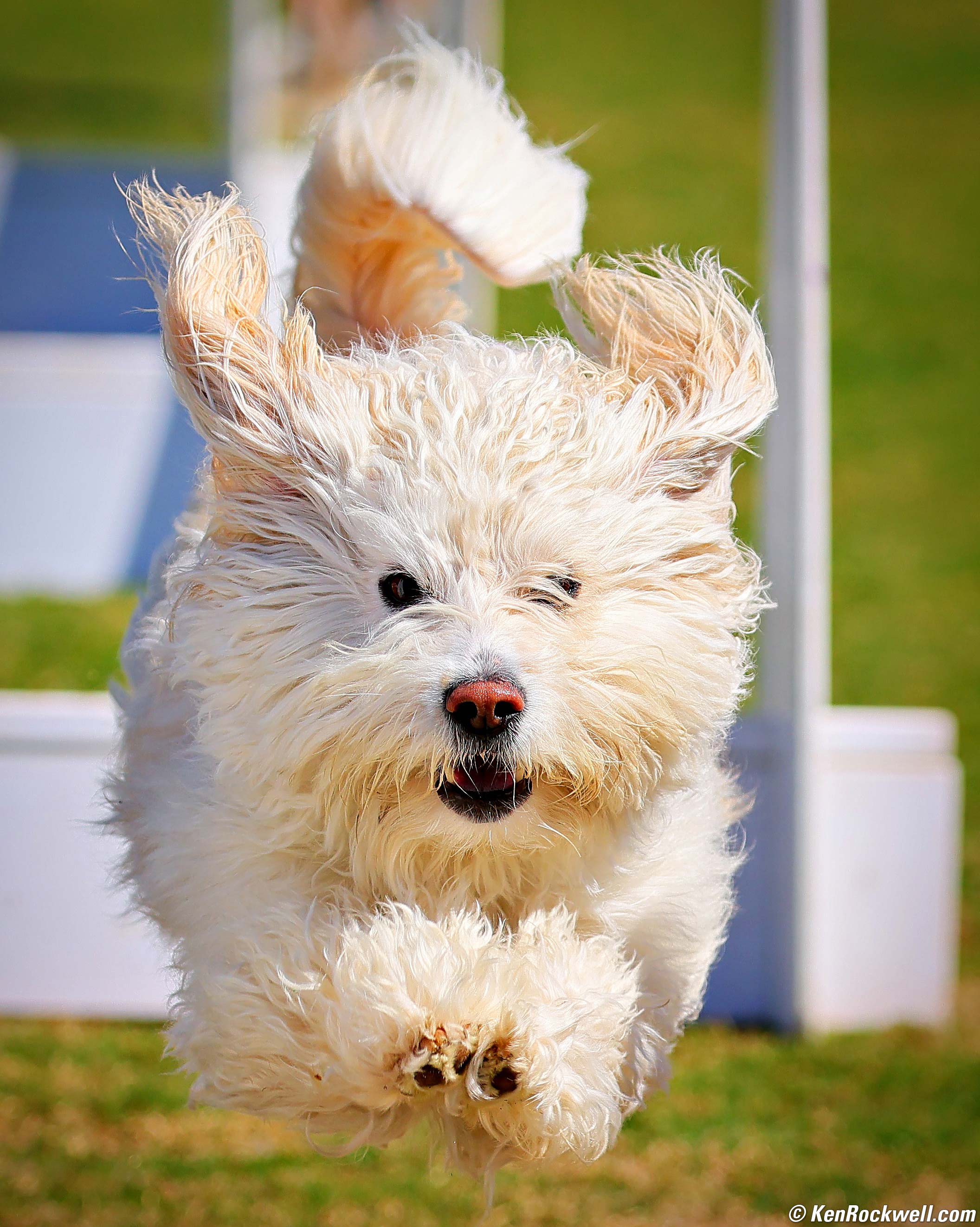
Dogs Can Fly!!! Lil, The All-American Dog, Airborne at the Santee Fido Fest, 12:12:1175 PM, Saturday, 28 February 2026. Tight crop from horizontal Canon EOS R6 III shot, Canon EF 100-400mm f/4.5~5.6L IS USM II on EF to RF adapter at 200mm wide-open at f/5 at 1/2,000 at Auto ISO 200 (LV 15.0), Radiant Photo software to add some contrast and and Skylum Luminar Neo software to add some deliberate vignetting to make this outstanding pup stand out. bigger or camera-original 32 MP © 5.6 MB file. The R6 III easily locks-on and tracks the closest dog eye all by itself. I don't even have to assign an AF area; it just finds the dog. It makes these shots trivially easy today, once you get the camera set properly, which you can see at my C3 (Flying Dog) settings here. It's also as easy as downloading my R6 III settings file that I share in my R6 III User's Guide. Thsi is from a much longer sequence of frames shot at 40 FPS on my R6 III. (Why frame rate matters for action.) The image above is my favorite one in the middle below. Only one-tenth of a second elapsed from the first frame to the last, and they are all different. The times-of-day include thousandths of a second. Look at the ears and the paws fly around and the curl of the tail:
Click any to enlarge these 1,600 × 3,200 pixel vertical crops from the original 6,960 × 4,640 pixel horizontal images. Here is a different crop of my favorite image from its camera-original 32 MP © 5.6 MB file. Even at 40 FPS, they're all different. It's great to be able to pick exactly the frame I want. This is easy, I used my 2014-era EF 100-400mm f/4.5~5.6L IS USM II on an EF to RF adapter and shot to a regular SD card. I owe you an update on modern FUD (Fear, Uncertainty and Doubt (that article is from 2012). Cameras and lenses today are so awesome that you don't need to pay extra for fancier models. While camera makers, and especially retail camera stores will try to use FUD to make you think your older camera or lens or memory card somehow can't hack it, ever since October 20th, 2019 when everything changed, it's a new world in photography and even basic gear today can do just about anything. If money matters I can't see any reason for an EOS R1 or R3 for speed, or an R5 II for more pixels. Rolling-shutter distortion is obviously no problem above, and even with "only" 32 MP I have no problem hard-cropping inside each frame and keeping every hair super sharp:
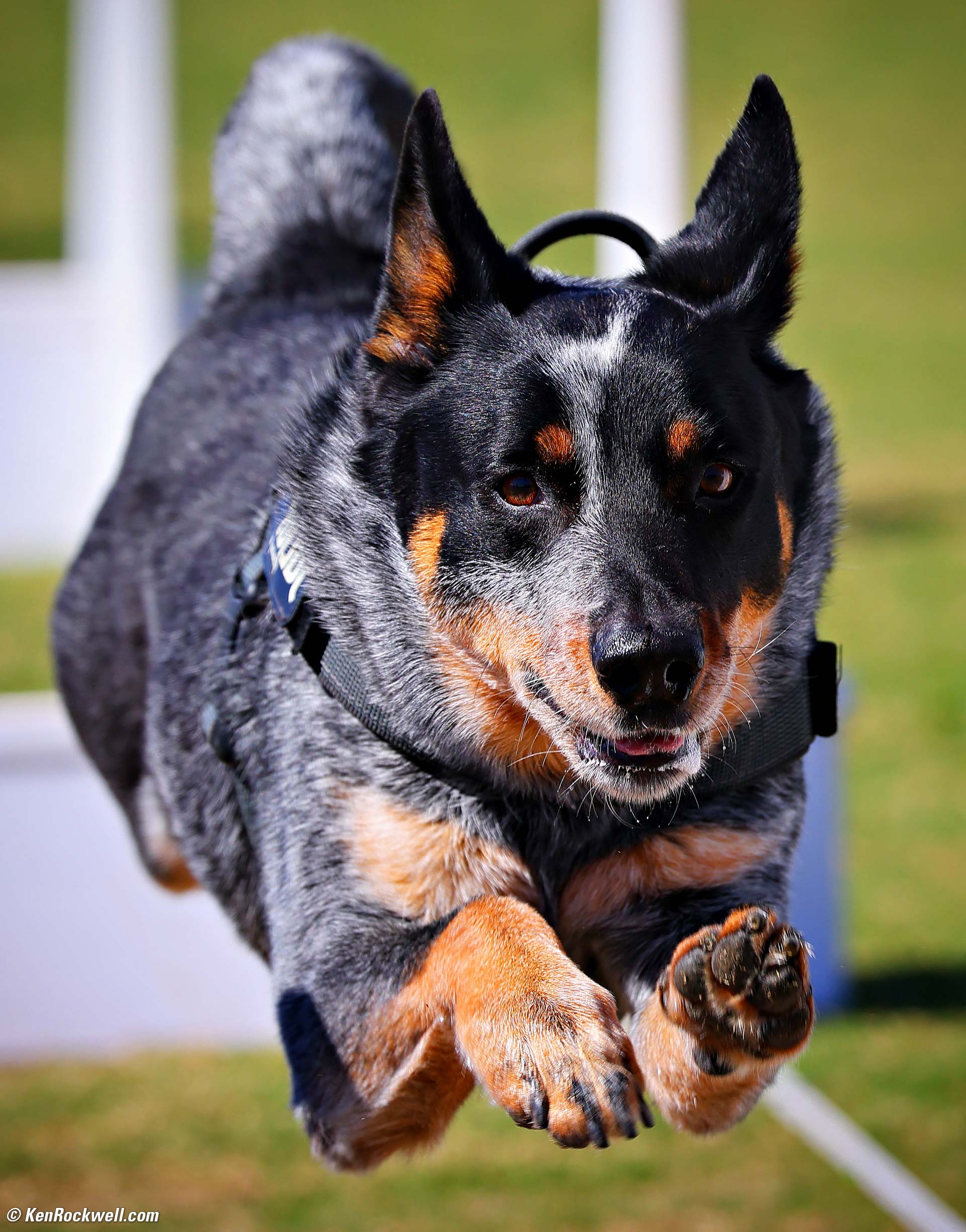
Dogs Can Fly!!! Zeus, The Australian Cattle Dog, Flies at the Santee Fido Fest, 11:50 AM, Saturday, 28 February 2026. Tight crop from horizontal Canon EOS R6 III shot, Canon EF 100-400mm f/4.5~5.6L IS USM II on EF to RF adapter at 312mm at f/6.3 at 1/1,000 at Auto ISO 200 (LV 14.4), Radiant Photo software to add some light to Zeus' dark fur and and Skylum Luminar Neo software to add some deliberate vignetting to make Zeus stand out from the background. bigger.
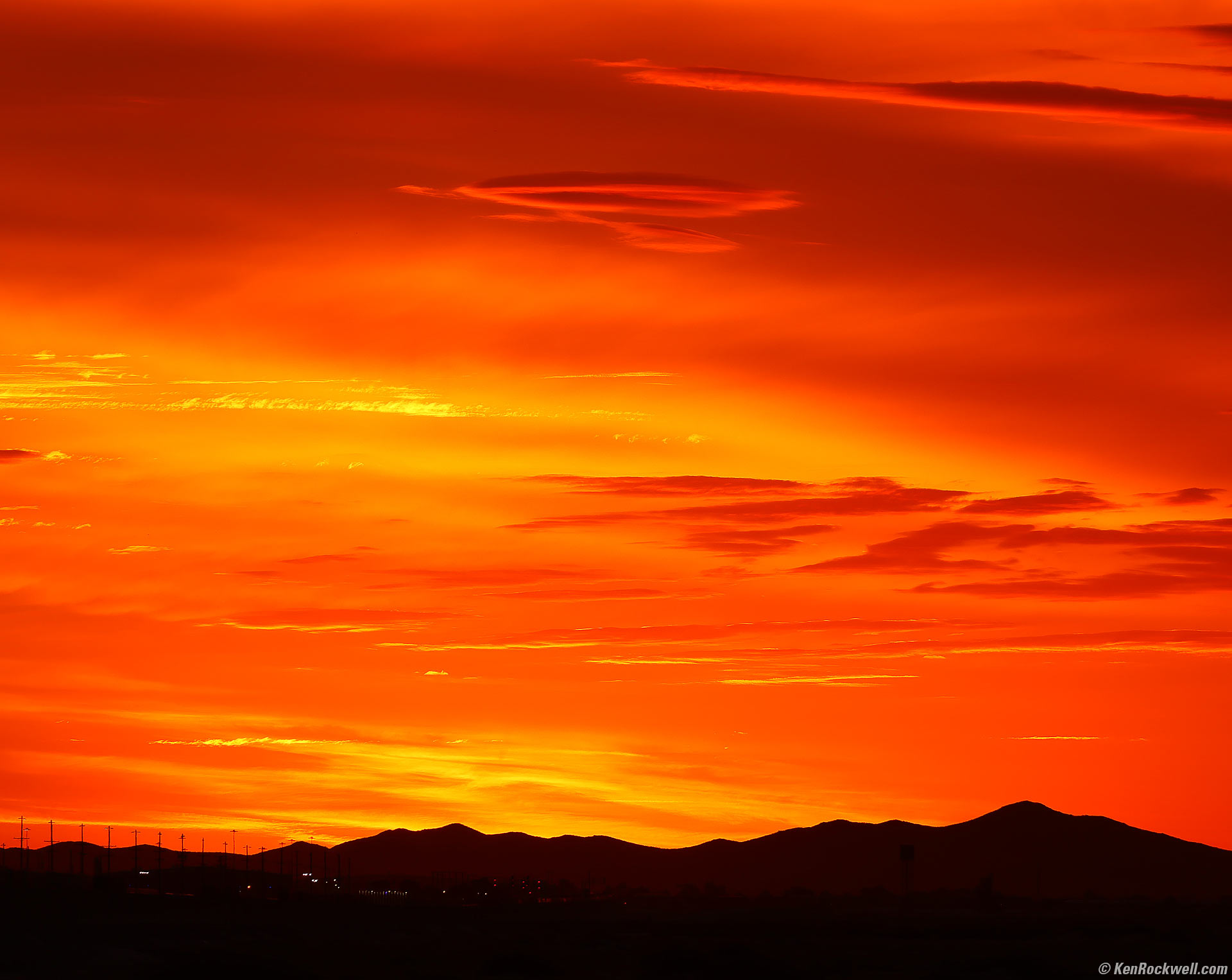
Sunset over the BNSF Rail Yard, Route 66, Barstow, California, 5:24 P.M., 05 February 2026. Canon EOS R6 III, RF 24-240mm IS USM at 240mm wide-open at f/6.3 hand-held at 1/125 at Auto ISO 100 (LV 12.4). I cropped-off some of the right side, otherwise this is exactly as shot. More tech details. bigger or fit-to-screen.
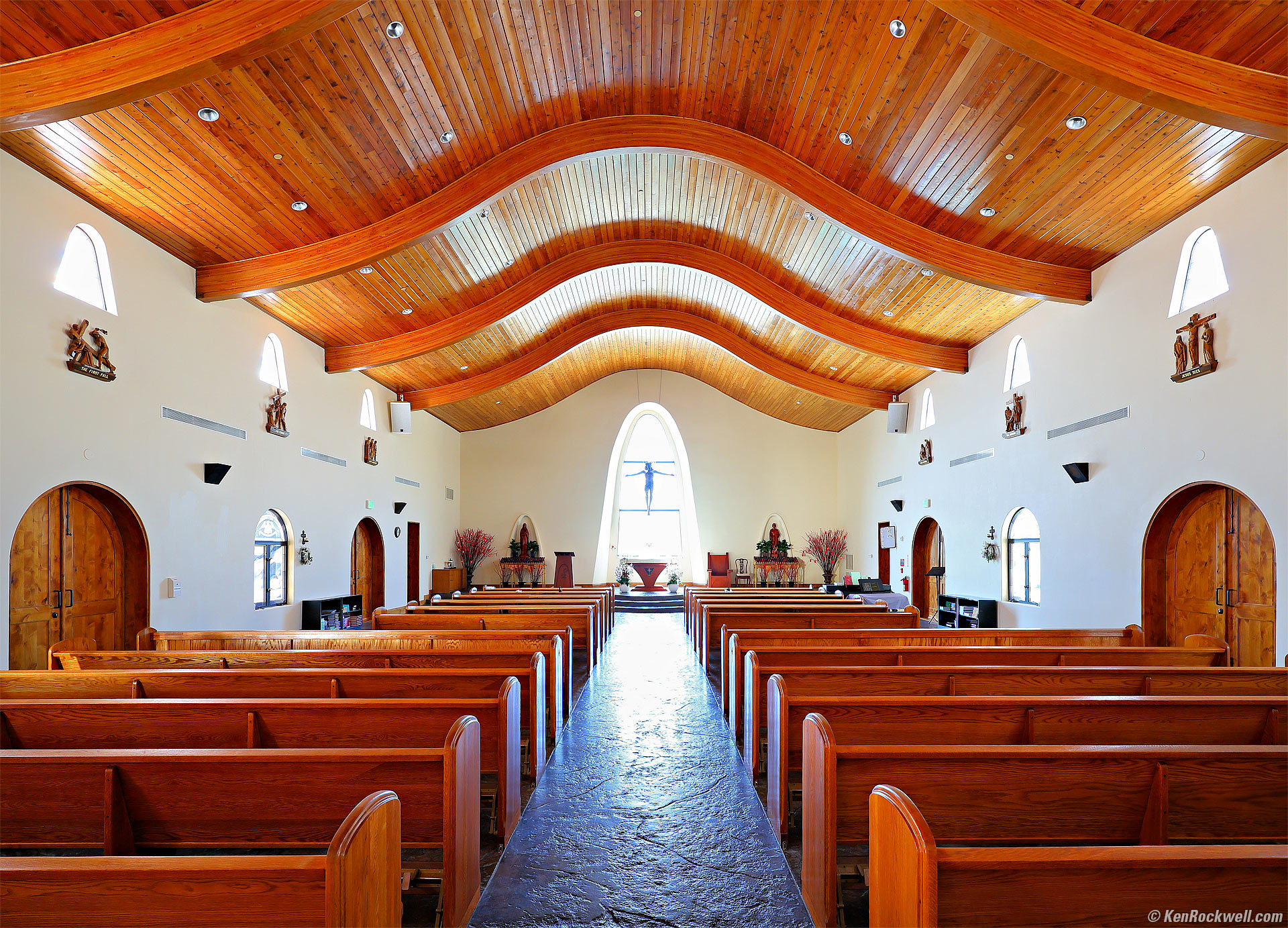
Monastery, Lucerne Valley, California, 11:09 A.M., 06 February 2026. Canon EOS R6 III, RF 16-28mm f/2.8 IS STM at 16mm wide-open at f/2.8, hand-held focus-bracketed sequence with each frame exposed at 1/10 at Auto ISO 320, +0.3 stops exposure compensation (LV 4.7), Radiant Photo and Skylum Luminar Neo software to add light, perspective correction in Photoshop. More tech details. bigger or fit-to-screen. Almost no one knows that it's easy to shoot the R6 III hand-held for focus-bracketed sequences that are then composited in-camera to give perfect pan-focus results. In English, it's easy to set the camera to take a series of hand-held photos at every focus distance, and then the camera combines all these into one photo with everything in perfect focus! This works hand-held, automatically aligning every frame as it combines them into a final result, all in-camera as you shoot — NO tripod needed. This is brilliant. It lets me shoot at ultrasharp ISO 100 at f/2.8 with superb stabilization at a tenth of a second hand-held, and I still get better, sharper, deeper focus than if I had hauled a tripod to make a 3.2 second exposure at f/16. Bravo, Canon! Nikon and Sony still can't do this, requiring us to waste time later on a computer to combine their images, and I don't know if their software is smart enough to combine hand-held images as Canon does.
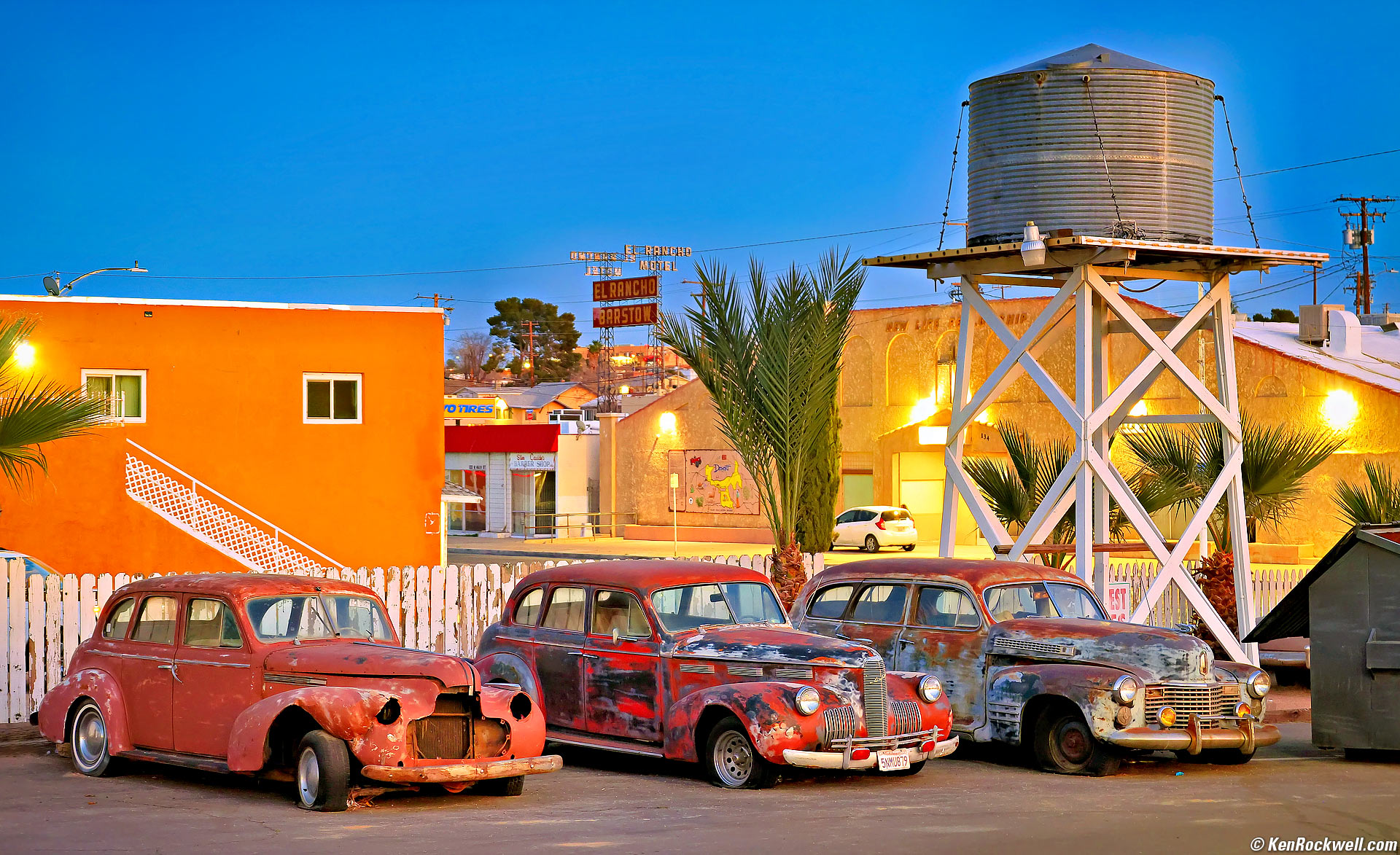
Three Cars, a Water Tank and the El Rancho Motel on Route 66, Barstow, California, 5:41 P.M., 06 February 2026. Canon EOS R6 III, RF 24-240mm IS USM at 55mm wide-open at f/5 hand-held at 1/8 at Auto ISO 1,000 (LV 4.3), Radiant Photo and Skylum Luminar Neo software to add light, color and deliberate vignetting. More tech details. bigger or fit-to-screen.
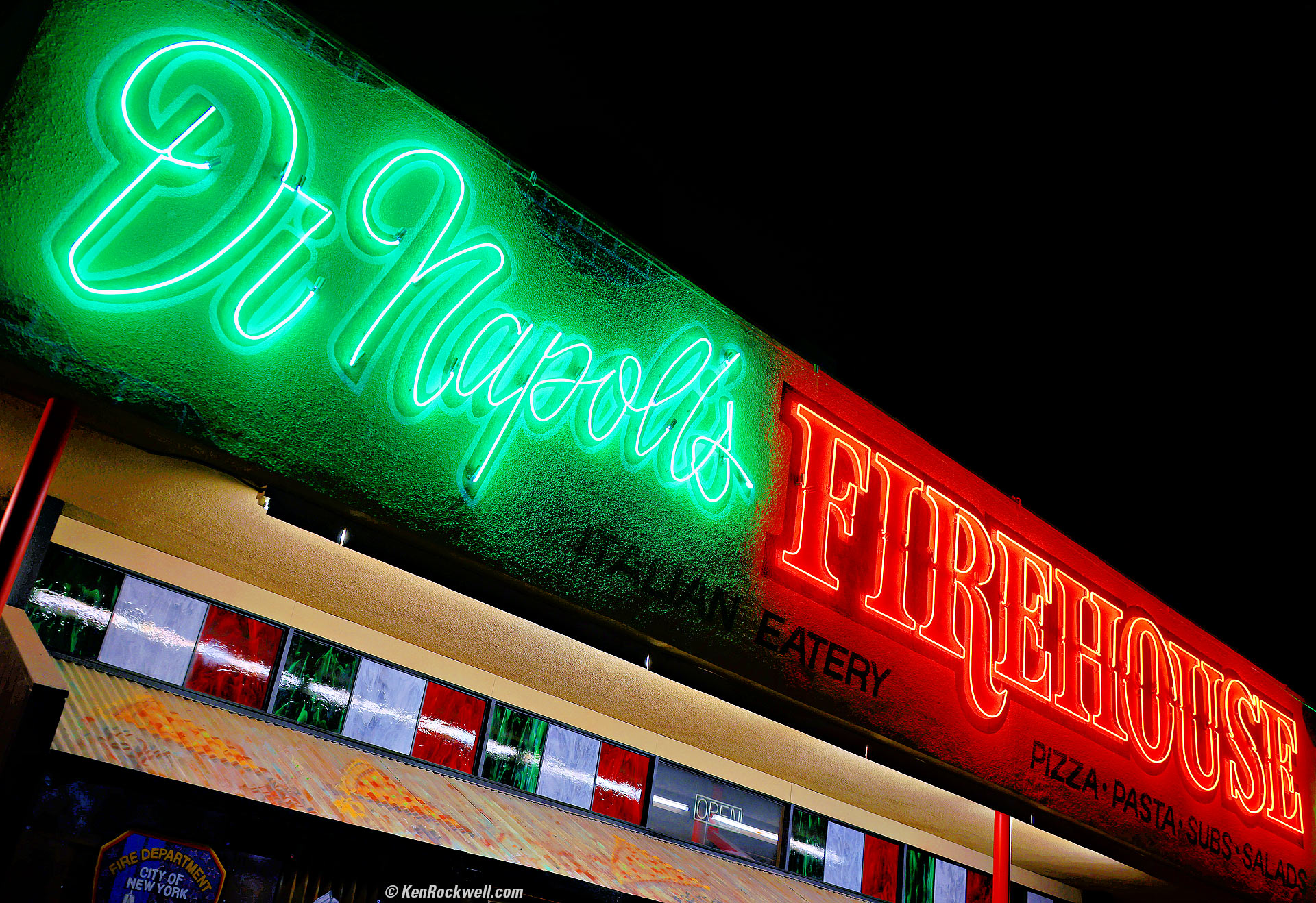
Di Napoli's Firehouse, Route 66, Barstow, California, 6:33 P.M., 06 February 2026. Canon EOS R6 III, RF 24-240mm IS USM at 33mm wide-open at f/4.5 hand-held at 1/10 at Auto ISO 100 (LV 7¾), Radiant Photo software. More tech details. bigger or fit-to-screen.
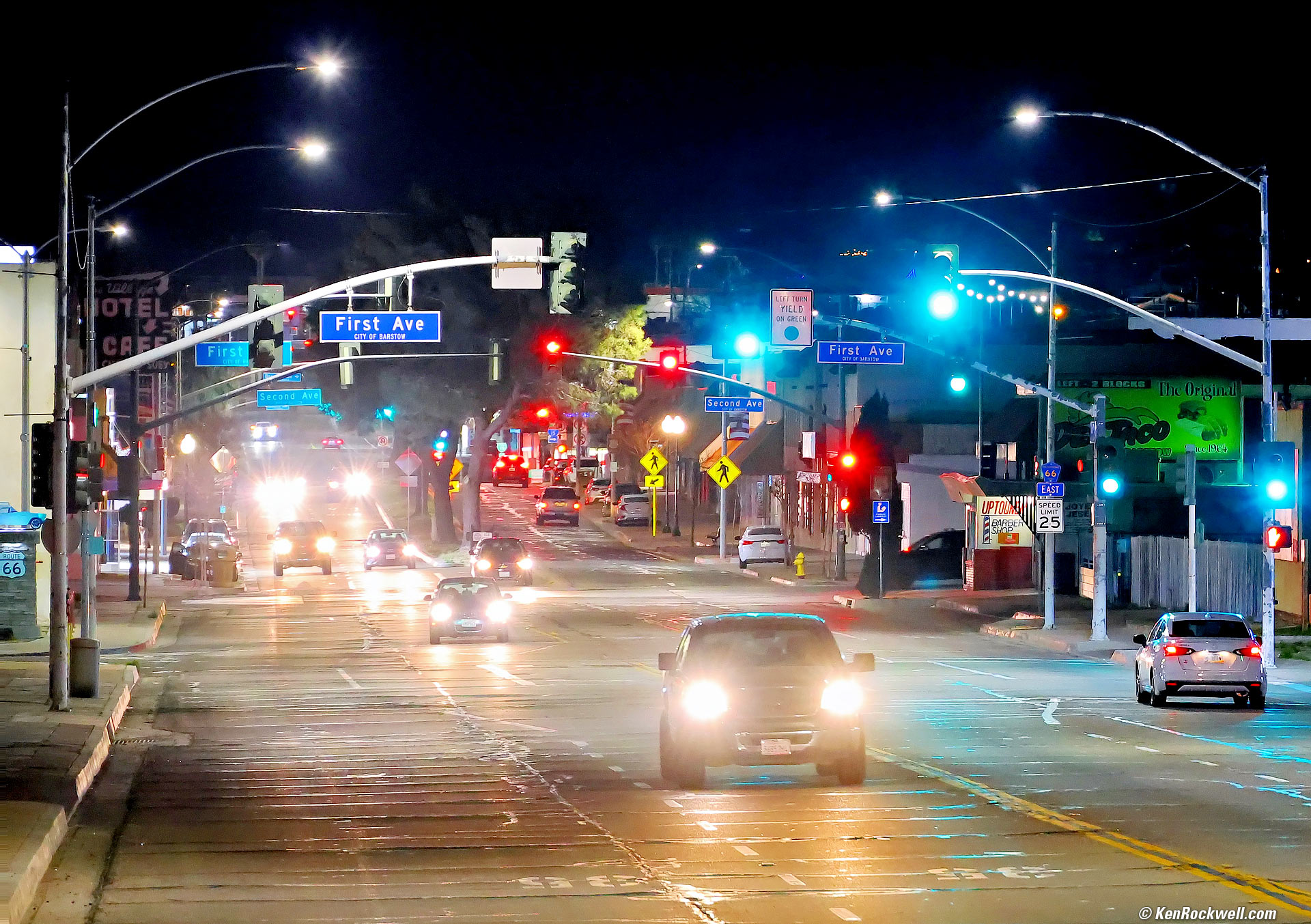
Route 66 (Main Street), Barstow, California, 8:32 P.M., 06 February 2026. Canon EOS R6 III, RF 24-240mm IS USM at 173mm wide-open at f/6.3 hand-held at 1/30 at Auto ISO 8,000 (LV 4.0), Radiant Photo and Skylum Luminar Neo software. Some fog or haze in the air wound up rendering the sky more of a dark blue than an inky black as I wanted to show here, so I added a curves adjustment layer in Photoshop to crush the blacks a bit. More tech details. bigger or fit-to-screen. Tripods are for wimps. I probably can shoot at even slower shutter speeds like an eighth, but didn't try it. I have no problem shooting my RF 24-240mm IS USM at long telephoto settings hand-held outdoors at night without needing faster lenses or ISOs above 10,000. Here's another shot made hand-held in the dark with in-camera focus stacking to get everything in focus. My Canon EOS R6 III makes this entirely too easy. This system's stabilization is superb as well:
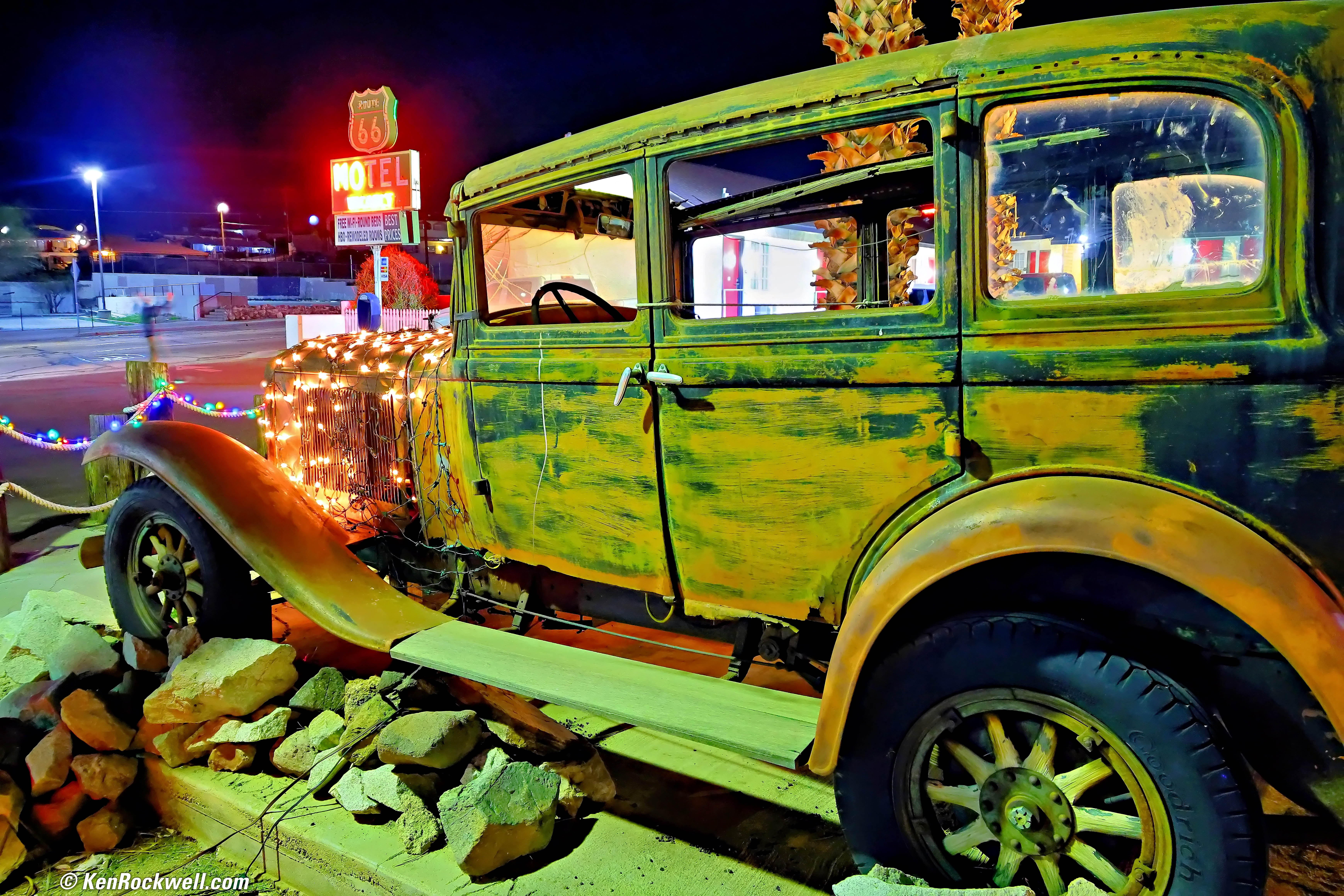
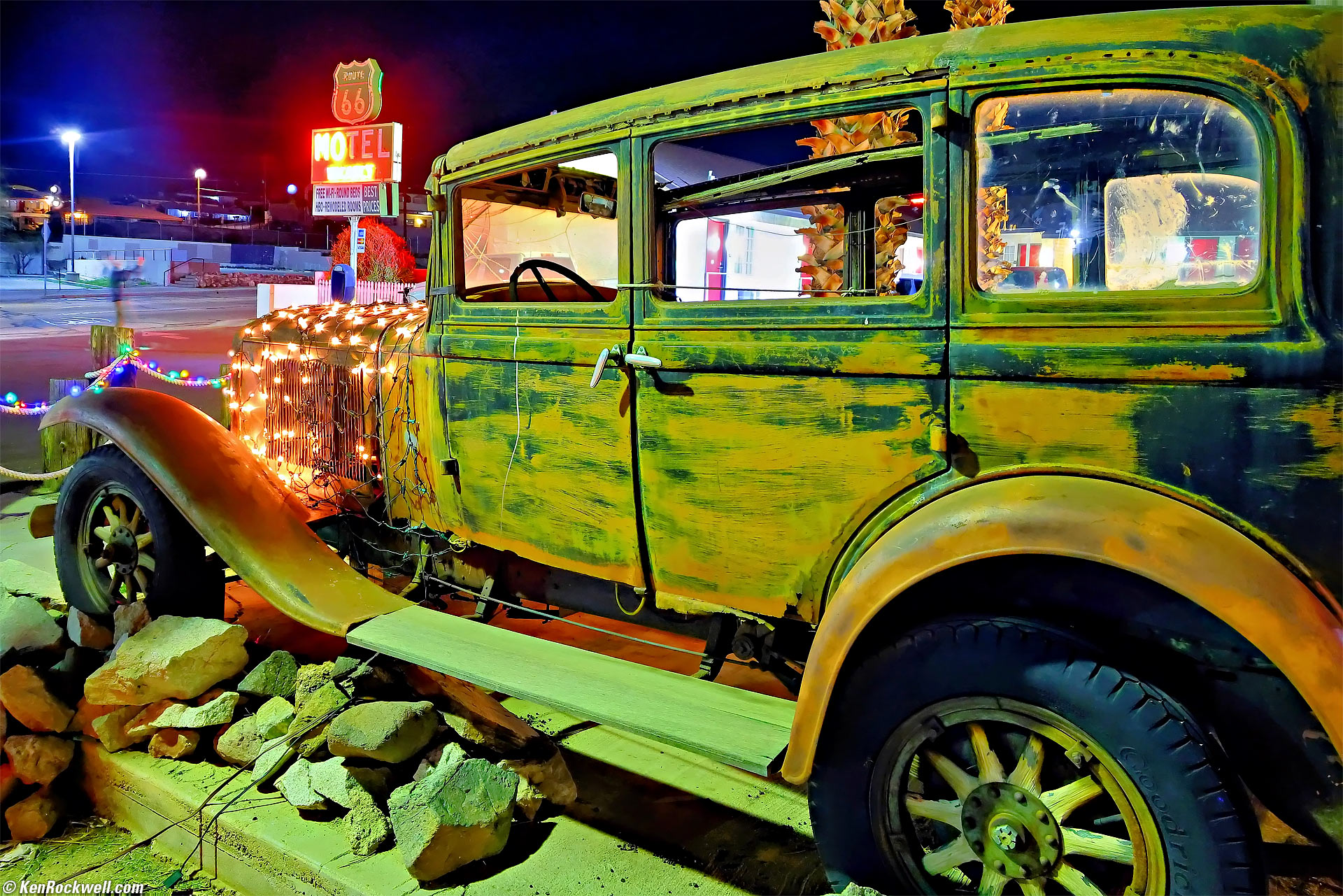
Old Car and Route 66 Sign, Main Street, Barstow, California, 8:36 P.M., 06 February 2026. Canon EOS R6 III, RF 24-240mm IS USM at 24mm for a focus-bracketed series of shots composited in-camera hand-held at 1/8 wide-open at f/4 at Auto ISO 4,000 (LV 1⅔), Radiant Photo and Skylum Luminar Neo software to add light, perspective correction in Photoshop. More tech details. bigger or fit-to-screen or full-resolution 32 MP, 4 MB JPG.
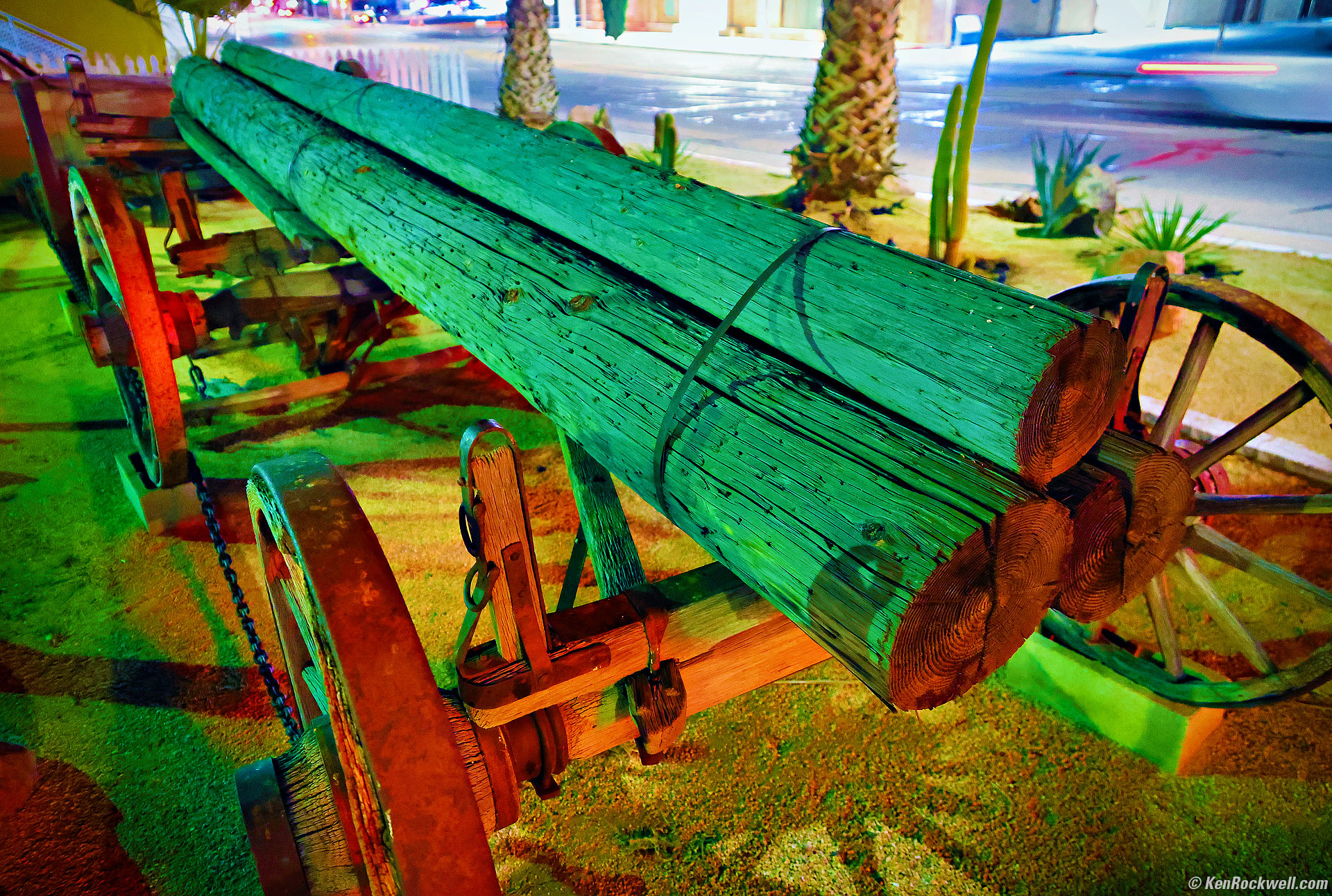
Three Log Load, Route 66, Barstow, California, 8:46 P.M., 06 February 2026. Canon EOS R6 III, RF 24-240mm IS USM at 24mm wide-open at f/4 hand-held at 1/8 at Auto ISO 10,000 (LV ⅓), Radiant Photo and Skylum Luminar Neo software to add light. More tech details. bigger or fit-to-screen.
This is another shot made hand-held with in-camera focus stacking to get everything in focus from near to far. My Canon EOS R6 III makes this entirely too easy, doing it all in camera for me:
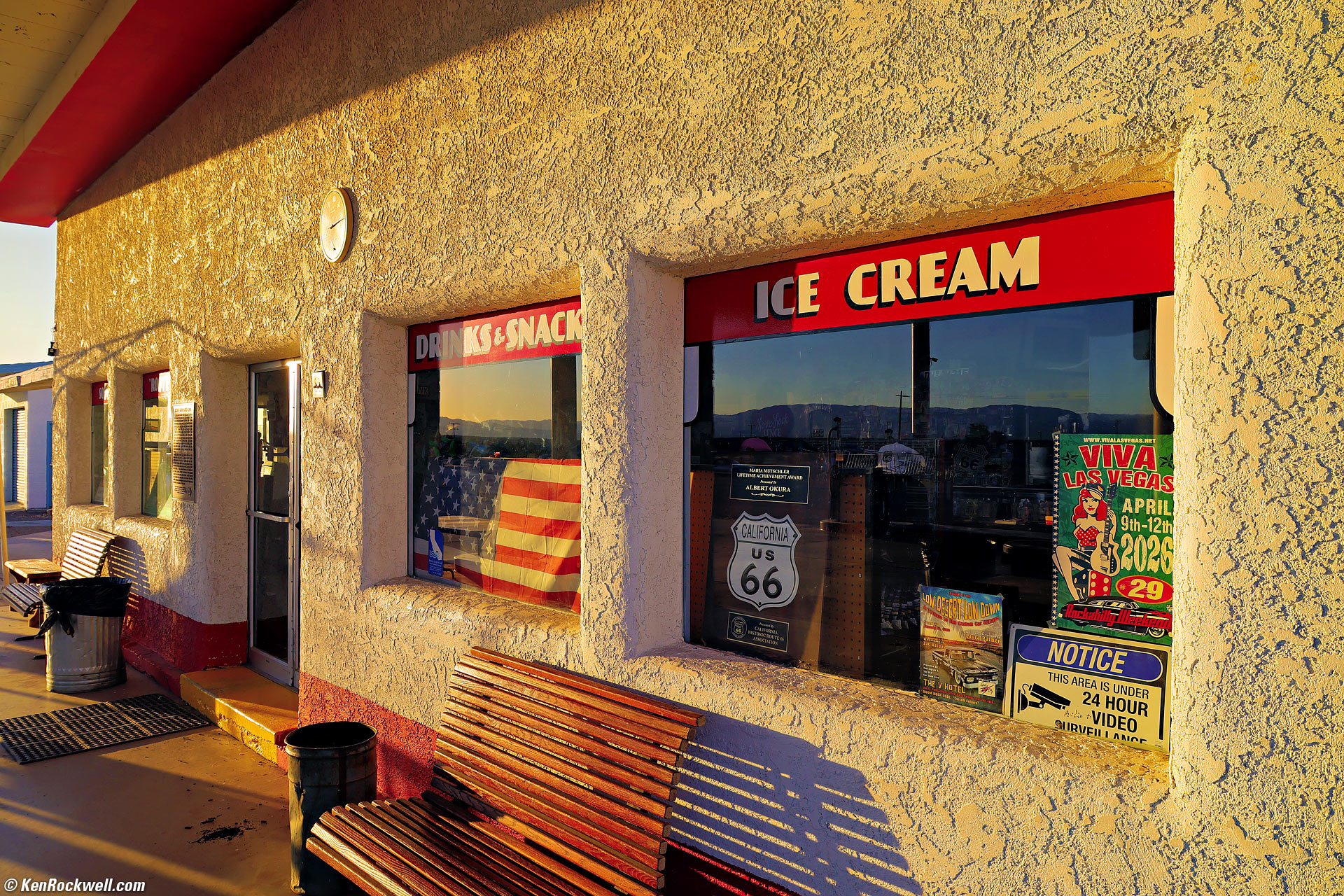
Roy's Cafe, Amboy, California, 4:50 P.M., 07 February 2026. Canon EOS R6 III, RF 24-240mm IS USM at 24mm for a series of focus-bracketed shots at f/7.1 at 1/200 at Auto ISO 100 (LV 13¼), Radiant Photo and Skylum Luminar Neo software to add light and brilliance. More tech details. bigger or fit-to-screen.
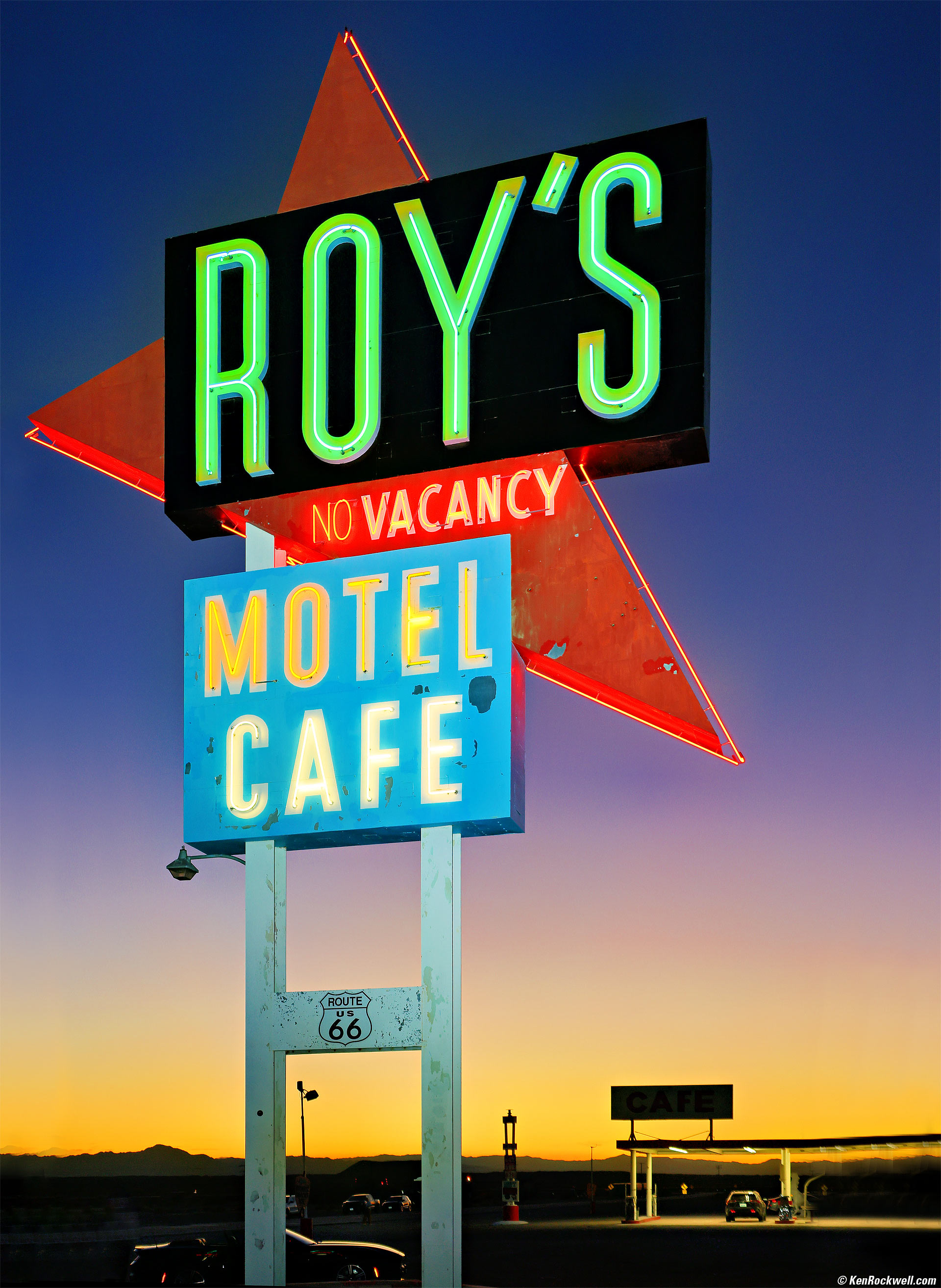
Roy's Motel & Cafe Sign at Dusk, Amboy, California, 5:40 P.M., 07 February 2026. Canon EOS R6 III, Godox V480 flash on-camera, RF 24-240mm IS USM at 37mm wide-open at f/4.5 at 1/60 at Auto ISO 400 (LV 8.4), Radiant Photo software to add light and life, perspective correction in Photoshop to keep the vertical support beams vertical. More tech details. bigger or fit-to-screen. I deliberately used my Godox V480 flash on-camera to highlight the sign. I used both intuition and trial-and-error to focus the flash to light the middle of the sign where I wanted it. This means I manually zoomed the flash probably to its 105mm setting and twiddled with how it was pointed until I got this shot. Notice how my flash isn't lighting the foreground, which is exactly as I wanted it. No need to use the flash off-camera here, which would have been more difficult to try to keep it pointed where I wanted it. While the V480 has numerous optical and radio controls, my R6 III has no RF transmitter so I would have had to bring more gear or a cord to shoot it off camera. While pointing and focusing the flash took some effort to get this effect, exposure is easy. I always leave the flash set to i-TTL and it always seems to balance exactly as I want it. Thank goodness this is digital and we can see our results and season to taste while we're still on location. This took a lot more practice when all we had was film and we couldn't see our results until after we returned home.
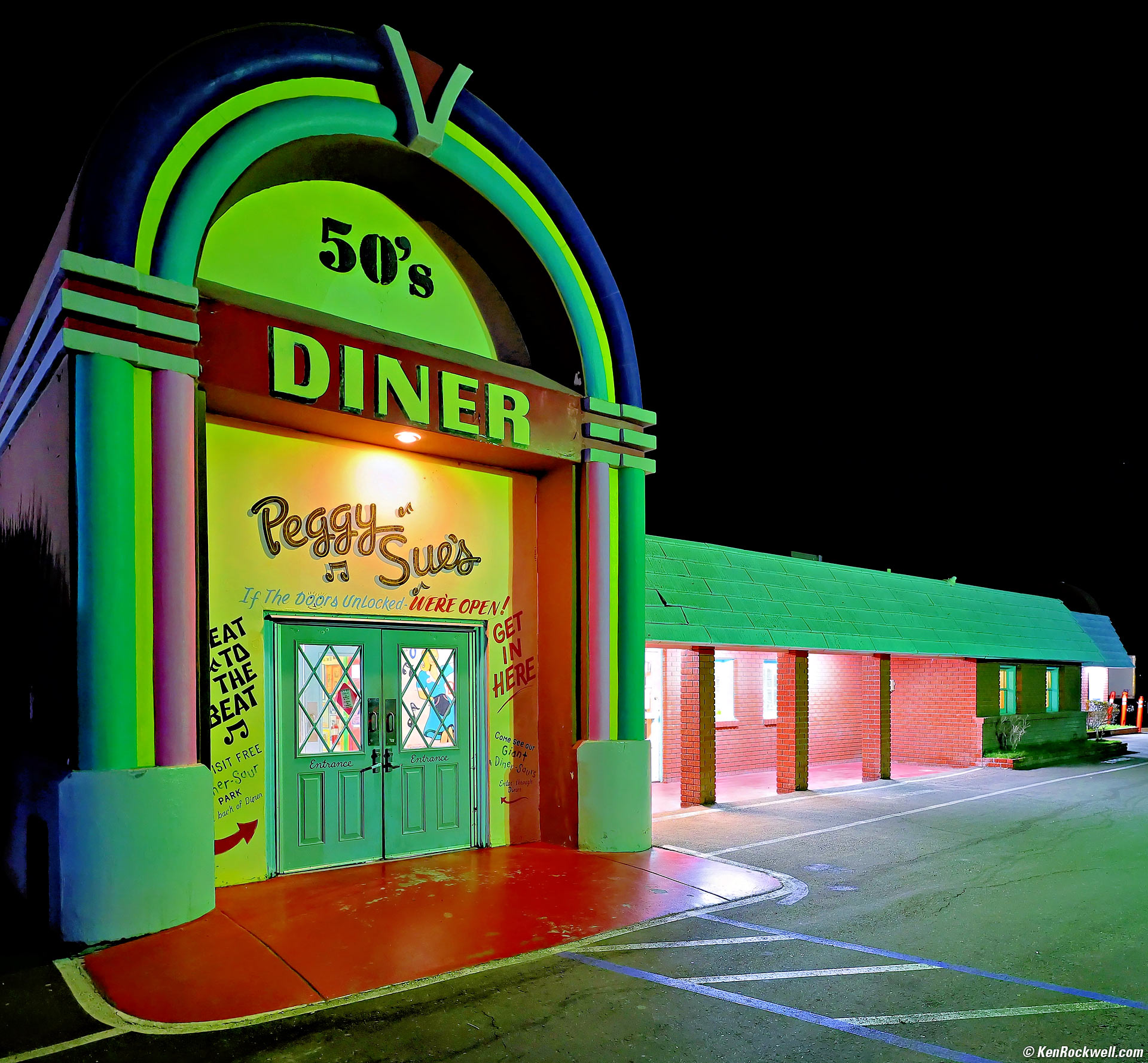
Peggy Sue's Diner, Yermo, California, 7:02 P.M., 07 February 2026. Canon EOS R6 III in square-crop mode, RF 16-28mm f/2.8 IS STM at 16mm wide-open at f/2.8 hand-held at 1/10 at Auto ISO 1,000 (LV 3.0), Radiant Photo software. More tech details. bigger or fit-to-screen. This is a grab shot as I walked in. Monday-morning quarterbacking I see that my camera chose ISO 1,000 at 1/10, while I should have set it to Tv mode and forced it to shoot at 1 second for several frames. At a full second hand-held half or more of the frames would have been perfectly sharp at ISO 100, so I would have picked the sharp one to exhibit. No worries, even at ISO 1,000 this looks great.
Santa Fe Railroad Locomotive, Barstow, California, 8:55 A.M., 08 February 2026. Cropped to a square from Canon EOS R6 III, RF 16-28mm f/2.8 IS STM at 18mm at f/10 at 1/800 at Auto ISO 100, -0.7 stops exposure compensation (LV 16¼), Radiant Photo software. More tech details. bigger or fit-to-screen. I also added deliberate vignetting to keep your eyes in my picture.
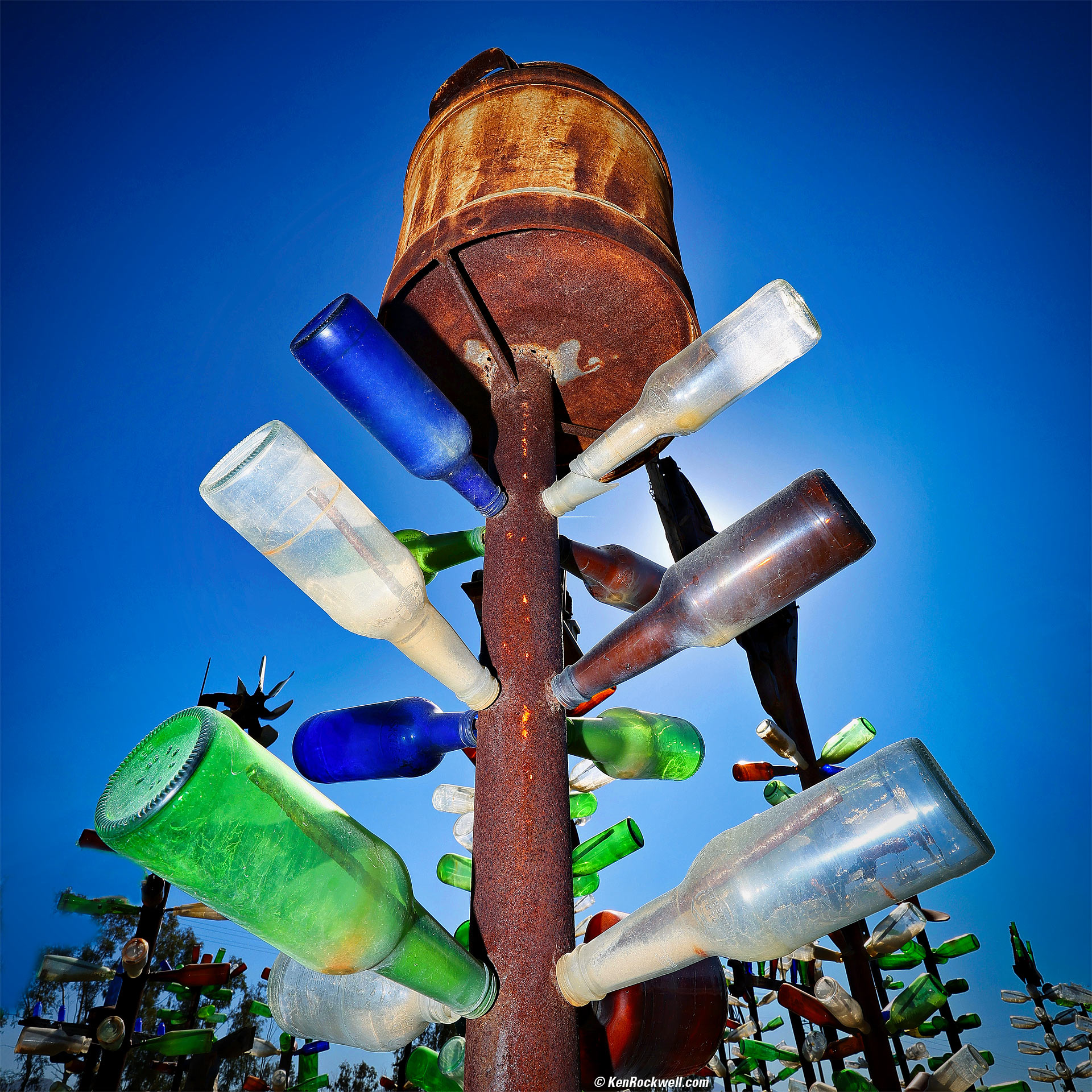
Elmer's Bottle Tree Ranch, Oro Grande, California, 10:56 A.M., 08 February 2026. Canon EOS R6 III in square-crop mode, Godox V480 flash on-camera, RF 16-28mm f/2.8 IS STM at 16mm at f/14 at 1/200 at Auto ISO 100, -0.7 stops exposure compensation (LV 15¼), Radiant Photo and Skylum Luminar Neo software. More tech details. bigger or fit-to-screen. I left my V480 and R6 III set to i‑TTL and the exposures are perfect.
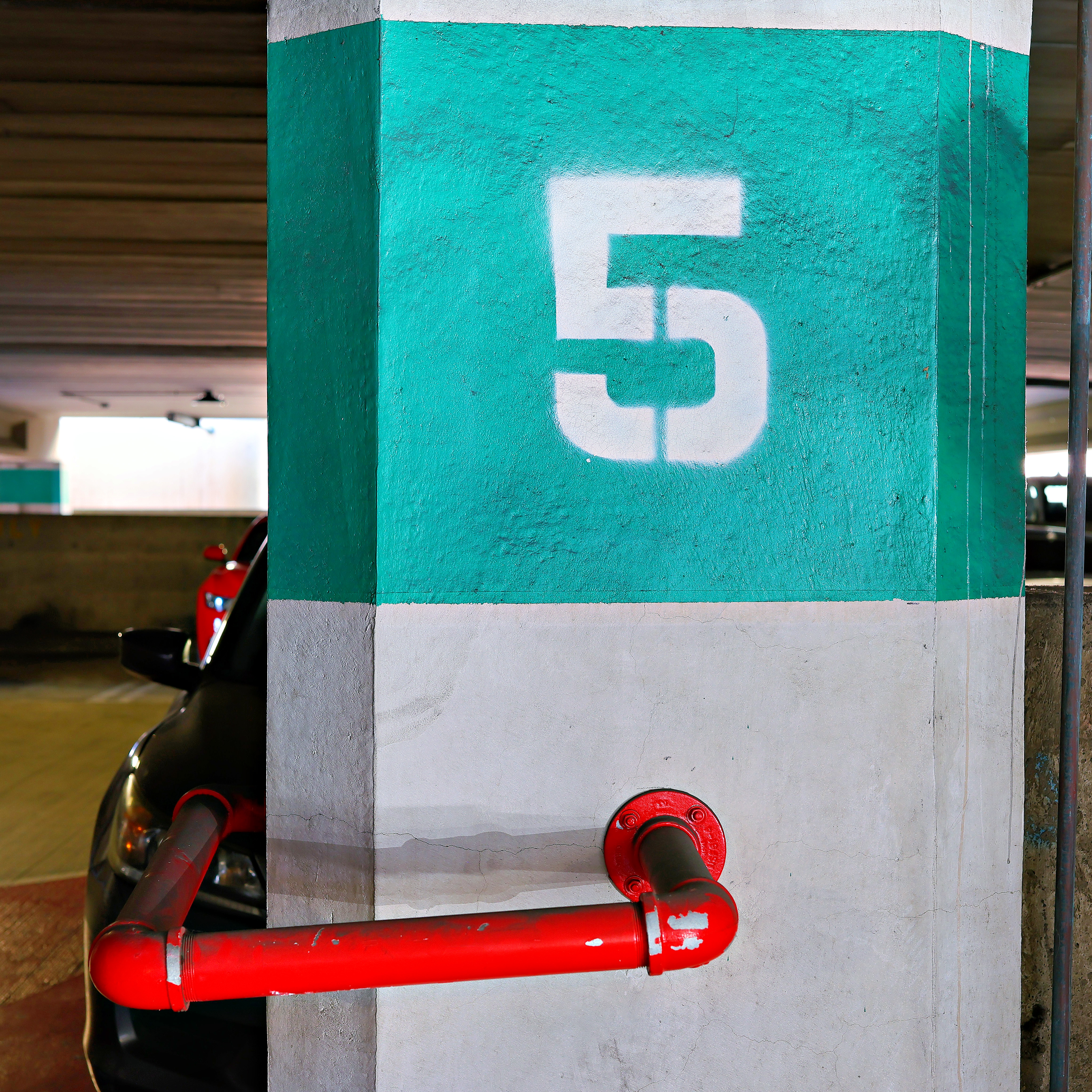
Red and Green Number Five in a Parking Structure at Ryan's college, 3:10 PM, Tuesday, 13 January 2026. Canon EOS R6 III in square-crop mode, Canon RF 45mm f/1.2 STM at f/5.6 handheld at 1/10 at Auto ISO 200 (LV 7.4), Radiant Photo software to add light. bigger or full-resolution 4,640 × 4,640 pixel © 8 MB image.
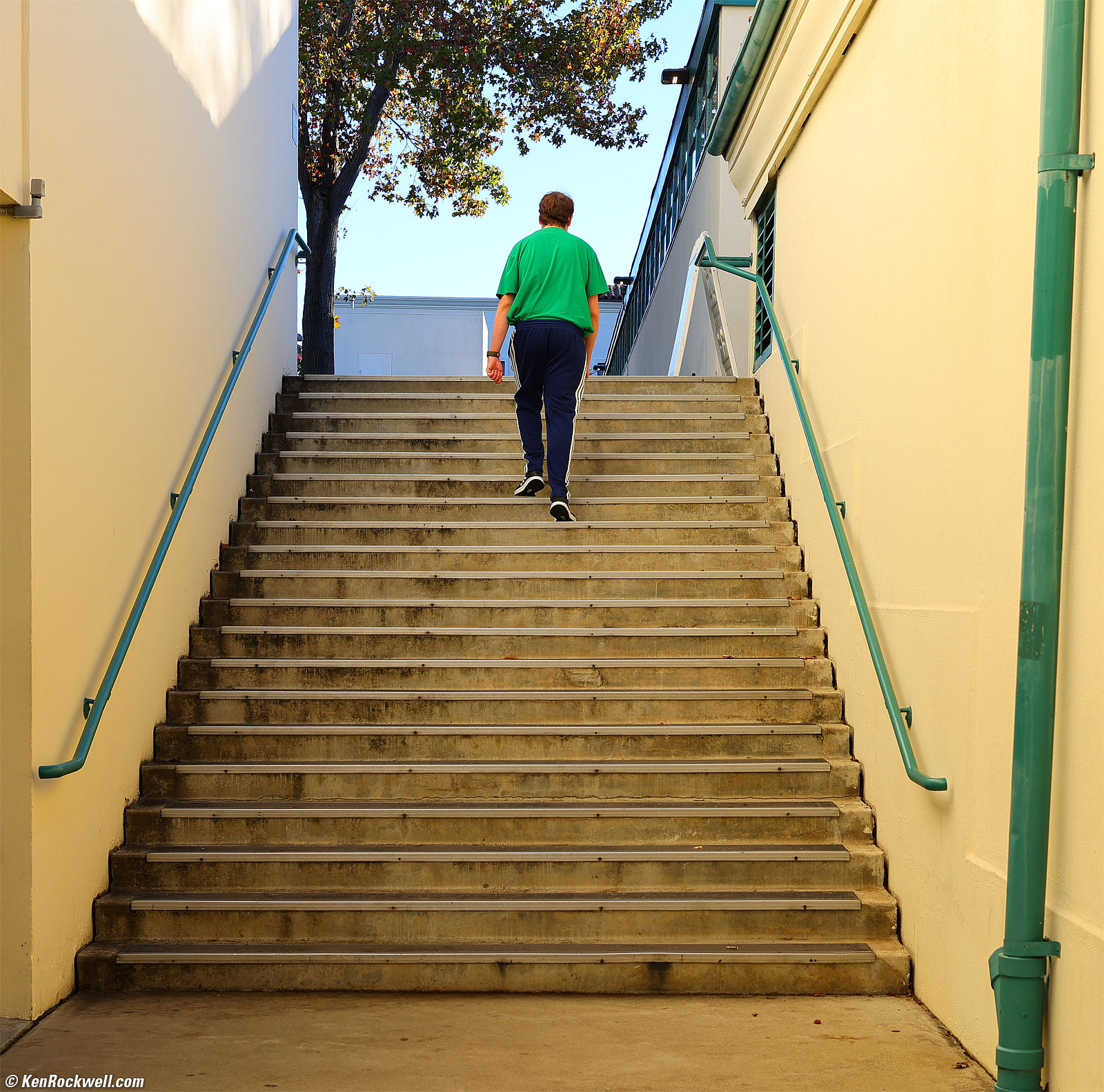
Ryan giving us the walking tour of the routes to and from his classes for next semester at college, 3:40 PM, Tuesday, 13 January 2026. Canon EOS R6 III, Canon RF 45mm f/1.2 STM at f/5.6 at 1/160 at Auto ISO 100, +0.7 stops exposure compensation (LV 12.4), cropped to about a square and otherwise exactly as shot. bigger.
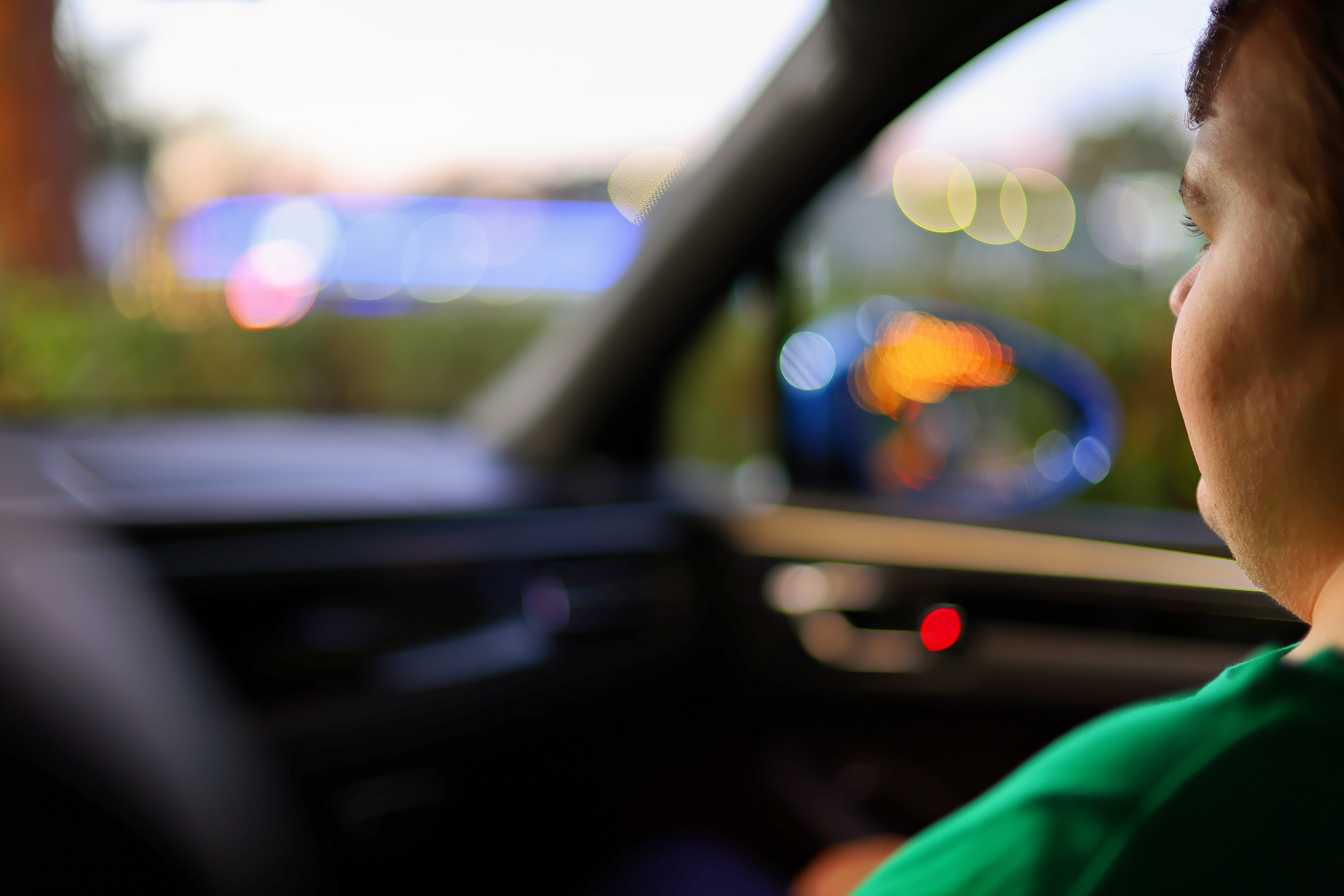
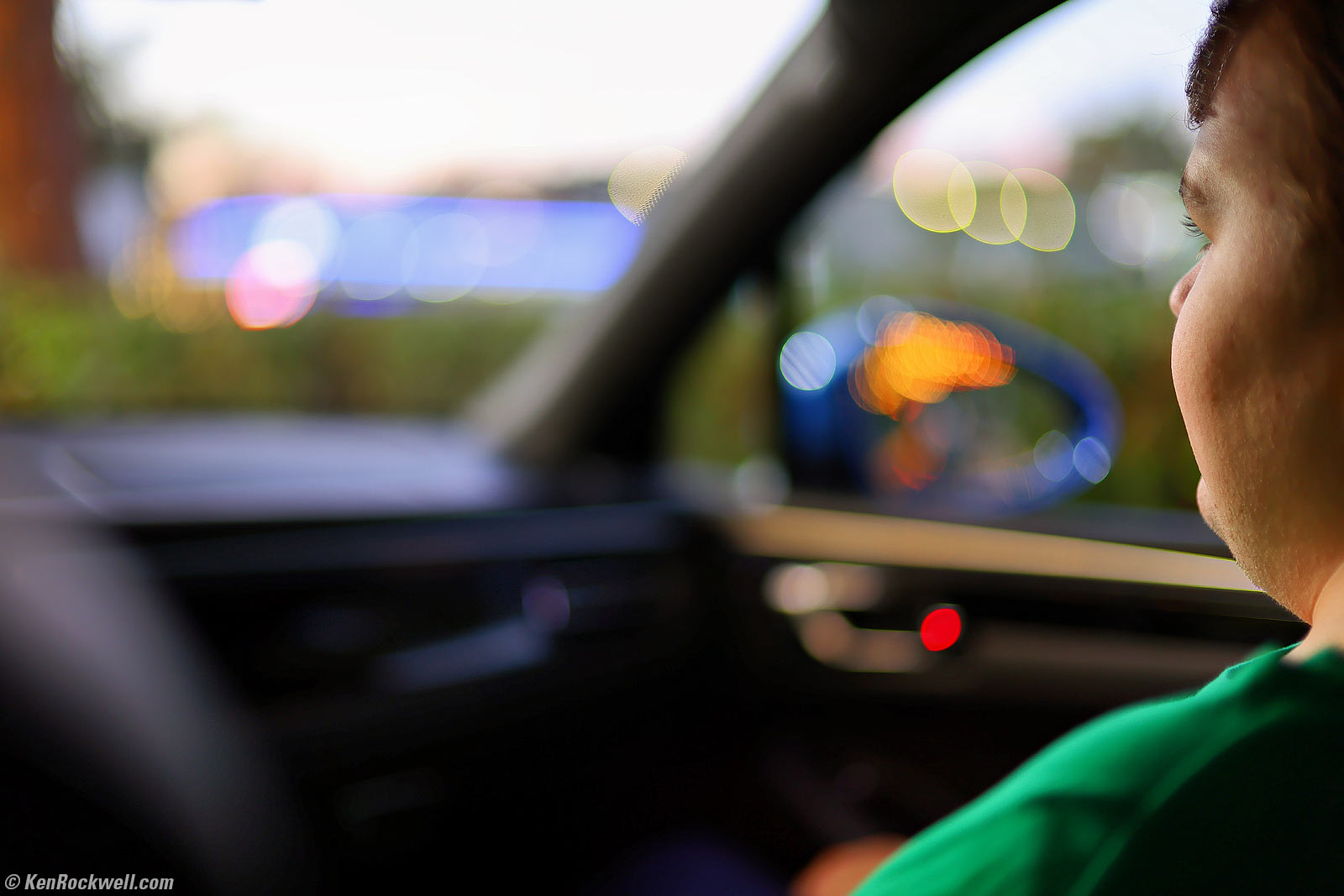
Ryan in the Porsche coming home from school, 5:16 PM, Tuesday, 13 January 2026. Canon EOS R6 III, Canon RF 45mm f/1.2 STM at f/1.2 handheld at 1/15 at Auto ISO 100, +0.7 stops exposure compensation (LV 4.6), Radiant Photo software to add light. bigger or full-resolution 32 MP © 3.3 MB JPG.
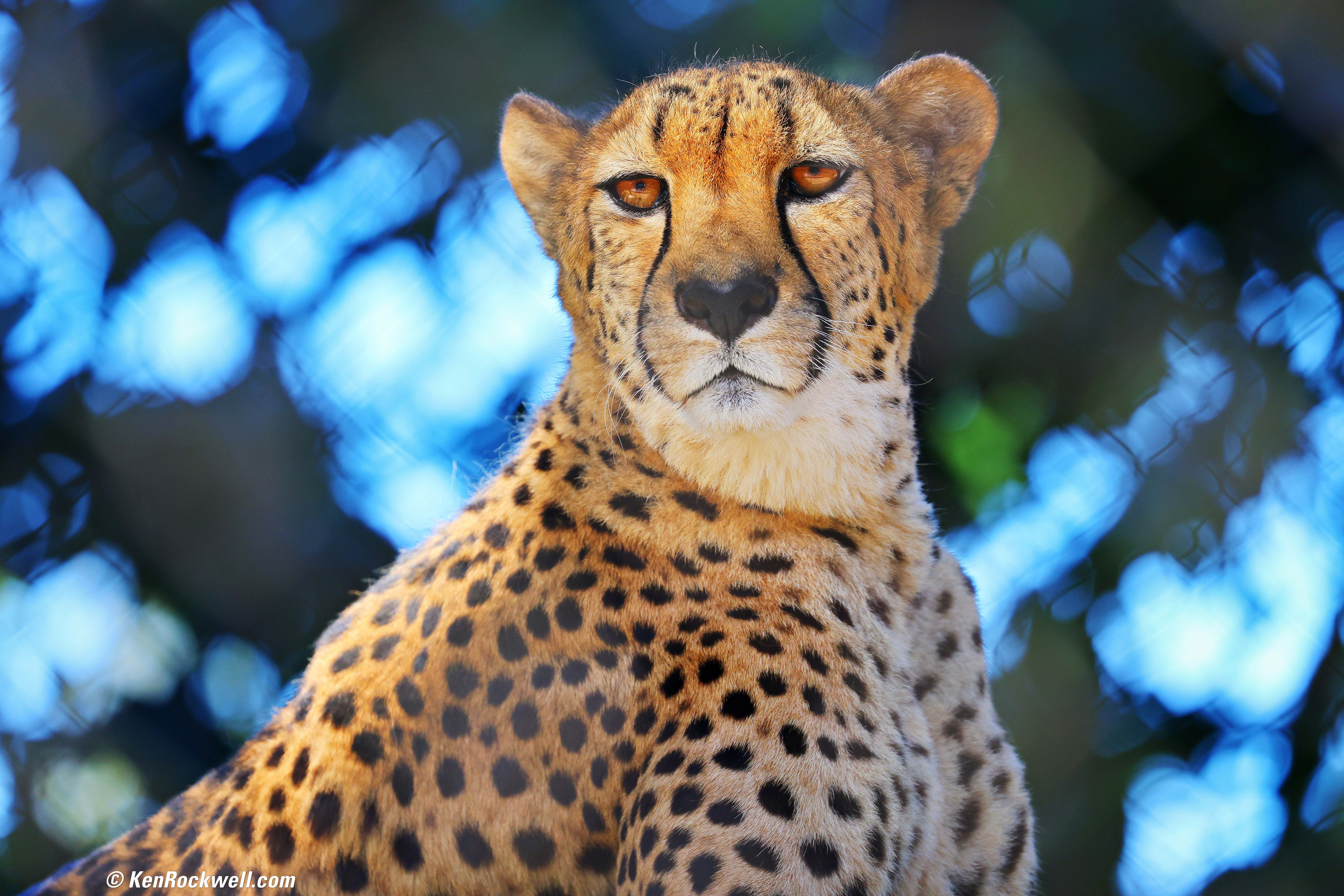
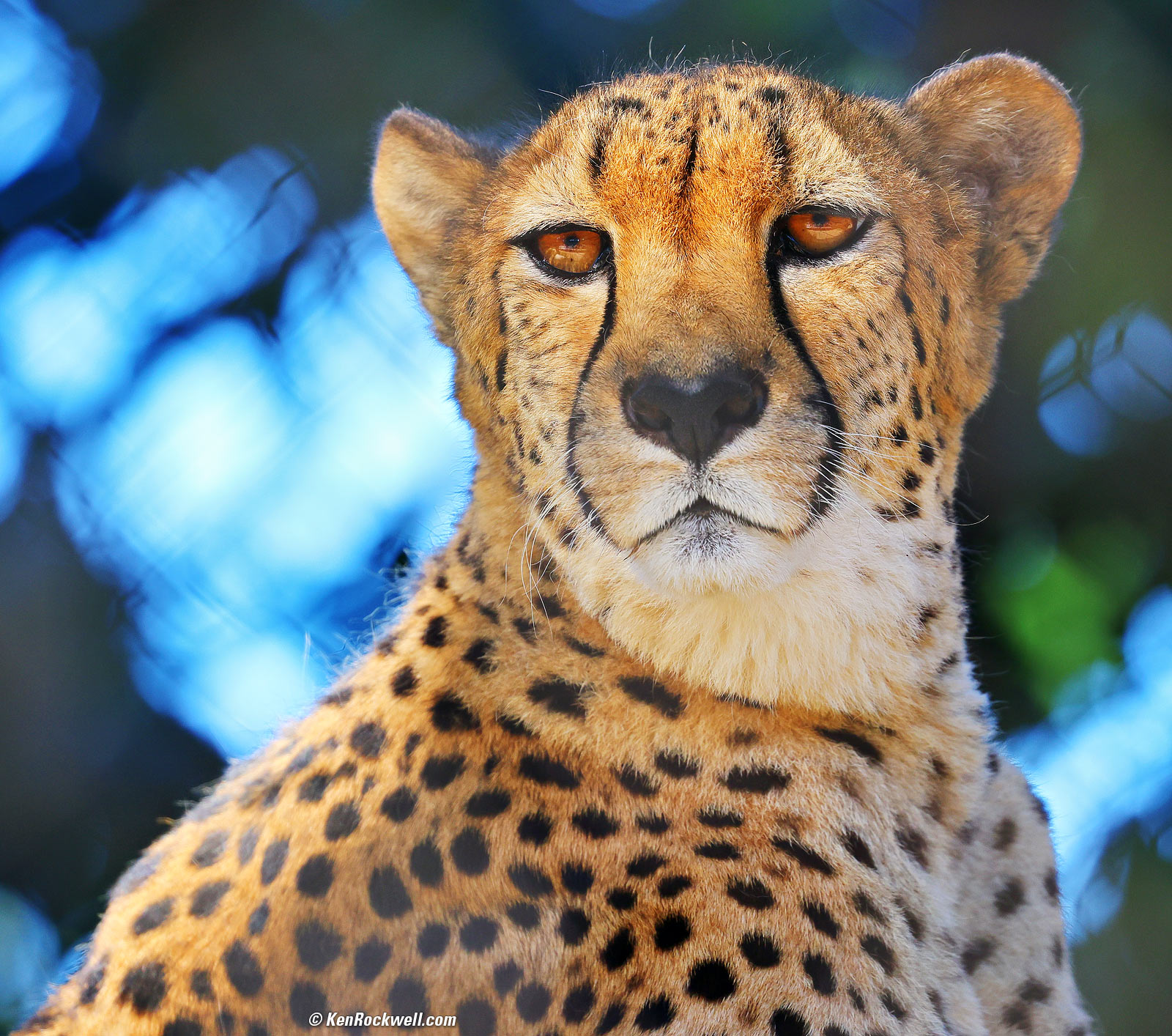
Cheetah, 1:09 PM, Thursday, 15 January 2026. Cropped somewhat from Canon EOS R6 III, Canon EF 100-400mm f/4.5~5.6L IS USM II on EF to RF adapter at 400mm at f/6.3 handheld at 1/400 at Auto ISO 500 (LV 11.7), Radiant Photo software to add light. bigger or 32 MP © 2.6 MB file.
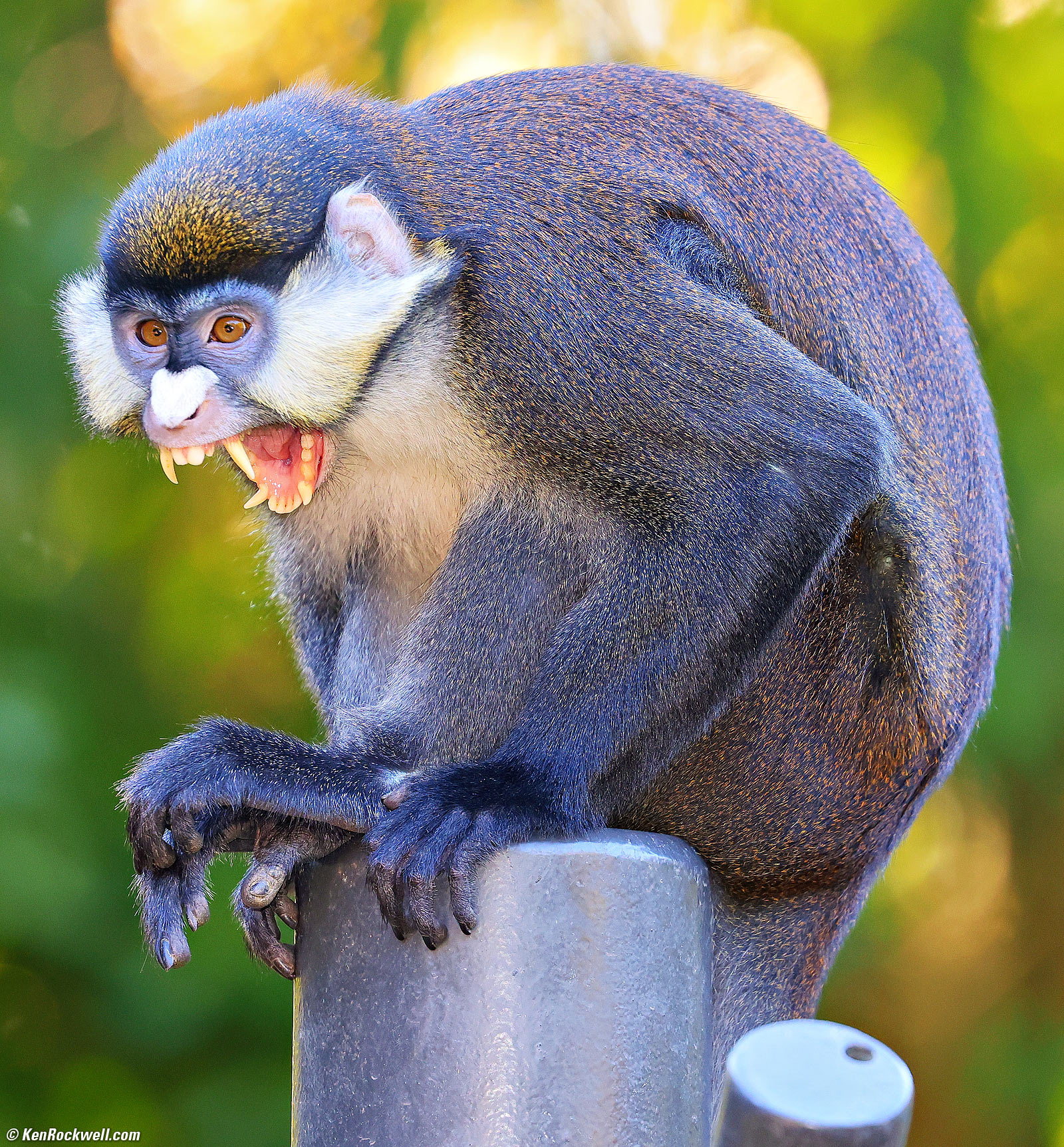
Crazed Monkey Lets Out a Rebel Yell, 3:14 PM, Thursday, 15 January 2026. Cropped slightly from Canon EOS R6 III in square-crop mode, Godox V480C on-camera flash, Canon EF 100-400mm f/4.5~5.6L IS USM II on EF to RF adapter at 400mm at f/5.6 handheld at 1/250 at Auto ISO 1,600, -0.7 stops exposure compensation (LV 9.0), Radiant Photo software to add light. bigger.
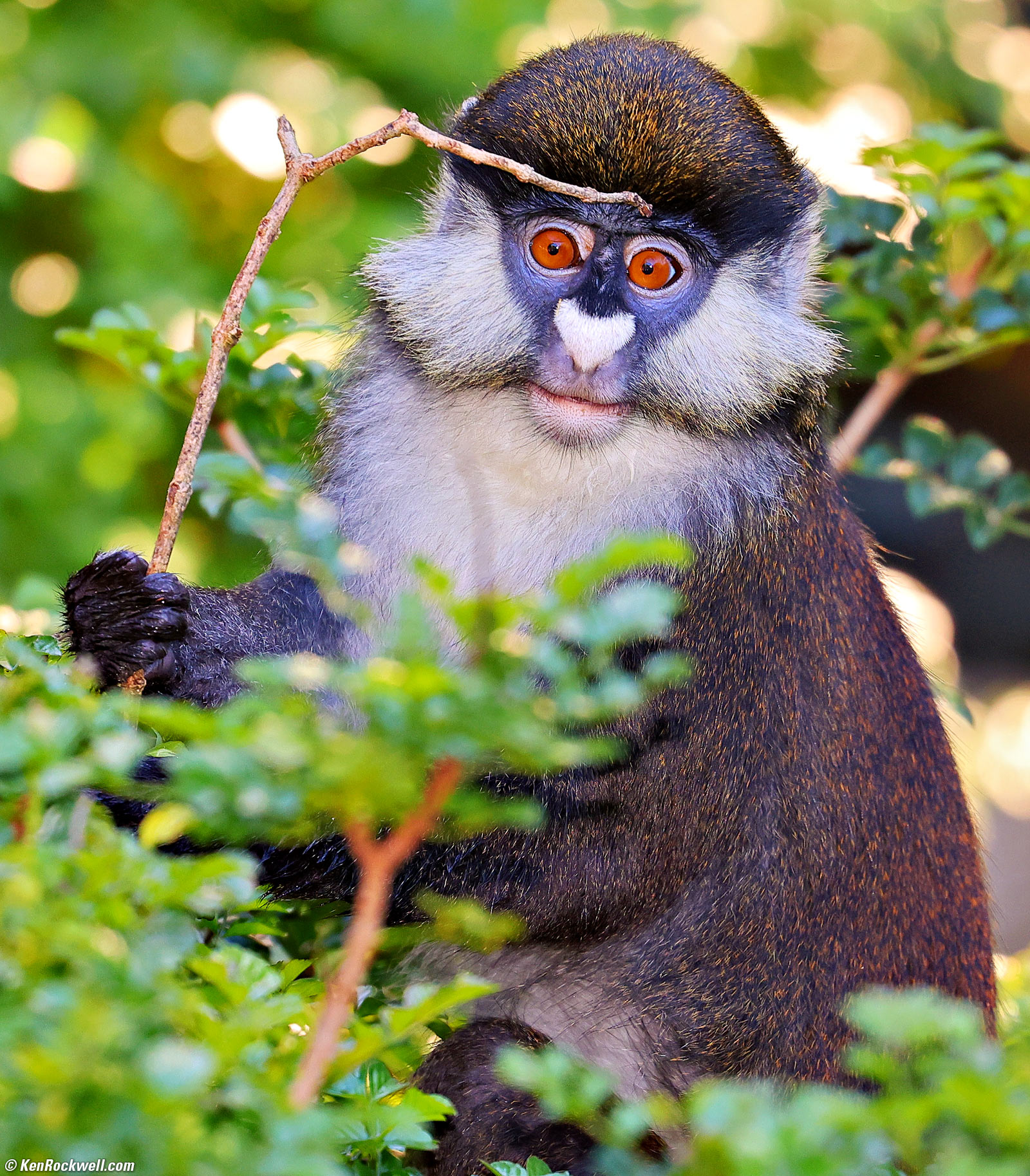
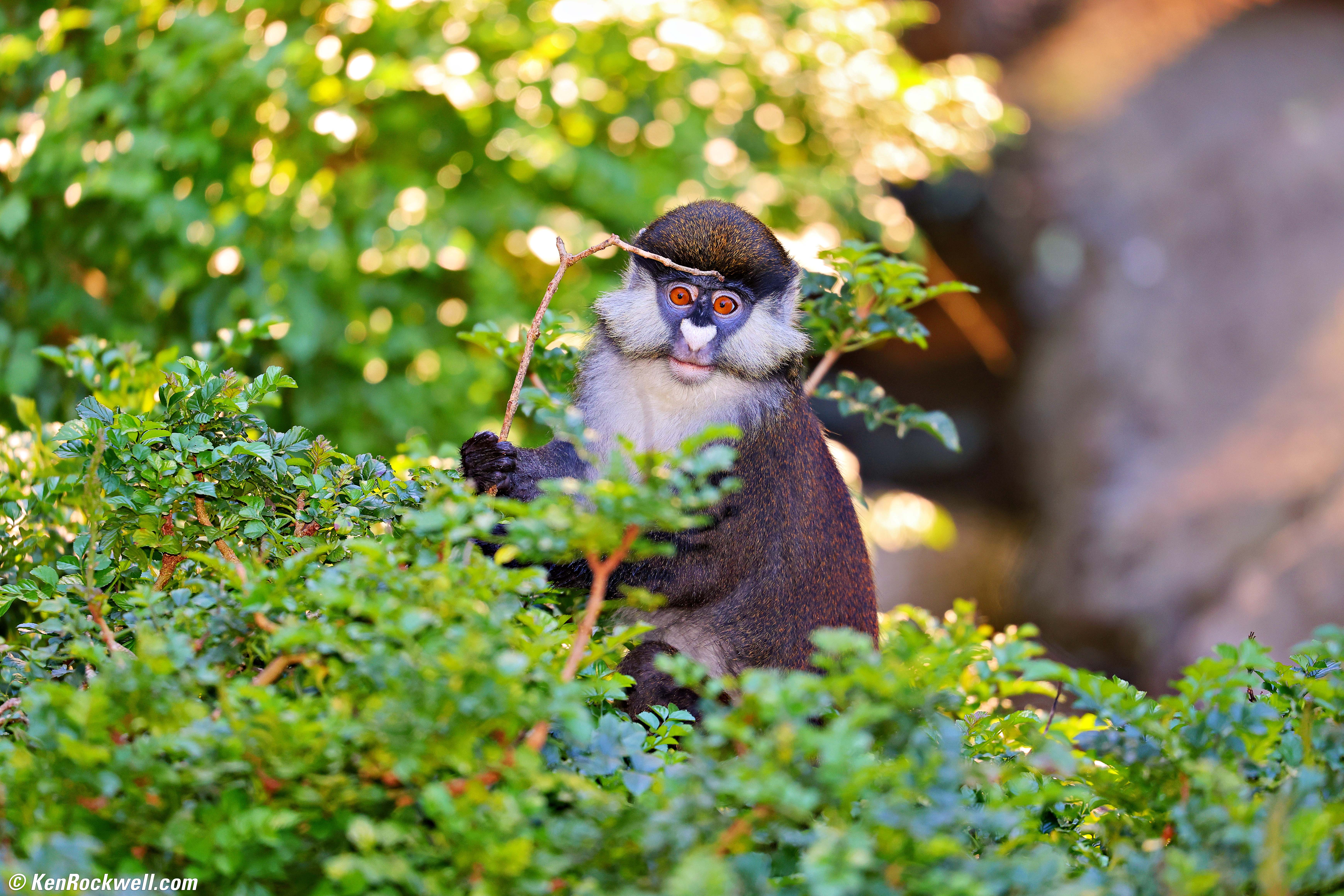
Cute Baby Monkey with a Twig, 3:14 PM, Thursday, 15 January 2026. Cropped from Canon EOS R6 III, Godox V480C on-camera flash, Canon EF 100-400mm f/4.5~5.6L IS USM II on EF to RF adapter at 400mm at f/5.6 handheld at 1/250 at Auto ISO 1,000, -0.7 stops exposure compensation (LV 9.7), Radiant Photo software to add light. bigger or uncropped 32 MP © 2.7 MB image saved from Photoshop at Quality 5.
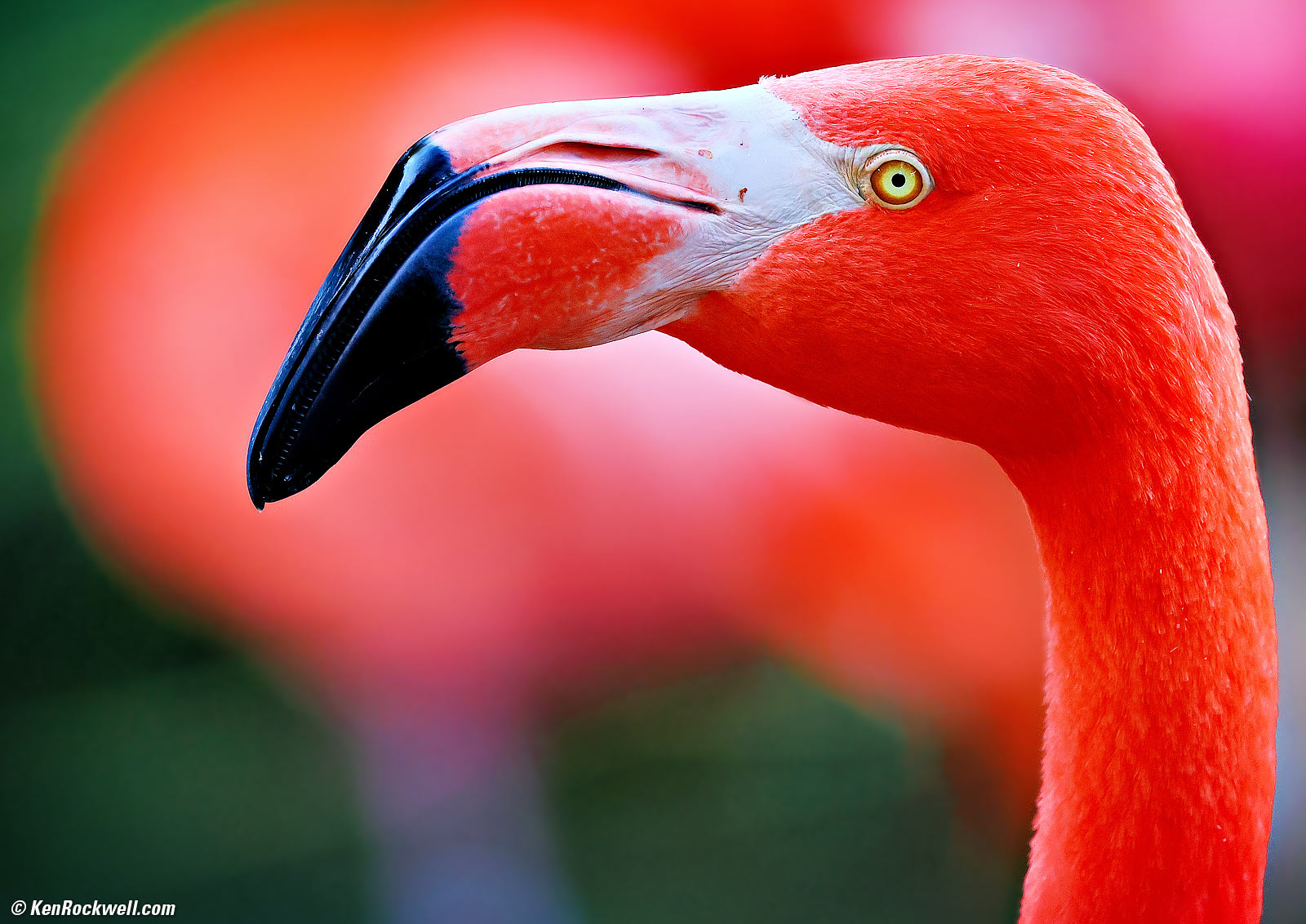
Pink Flamingo, 4:31 PM, Thursday, 15 January 2026. Slight crop from Canon EOS R6 III, Canon EF 100-400mm f/4.5~5.6L IS USM II on EF to RF adapter at 200mm at f/5.6 handheld at 1/400 at Auto ISO 2,000, -0.7 stops exposure compensation (LV 9.3), Radiant Photo software to add light. bigger.
Introduction topNew Same as R6 II Good Bad Missing Specifications Accessories USA Version Performance Compared User's Guide
|






 Second slot is now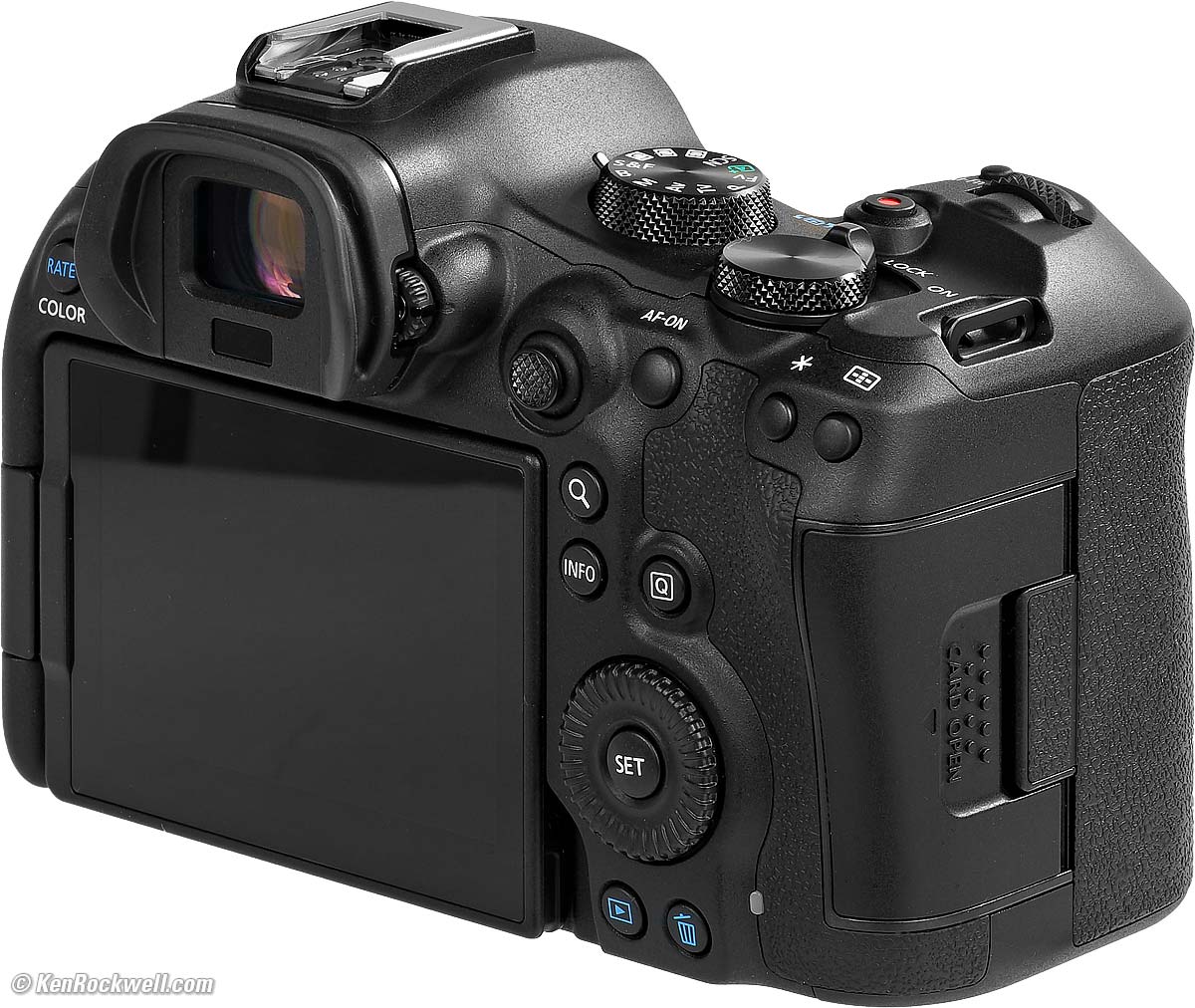
 Nothing else other than if you prefer two SD slots, higher ISOs or the fact that it costs hundreds and hundreds of dollars more than the
Electronic Shutter |
Electronic First Curtain |
Mechanical Shutter |
|
High + |
40 FPS |
12 FPS |
12 FPS |
High |
20 FPS |
8.2 FPS |
6.2 FPS |
Low |
5 FPS |
3 FPS |
3 FPS |
Works with flash? |
No |
Yes |
Yes |
There's Low, High and High+, but no Medium. Go figure.
Buffer (Burst) Sizes specifications top
These all depend on the speed of your card and your frame rate.
Expect over 1,000 frames with JPG and HEIF, and about 100 RAW with a reasonably fast card, less with a slow card.
At 40 FPS, expect 330 frames JPG or 150 frames raw.
Flash specifications top
Regular 5-pin Hot Shoe and also Canon's new 21-pin digital shoe connection to use with the newest EL-10 flash:
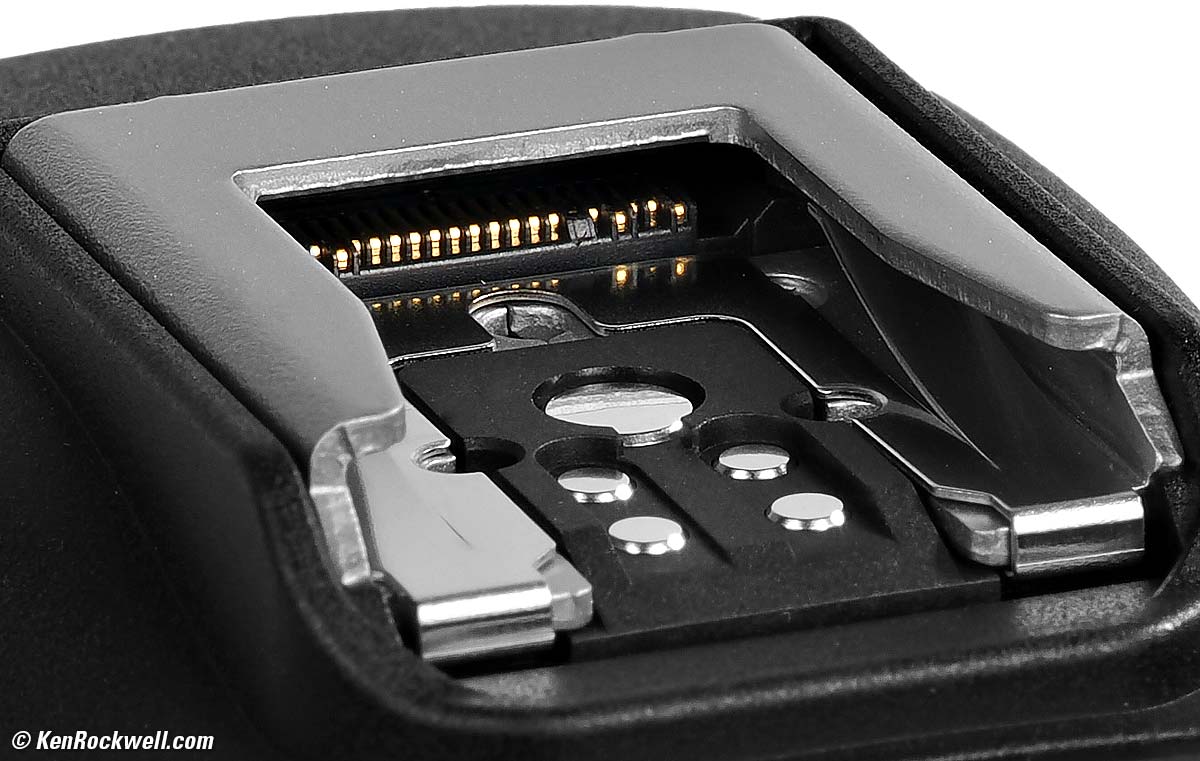
E-TTL control for use with all EX- and EL-series Canon flash.
(No PC (Prontor-Compur) flash sync terminal.)
Electronic Shutter
Can't shoot flash with the electronic (rolling) shutter.
Electronic Front-Curtain
1/250 flash sync speed (1/320 in APS-C crop).
Mechanical Shutter
1/200 flash sync speed (1/250 in APS-C crop).
Built-in Flash
None.
LCD Monitor specifications top
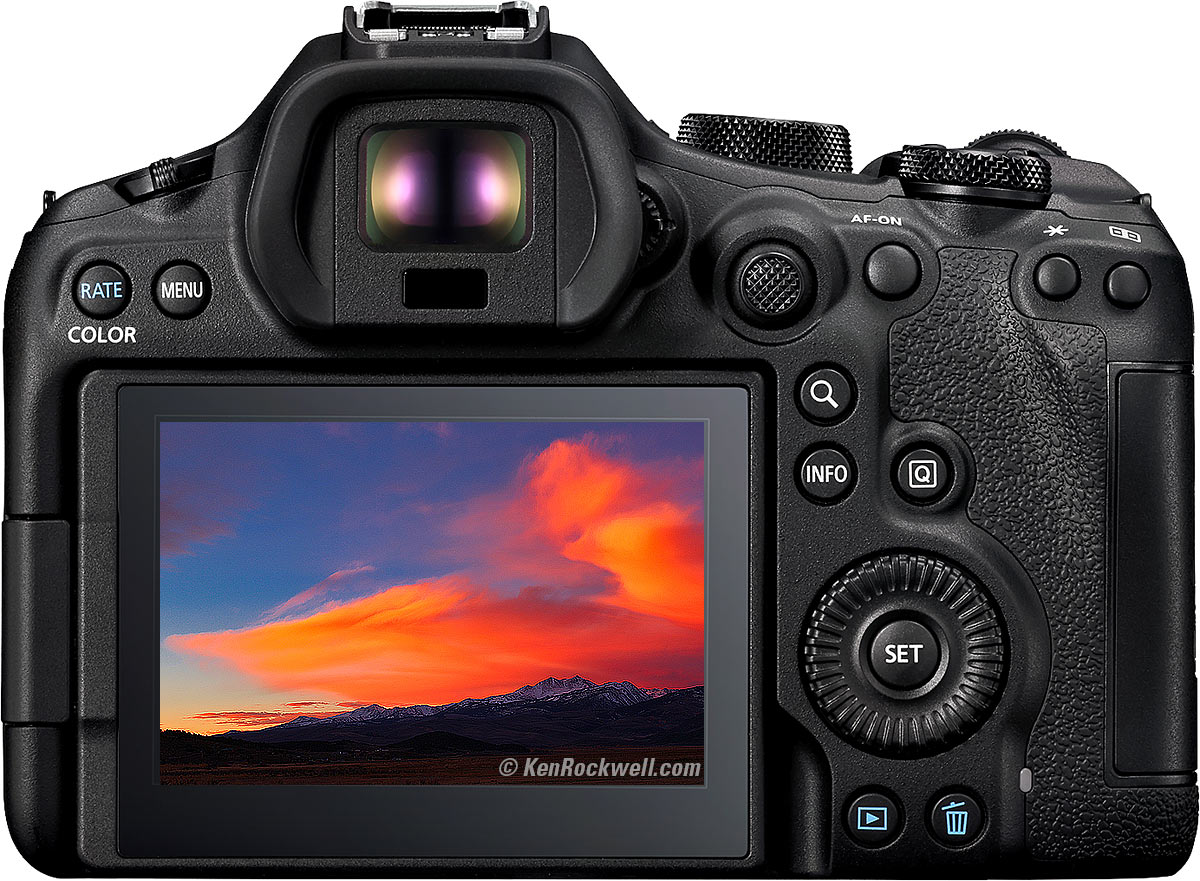
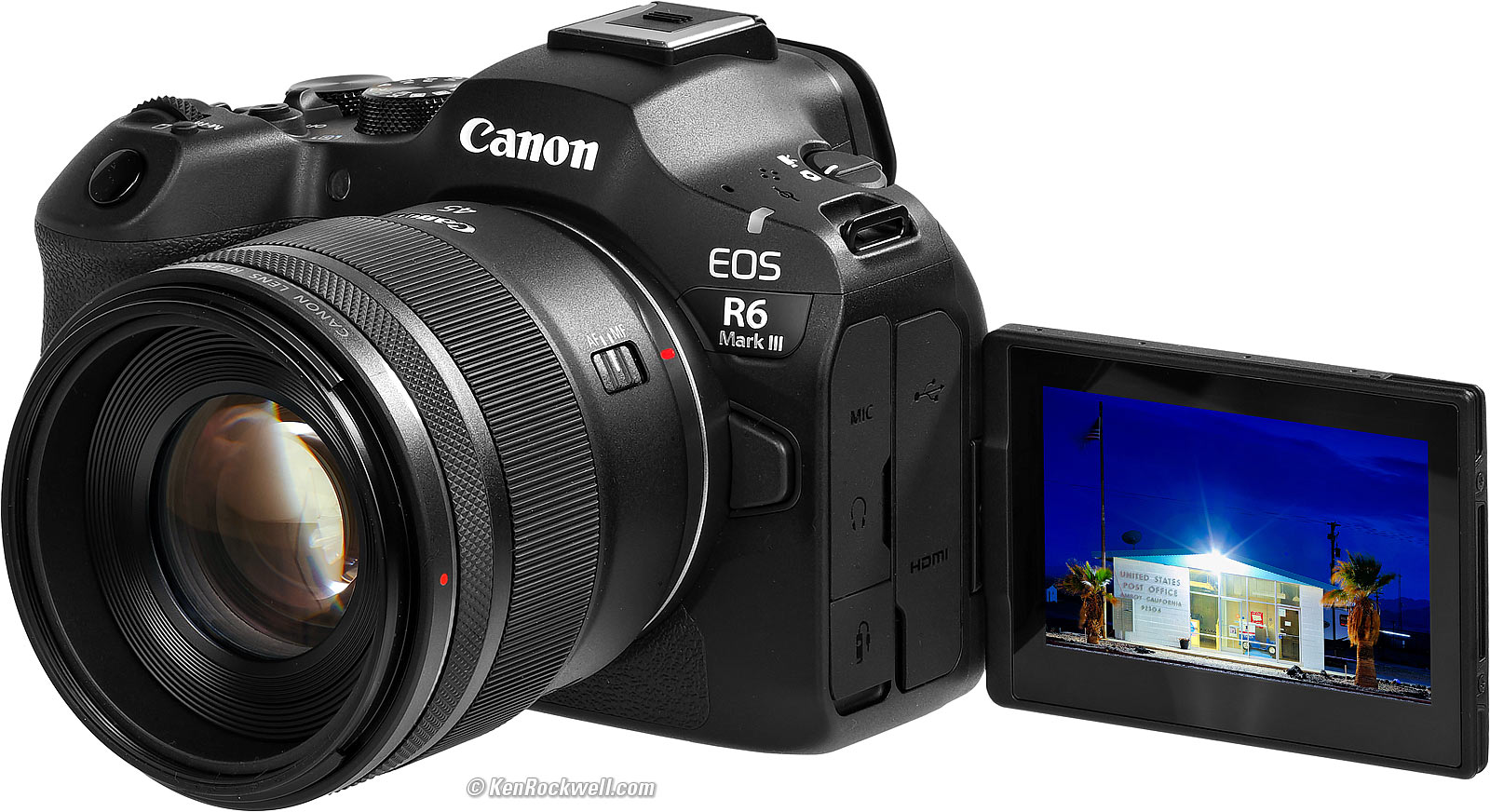
2.95" (75 mm) diagonal.
2.44" (62 mm) horizontal.
1.65" (42 mm) vertical.
1,620,000 dots.
170º viewing.
3:2 aspect ratio.
No automatic brightness control.
Swivels.
Anti-smudge coating.
No anti-reflection coating.
(all the same as the R6.)
Connectors specifications top
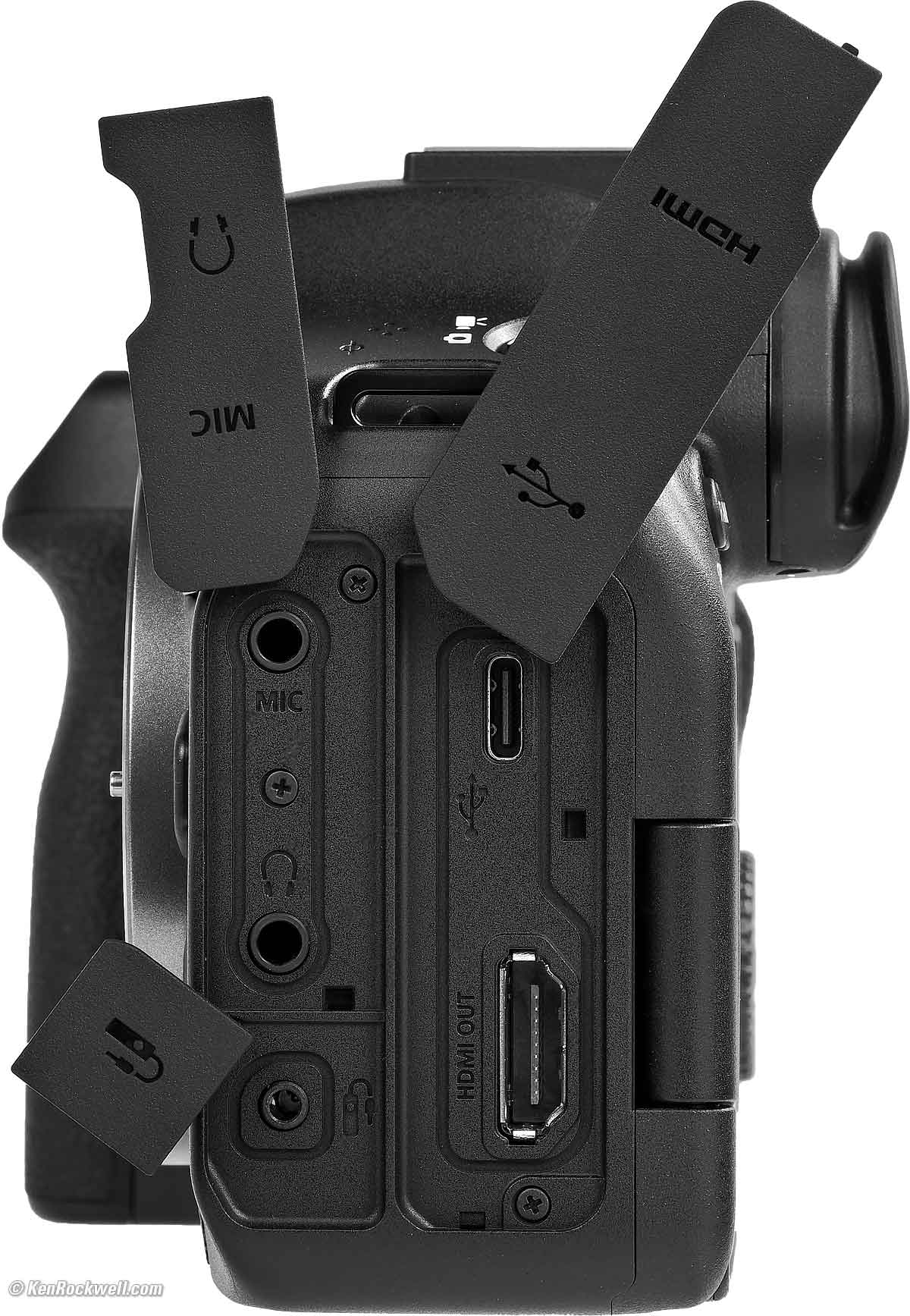
3.5mm mic in.
3.5mm headphone out.
2.5mm E3 remote control jack for RS-60E3 and every other sort of E3 Canon remote.
USB-C 3.2 gen 2: 10 Gbps.
Full-size HDMI type A (not CEC).
(all the same as the R6.)
Wi-Fi specifications top
IEEE 802.11b/g/n/a/ac.
2.4 GHz channels 1 ~ 11.
5 GHz channels 36 ~ 165.
No 6 GHz.
Dial-Up specifications top
Up to 56 kbps.
No acoustic coupler.
Bluetooth specifications top
5.1.
GPS specifications top
None; try the app.
Storage specifications top
Two Slots
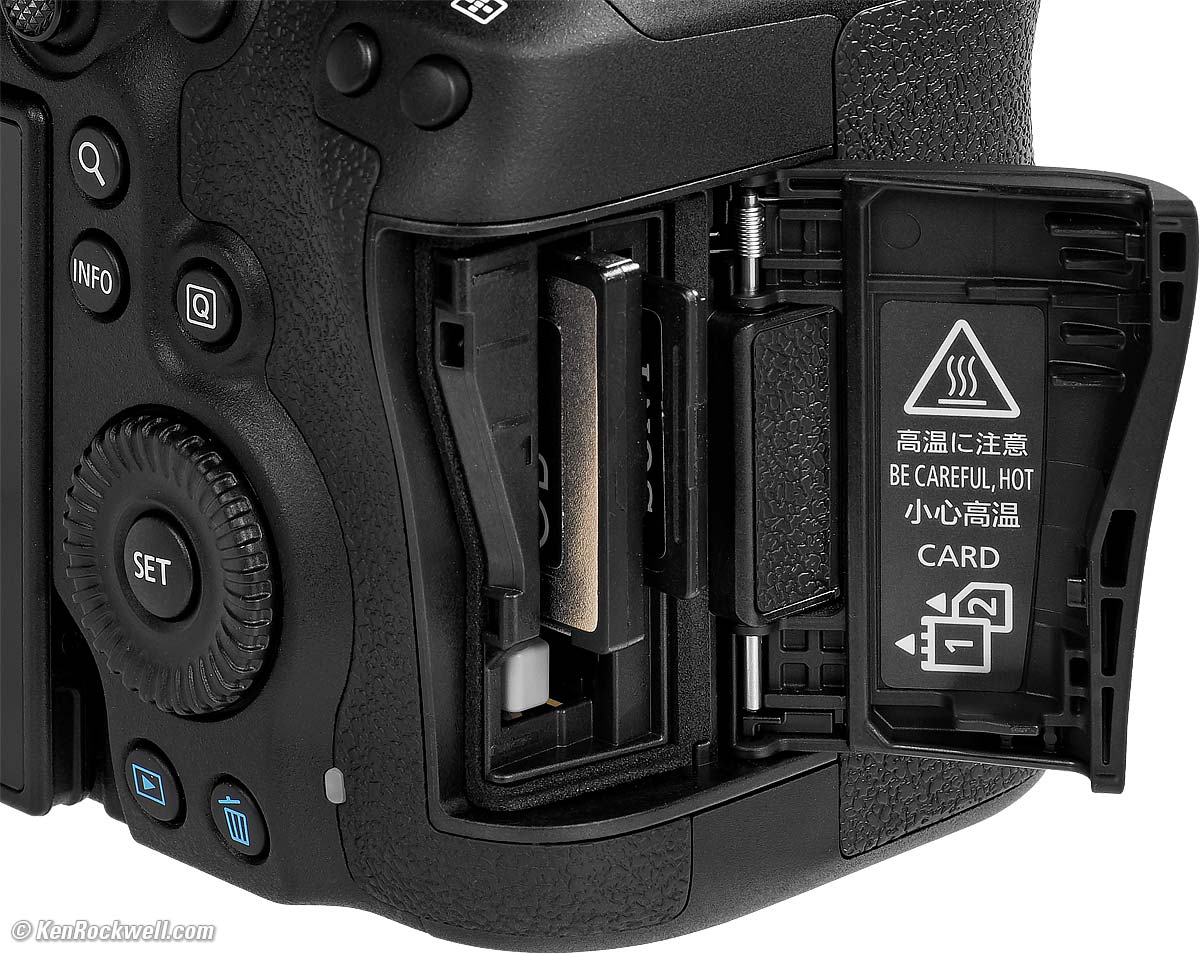
VPG400 compatible.
Up to 8TB (larger cards will work, but only seen as 8TB).
SD/SDHC/SDXC
UHS, UHS-I and UHS-II compatible.
Won't work with Eye-Fi or MMC Multimedia cards.
Power & Battery specifications top
Battery
|
|
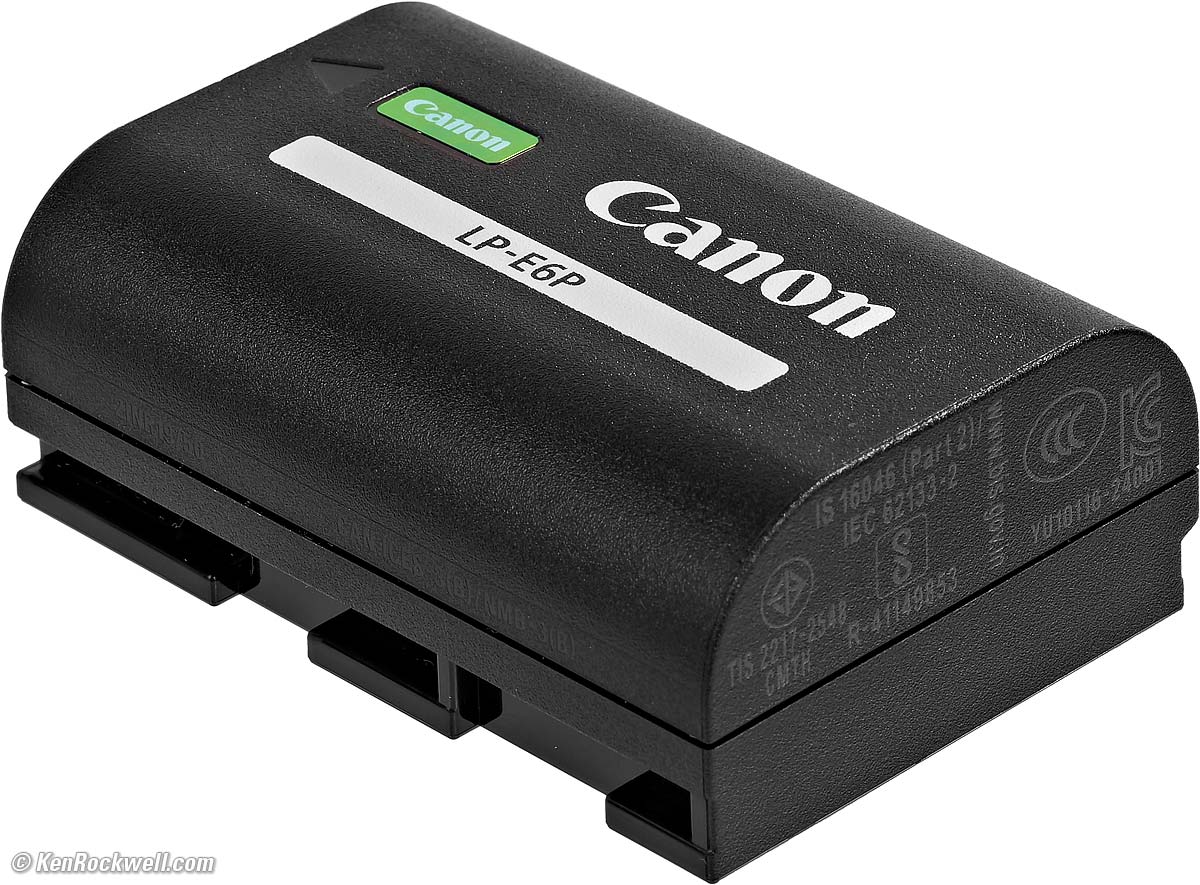
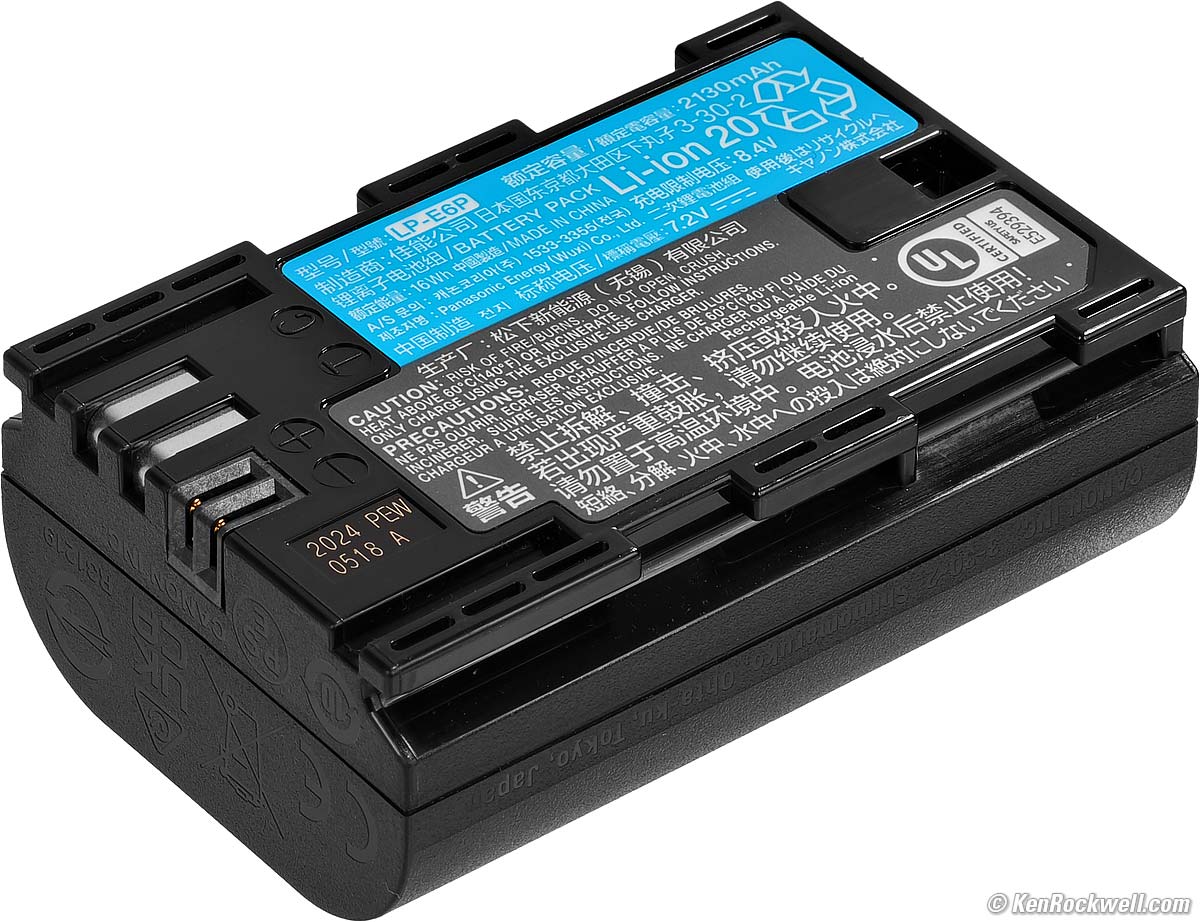
Comes with the newest LP-E6P Battery. Canon says it shoots with our older LP‑E6N and LP-E6NH, but won't work with the original LP-E6.
I tested it and it works fine with the newest Watson LP-E6P batteries.
Rated 390 shots with the finder, or 620 with the LCD, in power-saving mode.
Rated 270 shots with the finder, or 510 with the LCD, in high-performance mode.
~ or ~
2:40 hours of 1,920 × 1,080 video.
~ or ~
1 hour of 4K video.
Third-party batteries may not work. My Watson LP-E6N and Watson LP-E6NH batteries don't work, reading ERROR 80. I have not tried the newest Watson LP-E6P, which B&H's website says will work.
Charging
Charges in-camera with any USB-C PD "Power-Delivery" rated charger, or in the included external charger:
|
|
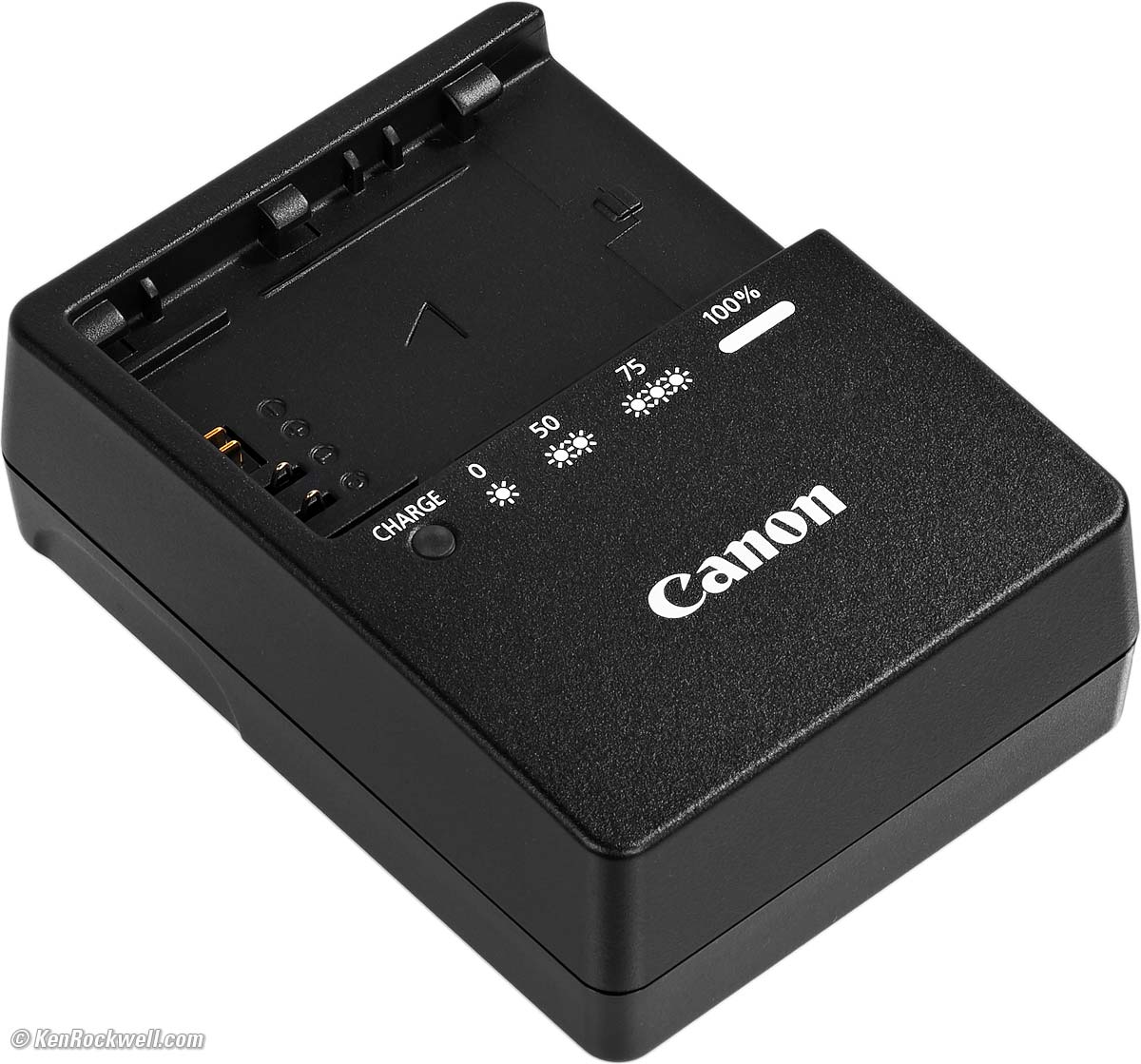
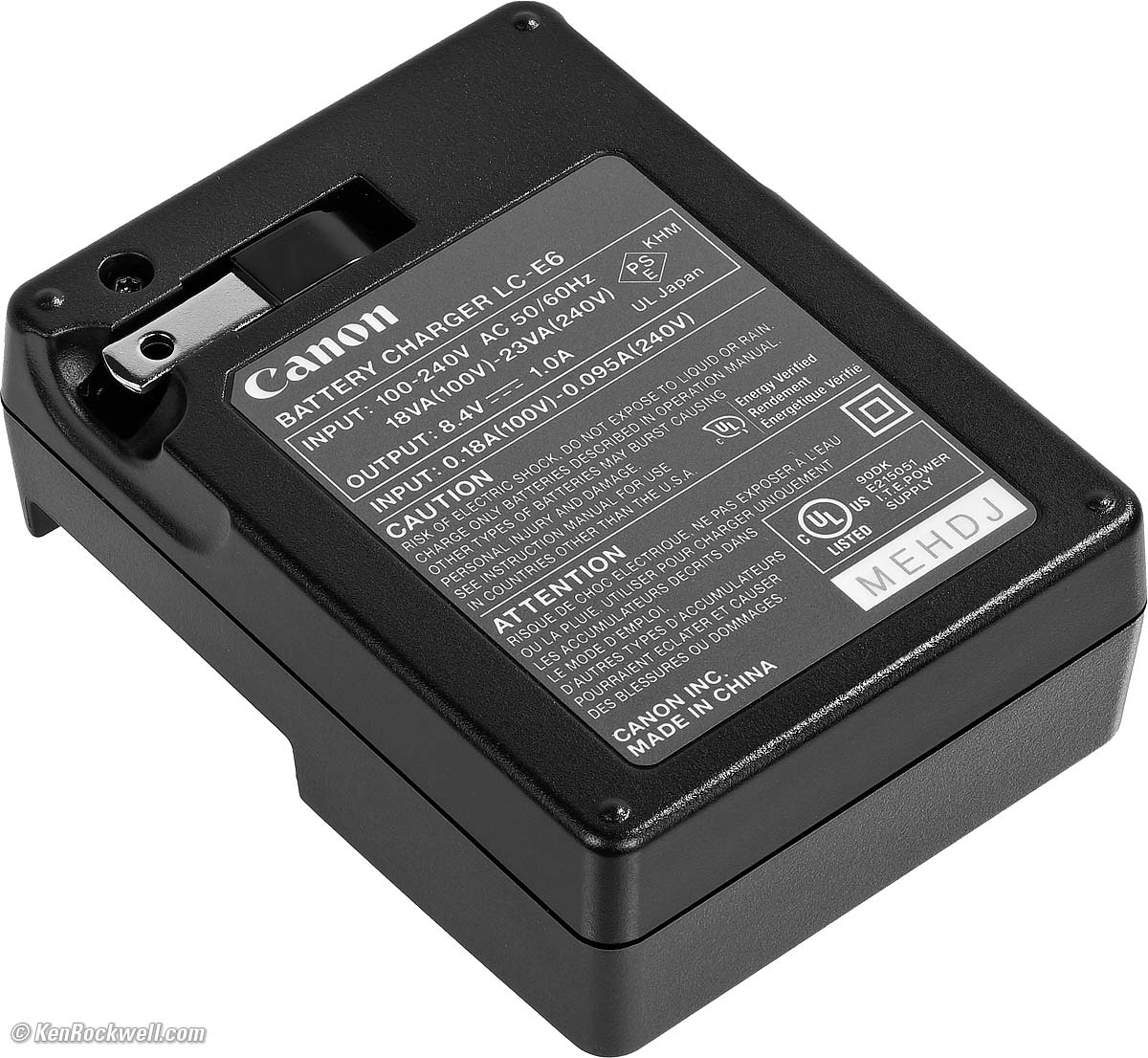
LC-E6 folding plug 100-240V 50-60 cps charger, included.
I also just got a tiny Watson Dual USB-C Canon LP-E6x Battery Charger, and it seems to work great. It runs from USB-C (think wall charger, a socket in your car, an output from your MacBook, a solar panel, power bank, etc.), has two slots that charge at the same time and it's tiny. While I prefer the dual-color blinking light visible from across the room on Canon's own charger while at home, this tiny Watson charger is great if you need one for travel. I don't need any of these; I use one battery can charge it in the camera every night.
Size specifications top
3.87 × 5.45 × 3.48 inches HWD.
98.4 × 138.4 × 88.4 millimeters HWD.
Weight specifications top
24.7 oz. (699 g) with battery and one CFexpress type B card.
21.5 oz. (609 g) stripped.
Operating Environment specifications top
0º ~ 40º C (32º ~ 104º F).
0 to 85% RH.
Included specifications top
EOS R6, R-F-5 EOS-R Body Cap, hot shoe cover and eyecup.
Strap.
Announced specifications top
1:17 AM, Thursday, 06 November 2025, NYC time.
Promised for specifications top
21 November 2025.
Canon's Model Numbers specifications top
R6 Mk III body-only
7084C002 (7084C001 in Japan).
JAN 4549292-246285.
R6 Mk III and RF 24-105mm IS STM kit as shown at the top
7084C018 (7084C017 in Japan).
JAN 4549292-246391.
R6 Mk III and RF 24-105mm f/4L IS kit as shown here
7084C010 (7084C009 in Japan).
JAN 4549292-246339.
R6 Mk III with stop-motion firmware
7084C037.
Packaging
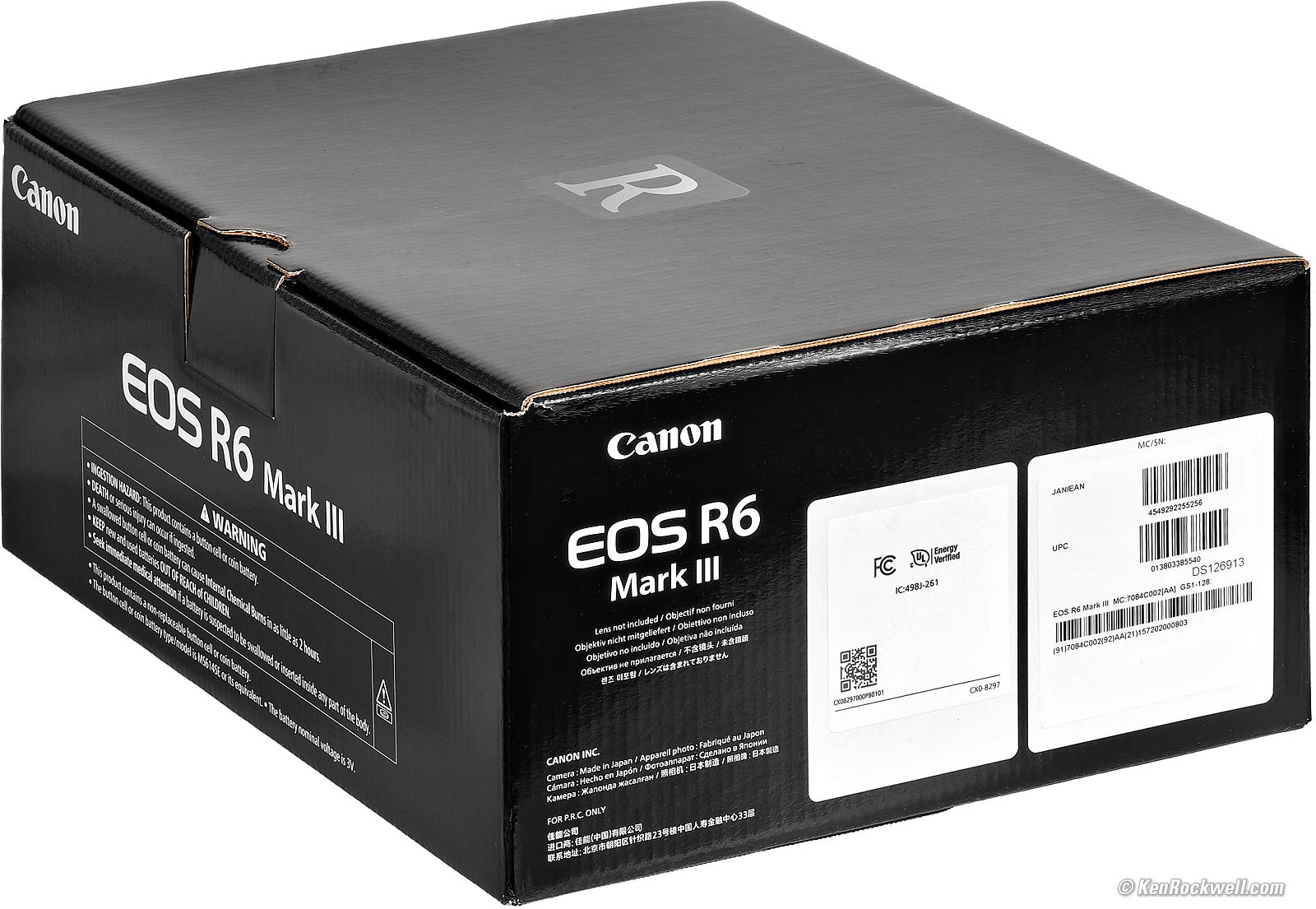
It's a microcorrugated box with corrugami inserts.
The box and even the plastic bag holding the camera have the same serial number. Be sure your bag and box and camera's serial numbers all match your warranty card:
|
|


Price, U. S. A. specifications top
07 April 2026 (still no discounts)
New
R6 Mk III body-only: $2,799 at B&H, at Adorama, at Crutchfield and at Amazon.
R6 Mk III and RF 24-105mm IS STM: $3,149 at B&H, at Adorama, at Crutchfield and at Amazon.
R6 Mk III and RF 24-105mm f/4L IS: $4,049 at B&H, at Adorama, at Crutchfield and at Amazon.
R6 Mk III with stop-motion firmware: $2,899 at B&H, at Adorama and at Crutchfield.
~ or ~
The almost identical EOS R6 Mark II is just just $1,999.
Used
About $2,457 at eBay if you know How to Win at eBay,
28 January 2026 (still no discounts)
R6 Mk III body-only: $2,799 at B&H, at Adorama, at Crutchfield and at Amazon.
R6 Mk III and RF 24-105mm IS STM: $3,149 at B&H, at Adorama, at Crutchfield and at Amazon.
R6 Mk III and RF 24-105mm f/4L IS: $4,049 at B&H, at Adorama, at Crutchfield and at Amazon.
R6 Mk III with stop-motion firmware: $2,899 at B&H, at Adorama and at Crutchfield.
~ or ~
The almost identical EOS R6 Mark II is just just $1,999.
25 November 2025 (still no discounts, but now also at Crutchfield and Amazon)
R6 Mk III body-only: $2,799 at B&H, at Adorama, at Crutchfield and at Amazon.
R6 Mk III and RF 24-105mm IS STM: $3,149 at B&H, at Adorama, at Crutchfield and at Amazon.
R6 Mk III and RF 24-105mm f/4L IS: $4,049 at B&H, at Adorama, at Crutchfield and at Amazon.
R6 Mk III with stop-motion firmware: $2,899 at B&H, at Adorama and at Crutchfield.
(The almost identical EOS R6 Mark II is just $1,999.)
06 November 2025 (introduction)
R6 Mk III body-only: $2,799 at B&H and at Adorama. (429,000 yen in Japan.)
R6 Mk III and RF 24-105mm f/4L IS: $4,049 at B&H and at Adorama. (583,000 yen in Japan.)
R6 Mk III and RF 24-105mm IS STM: $3,149 at B&H, at Adorama, at Crutchfield and at Amazon.
R6 Mk III with stop-motion firmware: $2,899 at B&H and at Adorama.
(The almost identical EOS R6 Mark II is $2,099.)
Optional Accessories top
New Same as R6 II Good Bad Missing
Specifications Accessories USA Version
Performance Compared User's Guide
I got my R6 III from B&H. I'd also get it at Adorama, at Crutchfield or at Amazon, or get it used if you know How to Win at eBay, or get it used at KEH:
R6 Mk III body-only: $2,799 at B&H, at Adorama, at Crutchfield and at Amazon.
R6 Mk III and RF 24-105mm IS STM: $3,149 at B&H, at Adorama, at Crutchfield and at Amazon.
R6 Mk III and RF 24-105mm f/4L IS: $4,049 at B&H, at Adorama, at Crutchfield and at Amazon.
R6 Mk III with stop-motion firmware: $2,899 at B&H, at Adorama and at Crutchfield.
~ or ~
Save $800 and get the almost identical EOS R6 Mark II instead while you still can!
Lenses
Canon RF Lenses
Canon EF and EF-s Lenses (use with an EF to RF Adapter)
Flash
Canon Flash
Speedlight Transmitter ST-E3-RT (version 2)
Canon OC-E3 Flash Shoe Extension Cord
Canon OC-E4A Off-Camera Multipin Digital Flash Shoe Extension Cord
Remotes
RS-60E3 Wired Remote Release or similar 2.5mm remote cords.
Canon RC-6 Wireless Infrared Remote Release.
Canon BR-E1 Wireless Bluetooth Remote Control.
GPS
Use the app, or
Canon GPS Receiver GP-E2
Microphones
Canon DM-E1D Programmable Microphone
Digital-direct hot shoe mounted.
90º or 120º stereo or mono settings.
Furry windscreen included.
Canon DM-E1 Programmable Microphone
Corded shoe-mount microphone. Less expensive, but needs a cord.
90º or 120º stereo or mono settings.
Windscreen included.
Canon DM-E100 Stereo Microphone
Corded shoe-mount microphone. Much less expensive, but needs a cord.
One fixed stereo pattern.
Windscreen included.
Finder Magnifier
Canon Angle Finder C
Switchable 1.25× and 2.5× optical magnifications.
Getting a Legal U. S. A. Version top
New Same as R6 II Good Bad Missing
Specifications Accessories USA Version
Performance Compared User's Guide
I got my R6 III from B&H. I'd also get it at Adorama, at Crutchfield or at Amazon, or get it used if you know How to Win at eBay, or get it used at KEH:
R6 Mk III body-only: $2,799 at B&H, at Adorama, at Crutchfield and at Amazon.
R6 Mk III and RF 24-105mm IS STM: $3,149 at B&H, at Adorama, at Crutchfield and at Amazon.
R6 Mk III and RF 24-105mm f/4L IS: $4,049 at B&H, at Adorama, at Crutchfield and at Amazon.
R6 Mk III with stop-motion firmware: $2,899 at B&H, at Adorama and at Crutchfield.
~ or ~
Save $800 and get the almost identical EOS R6 Mark II instead while you still can!
This section applies in the U. S. A. only.
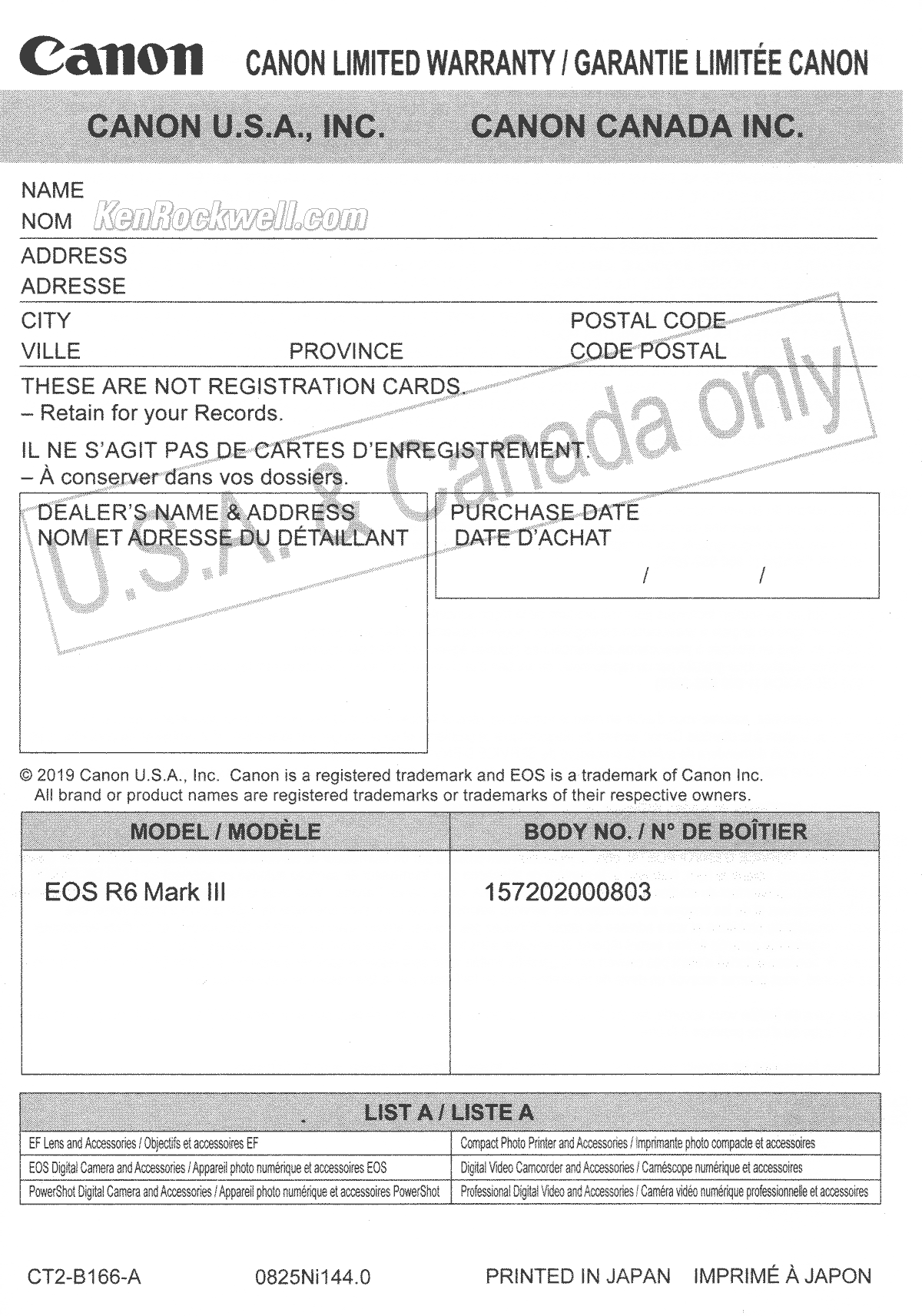
Canon EOS R6 Mk III USA Warranty Card. bigger.
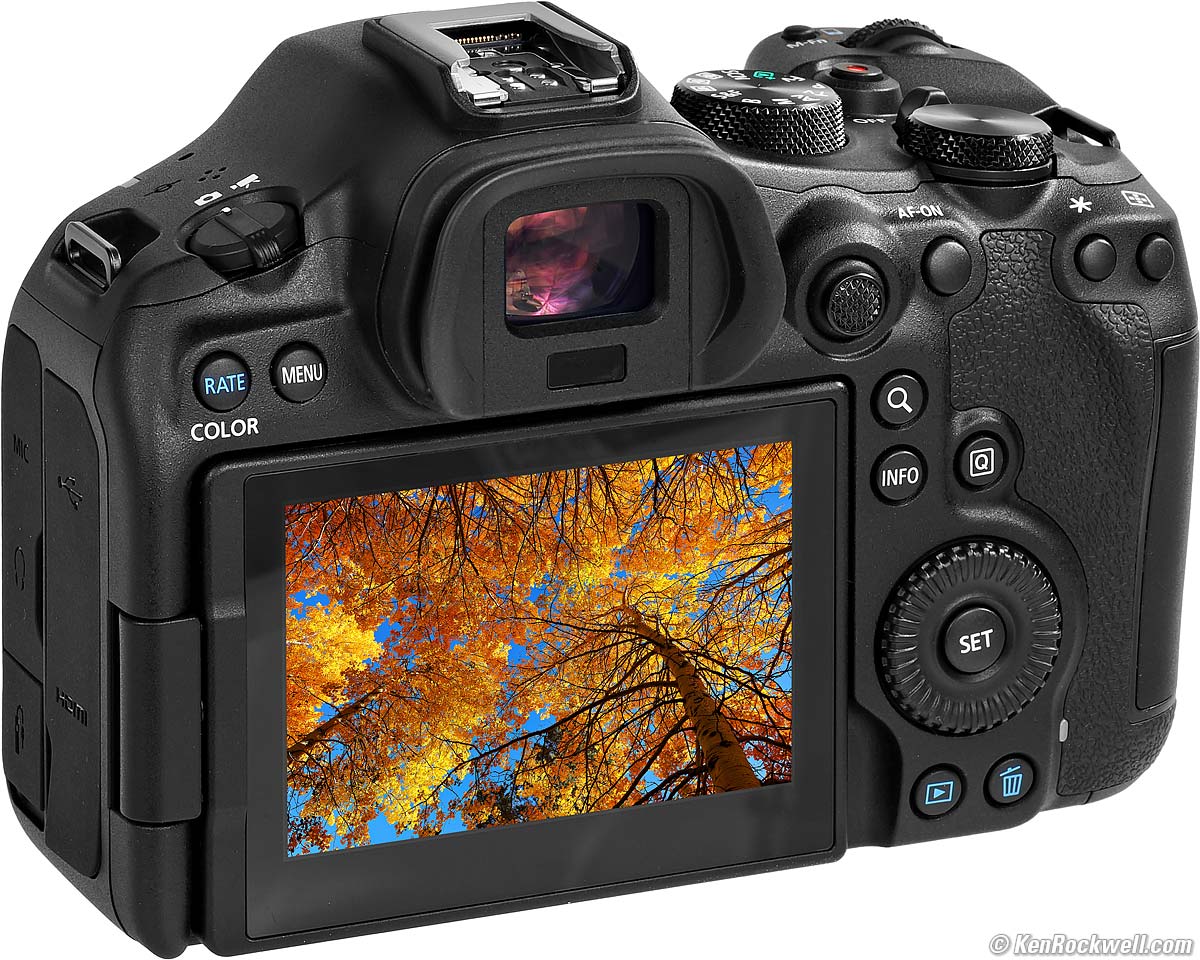
Your R6 III must include a printed U. S. A. warranty card like the one shown above from Canon U.S.A., Inc. It should be on top inside your box as you open it. The serial number on the card must match the serial number on the back of your camera (behind the flipping LCD.
If you have no card or the serial number doesn't match, you got ripped off with a gray market version intended to be sold in another country. This is why I never buy from any place other than my personally approved sources. You just can't take the chance of buying elsewhere, especially at any retail store where strangers have probably opened your completely unsealed box and played with your camera, because non-U. S. A. versions have no warranty in the U. S. A., and you probably won't be able to get firmware or service for it — even if you're willing to pay out-of-pocket for it when you need it!
Shifty dealers may include color copies of a card from a legitimate U. S. A. product in a gray-market box, hoping you won't check serial numbers and catch their fraud. A card with the wrong serial number means nothing other than that you have no warranty coverage.
The serial number near the bar codes the end of the box and on the bag don't have to match, but they should. If not, it means a shady dealer took things out of boxes and was too sloppy to put them back correctly — and it means you got a used lens if anyone other than you took it out of the box.
If a gray market version saves you $600 the risk might be worth it, but for $200 or less I wouldn't risk having no warranty or support.
Always be sure to check yours while you can still return it, or just don't buy from unapproved sources and never at retail so you'll be able to have your camera serviced and get free updated firmware as needed. Get yours from the same places I do and you won't have a problem.
Performance top
New Same as R6 II Good Bad Missing
Specifications Accessories USA Version
Performance Compared User's Guide
Overall Autofocus Auto ISO Auto White Balance
Color Rendition Crop Modes Ergonomics Exposure
Finder Flash High ISOs Interline Transfer Smear
Lens Corrections Long Exposures Mechanics
Menus C1, C2 &C3 Modes Rear LCD Stabilization
Playback Data Power & Battery Clock Accuracy
I got my R6 III from B&H. I'd also get it at Adorama, at Crutchfield or at Amazon, or get it used if you know How to Win at eBay, or get it used at KEH:
R6 Mk III body-only: $2,799 at B&H, at Adorama, at Crutchfield and at Amazon.
R6 Mk III and RF 24-105mm IS STM: $3,149 at B&H, at Adorama, at Crutchfield and at Amazon.
R6 Mk III and RF 24-105mm f/4L IS: $4,049 at B&H, at Adorama, at Crutchfield and at Amazon.
R6 Mk III with stop-motion firmware: $2,899 at B&H, at Adorama and at Crutchfield.
~ or ~
Save $800 and get the almost identical EOS R6 Mark II instead while you still can!
Overall performance top
 My R6 III is my favorite camera, period. It handles great and its images are fantastic. You can pay a lot more, but you can't get a better camera overall for every and any kind of shooting.
The older R6 II is almost as good.
Autofocus performance top
Autofocus is fantastic. No problems here. It automatically finds subjects and tracks them all over the frame if you like. It works great, and it's easy to set up.
Focus stacking & compositing works entirely in-camera, and works great handheld, even at night!!!
AI Autofocus mode figures out if SERVO or ONE SHOT is the best option.
Auto ISO performance top
Auto ISO is the usual, allowing setting the high and low limits, as well as allowing Auto selection of minimum shutter speed and allowing it to shift up to ±3 stops from the auto-selected value.
Auto White Balance performance top
Auto White Balance is swell, no problems here.
Color & Tonal Rendition performance top
Color rendition is how pictures look in the real world. Real-world color rendition has nothing to do with color accuracy measured in a lab. Color rendition is dependant on how a maker programs all the color matrices, curves, and look-up tables to generate color from the data read from the sensor, and varies widely between makers once you set a camera away from its defaults. I never shoot at defaults.
I LOVE the colors I get from my Canon cameras.
If you shoot raw then your colors and tones aren't created until you process the raw data later in software, and your choice of software will have as much effect on your images as the camera itself.
It's like pianos: anyone can talk forever about how pianos are made, but to most ordinary players the subtle variations between different samples of a Steinway Model D are eclipsed by their own limitations in playing, but when you're a virtuoso even subtle differences become obvious to the seasoned master. That's why when you buy, or choose a Steinway for your tour as a Steinway Artist, you go to Steinway's Astoria factory and pick from among several samples of the same model which suits your style best. To a master, the subtle details are everything, just like subtle differences in color rendition between different brands of camera. Art is not the duplication of reality; art is the expression of imagination.
I'm a working artist, not some online tweaker, YouTuber or tech blogger. Color is my life. I'm pickier about color than almost anyone; I see things most people don't.
This is just me; your preferences and results will vary. This is art.
Crop Modes performance top
Crop modes work great.
I use this feature so much I assign it to the red button by the shutter button.
Ergonomics performance top
Ergonomics are my favorite thing about my R6 III. It just gets out of the way and lets me get my picture. It's an extremely well thought out camera that's easy to set and reset for each photo as I need to. I shoot every day and I need my camera to get out of the way between my vision and realizing it.
A dedicated MODE dial makes the EOS R6 Mark III faster and easier to use than the silly combined MODE button and generic control ring of the EOS R5 II and even the more expensive EOS R1 and EOS R3! Just like the EOS RP, just turn the dial and you're done.
Three more multipurpose control dials: front, top rear and middle rear.
There's a new CUSTOM CONTROLS menu section where we can program even more buttons and dials for shooting and playback. These used to be hidden in other places like the CUSTOM SETTINGS menu (which still exists for other things).
C1, C2 and C3 modes on the MODE dial allow instant camera resetting for rapidly changing conditions:
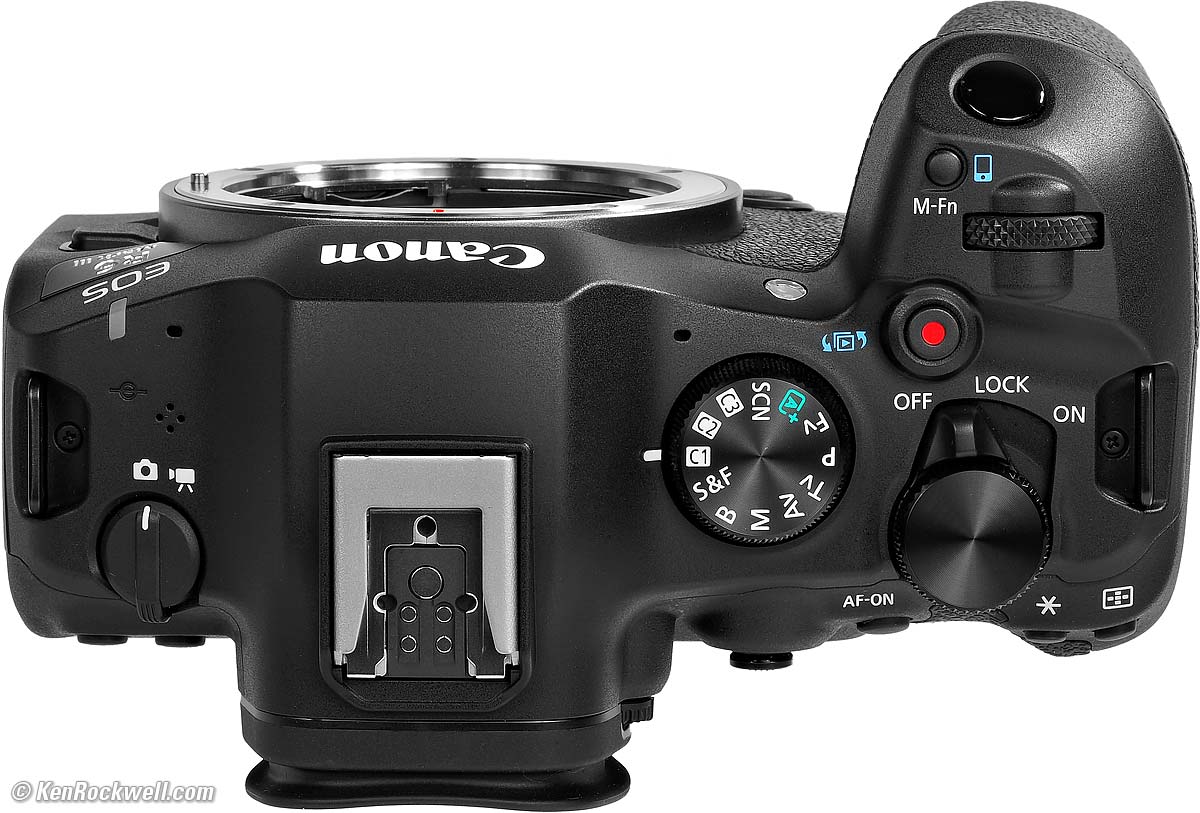
HINT: I turn my top front control dial with the right (bottom) side of my index finger, not the pad of my index finger. It sounds weird, but I have to go through a lot of uncomfortable contortions to move this dial with my fingertip, while it's easy with the side of my index finger.
The grip is big enough for my big American hands. Yay!
Quiet mechanical shutter and silent electronic shutter.
The shooting data displays rotate in the finder for vertical shots.
Great power switch: it's easy to use, and never gets knocked by accident.
Responds to dial clicks even while an IMAGE REVIEW image is playing; I don't have to wait for it to return to Live View before it responds.
Canon's EOS-R system's menu system and in-hand-feel and overall ergonomics are way superior to anything from Fuji, Sony or Nikon. Menu systems compared.
On the R6 Mark III you can run through the menus with the touch screen, the dials or use the thumb nubbin. Tap the screen, push-in the nubbin or press SET to select things.
You can enter text (copyright data, for instance) with the touch screen, although with my big American fingers I have to be dainty about it. It's a small screen compared to an iPhone. It's much better than Sony, who even in their newest A9 III still make you use what looks like a 1970s touch-tone phone keypad for text! Sony is so clueless.
It seems minor unless you shoot every day as I do, and I love that the cards face the correct way with the label towards me.

 I like the green ONE SHOT AF boxes, but the blue SERVO AF boxes are a little weird. To me; green means go, not blue. Obviously Canon wants people to know whether or not they're in ONE SHOT or SERVO without having to look away from the picture.
There's no 4 way rear clicker; use the rear nubbin instead.
 The aperture settings respond in different directions when turning the top front dial in P versus Av mode.
Exposure performance top
Exposure is the usual from Canon. I'll often use -2/3 stop compensation for contrasty things outdoors.
Like most modern cameras I'll often use compensation settings in the range of ±2/3 of a stop and rarely need more than that.
Finder performance top
The finder is great:
The finder is so big, sharp, bright and live that sometimes I think it's an optical SLR finder!
The shooting data displays rotate for vertical shots.
Flash performance top
Flash works great at up to 12 FPS with the mechanical shutter. It doesn't work with the electronic shutter.
If shooting with flash and the flash isn't going to fire (for instance if you're at a fast frame rate and the flash hasn't recycled), it's smart enough to recalculate and use the correct exposure with flash off or on. As soon as the flash is ready again as you're blasting away, it always gives the correct exposure.
It has a regular 5-pin hot shoe for use with the past 20 years worth of flash, and also has Canon's new 21-pin digital shoe connection to use with the newest EL-10 flash:
Sync Speeds
Mechanical shutter: 1/200 in full frame or 1/250 in APS-C crop mode.
1st-curtain electronic: 1/250 in full frame or 1/320 in APS-C crop mode.
Flash will not work with the silent rolling electronic shutter.
High ISO Performance details dark detail performance top
High ISO performance is significantly better than other cameras because there is none of the color mottling and blotchiness I always see elsewhere at the highest ISOs. While images become soft at hyper ISOs, they don't have the big blobs of shifted colors I've seen in every other camera. Here is the performance of the older R6 Mark II; feel free to compare them yourself.
While this Mark III lacks the stupidly high 204,800 (H) setting of the original R6 and Mark II, the older cameras looked awful at 204,800 (H), while the 102,400 (H) setting of this Mark III looks much better than it did in the older cameras.
What makes this Mark III stand out is the absence of mottling and colored blobs at the highest ISOs. I'm very impressed — although it's still a subtle difference, it is a significant improvement over other cameras. Bravo!
There's no mystery to comparing cameras; I shoot this same test at all the ISOs in every other camera I review so you can compare for yourself. Caveat: I repainted these walls white from their previous tan as of the beginning of 2023, so the background wall won't match in older reviews, and this set is lit by natural light which is different every day.
Here's a shot in weird artificial light at ISO 10,000, and effectively boosted to about ISO 32,000 in editing:
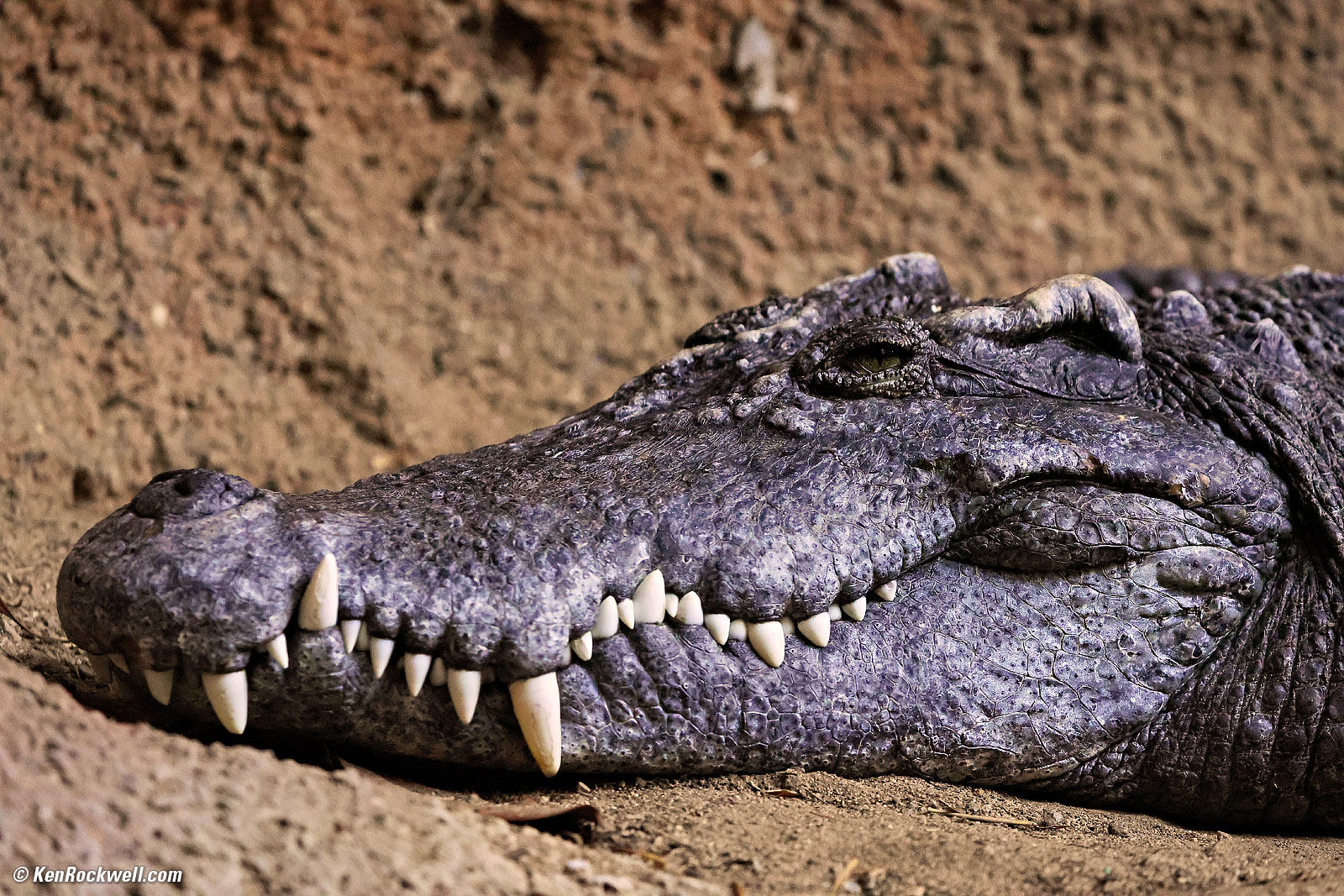
Gator, 3:38 PM, Thursday, 15 January 2026. Canon EOS R6 III, Canon EF 100-400mm f/4.5~5.6L IS USM II on EF to RF adapter at 200mm at f/5.6 handheld at 1/200 at Auto ISO 10,000, -1 stop exposure compensation (LV 6.0), Radiant Photo software to add light and make this about the equivalent of ISO 32,000. bigger.
Complete Images details dark detail performance top
As seen at normal sizes below, the R6 III pretty much makes the same images at every ISO, which is superb performance.
The biggest differences among them are variations in exposure at different ISOs (I shot all these at f/5.6 in Av mode) and how much fine detail is gone at higher ISOs, which depends on how large you view the images. At web sizes as shown below, thankfully they are all very similar.
ISO 50 (L) is a pulled ISO, and you can see that some highlights are a little bit washed-out in the mirror on the right. These are white window frames lit directly by the sun.
Quite happily I don's see any color blotches or mottling at even the very highest ISOs, which is superb performance. Most cameras start to show this, also called low-spatial-frequency chroma noise, at ISOs of about 25,600 and above.
Click any for the camera-original 32 MP © JPG FINE files:
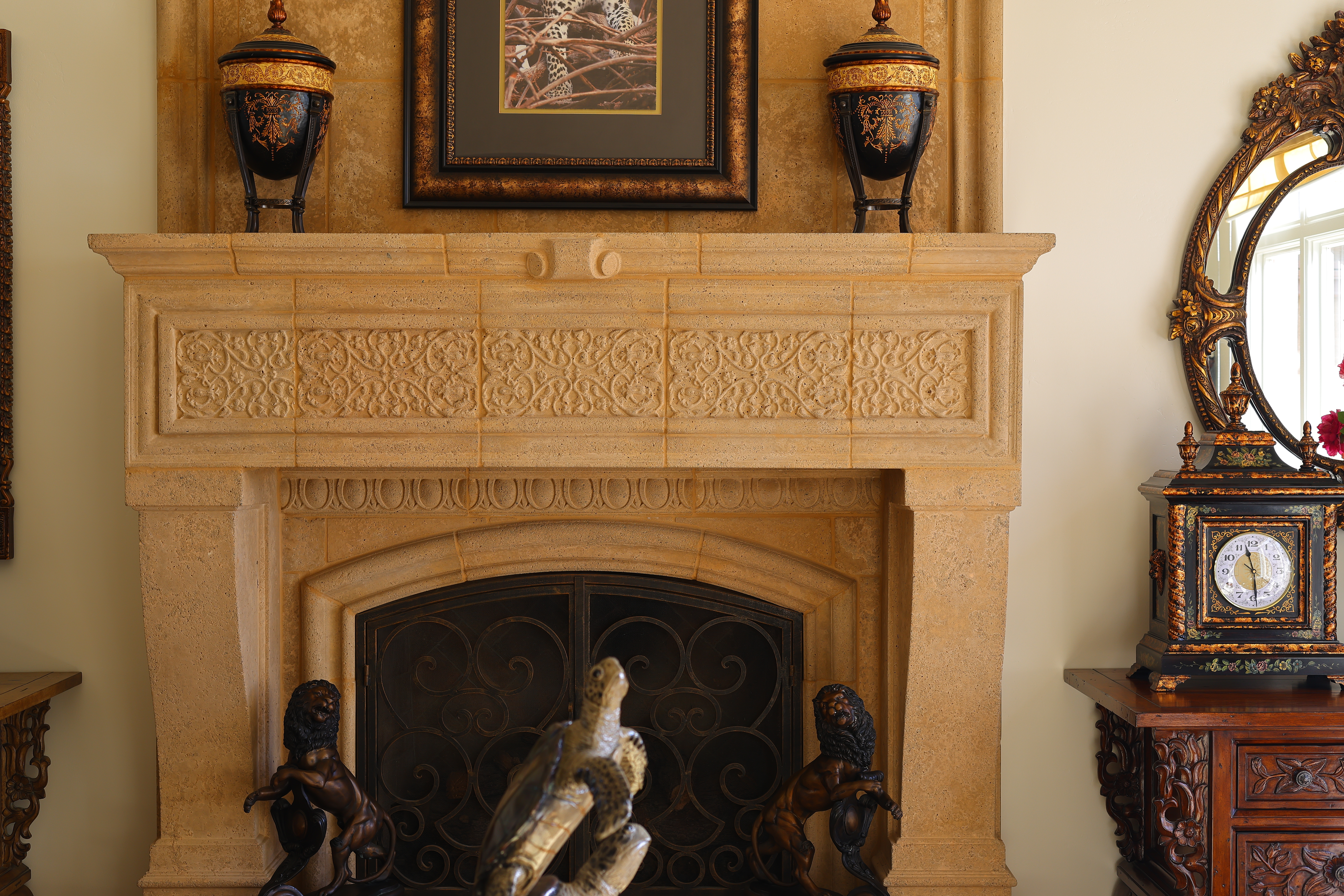
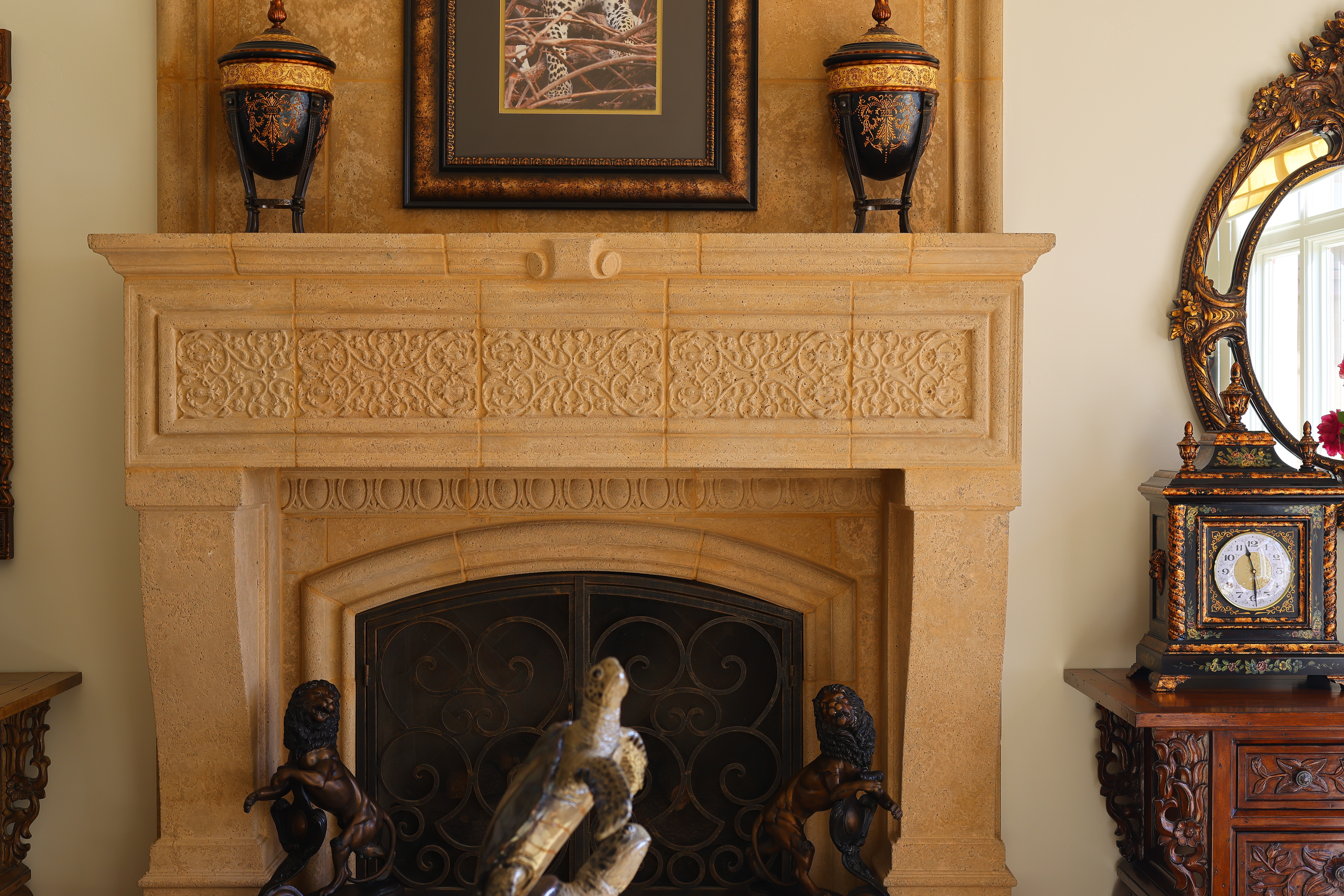
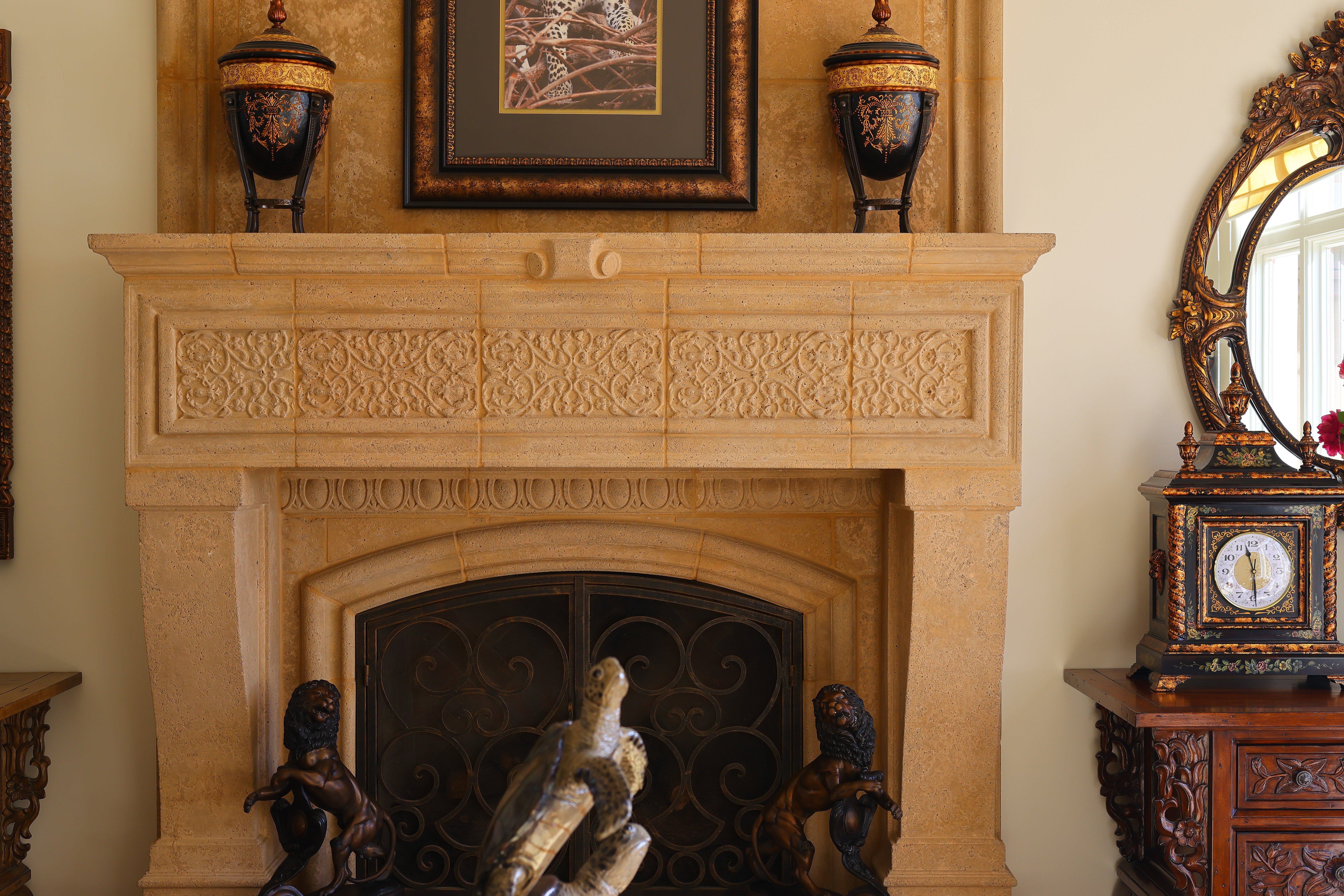
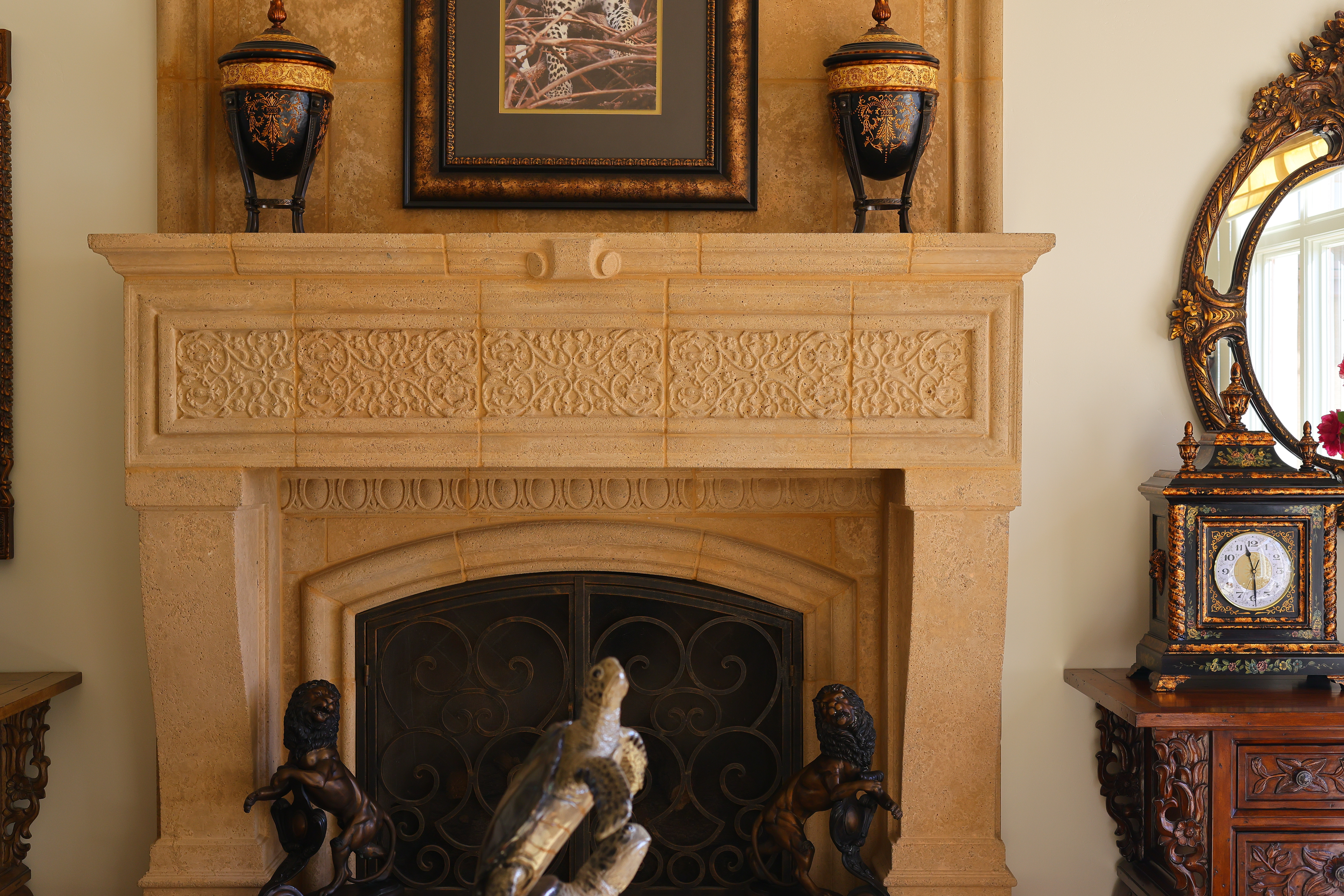
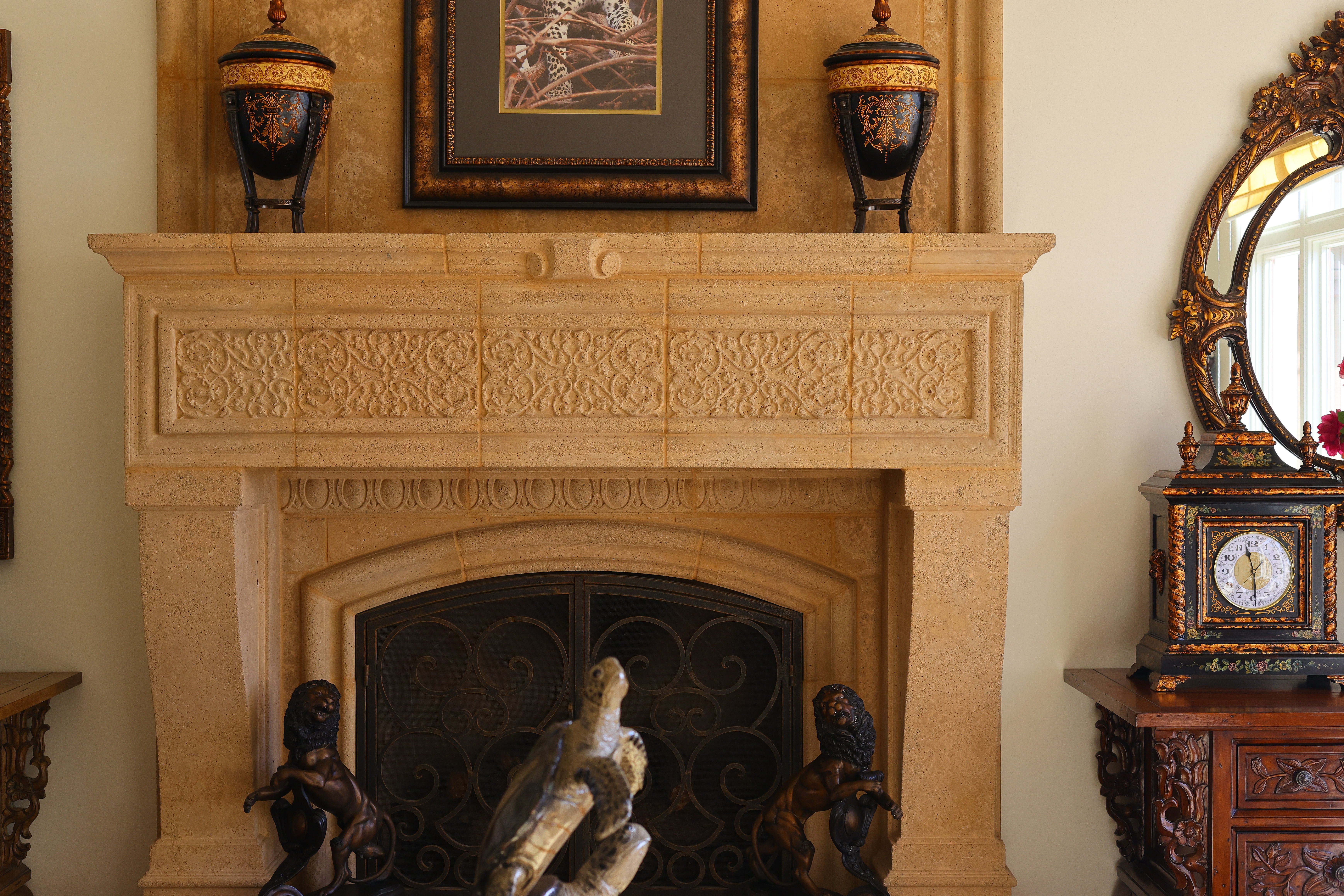
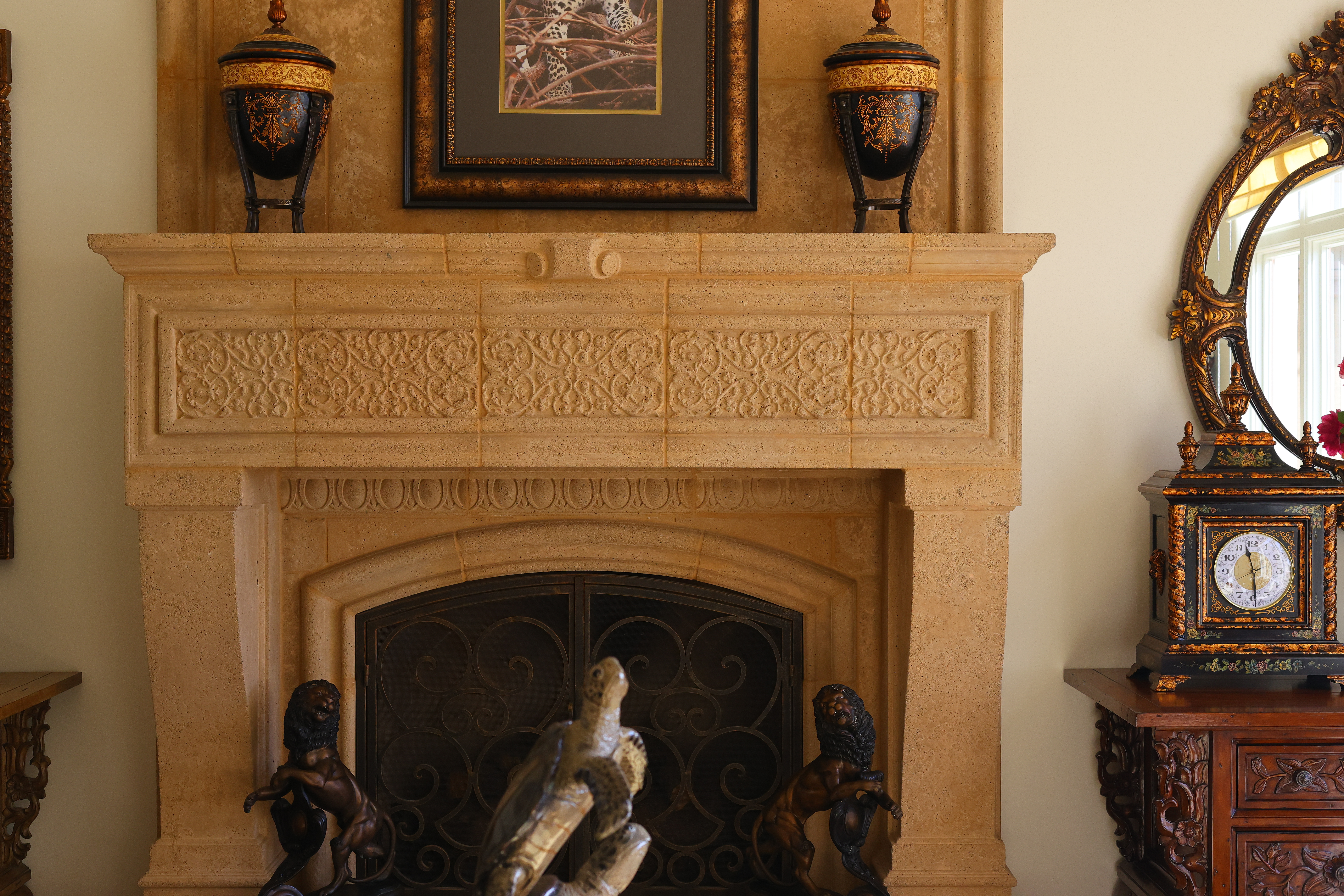
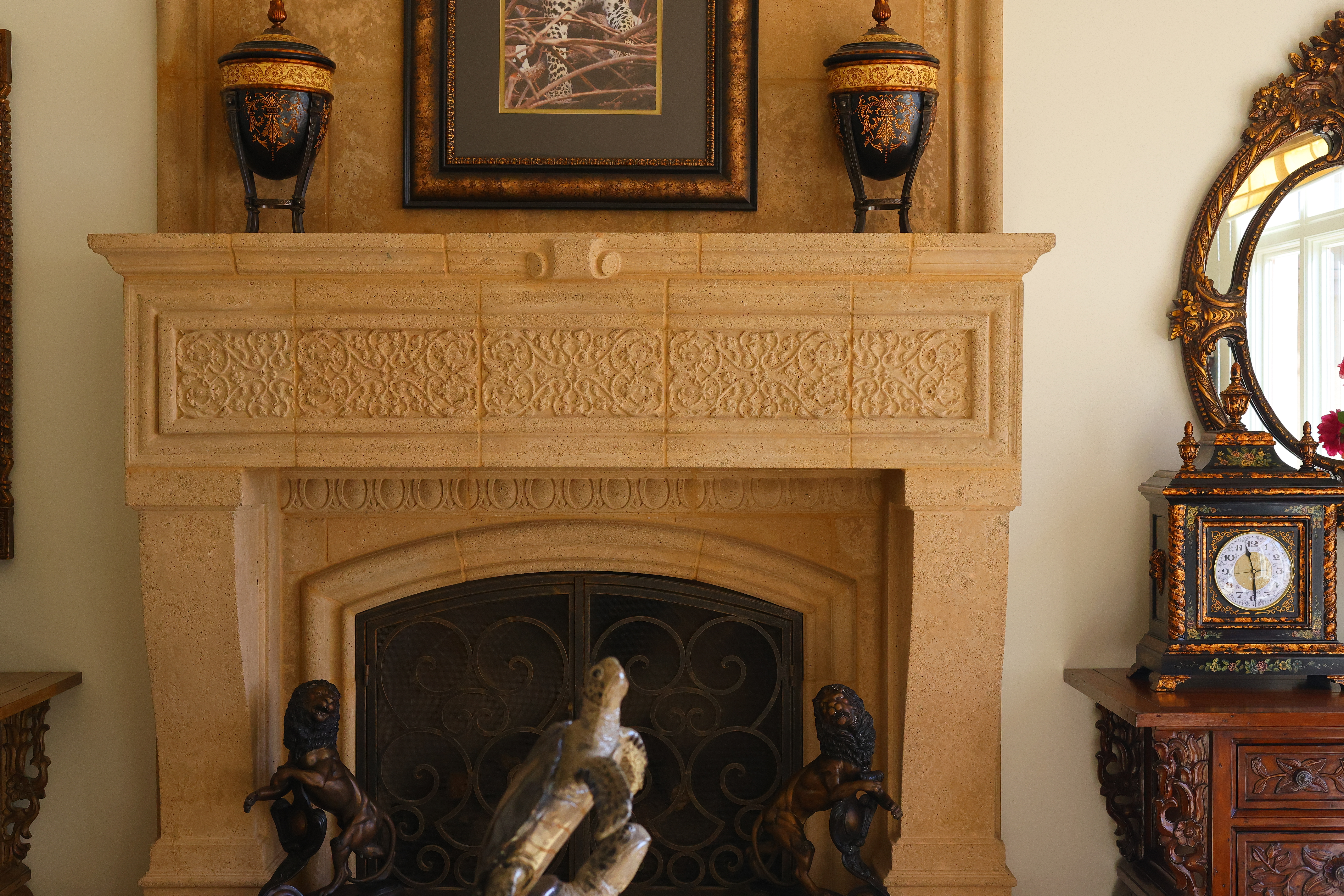
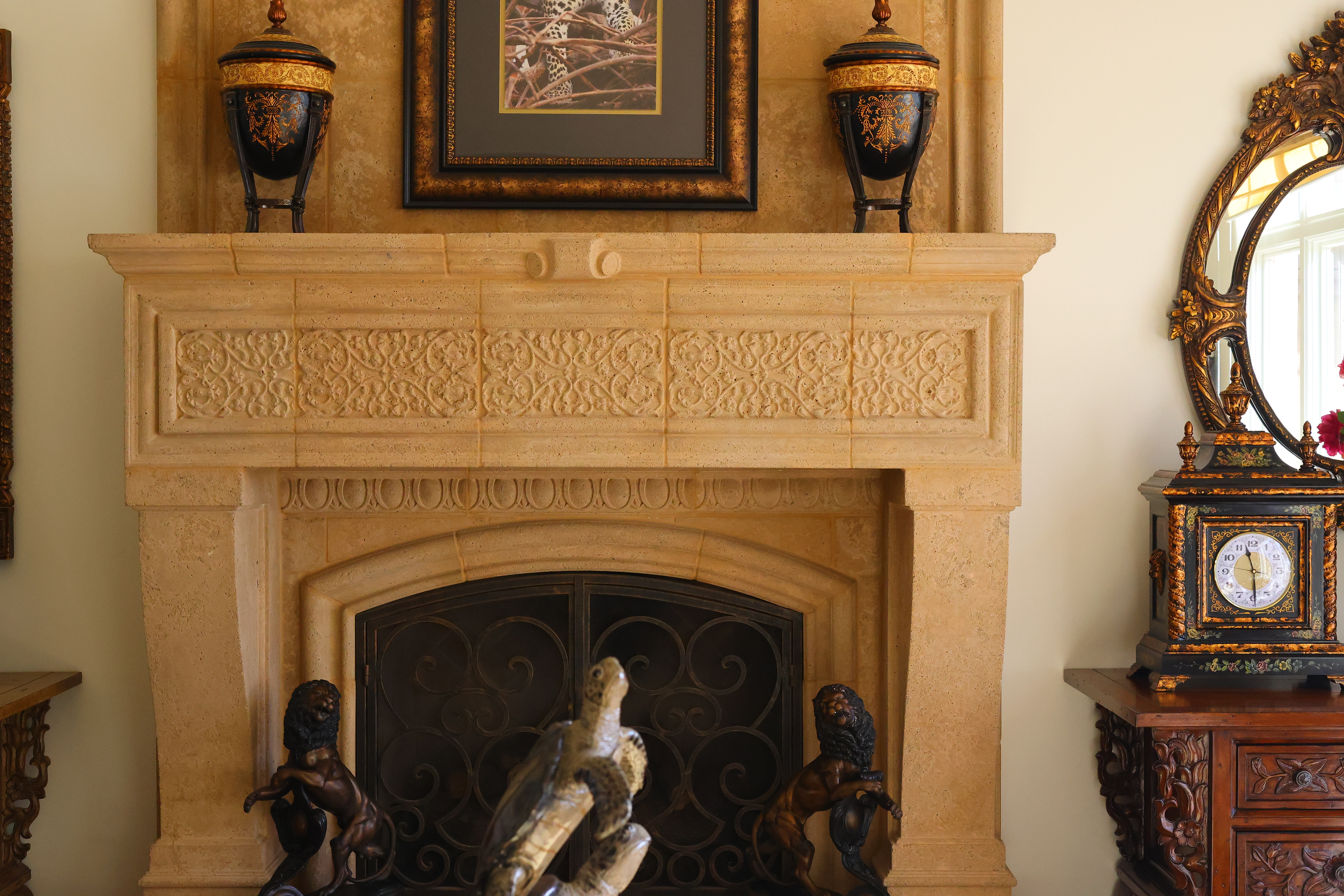
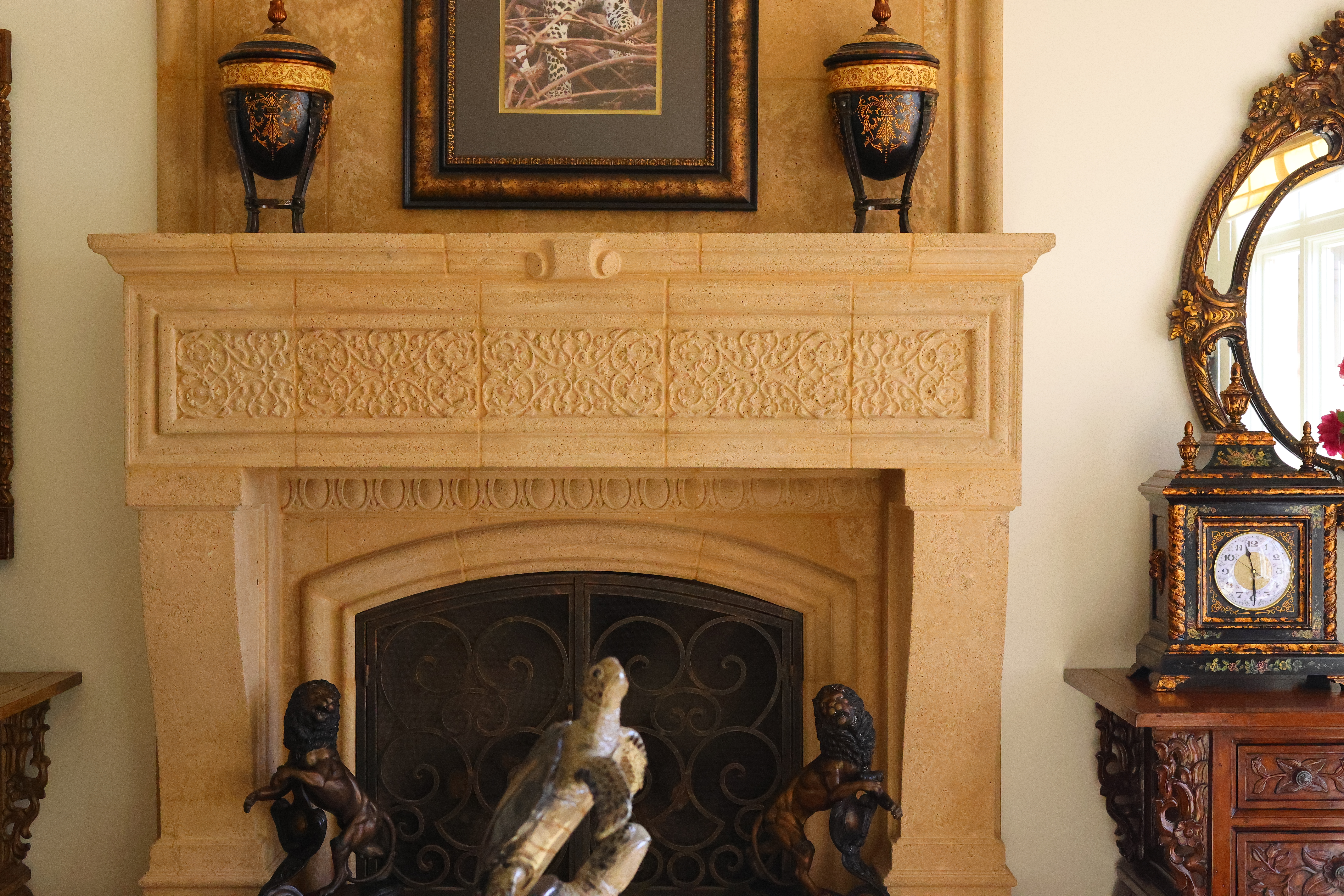
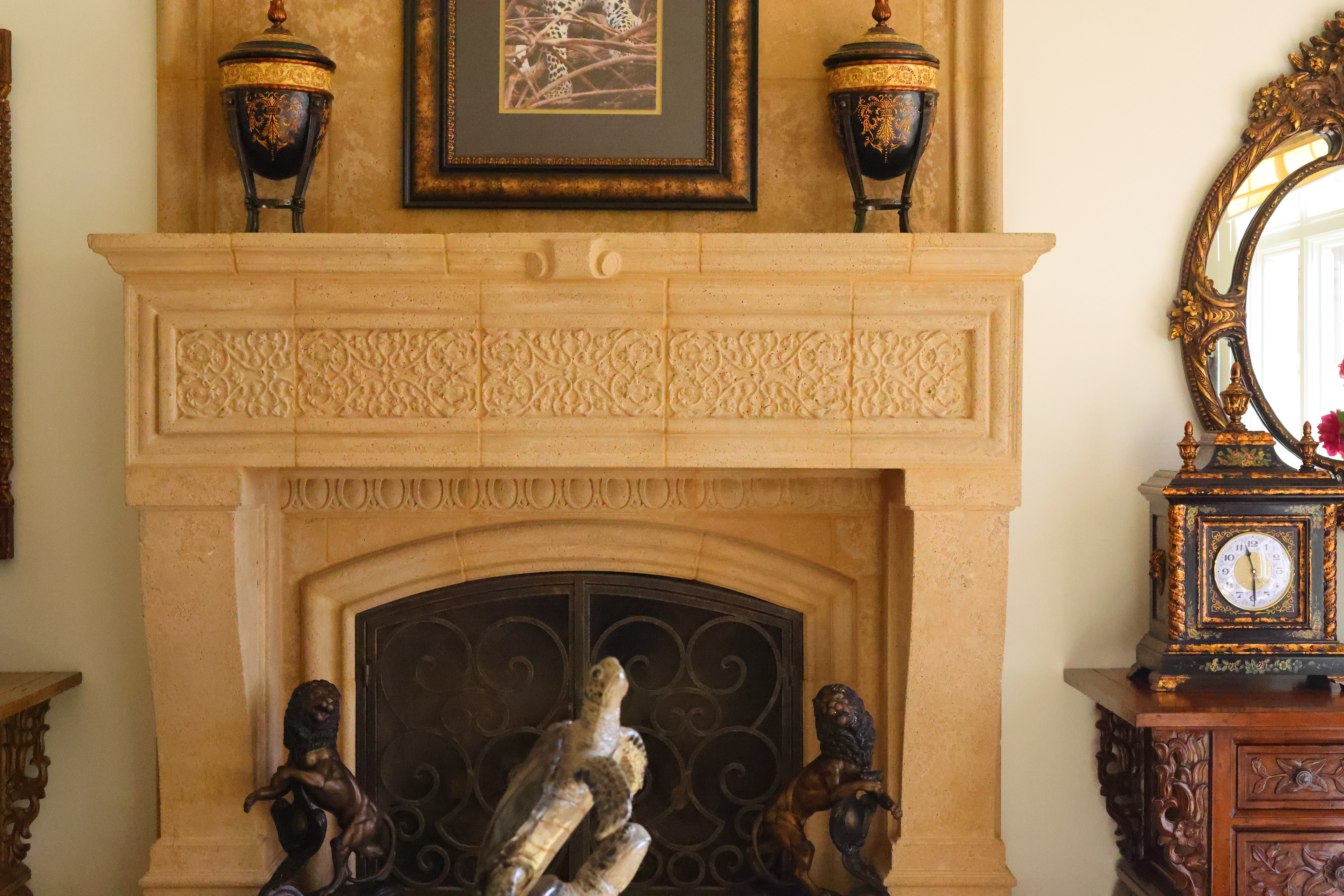
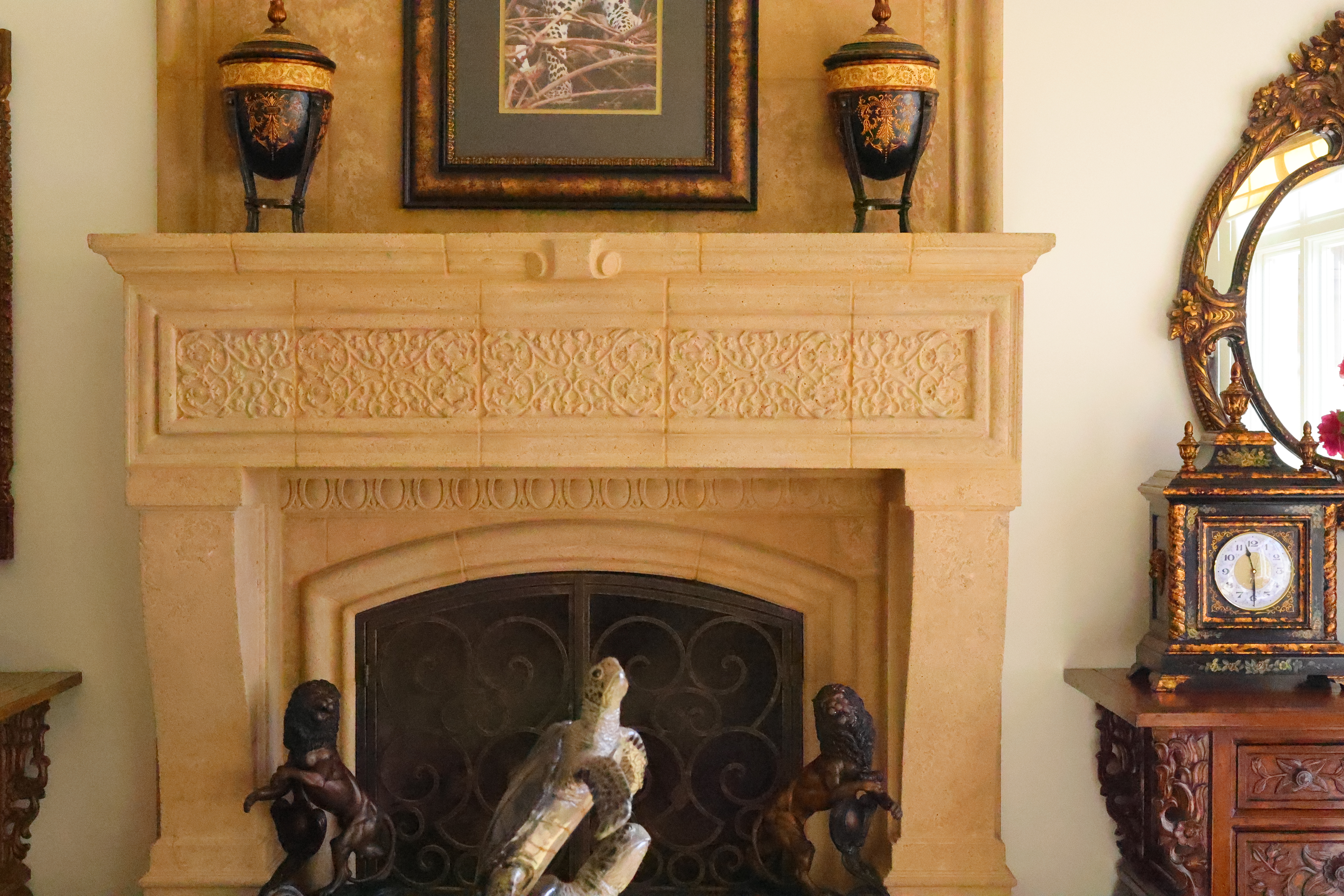
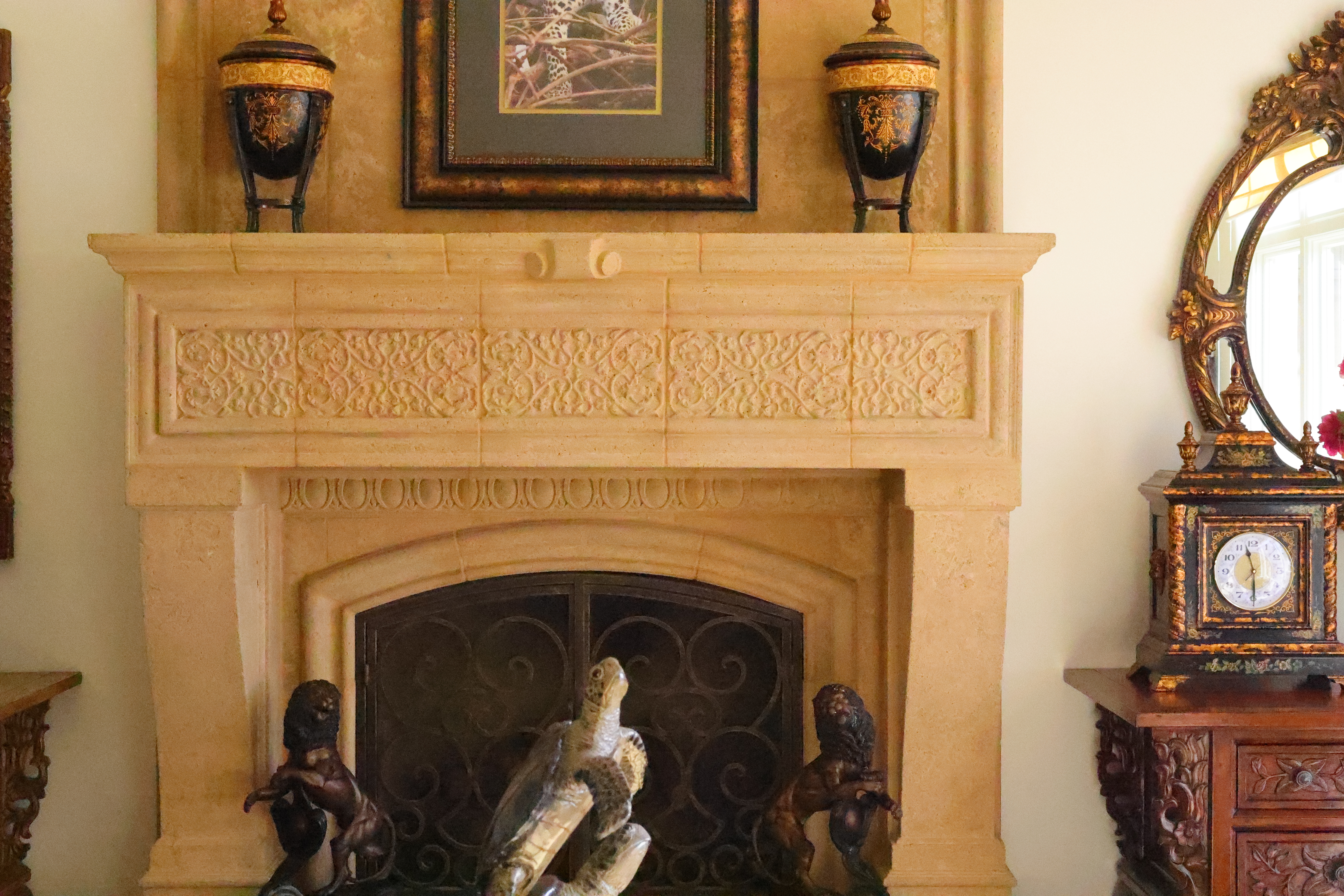
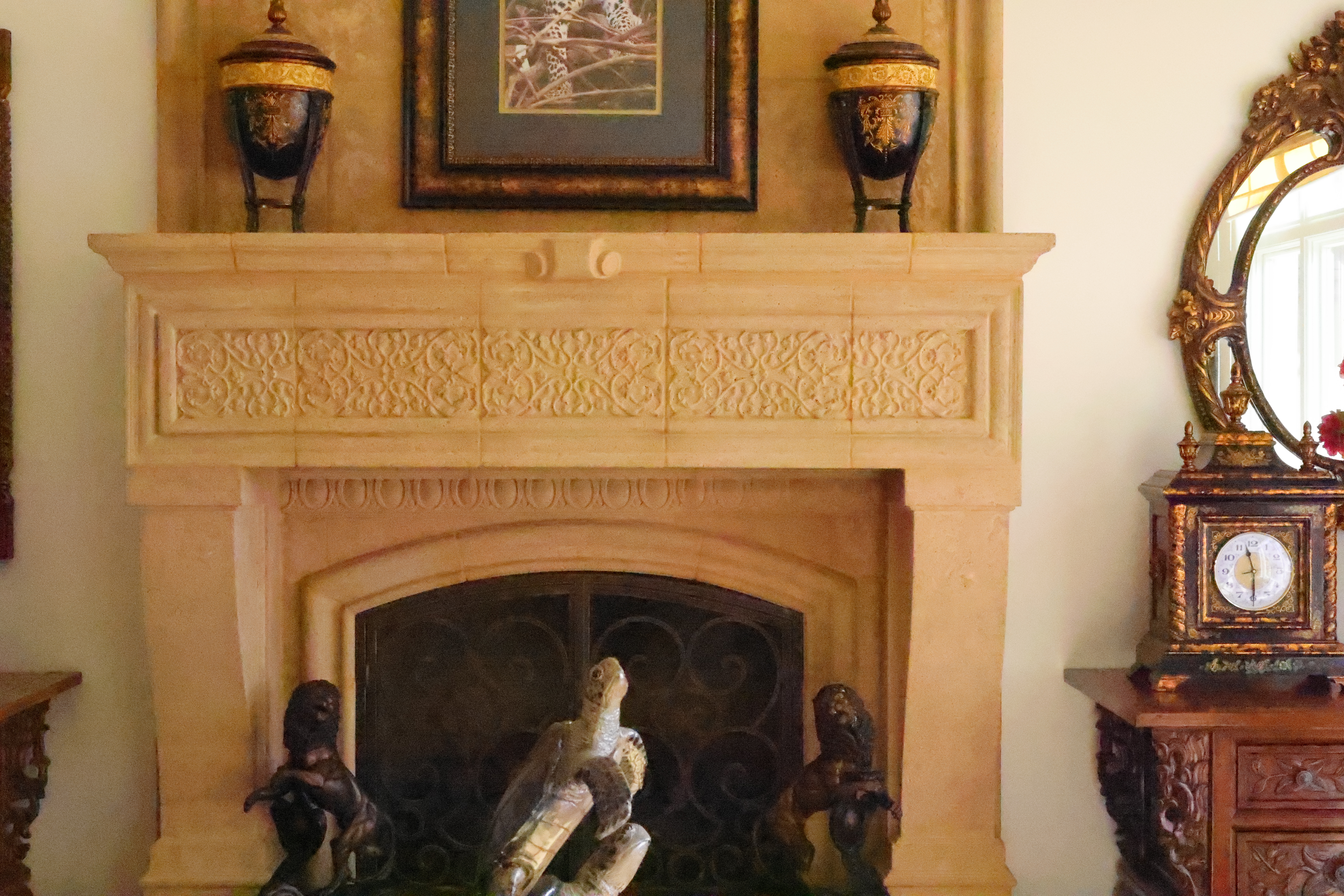
Click any for the camera-original 32 MP © JPG FINE files (about 17 MB each).
Fine Details: 600 × 450 Pixel Crops (11.6× magnification) High ISOs details dark detail performance top
Here are crops from the same images as above, showing the clock on the right.
What we see at the high magnifications below is that fine details go away as the ISO increases. This happens with all cameras (and our own eyes) and is an artifact of noise reduction working harder as the ISO increases.
In the R6 III the most detail is at ISO 50 (L), which is also helped by the slightly increased highlight contrast which adds to perceived sharpness. ISO 100 is very similar.
It becomes softer at every higher ISO. This is normal and how noise reduction works in every camera.
ISO 50 (L) is a "pull" ISO, and thus has more highlight contrast. This usually increases perceived highlight detail, and can lead to clipped highlights if you have too much subject contrast, as in the case of the window reflection in the glass of the clock face.
By ISO 51,200 most of the detailed scrollwork between the clock numbers is gone.
By ISO 102,400 (H) the minute marks are mostly gone and all the detail is gone from the clock face, leaving only the numbers.
It's normal for details to go away at higher ISOs in all digital cameras.
If these 600 × 450 pixel crops are about 3" (8cm) wide on your screen, then the complete image printed at this same high magnification would be about 23 × 35" (2 × 3 feet or 59 × 88 cm).
If these 600 × 450 pixel crops are about 6" (15cm) wide on your screen, then the complete image printed at this same extreme magnification would be about 46 × 70" (3.8 × 5.8 feet or 1.18 × 1.8 meters).
If these 600 × 450 pixel crops are about 12" (30cm) wide on your screen, then the complete image printed at this same insane magnification would be about 93 × 140" (7.7 × 11.6 feet or 2.3 × 3.5 meters).
Click any for the camera-original 32 MP © JPG FINE files (about 17 MB each).
Click any for the camera-original 32 MP © JPG FINE files (about 17 MB each).
Dark-Area 600 × 450 Pixel Crops (11.6× magnification) High ISOs details dark detail performance top
Here are different crops from the same images as above, now showing the dark grillwork of the fireplace.
ISO 50 (L) and ISO 100 throw the most light into the shadows and thus gives them the most detail.
Higher ISOs greatly reduce the details in the shadows, as we expect.
Note how the most detail in the fine screen is at ISO 50 (L), and the screen mostly disappears by ISO 6,400.
The bricks behind the grill go away by ISO 25,600.
At ISO 102,400 (H) you can't see the big curlicue iron bars!
Again, it's normal in all digital cameras for details to go away at higher ISOs.
If these 600 × 450 pixel crops are about 3" (8cm) wide on your screen, then the complete image printed at this same high magnification would be about 23 × 35" (2 × 3 feet or 59 × 88 cm).
If these 600 × 450 pixel crops are about 6" (15cm) wide on your screen, then the complete image printed at this same extreme magnification would be about 46 × 70" (3.8 × 5.8 feet or 1.18 × 1.8 meters).
If these 600 × 450 pixel crops are about 12" (30cm) wide on your screen, then the complete image printed at this same insane magnification would be about 93 × 140" (7.7 × 11.6 feet or 2.3 × 3.5 meters).
Click any for the camera-original 32 MP © JPG FINE files (about 17 MB each).
Click any for the camera-original 32 MP © JPG FINE files (about 17 MB each).
Interline Transfer Smear performance top
There is no significant interline transfer smear. This means you can shoot with the sun in the image at large apertures and it doesn't have a vertical smear of light coming from the disk of the sun. This is excellent. You can see this in my Sunstar samples at my RF 45mm f/1.2 Review.
Lens Corrections performance top
The R6 III has options to correct for falloff (Peripheral Illumination Correction), Distortion and a Digital Lens Optimizer which corrects for a suite of other aberrations.
If you turn off the Digital Lens Optimizer, you are then offered à la carte ON/OFF options for Chromatic Aberration Correction and Diffraction Correction.
If you shoot raw data rather than JPG images, whatever software you use to create visible images from raw data may or may not correct the distortion as is done in-camera as JPGs. You're on your own there; I don't bother with raw data.
Long Exposures performance top
Bulb Timers, invented by Canon, are brilliant because we can program them to our desired exposure time and walk away. Use the self-timer and there's no need for a remote release or a stop watch; set and go!
Ideally I'd prefer that all cameras simply provide a complete range of manual shutter speeds out to 18 hours or so rather than forcing us to piddle in menus, but as of 2026 Bulb timers are state of the art.
To use the bulb timer, set the top exposure mode dial to B, then set MENU > CAMERA page 6 > Bulb timer > Enable, and press INFO set your time. Now when you press the shutter in B, it will expose for that time, up to 100 hours.
Use the self timer to start your exposure, and no need for a stopwatch or remote release. Bravo!
Mechanical Quality performance top
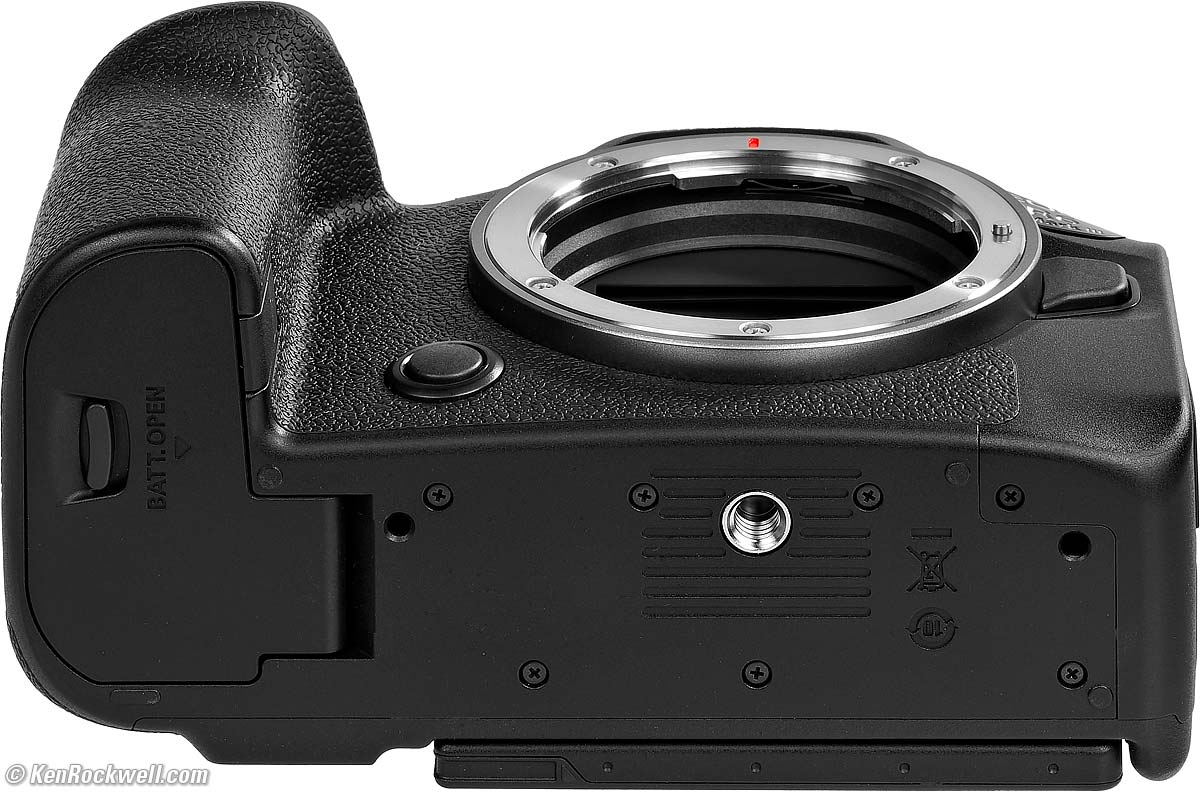
Metal
Strap lugs, flash shoe, lens mount, back cover, LCD rear cover, card door pivot pin, tripod socket.
Plastic
Top cover, all dials, all buttons, all levers, camera front, sides, both doors, LCD frame edges, bottom cover.
Glass
Finder optics and rear LCD cover.
Rubberized
Grip material.
Serial Number
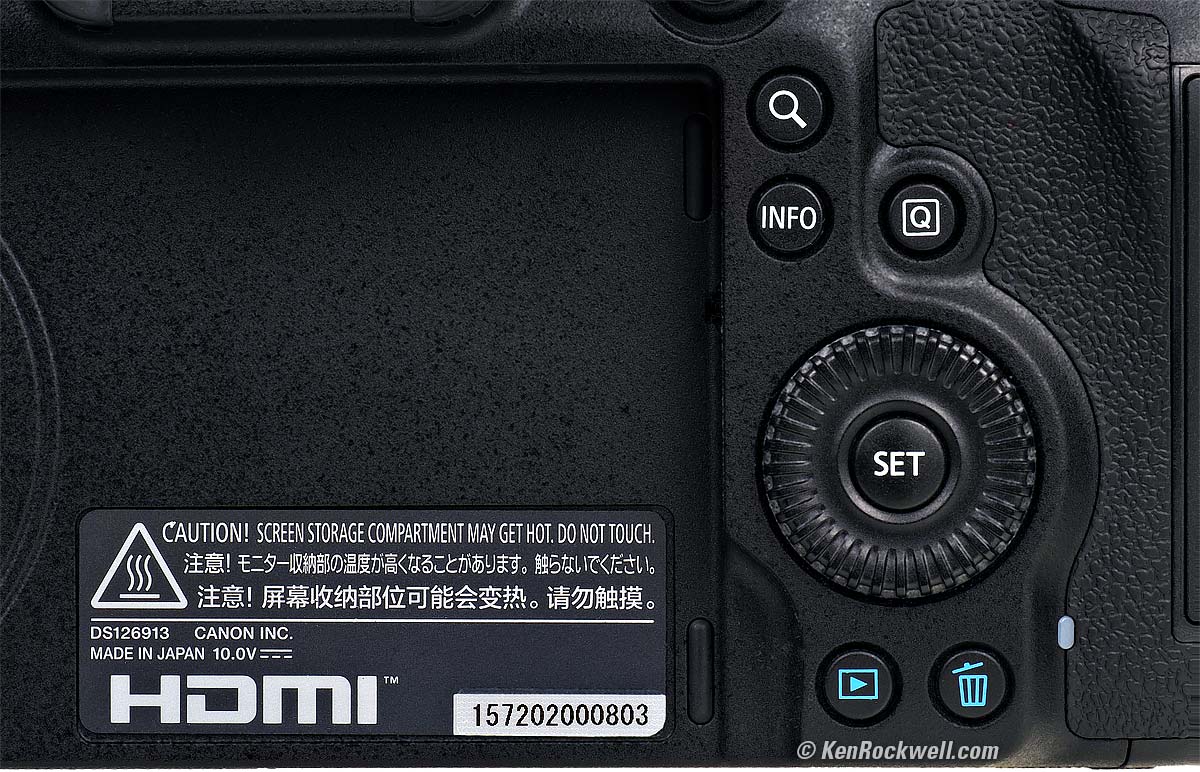
Sticker glued into recess in the bottom cover, a lame way to mark the serial number, but it is recorded in the EXIF of every shot as well, which is easy to see in Photo Mechanic.
Date Code
The serial number contains a date code.
My serial number starts with 157, which means it was made in September 2025.
Noises When Shaken
Lots of rattling, as if there's a part loose inside, which there is when the power is off. It's the uncaged sensor flopping around.
Mild to moderate clunking with the power on, in which case the sensor is actively locked down.
I have no idea why the sensor isn't locked down better with the power off, but lots of cameras do this and it's normal.
Made in
Made in Japan.
Menu System performance top
Canon's is the best among all full-frame cameras.
See Canon, Nikon, Sony, Fuji & OM SYSTEM Menu Systems Compared.
C1, C2 and C3 modes performance top
I love these about Canon. Each of the C1, C2 and C3 settings on the top dial allows instant recall of everything about the camera, from exposure mode, compensation, flash sync, display brightnesses, ISO and Auto ISO settings, Picture Styles, advance and autofocus modes, and well, everything.
I set C1 for landscapes with ONE SHOT AF at 3 FPS, C2 for dogs with dog-AF tracking at 20 FPS and C3 for sports with regular AF tracking at 40 FPS, and loads of other settings I can recall as things appear before me in real time. I can reset my whole camera with a click or two without taking my eye form the finder and I'm golden. No other full frame brand offers this; Nikon and Sony don't recall all the settings with their preset modes.
Image Stabilization (IS) performance top
Used with an unstabilized lens like the RF 45mm f/1.2 I see a huge six stop real-world improvement!
"Percent Perfectly Sharp Shots" are the percentage of hand-held, free-standing with no support or bracing, frames with 100% perfect tripod-equivalent sharpness as viewed at 300%. Hand tremor is a random occurrence, so at marginal speeds some frames will be perfectly sharp while others will be in various stages of blur — all at the same shutter speed.
This rates what percentage of shots are perfectly sharp, not how sharp are all the frames:
| % Perfectly Sharp Shots with unstabilized RF 45mm f/1.2 | 2s |
1s |
1/2 |
1/4 |
1/8 |
1/15 |
1/30 |
1/60 |
1/125 |
1/250 |
| Stabilization ON | 0 |
10 |
50 |
80 |
90 |
100 |
100 |
100 |
100 |
100 |
| Stabilization OFF | 0 |
0 |
0 |
0 |
0 |
10 |
30 |
18 |
64 |
100 |
I see SIX stops of real-world improvement!!!
Are you seeing how fantastic is modern stabilization? I'm looking at these images at 300%, far, far more closely than we ever could do with film. With film we had a 1/focal length rule-of-thumb which suggested the slowest safe hand-held speed would be 1/45.
As you can see, while 1/45 may have been "good enough" back on film, with 32MP digital even 1/125 only gives perfect shots less then two-thirds of the time without stabilization, even in my rock-steady hands — while with the in-camera stabilization of my R6 III I get perfect sharpness 80% of the time at ¼ and even get perfect sharpness half the time at a half second. "10%" at one second means that at 1 second handheld I get one perfectly sharp shot for every ten frames.
| % Perfectly Sharp Shots with unstabilized RF 85mm f/1.4L VCM | 2s |
1s |
1/2 |
1/4 |
1/8 |
1/15 |
1/30 |
1/60 |
1/125 |
1/250 |
1/500 |
| Stabilization ON | 0 |
10 |
30 |
40 |
90 |
100 |
100 |
100 |
100 |
100 |
100 |
| Stabilization OFF | 0 |
0 |
0 |
0 |
0 |
0 |
10 |
10 |
80 |
60 |
100 |
I see at least 4½ stops of real-world improvement.
| % Perfectly Sharp Shots with unstabilized Laowa 200mm f/2 | 1/2 |
1/4 |
1/8 |
1/15 |
1/30 |
1/60 |
1/125 |
1/250 |
1/500 |
1/1,000 |
| Stabilization ON | 0 |
10 |
40 |
80 |
100 |
100 |
100 |
100 |
100 |
100 |
| Stabilization OFF | 0 |
0 |
0 |
0 |
0 |
0 |
20 |
80 |
80 |
100 |
I see 4½ stops of real-world improvement, which is excellent!
Rear LCD Monitor performance top
No news here, it's the same little flippy touch screen as always.
Fat better than anything Sony, it's easy to enter text with a regular QWERTY keyboard.
Playback performance top
It's all standard Canon, however sadly the images can't be set to rotate as you rotate the camera during playback, as every iPhone does.
You have the choice of the silly "Rotate Tall" mode which fits verticals into the horizontal frame, but doesn't rotate as the camera is turned during playback, so I don't use it; I just have to turn the camera to see verticals full-screen.
I love that I can program my SET button so one tap starts both playback and zooms-in to the active AF point, and program it so the next tap of the SET button zooms back out to show me the complete image. All this, and the dials and buttons work to let me move around images I hate having to make multiple separate taps to play and then zoom on other cameras.
Data performance top
Default JPG DPI is set to 350 DPI.
Cards are titled as "EOS_DIGITAL"
File names have only 4 digits.
You can change the first three places; I set mine to KEN or R63 rather than IMG.
The fourth place is usually an underscore (KEN_1234.JPG), or you can have the fourth place be a S, M or L corresponding to the image size (IMGL1234.JPG).
JPG file sizes vary with image complexity, as they should.
32 MP LARGE NORMAL (▟ stairstep icon) JPG files have a median file size of about 6 MB, varying from about 2.6 MB for mostly blank images to about 15 MB for exquisitely detailed images.
32 MP LARGE FINE (
Power & Battery performance top
Battery life is superb. I can't run it down in a day.
I easily can get 1,000 shots per charge in regular shooting, or probably around 10,000 shots per charge If I'm shooting long continuous sequences with the electronic shutter. Mirrorless camera battery life depends mostly on how many hours the camera is awake rather than how many pictures you take, as with DSLRs.
Here's after an hour shooting sports bursts at 20 to 40 FPS, which algebra tells us should give about 8,870 shots on this charge:
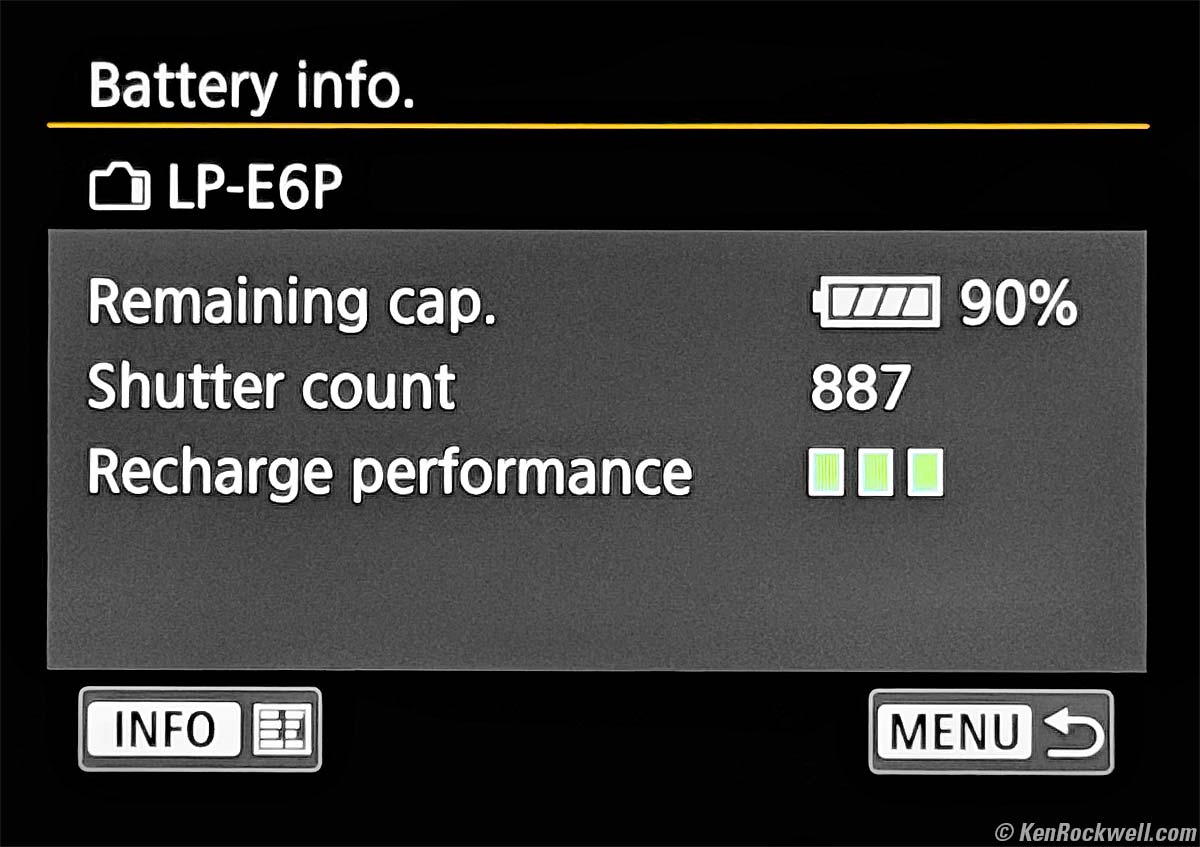
Battery Info Screen (MENU > WRENCH page 8 > Battery info.). bigger.
Power management is superb. I never have to turn off my camera. Even when carried around my neck, it knows that I'm not shooting and goes to sleep.
Contrast this to Sony, which thinks I have the camera to my face when it's around my neck, so I have to turn my Sonys off manually after most shots otherwise they stay on and run down my batteries quickly. Bravo, Canon!
You get a fairly constant number of hours of operation per charge, so how many shots per charge you get depends more on how fast you shoot during those hours rather than the actual shot count. Blaze away at high frame rates and you can get zillions of shots per charge.
It comes with an external charger, but I prefer charge the battery in-camera from a USB-C PD charger, USB-C PD power bank or USB-C PD solar panel.
It only charges from USB-C sources with a USB-C to USB-C cable; it won't charge from a USB-A source, even if you have a USB-A to USB-C cable.
It works great with a car 12V to USB-C charger, and should work great from any car's USB-C port, USB-C PD charger, USB-C PD power bank or USB-C PD solar panel.
It draws 7 W at 5 V (1.4 A) over USB-C while charging.
Clock Accuracy performance top
Pending. Nothing unusual, I just need more time to measure this.
Compared top
New Same as R6 II Good Bad Missing
Specifications Accessories USA Version
Performance Compared User's Guide
I got my R6 III from B&H. I'd also get it at Adorama, at Crutchfield or at Amazon, or get it used if you know How to Win at eBay, or get it used at KEH:
R6 Mk III body-only: $2,799 at B&H, at Adorama, at Crutchfield and at Amazon.
R6 Mk III and RF 24-105mm IS STM: $3,149 at B&H, at Adorama, at Crutchfield and at Amazon.
R6 Mk III and RF 24-105mm f/4L IS: $4,049 at B&H, at Adorama, at Crutchfield and at Amazon.
R6 Mk III with stop-motion firmware: $2,899 at B&H, at Adorama and at Crutchfield.
~ or ~
Save $800 and get the almost identical EOS R6 Mark II instead while you still can!
See Canon EOS R, RP, R5 & R6 Compared.
Nikon vs Canon vs Sony Full-Frame Mirrorless
Canon, Nikon, Sony, Fuji & OM SYSTEM Menu Systems Compared.
User's Guide top
New Same as R6 II Good Bad Missing
Specifications Accessories USA Version
Performance Compared User's Guide
I got my R6 III from B&H. I'd also get it at Adorama, at Crutchfield or at Amazon, or get it used if you know How to Win at eBay, or get it used at KEH:
R6 Mk III body-only: $2,799 at B&H, at Adorama, at Crutchfield and at Amazon.
R6 Mk III and RF 24-105mm IS STM: $3,149 at B&H, at Adorama, at Crutchfield and at Amazon.
R6 Mk III and RF 24-105mm f/4L IS: $4,049 at B&H, at Adorama, at Crutchfield and at Amazon.
R6 Mk III with stop-motion firmware: $2,899 at B&H, at Adorama and at Crutchfield.
~ or ~
Save $800 and get the almost identical EOS R6 Mark II instead while you still can!
See my Complete EOS R6 III User's Guide.
Recommendations top
New Same as R6 II Good Bad Missing
Specifications Accessories USA Version
Performance Compared User's Guide
I got my R6 III from B&H. I'd also get it at Adorama, at Crutchfield or at Amazon, or get it used if you know How to Win at eBay, or get it used at KEH:
R6 Mk III body-only: $2,799 at B&H, at Adorama, at Crutchfield and at Amazon.
R6 Mk III and RF 24-105mm IS STM: $3,149 at B&H, at Adorama, at Crutchfield and at Amazon.
R6 Mk III and RF 24-105mm f/4L IS: $4,049 at B&H, at Adorama, at Crutchfield and at Amazon.
R6 Mk III with stop-motion firmware: $2,899 at B&H, at Adorama and at Crutchfield.
~ or ~
Save $800 and get the almost identical EOS R6 Mark II instead while you still can!
The EOS R6 Mark III is the world's best camera (along with the almost identical R6 II), so what more can I say?
I've shot just about every camera ever made in almost 60 years of serious daily shooting, and as of today the R6 III is my favorite for everything from landscapes and nature to portraits and sports. The older R6 II is almost as good.
While this Mark III is significantly better than other cameras at stupid-high ISOs because it doesn't get blotchy, no smart person should ever be shooting at ISOs above four digits, so the Mark II is a great deal because it's 95% the same camera for most uses if money matters. If you have to be shooting at ISO 10,000 or greater, you really need to add some lighting or bring a tripod for night shots. With stabilization I can shoot outdoors at night with slow lenses easy-peasy below ISO 10,000 even with slow lenses, try it and see — or go ahead, get this Mark III as I did and enjoy.
It's a winner for every kind of photography. The fact that it handles so well for everything and works so well for both landscapes and portraits and still lifes as well as sports at 40 FPS makes it my favorite camera ever — and it's so easy to program it to swap between these situations in a click.
I'd pass on Sony, Nikon or Fuji (see Nikon vs Canon vs Sony Full-Frame Mirrorless). Fuji's colors look crappy for anything other than people. Sony colors are OK, but not as vivid as Canon when set the way I prefer (+4 Saturation). Sony and Fuji have awful menu systems. Sony and Fuji cameras feel hard-edged and lack the high level of industrial design in the Canon so they aren't as comfortable to hold and use; Canon always uses soft curves so they feel soft, even if made of metal. Nikon has equally excellent color and image quality to Canon, but second to Canon in ergonomics.
Stick with Canon. They have the best selection of lenses of any mirrorless manufacturer (of course we all have our own tastes), they are the only maker still quality-manufacturing almost all of their gear domestically in Japan and have great customer support.
The only reason not to get the R6 III is if you're shooting mostly distant wildlife, and especially birds, and want to spend less than $10,000 on lenses. For distant objects, the smaller sensors of any of the EOS R7, R10, R50, or R100 make your lens work as if it were 62% longer. In other words, the inexpensive RF 100-400mm takes the same pictures on the APS-C cameras that would require a 160-640mm lens on a full-frame camera like this R6 III. Canon's newest RF 200-800mm lens is an affordable gift from God, and on APS-C this gift works just like a 320-1,300mm lens. If you're shooting birds, you need every millimeter you can get! See also the R7, R10, R50 and R100 compared. I prefer the R10.
I LOVE the R6 III, but I don't see anything necessarily worth $800 more than the pretty much identical R6 II. See what's different between R6 II and R6 III, and also read Is It Worth It.
Lens & Kit Suggestions recommendations top
If you're a seasoned Canon shooter, a simple EF to RF adapter makes all our existing EF lenses made since 1987 100% compatible, so we don't need to buy any new RF lenses unless one really catches our eye or we want to save weight (I do!).
The RF 24-105mm IS STM is super sharp and super light, and it comes as part of a kit at B&H, at Adorama, at Crutchfield and at Amazon.
The RF 24-105mm f/4L IS USM is also super sharp and faster, but heavier and more expensive than the RF 24-105mm STM. They take exactly the same pictures (just look at the samples in each of my reviews) — but Canon or the people at your local camera store won't tell you that. It also comes as a kit with the R6 III at B&H, at Adorama, at Crutchfield and at Amazon.
Personally I prefer my RF 24-240mm IS USM , which replaces both a 24-70mm and a 70-200mm lens. The RF 24-240mm is also ultrasharp and is much easier than swapping between two lenses and weighs much less. Do what you want, but I'd never putz around with two lenses when just my RF 24-240mm IS USM saves me from having to carry a second lens, change lenses every other shot and miss pictures. I forget about 24-70mm, 24-105mm and 70-200mm lenses, but people with a financial interest in selling you more gear will always try to sell you more gear. Just look at the pictures I've taken with my 24-240mm and see for yourself.
For an ultrawide, if and only if you actually need and know how to use an ultrawide lens, I prefer the zoom range of the RF 14-35mm f/4L IS, and the RF 15-30mm IS STM is both very inexpensive, ultralight and super sharp. The RF 16mm f/2.8 STM is also superbly sharp and tiny. Of course the RF 15-35mm f/2.8 L IS USM is superb, just bigger, heavier and more expensive — but not any sharper. Canon makes a slew of ultrawide lenses; I prefer the tiny RF 16mm f/2.8 STM for size or the RF 14-35mm f/4L IS for its range. Canon makes 8 superb ultrawide mirrorless lenses, here they are compared.
If you want a longer lens, Canon's RF 100-400mm IS USM is excellent as well as ultralight and inexpensive. The RF 100-500mm L IS USM is superb, but expensive and heavy. The EF 100-400mm L II IS USM used with an EF to RF adapter is equally superb and ultrasharp and less expensive than the RF 100-500mm, and tougher and heavier. The RF 75-300mm is a cheap, compact alternative for travel.
This 100% all-content, junk-free website's biggest source of support is when you use those or any of these links to my personally approved sources I've used myself for way over 100 combined years when you get anything, regardless of the country in which you live. Canon does not seal its boxes in any way, so never buy at retail or any other source not on my personally approved list since you'll have no way of knowing if you're missing accessories, getting a defective, damaged, returned, non-USA, store demo or used R6 III — and all of my personally approved sources allow for 100% cash-back returns for at least 30 days if you don't love your new R6 III. I've used many of these sources since the 1970s because I can try it in my own hands and return it if I don't love it, and because they ship from secure remote warehouses where no one gets to touch your new R6 III before you do. Buy only from the approved sources I've used myself for decades for the best prices, service, return policies and selection.
Thanks for helping me help you!
Ken Rockwell
© Ken Rockwell. All rights reserved. Tous droits réservés. Alle Rechte vorbehalten. Alla rättigheter förbehållna. Toate drepturile rezervate. Niciun vampir nu a fost implicat în crearea acestei lucrări. Doe! Omnia jura reservata. Ken Rockwell® is a registered trademark.
Help Me Help You top
I support my growing family through this website, as crazy as it might seem.
The biggest help is when you use any of these links when you get anything. It costs you nothing, and is this site's, and thus my family's, biggest source of support. These places always have the best prices and service, which is why I've used them since before this website existed. I recommend them all personally.
If you find this page as helpful as a book you might have had to buy or a workshop you may have had to take, feel free to help me continue helping everyone.
If you've gotten your gear through one of my links or helped otherwise, you're family. It's great people like you who allow me to keep adding to this site full-time. Thanks!
If you haven't helped yet, please do, and consider helping me with a gift of $5.00.
As this page is copyrighted and formally registered, it is unlawful to make copies, especially in the form of printouts for personal use. If you wish to make a printout for personal use, you are granted one-time permission only if you PayPal me $5.00 per printout or part thereof. Thank you!
Thanks for reading!
Ken.