Canon EOS R5 Mk II
45 MP Full-Frame IBIS 12/30 FPS, 8K/60
Sample Images Intro New Good Bad Missing
Specifications Accessories Unboxing
USA Version Performance Compared
User's Guide Recommendations More
R1 R3 R5 II R5 R5C R6 III R6 II R6 R R8 RP R7 R10 R50 R50V R100
Bodies Compared RF Lenses EF Lenses Flash

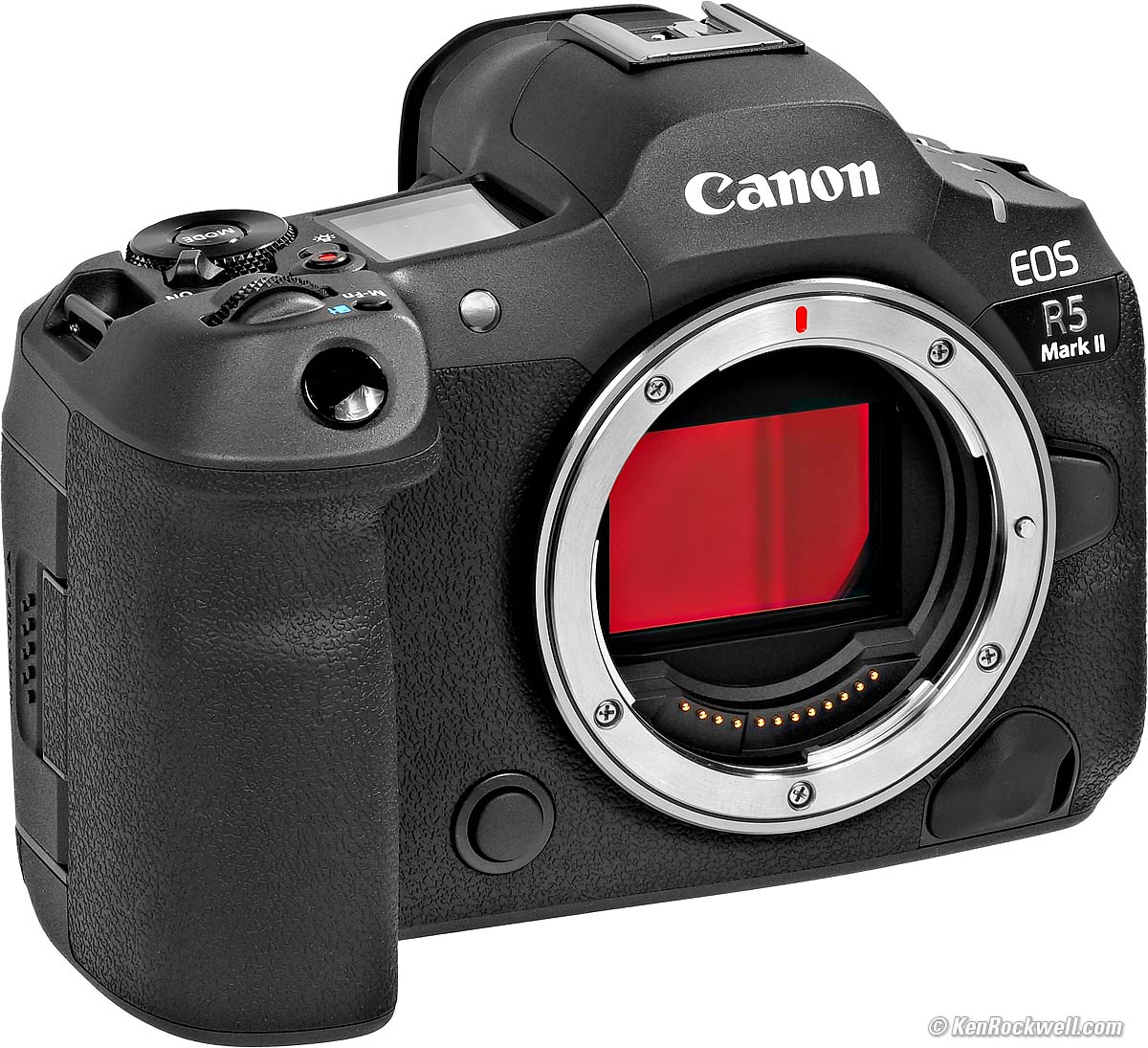
Canon EOS R5 Mark II (one CFexpress Type B and one SD card slot, 26.3 oz./746 g with battery and one SD card, $3,899) with EF 50mm f/1.0L USM on EF to RF adapter. bigger. I got mine at B&H. I'd also get it at Adorama, at Amazon or at Crutchfield, or get it used if you know How to Win at eBay, or get it used at KEH:
R5 Mk II Body
$3,899 at B&H, at Adorama, at Amazon or at Crutchfield.
About $3,210 used if you know How to Win at eBay.
The very similar original R5 is only $2,599 at B&H, at Adorama, at Crutchfield and at Amazon, or about $1,907 used if you know How to Win at eBay.
R5 Mk II and RF 24-105mm f/4 L IS USM
$5,149 at B&H and at Adorama or at Crutchfield.
This 100% all-content, junk-free website's biggest source of support is when you use those or any of these links to my personally approved sources I've used myself for way over 100 combined years when you get anything, regardless of the country in which you live — but I receive nothing for my efforts if you take the chance of getting it elsewhere. Canon does not seal its boxes in any way, so never buy at retail or any other source not on my personally approved list since you'll have no way of knowing if you're missing accessories, getting a defective, damaged, returned, dropped, incomplete, gray-market, store demo or used camera — and my personally approved sources allow for 100% cash-back returns for at least 30 days if you don't love your new R5 Mk II. I've used many of these sources since the 1970s because I can try it in my own hands and return it if I don't love it, and because they ship from secure remote warehouses where no one gets to touch your new R5 Mk II before you do. Buy only from the approved sources I've used myself for decades for the best prices, service, return policies and selection.
July 2025 Better Pictures Canon Reviews Mirrorless RF Lenses EF Lenses Flash All Reviews
Canon EOS R, RP, R5 & R6 Compared
Nikon vs Canon vs Sony Full-Frame Mirrorless

Canon EOS R5 Mark II. bigger.

Canon EOS R5 Mark II. bigger.

Sample Images top
Sample Images Intro New Good Bad Missing
Specifications Accessories Unboxing
USA Version Performance Compared
User's Guide Recommendations More
More samples at High ISOs.
These are just snapshots; my real work is in my Gallery.

Family at the Beach With a Huge Sunset Behind Them, Solana Beach, California, 5:49 P.M., Thursday, 07 November 2024. Cropped to a square from Canon EOS R5 II, RF 200-800mm IS USM at 800mm at f/14 at 1/6400 at Auto ISO 100 (LV 17.0), as shot. bigger or camera-original 45 MP © 1.5 MB JPG quality 1 file.
I shot this from about 200 feet away, knowing that the disc of the sun would become huge as I zoomed-in. I love this shot, but oddly they weren't that excited about it.
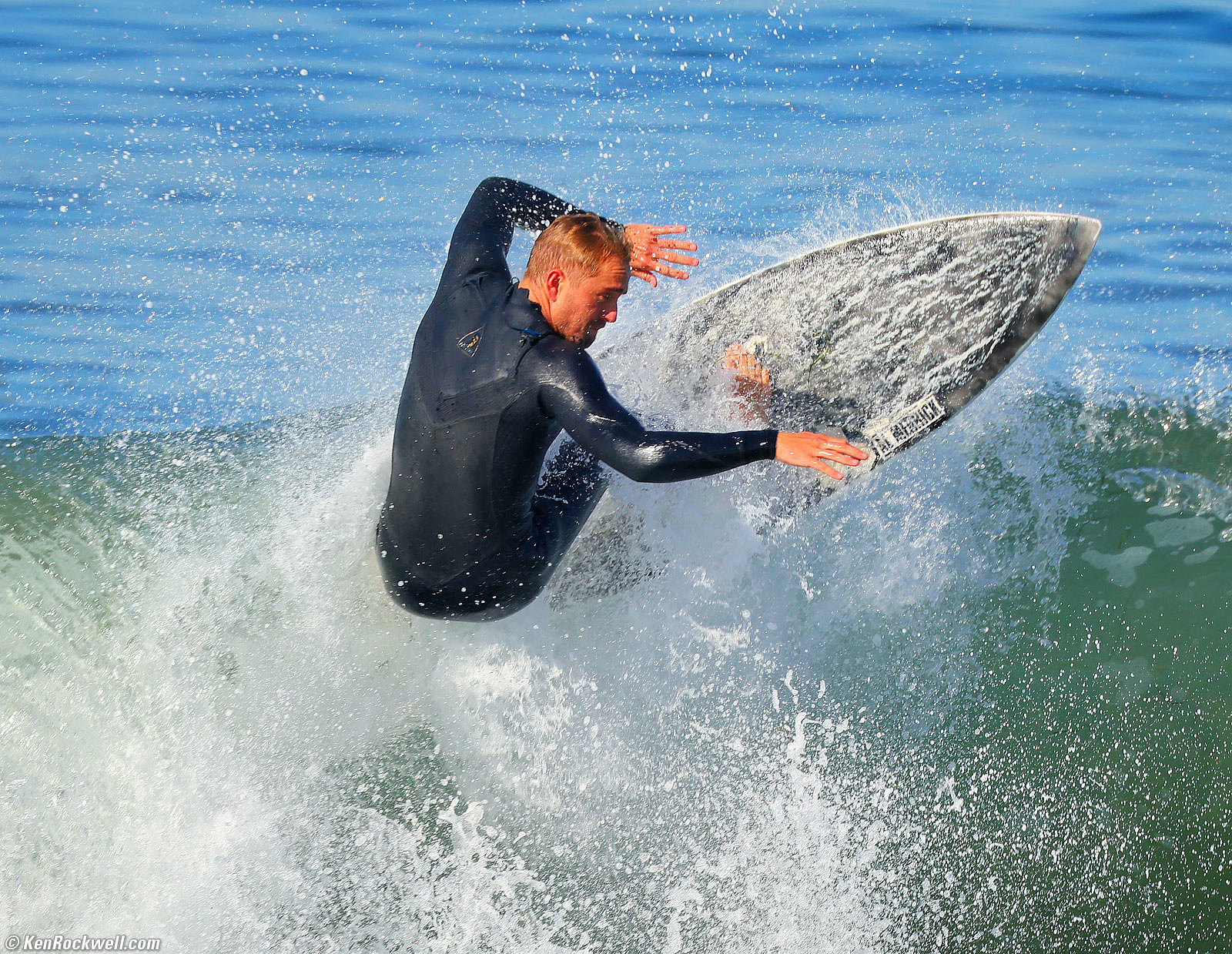
Surfer, Pacific Beach, California, 10:49 A.M., Sunday, 10 November 2024. Cropped a bit from Canon EOS R5 II, RF 200-800mm IS USM at 672mm at f/9 at 1/1,000 at Auto ISO 320 (LV 14.7), Radiant Photo software to make it a bit more brilliant. bigger.
This dude is about 400 feet (120 meters) away as I shot from the pier. This lens covers an ideal range of focal lens for distant sports.
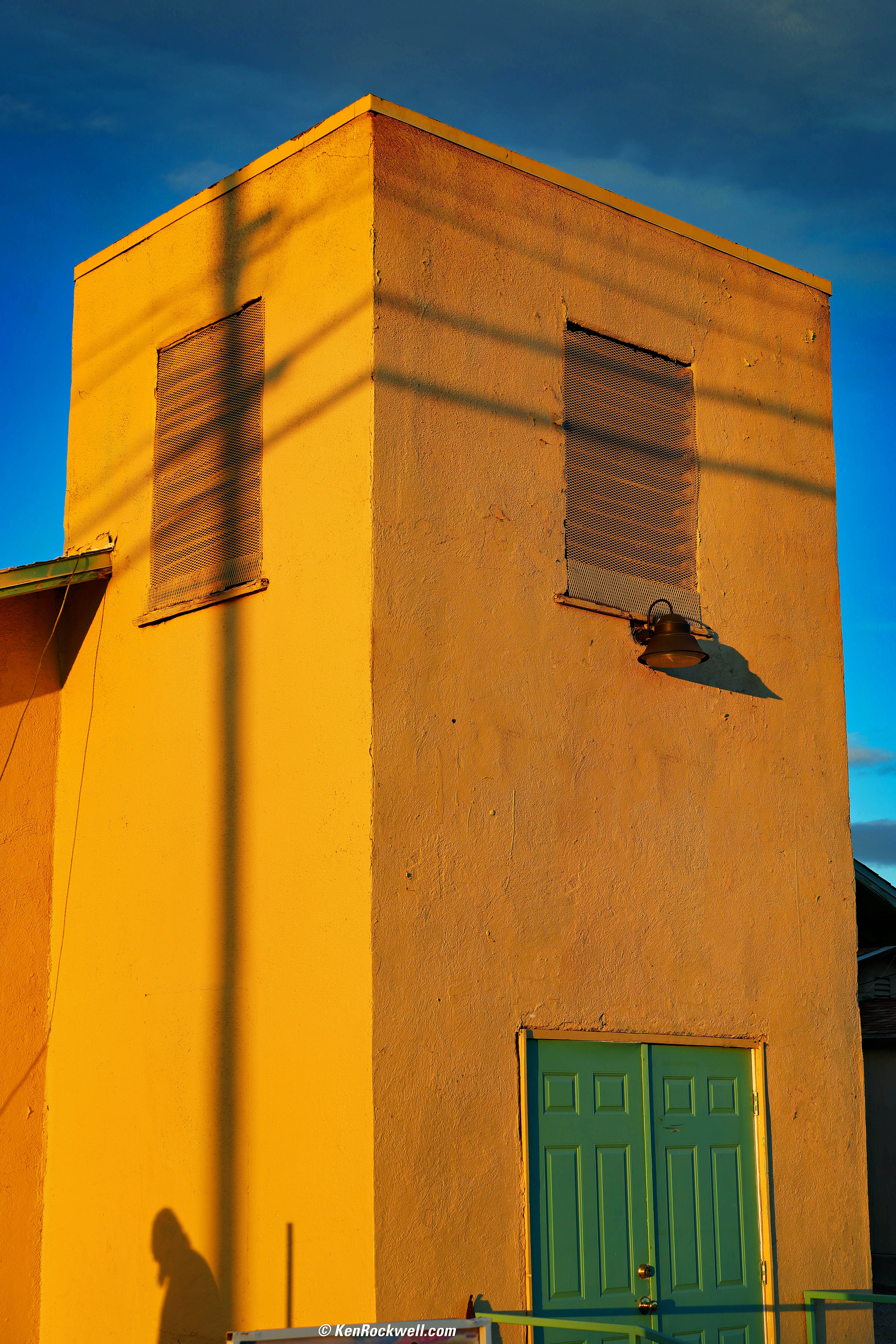
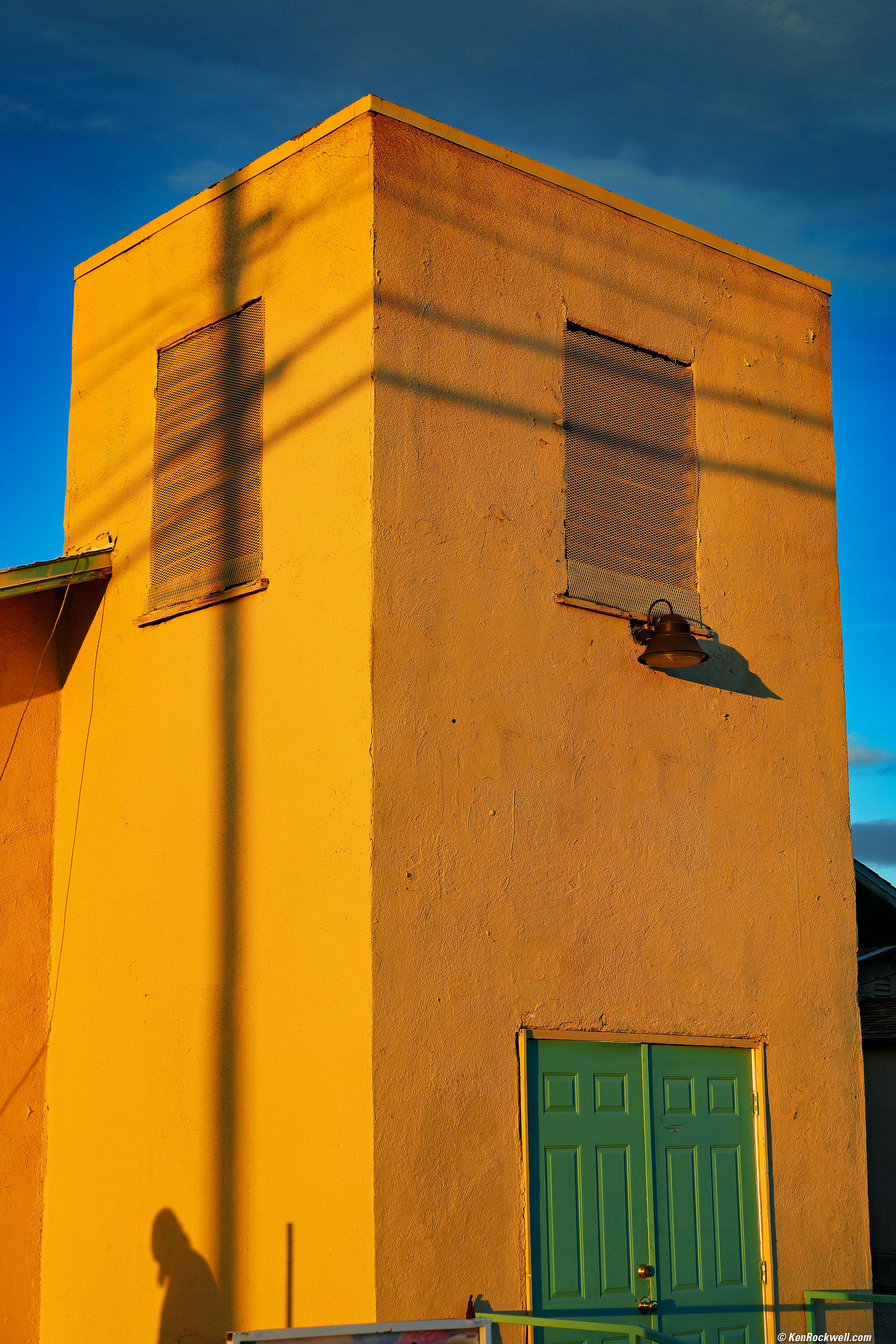
The Shadow of The Christ on His Church, Barstow, California, 5:09 P.M., 06 February 2025. Canon R5 II, EF 28-135mm IS USM on EF to RF adapter at 56mm at f/6.3 at 1/125 at Auto ISO 100 (LV 12.4), Skylum Luminar Neo and Radiant Photo software to make it pop, removed distracting signage with the Patch tool in Photoshop 2021. More tech details. bigger or full-resolution 45 MP © 8.5 MB JPG.
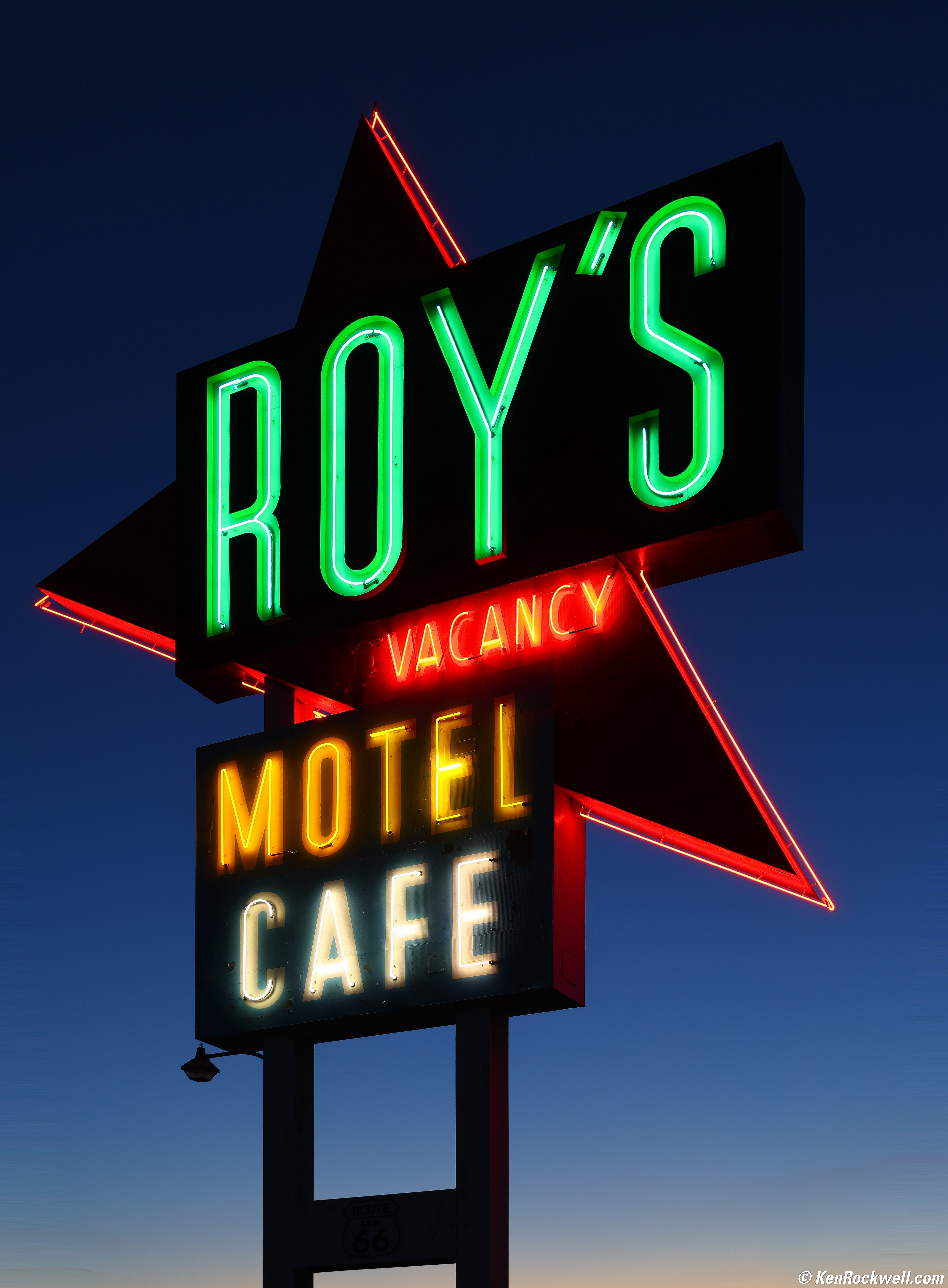
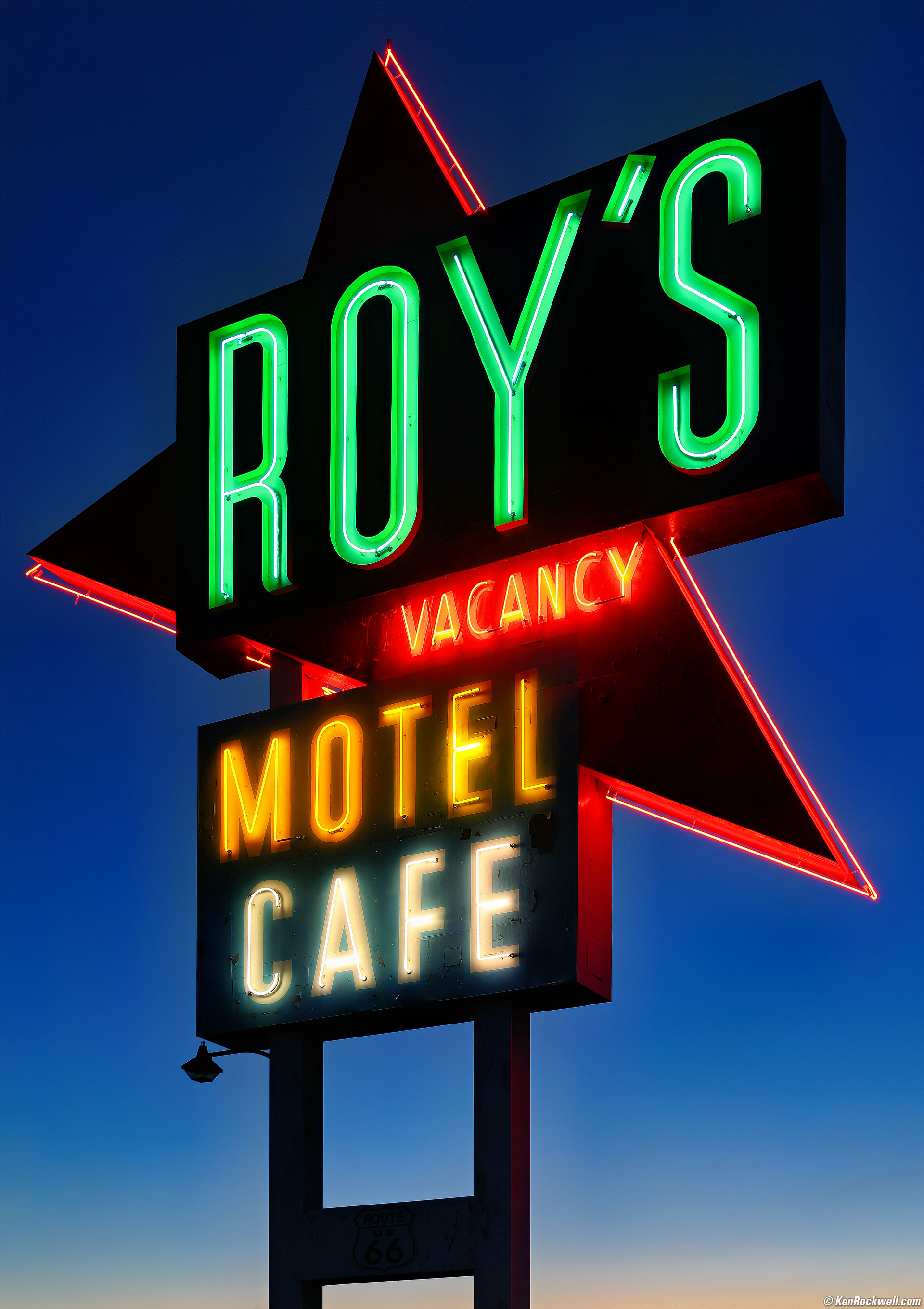
Roy's Neon Sign at Dusk, Amboy, California, 5:42 P.M., 08 February 2025. Canon R5 II, EF 28-135mm IS USM on EF to RF adapter at 47mm at f/5.6 at 1/5 on my Oben CT-2491 Carbon-Fibre Tripod with my Oben GH3W-15 Geared Head at ISO 100, -0.7 stops exposure compensation (LV 7.4), Radiant Photo software, perspective correction Photoshop 2021. More tech details. bigger or full-resolution ~45 MP © 4 MB JPG.
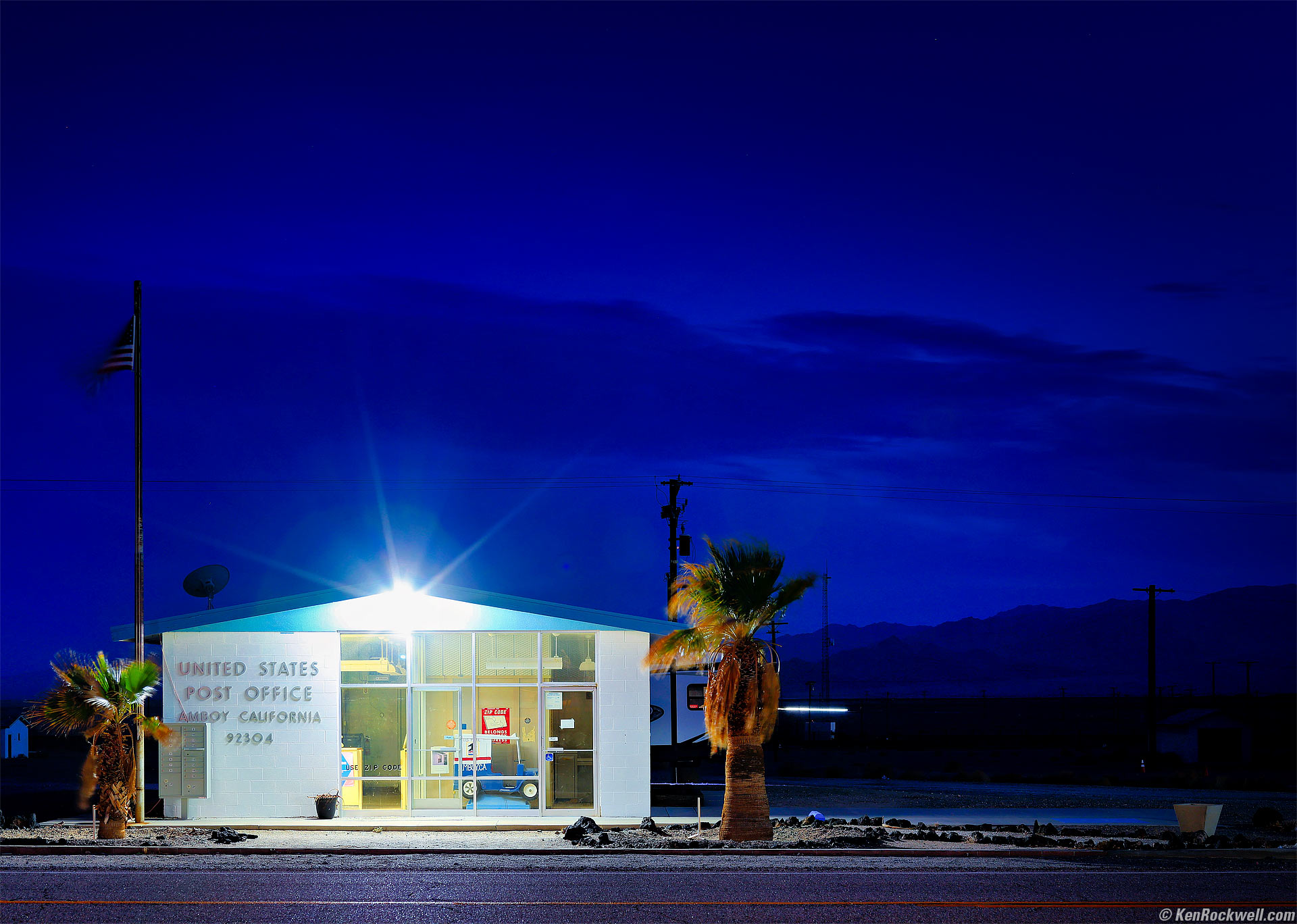
Dusk, Doe's Ghost Office (say it five times fast), Amboy 92304, 5:57 P.M., 08 February 2025. Canon EOS R5 II, EF 28-135mm IS USM on EF to RF adapter at 53mm at f/5.6 for 8 seconds from across the street at ISO 100, -0.7 stops exposure compensation (LV 2.0), Radiant Photo and Skylum Luminar Neo software for amplification, perspective correction Photoshop 2021. More tech details. bigger.
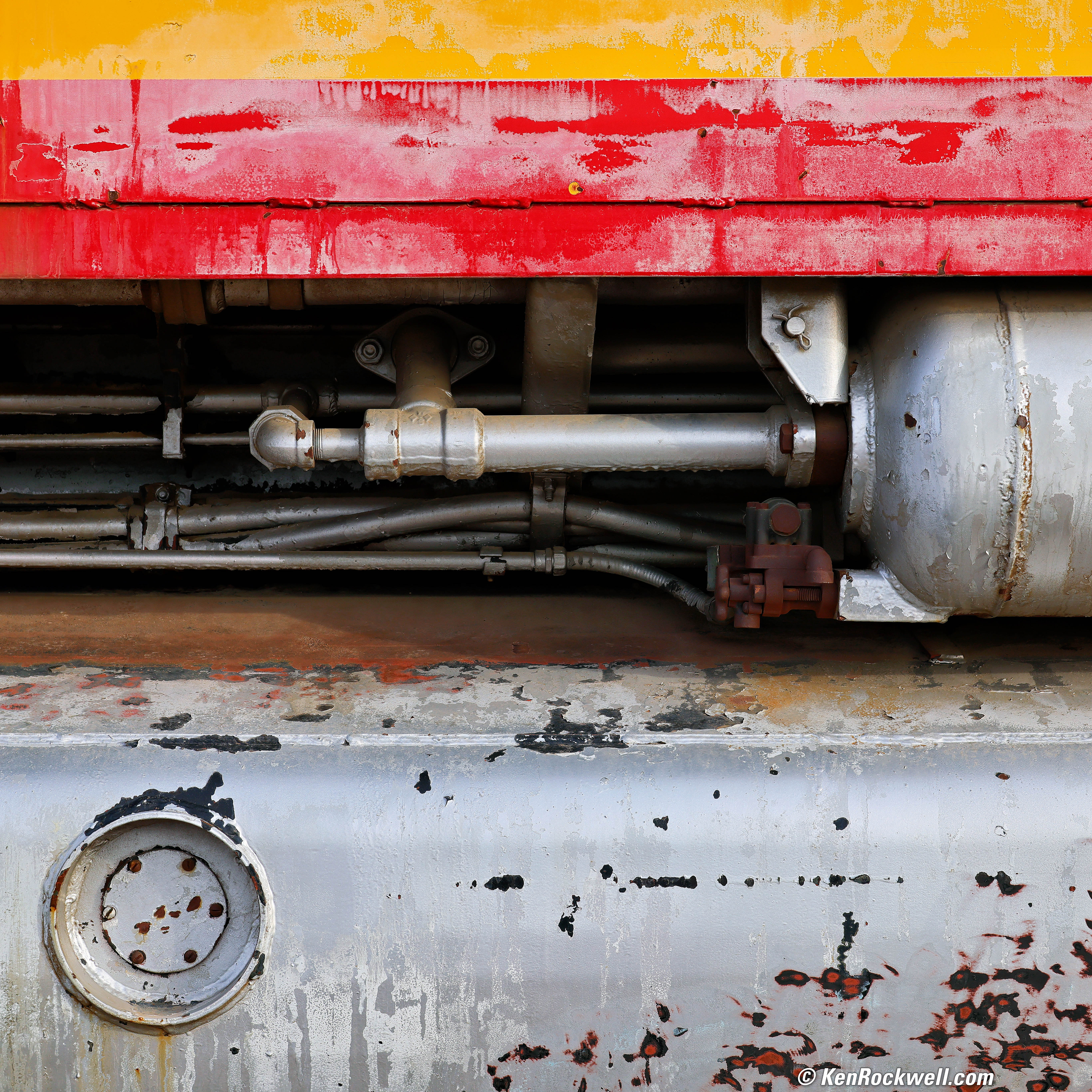
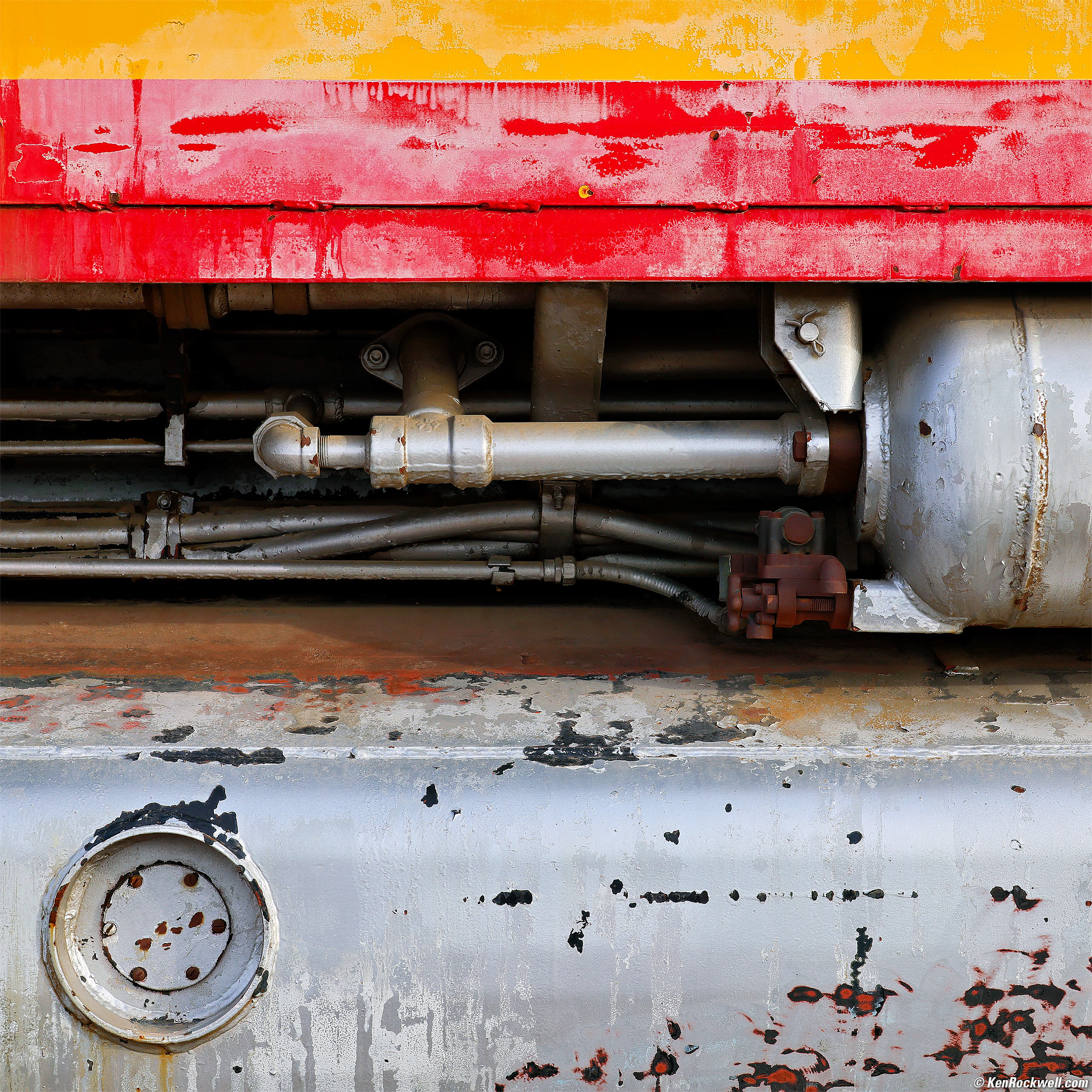
Symphony in Steel, Barstow, California, 8:18 A.M., 09 February 2025. Canon EOS R5 II in square crop mode, EF 28-135mm IS USM on EF to RF adapter at 56mm (equivalent to the ZEISS MAKRO-PLANAR 120mm f/4 T✻ on HASSELBLAD 6×6 cm) at f/7.1 at 1/200 at Auto ISO 100, -0.7 stops exposure compensation (LV 13¼), Radiant Photo and Skylum Luminar Neo software. bigger or full-resolution 6.5 MB JPG file.
If this isn't sharp, I don't know what is.
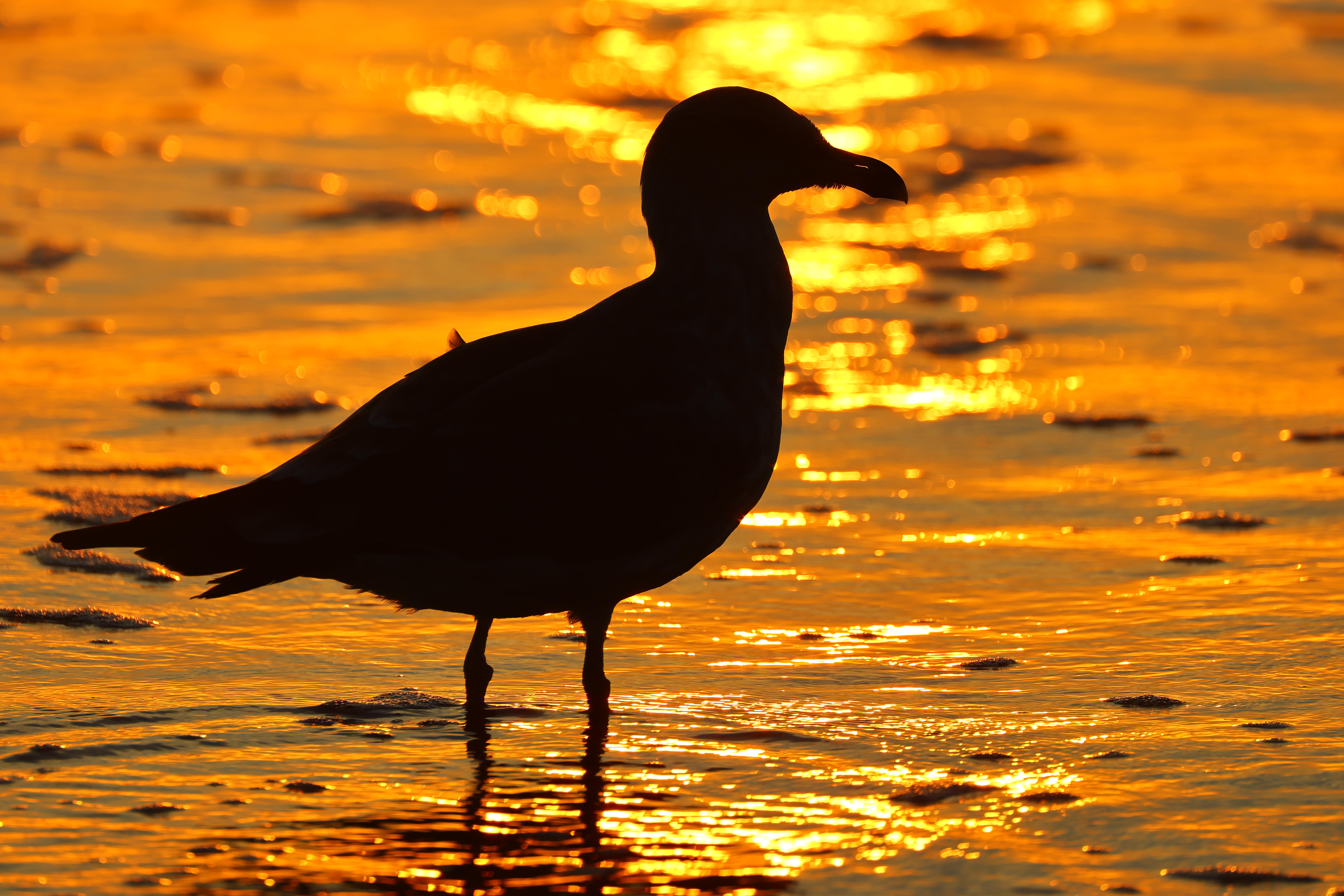
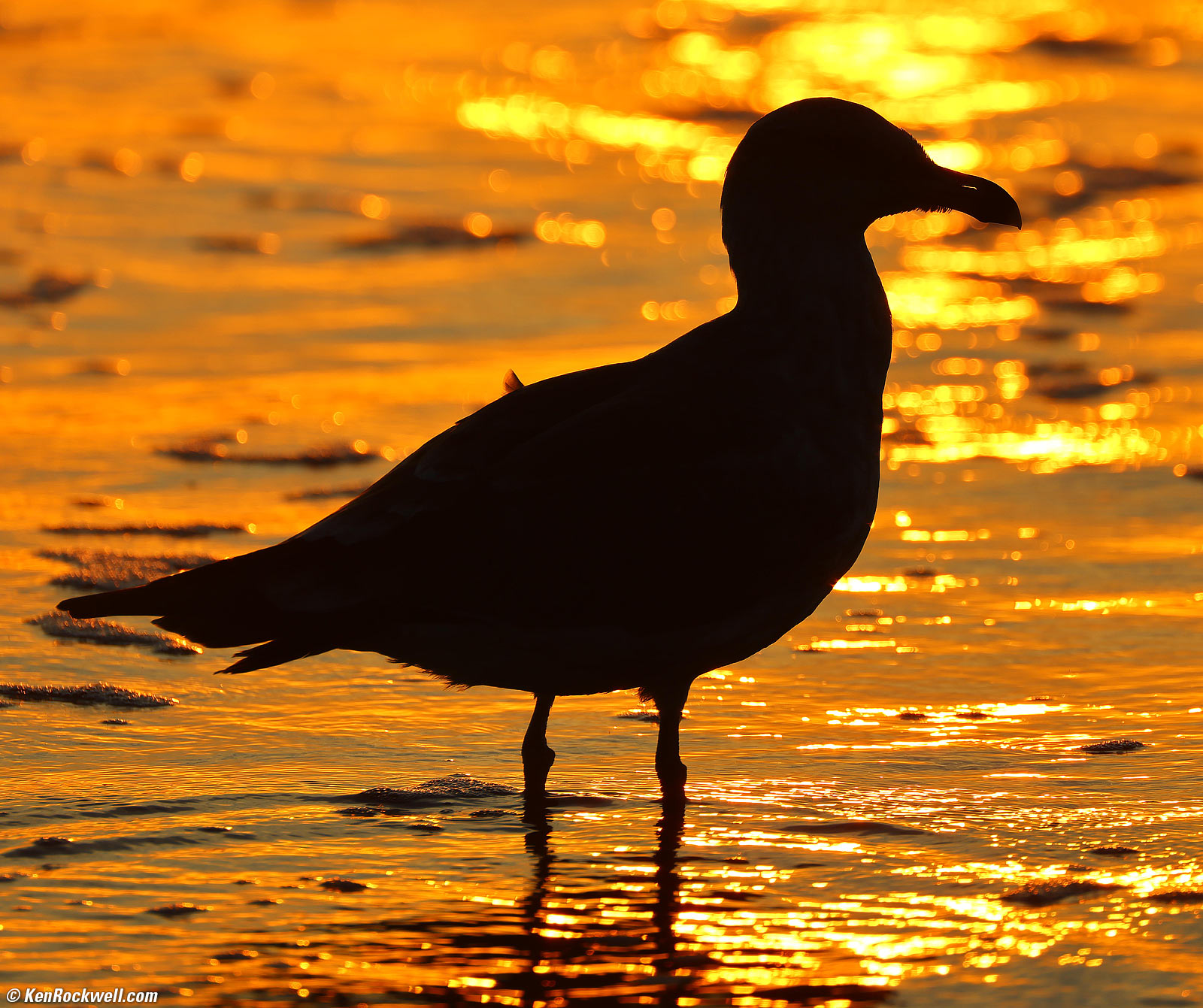
Gull at Sunset, Solana Beach, California, 6:01 P.M., Tuesday, 22 October 2024. Slight crop from Canon EOS R5 II, RF 200-800mm IS USM at 800mm at f/10 handheld at 1/320 at Auto ISO 100 (LV 15.0), as shot. bigger or camera-original 45 MP © 3.5 MB JPG quality 1 file.
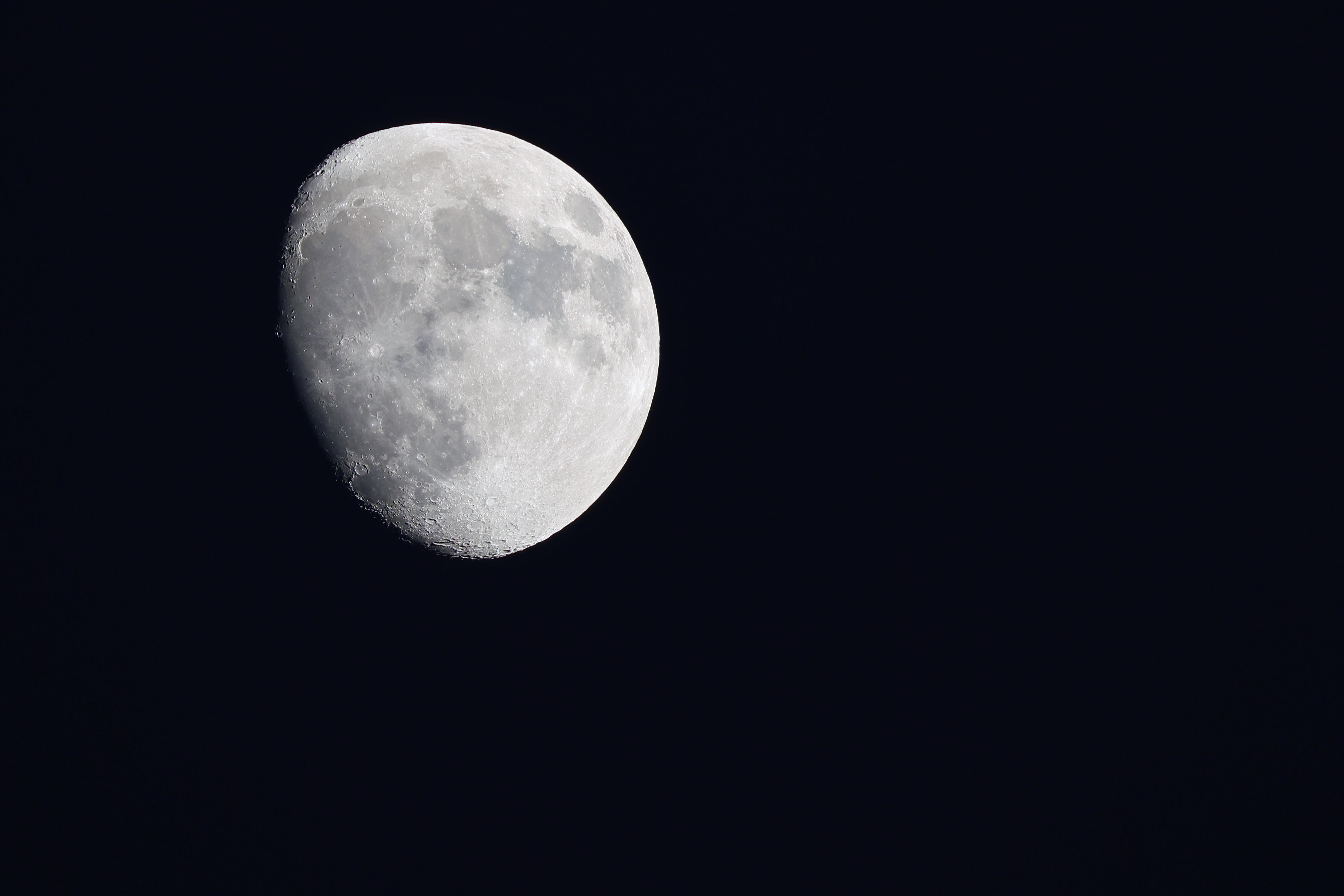
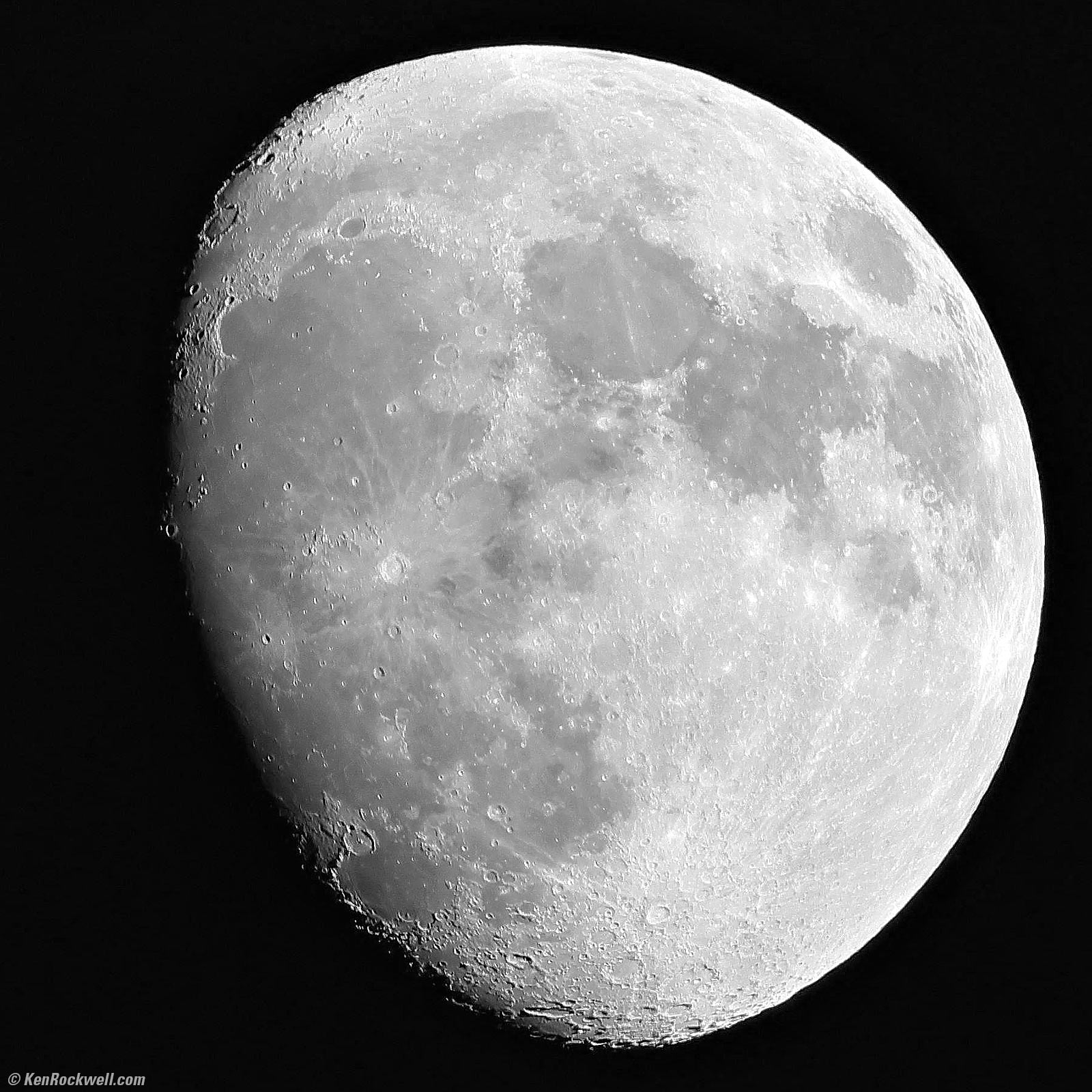
Waxing Gibbous Moon as seen over Christ Lutheran Church, Pacific Beach, California, 6:31 P.M., Sunday, 13 October 2024. Cropped from Canon EOS R5 II in APS-C crop mode (I didn't need any more black sky around this), RF 200-800mm IS USM at 800mm wide-open at f/9 hand-held at 1/250 at Auto ISO 500, -1 stop exposure compensation (LV 12.0), Radiant Photo software. bigger or camera-original 17 MP APS-C © 700 kB JPG quality 1 file.
I remember the bad old days trying to photograph the moon as a kid with my 700mm focal length f/11 (60mm diameter objective) Tasco telescope on an alt-azimuth slow-motion mount with my Minolta SRT-102 and a telescope adapter on Kodachrome 64. I got rubbish, even after half an hour setting up, while today, it's simply point-and-shoot as I'm walking down the street. Doing the math from LV 12.0 means I'd be at 1/15 with that film rig, which is asking for motion blur. Arrrgh, things are so much better today. The RF 200-800mm IS USM is super sharp and works great.

Sunset with God Beams, Solana Beach, California, 6:21 P.M., Friday, 27 September 2024. Square crop from Canon EOS R5 II, RF 200-800mm IS USM at 300mm at f/13 at 1/800 at Auto ISO 100 (LV 17.0), Radiant Photo and Skylum Luminar Neo software to perk it up. bigger.
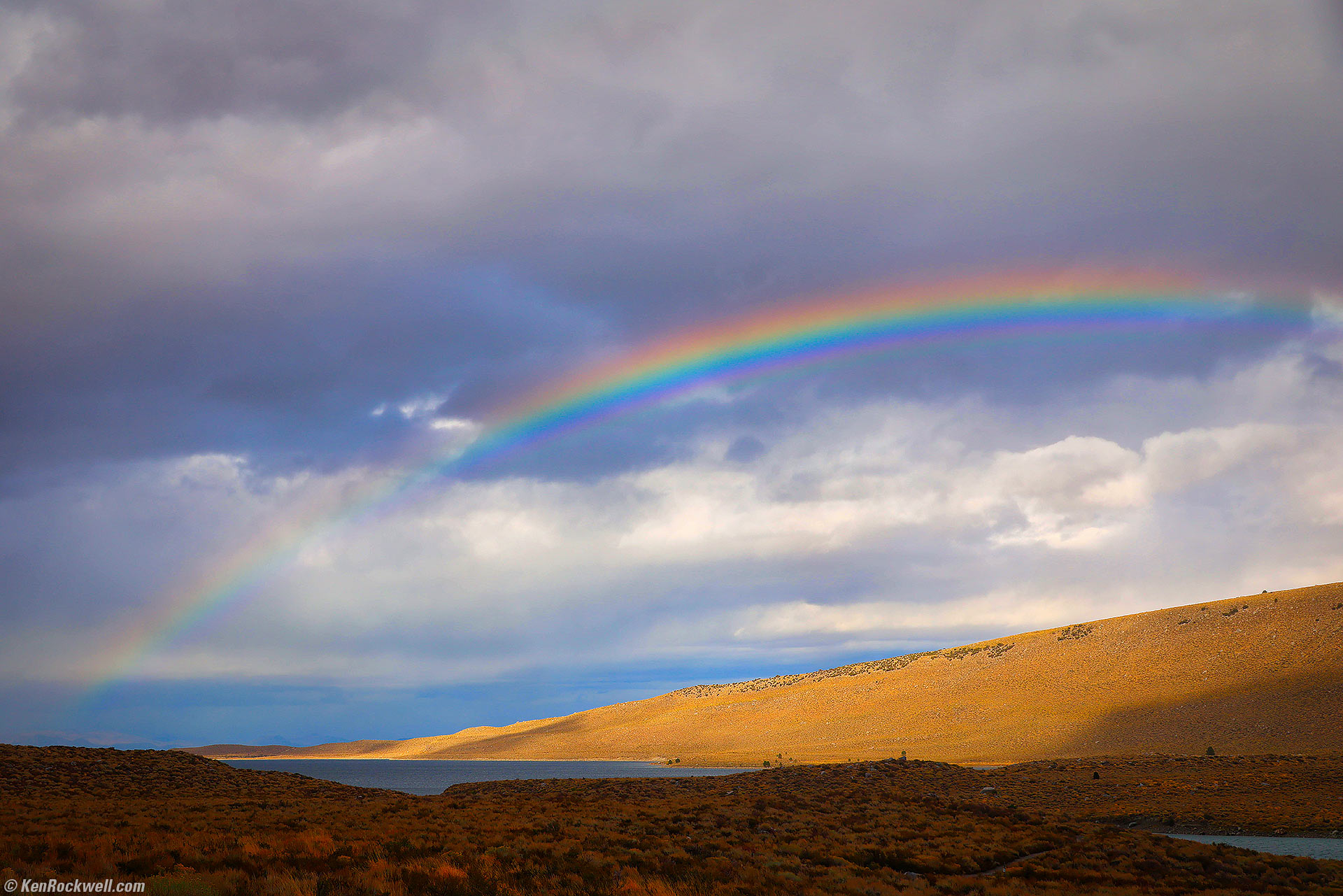
Rainbow Over Grant Lake, California, 3:42 P.M., 16 October 2024. Canon R5 II, Nikon 77mm Circular Polarizer II hand-held in front of my RF 24-240mm IS USM at 44mm at f/7.1 at 1/125 at Auto ISO 100 (LV 12.6), Skylum Luminar Neo software. More tech details. bigger or fit-to-screen.
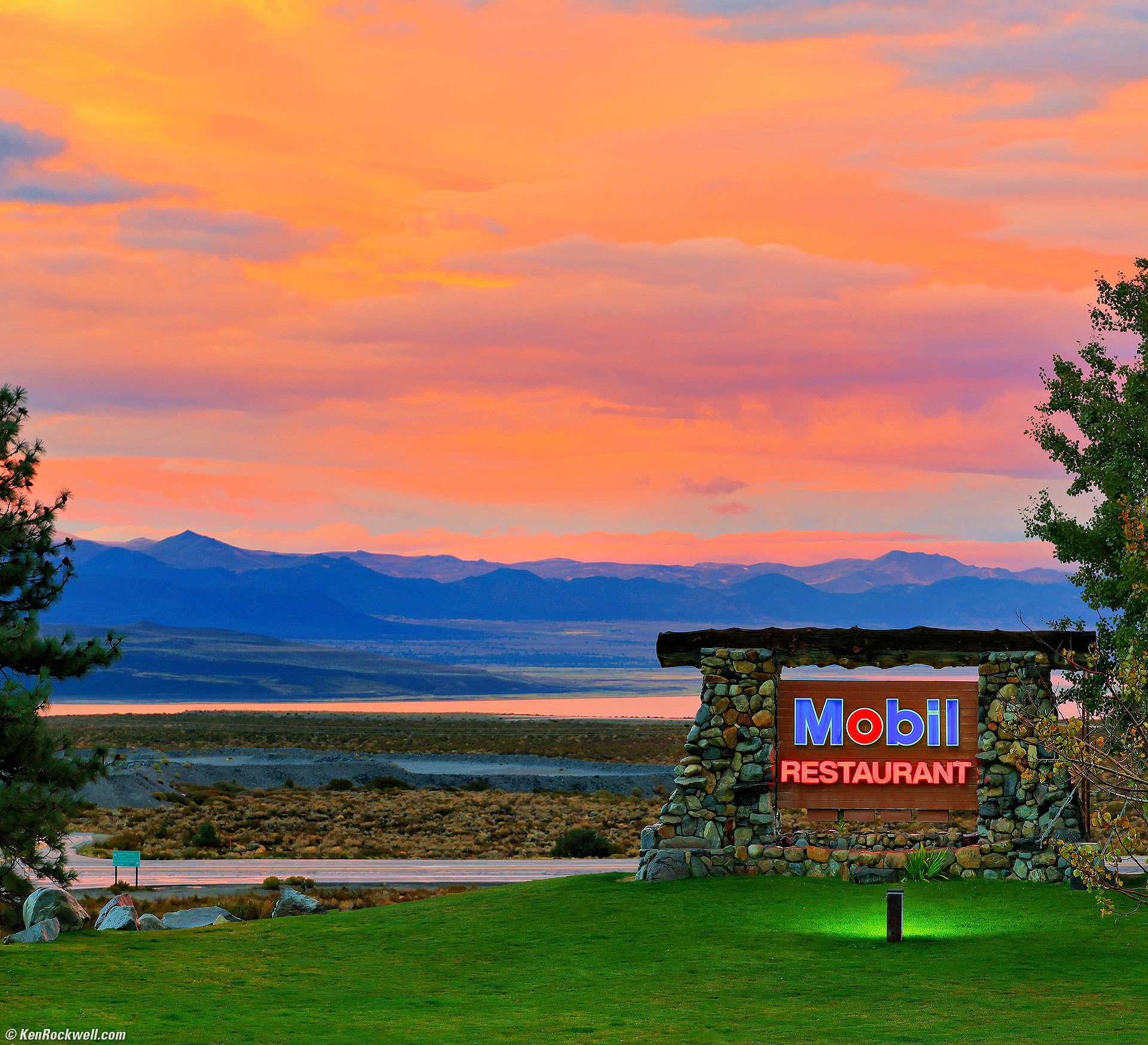
Mono Lake and The Mobil Station at Sunset, Lee Vining, California, 6:22 P.M., 16 October 2024. Canon R5 II, RF 24-240mm IS USM at 79mm at f/5.6 handheld at 1/25 at Auto ISO 200 (LV 8.6), Skylum Luminar Neo and Radiant Photo software. More tech details. bigger or fit-to-screen.
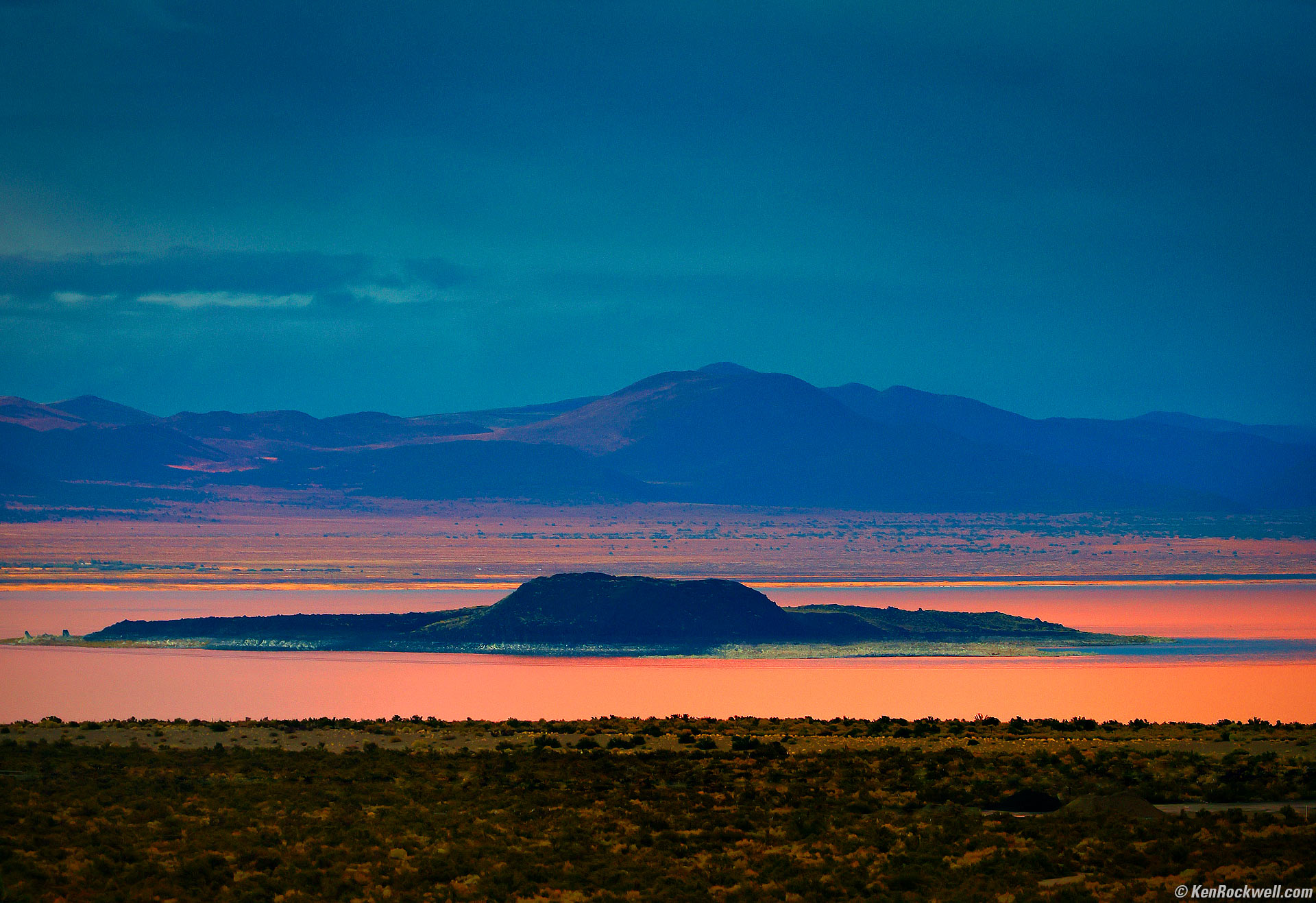
Negit Island at Sunset, Lee Vining, California, 6:23 P.M., 16 October 2024. Canon R5 II, RF 24-240mm IS USM at 157mm at f/6.3 handheld at 1/50 at Auto ISO 640 (LV 8⅓), Skylum Luminar Neo and Radiant Photo software. More tech details. bigger or fit-to-screen.
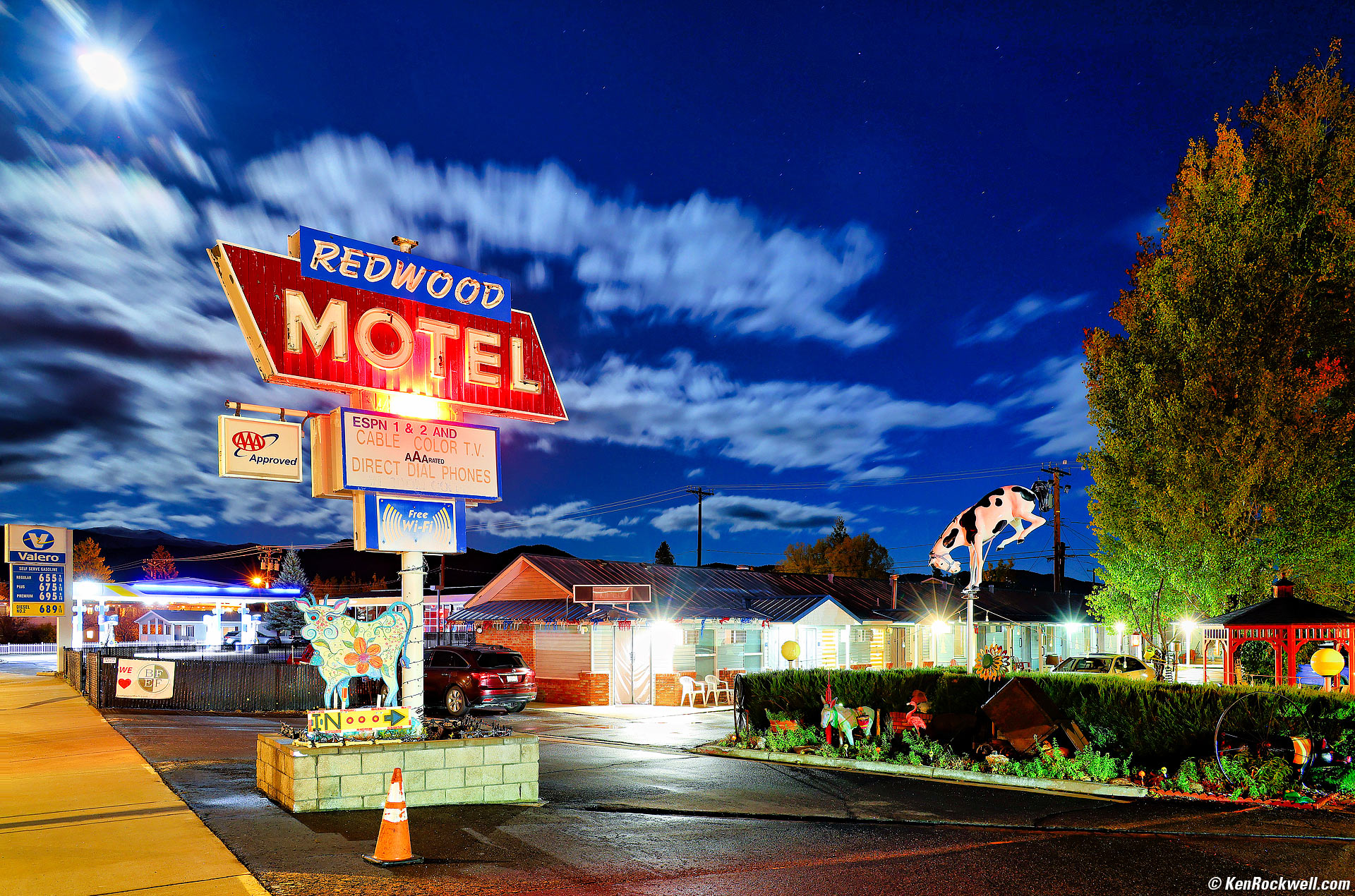
Redwood Motel Under Moonlight, Bridgeport, California, 8:03 P.M., 16 October 2024. Canon R5 II, RF 24-240mm IS USM at 24mm at f/8 for 30 seconds at Auto ISO 200 (LV 0.0), Radiant Photo and Skylum Luminar Neo software, perspective correction in Photoshop CC. More tech details. bigger or fit-to-screen.
I used my Oben CT-2491 Carbon-Fibre Tripod with my Oben GH3W-15 Geared Head so I could shoot this at a very low ISO with my R5 II.
I should have used one minute at ISO 100, but I was too lazy to trek back to my room to find my remote cord or to twiddle with the Bulb Timer out in the rain, so I let Auto ISO set itself to ISO 200 rather than trying to figure it all out manually as the scene changed by the moment. I chose f/8 so I could get sunstars and a reasonable exposure time.
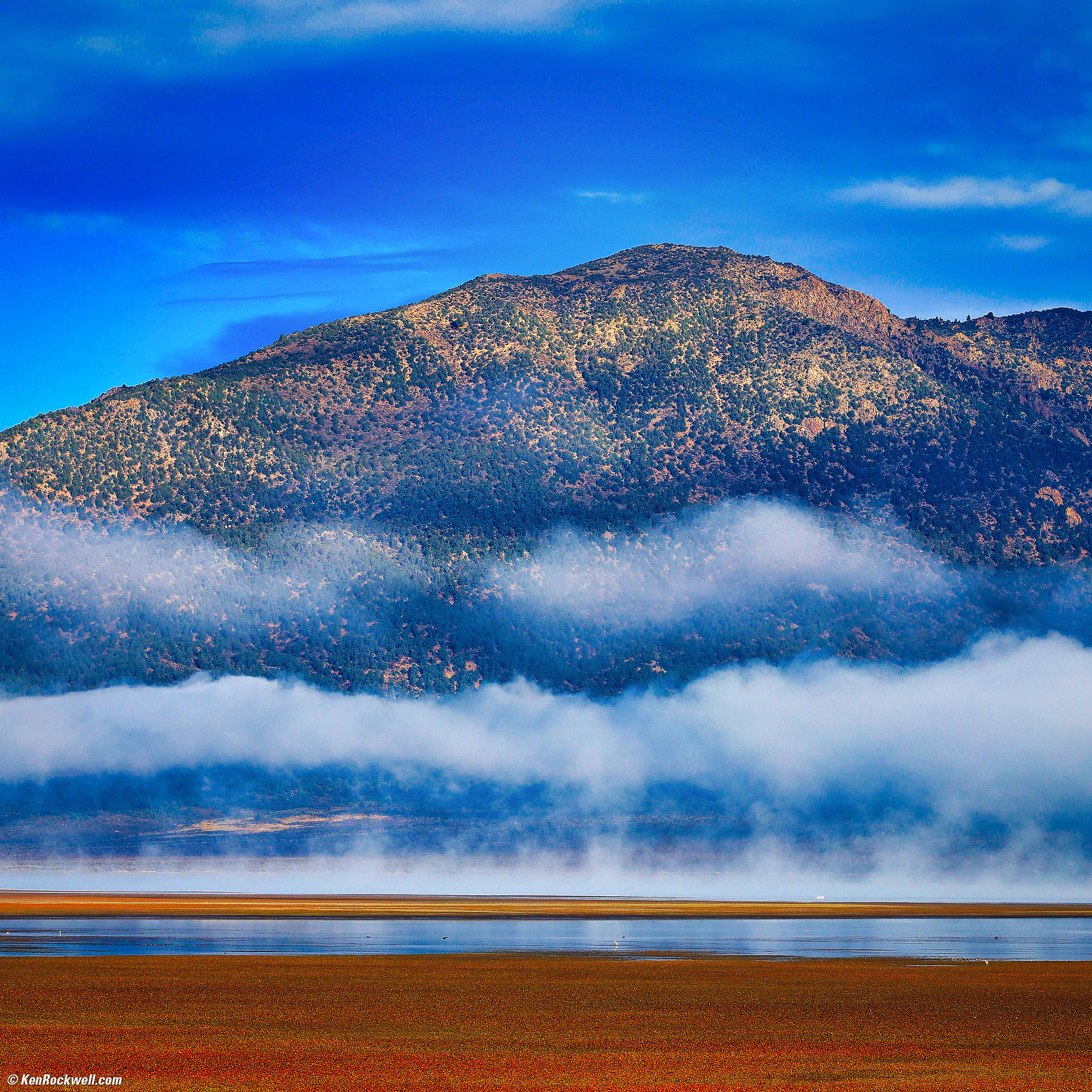
Inversion Fog Over the Bridgeport Reservoir, Bridgeport, California, 8:49 A.M., 17 October 2024. Square crop from Canon R5 II, RF 24-240mm IS USM at 100mm at f/13 at 1/125 at Auto ISO 100 (LV 14.4), Skylum Luminar Neo and Radiant Photo software. More tech details. bigger or fit-to-screen.
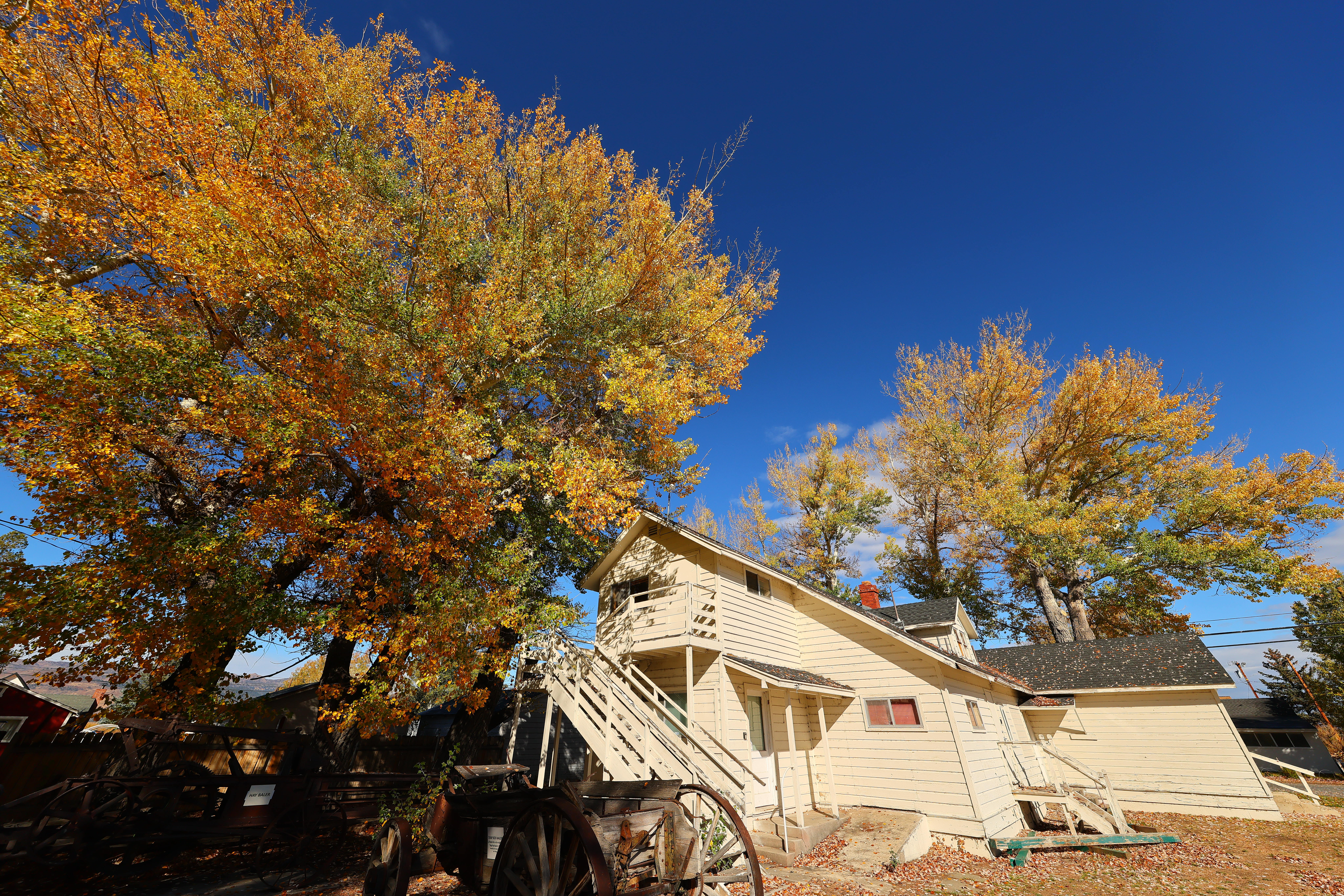
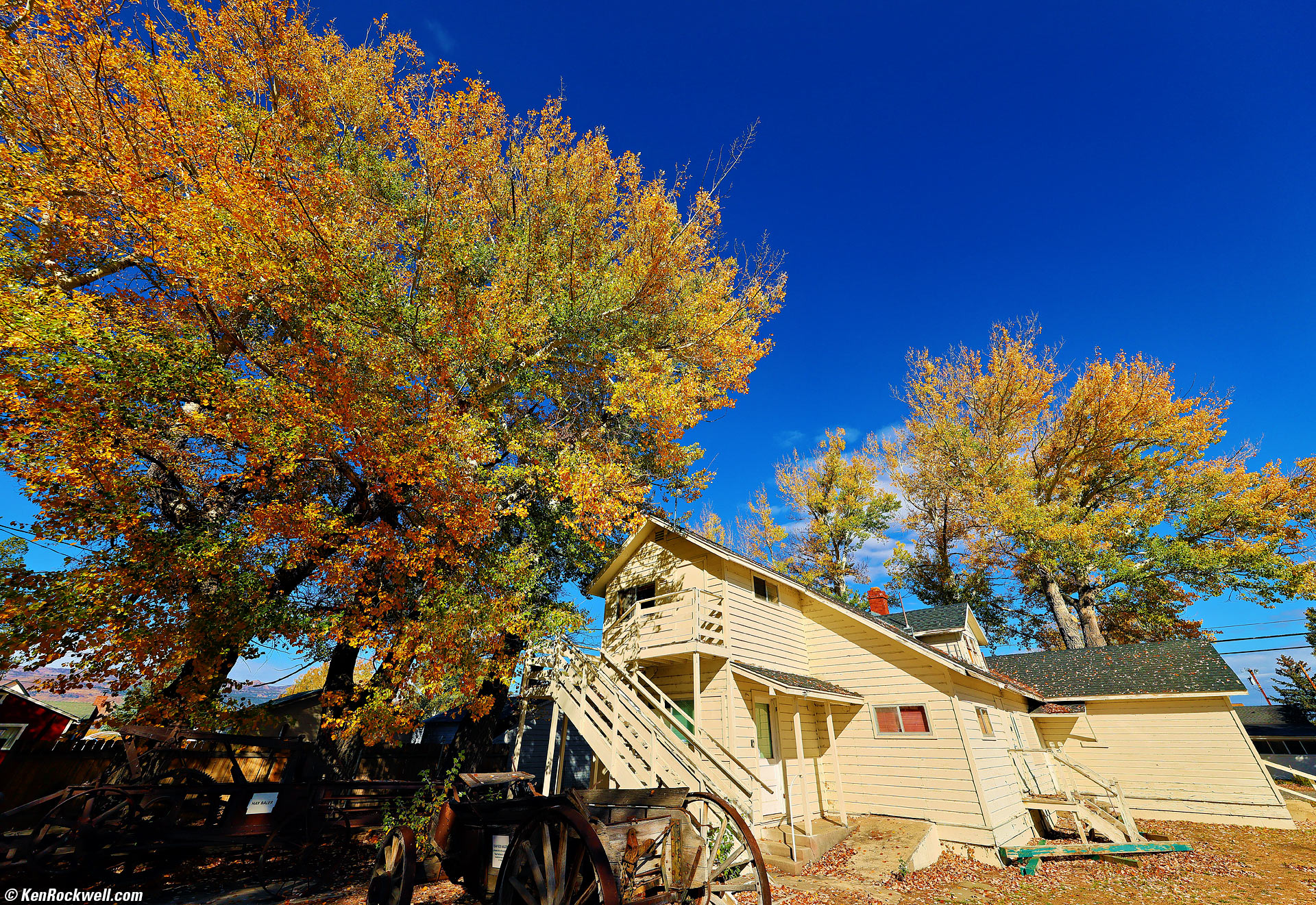
Mono County Museum, Bridgeport, California, 10:09 A.M., 17 October 2024. Canon R5 II, RF 10-20mm f/4 L IS USM at 12mm at f/10 at 1/400 at Auto ISO 100 (LV 15¼), Radiant Photo software. More tech details. bigger/fit-to-screen or camera-original 45 MP © JPG Quality 1 file.
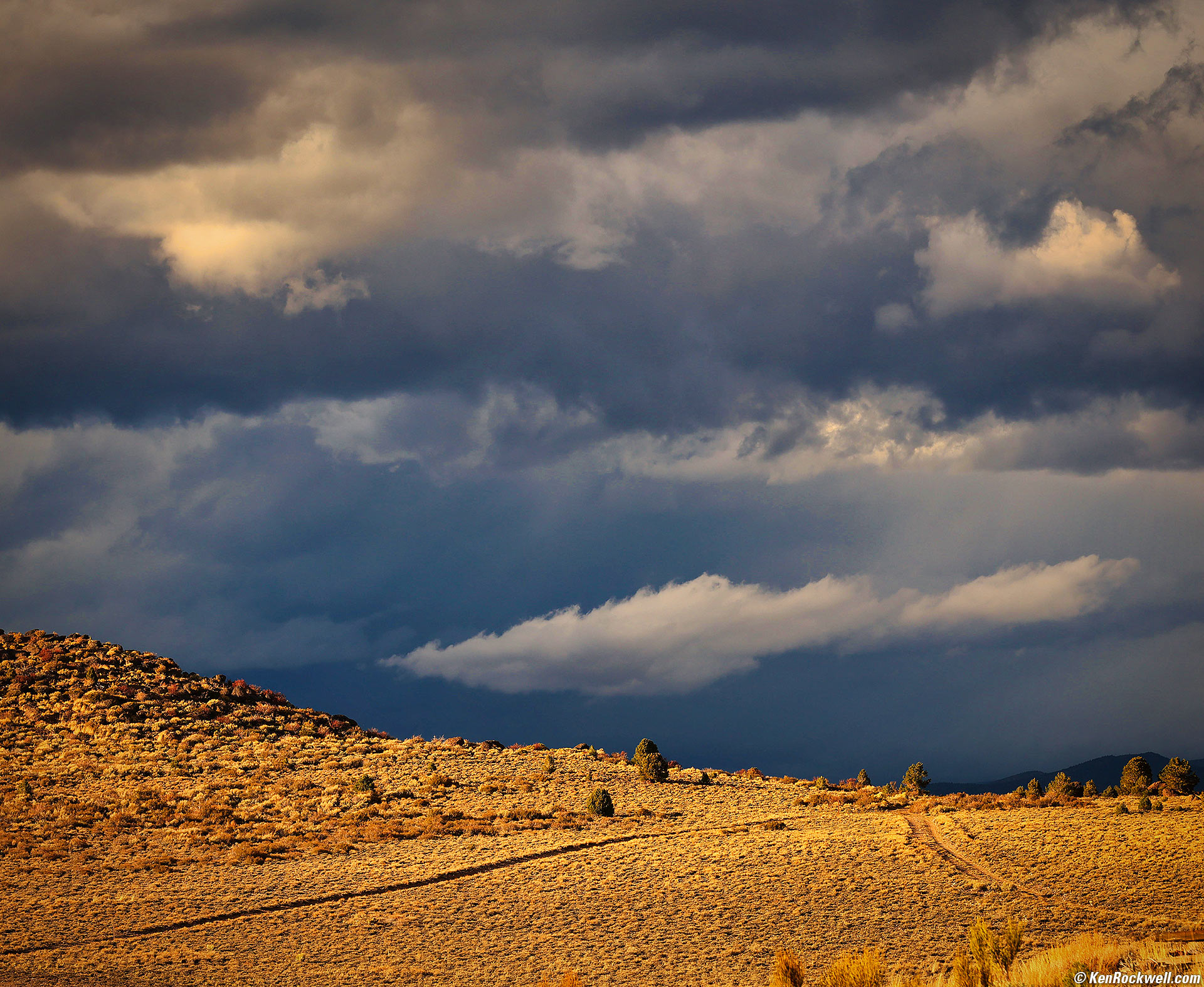
Storm Brewing North of the Bridgeport Reservoir, Bridgeport, California, 4:56 P.M., 17 October 2024. Canon R5 II, RF 24-240mm IS USM at 105mm at f/8 at 1/250 at Auto ISO 100 (LV 14.0), Skylum Luminar Neo software. More tech details. bigger or fit-to-screen.
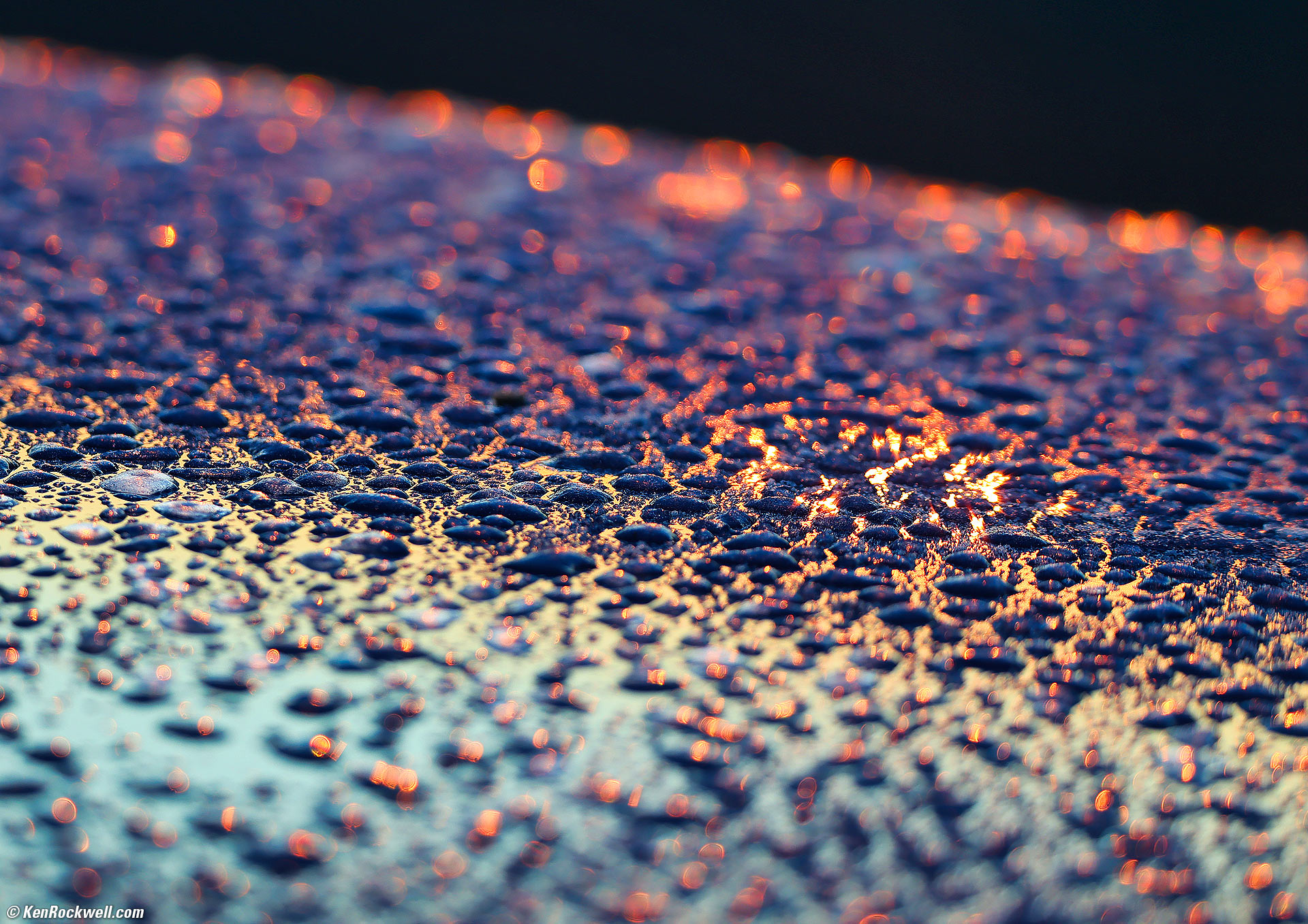
Morning Dew on Blue Car at Dawn, Conway Summit, Lee Vining, California, 7:10 A.M., 18 October 2024. Canon R5 II, RF 200-800mm IS USM at 288mm at f/7.1 hand-held at 1/80 at Auto ISO 100 LV 12). More tech details. bigger or fit-to-screen.
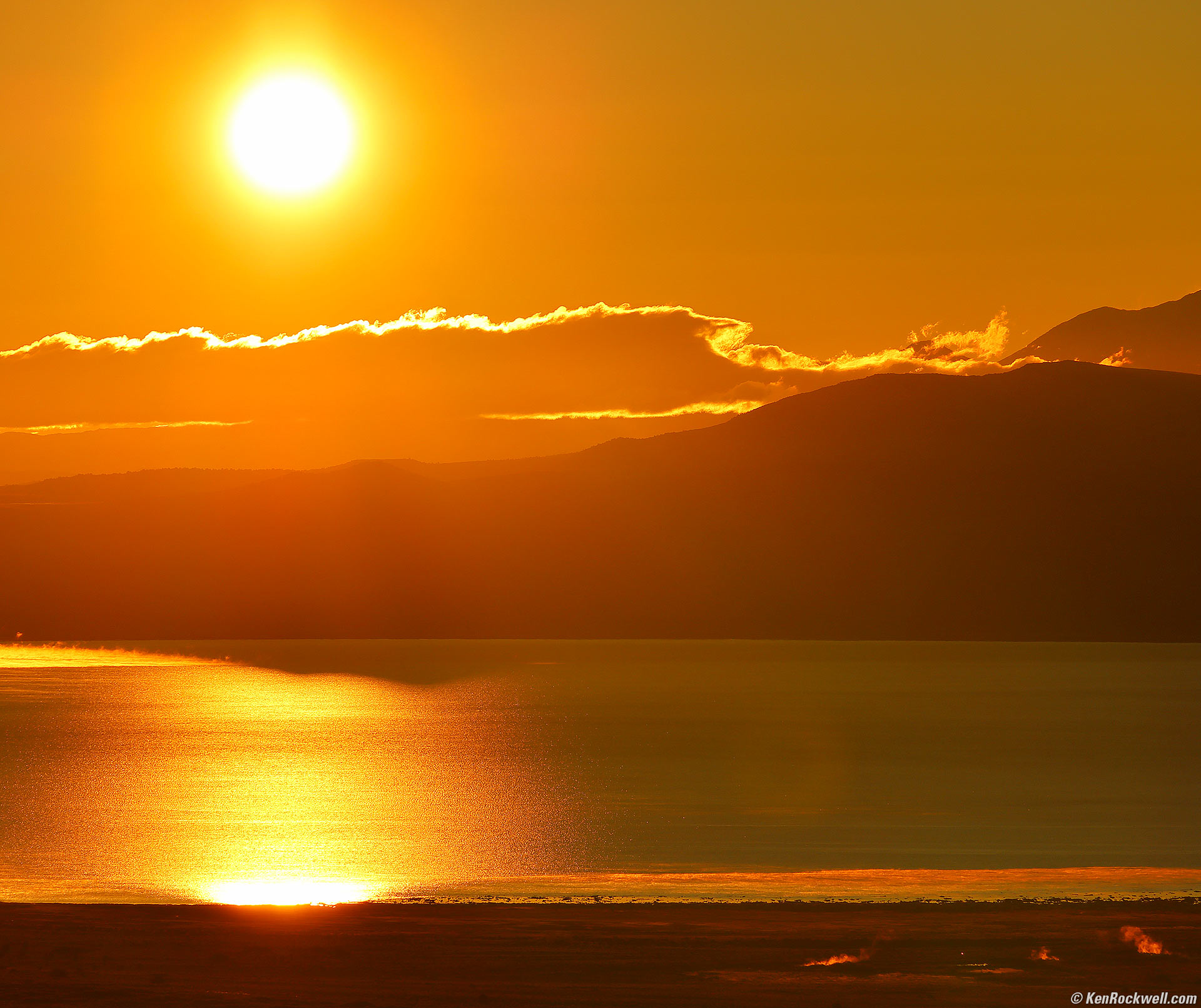
Sunrise Over Mono Lake as Seen From Conway Summit, Lee Vining, California, 7:20 A.M., 18 October 2024. Canon R5 II, RF 24-240mm IS USM at 240mm at f/11 at 1/1,000 at Auto ISO 100, -1 stop exposure compensation (LV 17.0). More tech details. bigger or fit-to-screen.
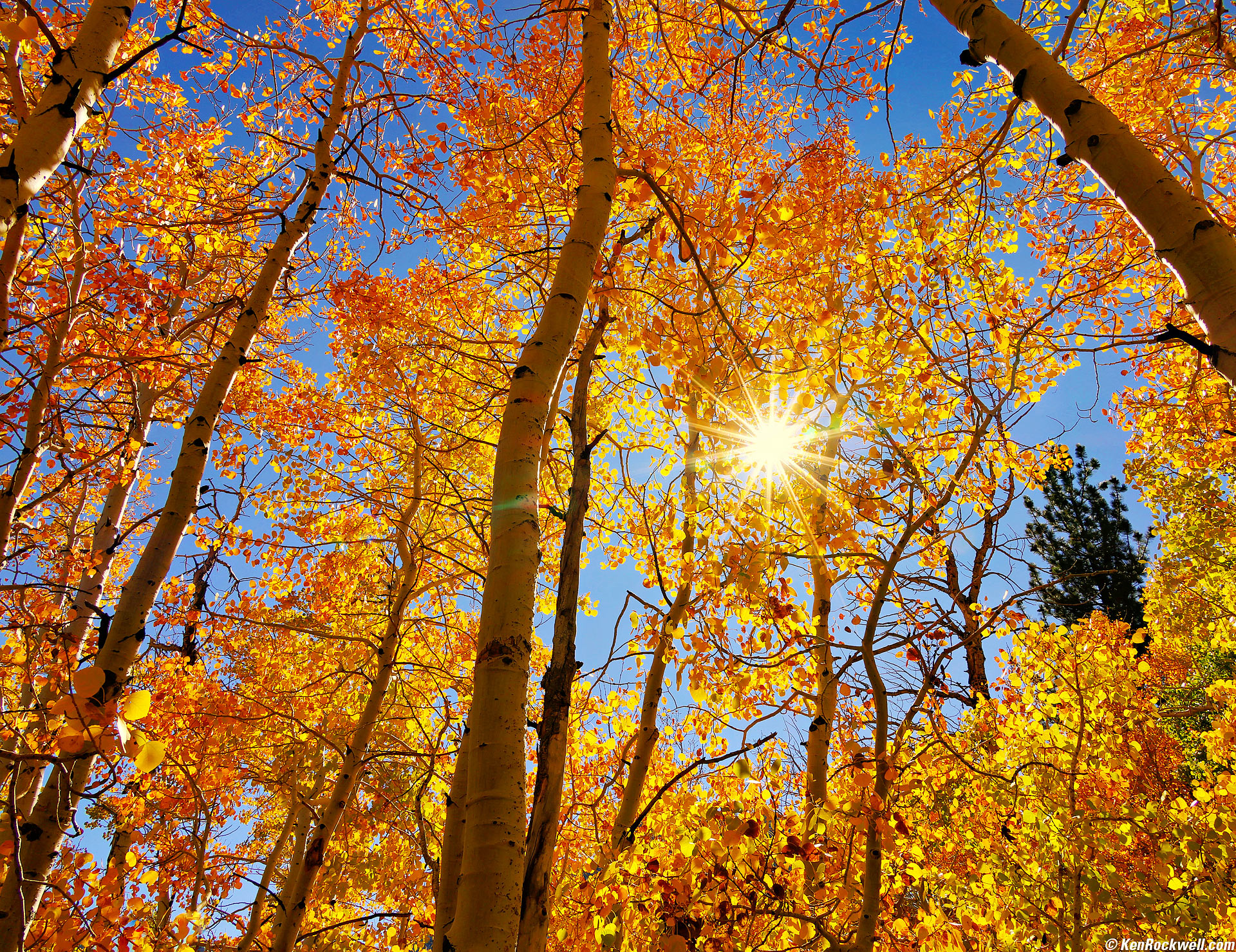
Fall Color, Silver Lake, California, 12:51 P.M., 18 October 2024. Canon EOS R5 II, RF 24-240mm IS USM at 24mm at f/22 for a sunstar at 1/50 at Auto ISO 100, -0.7 stops exposure compensation (LV 14.6), colors fortified in Skylum Luminar Neo and Radiant Photo software. bigger or fit-to-screen.
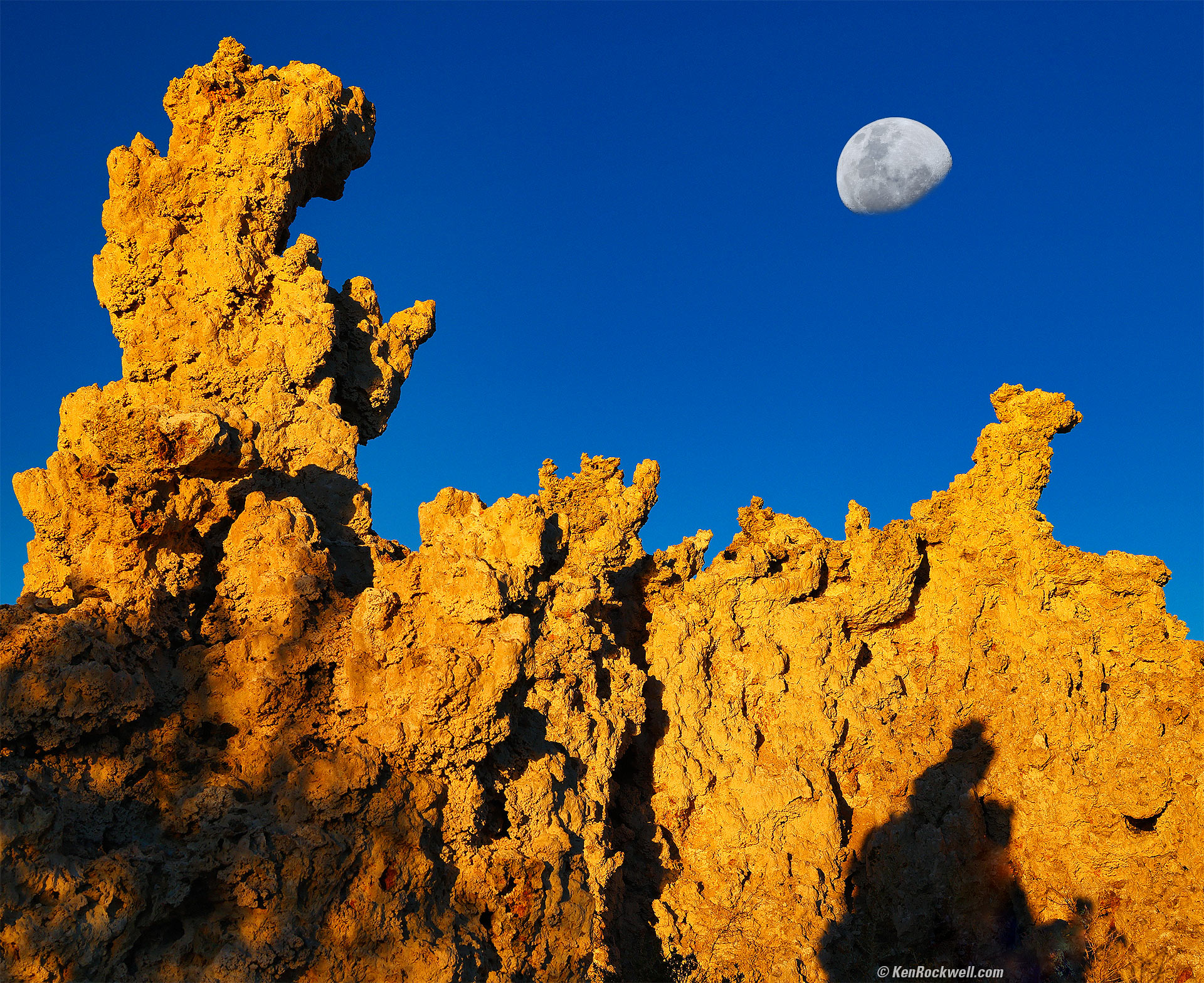
Moonset Behind Tufa at Sunrise, South Tufa, Mono Lake, California, 7:26 A.M., 19 October 2024. Canon EOS R5 II in 4:5 crop mode, RF 24-240mm IS USM at 42mm at f/16 at 1/60 at Auto ISO 100, -0.3 stops exposure compensation (LV 14.0), colors fortified in Skylum Luminar Neo software. bigger or fit-to-screen.
I used f/16 for depth-of-field, not realizing until after I returned from my trip and read the 1,200-page manual that my new EOS R5 II easily does focus bracketing and compositing in-camera, even for hand-held shots.
I composited a bigger, better moon from Pacific Beach on 15 October 2024 in Photoshop CC, which was a waxing gibbous the same shape as the waning gibbous today. I also rotated the better moon image to match the orientation of the real one. Usually I select and enlarge the actual moon in the image, but recalling how I had a much better one the same shape from the week before, went with it to make this a much more accurate rendition, meaning this work captures the feeling of the moment much better than the straight image - knowing that no one will ever know I embellished the moon 😁.
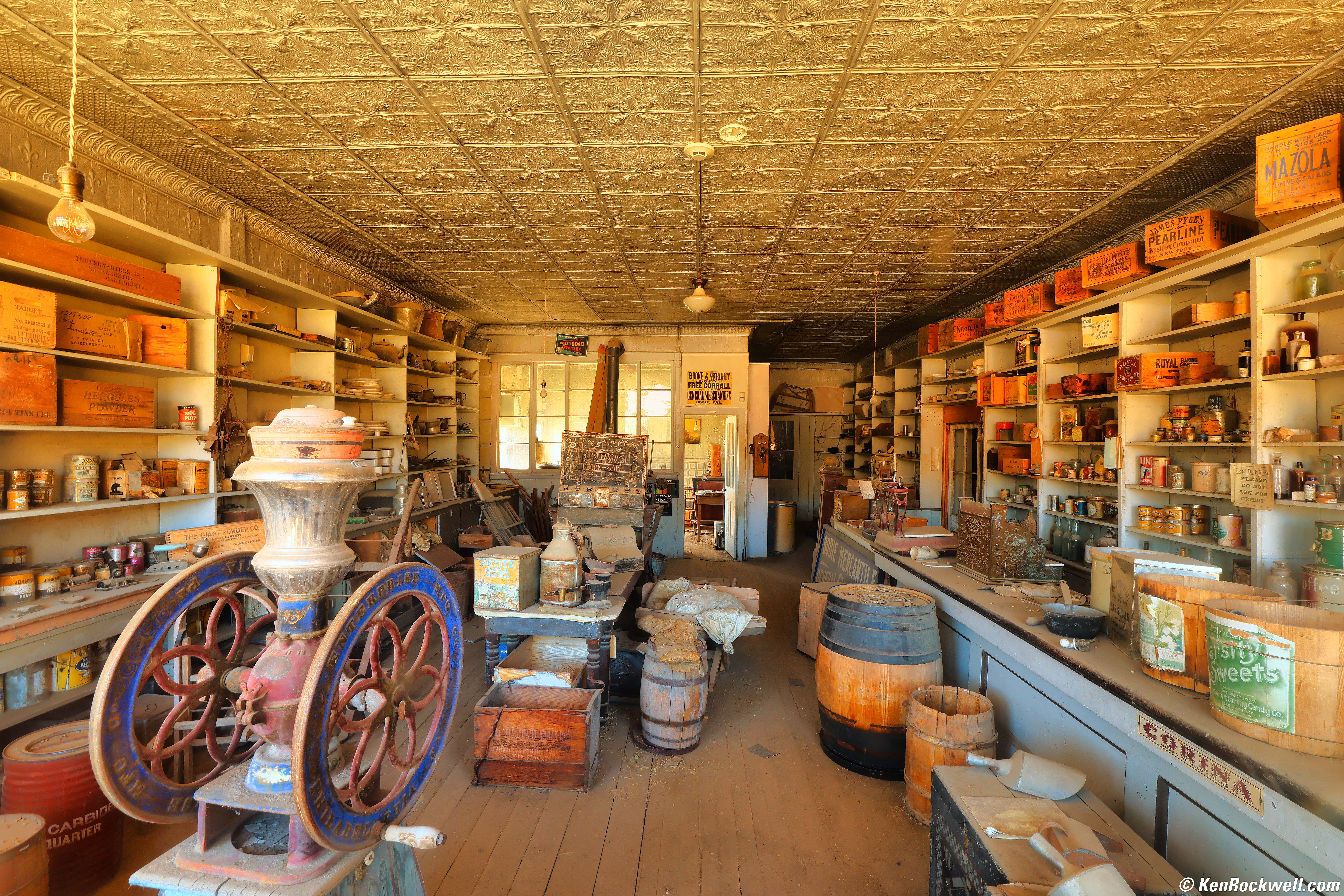
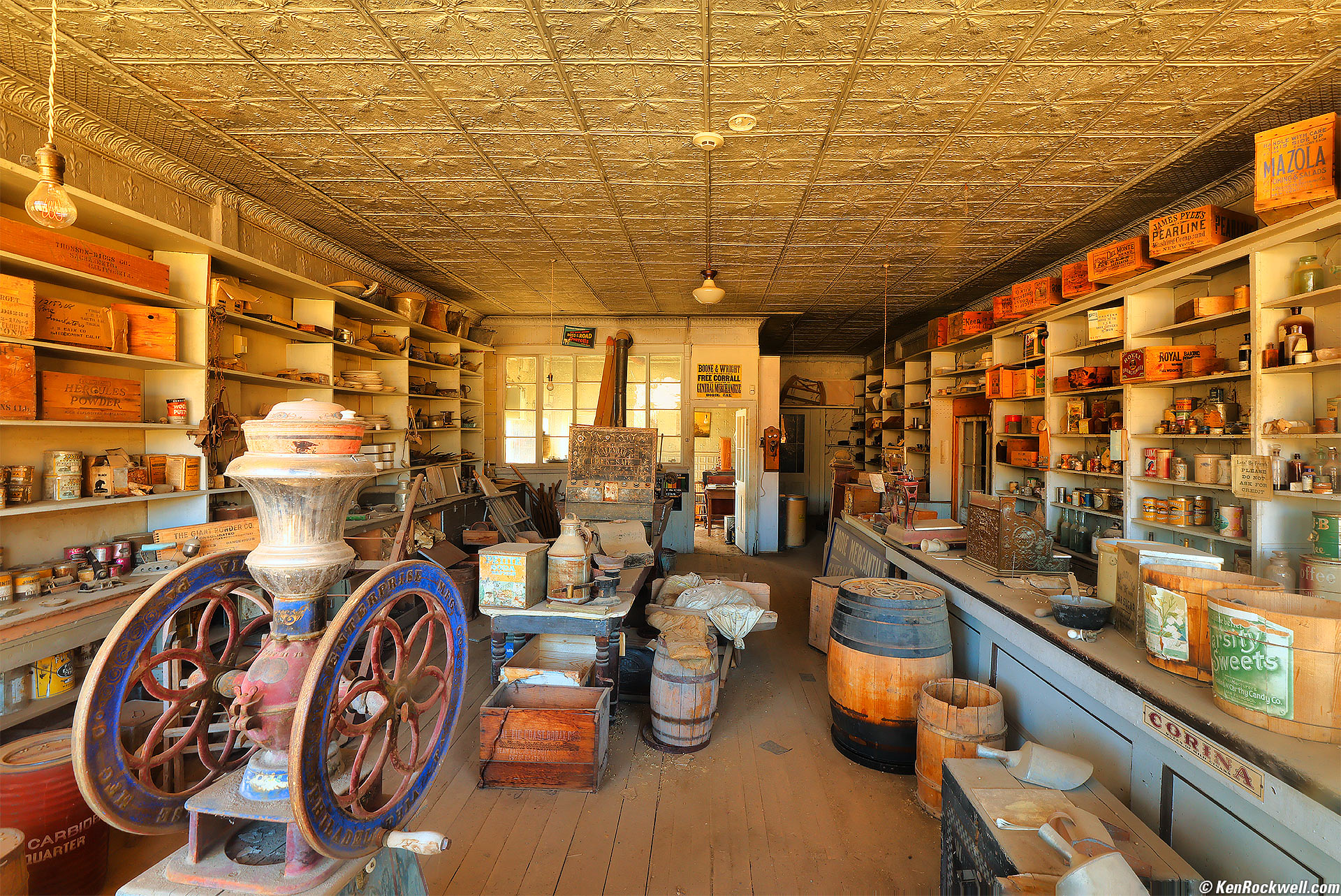
Bodie Mercantile, Bodie, California, 2:45 P.M., 19 October 2024. Canon EOS R5 II and RF 10-20mm f/4 L IS STM at 17mm at f/16 handheld against a window for 0.8 seconds at Auto ISO 100, -0.7 stops exposure compensation (LV 8.4), perked up with Radiant Photo and Skylum Luminar Neo software, perspective correction in Photoshop CC. bigger or full-resolution 45 MP © 6.2 MB JPG file.
I used f/16 for depth of field, but if I had realized my new EOS R5 II easily can do focus stacking and compositing all in-camera automatically, even handheld, I would have used that mode at about f/8 for much sharper results with both deeper depth of field and less diffraction. Don't get too excited; this is shot through a dirty old ghost town window.
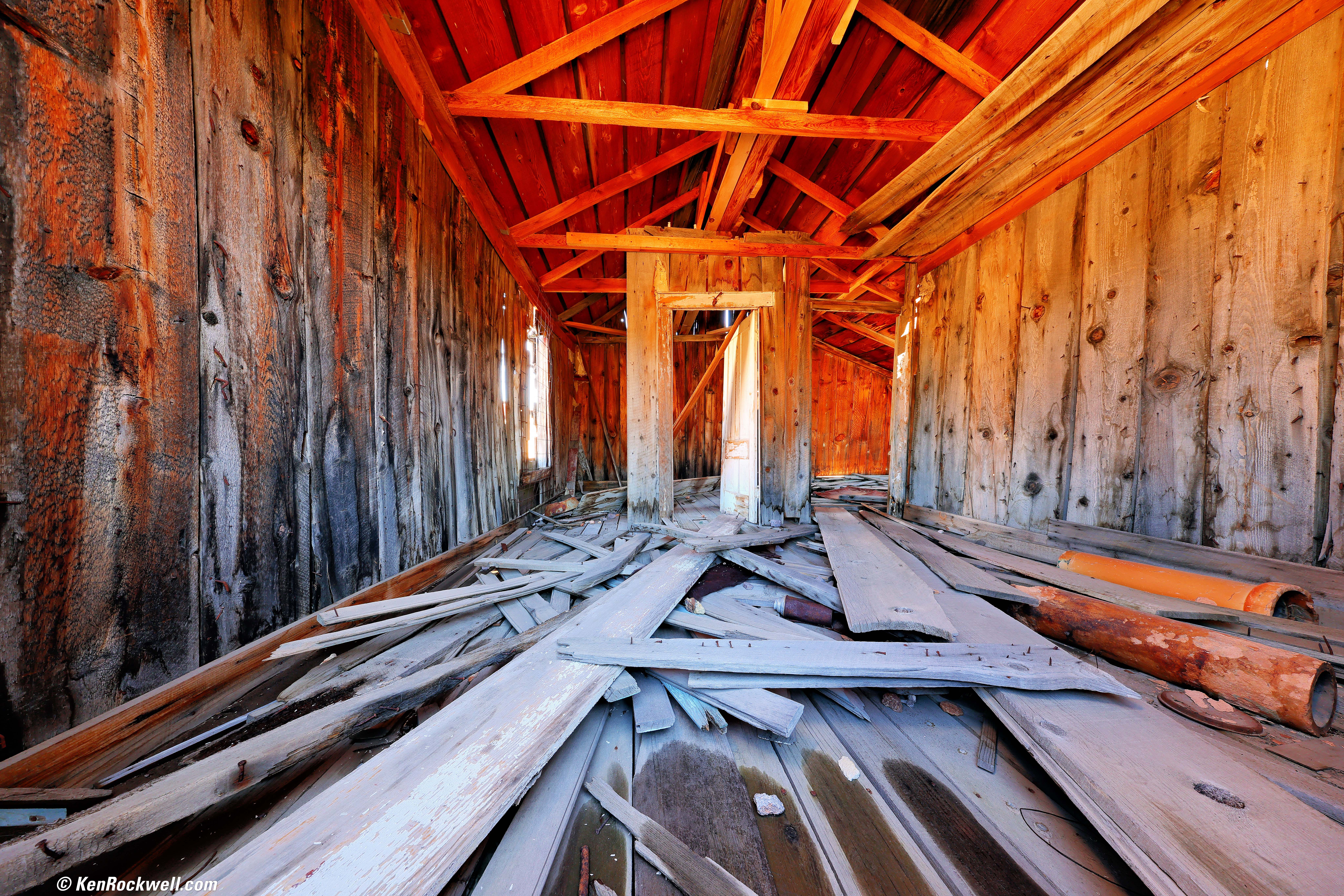
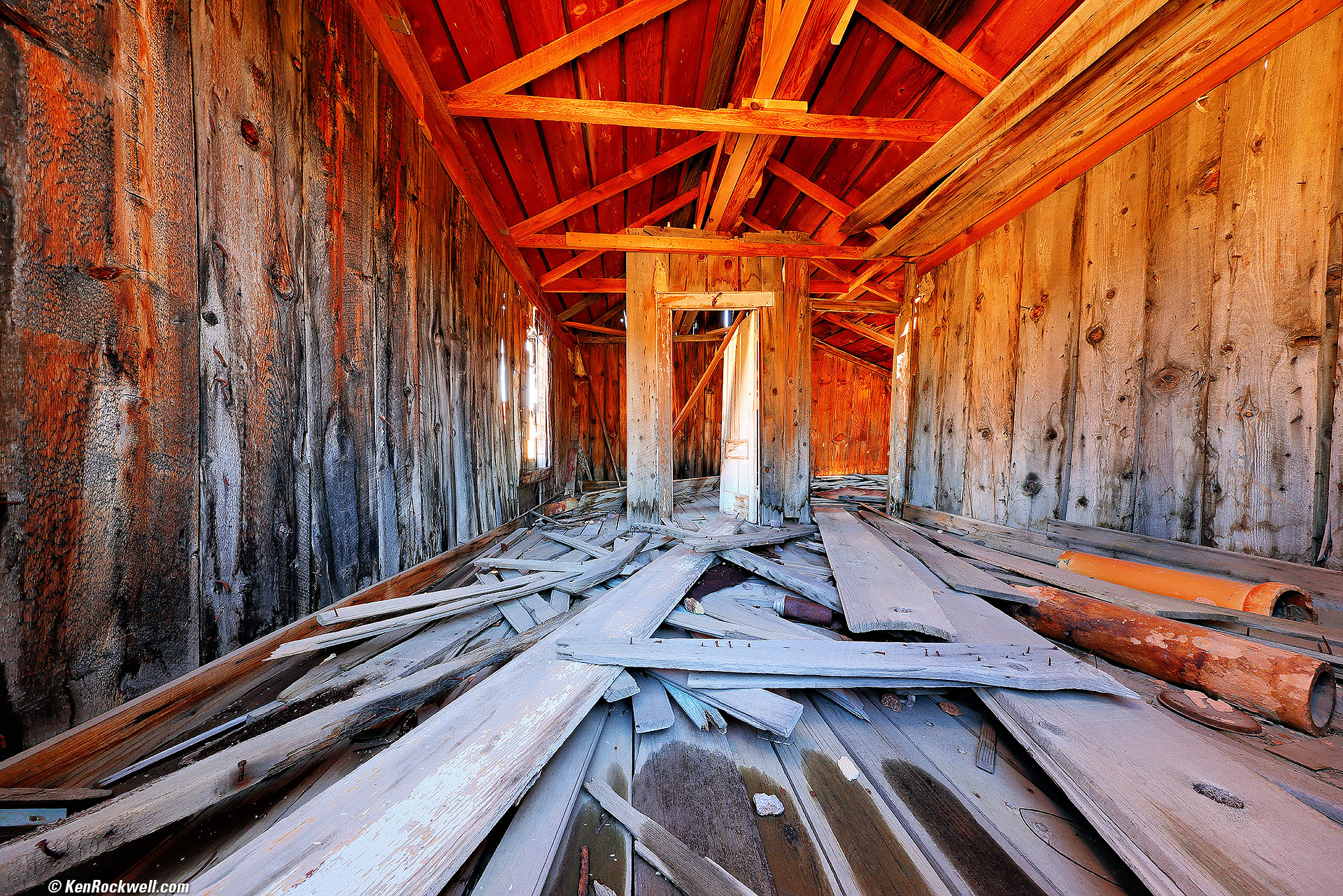
Interior of Orange House, Bodie, California, 2:59 P.M., 19 October 2024. Canon EOS R5 II and RF 10-20mm f/4 L IS STM at 10mm at f/11 handheld against a wobbly window frame for 0.8 seconds at Auto ISO 100, -0.7 stops exposure compensation (LV 7.4), perked up with Radiant Photo software. bigger or full-resolution 45 MP © 7.5 MB JPG file.
Again I used f/11 for depth of field, not realizing that my new EOS R5 II does focus stacking and compositing in-camera automatically, even handheld. I would have used about f/8 for sharper results with deeper depth of field.
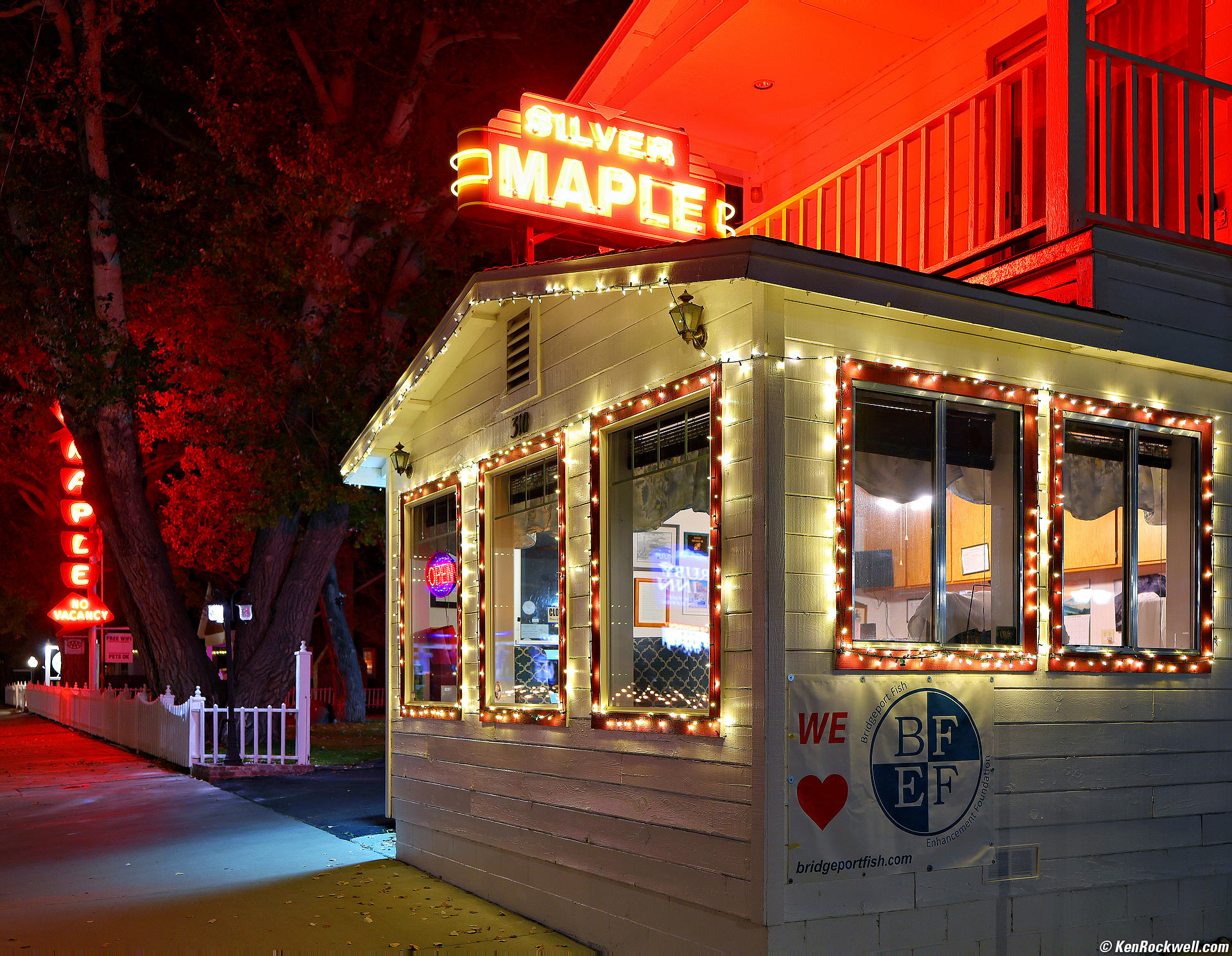
Silver Maple Motel, Bridgeport, California, 9:01 P.M., 19 October 2024. Canon R5 II and RF 28-70mm f/2.8 IS STM at 32 mm wide-open at f/2.8 hand-held at 1/8 of a second at Auto ISO 400 (LV 4.0), perked up in Radiant Photo software. More tech details. bigger or fit-to-screen.
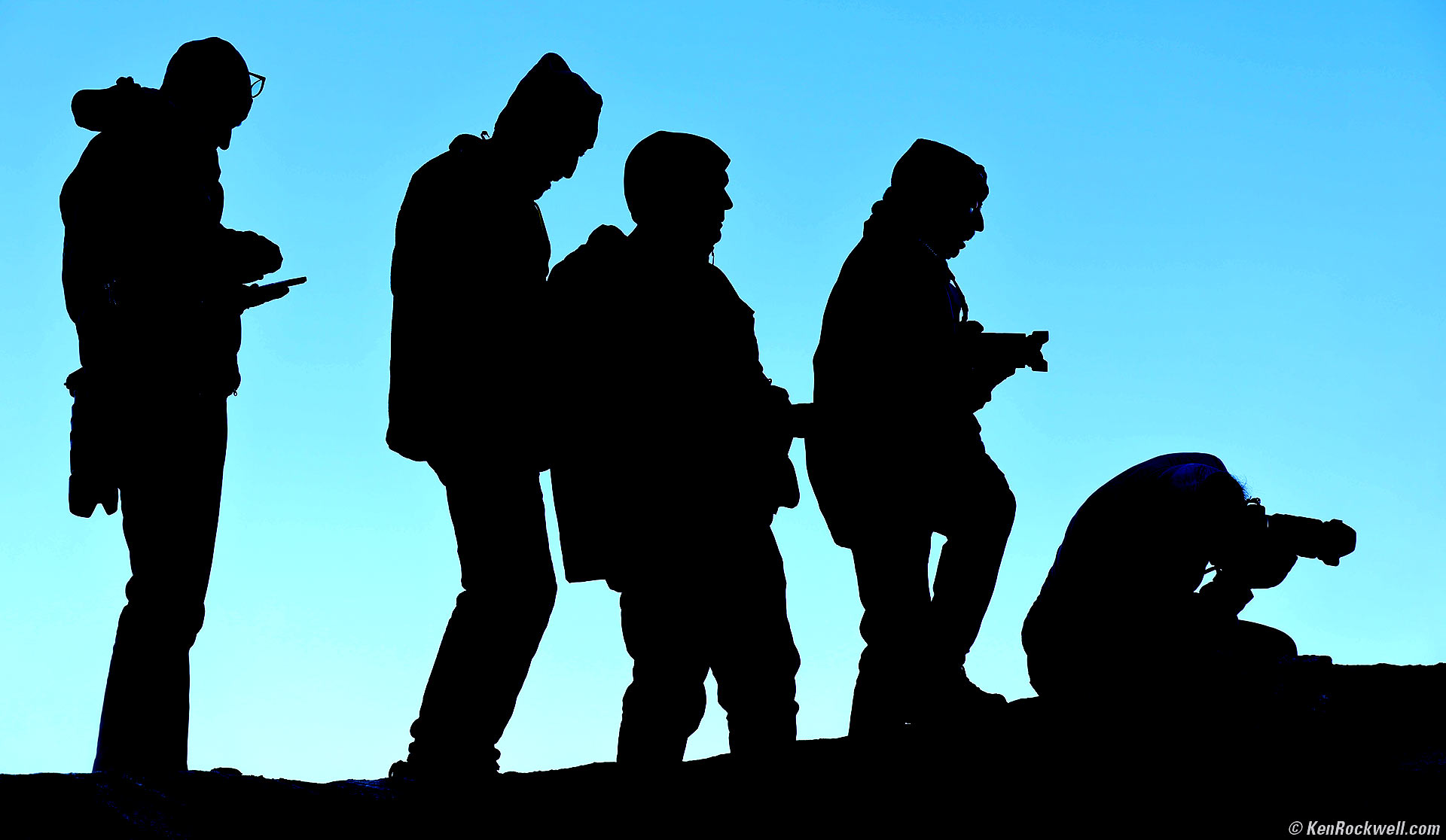
Evolution, Travertine Hot Springs, Bridgeport California, 7:52 A.M., 20 October 2024. Canon EOS R5 II, RF 24-240mm IS USM at 87mm at f/6.3 at 1/125 at Auto ISO 100 (LV 12.4). bigger or fit-to-screen.
I used a curves adjustment layer in Photoshop CC to silhouette my friends and make the sky purer in color.
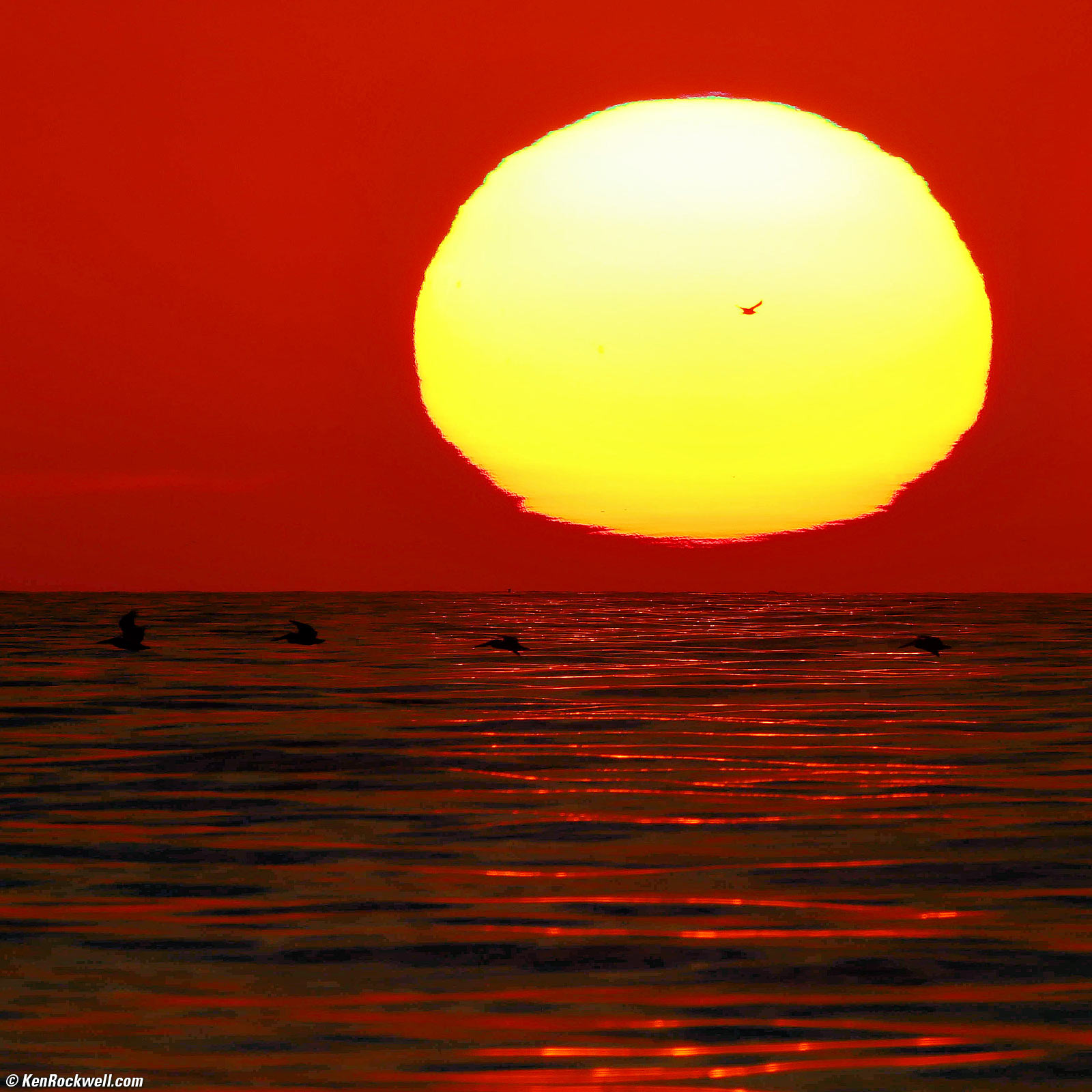
Sunset with Birds, Solana Beach, California, 6:04:38 PM, Tuesday, 22 October 2024. Cropped from Canon EOS R5 II, RF 200-800mm IS USM at 800mm in Program exposure mode at f/16 hand-held at 1/1,250 at ISO 100, -1.3 stops exposure compensation (LV 18.4), Radiant Photo software to keep the detail in the sun and brighten everything else automatically. bigger.
You can see green along the top of the sun above, which is a hint of the little green flash to come three minutes later. It was only barely visible to the naked eye, and zoomed in all the way I got this much:
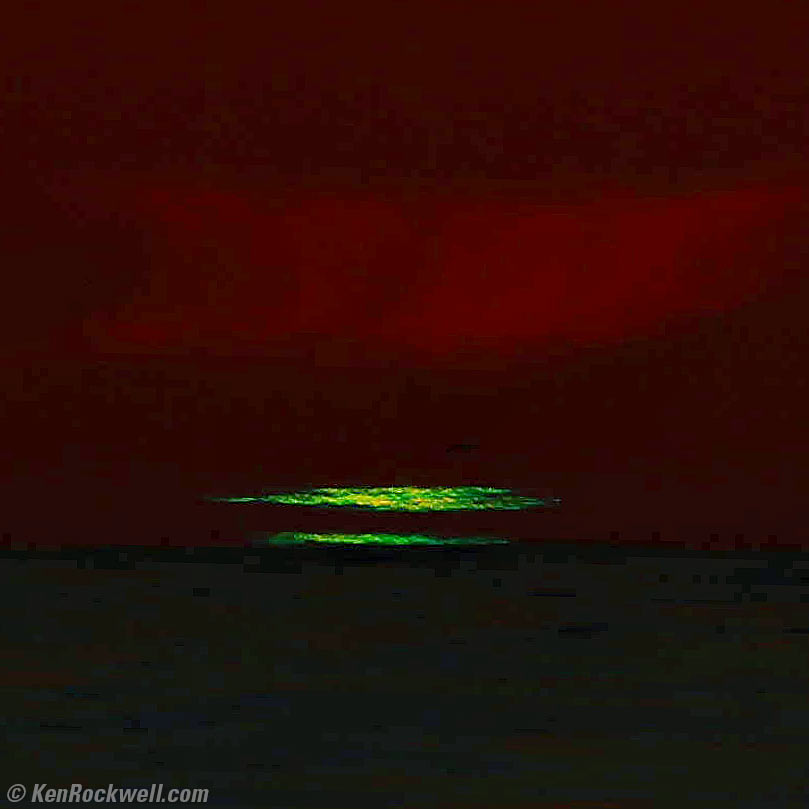
The Green Flash, Solana Beach, California, 6:07:33 PM, Tuesday, 22 October 2024. Hard crop from Canon EOS R5 II, RF 200-800mm IS USM in manual exposure mode at f/11 at 1/2,000 at ISO 100 (LV 18.0), Radiant Photo software to keep the detail and color in the Green Flash and put some detail in everything else automatically. bigger.
These shots are looking straight into sun, so both of these images are made with much less exposure than normal shots to ensure the retention of color in the disk of the sun or Green Flash. This makes everything else much darker than usual, and Radiant Photo then will lighten the surroundings to look more normal, while retaining color in the sun. Yes, these are all from JPG Quality 1 images, which store the same dynamic range as RAW files (8-bit log versus 14-bit linear). If I was paying attention I would have used a higher JPG quality setting, knowing that JPG artifacts would become much more visible after I lightened the dark areas. The artifacts you see are my fault, not the camera's.
Regardless of your chosen data format, you have to be careful to protect the highlights to retain color in the sun. In Zone System terms we place the sun about Zone VII, and let everything else fall where it may. I then use Radiant Photo software to force everything else to be as light or dark as I want it, while Radiant Photo leaves the disc of the sun untouched, all automatically.
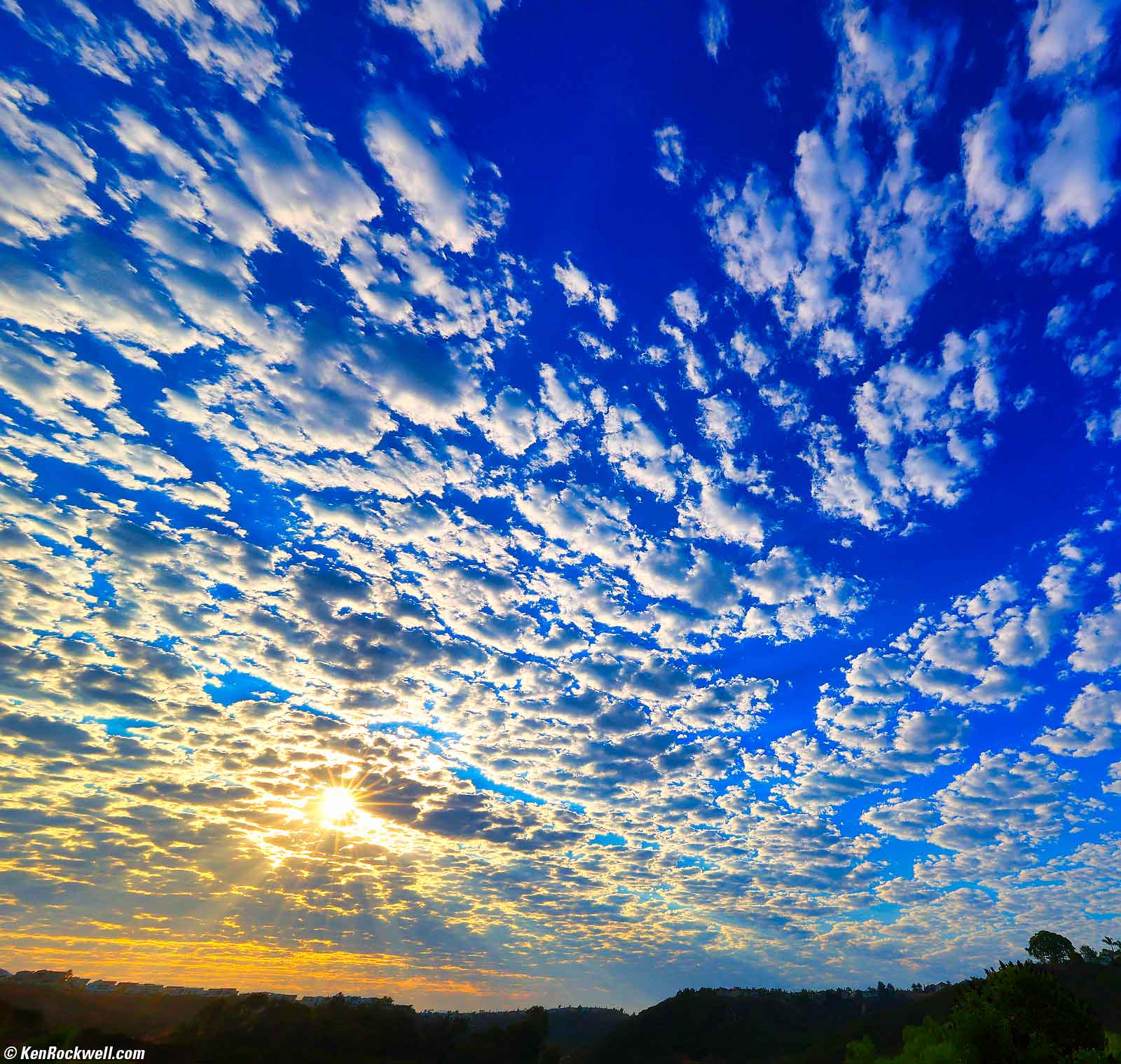
Dawn, Summer Heat, San Diego, California, 7:33 AM, Friday, 06 September 2024. Canon EOS R5 II and RF 10-20mm f/4 L IS STM at 10mm at f/22 (for the sunstar) at 1/60 at Auto ISO 100 (LV 15.0), color, highlights and shadows optimized with Skylum Luminar Neo software, cropped to taste in Photoshop CC. bigger.
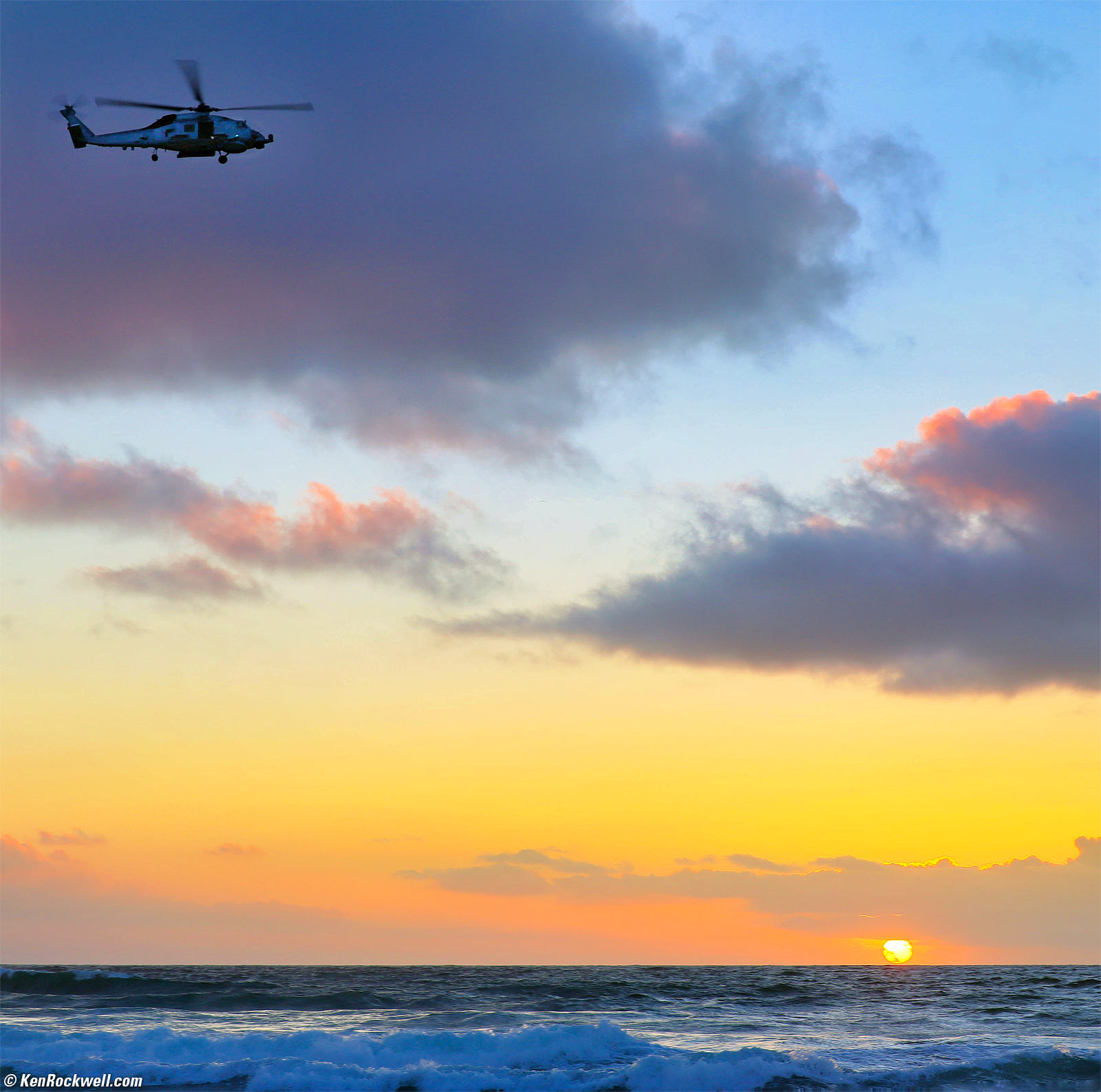
Coast Guard Helicopter (Doe!) at Sunset, Cardiff Seaside Reef, California, 5:58 PM, Monday, 28 October 2024. Square crop from Canon EOS R5 II, RF 24-240mm IS USM at 55mm at f/7.1 at 1/125 at Auto ISO 200 (LV 14.6) in Highlight Tone Priority D+ mode (MENU > CAMERA page 3 > Highlight tone priority > D+), Radiant Photo and Skylum Luminar Neo software. bigger.
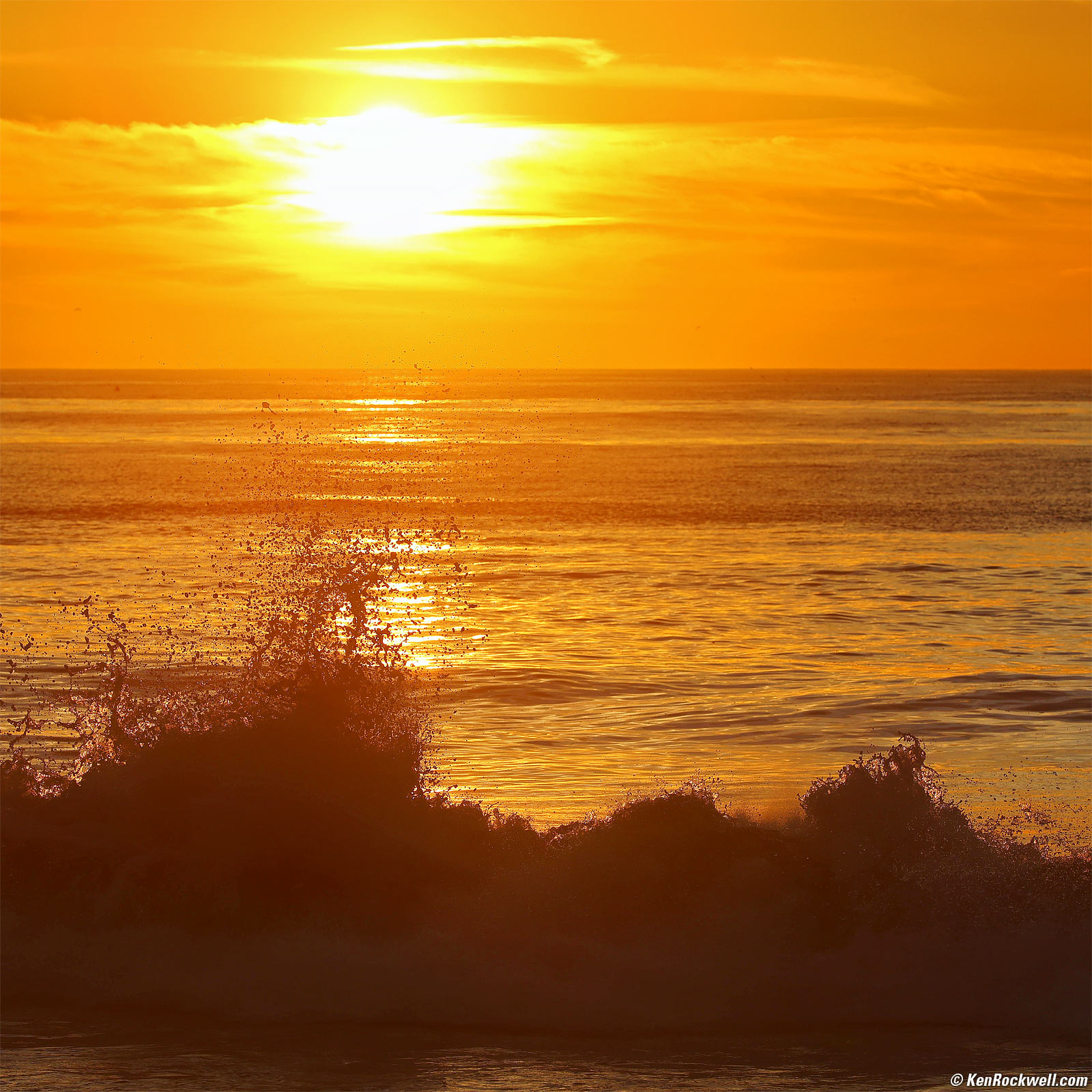
Exploding Waves, Sunset, Solana Beach, California, 4:49 PM, Monday, 06 January 2025. EOS R5 II, RF 70-200mm f/2.8L IS USM Z at 200mm at f/8 at 1/1,000 at Auto ISO 100 (LV 16.0), Radiant Photo software. bigger.
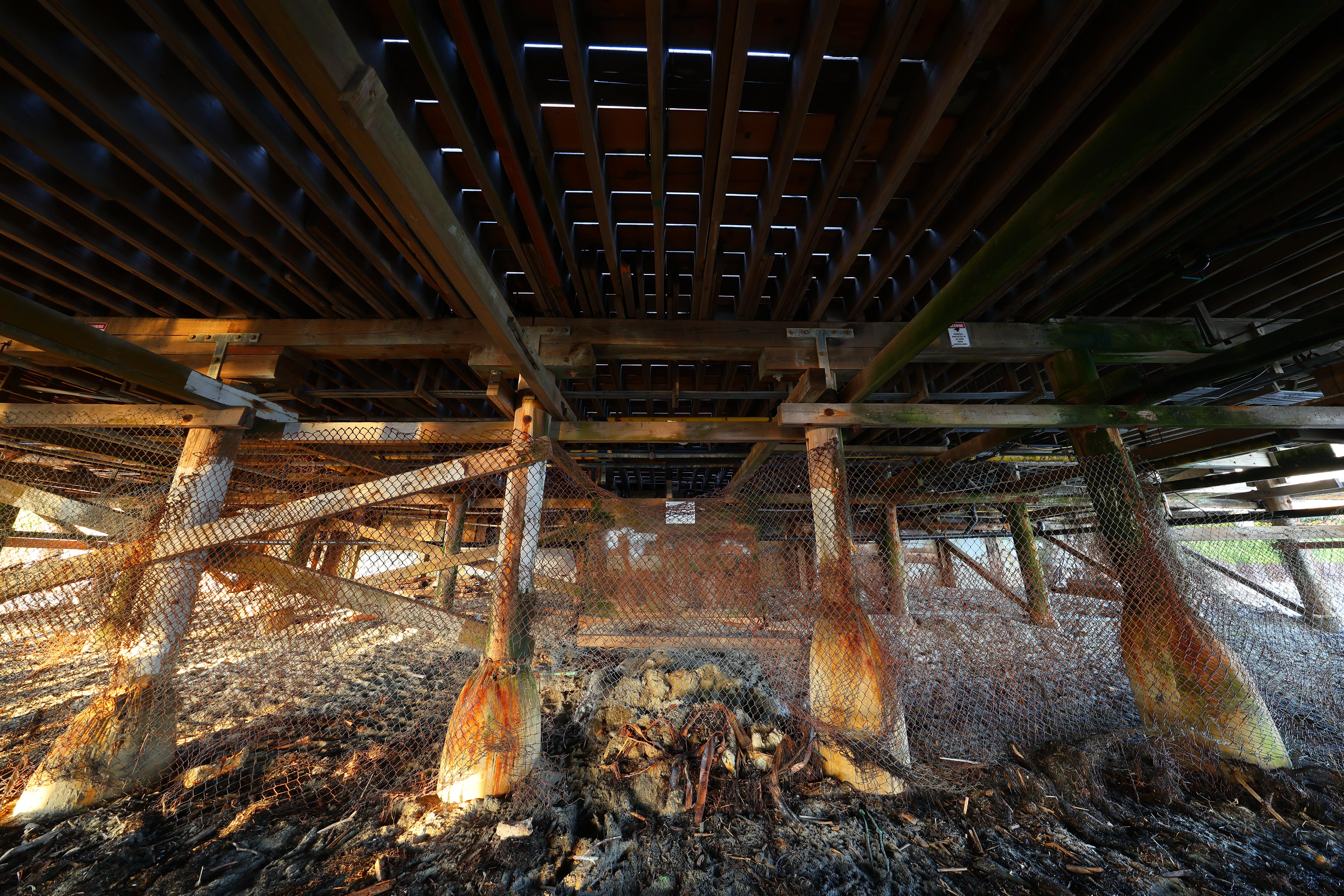
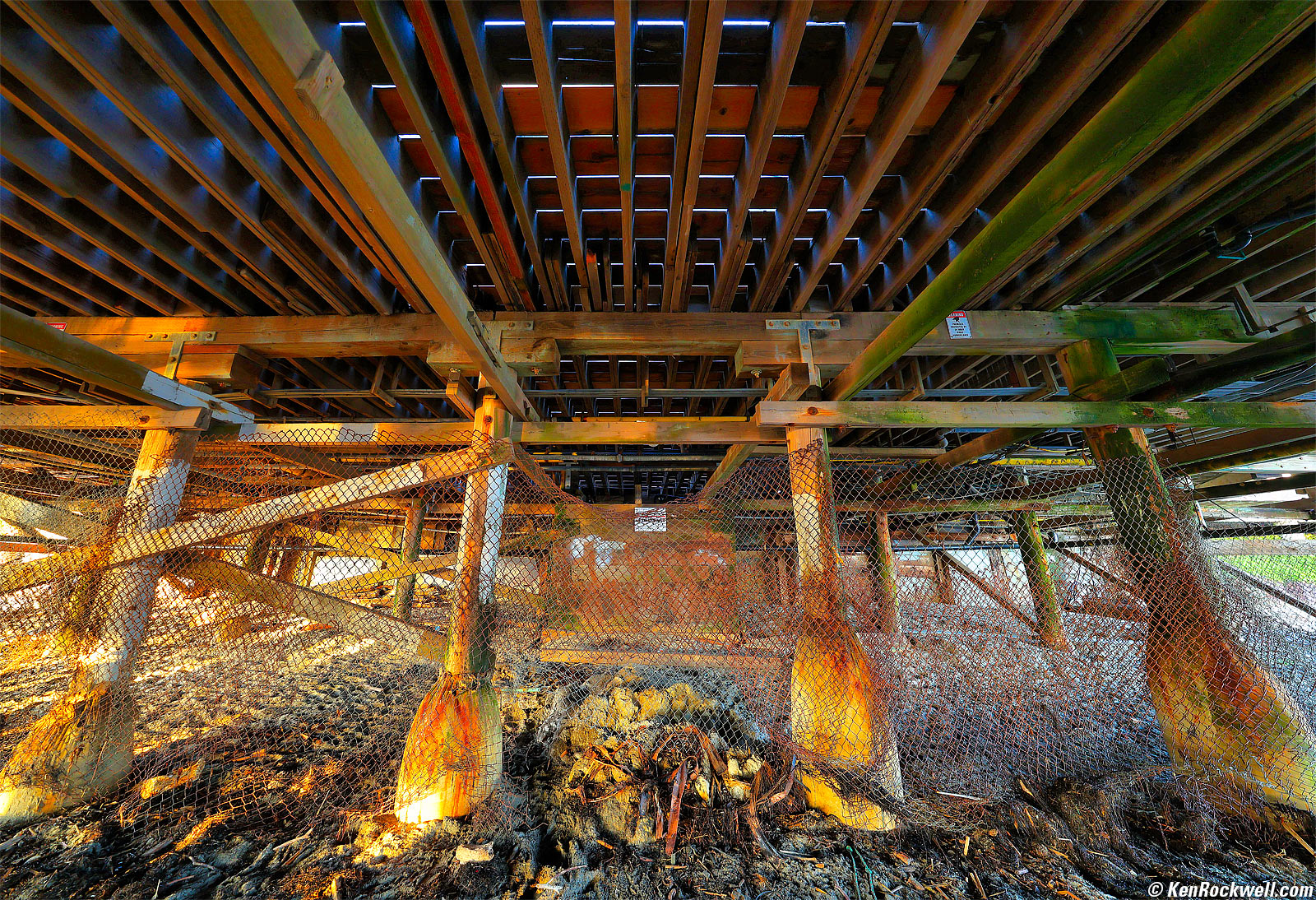
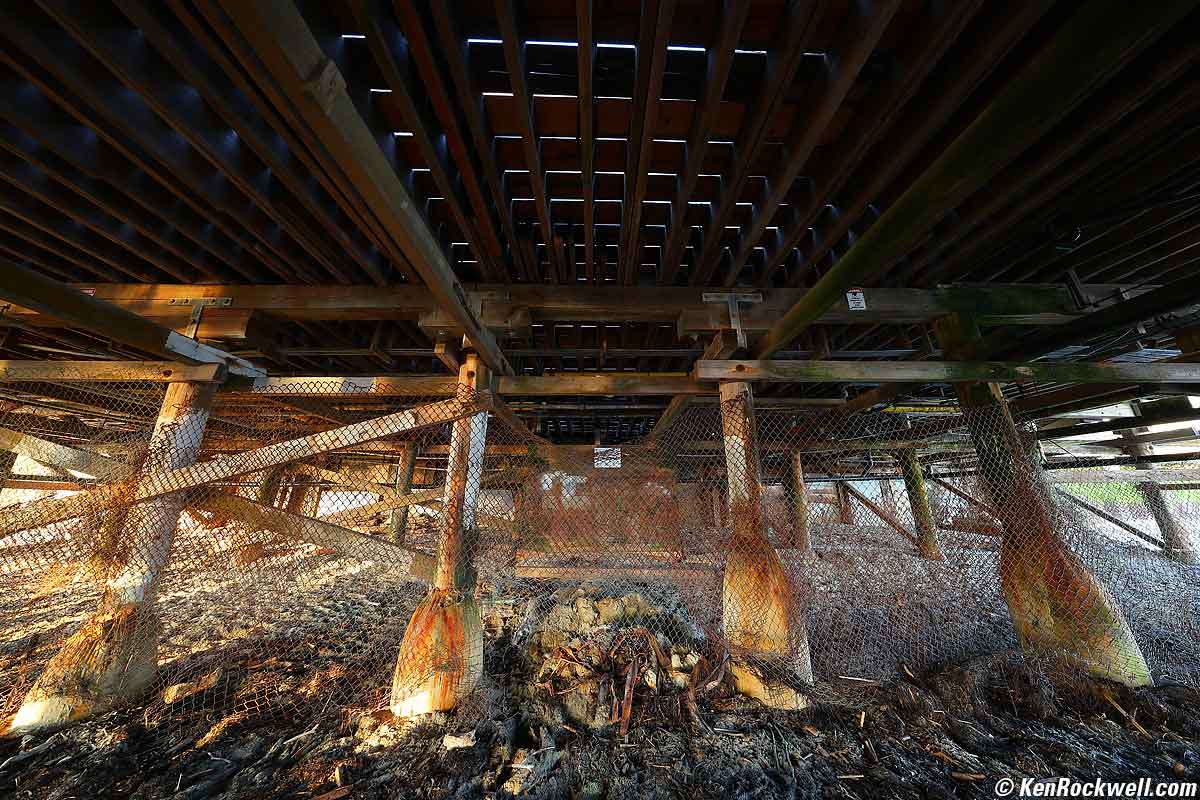
Under the Pacific Beach Pier, San Diego, California, 6:45 PM, Tuesday, 03 September 2024. Canon EOS R5 II and RF 10-20mm f/4 L IS STM at 10mm wide-open at f/4 hand-held at 1/10 of a second at Auto ISO 320 (LV 5.7), highlights and shadows optimized with Skylum Luminar Neo software, perspective correction in Photoshop CC. bigger or camera-original (unprocessed) 45 MP © 8 MB JPG Quality 1 file.
Yes, I shoot at the lowest JPG quality setting of 1 out of 10, and at 45 MP resolution, it looks great on my EOS R5 II. Back at the dawn of digital photography I did (and reported right here on) the results I got at various quality settings, and I discovered that no camera let you set them down too far to make a bad image — even the crummiest settings looked great. I also discovered in other research that one can use mush stronger compression at higher resolution because the artifacts are much smaller for any given print size, so at 45 MP, JPG Quality 1 is it. A nice thing about the EOS R5 II is that you can set different quality settings for each resolution.
I love Skylum Luminar Neo software because I can shoot basic (quality 1 out of 10) JPGs in harsh light, and it lets me put detail back into the shadows and recover highlights. Just look at how dull is the camera-original (unprocessed) 45 MP © 8 MB JPG Quality 1 file compared to what came out of Neo after just a few clicks:
As shot. bigger or camera-original (unprocessed) 45 MP © 8 MB JPG Quality 1 file.
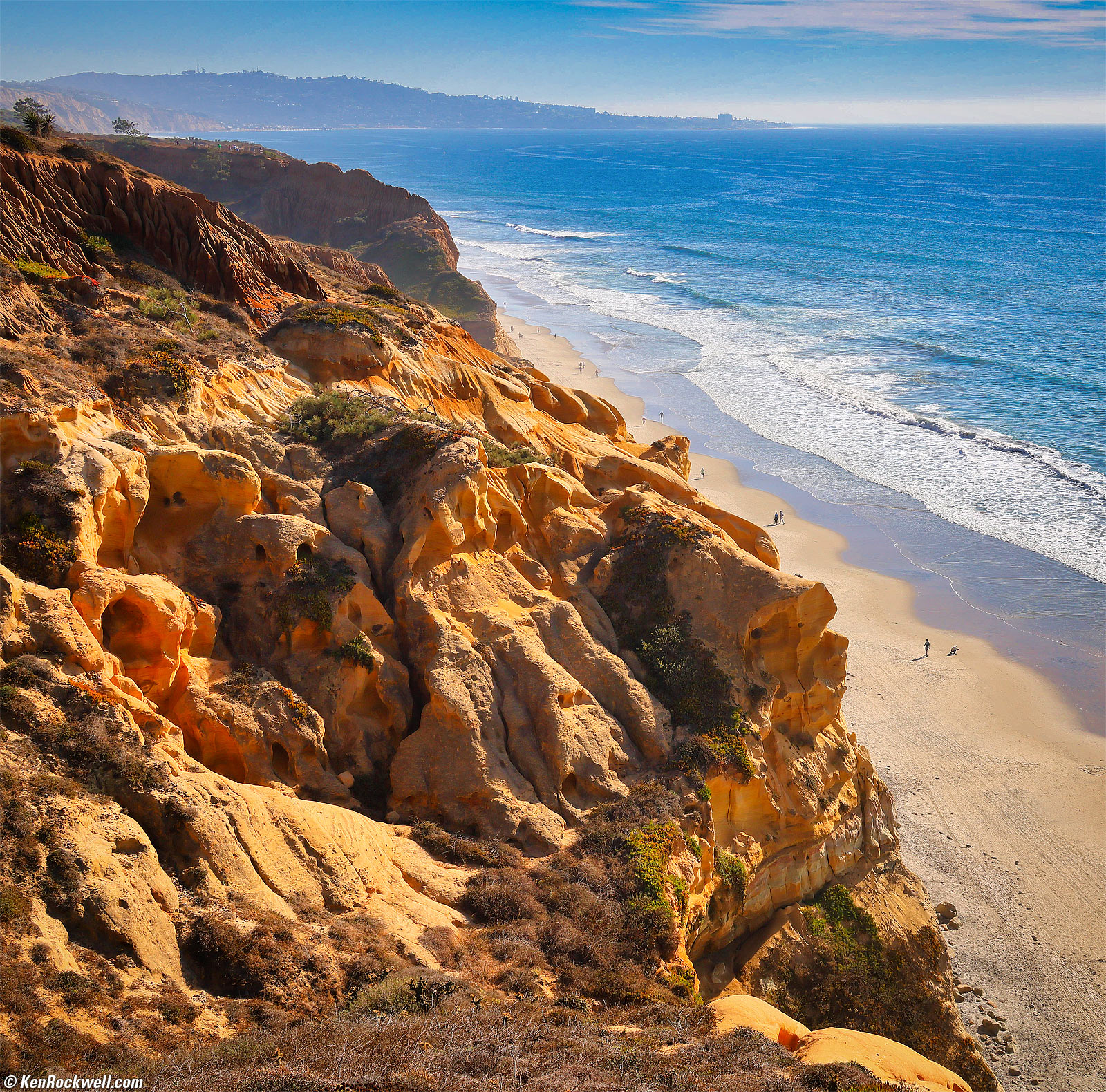
Torrey Pines State Reserve, La Jolla, California, 3:28 PM, Sunday, 27 October 2024. Square crop from Canon EOS R5 II, RF 24-240mm IS USM at 35mm at f/11 at 1/400 at Auto ISO 200 (LV 14.6) in Highlight Tone Priority D+ mode (MENU > CAMERA page 3 > Highlight tone priority > D+), Skylum Luminar Neo software. bigger.
I used Canon's D+ highlight preservation mode (MENU > CAMERA page 3 > Highlight tone priority > D+), but honestly I've never seen it make any significantly visible difference.
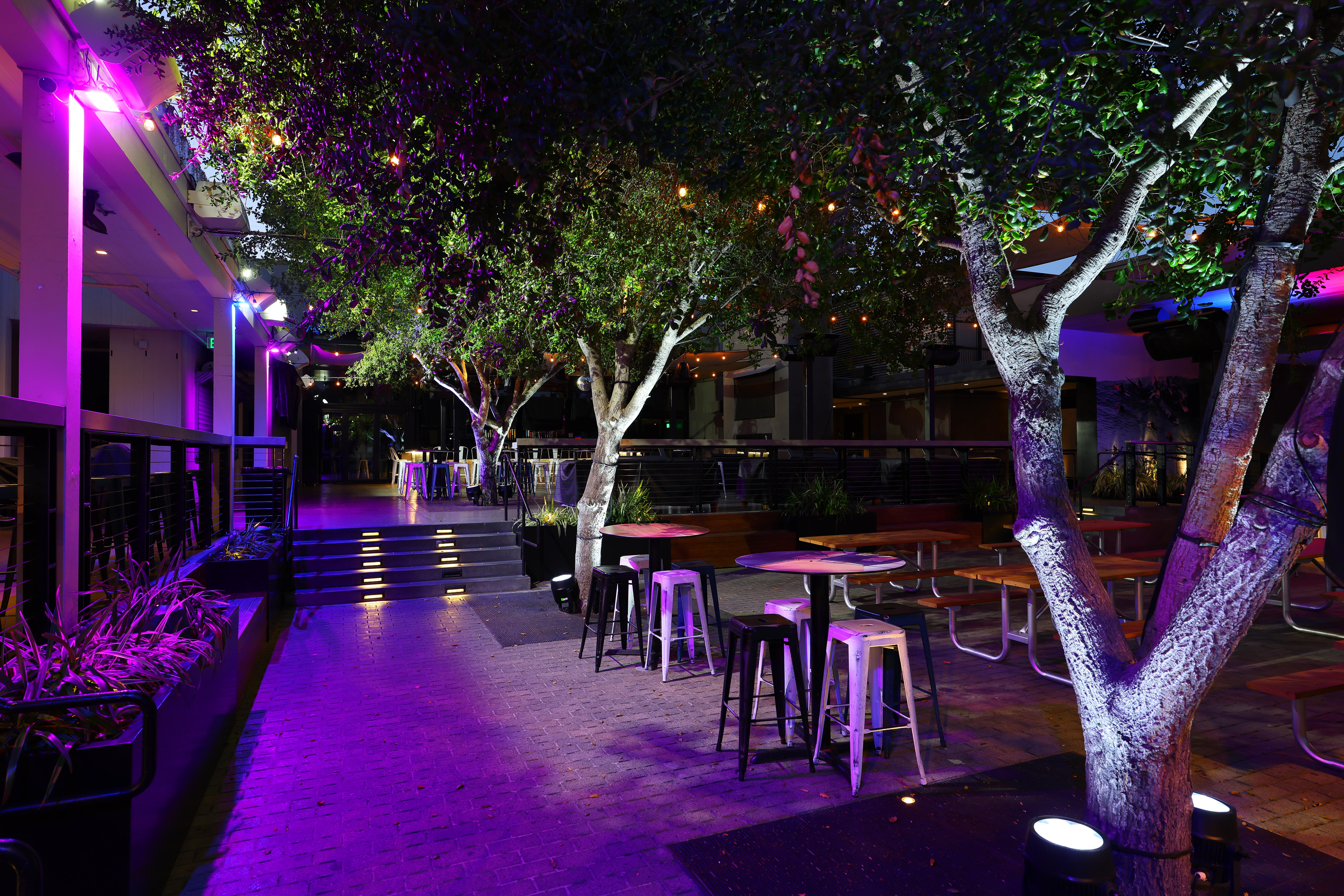
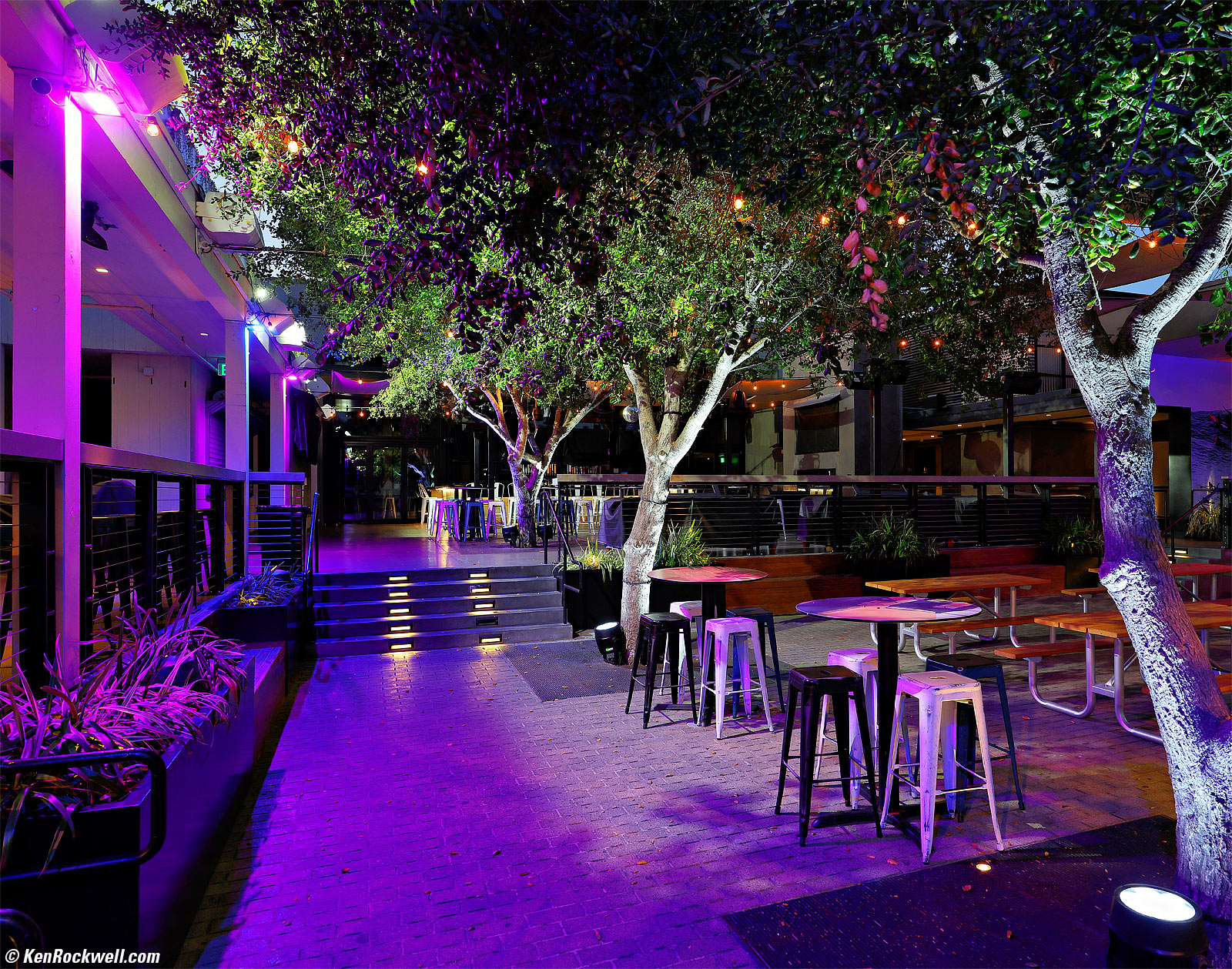
Swank Bar, Pacific Beach, California, 7:29 PM, Tuesday, 03 September 2024. Canon EOS R5 II and RF 10-20mm f/4 L IS STM at 20mm wide-open at f/4 hand-held at 1/8 of a second at Auto ISO 500, -0.7 stops exposure compensation (LV 4.7), details put back into the shadows without losing the highlights with Radiant Photo software, Photoshop CC. bigger or camera-original (unprocessed) 45 MP © 6.5 MB JPG Quality 1 file.
In the shot of the bar, the right-side part of the tree seems softer, but it's simply close to the camera and out of focus. Look at the things behind it which are in focus and you'll see they're sharp.
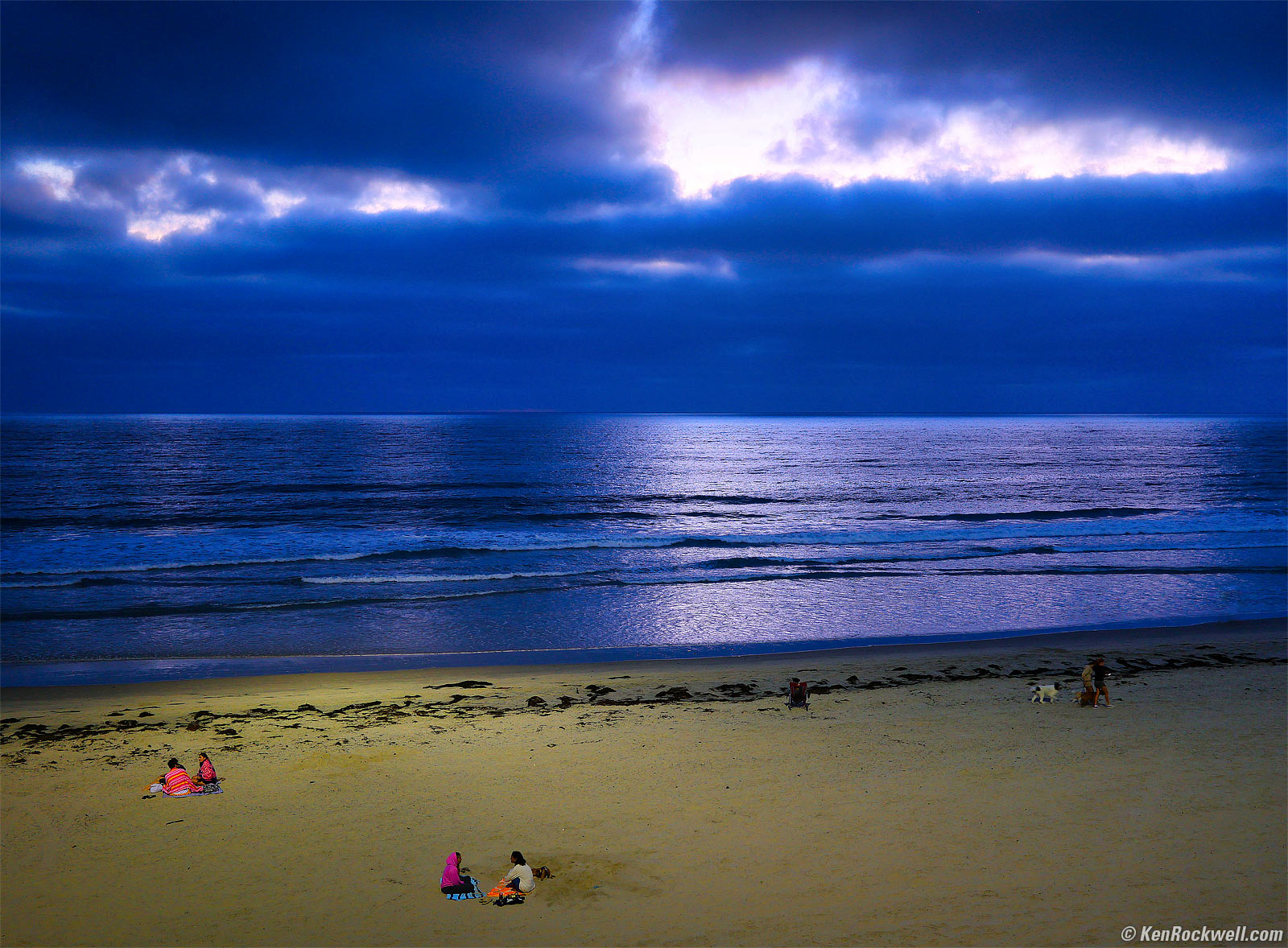
Dusk, Pacific Beach, California, 7:27 PM, Wednesday, 11 September 2024. Canon EOS R5 II, RF 35mm f/1.4 L VCM wide-open at f/1.4 hand-held at 1/10 of a second at Auto ISO 320 (LV 2.7), Skylum Luminar Neo software to pump it up. bigger.
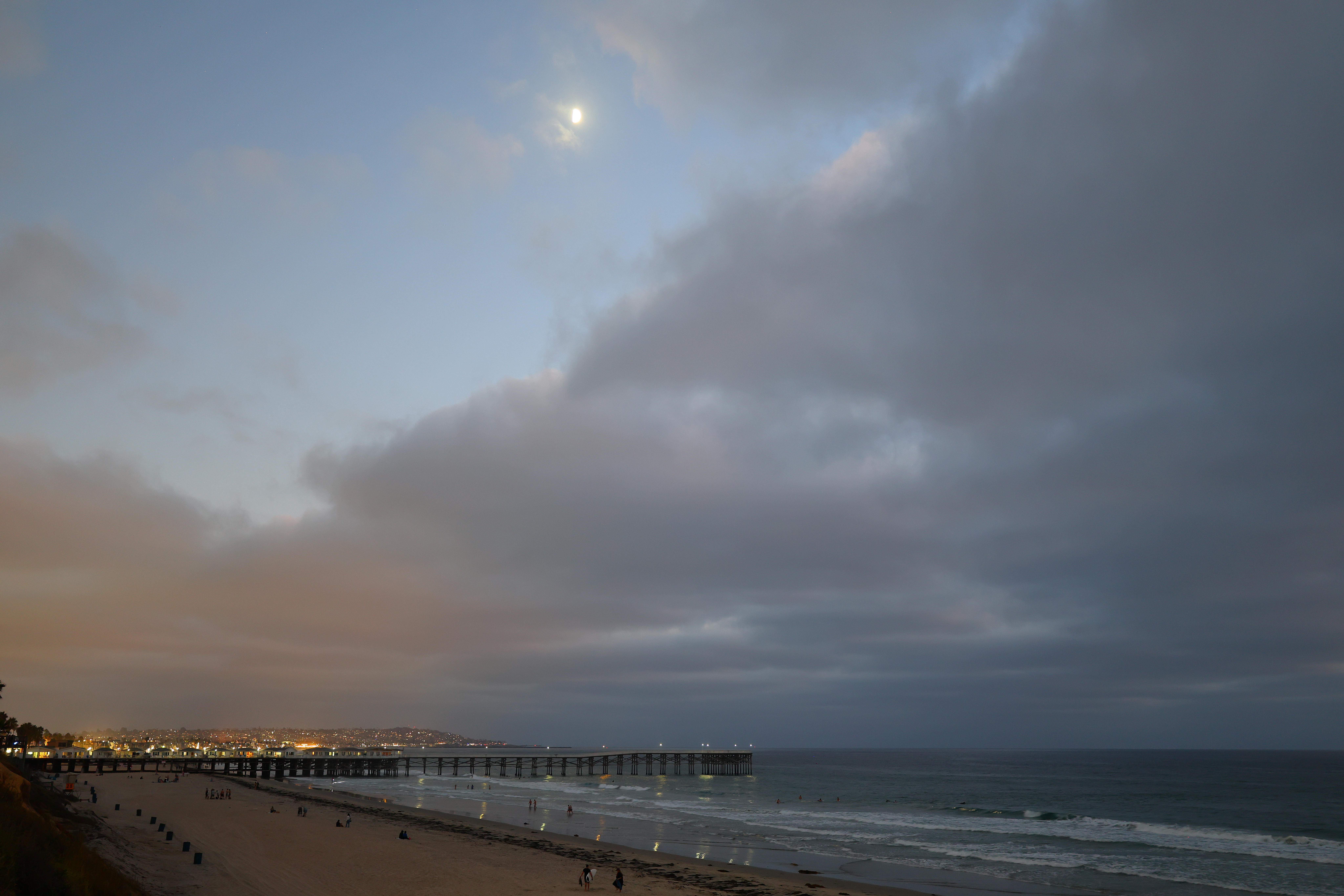
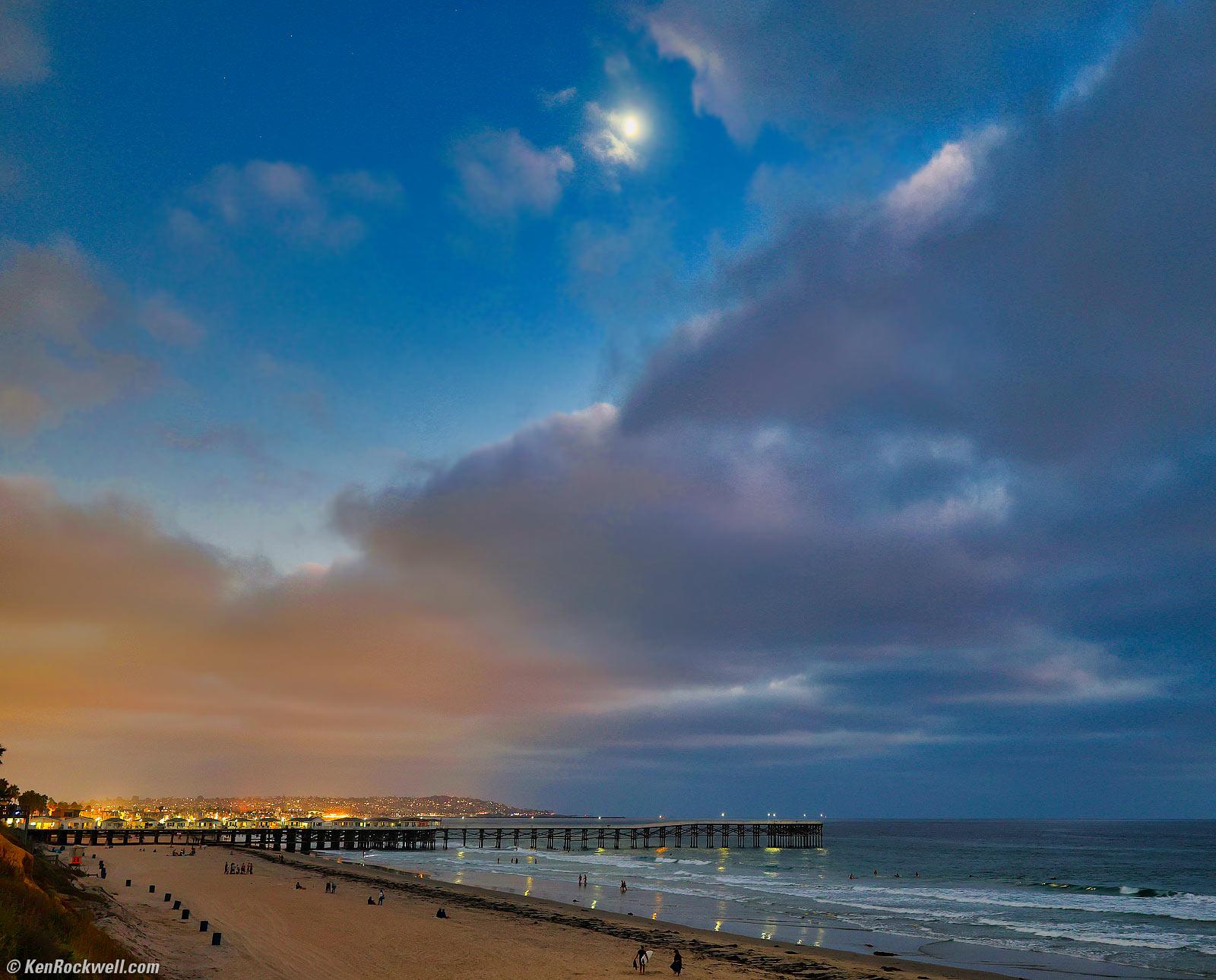
Pacific Beach by Moonlight, Pacific Beach, California, 7:28 PM, Wednesday, 11 September 2024. Canon EOS R5 II, RF 35mm f/1.4 L VCM wide-open at f/1.4 hand-held at 1/8 of a second at Auto ISO 640 (LV 1⅓), pumped-up in Skylum Luminar Neo software. bigger or camera-original 45 MP © 3 MB JPG quality 1 file.
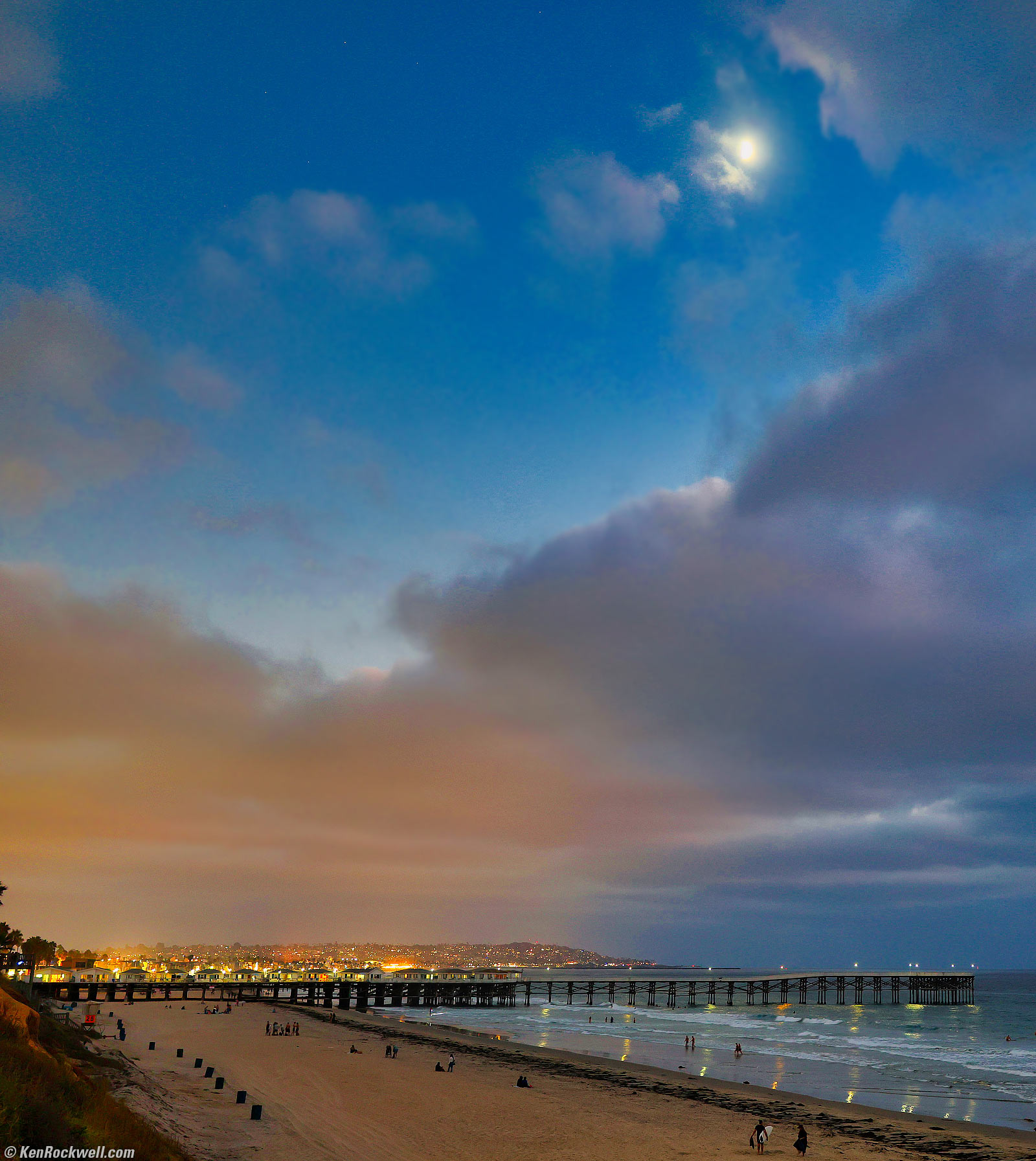
Vertical crop from the same image. bigger or camera-original 45 MP © 3 MB JPG quality 1 file.
Ahh, perfect sharpness and no coma right to the edges wide-open at f/1.4. The RF 35mm f/1.4 L VCM is an ultrasharp lens!
You can see some tiling in the subtle washes of color in the sky because I shot it at the lowest JPG quality setting of 1 and then mucked around amping-up colors and contrasts which highlight JPG artifacts. Serves me right! I was wondering when I was going to be able to see a reason to shoot at anything other than JPG quality 1.
You can't see anything wrong in the original image, and only see it above because I screwed with this image to make it look as I envisioned it before I shot it. In the future maybe I'll use a higher-quality JPG setting with my R5 II — but I doubt it 😇. One of the many clever ways JPG lowers file size without causing any visible degradation is using quantization matrices to limit color precision where it's not needed — but with all the screwing around I did, I made it visible.
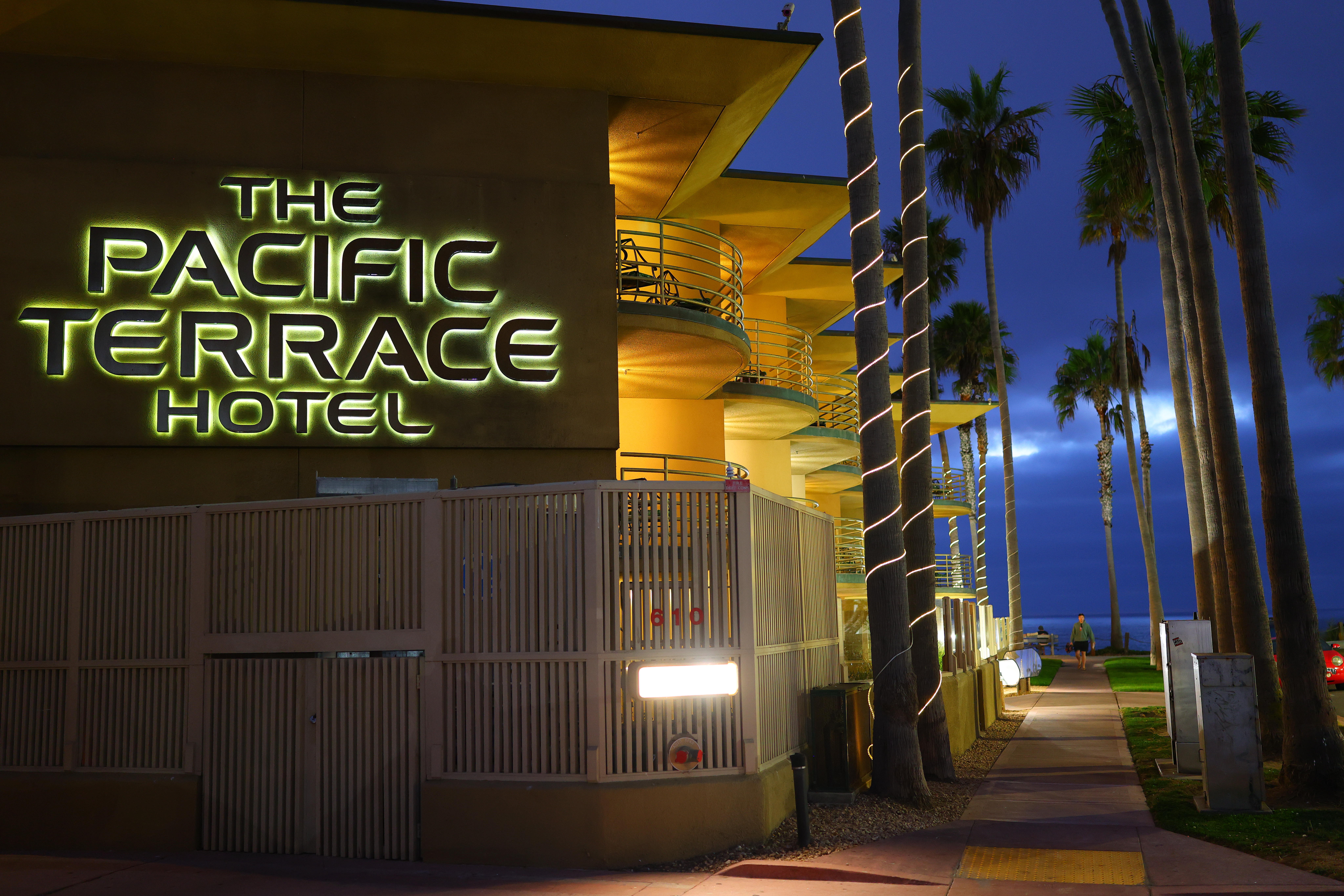
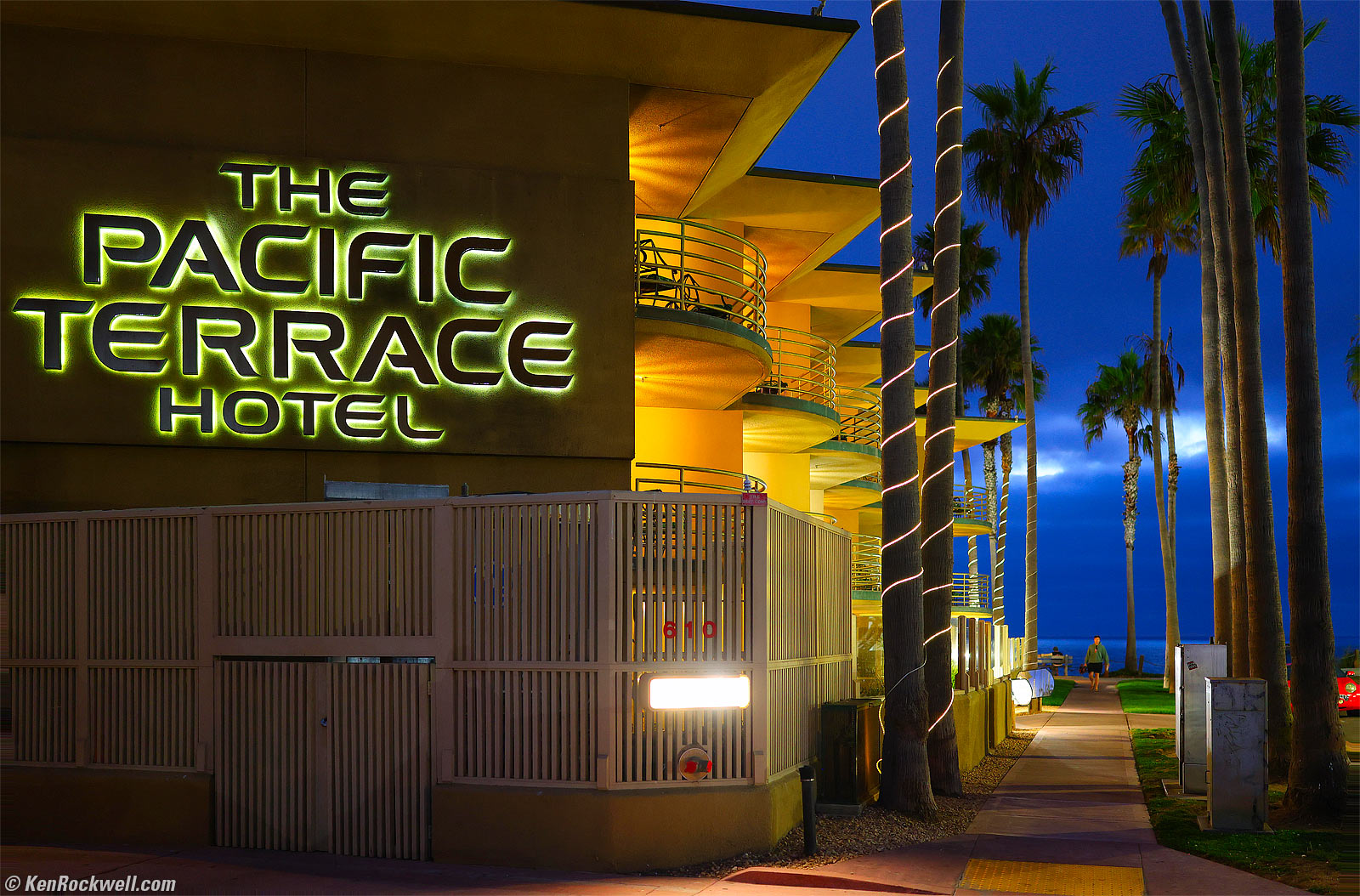
Pacific Terrace Hotel at Dusk, Pacific Beach, California, 7:34 PM, Wednesday, 11 September 2024. Canon EOS R5 II, RF 35mm f/1.4 L VCM wide-open at f/1.4 hand-held at 1/10 of a second at Auto ISO 1,600 (LV ⅓), pumped-up in Skylum Luminar Neo software, perspective correction in Photoshop CC. bigger or camera-original 45 MP © 10.4 MB JPG quality 1 file.
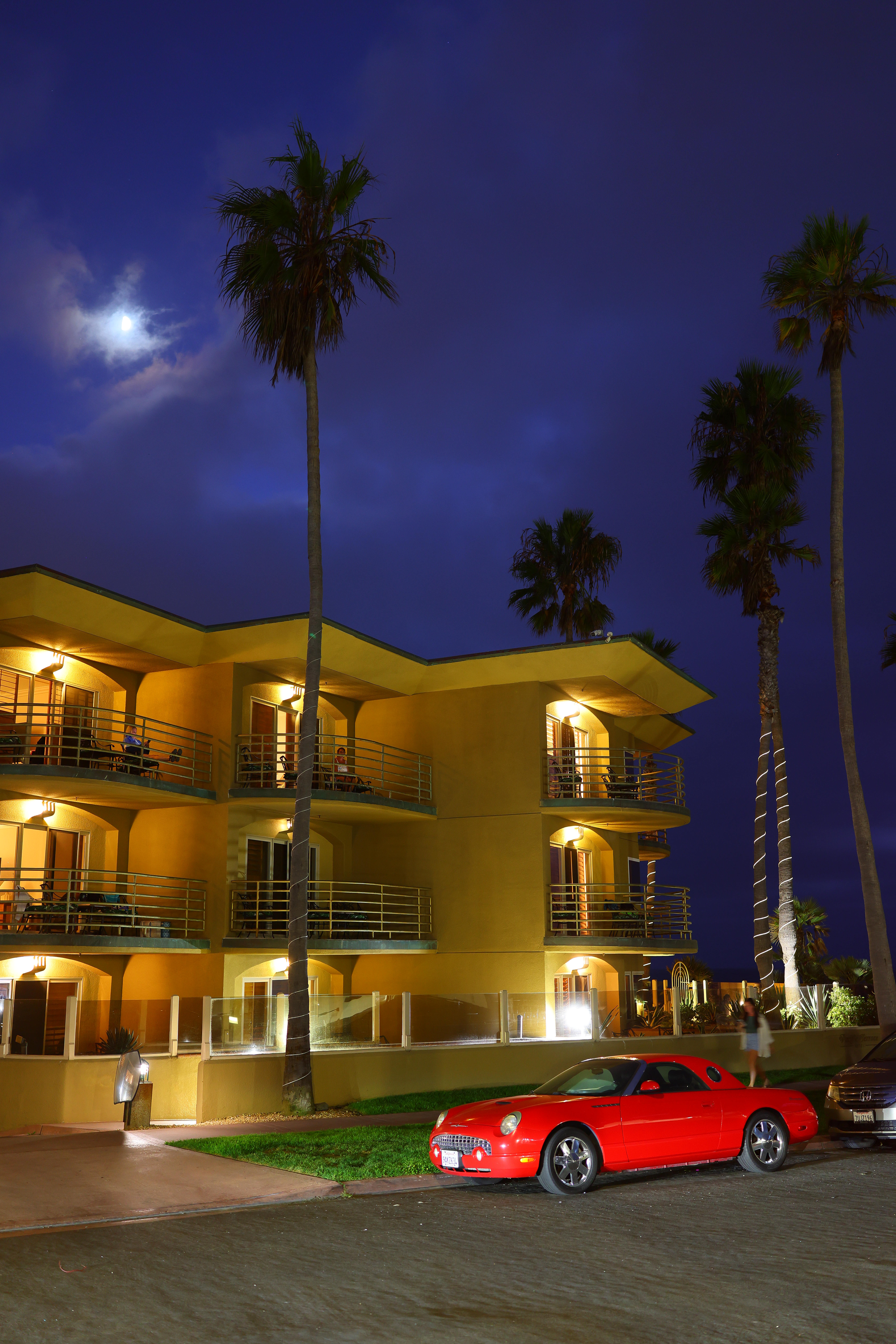
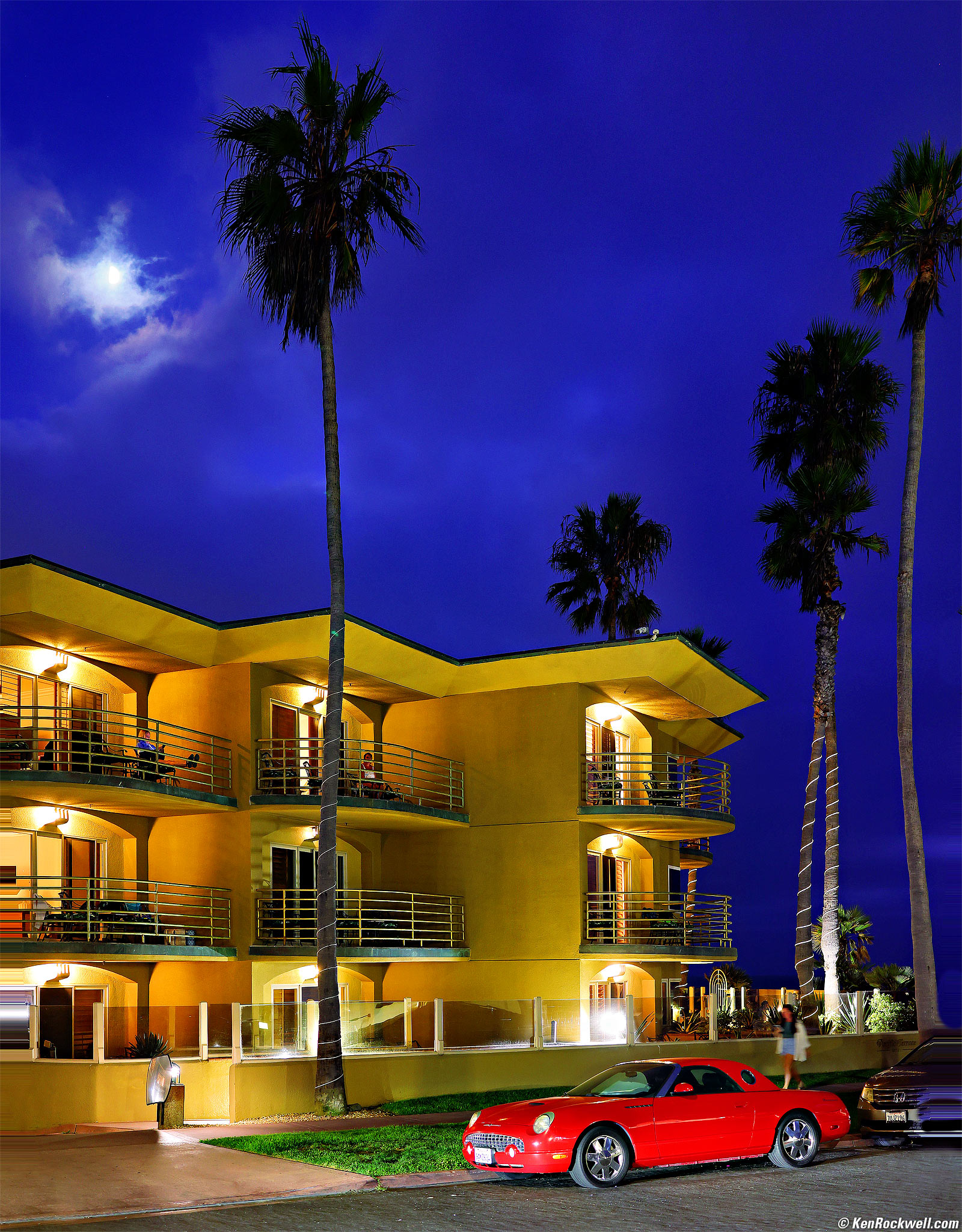
Pacific Terrace Hotel and Ghost Girl on Her iPhone, Pacific Beach, California, 7:34 PM, Wednesday, 11 September 2024. Canon EOS R5 II, RF 35mm f/1.4 L VCM wide-open at f/1.4 hand-held at 1/8 of a second at Auto ISO 640 (LV 1⅓), pumped in Radiant Photo software, perspective correction in Photoshop CC. bigger or camera-original 45 MP © 3.9 MB JPG quality 1 file.
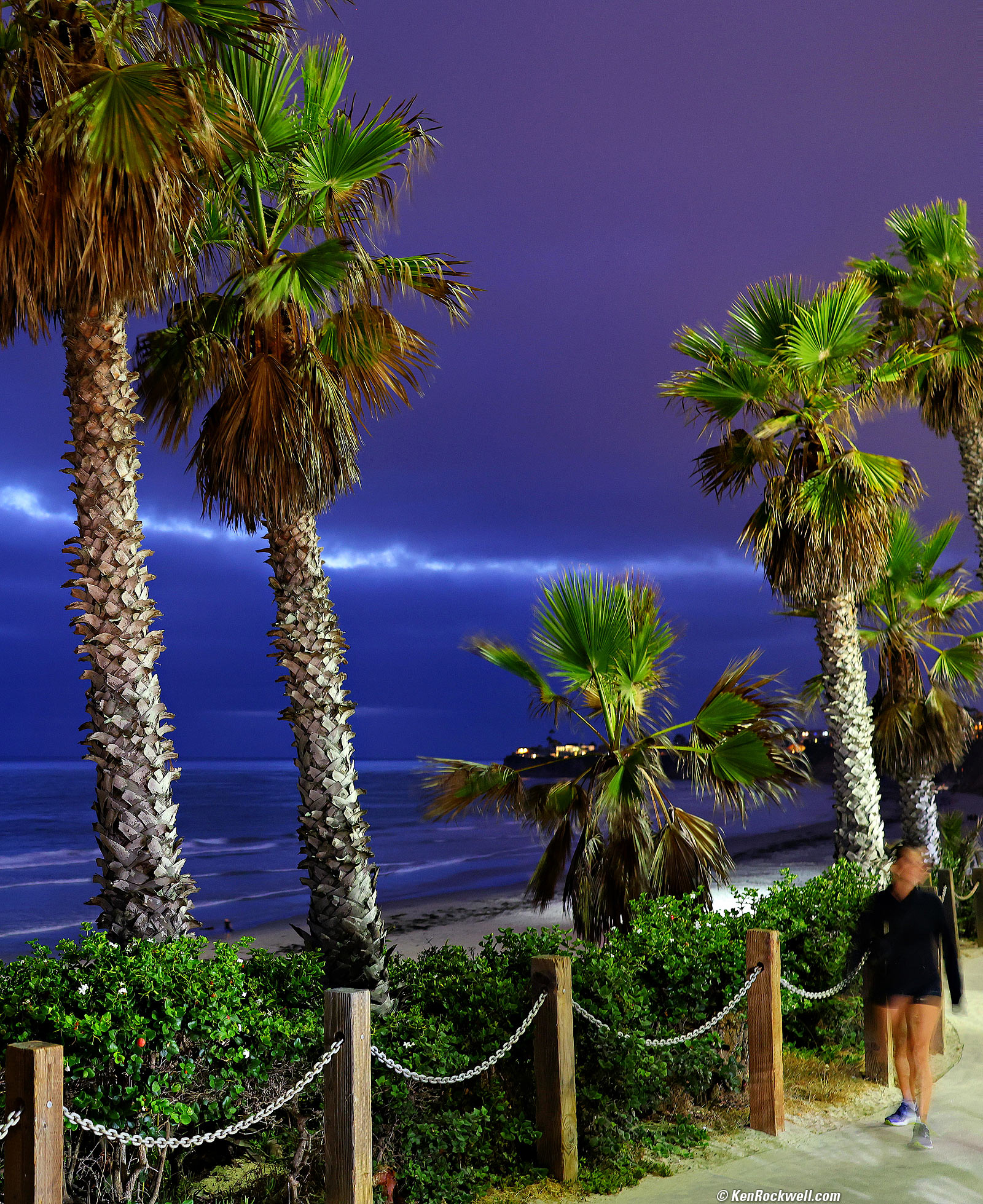
Ghost Girl, Palms, Sea and Clouds at Dusk, Pacific Beach, California, 7:36 PM, Wednesday, 11 September 2024. Vertical crop from the right side of a horizontal Canon EOS R5 II image, RF 35mm f/1.4 L VCM at f/2.8 hand-held at one-half of a second at Auto ISO 1,250 (LV ⅓), pumped in Radiant Photo software. bigger.
Yes, my steady hands and the built-in stabilization of my R5 Mk II give me sharp shots hand-held at a half of a second. Tripods are for wimps! What's unsharp is simply out-of-focus at f/1.4.
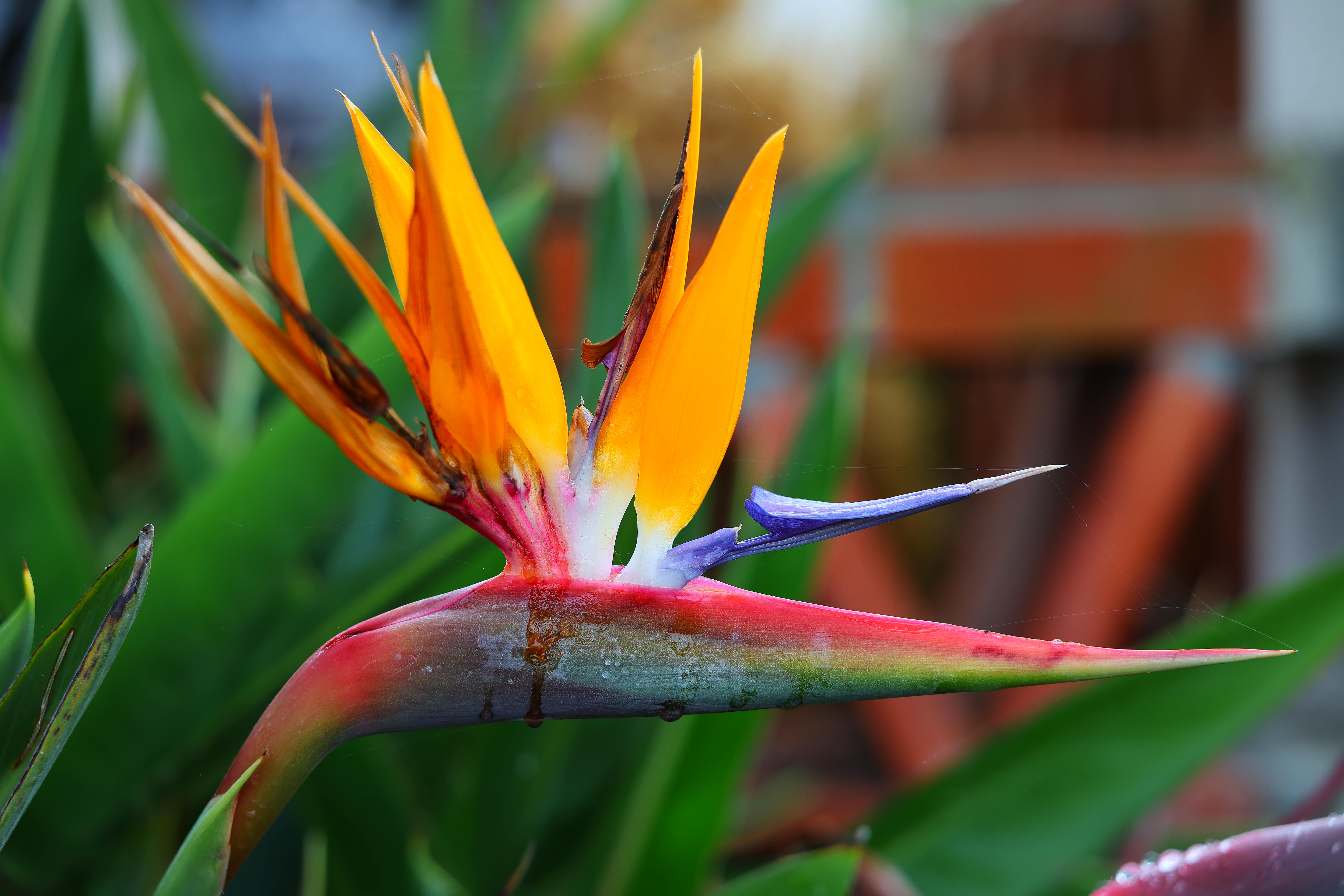
Bird of Paradise, 8:54 AM, Saturday, 05 October 2024. Canon EOS R5 II, RF 28-70mm f/2.8 IS STM at 70 mm at f/3.5 at 1/125 at Auto ISO 100, -0.7 stops exposure compensation (LV 10.6), exactly as shot. bigger or camera-original © file.
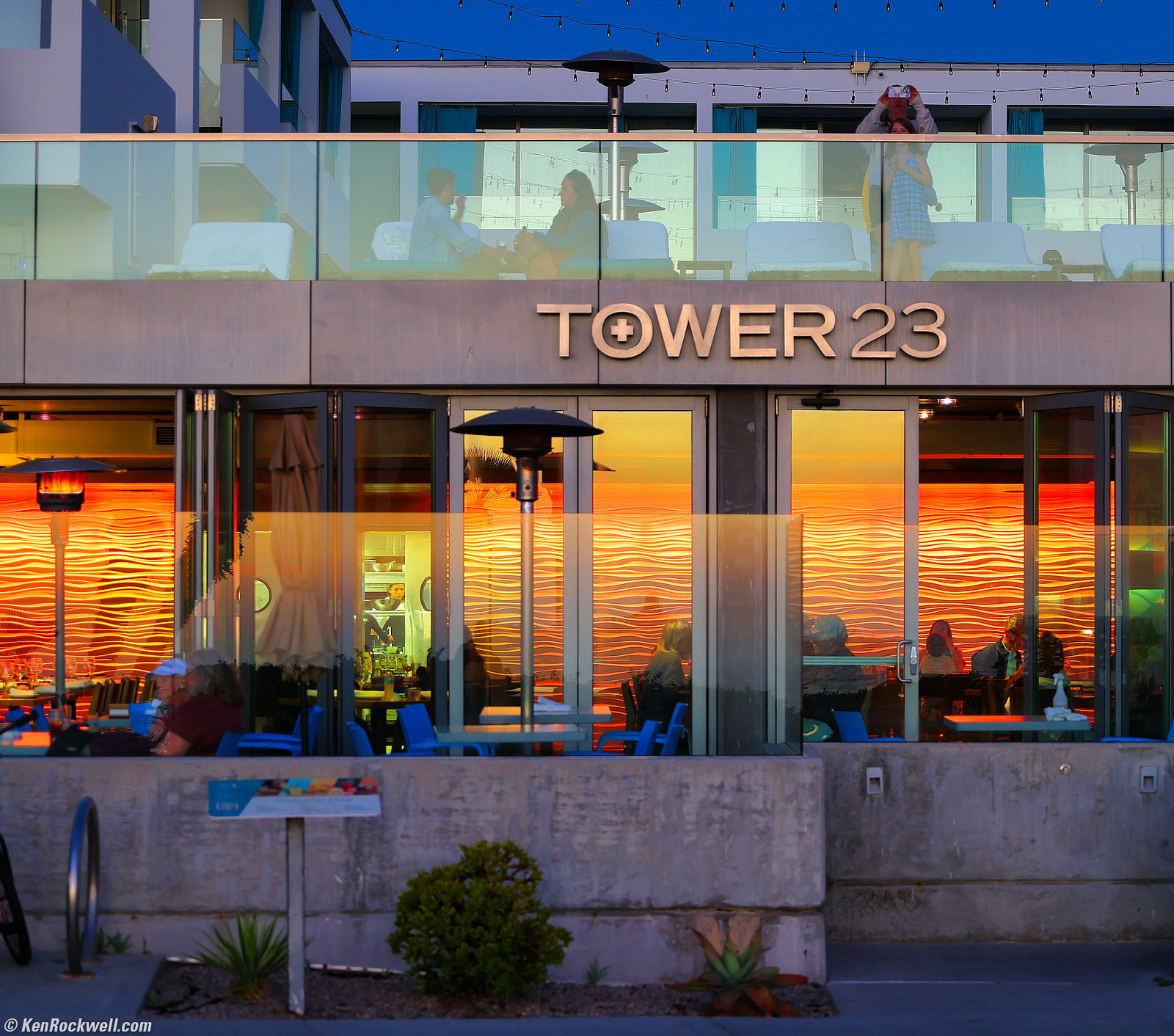
Tower 23 Restaurant, Pacific Beach, California, 6:42 PM, Thursday, 10 October 2024. Canon EOS R5 II, RF 28-70mm f/2.8 IS STM at 70 mm at f/2.8 hand-held at 1/13 at Auto ISO 250 (LV 5.3), amped-up in Skylum Luminar Neo software. bigger.
Of course at f/2.8 the foreground is out of focus.
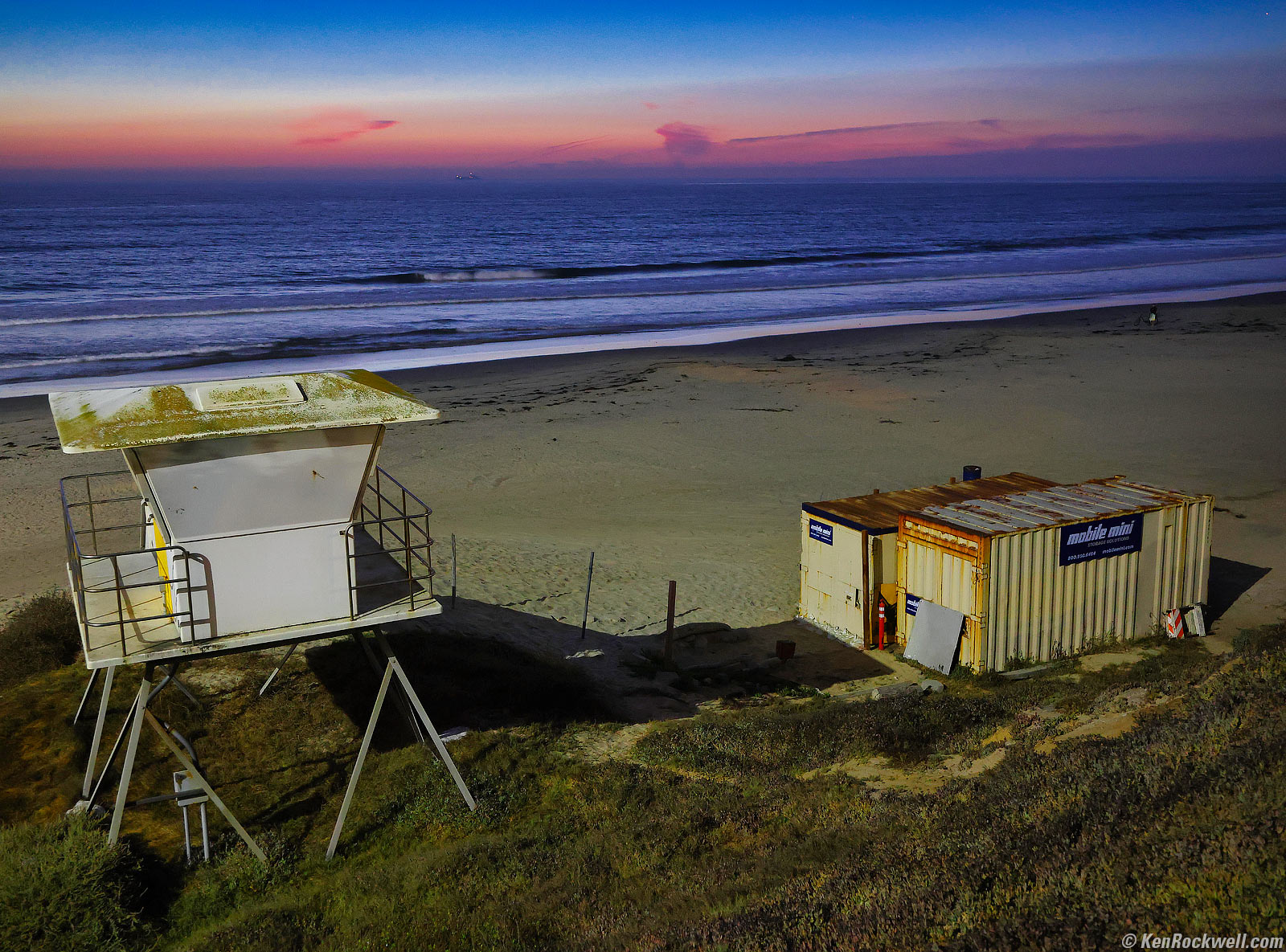
Lifeguard Junk at Dusk, Pacific Beach, California, 7:10 PM, Thursday, 10 October 2024. Canon EOS R5 II, RF 28-70mm f/2.8 IS STM at 33mm at f/3.2 hand-held for 0.4 seconds at Auto ISO 5,000 (LV minus 0.9), amped-up in Skylum Luminar Neo software. bigger.
Handheld for half a second under moonlight? LOVE IT!
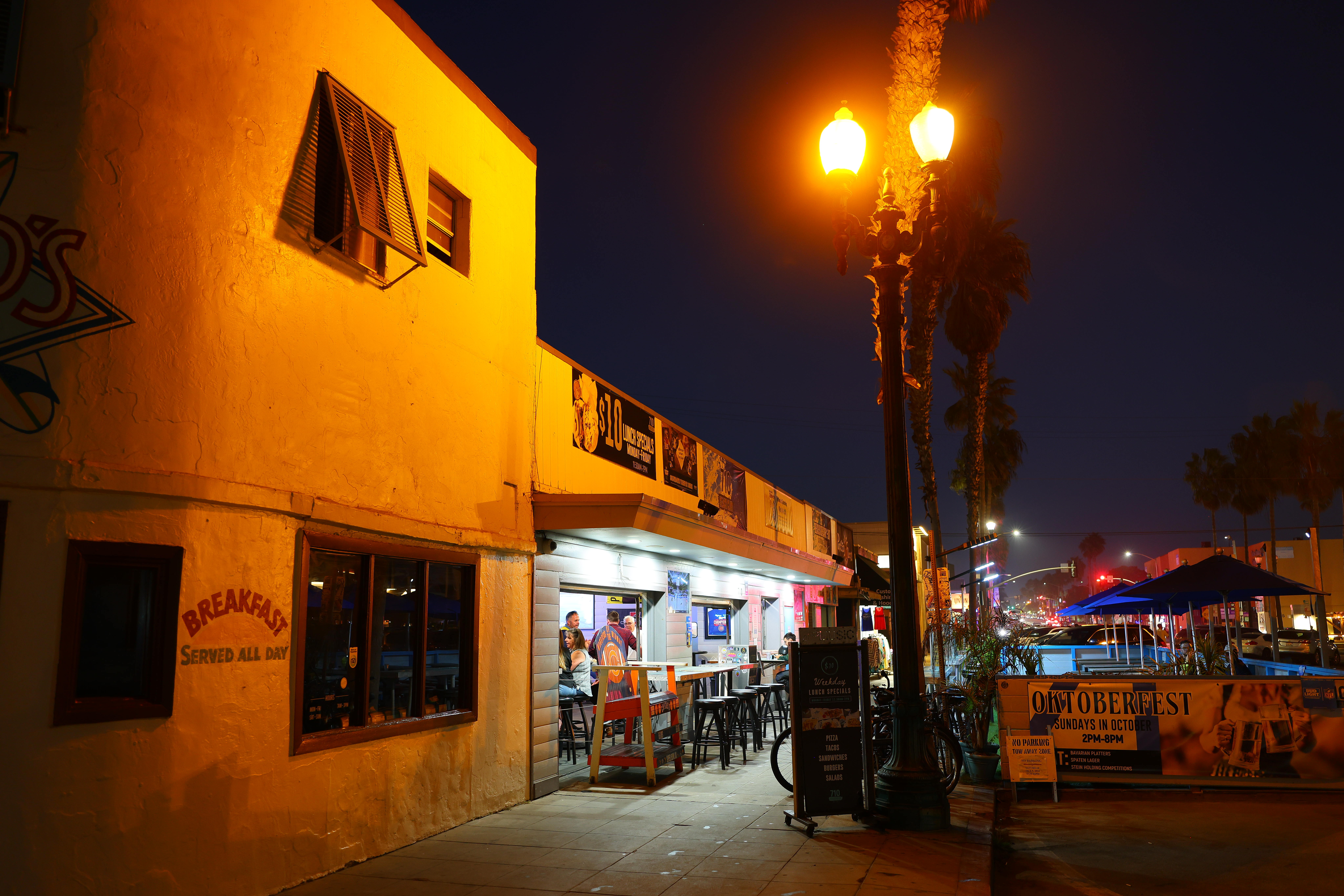
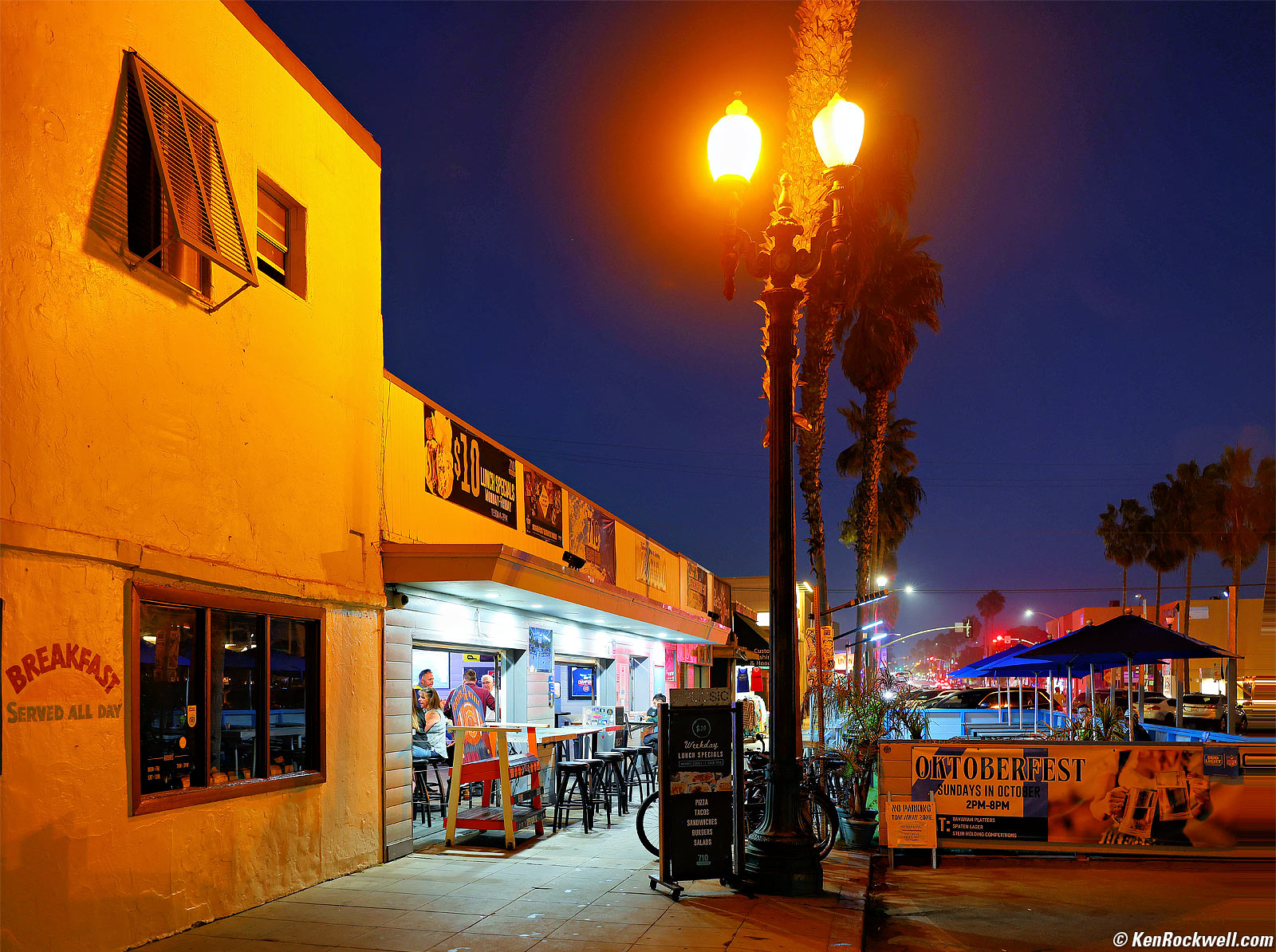
Garnet Avenue at Night, Pacific Beach, California, 6:56 PM, Thursday, 10 October 2024. Canon EOS R5 II, RF 28-70mm f/2.8 IS STM at 28mm wide-open at f/2.8 hand-held at 1/10 at Auto ISO 640 (LV minus 3.7), amped in Radiant Photo software, perspective correction in Photoshop CC. bigger or camera-original 45 MP © 4 MB JPG quality 1 file.
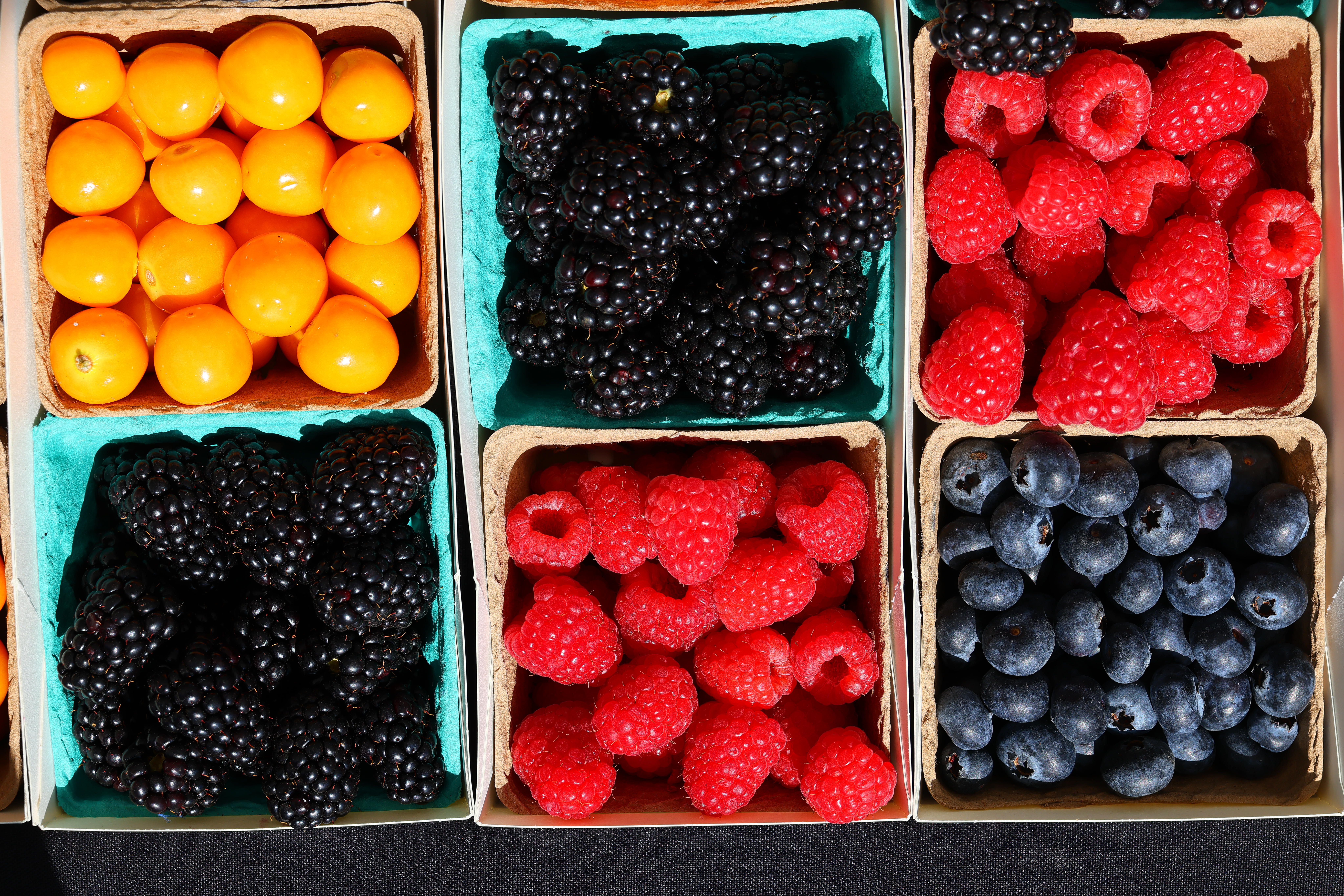
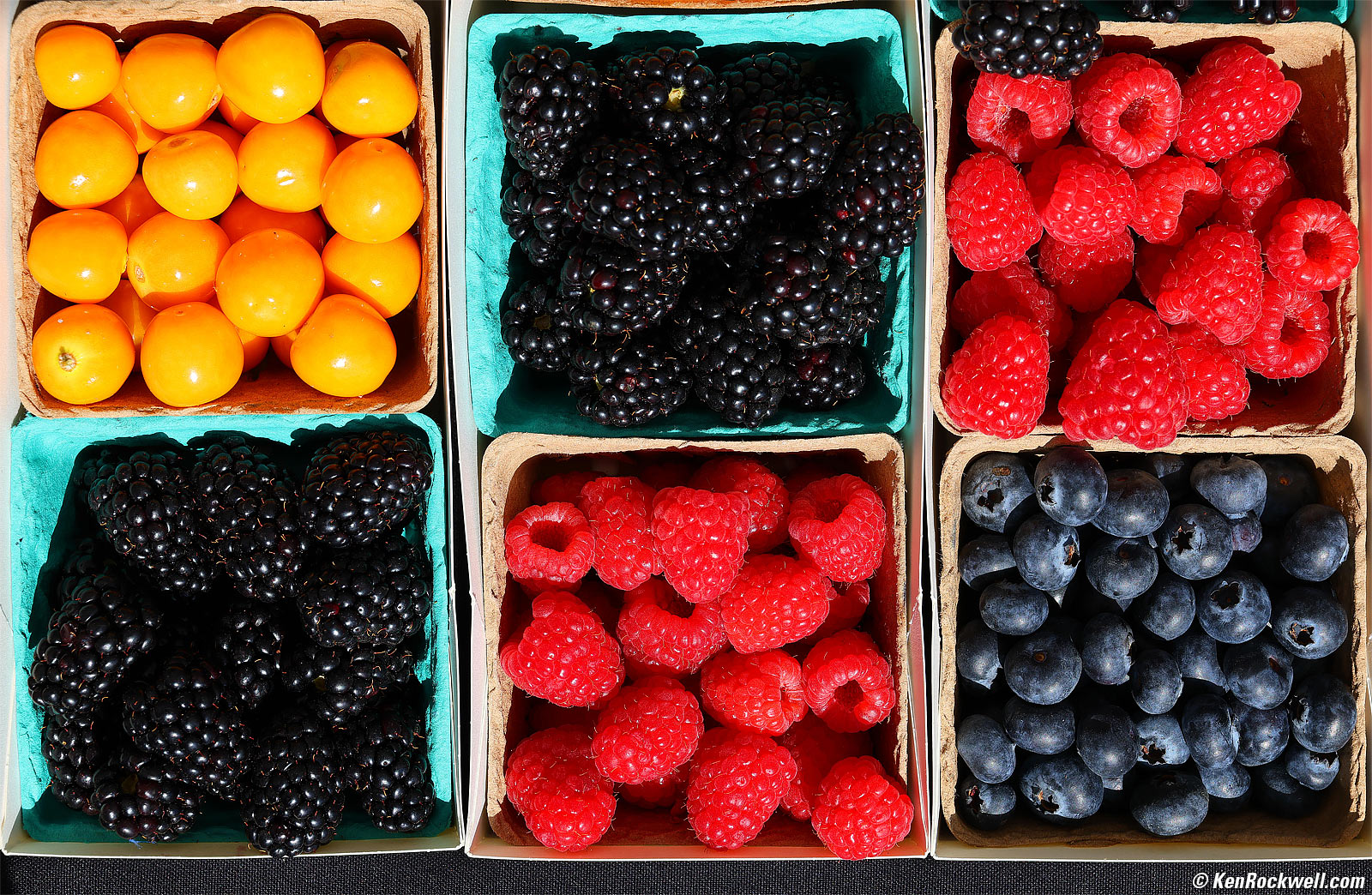
Cardiff Farmer's Market, 10:00 AM, Saturday, 12 October 2024. Canon EOS R5 II, RF 28-70mm f/2.8 IS STM at 60 mm at f/7.1 at 1/400 at Auto ISO 100 (LV 14¼), slight perspective correction in Photoshop CC, otherwise as shot. bigger or camera-original 45 MP © 9 MB JPG quality 1 file.
How sharp is it? Let's zoom into just right of center:
1,200 × 900 pixel (6.8× magnification) crop from above. Canon EOS R5 II, RF 28-70mm f/2.8 IS STM at 60 mm at f/7.1 at 1/400 at Auto ISO 100 (LV 14¼), as shot. bigger or camera-original 45 MP © 9 MB JPG quality 1 file.
If this 1,200 × 900 pixel crop is about 3" (7.5cm) wide on your screen, the complete image would print at a large 14 × 21″ (35 × 55 cm) at this same high magnification.
If this 1,200 × 900 pixel crop is about 6" (15cm) wide on your screen, the complete image would print at a huge 27½ × 41¼″ (70 × 105 cm) at this same high magnification.
If this 1,200 × 900 pixel crop is about 12" (30cm) wide on your screen, the complete image would print at a mammoth 55 × 82½″ (1.4 × 2.1 meters) at this same extremely high magnification!
See also the samples from my original R5, which look pretty spectacular. This Mark II is at least a good.
Introduction top
Sample Images Intro New Good Bad Missing
Specifications Accessories Unboxing
USA Version Performance Compared
User's Guide Recommendations More

I buy only from these approved sources. I can't vouch for ads below. |



The EOS R5 Mk II is among the world's few best mirrorless cameras, along with the original EOS R5, R6 Mk II, R7 and R10, due to its great combination of resolution, high frame rates and image quality, superior autofocus, finder, ergonomics, lens collection and superior technical support.
The R5 Mk II adds mind-reading autofocus over the original R5. The Mk II knows what you're thinking, and just focuses there. It does this by looking at the direction in which your eye is pointed, which naturally lets the camera know on what you're concentrating. This eye-control function is handy when it works, but for many people it doesn't work very well depending on the specifics of your eyes, thus many people don't use this function. HINT: recalibrate it under many different conditions, all to the same Calibration number, and for me it now works very well.
It has astonishing autofocus. When set to track animals, unlike any other camera I've used (along with the original R5), it locks right on to dog eyeballs automatically and gets perfect focus as they run around, instead of focussing on their noses as other cameras do.
The R5 Mk II easily runs at 30 FPS and tracks autofocus and auto exposure just great, with none of the restrictions of the Nikon Z9's 30 FPS Mode or the Z8's 30 FPS mode.
I got my R5 II at B&H. I'd also get it at Adorama, at Amazon or at Crutchfield, or get it used if you know How to Win at eBay, or get it used at KEH — or get the very similar original R5 for a fat discount and laugh my way to the bank!
R5 Mk II Body
$3,899 at B&H, at Adorama, at Amazon or at Crutchfield.
About $3,210 used if you know How to Win at eBay.
The very similar original R5 is only $2,599 at B&H, at Adorama, at Crutchfield and at Amazon, or about $1,907 used if you know How to Win at eBay.
R5 Mk II and RF 24-105mm f/4 L IS USM
$5,149 at B&H and at Adorama or at Crutchfield.
New since the original R5 intro top
 At introduction the R5 II added automatic finder brightness control sorely lacking in the original R5 which was the biggest improvement in this Mark II, however as of 2020's newer R5 firmware, the original R5 now has automatic finder brightness control as well! They have the same OLED finder screen.
Mind-controlled autofocus. The R5 Mark II knows what you're thinking, and just focuses there. It does this by looking at the direction in which your eye is pointed, which naturally lets the camera know on what you're concentrating. This works extremely well for people who calibrate it properly, while others prefer to turn it off at MENU > Customized controls/Reset page 4/4 > Eye control > OFF. I usually leave it off, another reason to opt to get the original R5 for about $1,000 less.
While focus bracketing has been around since 2019's EOS RP, new is that the R5 II now can stack these all by itself in-camera without needing a computer for unlimited depth of field, hand-held, in-camera!
Auto-aligns shots for hand-held HDR, and it works!
The Playback display options (MENU > [▶] PLAYBACK > Playback information display) now let us select which of ten different detail pages display or not.
Now we can choose to put the RGB histogram on first playback detail page. Set this at MENU > [▶] PLAYBACK > Playback information display > select a page with a histogram > press INFO > RGB. This lets me see what I need on one playback screen rather than having to swap among a few pages to get to the RGB histogram rather than the useless luma-only histogram. Bravo!
Often when we hit PLAY a distracting "MODE Movie <——> still switching" junk text obscures part of our playback screen! We either have to wait 5 seconds or hit some buttons for it to go away. This defect is from Canon making the interface more like their Cinema EOS cameras to allow us to enter reel and take numbers. This non-defeatable option was intended to let us find a video file to which to assign this data for editing, but is a big productivity buster for previewing still shots. As of November 2024 there is no way to make this not appear. Boo!
2× linear offline interpolation to 179 MP. Even though it adds no real resolution, it does a superb job of doubling the pixel dimensions (quadrupling the pixel count) and sharpening up lines, graphics and edges. This trick only works manually in the menus after you've made your shot; you can't shoot in this mode. It works great for keeping lines and edges sharp. It does its best to vectorize the image and go from there. It cannot increase any actual resolution or detail; this is just smart interpolation, not pixel-shift scanning as in my OM SYSTEM OM-1 Mark II. This offline interpolation takes about 17 seconds per shot and saves the image in the same format and quality setting as the original. Yes, it works great from JPGs, and even does a great job eliminating halos from when I have the JPG sharpening set too high!
Menu system adds a new Controls tab for setting all the camera's controls and dials in one place.
The level display now works even pointed all the way up 90º!
One millimeter more claimed eye relief: 24mm versus 23mm in the original R5, which was fine.
30 FPS stills with full AF and AE tracking, up from 20 FPS. (The R6 Mk II easily does 40 FPS with full AF and AE tracking, albeit with potentially more rolling-shutter distortion, which has never bothered me).
15-frame prerelease buffer so you can save the previous 15 frames if something happens faster than you can hit the shutter button.
New air vents in the bottom and left side of the camera to allow flow-though ventilation (there's no fan, just improved ventilation).
New LP-E6P Battery. Also works great with older LP-E6NH and LP‑E6N, but won't work with the original LP-E6. All use the same LC-E6 charger, and of course the newer versions charge in-camera via USB-C. With the new battery it's rated for about 8% more shots shooting with the finder.
"40% reduced" electronic rolling shutter effect.
1/32,000 electronic shutter, up from 1/8,000.
Unlimited longest electronic shutter speed; was only ½ second on original R5, on which we'd use the electronic first-curtain or mechanical shutter for longer speeds.
Adds Canon's newest multipin "multifunction" digital flash connection to use with the newest flashes like the EL-5, and retains traditional contacts for universal compatibility, yay!!
1/160 flash sync with electronic shutter (R5 had no flash sync with electronic shutter).
New "Sync Speed Priority" mode gives 1/320 flash sync with electronic first-curtain shutter, up from 1/250 in electronic first-curtain sync mode in R5.
Now also can display remaining card space as a percentage rather than available number of shots. Set this at MENU > CAMERA 9 > Shooting info. disp. > (scroll down past the bottom to) Card free space (%) display > ON.
Higher-speed anti-flicker mitigation, now covering 50.0 ~ 8,193.7 Hz.
JPG and HEIF compression now can be set to values from 1 to 10, just like the pro models have done for years, rather than just NORMAL (▟ stairstep icon) or FINE (quarter circle icon).
"Action Priority" AF mode identifies and locks-on to action.
Ability to preregister up to ten people as "priority" AF subjects. Who has the time to do this? Even the the original R5 autofocuses clairvoyantly without having to stop and put people's headshots into memory.
"Neural network noise reduction" might lower noise, but only works when converting raw files with it manually in-camera after having shot it!
8.5 stops improvement claimed stabilization in the center and 7.5 stops in the corners with a stabilized lens, up from a claimed 8 stops in the original R5. So? Cool graphic, though:
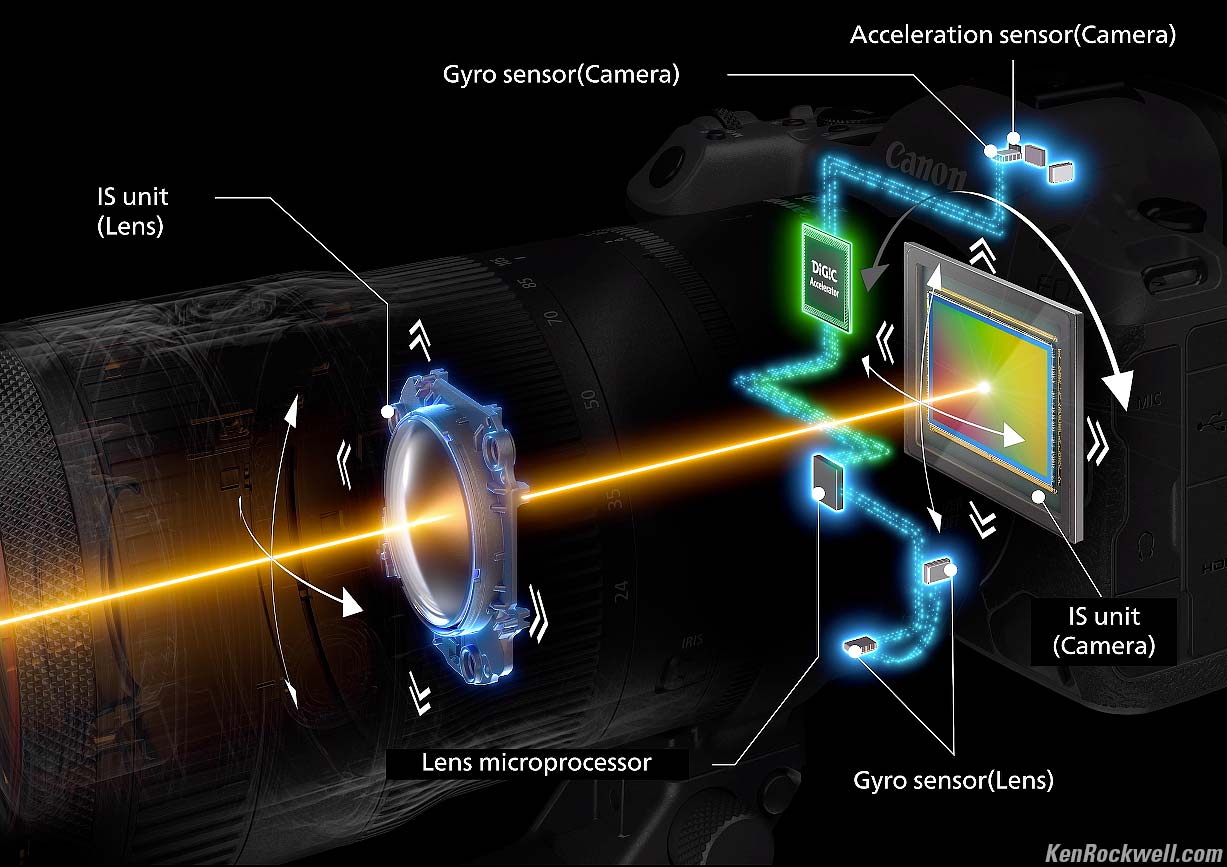
Canon EOS R5 Mark II Stabilization System. bigger.
When set down to Medium resolution, it now saves 6,000 × 4,000 (24 MP) images rather than 5,808 × 3,872 (22.5 MP) versions. So?
Firmware can be updated via the app in the field, no need for a computer.
6,144 zone (96 x 64) evaluative meter, up from 384 zone (24 x 16). Somehow I doubt that Canon has fixed the only thing their meters don't do well, which is realize that I have the saturation cranked all the way up so I need to dial-in -0.7 stops compensation when shooting colorful things in contrasty light.
4-channel 24-bit PCM audio recorder with up to 5 seconds prerecording (only with video). I have no idea how you connect all four channels.
Built in waveform monitor!
8K modes add 50 and 59.94 FPS, up from 29.97 FPS. So? Everything in Hollywood is shot at 23.976 FPS. Yawn.
2K DCI (2,048 × 1,080) in addition the usual 1,920 × 1,080 video options.
Video menus now are very similar to the ones in Canon's cine EOS cameras.
Can capture stills (in video resolution) as you're rolling video.
Full size HDMI port, up from Micro-D.
USB-C 3.2 Gen 2 (10 Gbps), up from USB-C 3.1.
Adds 6 GHz WiFi.
No more ECO modes at MENU > 🔧 WRENCH 4 > Power saving. Now all we have are the various timers for power-off & etc
0.8 ounces (23g) heavier.
0.16 inches (3.7mm) taller and 0.22 inches (5.5mm) deeper to allow for the mind-controlled finder eyepiece.
"D!GiC Accelerator," which is just more claimed processing power. This doesn't mean anything to we users, but Canon sure has a nice graphic to make it seem like it does:
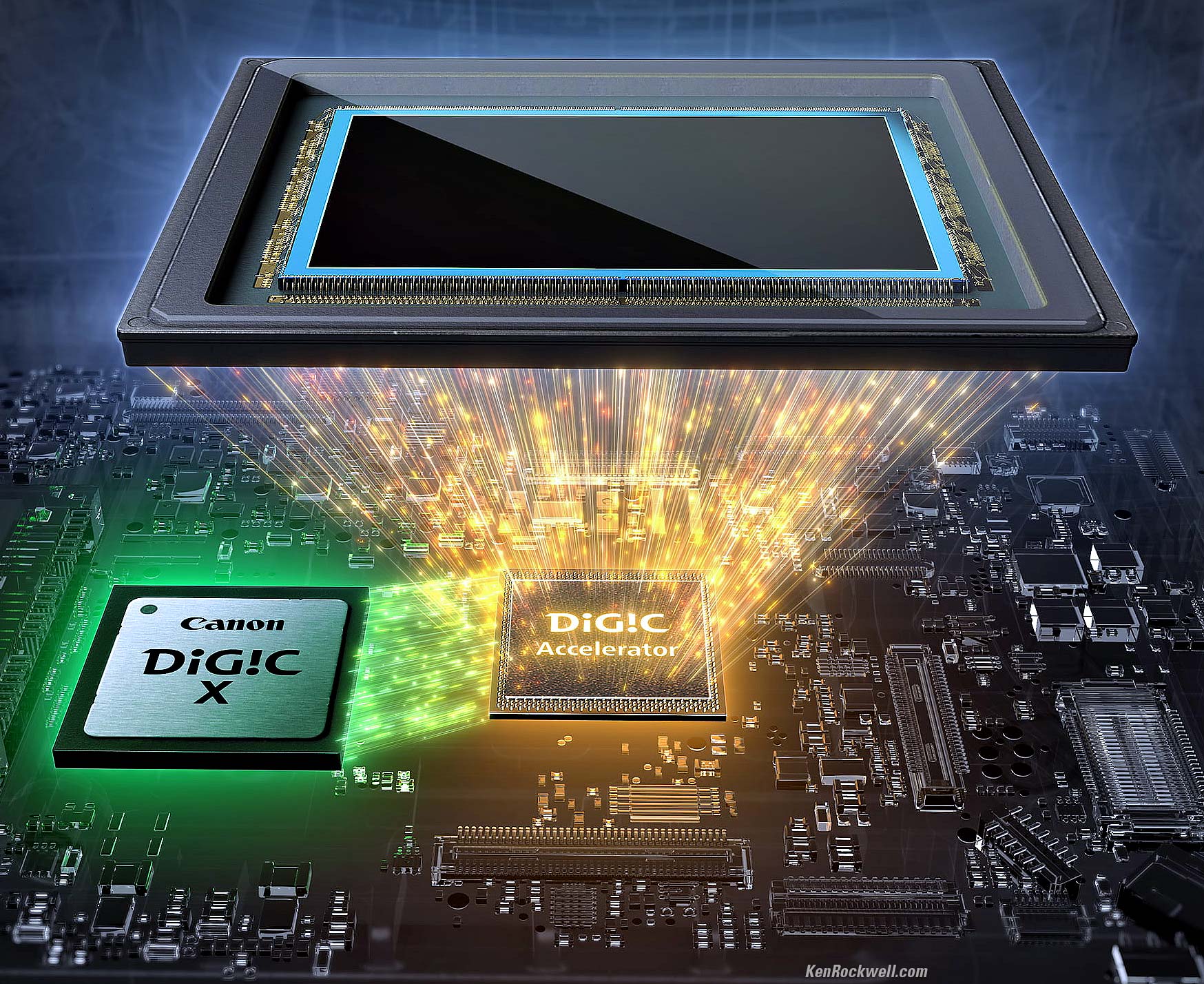
D!GiC Accelerator. faster.
Good intro top
 Superb real-world battery life when shooting long sequences at high frame rates.
Great flash performance, and I can shoot at 12 FPS with flash and mechanical or first-curtain electronic shutter, and to 8 FPS with the electronic shutter.
Built-in sensor-shift Image Stabilization.
Electronic video stabilization.
Super-fast and smart corner-to-corner tracking autofocus to keep up with 30 FPS (but your lens needs to be fast enough, too), and exposure tracks great at these frame rates.
Easy to use the rear LCD as a big trackpad to select AF area while shooting through the viewfinder.
Superb ultra-bright finder with superior optics for ultrasharp views compared to most other cameras.
Finder data rotates when held vertically.
The level display works even pointed all the way up 90º!
No finder blackout.
Smooth and quiet mechanical shutter to 12 FPS.
Silent electronic shutter to 30 FPS.
In-camera hand-held focus bracketing for unlimited depth-of-field!
Auto-aligns shots for hand-held HDR, and it works!
Shutter closes with power-off to keep dust off sensor when changing lenses. Even better, a menu option(MENU > WRENCH 4 > Shutter at shutdown) lets you choose if the shutter stays open or closes when turned off:
|
|
Protective Shutter Closed. bigger. |
Protective Shutter open. bigger. |
Bulb Timer provides timed exposures up to 100 hours long with no need for a remote or stopwatch.
Top LCD counts-up MM:SS during Bulb exposures.
Live RGB histograms as you shoot, something neither Nikon nor Sony can do. This is the best and fastest way to ensure you don't blow anything out as you're shooting; with Nikon and Sony you have to stop and playback to see color histograms.
Excellent, non-obtrusive level display lets you get level shots without blocking too much of the finder.
Seems minor, but I love that the cards face the correct way (label towards me).
World standard for image quality, resolution and color rendition.
Corrects distortion even for EF lenses.
Built-in mic for voice notes, with dedicated button.
Full-frame corner-to-corner autofocus.
C1, C2 and C3 preset modes.
4:3, Square 1:1, 16:9 and APS-C as-shot crops.
Always-on-during-charging top LCD shows battery charging or full (but no more details).
Proxy video recording saves another file at lower resolution for ease of editing.
2.4, 5 and 6 GHz Wi-Fi.
Bluetooth 5.0.
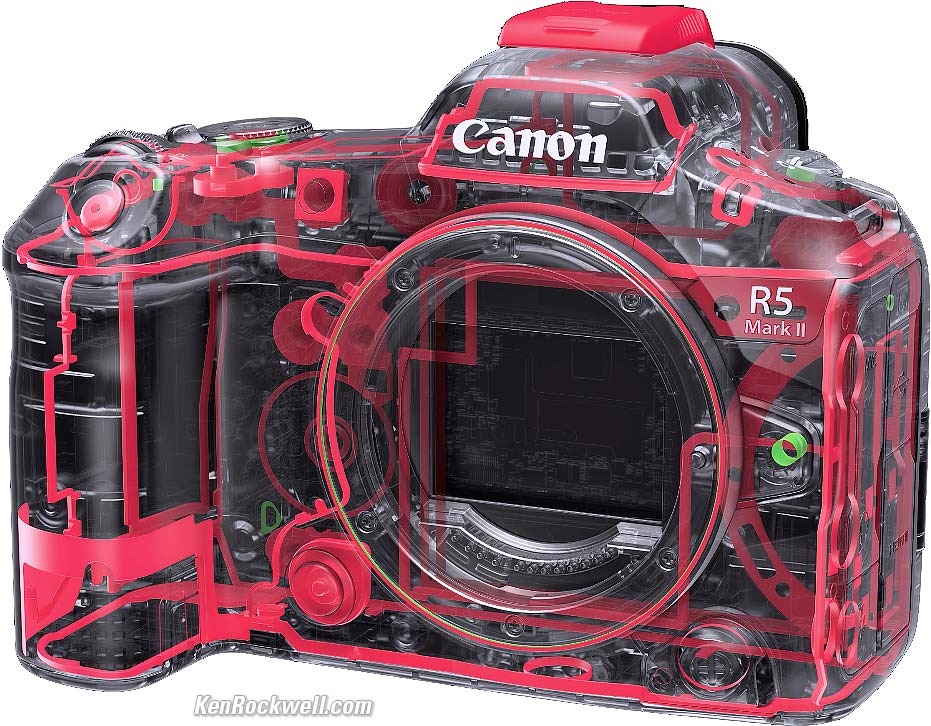
Claimed weather sealing:
Quality Made in Japan.
100% U. S. A.-based high-quality technical support at (800) OK-CANON.
Bad intro top
 Often when we hit PLAY a distracting "MODE Movie <——> still switching" junk text obscures part of our playback screen! We either have to wait 5 seconds or hit some buttons for it to go away. This defect is from Canon making the interface more like their Cinema EOS cameras to allow us to enter reel and take numbers. This non-defeatable option was intended to let us find a video file to which to assign this data for editing, but is a big productivity buster for previewing still shots. As of November 2024 there is no way to make this not appear.
The playback image cannot be set to rotate as you rotate the camera during playback, as every iPhone does.
 Eye control works well for some people, but not all.
Still needs a noisy CF-R20EP Grip with Fan if you're shooting a lot of video at foolish resolutions and frame rates — but I use my iPhone, a dedicated video camera or a serious cine camera from Panavision or Arri for filmmaking — not one of these.
Missing intro top
 The playback image cannot be set to rotate as you rotate the camera during playback, as every iPhone does.
The top shutter speed is only 1/8,000 in Fv, P and Av modes. The banner 1/32,000 speed is only available in Tv and M modes.
Auto ISO minimum shutter speeds set only in full, not third, stops.
Eye controlled AF only works for still images.
Only a mono mic, not S - t - e - r - e - O, built in.
No automatic brightness control for the rear LCD, but I set my C2 mode to full brightness for outdoor shooting so it's not a problem.
Top LCD counts-up MM:SS during Bulb and Bulb Timer exposures (good), but even if you have the LCD illuminator ON, it turns off when the exposure starts so you can't see it in the dark! Bulb Timer exposures count up on the top LCD, not down.
No more ECO modes at MENU > 🔧 WRENCH 4 > Power saving. Now all we have are the various timers for power-off & etc.
No built-in flash.
No search ability in menu system.
No illuminated buttons.
No GPS, use the app.
No NFC.
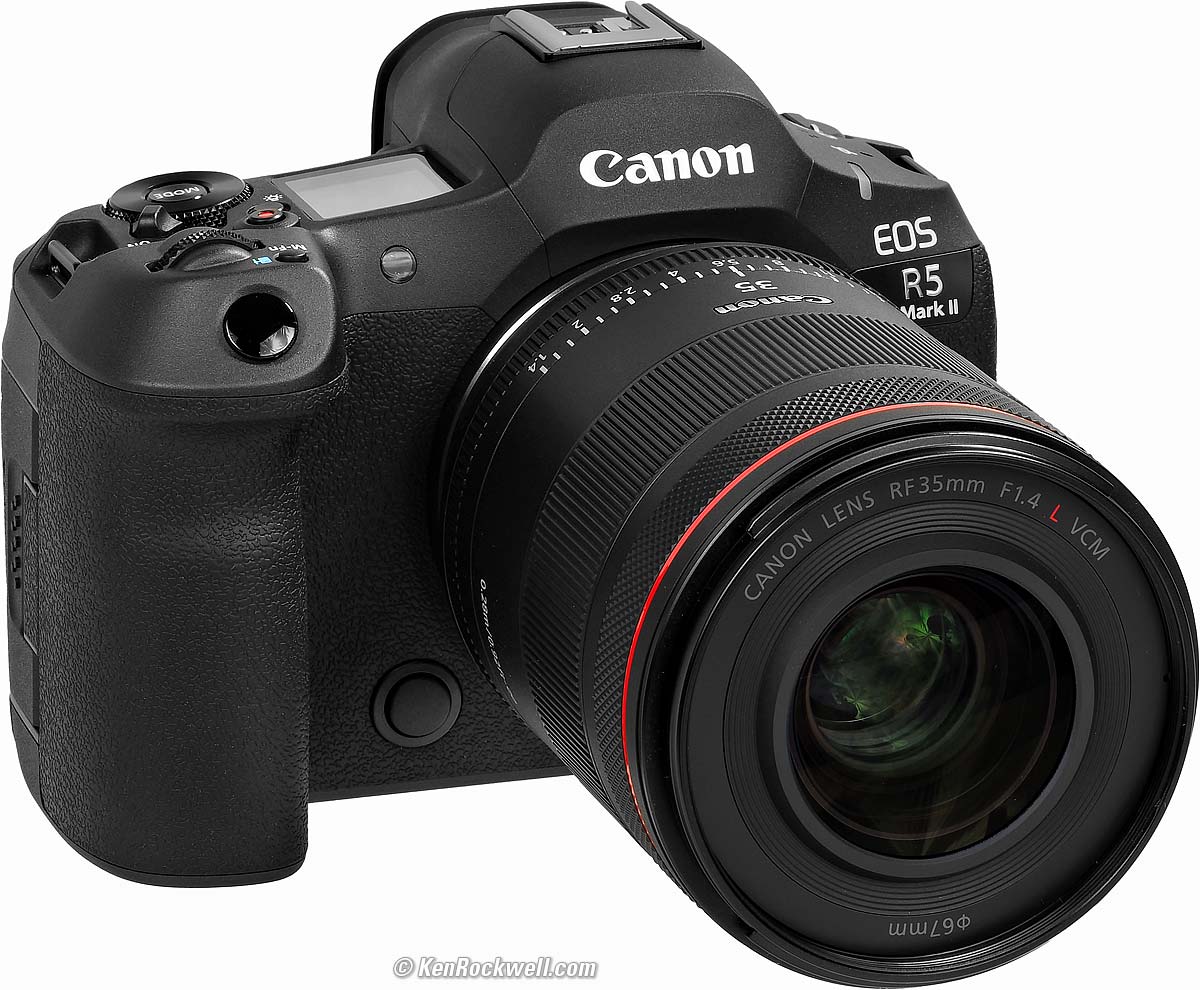
Canon EOS R5 Mark II and RF 35mm f/1.4 L VCM. bigger.
Specifications top
Sample Images Intro New Good Bad Missing
Specifications Accessories Unboxing
USA Version Performance Compared
User's Guide Recommendations More
I got my R5 II at B&H. I'd also get it at Adorama, at Amazon or at Crutchfield, or get it used if you know How to Win at eBay, or get it used at KEH — or get the very similar original R5 for a fat discount and laugh my way to the bank!
R5 Mk II Body
$3,899 at B&H, at Adorama, at Amazon or at Crutchfield.
About $3,210 used if you know How to Win at eBay.
The very similar original R5 is only $2,599 at B&H, at Adorama, at Crutchfield and at Amazon, or about $1,907 used if you know How to Win at eBay.
R5 Mk II and RF 24-105mm f/4 L IS USM
$5,149 at B&H and at Adorama or at Crutchfield.
See also Canon's R5 Mk II Specifications direct from Japan and from Canon USA.
Lens Compatibility specifications top
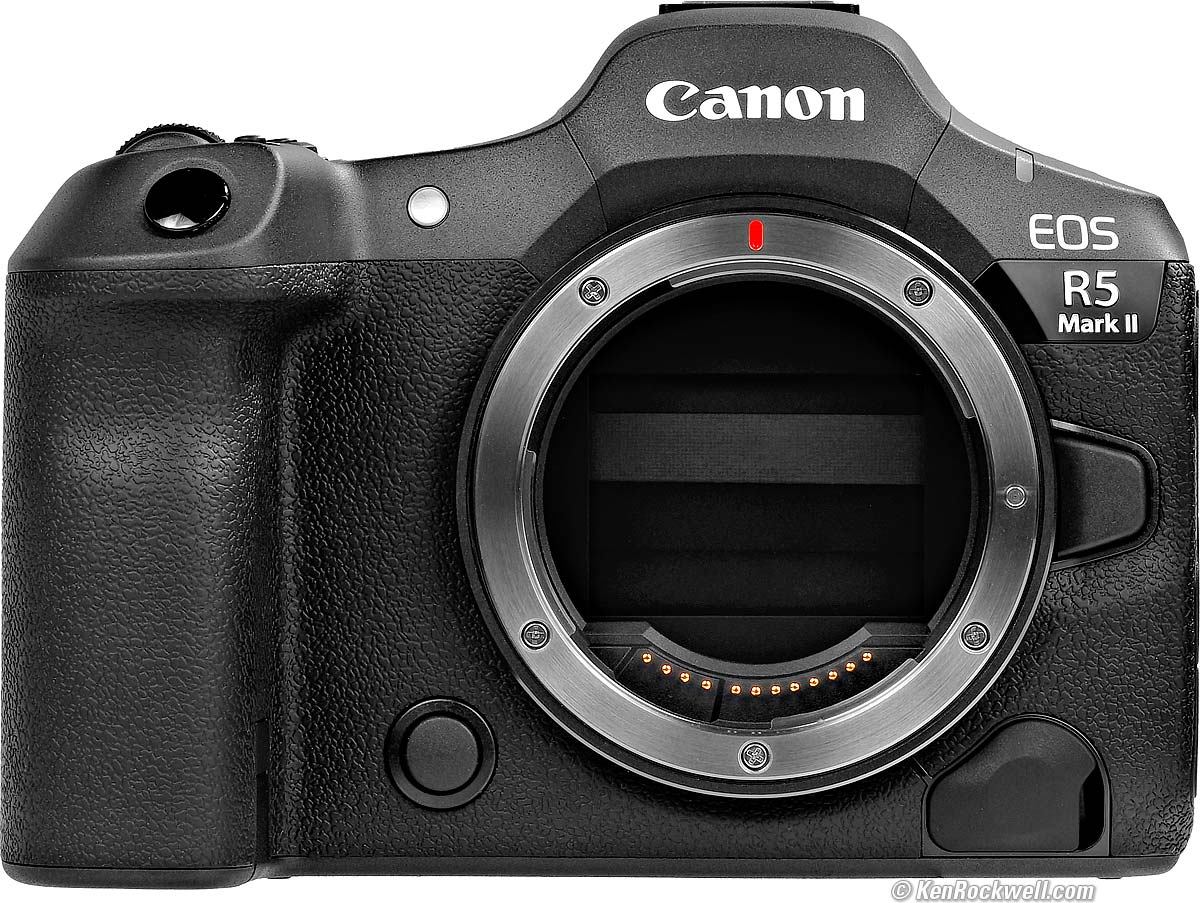
Canon EOS R5 Mark II. bigger.
Works with Canon's RF lenses.
Also works with the STEREOSCOPIC 5.2mm f/2.8L Dual 190º Fisheye.
With an adapter, works with the every EF and EF-s lens made since 1987.
Can't work with any EOS-M lens; they can't be made to fit.
Works fine with just about any lens with the appropriate adapters:
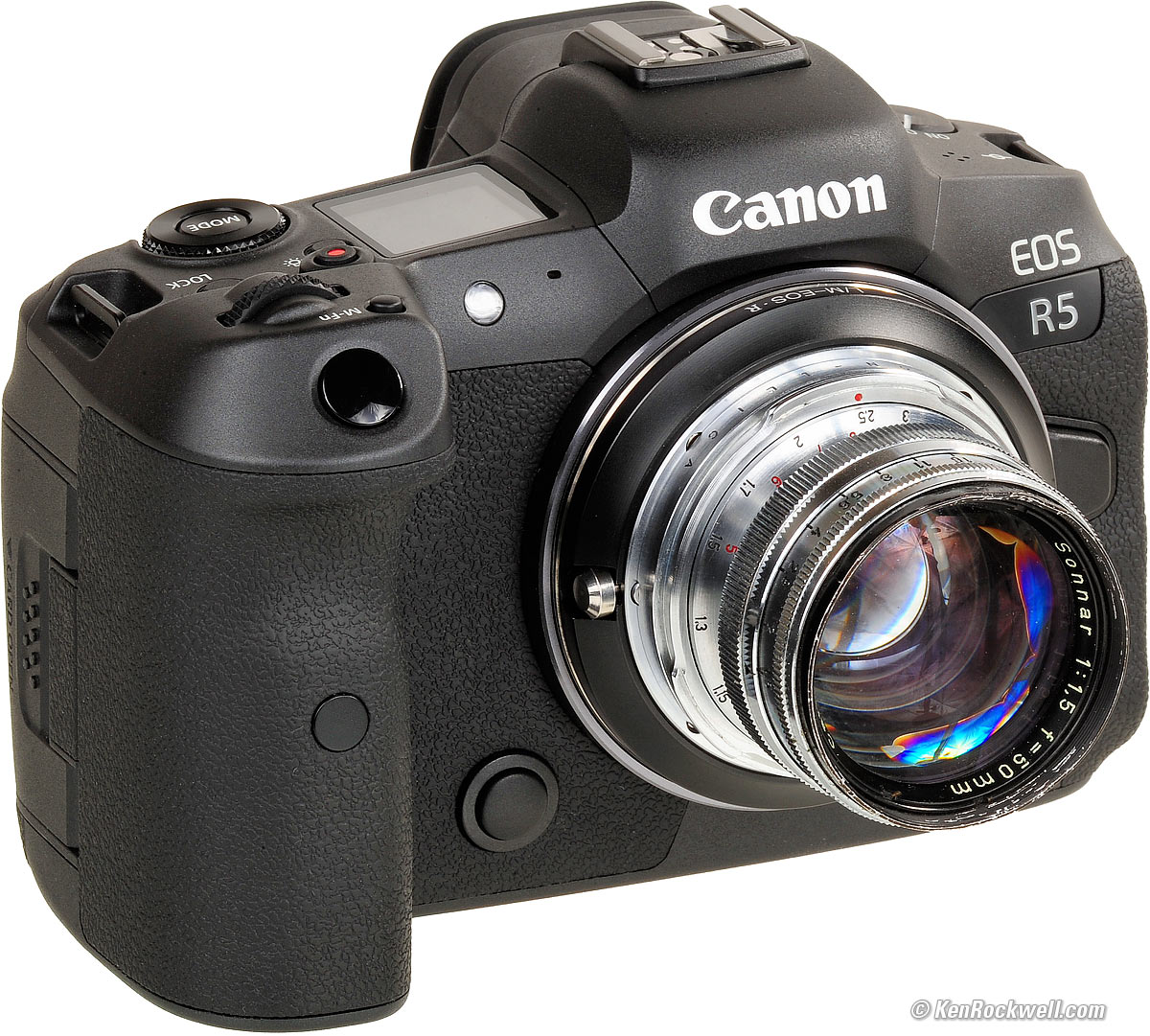
Zeiss Sonnar 50mm f/1.5 (this sample from 1956, 40.5mm filters, 5.4 oz./154g, about $250 used) on Canon EOS R5 using a CONTAX to LEICA M adapter and then a LEICA M to EOS R adapter. bigger.
Image Sensor specifications top
45 MP.
24.0 × 36.0 mm backside-illuminated stacked CMOS.
4.4 µm pixel pitch.
3:2 aspect ratio.
1.00 × crop factor.
Optical anti-aliasing filter.
Ultrasonic cleaner.
ISO specifications top
Sets in full or third stops, including all pushes and pulls:
Stills
ISO 100 ~ 51,200; also pulls to ISO 50 (L) and pushes ISO 102,400 (H).
The usual programmable Auto ISO options.
Video
Regular Video Modes: ISO 100 ~ 25,600, also pushes to ISO 51,200.
HDR: ISO 800 ~ 12,800.
Canon 709/PQ/HLG: ISO 400 ~ 25,600, also pulls down as far as ISO 100 or pushes as far as ISO 51,200.
Canon Log 2/Canon Log 3: ISO 800 ~ 25,600, also pulls down as far as ISO 100 or pushes as far as ISO 51,200.
BT.709: ISO 160 ~ 25,600, also pulls down as far as ISO 100 or pushes as far as ISO 51,200.
With Highlight Tone Priority ON the lowest ISO is 200 and there are no pushes or pulls.
Pushes and pulls aren't available in HDR PQ or raw.
Image Sizes specifications top
8,192 × 5,464 pixels native (44.76 MP or 44,761,088 pixels).
6,000 × 4,000 (Medium, 24 MP).
4,176 × 2,784 (S1, 11.6 MP)
2,400 × 1,600 (S2, 3.8 MP).
Cropped Aspect Ratios
4:3, Square 1:1 and 16:9 cropped from the above sizes.
1.6x "APS-C."
Still Formats specifications top
JPG (8-bit gamma-corrected), HEIF (10-bit gamma-corrected) and/or CR3 raw or c-raw (14-bit linear).
Files saved as .JPG, .HIF or .CR3.
sRGB and Adobe RGB.
Autofocus specifications top
Rated LV -7.5 ~ +21 with f/1.2 lens (not as good with slower lenses, or of course with the RF 85/1.2 DS).
For movies, the center point is rated LV -4 ~ +21 in 1,080, LV -3.5 ~ +21 in 4K, LV -6.5 ~ +21 in 4K/60 or LV -4.5 ~ +21 in 8K with f/1.2 lens (not as good with slower lenses, or of course with the RF 85/1.2 DS).
One-Shot, Servo and AI Focus (auto-select between One-Shot and Servo) Modes.
Automatically identifies, locks-on and tracks people, vehicles, faces and eyes for people, mammals and birds.
Auto-selected
1,053 zones (39 × 27); 819 zones (39 × 21) in 16:9.
Covers 100% of image.
Manual selection
5,490 zones (90 × 66); 4,500 zones (90 × 50) in 16:9.
Covers 90% horizontal by 100% vertical.
Light Meter specifications top
6,144 area Evaluative, 9.5% partial, 5.3% spot or center-weighted average.
LV -3 ~ +20.
Finder specifications top
0.5" OLED.
5.76 megadots.
0.76× magnification with 50mm lens.
35.5º diagonal apparent angle.
-4 ~ +2 diopters.
24mm eyepoint.
Shutters specifications top
Multiple exposures.
Bulb Timer provides timed exposures up to 100 hours long with no need for a remote or stopwatch.
Mechanical Shutter
1/8,000 ~ 30 seconds plus Bulb and Bulb Timer.
1/200 flash sync speed; 1/250 with the electronic first-curtain option and 1/320 with the electronic first-curtain option and "flash sync priority" ON.
Silent Electronic Shutter
1/32,000~ 30 seconds plus Bulb and Bulb Timer only in Tv and Manual exposure modes.
Only up to 1/8,000 in Program, Fv, Av, flash or focus bracketing modes.
1/160 flash sync speed; 1/250 with the electronic first-curtain option.
Remote Release via Bluetooth
Remote control via Bluetooth and free app.
BR-E1 Wireless Bluetooth Remote Control.
Remote Release via N3 Terminal
N3 remote terminal on the front for N3 releases, among them:
TC-80N3 Wired Timer Remote Controller.
Maximum Still Frame Rates specifications top
There's Low, High and High+, but no Medium. Go figure:
Electronic Shutter |
Electronic First Curtain |
Mechanical Shutter |
|
High + |
30 FPS |
12 FPS |
12 FPS |
High |
15 FPS |
8.2 FPS |
6 FPS |
Low |
5 FPS* |
3 FPS |
3 FPS |
Works with flash? |
Yes, 1/160 sync at up to 8 FPS |
Yes, 1/250 or 1/320 sync at up to 12 FPS |
Yes, 1/200 sync at up to 12 FPS |
*Oddly Canon cautions about a risk of rolling shutter distortion only at the Low speed with the electronic shutter, but not the higher ones.
I've found that my Canons work at these speeds regardless of whatever old lenses I'm using, even old EF Lenses on adapters, however Canon has a list of which lenses are needed for these top speeds.
Of course slow shutter speeds and asking the AF system to track focus on fast-moving things can slow these down.
Buffer (Burst) Sizes specifications top
Mechanical or First-Curtain Shutter
CFexpress Type B, 325 GB |
SD card, 128 GB UHS-II |
|
JPG L |
760 |
760 |
JPG M |
670 |
660 |
JPG S1 |
670 |
660 |
JPG S2 |
670 |
660 |
HEIF L |
690 |
640 |
HEIF M |
740 |
740 |
HEIF S1 |
780 |
780 |
HEIF S2 |
790 |
780 |
230 |
95 |
|
580 |
580 |
|
JPG L + raw |
150 |
87 |
JPG L + c-raw |
310 |
190 |
HEIF L + raw |
89 |
84 |
HEIF L + c-raw |
180 |
170 |
Electronic Shutter
CFexpress Type B, 325 GB |
SD card, 128 GB UHS-II |
|
JPG L |
200 |
200 |
JPG M |
200 |
200 |
JPG S1 |
200 |
200 |
JPG S2 |
200 |
200 |
HEIF L |
200 |
200 |
HEIF M |
200 |
200 |
HEIF S1 |
200 |
200 |
HEIF S2 |
200 |
200 |
93 |
86 |
|
170 |
170 |
|
JPG L + raw |
85 |
82 |
JPG L + c-raw |
160 |
150 |
HEIF L + raw |
79 |
79 |
HEIF L + c-raw |
150 |
150 |
Flash specifications top
Adds Canon's newest multipin "multifunction" digital flash connection to use with the newest flashes like the EL-5, and retains traditional contacts for universal compatibility, yay!!
Sync Speeds
Electronic |
Mechanical |
Electronic First-Curtain |
|
Normal |
1/160 |
1/200 |
1/250 |
"Sync Speed Priority" ON |
1/200 |
1/200 |
1/320 |
E-TTL II control for use with all EX- and EL-series Canon flash.
Built-in Flash
None.
External Flash
Dedicated hot shoe with both traditional 5-pin and Canon's latest "digital" 21-pin contacts for use with the very newest flashes.
Standard PC (Prontor-Compur) flash sync terminal.
Video Formats specifications top
More details, specifics and particulars at Canon's R5 Mk II Specifications direct from Japan and from Canon USA.
It can save a 4K or 8K still from video files while playing back.
Storage Formats
RAW stored in .CRM files.
XF-HEVC S YCC 4:2:2 10-bit, stored in .MP4 files.
XF-HEVC S YCC 4:2:0 10-bit, stored in .MP4 files.
XF-AVC S YCC 4:2:2 10-bit, stored in .MP4 files.
XF-AVC S YCC 4:2:0 8-bit, stored in .MP4 files.
News ML-G2 Metadata, stored in .XML files. (with MP4 videos with "CP File Addition" set to ON, you get an extra CPF file).
File Extensions
.CRM, .MP4 or XML.
.MP4 (HEVC & H.264).
.CPF if you set CP File Addition to ON for news metadata.
Resolutions & Rates
8K DCI (8,192 × 4,320) at 23.976, 24.00, 24.975, 25, 29.97, 50 or 59.94 FPS.
8K (7,680 × 4,320) at 23.976, 25, 29.97, 50 or 59.94 FPS.
4K DCI (4,069 × 2,160) at 23.976, 25, 29.97, 50, 59.94, 100 or 119.88 FPS.
4K (3,840 × 2,160) at 23.976, 25, 29.97, 50, 59.94, 100 or 119.88 FPS.
2K DCI (2,048 × 1,080) at 23.976, 25, 29.97, 50, 59.94, 100, 119.88, 200 or 239.76 FPS.
HD (1,920 × 1,080) at 23.976, 25, 29.97, 50, 59.94, 100, 119.88, 200 or 239.76 FPS.
Longest Take Lengths
These are the longest possible, but only if you have enough power and don't overheat:
6 hours at up to 60 FPS.
2 hours at 100 FPS or more.
1.5 hours in "High Frame Rate" at 100 or 119.88 FPS.
45 minutes in "High Frame Rate" at 200 or 239.76 FPS.
Audio specifications top
Recorded only along with video.
Looks like 2-channel only recorded at 16-bits AAC, and 4-channel only at 24-bit PCM.
Only a mono mic, not S - t - e - r - e - O, built in.
3.5mm mic-in jack with plug-in power overrides built-in mic.
3.5mm headphone jack.
LCD Monitor specifications top
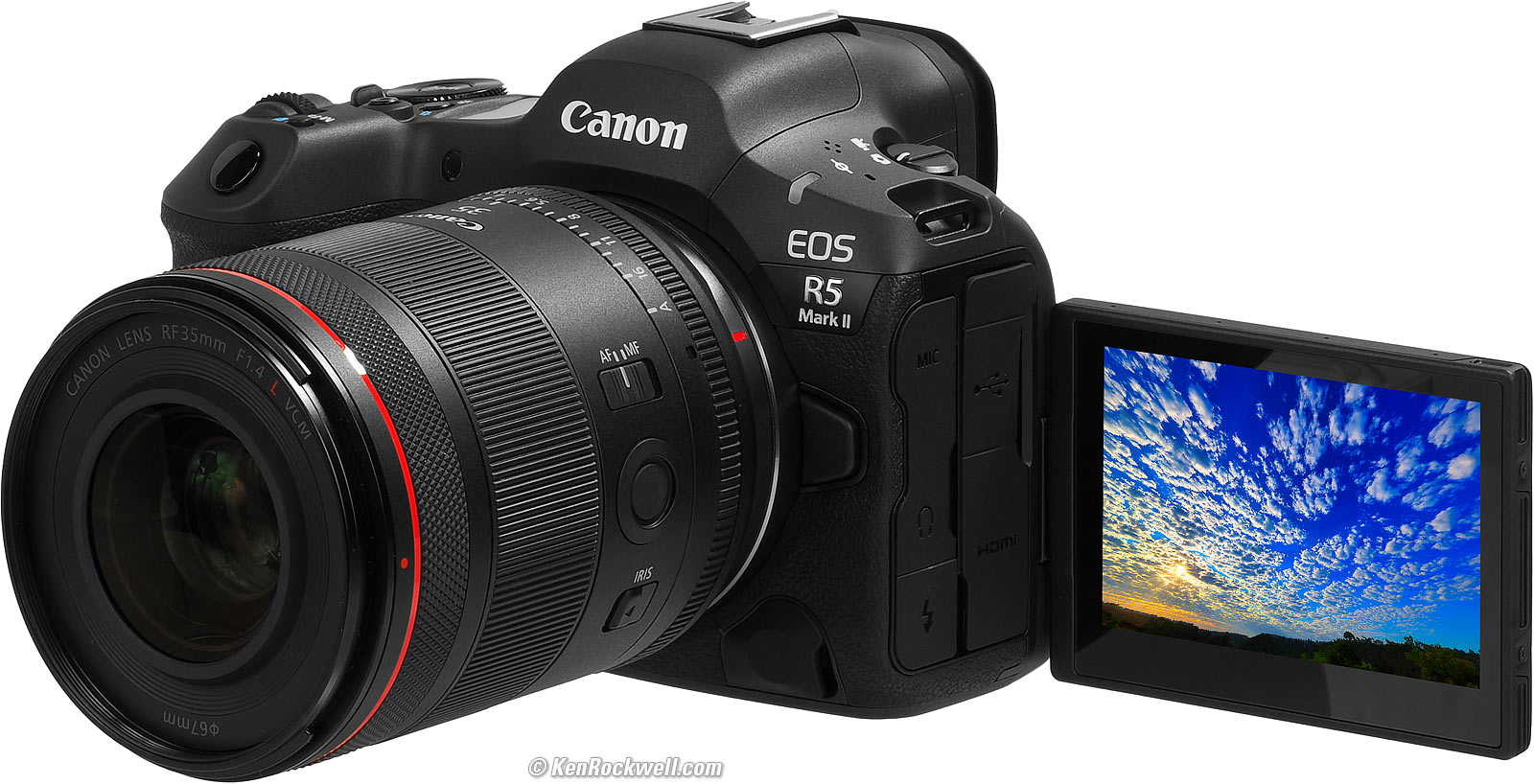
Canon EOS R5 Mark II and RF 35mm f/1.4 L VCM. bigger.
3.2" (80.1 mm) diagonal.
2.63" (66.7 mm) horizontal.
1.75" (44.4 mm) vertical.
2,100,000 dots.
3:2 aspect ratio.
No automatic brightness control.
Swivels.
170º viewing.
Anti-smudge coating.
No anti-reflection coating.
Connectors specifications top
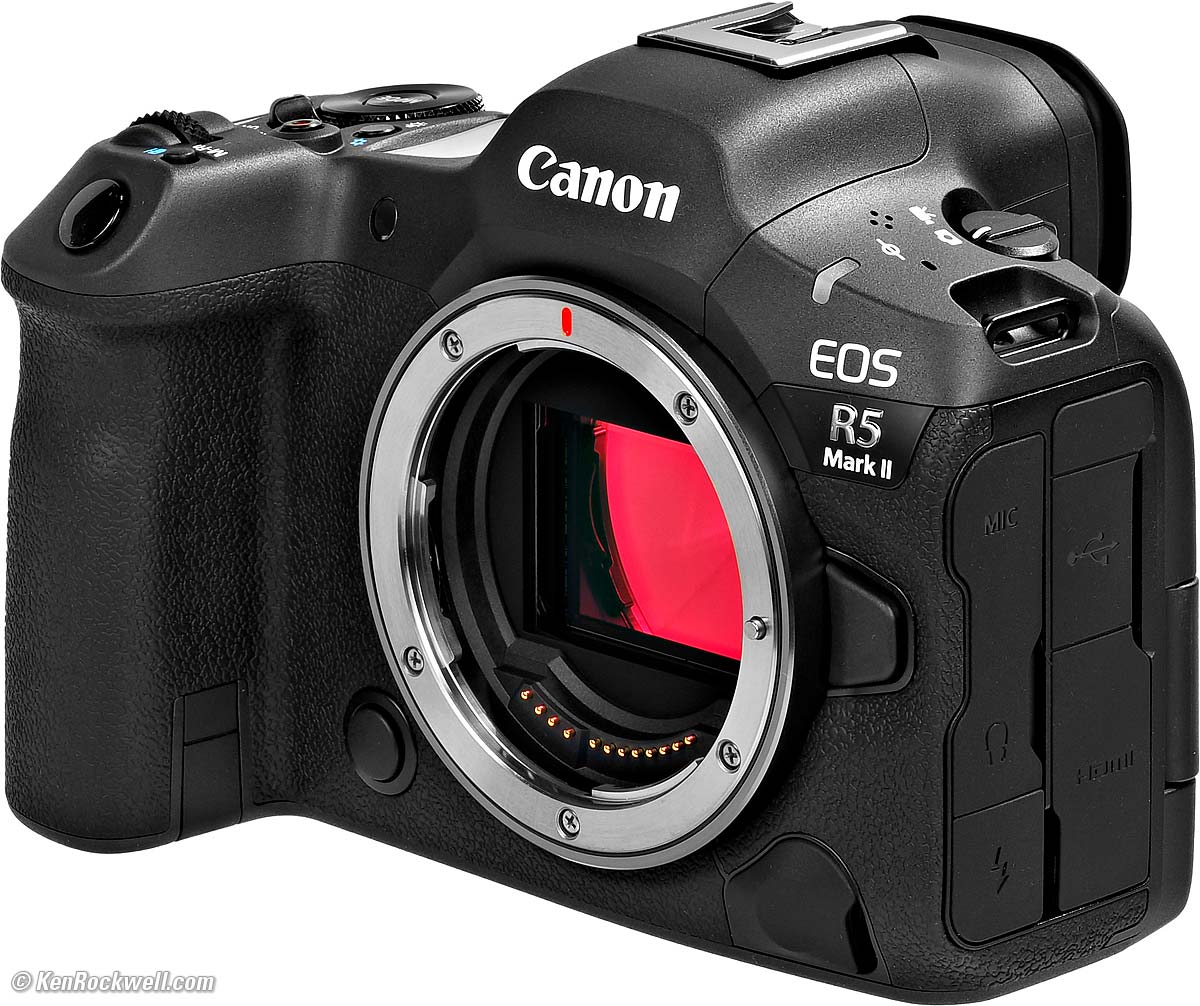
Connectors. bigger.
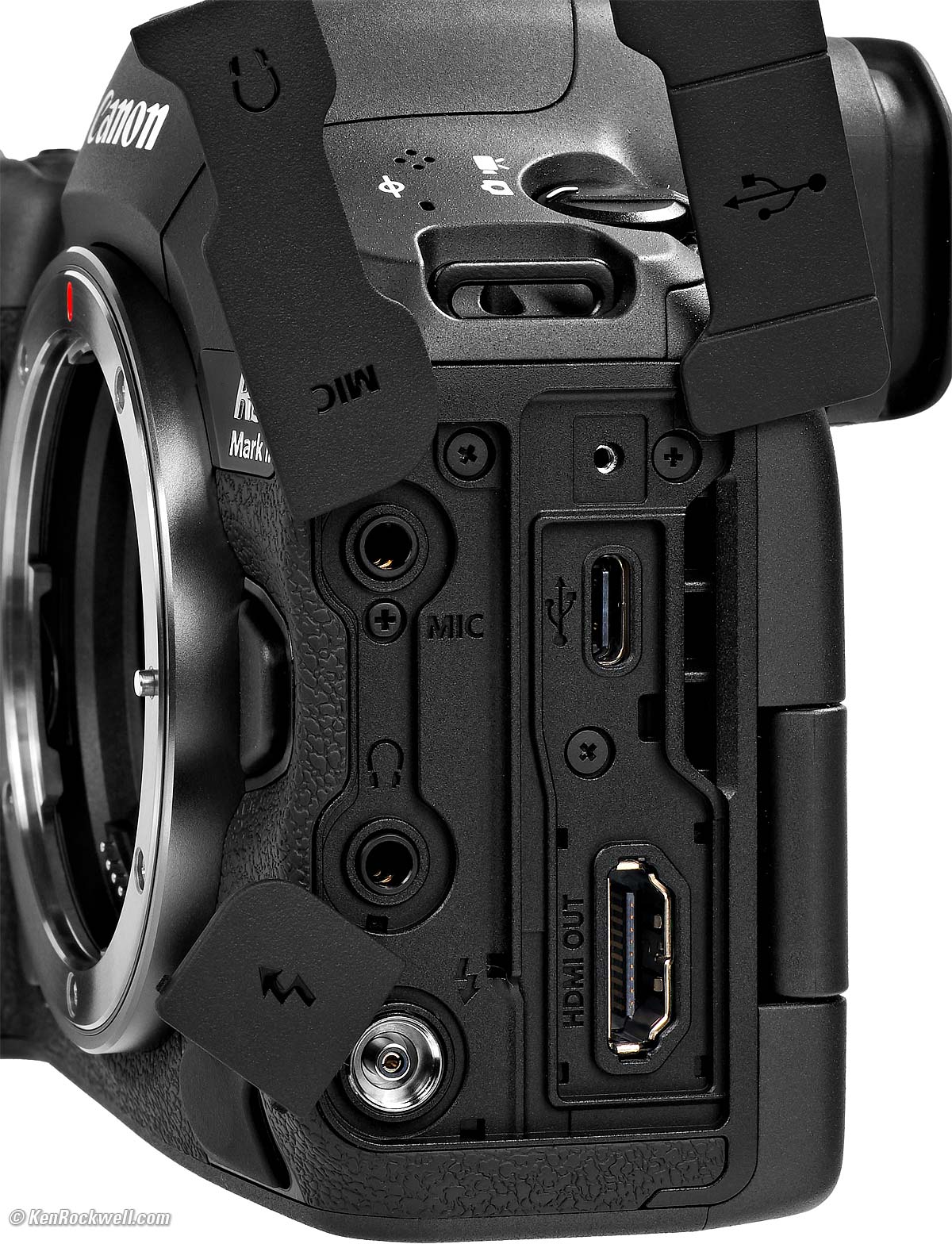
Connectors. bigger.
3.5mm mic in. 3.5mm headphone out. Prontor-Compur (PC) flash sync connector. |
(Screw socket for the cable and connecter protector) USB-C 3.2 Gen 2. Full-sized HDMI type A (no CEC). |
If you want an RJ-45 2.5 gig Ethernet port, either of the BG-R20EP Grip or CF-R20EP Grip with Fan have one.
There's an N3 remote terminal on the front.
Wi-Fi specifications top
IEEE 802.11b/g/n/a/ac/ax.
2.412 - 2.462 GHz, Channels 1 - 11.
5.180 - 5.825 GHz, Channels 36 - 165.
5.955 - 7.095 GHz, Channels: 1 - 229.
OFDM modulation (OFDMA, IEEE 802.11ax/ax 2×2 MIMO)
OFDM modulation (CSMA/CA, IEEE 802.11ax/ax 2×2 MIMO/ac/ac 2×2 MIMO/n/n 2×2 MIMO/a/g/b)
DSSS modulation (IEEE 802.11b)
Bluetooth specifications top
5.0 low-energy.
Geesh, my Mustang GT 5.0 was definitely high energy!
GPS specifications top
None; try the app.
Storage specifications top
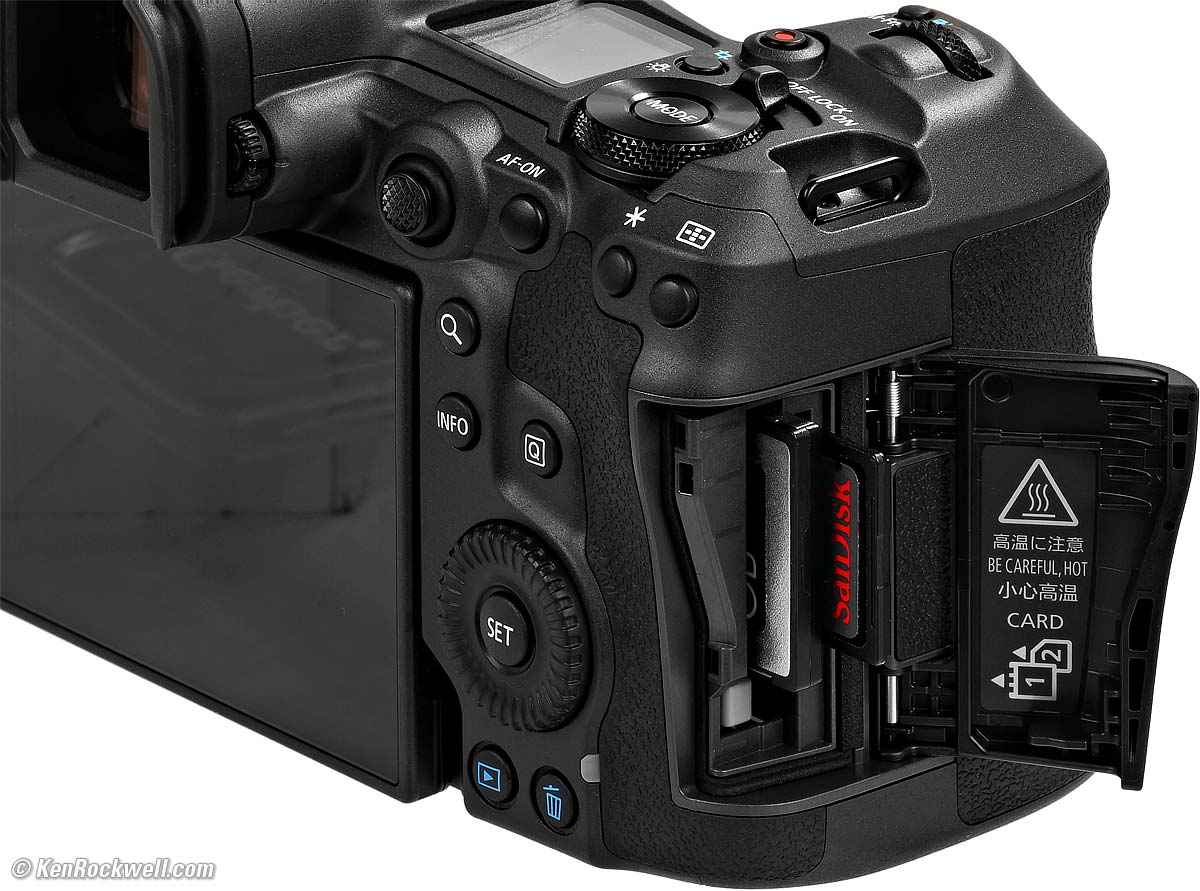
Canon EOS R5 II Card Slots. bigger.
One CFexpress Type B and one SD card slot:
CFexpress Type B Slot
Cfexpress2.0 and VPG400.
Up to 2TB. Cards bigger than 2TB should work, but only appear as 2TB total.
XQD cards fit mechanically, but ARE NOT COMPATIBLE. You'll get messages warning about a bad card and asking you to format it, but it won't work. I tried so you don't have to.
SD Card Slot
SD / SDHC / SDXC
UHS-II.
Won't work with either Eye-Fi or MMC Multimedia cards.
Power & Battery specifications top
Battery
|
|
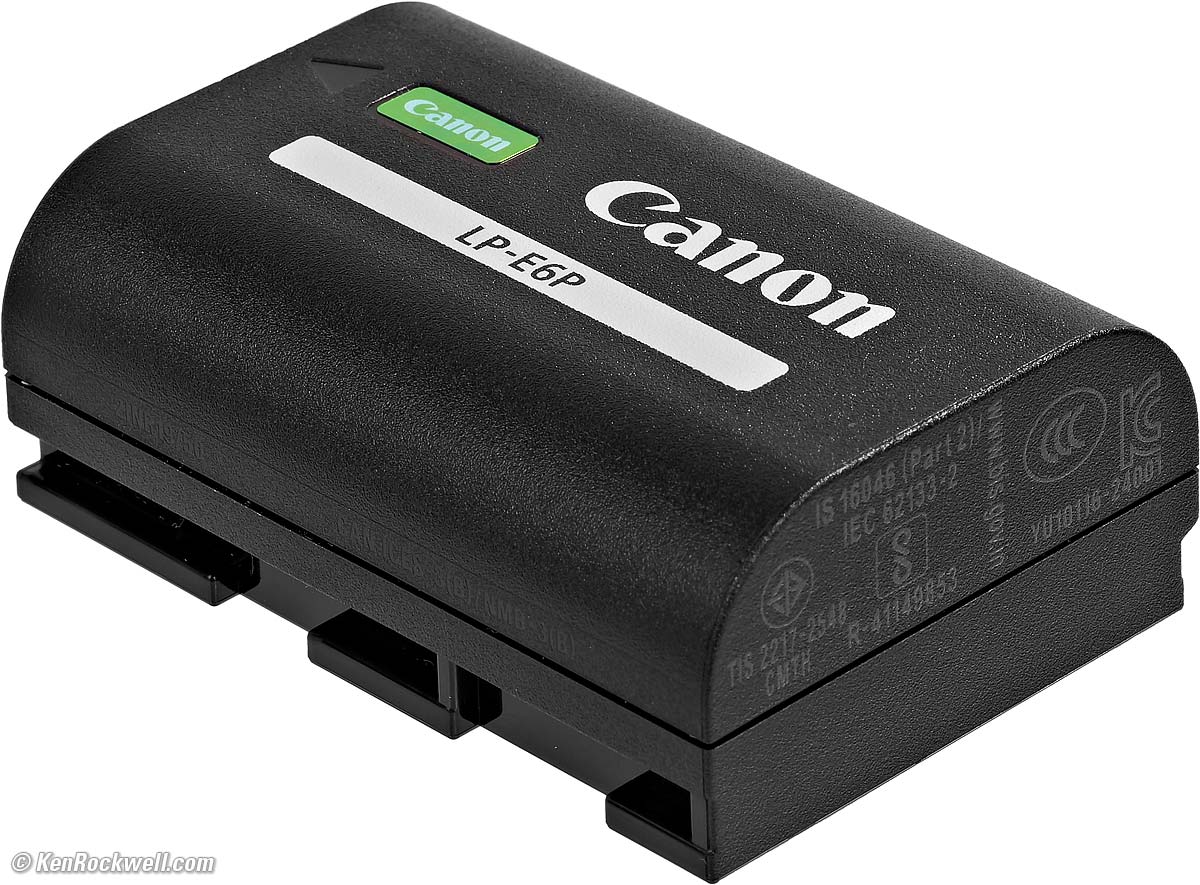
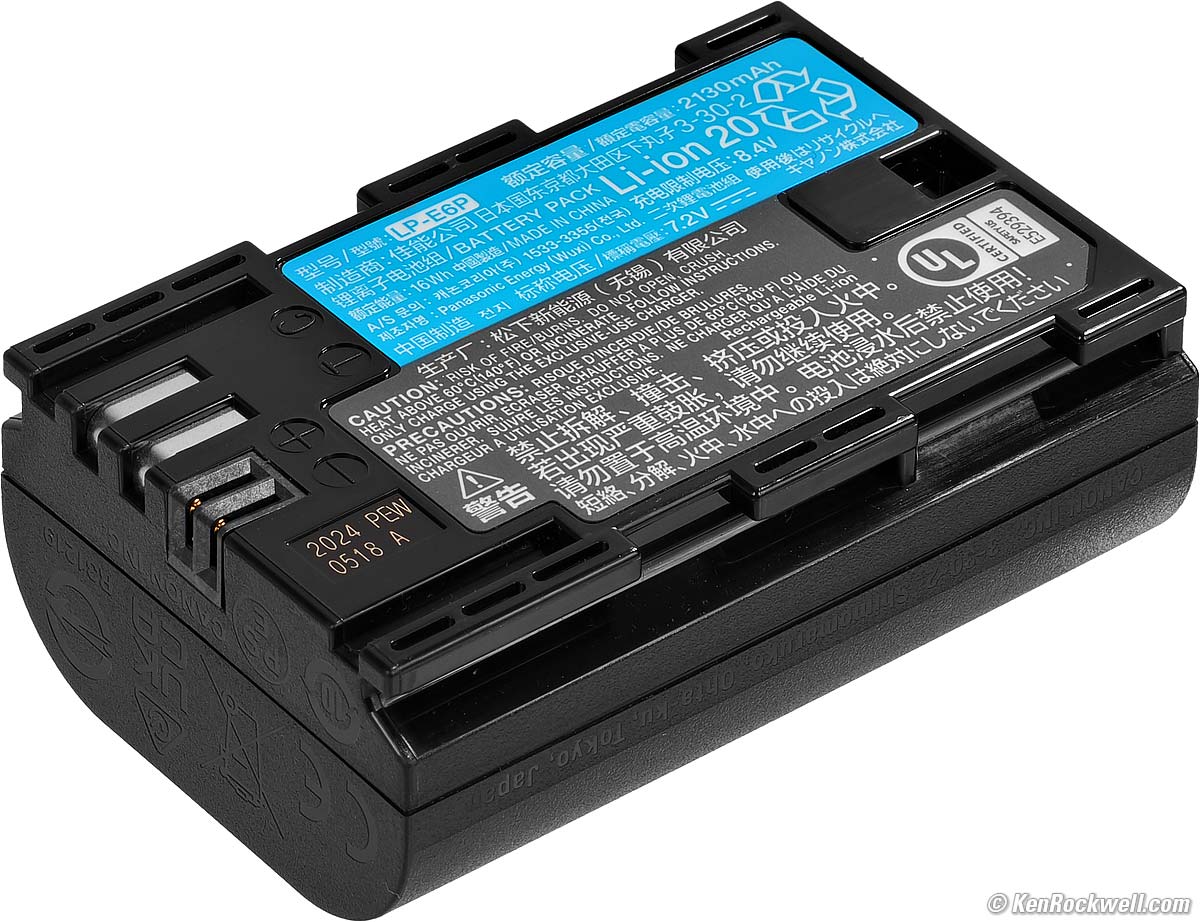
Comes with new LP-E6P Battery. Also shoots fine with our older LP-E6NH and LP‑E6N, but won't work with the original LP-E6.
Rated 240 shots per charge with the finder; 540 with the rear LCD in the high-performance mode.
With the power-saving mode I use, it's rated 340 shots with the finder, or 6300 with the rear LCD.
The original R5 was rated 220 shots per charge with the finder; 320 with the LCD in the high-performance mode, and with the power-saving mode, the R5 rated 320 shots with the finder, or 490 with the LCD.
~ or ~
50 minutes of video at 8K RAW (lightweight RAW) 59.94 or 50 FPS, or
One hour at 8K DCI (standard LGOP) at 29.97 or 25.00 FPS, or
1h 20m at 4K DCI (standard LGOP) at 59.94 or 50 FPS, or
2h 10m at 1,080 (standard LGOP) at 29.97 or 25 FPS.
Charging
Charges in-camera with any USB-C PD "Power-Delivery" rated charger, or externally in the included charger:
|
|
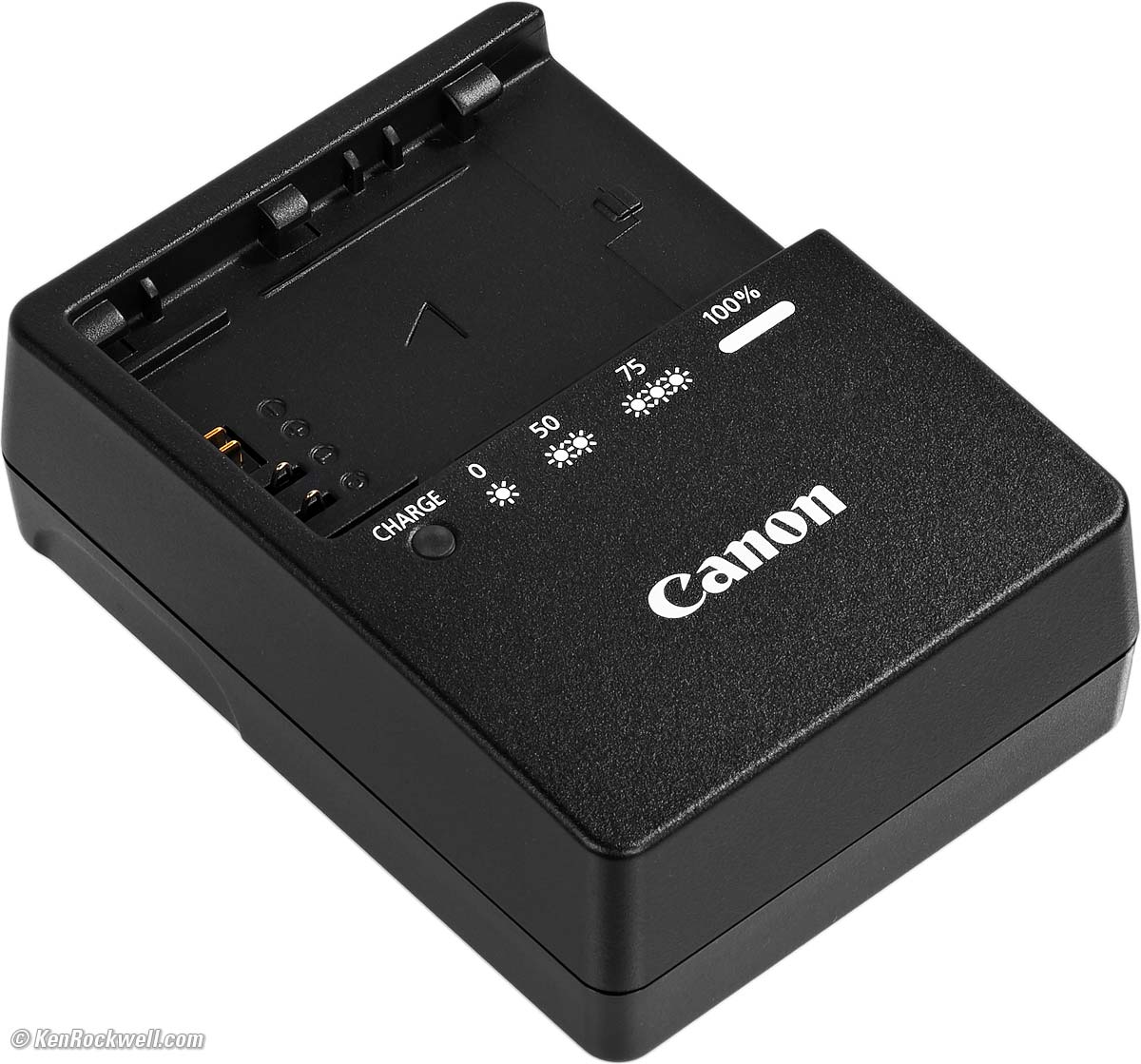
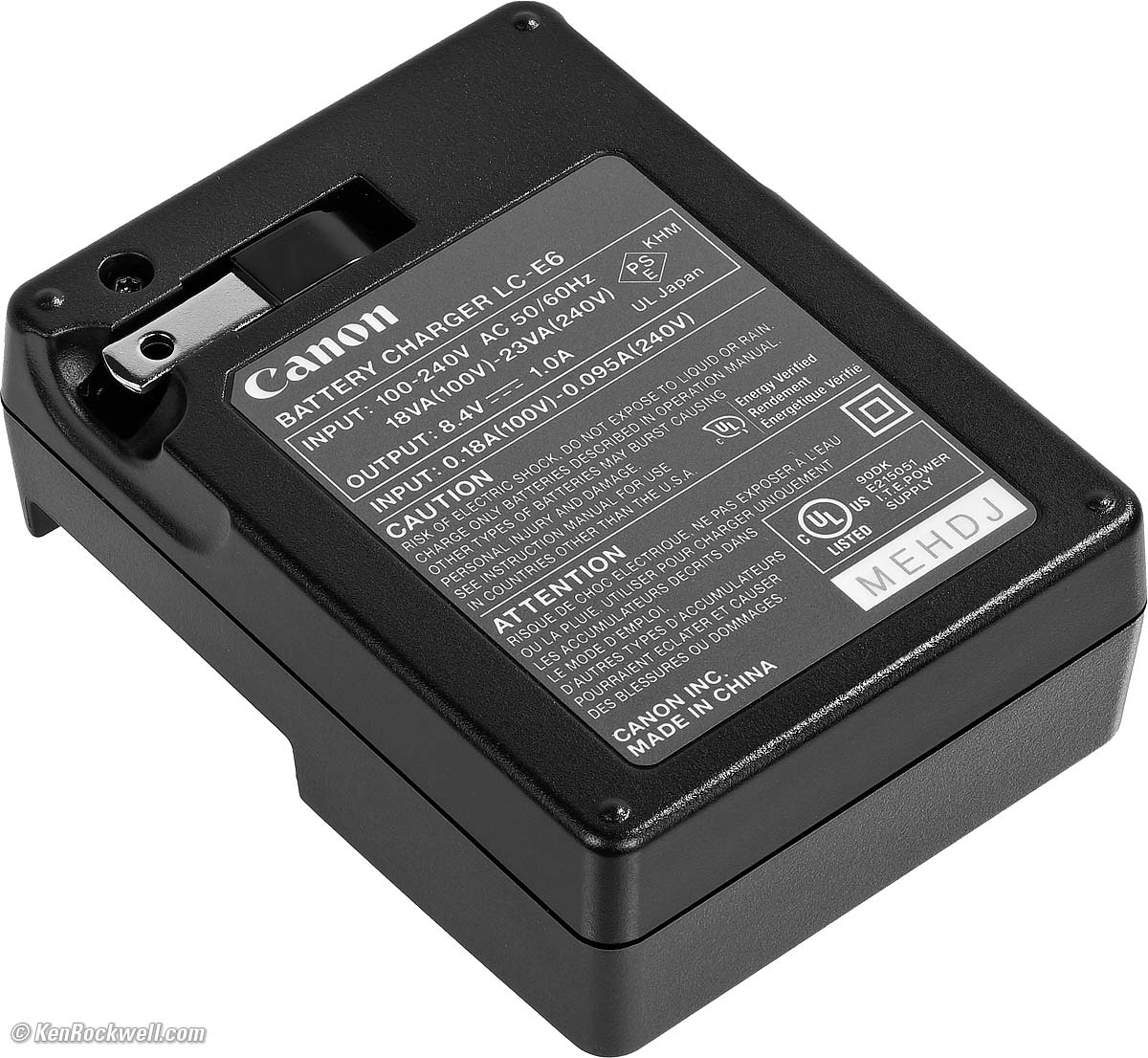
LC-E6 folding plug 100-240V 50-60 cps charger, included.
Size specifications top
3.98 × 5.45 × 3.68 inches HWD.
101.2 × 138.5 × 93.5 millimeters HWD.
Weight specifications top
Rated 26.3 oz. (746 g) with battery and one SD card.
Rated 23.1 oz. (656 g) stripped.
Operating Environment specifications top
0º ~ 40º C (32º ~ 104º F).
0 to 85% RH.
Quality specifications top
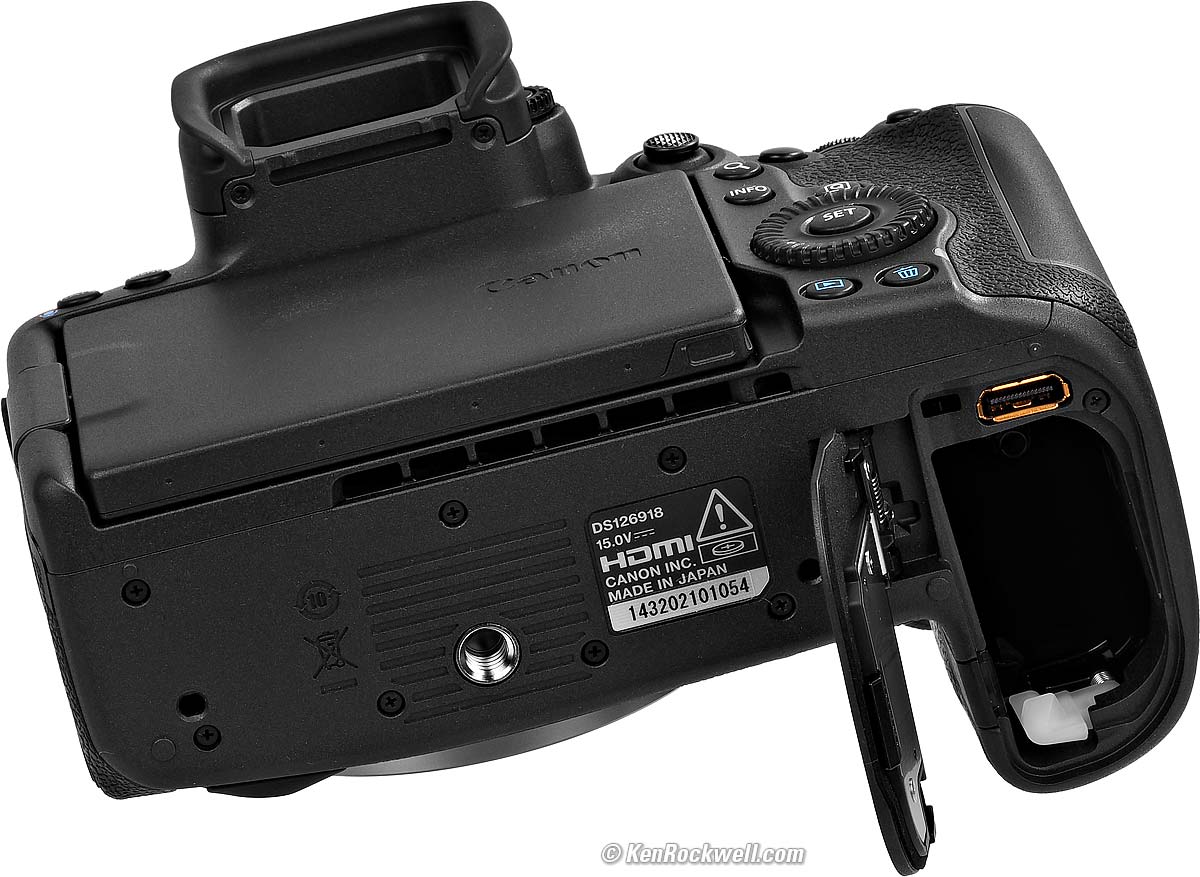
Made in Japan. bigger.
Included specifications top
EOS R5 II, ER-SC3 Hot Shoe Cover, R-F-5 EOS-R Body Cap and ER-KE Eyecup.
Strap.
Announced specifications top
Hinted at earlier, but only actually announced Wednesday, 17 July 2024 at 6 AM NYC time.
Promised for specifications top
Late August, 2024.
Canon's Model Numbers specifications top
Product code: 6536C002 (6536C001 in Japan).
JAN code: 4549292-229141.
R5 II Price, U. S. A. specifications top
(Compare to the original R5's historical prices.)
25 November 2025 ($400 off)
R5 Mk II Body
$3,899 at B&H, at Adorama, at Amazon or at Crutchfield.
About $3,210 used if you know How to Win at eBay.
The very similar original R5 is only $2,599 at B&H, at Adorama, at Crutchfield and at Amazon, or about $1,907 used if you know How to Win at eBay.
R5 Mk II and RF 24-105mm f/4 L IS USM
$5,149 at B&H and at Adorama or at Crutchfield.
22 July 2025 ($300 off)
R5 Mk II Body
$3,999 at B&H, at Adorama, at Amazon or at Crutchfield.
About $3,450 used if you know How to Win at eBay.
The very similar original R5 is $3,199 at B&H, at Crutchfield and at Amazon, or about $1,870 used if you know How to Win at eBay.
R5 Mk II and RF 24-105mm f/4 L IS USM
$5,499 at B&H and at Adorama or at Crutchfield.
04 March 2025 ~ 01 April 2025 ($300 off)
R5 Mk II Body: $3,999 at B&H, at Adorama, at Amazon or at Crutchfield, or about $3,740 used if you know How to Win at eBay.
R5 Mk II and RF 24-105mm f/4 L IS USM: $5,099 at B&H and at Adorama or at Crutchfield.
The very similar original R5 is $2,999 at B&H, at Crutchfield and at Amazon, or about $1,764 used if you know How to Win at eBay.
01 March 2025 (full price)
R5 Mk II Body: $4,299 at B&H, at Adorama, at Amazon or at Crutchfield, or about $3,740 used if you know How to Win at eBay.
R5 Mk II and RF 24-105mm f/4 L IS USM: $5,399 at B&H and at Adorama or at Crutchfield.
The very similar original R5 is $2,999 at B&H, at Crutchfield and at Amazon, or about $1,764 used if you know How to Win at eBay.
24 February 2025 (full price)
R5 Mk II Body: $4,299 at B&H, at Adorama, at Amazon or at Crutchfield, or about $3,790 used if you know How to Win at eBay.
R5 Mk II and RF 24-105mm f/4 L IS USM: $5,399 at B&H and at Adorama or at Crutchfield.
The very similar original R5 is $3,399 at B&H, at Crutchfield and at Amazon, or about $1,725 used if you know How to Win at eBay.
09 January 2025 (full price)
R5 Mk II Body: $4,299 at B&H, at Adorama, at Amazon or at Crutchfield, or about $3,790 used if you know How to Win at eBay.
R5 Mk II and RF 24-105mm f/4 L IS USM: $5,399 at B&H and at Adorama or at Crutchfield.
The very similar original R5 is just $2,899 at B&H, at Crutchfield and at Amazon, or about $2,000 used if you know How to Win at eBay.
27 November 2024 (full price)
R5 Mk II Body: $4,299 at B&H, at Adorama, at Amazon or at Crutchfield, or about $3,900 used if you know How to Win at eBay.
R5 Mk II and RF 24-105mm f/4 L IS USM: $5,399 at B&H and at Adorama or at Crutchfield.
The very similar original R5 is just $2,799 at B&H, at Crutchfield and at Amazon, or about $1,985 used if you know How to Win at eBay.
06 November 2024 (full price)
R5 Mk II Body: $4,299 at B&H, at Adorama, at Amazon or at Crutchfield.
R5 Mk II and RF 24-105mm f/4 L IS USM: $5,399 at B&H and at Adorama or at Crutchfield.
The similar original R5 was just $2,799, or about $2,200 used if you know How to Win at eBay.
11 September 2024 (full price)
R5 Mk II Body: $4,299 at B&H, at Adorama, at Amazon or at Crutchfield.
R5 Mk II and RF 24-105mm f/4 L IS USM: $5,399 at B&H and at Adorama or at Crutchfield.
The similar original R5 was just $2,899, or about $2,150 used if you know How to Win at eBay.
18 July ~ 06 August 2024 (full price)
R5 Mk II Body: $4,299 at B&H, at Adorama and at Amazon.
R5 Mk II and RF 24-105mm f/4 L IS USM: $5,399 at B&H and at Adorama.
The similar original R5 was just $2,999.
17 July 2024 (Introduction)
R5 Mk II Body: $4,299 at B&H and at Adorama. (654,500 yen in Japan.)
R5 Mk II and RF 24-105mm f/4 L IS USM: $5,399 at B&H and at Adorama. (808,500 yen in Japan.)
The similar original R5 was just $2,899.
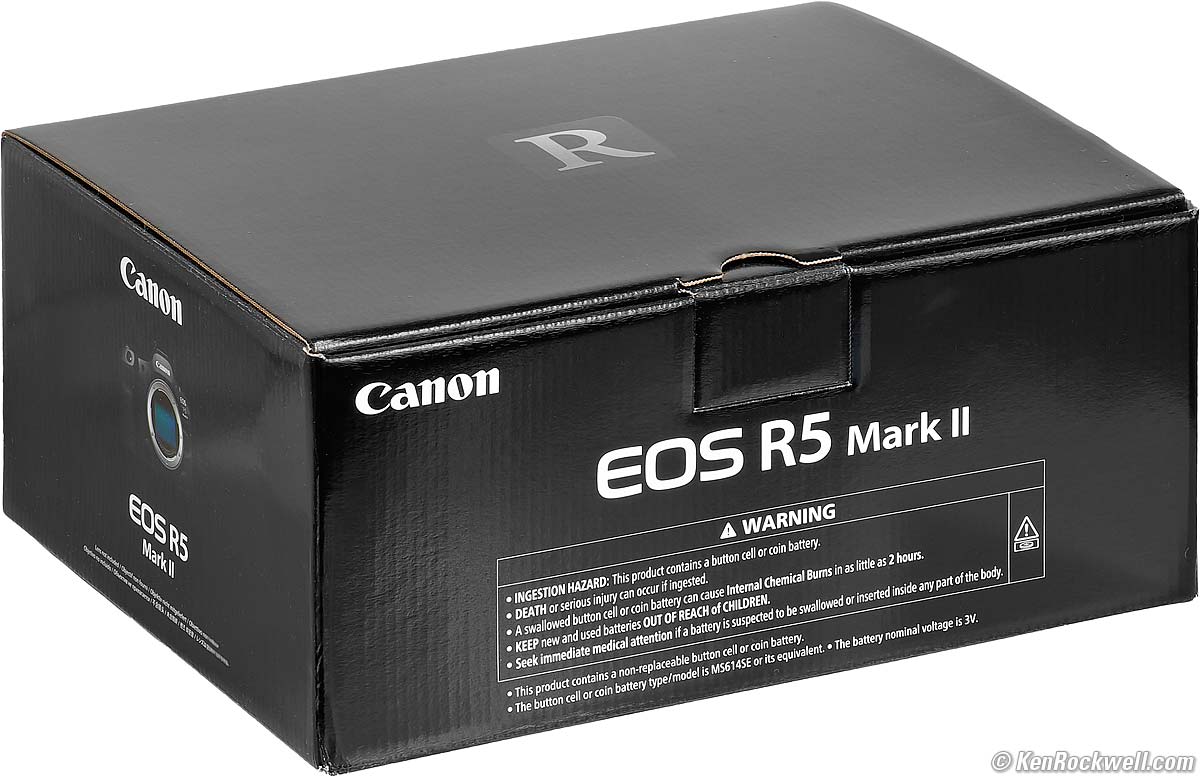


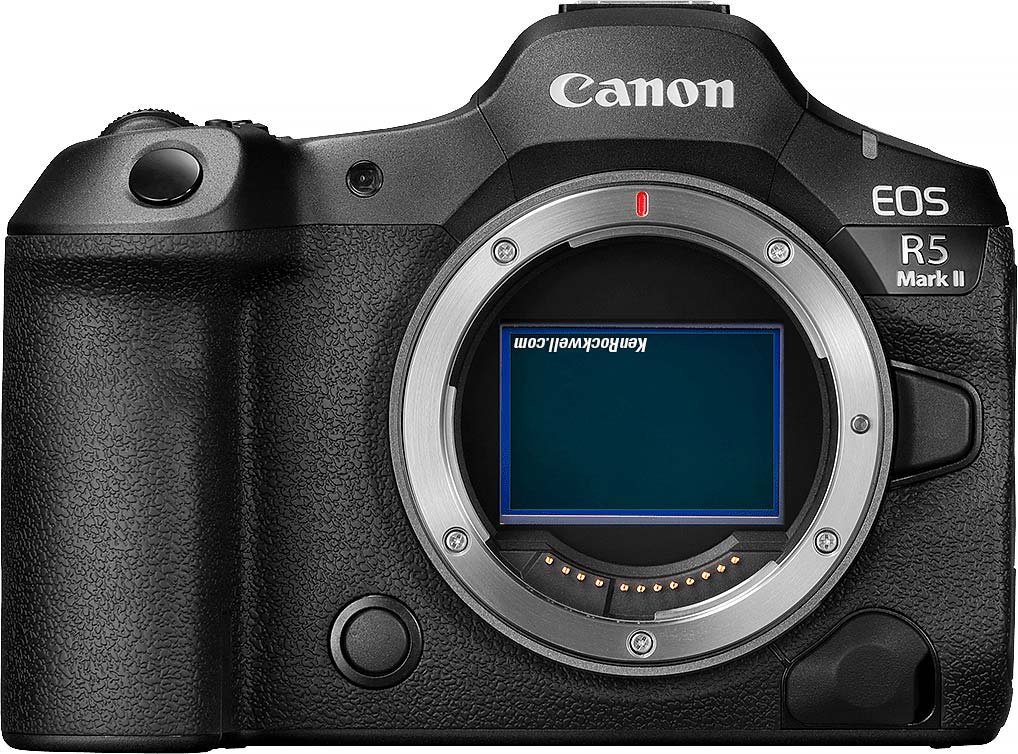
Box, Canon R5 Mark II. bigger.
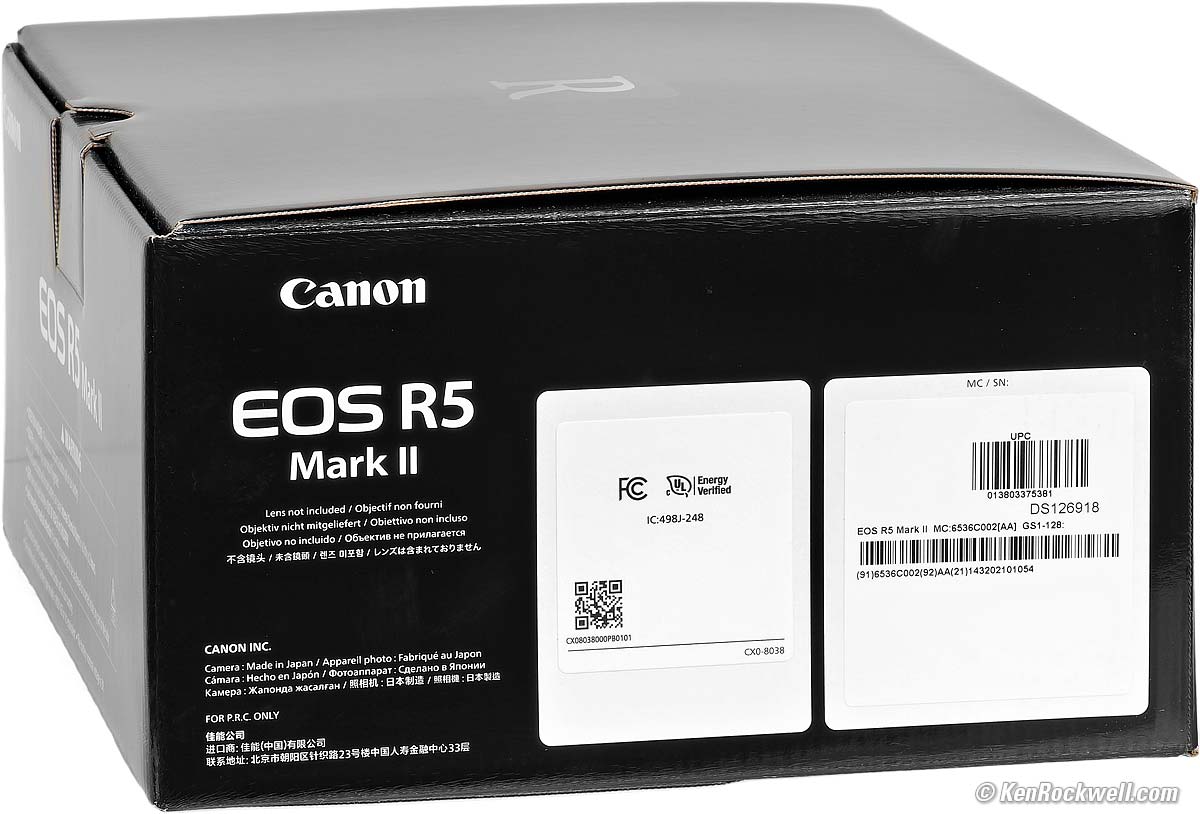
Box, Canon R5 Mark II. bigger.
Optional Accessories top
Sample Images Intro New Good Bad Missing
Specifications Accessories Unboxing
USA Version Performance Compared
User's Guide Recommendations More
I got my R5 II at B&H. I'd also get it at Adorama, at Amazon or at Crutchfield, or get it used if you know How to Win at eBay, or get it used at KEH — or get the very similar original R5 for a fat discount and laugh my way to the bank!
R5 Mk II Body
$3,899 at B&H, at Adorama, at Amazon or at Crutchfield.
About $3,210 used if you know How to Win at eBay.
The very similar original R5 is only $2,599 at B&H, at Adorama, at Crutchfield and at Amazon, or about $1,907 used if you know How to Win at eBay.
R5 Mk II and RF 24-105mm f/4 L IS USM
$5,149 at B&H and at Adorama or at Crutchfield.
RF Lenses
EF Lenses (use with an EF to RF adapter.)
Flash
NEW: Canon BG-R20 Battery Grip, also at Adorama.
NEW: BG-R20EP Grip with 2.5 Gig Ethernet Port, also at Adorama.
NEW: CF-R20EP Grip with Fan and 2.5 Gig Ethernet Port, also at Adorama.
NEW: Canon LP-E6P Battery (replacement), also at Adorama.
NEW: Canon DR-E6P DC Coupler, also at Adorama. (We're still doing these?)
NEW: Canon ER-KE Eyecup (replacement), also at Adorama.
NEW: Canon PD-E2 USB Power Adapter, also at Adorama.
NEW: Canon ER-SC3 Shoe Cover (replacement), also at Adorama.
NEW: Canon ERC-R5L Rain Cover, large, also at Adorama.
NEW: Canon ERC-R5S Rain Cover, small, also at Adorama.
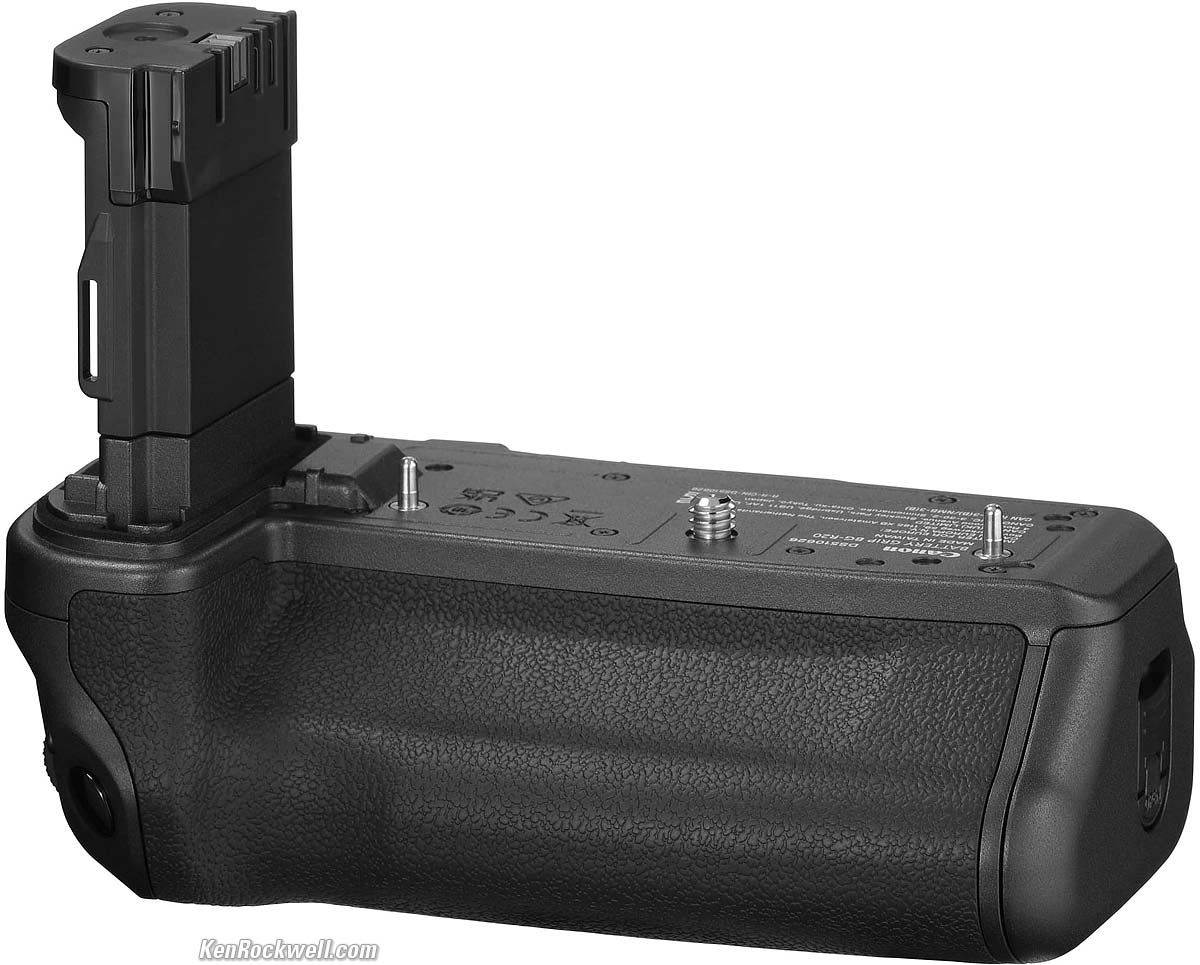
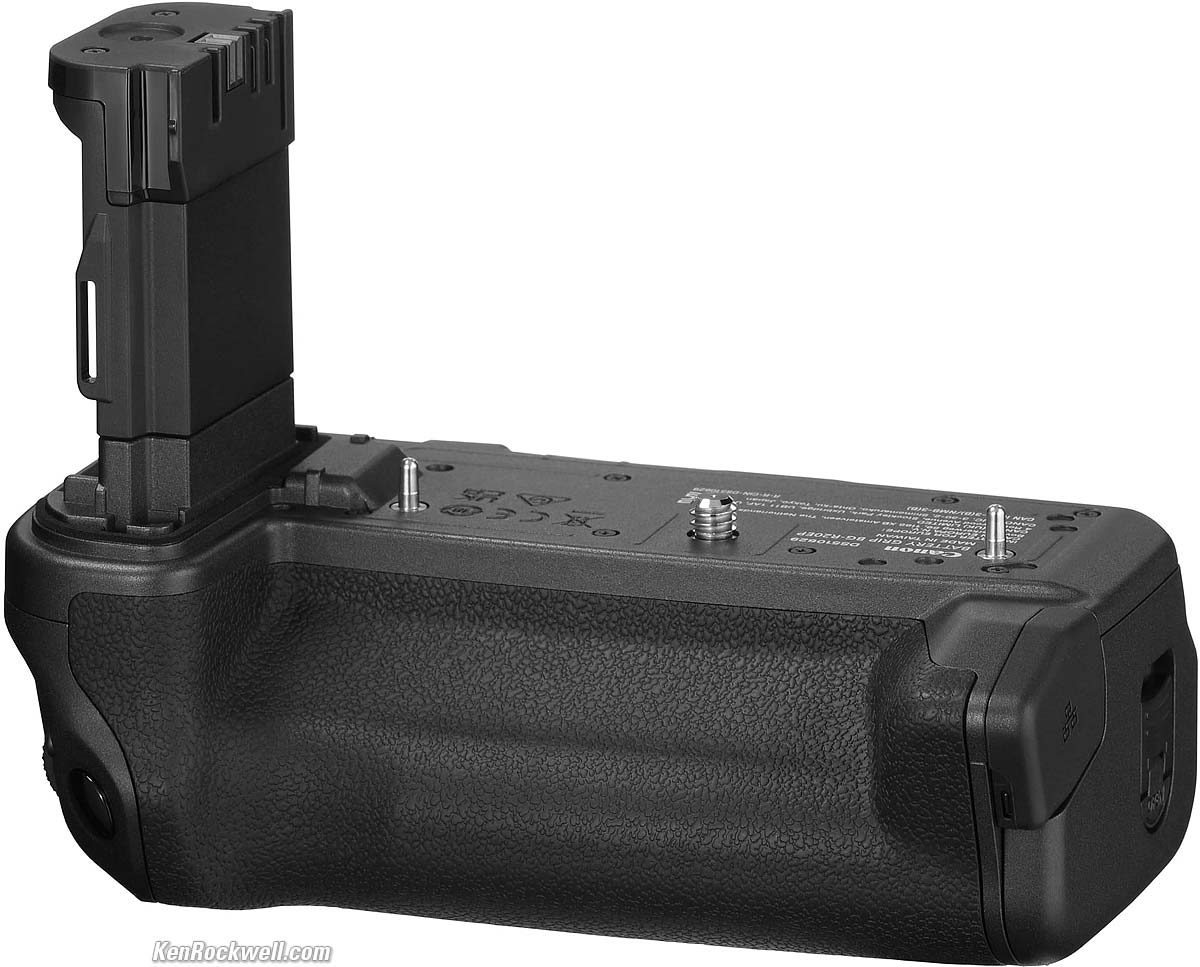
BG-R20EP Grip with 2.5 Gig Ethernet.
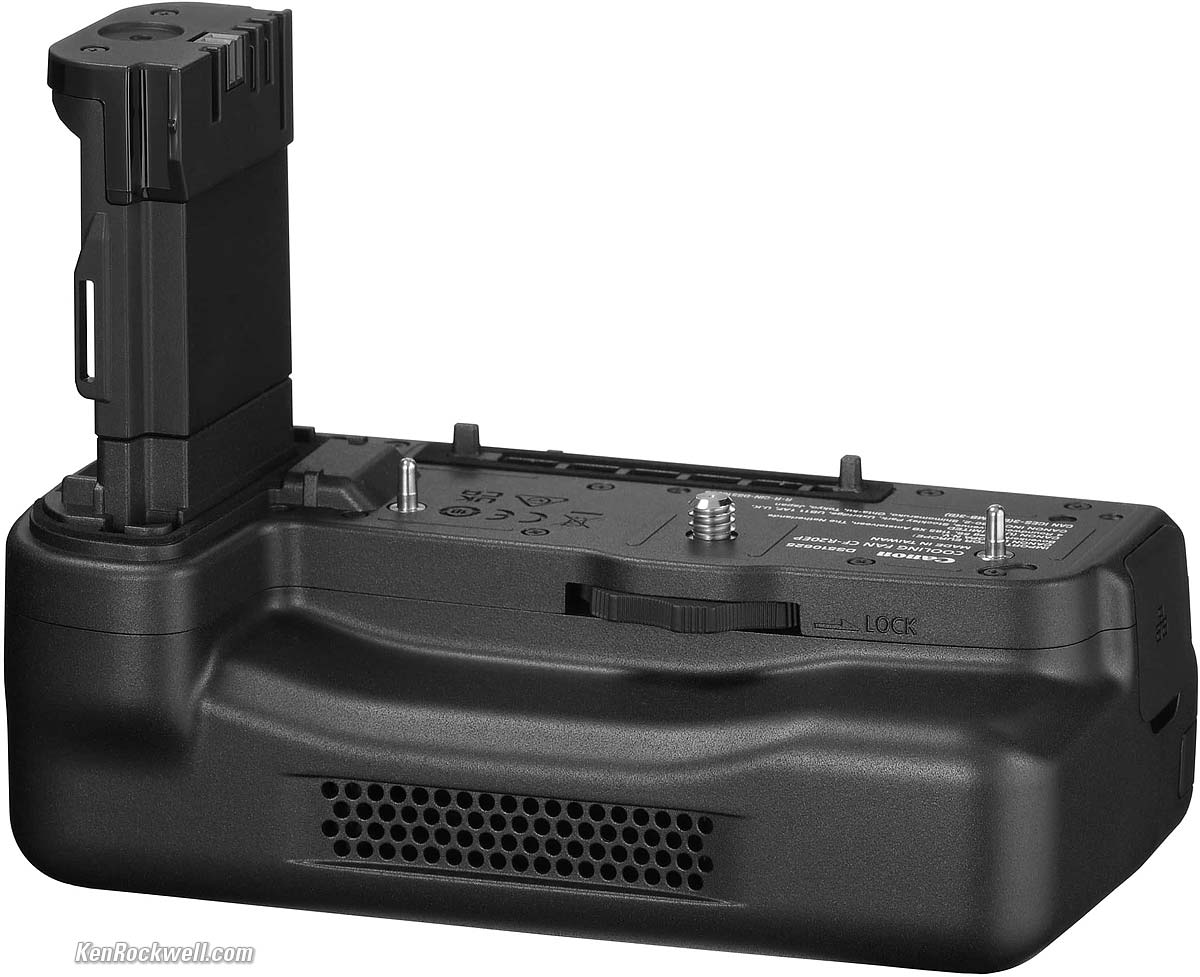
CF-R20EP Grip with Fan and 2.5 Gig Ethernet, also at Crutchfield.
The CF-R20EP holds two batteries and adds a cooling fan and a wired Ethernet jack, but does not have a set of duplicate vertical controls as the other grips have.
LP-E6P Battery (included).
LC-E6 Battery Charger (included but not needed if you charge via USB-C as I do).
Canon DM-E1 Programmable Microphone
Mono shotgun, 90º or 120º stereo settings.
Windscreen included.
Canon DM-E100 Stereo Microphone
Only one stereo pattern.
Windscreen included.
Canon Angle Finder C
I'm unsure if this will mount to this new finder eyepiece. It's switchable between 1.25× and 2.5× magnifications.
Unboxing top
Sample Images Intro New Good Bad Missing
Specifications Accessories Unboxing
USA Version Performance Compared
User's Guide Recommendations More
I got my R5 II at B&H. I'd also get it at Adorama, at Amazon or at Crutchfield, or get it used if you know How to Win at eBay, or get it used at KEH — or get the very similar original R5 for a fat discount and laugh my way to the bank!
R5 Mk II Body
$3,899 at B&H, at Adorama, at Amazon or at Crutchfield.
About $3,210 used if you know How to Win at eBay.
The very similar original R5 is only $2,599 at B&H, at Adorama, at Crutchfield and at Amazon, or about $1,907 used if you know How to Win at eBay.
R5 Mk II and RF 24-105mm f/4 L IS USM
$5,149 at B&H and at Adorama or at Crutchfield.
The box is completely unsealed. Just like packages of ice cream that kids open, lick and put back in store freezer sections or mouthwash that's been gargled and spat back in the bottle and put back on the store shelf, there is no way to know if anyone else has been fiddling with your camera, swapping parts or accessories, or even if it's a dropped, returned, damaged or used camera.
This is why it's critical to buy only from an approved online source, since they ship from automated warehouses where no shifty salesmen or other customers ever getting to touch your new camera before it ships. While new home security cameras, $5 CDs, DVDs, Blu-Rays, bottles of milk and 50¢ bottles of drinking water are sealed and quite obvious if anyone's opened them, paradoxically Canon doesn't bother sealing anything, so your only insurance is to buy only from a trusted online dealer.
Open the top cover, and you'll see the multi-language manual, USA Warranty Card, strap, battery and charger:
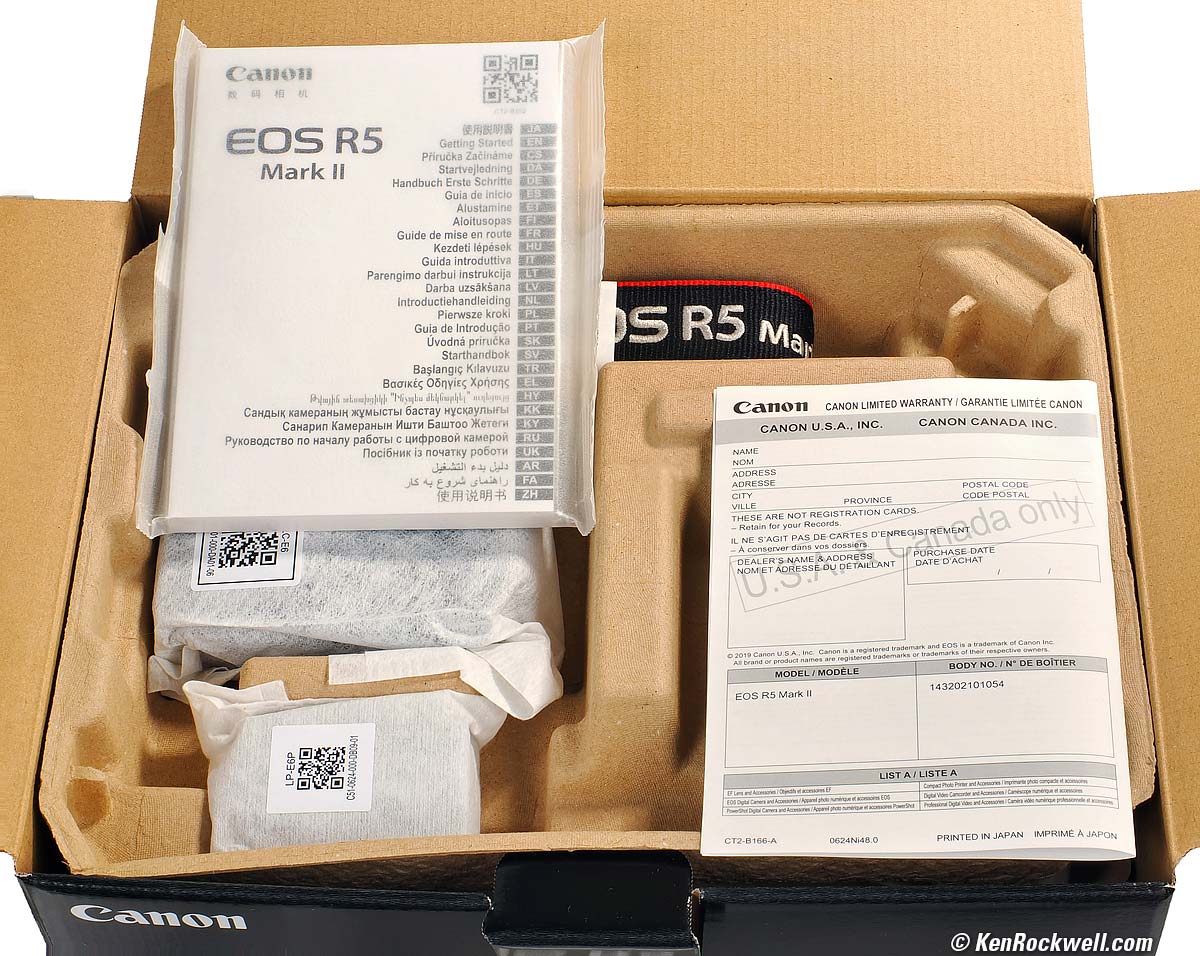
As you open the box. bigger.
Pull off the top tray, and underneath you'll see an unmarked bag holding the cable strain relief, a bag holding the IFC-100U USB-C cord, and of course the camera in a bag with a sticker with its serial number:
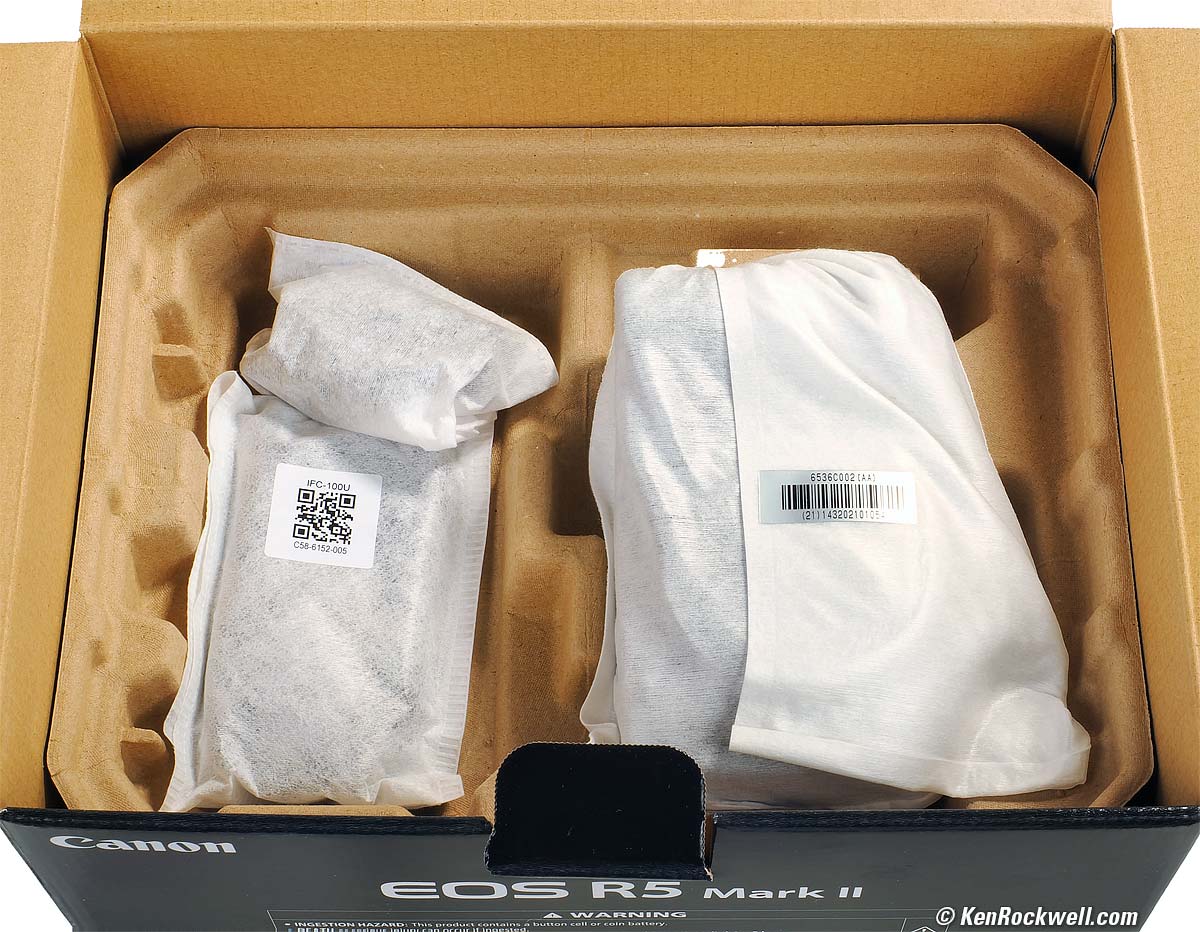
Below the top tray as seen above. bigger.
Getting a Legal U. S. A. Version top
Sample Images Intro New Good Bad Missing
Specifications Accessories Unboxing
USA Version Performance Compared
User's Guide Recommendations More
I got my R5 II at B&H. I'd also get it at Adorama, at Amazon or at Crutchfield, or get it used if you know How to Win at eBay, or get it used at KEH — or get the very similar original R5 for a fat discount and laugh my way to the bank!
R5 Mk II Body
$3,899 at B&H, at Adorama, at Amazon or at Crutchfield.
About $3,210 used if you know How to Win at eBay.
The very similar original R5 is only $2,599 at B&H, at Adorama, at Crutchfield and at Amazon, or about $1,907 used if you know How to Win at eBay.
R5 Mk II and RF 24-105mm f/4 L IS USM
$5,149 at B&H and at Adorama or at Crutchfield.
This section applies in the U. S. A. only.
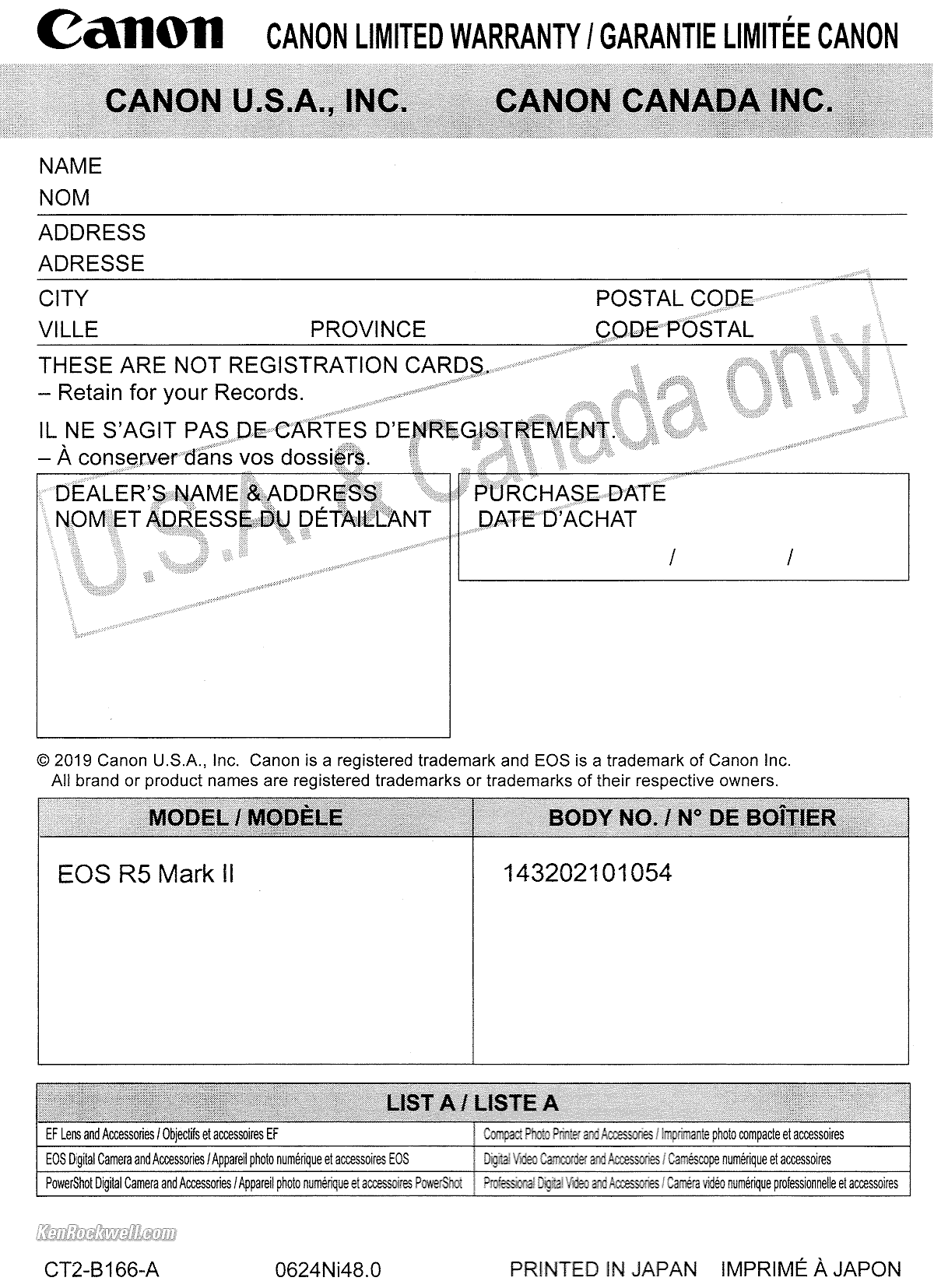
Canon R5 Mk II USA Warranty Card. bigger.
Your R5 II must include a U. S. A. warranty card like the one shown above from Canon U.S.A., Inc. It should be on top inside your box as you open it. The serial number on the card must match the serial number on the bottom of your camera.
If you have no card or the serial number doesn't match, you got ripped off with a gray market version intended to be sold in another country. This is why I never buy from any place other than my personally approved sources. You just can't take the chance of buying elsewhere, especially at any retail store where strangers have probably opened your completely unsealed box and played with your camera, because non-U. S. A. versions have no warranty in the U. S. A., and you probably won't be able to get firmware or service for it — even if you're willing to pay out-of-pocket for it when you need it!
Shifty dealers may include copies of a card from a legitimate U. S. A. product in a gray-market box, hoping you won't check serial numbers and catch their fraud. A card with the wrong serial number means nothing other than that you have no warranty coverage.
The serial number on the box doesn't have to match, but it should. It will be hidden someplace on the sticker with all the bar codes. If not, it means a shady dealer took things out of boxes and was too sloppy to put them back correctly — and it means you got a used lens if anyone other than you took it out of the box.
If a gray market version saves you $600 the risk might be worth it, but for $200 or less I wouldn't risk having no warranty or support.
Always be sure to check yours while you can still return it, or just don't buy from unapproved sources and never at retail so you'll be able to have your camera serviced and get free updated firmware as needed. Get yours from the same places I do and you won't have a problem.
Performance top
Sample Images Intro New Good Bad Missing
Specifications Accessories Unboxing
USA Version Performance Compared
User's Guide Recommendations More
I got my R5 II at B&H. I'd also get it at Adorama, at Amazon or at Crutchfield, or get it used if you know How to Win at eBay, or get it used at KEH — or get the very similar original R5 for a fat discount and laugh my way to the bank!
R5 Mk II Body
$3,899 at B&H, at Adorama, at Amazon or at Crutchfield.
About $3,210 used if you know How to Win at eBay.
The very similar original R5 is only $2,599 at B&H, at Adorama, at Crutchfield and at Amazon, or about $1,907 used if you know How to Win at eBay.
R5 Mk II and RF 24-105mm f/4 L IS USM
$5,149 at B&H and at Adorama or at Crutchfield.
Overall performance top
The R5 II has unbeaten technical image quality and very high frame rates coupled with fantastic autofocus, great ergonomics and the industry's best technical support, making the R5 II among the world's best mirrorless cameras.
Autofocus performance top
Autofocus is fast!
My R5 II easily finds bird eyes, focuses on them, and then tracks them all over the frame as animals run around. Bravo!
Like the original R5, it locks right on to dog eyeballs and gets perfect focus as they run around, instead of focussing on their noses like other cameras.
The speed at which the R5 focuses from near to far depends mostly on your choice of lens.
With a fast-focussing lens like the RF 24-240mm, autofocus is almost instantaneous.
With lenses with slower autofocusing, like the RF 85mm f/1.2 DS L, it's slower.
This isn't a big deal; the EOS RP autofocuses in and out almost as fast as the R5 II.
What really matters is how fast the R5 II manages multiple AF sensors as it tracks targets all around the frame. Just like only the Sony A9 and A9 II used to be able to do, the subject is covered with loads of little square boxes moving all over the finder from corner to corner with the subject. The boxes are blue when tracking in SERVO AF, and green when they locate and lock in ONE SHOT.
This is marvelous; the R5 II just locates and throws up a sea of green boxes on the subject when set to ONE SHOT, and does the same and tracks the subject all over with blue boxes in SERVO AF. Once you set it up, couldn't be simpler or faster. It tracks really well, and history has shown us that newer firmware often makes it even faster as time goes on.
There's an amber AF illuminator LED.
Eye-Controlled AF performance top
The R5 Mk II knows what you're thinking and focuses there by magic — even on a blank wall. It does this by looking at the direction in which your eye is pointed, which naturally lets the camera know where you're concentrating.
Turn this on or off at MENU > Customized controls/Reset page 4/4 > Eye control > OFF.
This eye-control function is very handy when it works, but for many people it doesn't work very well depending on the specifics of your eyes, so many people don't use this function.
Hint: recalibrate it under many different conditions, all to the same Calibration number, and for me it now works very well. Each time you recalibrate it adds new data for new kinds of conditions, and remembers all the previous data. It gets better and smarter each time you recalibrate under more and more conditions. Use the same Calibration Number each time; the other numbers are for different users.
Odd is that if you look down at the shutter speed and press the shutter, then it's focussed down there. Also odd is that the focus box stays at the last place it focussed until it moves again for the next shot.
I'm divided on whether or not I like this feature. No big deal; it's easy to deactivate or save different settings in the U1, U2 and U3 modes.
More good news is that if you set the R5 II to let the LCD work as a touch-pad AF selector while using the finder that as soon as you touch the rear LCD it takes over immediately, so you won't miss the shot.
Manual Focus performance top
In manual focus you have options of 6× or 15× magnifiers, an in-finder focus-distance scale and the option to see focus peaking. More at my Canon R5 User's Guide.
Ergonomics performance top
On the R5 II you can run through the menus with the touch screen, or use the thumb nubbin. Push-in the nubbin or press SET to select things.
You can enter text (copyright data, for instance) with the touch screen, although with my big American fingers I have to be dainty about it. It's a small screen compared to an iPhone.
I'll admit that I prefer the rear 4-way controllers of the EOS R and EOS RP; on the R5 II I haven't quite gotten comfortable with having to swap my thumb between the multiway nubbin and the big rear wheel.
I prefer the fixed and separate MODE dial and top rear control dials of the EOS R6 and EOS RP to the combined MODE button and control ring of the R5 and EOS R. You can see all this at Canon EOS R, RP, R5 & R6 Compared, scroll down to the photos of the tops of the cameras.
I like the green ONE SHOT AF boxes, but the blue SERVO AF boxes are a little weird. To me; green means go, not blue. Obviously Canon wants people to know whether or not they're in ONE SHOT or SERVO without having to look away from the picture.
It seems minor, but I love that the cards face the correct way with the label towards me.
Finder performance top
Superb ultra-bright finder with superior optics for ultrasharp views compared to most other cameras.
Finder data rotates when held vertically.
No finder blackout, at least how I used it.
The flash bolt is plain white, not red or orange to make it more visible.
High ISO Performance performance top
There's no mystery to comparing cameras; I shoot this same test at all the ISOs in every other camera I review so you can compare for yourself. Caveat: I repainted these walls white from their previous tan as of the beginning of 2023, so the background wall won't match in older reviews, and this set is lit by natural light which is different every day.
Complete Images details dark detail performance top
As seen at normal image sizes below, the R5 II pretty much makes the same images from ISO 50 (L) to ISO 12,800. Oddly exposure tends to vary slightly from one ISO setting to the next.
ISO 25,600 gets a tiny bit softer due to the noise reduction (this happens with every camera as well as our own eyes), and there is a little bit of color blotchyness (chroma noise).
ISO 51,200 gets softer still, and by ISO 102,400 (H) it gets softer, blotchier and noisier, but still quite usable if I need it for normal-sized images.
This is typical performance in 2024; all cameras work just fine for online image sizes at insanely high ISOs. Honestly I never use anything above ISO 10,000. If you have to use five-digit ISOs you're doing something wrong, and no one needs six-digit ISOs other than for fooling around. Photography is all about light and lighting, so if you have no light, you should be working on improving that light rather than worrying about which camera makes the least awful photos in bad situations.
Click any for the camera-original LARGE 45 MP © JPG Quality 4 file (about 13 MB each):
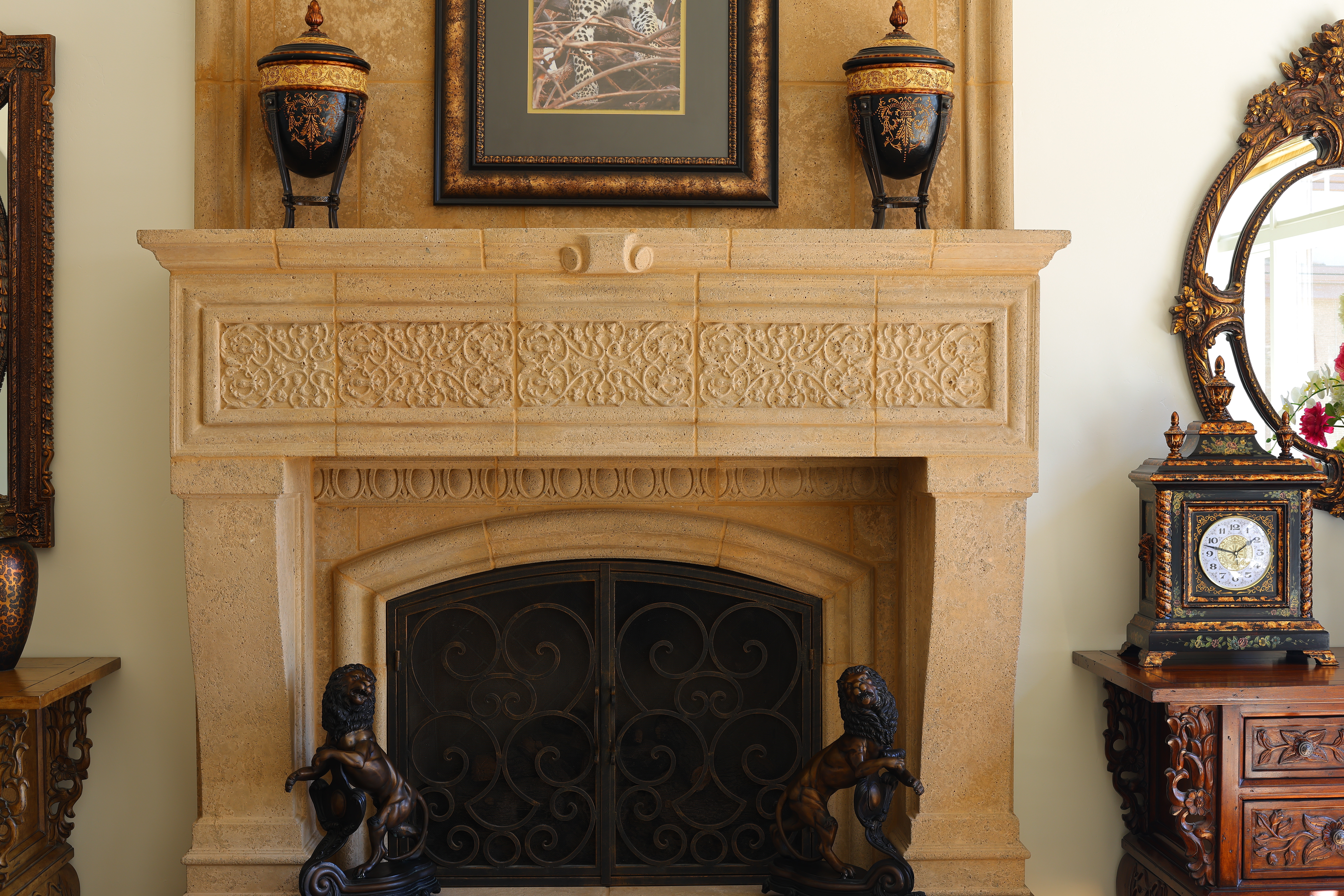
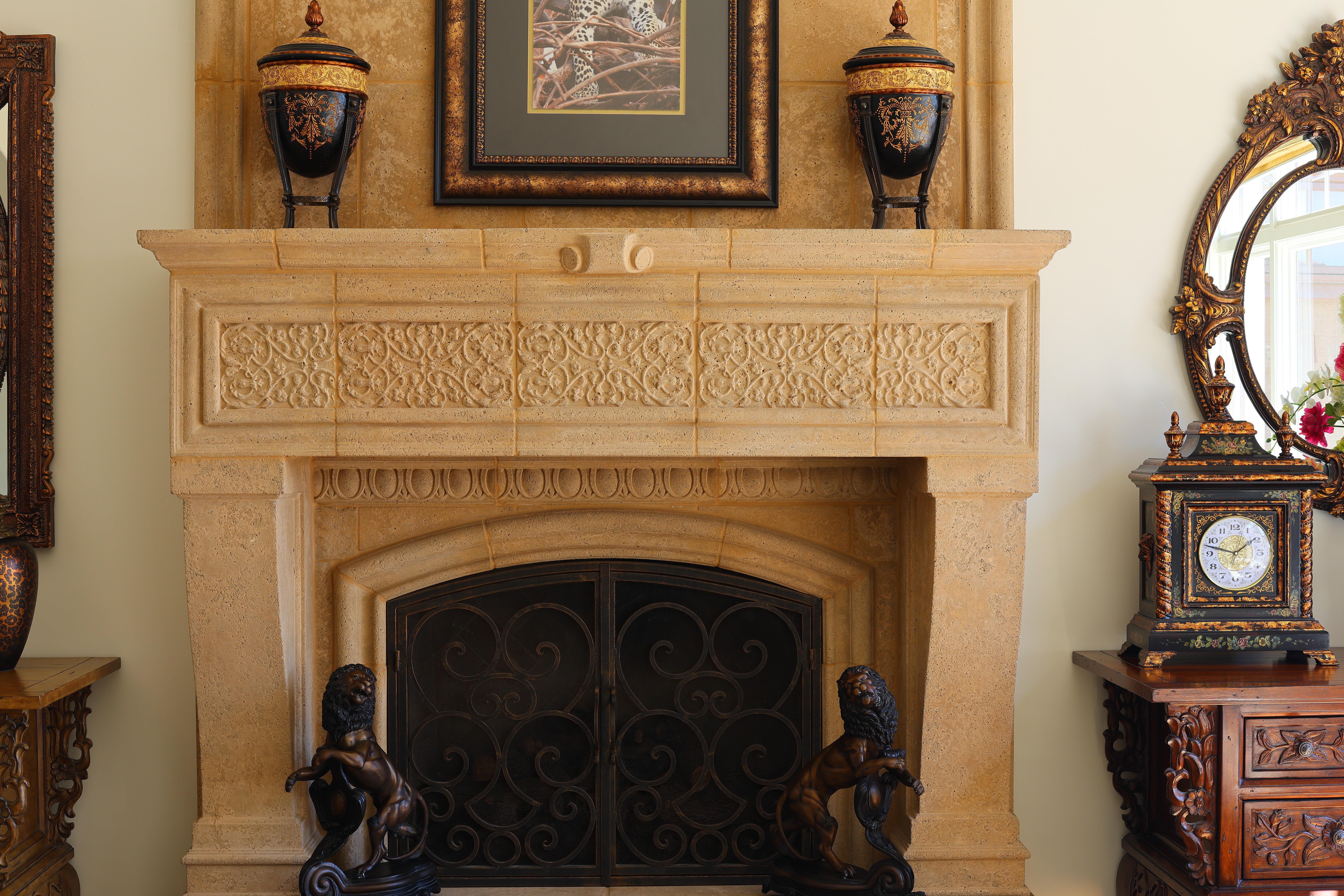
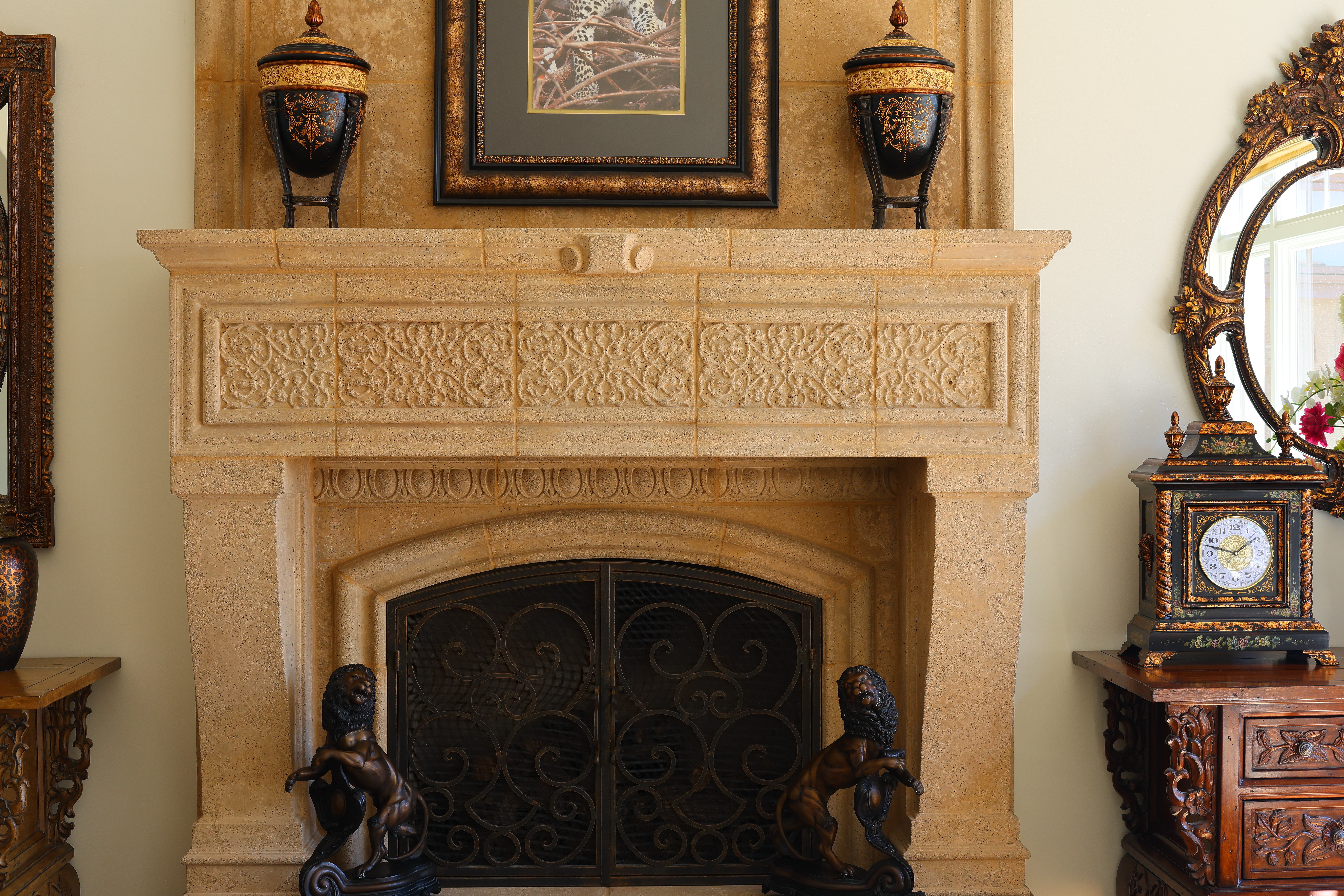
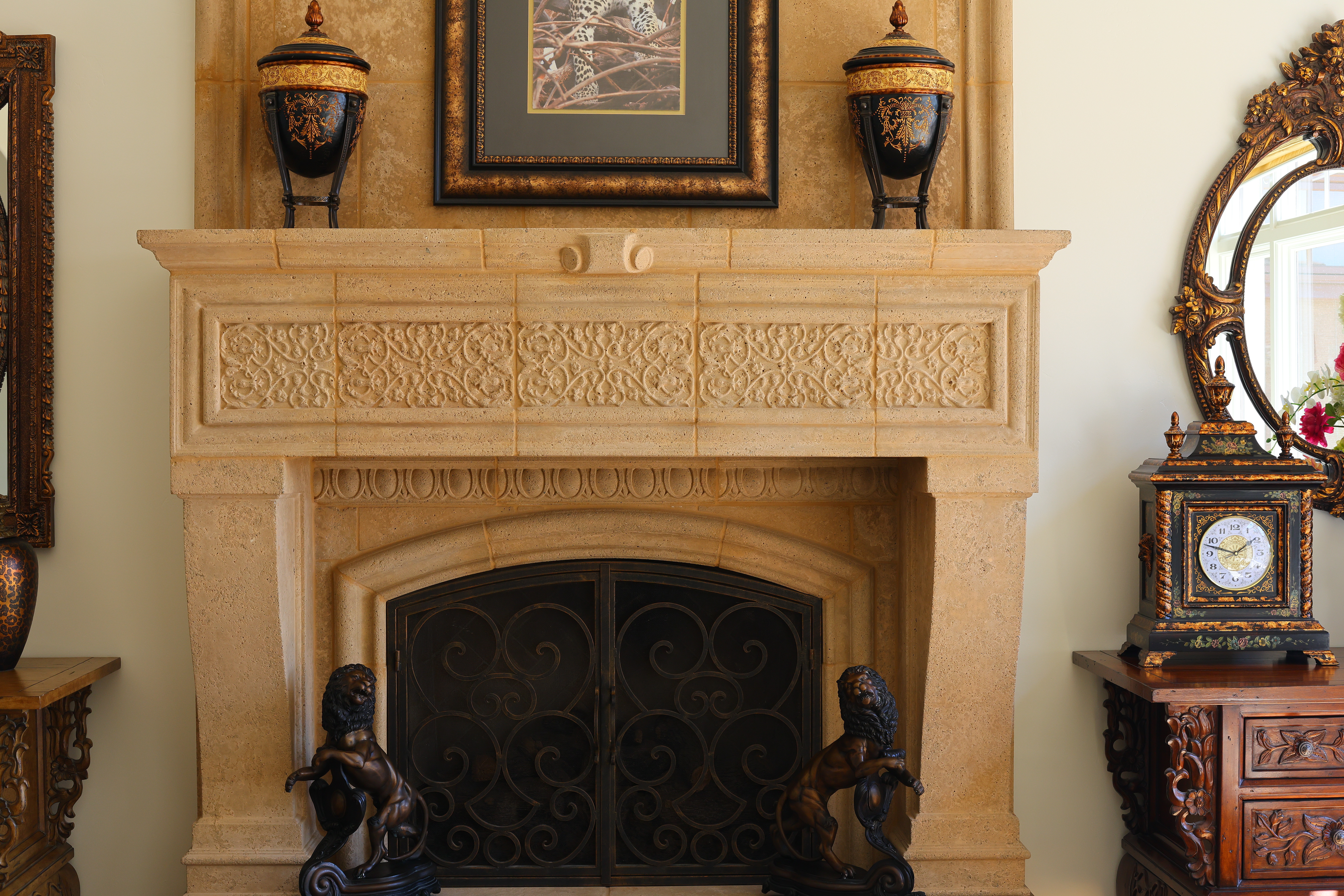
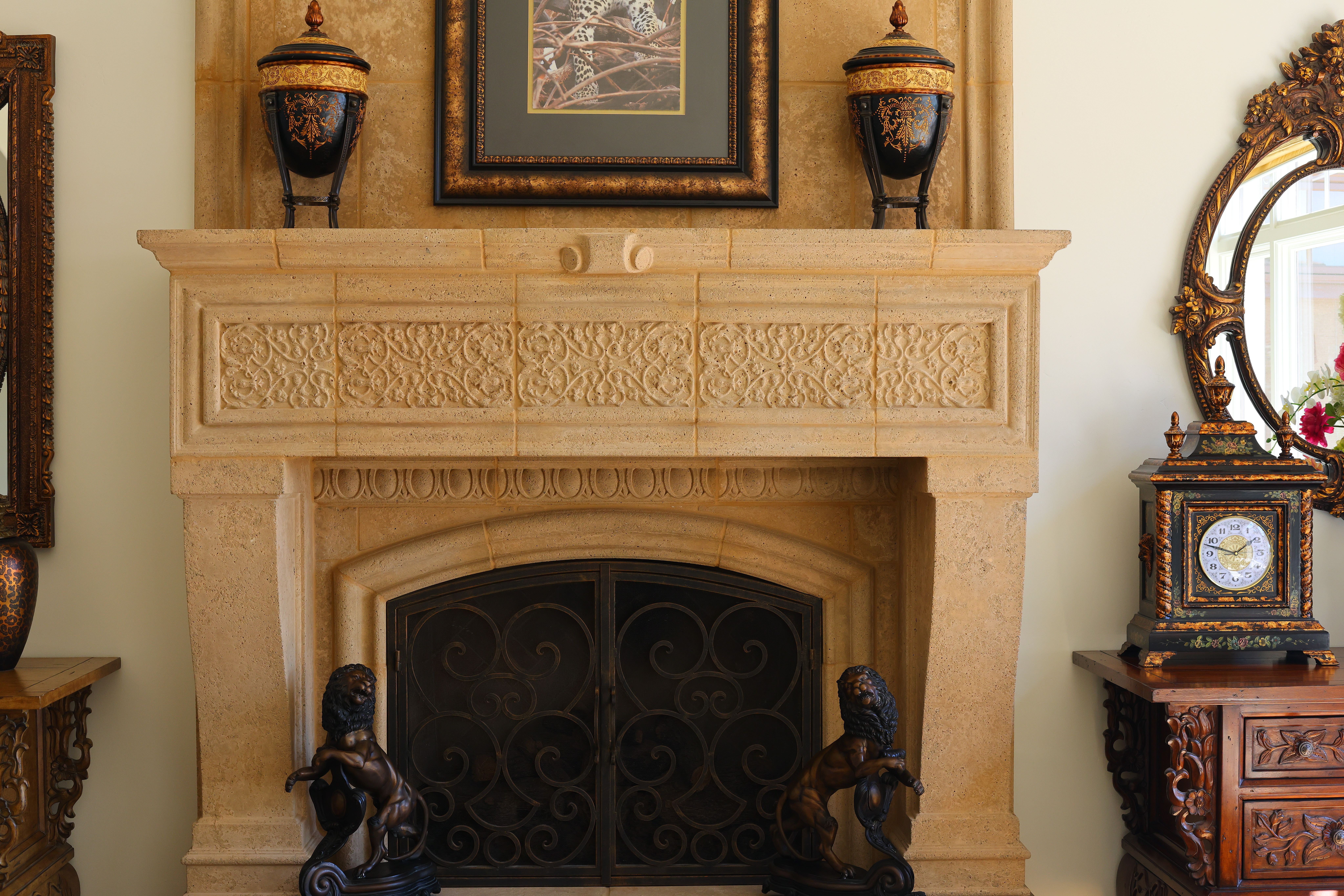
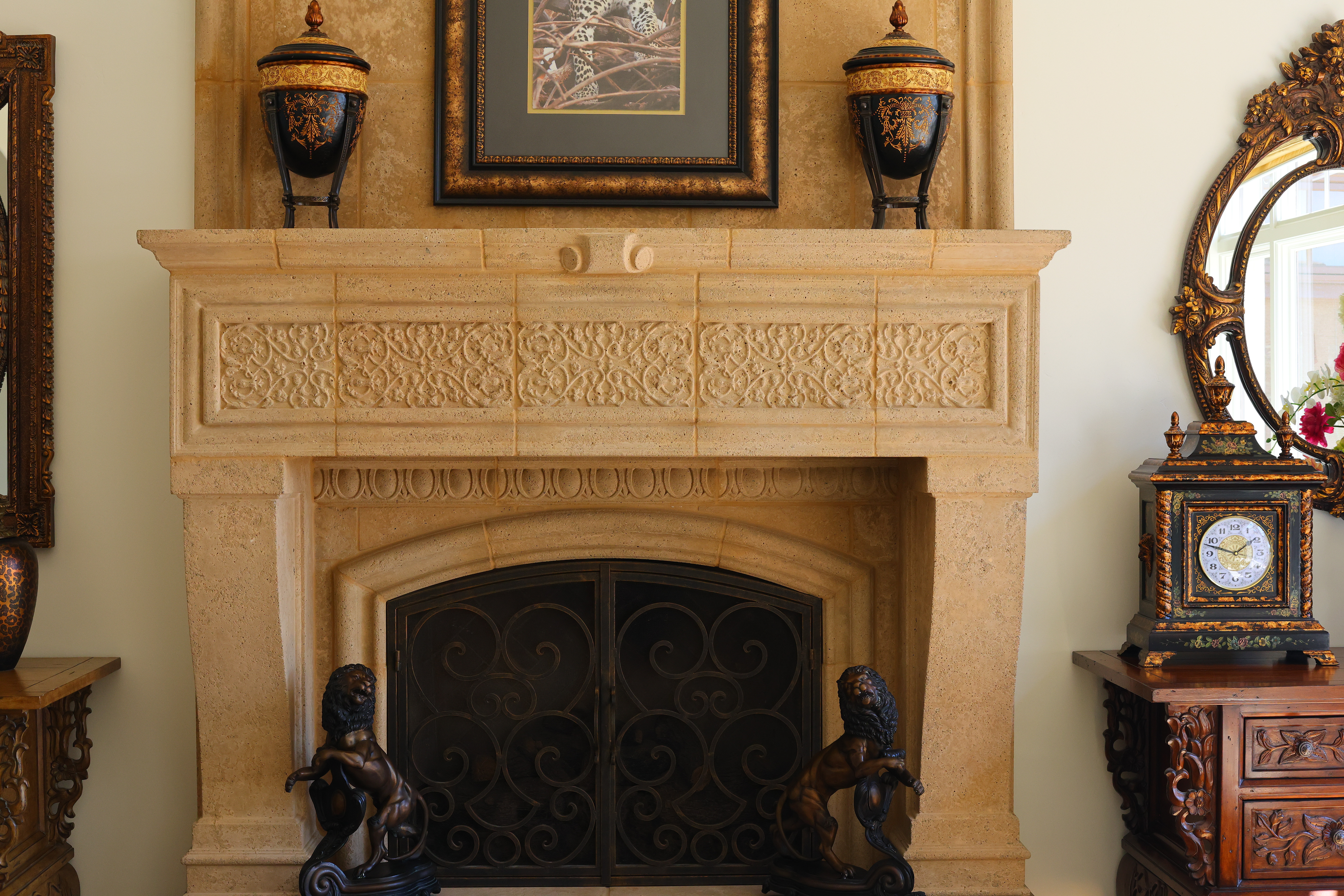
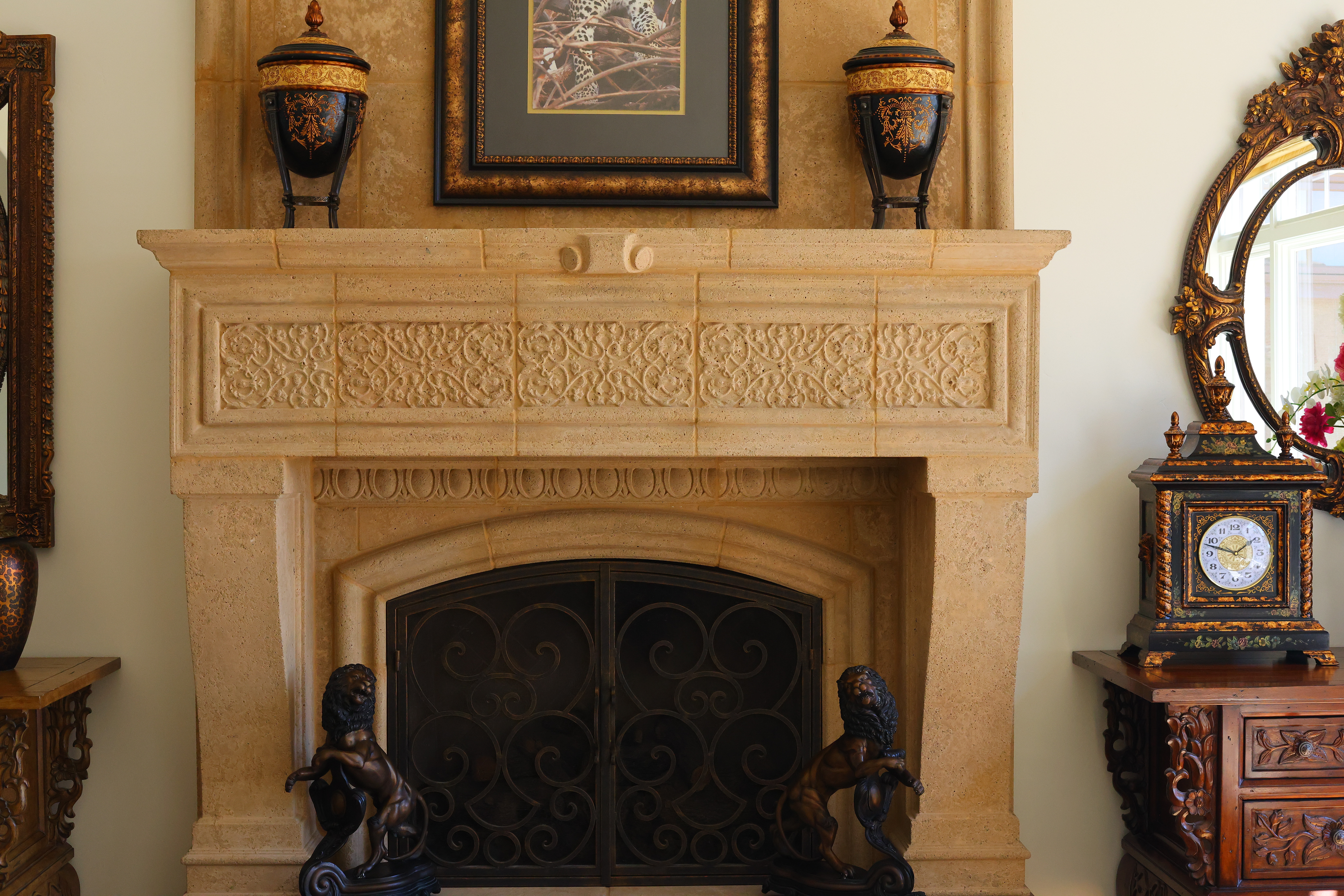
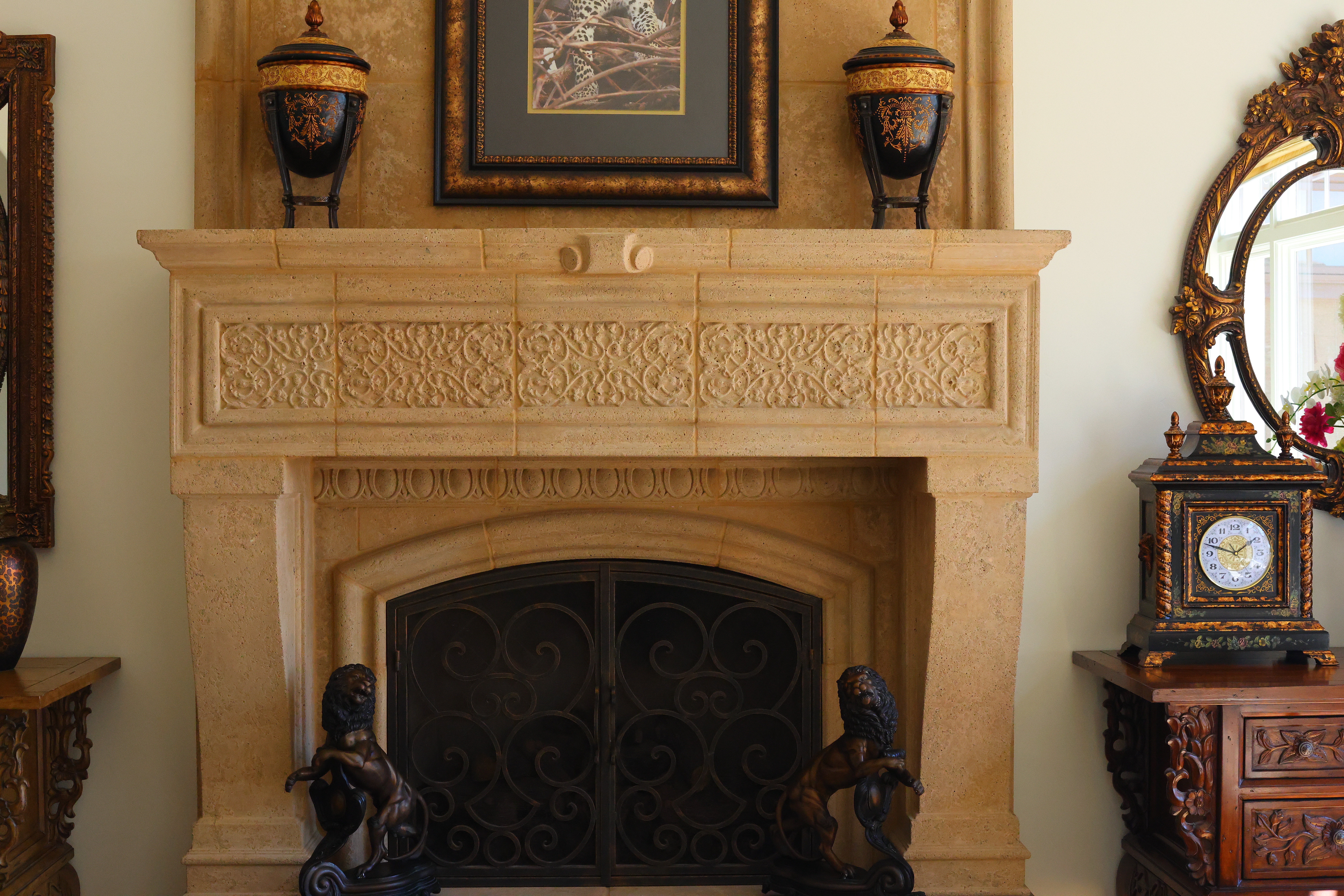
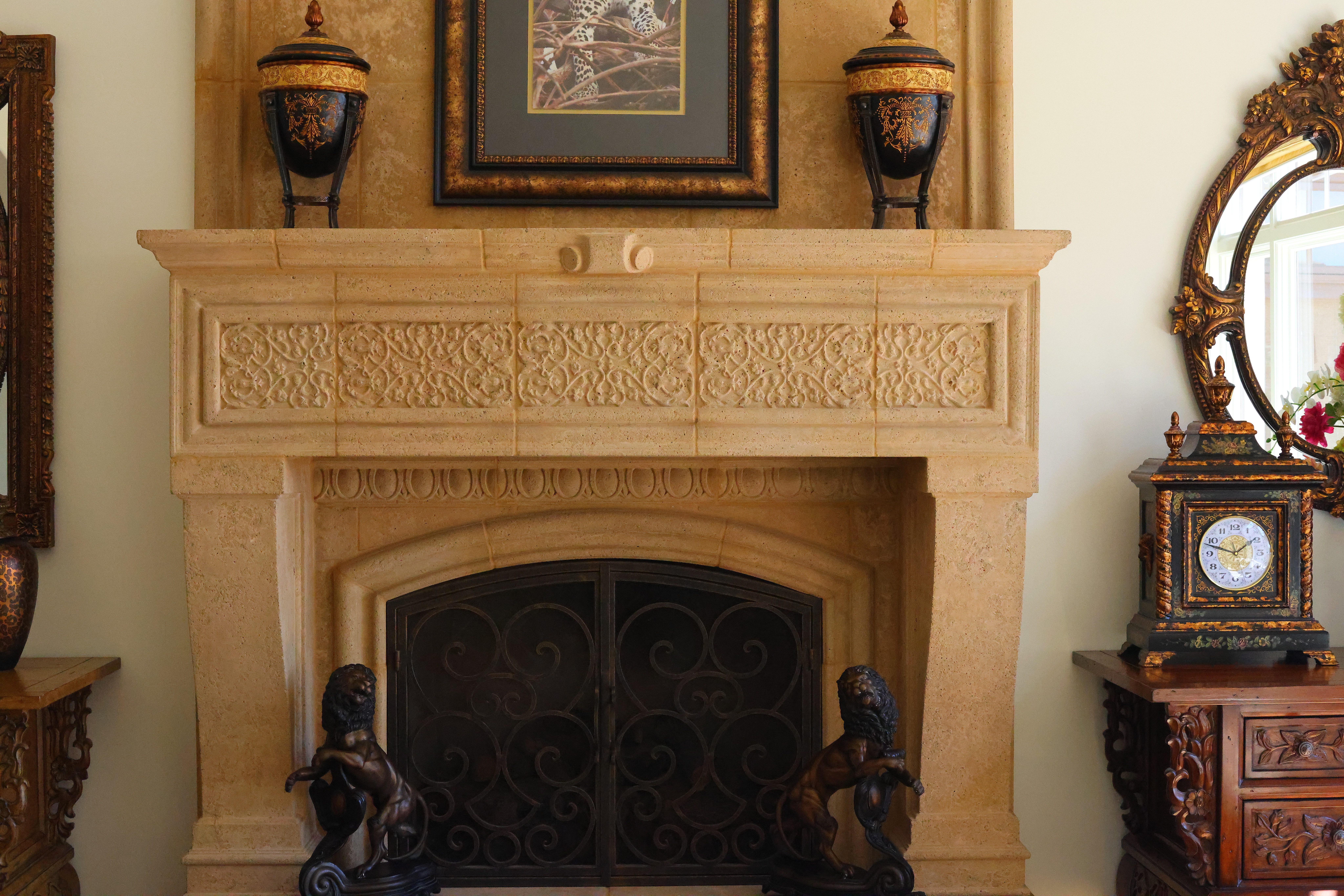
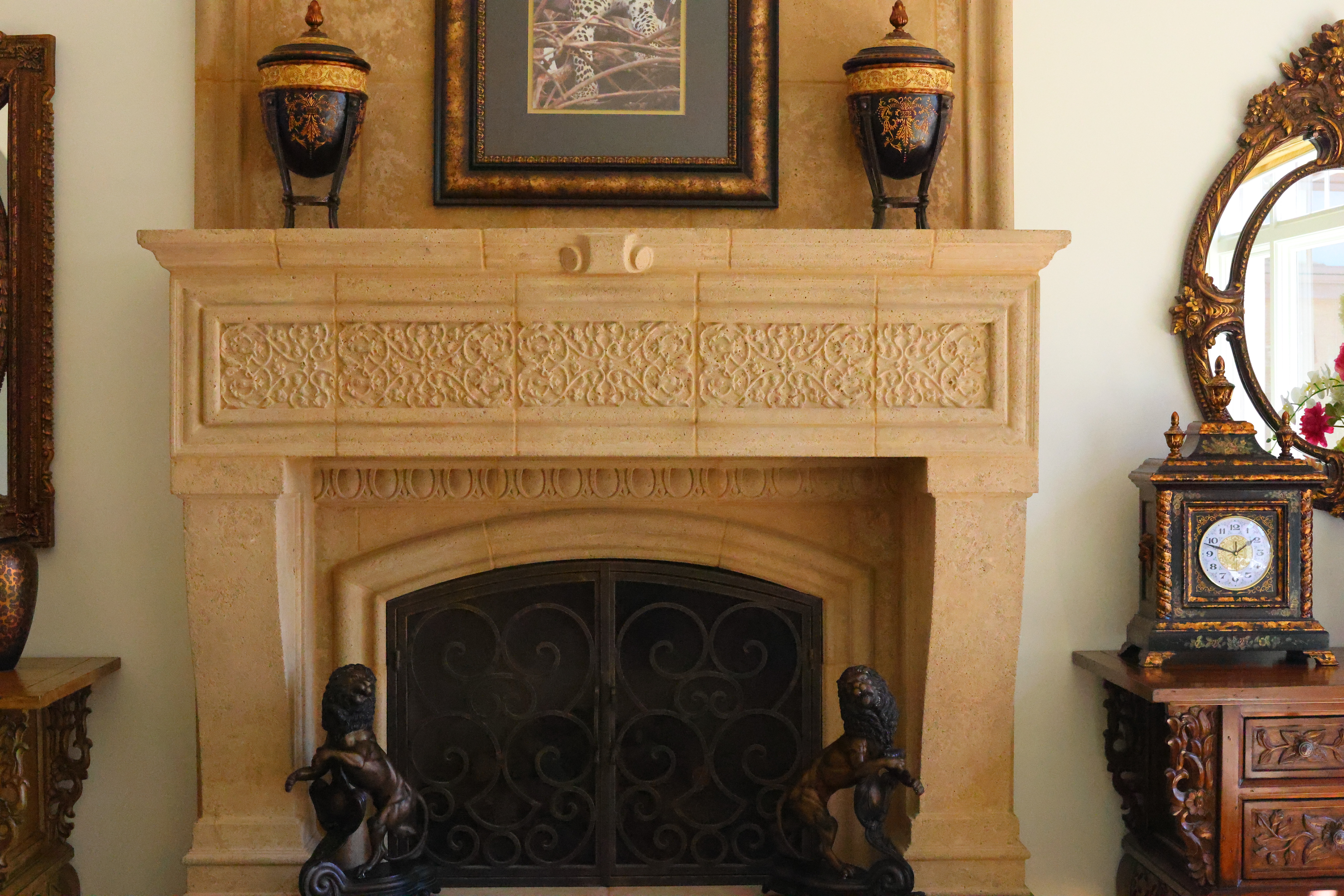
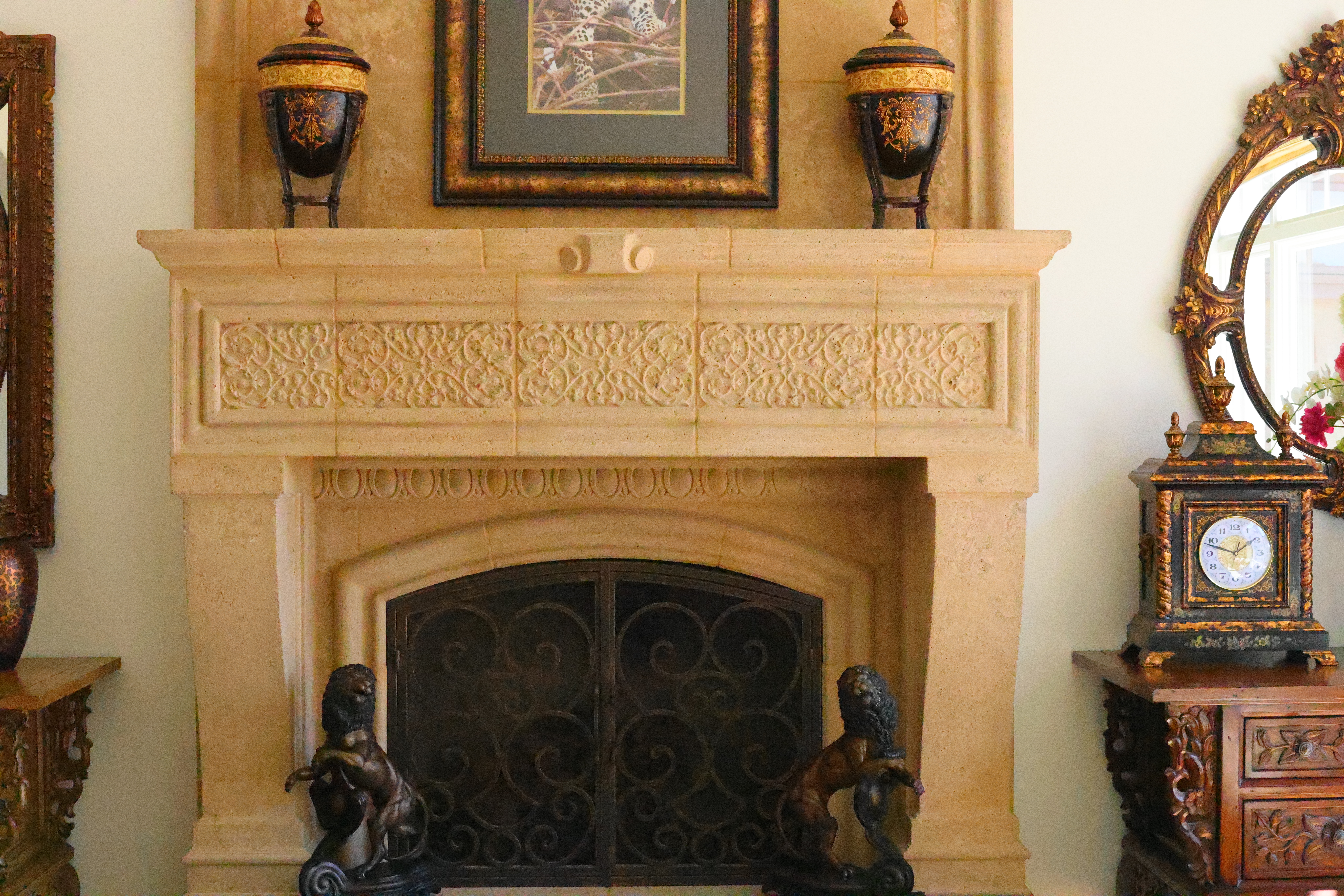
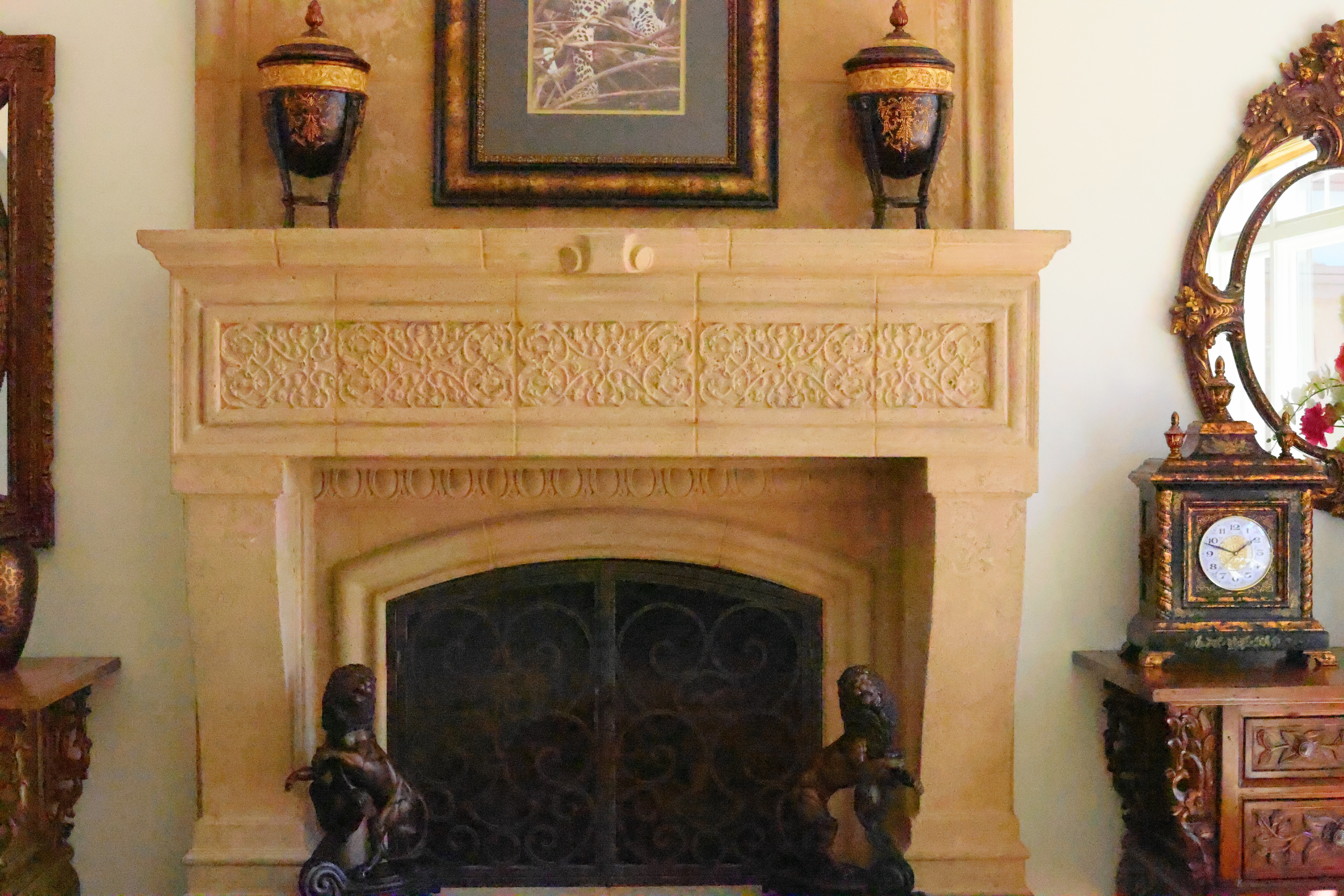
Click any for the camera-original LARGE 45 MP © JPG Quality 4 file (about 13 MB each).
Fine Details: 600 × 450 Pixel Crops (13.8× magnification) High ISOs details dark detail performance top
Here are crops from the same images as above, showing the clock on the right.
What we see at the high magnifications below is that fine details go away as the ISO increases. This happens with all cameras (and our own eyes) and is an artifact of the noise reduction working harder as the ISO increases.
In the R5 II, the most detail is at ISO 50 (L), and becomes softer at every higher ISO. This is normal and how noise reduction works in every camera.
ISO 50 (L) is a "pull" ISO, and thus has more highlight contrast. This usually increases perceived highlight detail, and can lead to clipped highlights if you have too much subject contrast, as in the case of the window reflection in the glass of the clock face.
By ISO 6,400 most of the detailed scrollwork between the clock numbers is gone.
By ISO 25,600 the minute marks are mostly gone.
By ISO 102,400 (H) all the detail is gone from the clock face, leaving only the numbers.
It's normal for details to go away at higher ISOs in all digital cameras.
The 600 × 450 pixel crops below will vary in size to fit your browser window.
If these are about 3" (7.5cm) wide on your screen, the complete images would print at a jumbo 27½ × 41¼″ (2½ × 3½ feet or 70 × 105 cm) at this same high magnification.
If these are about 6" (15cm) wide on your screen, the complete images would print at a huge 55 × 82½″ (5 × 7 feet or 1.4 × 2.1 meters) at this same high magnification.
If these are about 12" (30cm) wide on your screen, the complete images would print at a mammoth 110 × 165″ (9 × 14 feet or 2.8 × 4.2 meters) at this same extremely high magnification!
Click any for the camera-original LARGE 45 MP © JPG Quality 4 file (about 13 MB each):
Click any for the camera-original LARGE 45 MP © JPG Quality 4 file (about 13 MB each).
Dark-Area 600 × 450 Pixel Crops (13.8× magnification) High ISOs details dark detail performance top
Here are different crops from the same images as above, now showing the dark grillwork of the fireplace.
Higher ISOs greatly reduce the details in the shadows, as we expect.
ISO 50 (L) is a "pull" ISO, and throws much more light into the shadows and thus gives them the most detail. ISO 100 looks great as well.
The screen is half-gone by ISO 1,600, eaten away by the noise reduction.
The bricks behind the grill go away by ISO 6,400.
At ISO 102,400 (H) you can't even see the iron bars!
Again, it's normal in all digital cameras for details to go away at higher ISOs.
These 600 × 450 pixel crops will vary in size to fit your browser window.
If these are about 3" (7.5cm) wide on your screen, the complete images would print at a jumbo 27½ × 41¼″ (2½ × 3½ feet or 70 × 105 cm) at this same high magnification.
If these are about 6" (15cm) wide on your screen, the complete images would print at a huge 55 × 82½″ (5 × 7 feet or 1.4 × 2.1 meters) at this same high magnification.
If these are about 12" (30cm) wide on your screen, the complete images would print at a mammoth 110 × 165″ (9 × 14 feet or 2.8 × 4.2 meters) at this same extremely high magnification!
Click any for the camera-original LARGE 45 MP © JPG Quality 4 file (about 13 MB each):
Click any for the camera-original LARGE 45 MP © JPG Quality 4 file (about 13 MB each).
Lens Corrections performance top
The EOS R5 II can correct automatically for falloff (peripheral illumination correction) and distortion, and has individual options to turn these OFF or ON at MENU > CAMERA 3 > Lens aberration correction.
The R5 II corrects for a host of other finer lens aberrations with a Digital Lens Optimizer, also turned ON or OFF at MENU > CAMERA 3 > Lens aberration correction > Digital Lens Optimizer.
The Digital Lens Optimizer allows corrections for diffraction and can correct for the softening effect of the optical low-pass filter. I suspect it also corrects for other things like lateral color.
The options for the Digital Lens Optimizer now are simply OFF, STANDARD, or HIGH. No longer do we have settings to enable or disable individual subcorrections.
Canon cautions that the HIGH setting takes more computation and could slow down the camera. It's set to STANDARD by default.
Long Exposures performance top
In BULB, a MM:SS timer shows on the top LCD. Sadly, even if the top LCD is set to illuminate, it reverts to the unilluminated mode while the timer's running so you can't see it in the dark.
Better, the R5 II, like many newer Canon cameras, has a clever BULB TIMER option at MENU > CAMERA 6 > Bulb Timer that lets us set precise long exposures out to 100 hours long. Set this, select BULB mode, tap the shutter, and walk away. Bravo!
Mechanical Quality performance top
Metal: Top panel, strap lugs, hot shoe, back panel, lens mount, card door hinge pivot, battery door hinge pivot (and some of its hinge) and the tripod socket.
Plastic: Power switch, finder hump (the part that says "Canon"), MODE button and dial around it, top LCD cover, all buttons, knobs, dials and nubbins, rear LCD cover and housing, card door, battery door and bottom panel.
Rubbery plastic: Eyepiece shield, front and back grip coverings and all connector covers.
Sound, Noise & Vibration performance top
The R5 II's mechanical shutter is unusually smooth and quiet. I don't see any reason other than 20 FPS shooting to use the silent electronic shutter; the mechanical shutter is just barely loud enough to let you know it went off.
Image Stabilization (VR) performance top
In-camera stabilization works very well. I get 4-stops of real-world improvement with my unstabilized RF 35mm f/1.4L VCM, and SIX stops with my unstabilized EF 35mm f/1.4L!
"Percent Perfectly Sharp Shots" are the percentage of hand-held, free-standing with no support or bracing, frames with 100% perfect tripod-equivalent sharpness as viewed at 300%. Hand tremor is a random occurrence, so at marginal speeds some frames will be perfectly sharp while others will be in various stages of blur — all at the same shutter speed.
This rates what percentage of shots are perfectly sharp, not how sharp are all the frames:
| % Perfectly Sharp Shots with unstabilized RF 35mm f/1.4L VCM | 2s |
1s |
1/2 |
1/4 |
1/8 |
1/15 |
1/30 |
1/60 |
1/125 |
| Stabilization ON | 0 |
10 |
20 |
60 |
100 |
100 |
100 |
100 |
100 |
| Stabilization OFF | 0 |
0 |
0 |
0 |
0 |
10 |
20 |
70 |
100 |
I see 4 stops of real-world improvement.
| % Perfectly Sharp Shots with unstabilized EF 35mm f/1.4L | 2s |
1s |
1/2 |
1/4 |
1/8 |
1/15 |
1/30 |
1/60 |
1/125 |
| Stabilization ON | 0 |
50 |
90 |
100 |
100 |
100 |
100 |
100 |
100 |
| Stabilization OFF | 0 |
0 |
0 |
0 |
0 |
10 |
40 |
60 |
100 |
I see 6 stops of real-world improvement!
EF 28-135mm IS at 28mm on EF to RF Ring Adapter
| % Perfectly Sharp Shots | 1s |
1/2 |
1/4 |
1/8 |
1/15 |
1/30 |
1/60 |
1/125 |
1/250 |
| Stabilization ON | 0 |
0 |
10 |
30 |
90 |
100 |
100 |
100 |
100 |
| Stabilization OFF | 0 |
0 |
0 |
0 |
0 |
20 |
80 |
100 |
100 |
I see 2 stops of real-world improvement.
EF 28-135mm IS at 50mm on EF to RF Ring Adapter
| % Perfectly Sharp Shots | 1s |
1/2 |
1/4 |
1/8 |
1/15 |
1/30 |
1/60 |
1/125 |
1/250 |
| Stabilization ON | 0 |
0 |
0 |
20 |
60 |
100 |
90 |
100 |
100 |
| Stabilization OFF | 0 |
0 |
0 |
0 |
0 |
0 |
30 |
100 |
100 |
I see 2⅔ stops of real-world improvement.
EF 28-135mm IS at 100mm on EF to RF Ring Adapter
| % Perfectly Sharp Shots | 1s |
1/2 |
1/4 |
1/8 |
1/15 |
1/30 |
1/60 |
1/125 |
1/250 |
| Stabilization ON | 0 |
0 |
0 |
0 |
0 |
10 |
100 |
100 |
100 |
| Stabilization OFF | 0 |
0 |
0 |
0 |
0 |
0 |
0 |
80 |
100 |
I see 1 stop of real-world improvement.
EF 28-135mm IS at 135mm on EF to RF Ring Adapter
| % Perfectly Sharp Shots | 1s |
1/2 |
1/4 |
1/8 |
1/15 |
1/30 |
1/60 |
1/125 |
1/250 |
| Stabilization ON | 0 |
0 |
0 |
0 |
10 |
20 |
85 |
100 |
100 |
| Stabilization OFF | 0 |
0 |
0 |
0 |
0 |
0 |
20 |
90 |
90 |
I see 1 stop of real-world improvement.
Rear LCD Monitor performance top
The rear LCD is the usual plastic-covered flippy screen. Personally I prefer larger glass-covered screens that don't move (like my iPhone), but tough.
Playback performance top
Playback options are the usual from Canon. Canon users will feel right at home; no surprises here.
Data performance top
Cards are titled correctly as "EOS_DIGITAL."
JPG files are tagged as 72 DPI.
ISOs all read properly in Photo Mechanic from ISO 50 (L) to 102,400 (H).
There are too many folders on the card: CRM, DCIM, MISC and XFVC:
In CRM we have /CANONMSC, which is empty.
In DCIM we have /100EOSR5, /101EOSR5 (etc.) and CANONMSC. Each DCIM/100EOSR5 folder holds images numbered from 0001 to 9999.
MISC is empty.
XFVC has /CANONMSC, which is empty.
Only the DCIM folder has anything in it (our photos), while the card is polluted with empty folders that waste my time every time I go to drag images from my card reader.
Setup files are dropped into the top-level of the card, not into any folders, named CAMSET01.CSD, CAMSET02.CSD, etc.
Power & Battery performance top
Draws 4W (300mA at 15V) powered by USB-C while idle in Live View with the rear LCD lit.
It draws 7W (1.4A @ 5V) while charging.
It charges a completely dead battery in 2 hours over USB-C.
The rear green LED and top LCD show that it's charging, but neither shows percentage. The top LCD simply says FULL when full.
My old original Canon LPE6N battery from July 2015 works fine.
Neither of my Watson B-1544-2 or Watson LP-E6NH (B-1548) batteries work; I get "Err 80."
In actual use I get many hundreds of single shots with lots of fiddling, reviewing and setting between shots, or 5,000 or more shots per charge if I'm just shooting long continuous bursts and not playing.
I only need one battery; I can't run it down in a day with how I shoot — however one does need to be careful to shut off the R5 II between shots as it tends to stay on and awake when carried around my neck. It confuses being up against my waist with me poking my eye to the finder, so often it won't shut off on its own.
Compared top
Sample Images Intro New Good Bad Missing
Specifications Accessories Unboxing
USA Version Performance Compared
User's Guide Recommendations More
I got my R5 II at B&H. I'd also get it at Adorama, at Amazon or at Crutchfield, or get it used if you know How to Win at eBay, or get it used at KEH — or get the very similar original R5 for a fat discount and laugh my way to the bank!
R5 Mk II Body
$3,899 at B&H, at Adorama, at Amazon or at Crutchfield.
About $3,210 used if you know How to Win at eBay.
The very similar original R5 is only $2,599 at B&H, at Adorama, at Crutchfield and at Amazon, or about $1,907 used if you know How to Win at eBay.
R5 Mk II and RF 24-105mm f/4 L IS USM
$5,149 at B&H and at Adorama or at Crutchfield.
The R5 Mark II is an extraordinary camera, and so is the original R5. With how little genuinely significant has changed since the R5 (same resolution, not that much faster frame rates, same finder OLED, etc.) I'd rather save $1,400 as of November 2024 and get an original R5 at a deep discount.
I don't worry about resolution due to Pixel Dumping and the Megapixel Myth. Therefore to me, 24 MP is just as good as 45 MP, so I prefer the faster frame rates, better ergonomics (a dedicated mode dial instead of a dial and a mode button), lower weight and much lower price of the R6 Mark II.
Canon EOS R, RP, R5 & R6 Compared.
EOS R vs EOS RP.
Nikon vs Canon vs Sony Full-Frame Mirrorless.
R5 Mk II User's Guide top
Sample Images Intro New Good Bad Missing
Specifications Accessories Unboxing
USA Version Performance Compared
User's Guide Recommendations More
I got my R5 II at B&H. I'd also get it at Adorama, at Amazon or at Crutchfield, or get it used if you know How to Win at eBay, or get it used at KEH — or get the very similar original R5 for a fat discount and laugh my way to the bank!
R5 Mk II Body
$3,899 at B&H, at Adorama, at Amazon or at Crutchfield.
About $3,210 used if you know How to Win at eBay.
The very similar original R5 is only $2,599 at B&H, at Adorama, at Crutchfield and at Amazon, or about $1,907 used if you know How to Win at eBay.
R5 Mk II and RF 24-105mm f/4 L IS USM
$5,149 at B&H and at Adorama or at Crutchfield.
See also Canon's own R5 II Users Guide.
Now also can display remaining card space as a percentage rather than available shots. Set this at MENU > CAMERA 9 > Shooting info. disp. > (scroll down past the bottom to) Card free space (%) display > ON.
Now we can choose to put the RGB histogram on first playback detail page. Set this at MENU > [▶] PLAYBACK > Playback information display > select a page with a histogram > press INFO > RGB. This lets me see what I need on one playback screen rather than having to swap among a few pages to get to the RGB histogram rather than the useless luma-only histogram. Bravo!
Even under USB-C power and all the power-saving timeouts disabled, it still shuts off after 30 minutes idle.
Continuous power: p. 1,121 covers more about USB-C Power.
I just got my R5 II, so this is a draft below for now. I expect to write a very full guide as I get more stick time with mine.
All of Canon's Mirrorless cameras have very similar menus, tricks and options. See also my much more detailed EOS R6 Mark II User's Guide and EOS R8 User's Guides. Most of these guides apply directly to the R5 II, especially the sections on autofocus, the C1, C2 and C3 modes and the FV exposure mode. Of course the exact menu locations will be different and some options may or may not be in both cameras, but you get the idea.
Many of these settings are available in other places than the menu system, and I program my favorites to the function buttons. I don't waste this camera on video, so I program my red MOVIE button next to the eyepiece to be a [▶] PLAY button, but that's just me.
Charging user's guide top
I don't bother with the included external charger; that's mostly for if you want to charge a second battery at the same time as you're charging another one in-camera.
I prefer to use any USB C charger that meets the PD ("Power Delivery") standard. My Apple USB-C chargers work great, for instance.
You have to keep the battery and card doors closed to charge in-camera, otherwise it stops.
When charging in-camera you'll see a battery charge icon on the top LCD and a green LED on the back.
The top LCD shows "FULL" and the rear LED turns off when it's done.
The LED blinks if there's a charging error, and it will also show "Err" on the top LCD if there's a problem.
Voice Memo Recorder user's guide top
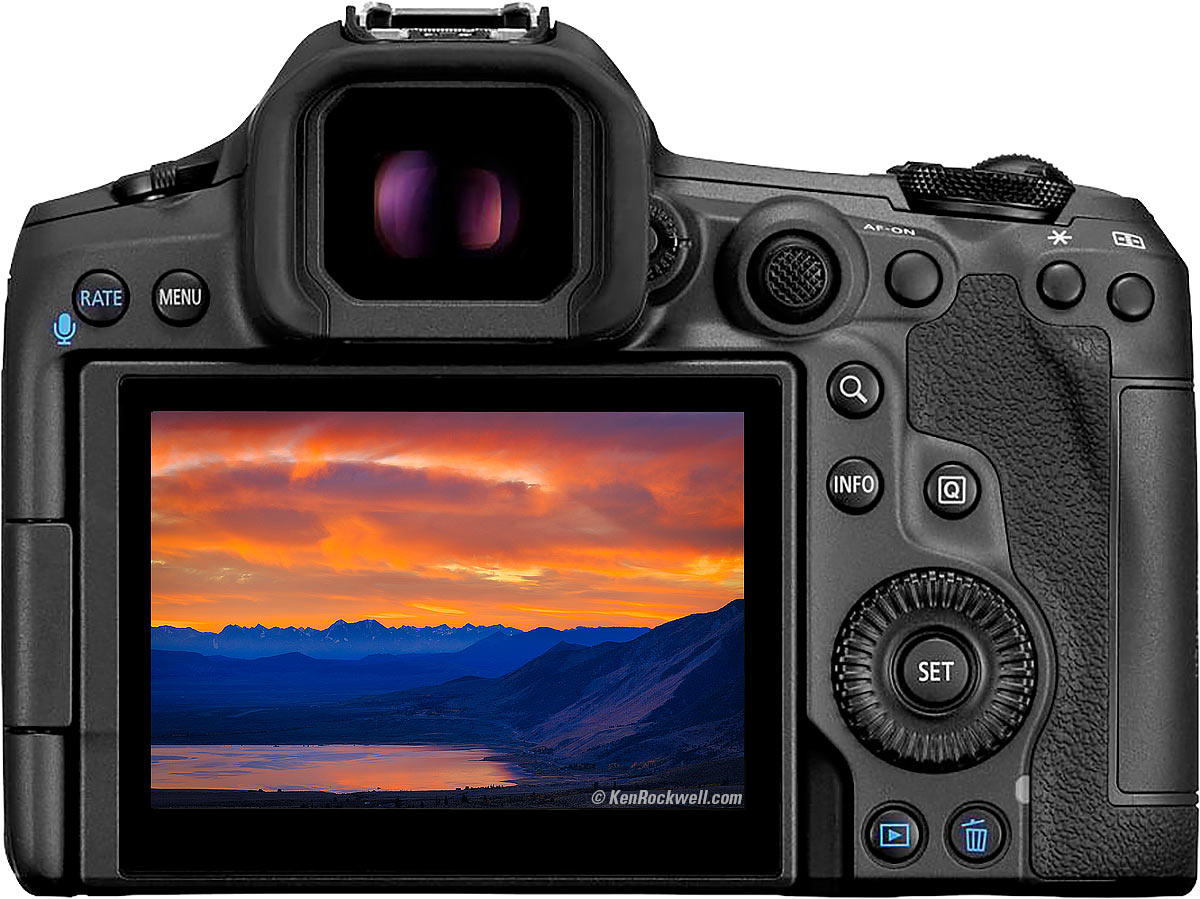
Canon EOS R5 Mark II. bigger.
See the blue microphone/RATE button on the top left? It's the RATE button unless you reprogram it as I do at:
MENU > [▶] PLAY 4 > RATE/Mic button function > Play memo (▶/mic)
Now hold the button while an image is playing (or Image Reviewing) and a new .WAV file is recorded with the same file name as that image for as long as you hold the button, up to 30 seconds at a time.
At a time? Better than other voice recorders, just hold the mic button again, and it adds on to the previous memo. I don't know that there's a limit, I certainly can make voice memo files longer than 30 seconds total. It simply adds-on to the end of the previous recording.
To play the memo (you may see a [♪] icon if one was recorded for an image), tap the mic button to start.
To set the sample rate, MENU > [▶] PLAY 4 > Memo audio quality > 48 or 8 ksps (kilosamples per second). 48 ksps sounds much better, but makes much bigger files than 8 ksps.
Save/Recall Settings to/from Card user's guide top
This is extremely useful for setting up a second camera, resetting your camera as you want it after it returns from a repair or loaning it to a friend, or setting up a rented body as you want it.
Even cooler, you can save settings files to your computer and share settings. Here's my personal 3.5 MB CAMSET01.CSD file from 26 March 2025.
Clicking that link won't do anything on mobile, and should download this file when clicked from your computer.
Once downloaded, copy the CAMSET01.CSD file to the top directory of a card (EOS_DIGITAL/CAMSET01.CSD), pop the card in your R5 II, and go to MENU > WRENCH 5 > Save/load cam settings on card > Load from card > OK and your R5 II should be setup exactly as is mine.
Caution: be sure to save your own settings to your card and computer before you load mine so you can get back to yours if you hate mine.
Look out: The R5 II may or may not save or recall copyright information, which is sad because it takes a lot of time to add that in manually each time. Set it at MENU > WRENCH 6 > Copyright information.
HINT: Be sure to reset all the copyright and contact information to your own data, otherwise you may be tagging your images with my contact information.
I forget how my R5 II was set when I saved the CAMSET01.CSD file, but my older R5 was set:
My C1 is set for general photography with extreme sharpness and saturation.
My C2 is set the same as my C1, except that the LCD brightness is set to MAXIMUM for outdoor use.
My C3 is set the same as C2, except with normal saturation and with animal-optimized AF tracking for photographing dogs running and playing outside.
"Keep lens cap on with power off" user's guide top
You may see this warning as you're turning the R5 ON or OFF.
The reason you want to use a lens cap is that the black focal plane shutter usually closes with the power off to protect the sensor, however if you leave the camera out and pointed at the sun you can burn the shutter blades! This was a problem back in the 1950s with LEICAs where you could burn holes in the cloth shutters; with DSLRs the light was reflected through ground-glass and out the viewfinder, and with bare mirrorless sensors much of the infra-red is reflected away with heat mirrors — but not if the shutter is closed.
I don't worry about it, but as a long-time rangefinder shooter, I don't leave my cameras uncapped facing up unattended on picnic tables all day, either.
Menu System user's guide top
You can set menus with the touch screen, or use the thumb nubbin. Push-in the nubbin or press SET to select things.
Movie or Stills Modes user's guide top
It confused the heck out of me when all of my R5's shooting modes turned into movie modes when I hit the MODE button. What? There's no marked MOVIE/STILL switch anywhere!
Here's the trick: press INFO after pressing MODE to swap between MOVIE and STILL.
Now that I know the answer, this is shown on all the displays when you hit MODE, but only if you look away from the huge MODE modes and look as the notes on the bottom of the finder, top LCD or rear LCD.
Whew!
HEIF Files user's guide top
The new HEIF files probably won't be compatible with most existing computers, software or websites, so be careful that you can read or post them before you get all excited and shoot something important in HEIF
Hint: On Mac, you can see HEIFs in the Mac's Preview program, and convert HEIF to JPG by opening the HEIF in Preview, then select File > Export > Format > JPEG and have at it. The Mac OS reads HEIF, the native format inside the iPhone, but there's no guarantee anything but the latest software from others will read it. I use Photoshop CC every day today and it can't read HEIF.
It's like shooting raw; you have to be sure you have a way to read the files; HEIF is nowhere near as standard as JPEG.
Fv Exposure Mode user's guide top
Try this new Fv ("Function Value") exposure mode. I love it!
Fv mode is like Program mode, but lets you set individually any or all of Shutter, Aperture, Exposure Compensation and/or ISO, while the others continue to set themselves automatically. You can set more than one at a time, and those you don't set will change automatically as needed to make the correct exposure. Cool, huh?
Select Fv by tapping the top MODE button and turn the dial along with the other exposure modes.
If you want to change something, turn the top MODE dial to select what you want to change (you'll see the orange dial icon move), and turn the top front dial to change that quantity. The finder and rear LCD show an orange wheel to the left of what's selected for adjustment, and the top LCD shows a box around the item that will change manually if you turn the tip front dial. Once you set one item you can set other things by turning the rear dial to select and set them.
The front dial will change the aperture in this example below:

View through R5 finder. bigger.
The orange front dial is to the left of the aperture, which will change when you turn the front dial. The big rear dial icon is to the left of the exposure compensation, which it will change.
The display underlines whatever the camera is controlling automatically, and has no underline for what you've set manually. Simple!
Unlike Program mode which resets any Program Shift as soon as the meter turns off, Fv settings don't reset even if you turn off the power. Your settings stay until you clear or reset them yourself.
Tap the trash button to reset whichever quantity you have selected back to automatic control. Hold the trash button a moment to reset everything back to automatic control. Easy!
Even if you change something like Exposure Compensation by some other method like the lens' control ring, the trash button can reset them back to AUTO, or to zero for compensation.
Storage
Use your choice of one CFexpress and/or one SD card.
I set my R5 II to record the same thing to both cards as backup at MENU > WRENCH 1 > Record func+card/folder sel. > Rec options > Rec. to multiple.
I use a Ritz Gear 256GB CFexpress card, but since all my computers and laptops have SD readers, not CFexpress readers, I use an SD card as my primary storage, and the fancy ultra-high speed CFexpress card serves as bulk backup — which it does brilliantly!
I tried; XQD cards fit mechanically but are not compatible electronically. Forget about them; even with firmware 1.3.1 they don't work.
Autofocus user's guide top
AF Modes
There are two main autofocus modes: ONE SHOT and SERVO.
ONE SHOT means the EOS R focuses, and locks. Use this for still subjects.
SERVO means the EOS R continuously autofocuses as subjects move.
AF Area Color
Blue boxes mean tracking SERVO AF.
Green boxes mean LOCKED ONE-SHOT autofocus.
Gray means unfocused.
Using the Touch Screen to select AF areas, especially while using the finder
Touching the rear LCD is a faster and more precise way to select AF areas. You can use the 8-way rear nubbin if you insist, but do program the rear LCD like this:
MENU > AF page 1 > Touch & drag AF settings > Touch & drag AF > Enable,
MENU > AF page 1 > Touch & drag AF settings > Positioning method > Relative, and
MENU > AF page 1 > Touch & drag AF settings >Active Touch Area > Right. Depending on what eye you use and what part of the screen is away from your nose you might prefer a different area. This prevents false input from your nose hitting the screen.
Setting AF Area Modes Quickly
I set a faster way to swap between single-point AF from the all area/face detect mode: First I remove all the AF modes I don't use at MENU > AF page 5 > Limit AF methods > and uncheck all that I don't use (I only check the first two Face and Box options), then I set the ✱ button to swap among these AF modes at MENU > CUSTOM page 4 > Customize Buttons > click down to ✱ button > Direct AF method selection.
Changing AF Area Size
This is well hidden: To change the size of an AF area:
Press the rear AF-area selection ([ + ]) button. It's the button below the ✱ button.
Tap the M-Fn button near the shutter button or turn the front dial to select single-point AF, and now the INFO button will change the AF area size.
Eye Detection
Eye Detection means the EOS R focuses on the nearest eyeball. It's not eye-controlled AF like in the 35mm EOS 3.
I set EYE AF and leave it on: MENU > AF page 1 > Eye Detection AF > Enable. You can't enable it in any of the area-detect modes, so set this menu while the camera is in a single-point or similar mode otherwise Eye Detection AF is grayed-out.
Another well-hidden way to set or unset Eye AF is to:
Press the rear AF-area selector ([ + ]) button. It's the button below the ✱ button.
Tap the M-Fn button near the shutter button or turn the front dial to select Face/All-Area AF, and now the INFO button will activate or deactivate Eye AF.
You also can set this from the Q screen: select FACE AF, and tap INFO to enable or disable Eye Detect.
That's OK, because I turn off most of them so that the two modes I actually do use are easy to find. Do this at:
MENU > AF 4 > Limit AF methods > and I uncheck everything except the first face+[-]tracking option, and of course leave alone the single-zone 1-point AF option which can't be unchecked.
I always shoot in the face+[-]tracking setting (usually set as one of the many options after pressing the [ Q ] button, and there are other ways to set this if you prefer), which magically finds and focuses on eyes and faces, or if no faces, just finds the subject and focuses on it — anywhere in the frame.
Only if for some reason the R5 isn't finding the correct subject, then and only then I'll revert to the 1-point AF option and use the rear thumb nubbin to put that sensor wherever I want it.
For things that hold still, I set ONE SHOT (also usually set by pressing the [ Q ] button). You'll see green AF boxes find and focus on the subject, and the camera locks focus as soon at it focuses.
For moving things, set SERVO AF (use the [ Q ] button or another way) and you'll see blue AF boxes running all over the frame tracking your subject(s), be they faces or just objects.
I enable eye detection at MENU > AF 1 > Eye detection > Enable. The reason not to enable this feature is I presume everything will work faster with it off, in which case it simply uses face detection which works fine by itself.
Animal Eye Detection
It works great! It finds their eyes and ignores their noses. It's amazing how well it works, be they posing pets or dogs running around. Set it at:
MENU > AF page 1 > Subject to detect > Animals.
Stopping AF from Getting Stuck
If you're wildly out of focus (with a macro or ultratelephoto lens), or if trying to shoot through obstructions or if your R5 is simply giving up and not focussing, no worries. I always leave mine set as :
MENU > AF page 4 > Lens drive when AF impossible > Continue focus search ON.
This way if keeps trying. I'm unsure why anyone would set it to give up, which is the Stop focus search OFF option.
Manual Focus user's guide top
If your lens has no AF/MF switch, like the RF 24-240mm, select manual focus at MENU > AF 1 > Focus mode > MF.
In manual focus you have options of 6× or 15× magnifiers. I assign this to my SET button at MENU > CUSTOM 3 > Customize buttons > SET > Magnify. Now just tap SET and it toggles among 1×, 6× and 15×.
Select the in-finder focus-distance scale at MENU > CAMERA 7 > Shooting info. disp. > Focus distance disp.
Focus peaking is enabled and set at MENU > AF 2 > MF peaking settings.
Manual-Focus Override
By default, there is no always-responsive instant manual-focus override as we take for granted in our DSLRs.
You need to set:
MENU > AF 4 > Lens electronic AF > to either "One‑Shot‑>enabled" or "One‑Shot‑>enabled (magnify)"
or otherwise the focus ring is always ignored in AF. Canon should have it set this way by default, but they don't. No big deal now that I figured it out.
Now manual focus override works if you turn the ring while continuing to hold the shutter halfway, but only after focus locks in ONE SHOT.
Stabilizer Modes user's guide top
Thankfully the built-in sensor-shift stabilization just does its thing in concert with whatever stabilization the lens may (or may not) have without any need for adjustments or settings.
With an unstabilized lens, then (and only then) will a menu option appear at MENU > CAMERA 7 > IS (Image Stabilizer) mode to turn the camera's internal stabilizer ON or OFF.
With a stabilized lens that menu option simply disappears. That's good because instead you use the lens' own IS switch to turn both the lens' optical stabilizer and the camera's sensor-shift stabilization ON or OFF at once.
With a stabilized lens, there is no way to turn the in-camera and in-lens stabilizers ON or OFF separately. It's either both or none. Easy.
Live Shooting RGB Histogram user's guide top
Neither Nikon nor Sony can do this at all, but Canons can show you live RGB histograms in Live View.
To activate these, set MENU > CAMERA 7 > Shooting info. disp. > Histogram disp. > Brightness/RGB > RGB
and
MENU > CAMERA 7 > Shooting info. disp. > Histogram disp. > Display size > your choice of Large or Small. I prefer small; it shows me what I need and covers less of the image.
Keep pressing INFO to swap among various levels of display complexity.
Picture Style user's guide top
This is where we set how the pictures look for saturation, sharpening and etc.
Set these either at the [ Q ] screen or
MENU > CAMERA page 3 > Picture Style.
I always use STANDARD.
I usually increase Sharpening to the maximums of Strength 7, Fineness 5 and Threshold 5.
For photos of everything except people, I increase Saturation to +4.
For people photos I leave Saturation at its default of 0.
Shooting Grid Lines user's guide top
To get grid lines overlaying the shooting display to help with leveling or composition, select:
MENU > CAMERA page 9 > Shooting info. disp. > Grid display > pick your favorite > SET.
Self Timers user's guide top
These are set as one of the Drive Modes. I prefer to set them by pressing the [ Q ] button and setting the Drive Mode near the bottom left, and you can set this elsewhere.
A trick is that the self timer is 10 seconds by default, but not marked that way in its icon — while the 2-second self timer has a "2" in its icon. If you're looking for the 10 second self timer, just use the unmarked Self Timer icon, and if you want 2 seconds, use the "2" icon. This may seem obvious as you're reading this, but flummoxed me when I couldn't find a way to set 10 seconds when I needed it for the moon shot at the top.
The Drive Mode setting is saved and recalled as part of the C1, C2 and C3 modes; I use my C3 mode for tripod shots and use the 2-second self timer in it, so anytime I recall C3, I'm at 2s self timer and fixed ISO 100 and everything else I set on a tripod, rather than Auto ISO and regular release etc.
Bulb Timer and Long Exposures user's guide top
In BULB, a MM:SS timer shows on the top LCD. Sadly, even if the top LCD is set to illuminate, it reverts to the unilluminated mode while the timer's running so you can't see it in the dark.
Better, the R5, like many newer Canon cameras, has a clever BULB TIMER option at MENU > CAMERA 6 > Bulb timer that lets us set precise long exposures out to 100 hours long. Set this, select BULB mode, set the self timer, tap the shutter and walk away, no need for a remote cord or stopwatch. Bravo!
Shutter open or closed at power-off? user's guide top
|
|
Protective Shutter Closed. bigger. |
Protective Shutter open. bigger. |
You can select if the shutter closes or stays open with power-off. I leave it at its default of CLOSED to protect and keep dust off the sensor.
You can set this at MENU > WRENCH 4 > Shutter at shutdown.
Weird Noises user's guide top
The R5's stabilizer system makes a hissing noise while active.
The camera makes a clunking sound when shaken with the power off. I assume that this is the sensor flopping around when it's not under the active control of the IS system. In other words, it seems that Canon doesn't lock-down the shifting sensor with the power off. Turn on your camera and you'll notice it mostly goes away while the sensor is under the control of the camera.
Recommendations top
Sample Images Intro New Good Bad Missing
Specifications Accessories Unboxing
USA Version Performance Compared
User's Guide Recommendations More
I got my R5 II at B&H. I'd also get it at Adorama, at Amazon or at Crutchfield, or get it used if you know How to Win at eBay, or get it used at KEH — or get the very similar original R5 for a fat discount and laugh my way to the bank!
R5 Mk II Body
$3,899 at B&H, at Adorama, at Amazon or at Crutchfield.
About $3,210 used if you know How to Win at eBay.
The very similar original R5 is only $2,599 at B&H, at Adorama, at Crutchfield and at Amazon, or about $1,907 used if you know How to Win at eBay.
R5 Mk II and RF 24-105mm f/4 L IS USM
$5,149 at B&H and at Adorama or at Crutchfield.
The R5 Mark II's new features are all nice, but honestly if you can get the original R5 for a fat discount I don't know that I'd care about any of these as much as I'd care about all the money I saved. Canon made us wait four years for this Mark II, and it's so similar to the original R5 that I'd rather get the superb original R5 for $1,300 less than this R5 Mk II, at least as of March 2025!
If you don't really need 45MP and just need the speed, consider the EOS R6 Mark II which is faster, lighter, offers higher ISOs and a lot less data to chew on so you can work faster for less than half the price! There is very little to no visible difference between 45MP and 24 MP; it just helps sell cameras.
I'd pass on Sony, Nikon or Fuji. Fuji colors look crappy for anything other than people. Sony colors are OK, but not as vivid as Canon when set the way I prefer (+4 Saturation). Sony and Fuji have awful menu systems. Sony and Fuji cameras feel hard-edged and lack the high level of industrial design in the Canon so they aren't as comfortable to hold and use; Canon always uses soft curves so they feel soft, even if made of metal. Nikon has equally excellent color and image quality to Canon, but second to Canon in ergonomics.
Stick with Canon.
I got my R5 II at B&H. I'd also get it at Adorama, at Amazon or at Crutchfield, or get it used if you know How to Win at eBay, or get it used at KEH — or get the very similar original R5 for a fat discount and laugh my way to the bank!
R5 Mk II Body
$3,899 at B&H, at Adorama, at Amazon or at Crutchfield.
About $3,210 used if you know How to Win at eBay.
The very similar original R5 is only $2,599 at B&H, at Adorama, at Crutchfield and at Amazon, or about $1,907 used if you know How to Win at eBay.
R5 Mk II and RF 24-105mm f/4 L IS USM
$5,149 at B&H and at Adorama or at Crutchfield.
Lens Suggestions recommendations top
If you're a seasoned Canon shooter the EF to RF adapter rings make all our existing EF lenses 100% compatible, so we don't need to buy any new RF lenses unless one really catches our eye!
Personally I'm a huge fan of the RF 24-240mm. While snooty people who don't shoot for a living may turn up their noses at this great lens, it's super sharp, covers every focal length, has fantastic stabilization and great macro abilities. It could be all you need, and it focuses ultra fast. I also use my existing Canon EF 16-35mm f/4 L IS and 100-400mm L IS II on my EF‑to‑RF control ring adapter and I'm good.
With Canon, all the lenses are good and the older EF lenses made since 1987 all work flawlessly on the EF‑to‑RF control ring adapter.
If buying new RF lenses, I use the RF 24-240mm most of the time.
If you need an ultrawide (see How to Use Ultrawide Lenses) I prefer the RF 14-35mm f/4 L IS USM for its huge range. The RF 15-30mm IS STM has great optics and is super light and almost free, and if you like big and heavy, you people will want the RF 15-35mm f/2.8L IS USM.
For teles, most people get the RF 100-500mm L IS USM, but to be honest, the much smaller and lighter RF 100-400mm IS STM does the same thing for a lot less money with a lot less to carry. If you want really long, you want the RF 200-800mm IS USM.
This 100% all-content, junk-free website's biggest source of support is when you use those or any of these links to my personally approved sources I've used myself for way over 100 combined years when you get anything, regardless of the country in which you live — but I receive nothing for my efforts if you take the chance of getting it elsewhere. Canon does not seal its boxes in any way, so never buy at retail or any other source not on my personally approved list since you'll have no way of knowing if you're missing accessories, getting a defective, damaged, returned, dropped, incomplete, gray-market, store demo or used camera — and my personally approved sources allow for 100% cash-back returns for at least 30 days if you don't love your new R5 Mk II. I've used many of these sources since the 1970s because I can try it in my own hands and return it if I don't love it, and because they ship from secure remote warehouses where no one gets to touch your new R5 Mk II before you do. Buy only from the approved sources I've used myself for decades for the best prices, service, return policies and selection.
Thanks for helping me help you!
Ken Rockwell.
More Information top
Sample Images Intro New Good Bad Missing
Specifications Accessories Unboxing
USA Version Performance Compared
User's Guide Recommendations More
I got my R5 II at B&H. I'd also get it at Adorama, at Amazon or at Crutchfield, or get it used if you know How to Win at eBay, or get it used at KEH — or get the very similar original R5 for a fat discount and laugh my way to the bank!
R5 Mk II Body
$3,899 at B&H, at Adorama, at Amazon or at Crutchfield.
About $3,210 used if you know How to Win at eBay.
The very similar original R5 is only $2,599 at B&H, at Adorama, at Crutchfield and at Amazon, or about $1,907 used if you know How to Win at eBay.
R5 Mk II and RF 24-105mm f/4 L IS USM
$5,149 at B&H and at Adorama or at Crutchfield.
See also Canon's own R5 II Users Guide.
© Ken Rockwell. All rights reserved. Tous droits réservés. Alle Rechte vorbehalten. Alla rättigheter förbehållna. Toate drepturile rezervate. Niciun vampir nu a fost implicat în crearea acestei lucrări. Doe! Omnia jura reservata. Ken Rockwell® is a registered trademark.
Help Me Help You top
I support my growing family through this website, as crazy as it might seem.
The biggest help is when you use any of these links when you get anything. It costs you nothing, and is this site's, and thus my family's, biggest source of support. These places always have the best prices and service, which is why I've used them since before this website existed. I recommend them all personally.
If you find this page as helpful as a book you might have had to buy or a workshop you may have had to take, feel free to help me continue helping everyone.
If you've gotten your gear through one of my links or helped otherwise, you're family. It's great people like you who allow me to keep adding to this site full-time. Thanks!
If you haven't helped yet, please do, and consider helping me with a gift of $5.00.
As this page is copyrighted and formally registered, it is unlawful to make copies, especially in the form of printouts for personal use. If you wish to make a printout for personal use, you are granted one-time permission only if you PayPal me $5.00 per printout or part thereof. Thank you!
Thanks for reading!
Ken.