Apple Watch ULTRA 3
(2025 ~ today)
|
|
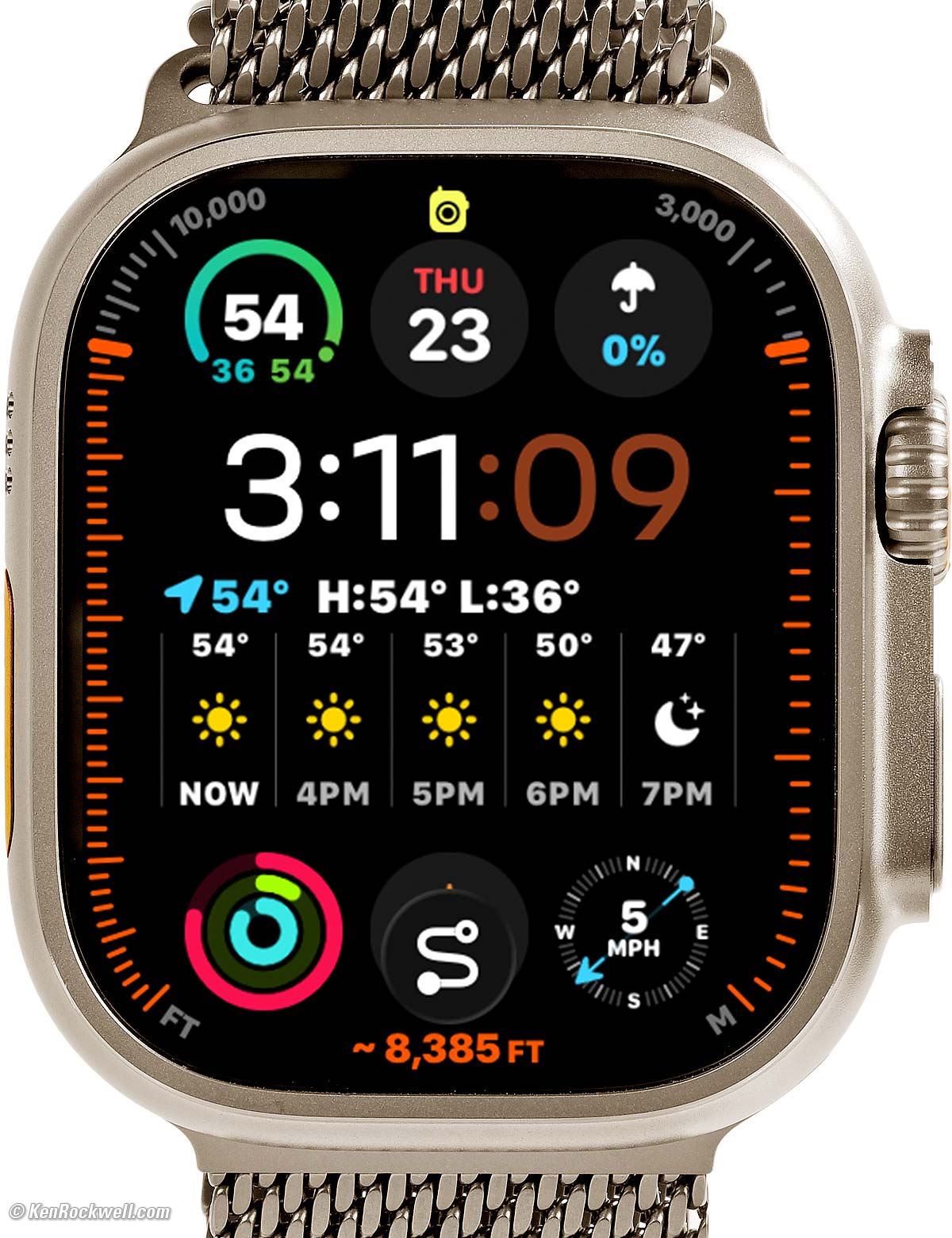
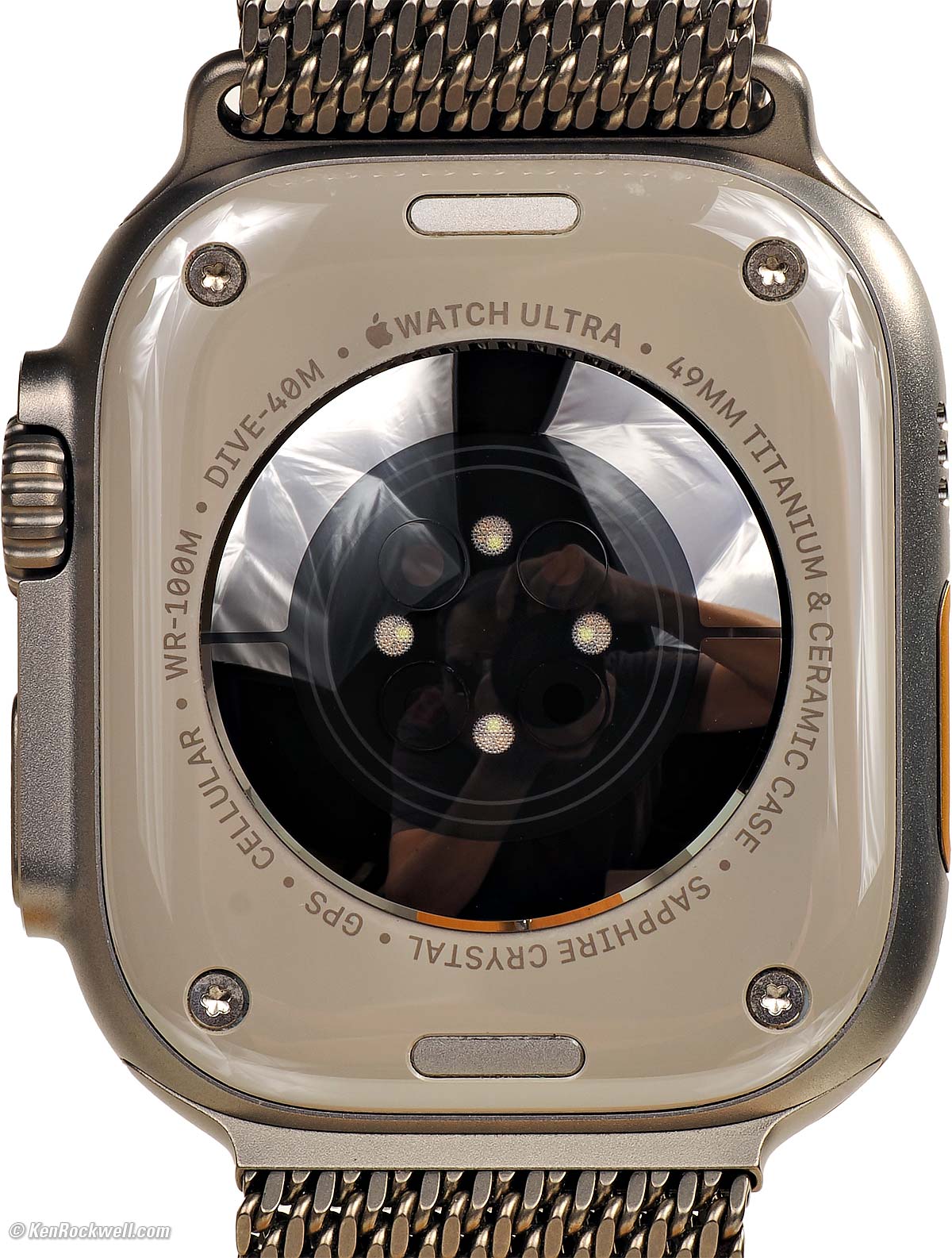
Apple Watch ULTRA 3 in Natural Titanium at Bodie, California (3,000 nits peak, 514 × 422 pixels at 326 PPI LTPO3 OLED always-on display, 3.325 oz./ 94.3g total with 49mm Natural Titanium Milanese Loop band (medium) as shown). I'd get my Apple Watch ULTRA 3 at Adorama, at Amazon or at eBay, or any Apple Watch at Adorama, at Amazon, or at eBay if you know How to Win at eBay.
This all-content, junk-free website's biggest source of support is when you use those or any of these links to my personally-approved sources when you get anything, regardless of the country in which you live. Get yours only from the trusted sources I've used personally for decades for the best prices, service, return policies and selection. Thanks for helping me help you! Ken.
April 2026 Apple Reviews Watch & Clock Reviews All Reviews
Apple Watch ULTRA 3 User's Guide

Introduction top

I buy only from these approved sources. I can't vouch for ads below. |



The Apple Watch is the world's top-selling watch because it's the world's most accurate watch, the world's most legible watch and the world's most functional and useful watch. It is also supremely comfortable, with a choice of many different cases and band styles.
This ULTRA 3 is the top model as of 2026, built for extreme conditions.
It's amazing in how it lets us run our entire world from our wrist. Back in the 2000s we were amazed at how we could communicate, get our news, sports, weather and stock information and do our banking and shopping from our computers. In the 2010s we could do all of this even more easily from our iPhones. Today in the 2020s we can do much of this from our wrists, and for fitness nuts like me, my Apple Watch lets me measure, track, compete and share all my workouts for effort, distance, elevation and more.
The ULTRA 3 is beautiful, with a brilliant display that appears against the inky black depths of its sapphire crystal. Its screen always responds instantly to our touch as we expect from Apple, its response isn't delayed or often unresponsive like the iffy touch display of a $134,000 Mercedes S580.
For bicyclists and classic car buffs we can do our all communication and navigation from our wrists regardless of what we're driving - even on a hoverboard. Heck, I can make calls and run navigation by voice alone in my classic convertible, no need for a car with Bluetooth or GPS!
The Apple Watch's design is astounding in how well we can control everything intuitively right from its tiny screen. It may be tiny, but it's so well programmed it's super-legible and always easy to use. It's Apple at its best.
The Apple Watch works as an extension of your iPhone. Everyone who has an iPhone should have an Apple watch. Just like the iPhone, you don't think you need it until you have one for a few days, and then you know why you can't live without it.
I love the easy adjustability of the Trail Loop bands. They are easy to wash by hand in a sink with dishwashing liquid, even if they are completely filthy from being out and about.
The 49mm Natural Titanium Milanese Loop band as I use looks and is tough. It's also easy to remove, but I find the mechanical clasp takes a lot more fiddling to latch than any of the velcro or magnetic closures. The Titanium Milanese Loop bands also take a lot of work (but no tools) to make length adjustments. While this is easy with the other bands, it takes some fiddling with the Titanium Milanese Loop bands to make minor adjustments as our wrists swell and contract with elevation, temperature and workout intensity.
I'd prefer a stainless Milanese Loop band with magnetic closure as I have on my Series 10, but there are none for the ULTRA 49mm size.
I'd get my Apple Watch ULTRA 3 at Adorama, at Amazon or at eBay, or any Apple Watch at Adorama, at Amazon, or at eBay if you know How to Win at eBay.
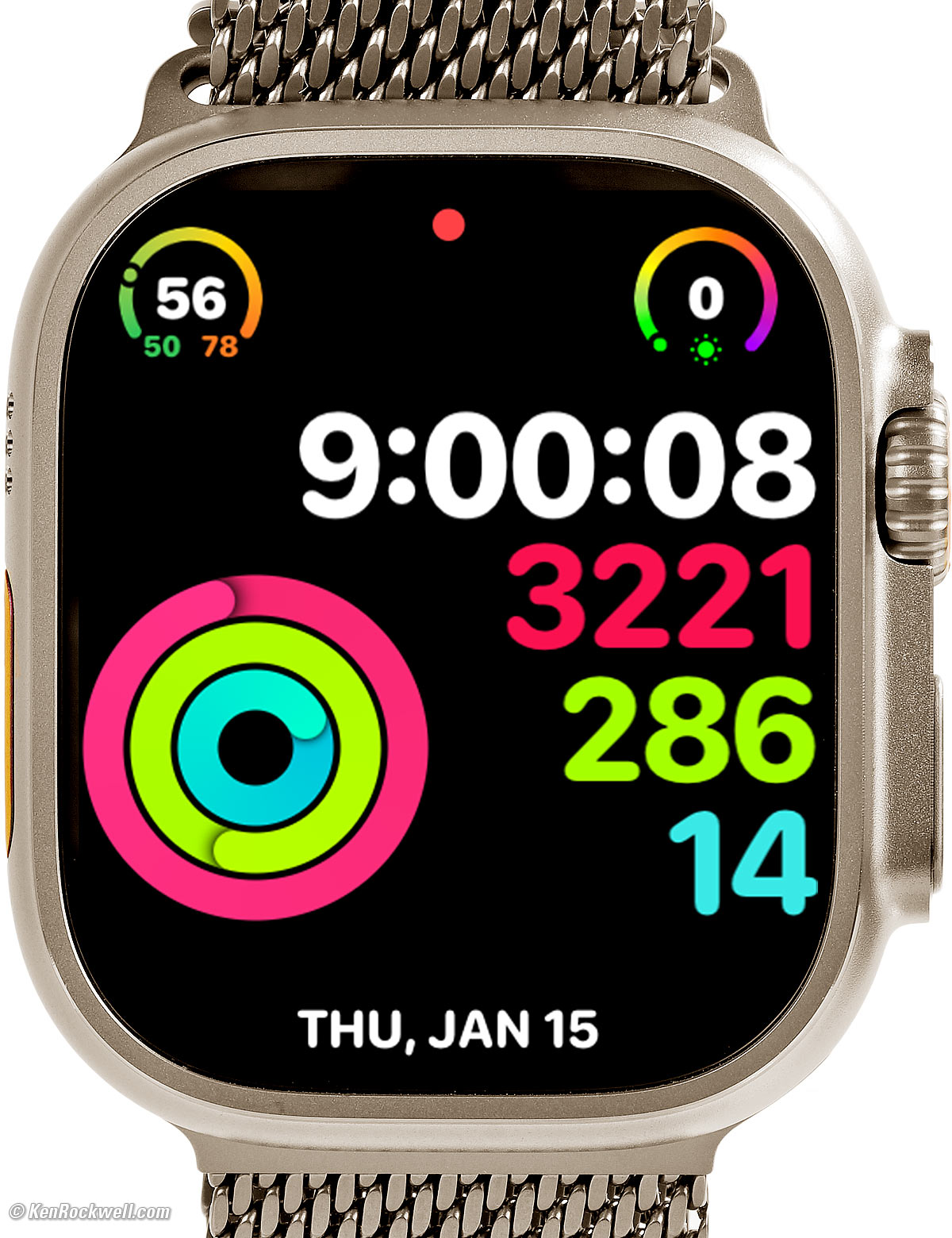
Activity Digital face shows my workouts and exercise so far throughout the day. It shows calories burned, minutes of exercise and clock hours during which I've stood up. Tap your watch for explicit details. bigger.
New Since ULTRA 2 and Series 10 top
 Apple's biggest watch screen ever: 40.0 × 32.9 mm, up from 38.6 × 32.4 mm in the Series 10.
While the case is the same size as the ULTRA 2 and ULTRA, the active display area runs farther out to the edges.
LTPO3 OLED screen lets us see ticking seconds hands even in standby (Always On) mode. Older models made the seconds hand disappear unless the watch was fully awake.
Basic direct satellite communication for text and Find My if you're in the wilderness, no iPhone, Wi-Fi or cell towers needed.
5G data communication.
Up to 42 hours of battery life, up from up to 36 hours in the ULTRA 2 and ULTRA, or
Up to 14 hours of full-power workouts, or
Up to 20 hours of Low-Power mode workouts with full heart rate readings, or up to 35 hours of Low-Power mode with reduced heart rate updates, up from up to 17 hours in the ULTRA 2.
New "Flick Wrist to Dismiss" mode to save having to hit the Crown to get back to a previous screen.
The grade 5 titanium case is now 3D printed using powder bed laser fusion.
The edges of Trail Loop bands are now retroreflective for better visibility at night.
Good top
 Easy to use! While it does a zillion things, it's super-easy to do them all with just a fingertip, as we expect from Apple. This is an extremely well thought-out product.
Much improved over earlier years, it's easy to have at least two different watches synced to your iPhone, and whichever one you put on becomes active and coupled to your iPhone.
Mine arrived fully charged, making setup easy.
Built-in automatic fitness tracking and coaching encourages daily exercise so you'll feel better and have a longer life. Not many products can do that!
Brilliant and colorful 514 × 422 pixel LTPO3 OLED always-on display.
Perfect automatic brightness control: flawless legibility from direct sunlight to total darkness.
Perfect Stratum-2 level accuracy; rated to ±50 milliseconds maximum absolute error.
Onboard temperature-compensated quartz crystal oscillator (TCXO), like the most exotic chronometers, to keep extraordinarily good time even if offline.
Always sets itself.
Always has the correct day and date.
Just like $387,000 mechanical watches that correct automatically for leap year, so does Apple Watch.
Also sets itself for daylight savings time and leap seconds.
Heart-Rate sensor.
Do-it-yourself EKGs monitor your heart, and it creates PDFs to send to your doctor.
Tracks heart rate and route while running, biking or otherwise working out.
Weighs less than an iPhone, which you can leave at home to make you faster in competition.
It syncs remotely via its 5G signal to your iPhone, assuming you have 5G activated with your carrier.
If you have no coverage, syncs everything automatically when you return or do have signal.
Magnetic compass.
Sound-Pressure Level (SPL) Meter reads from 30 to 120 dBA, and logs and tracks noise exposure in your iPhone's Health app.
Fall detection, and it can call 911 for you automatically if you've fallen or crashed and can't get up.
Smooth-running hands. They don't jump each second or jitter around with the ticking of a mechanical or quartz watch, except when in standby, in which they now tick at one-second intervals rather than disappearing as they did in earlier models.
1/100 second stopwatch, timers, alarms and everything any other watch has done — and they are all very easy to set and use.
"Nightstand" Mode shows time, day, date and alarm if you just tap a nightstand on which the watch is sitting while charging.
Clever alarm starts brightening the screen gradually a few minutes before wake time to help you wake up more pleasantly.
You may set your own text sizes to taste.
Easy to zoom the screen (two-finger double-tap set in Settings > Accessibility).
Additional "Do Not Disturb for One Hour" option perfect for meetings and appointments. You also can control the regular Do Not Disturb Mode from your watch.
"Theatre Mode" keeps the display off unless you tap it or rotate the crown up; the automatic wrist-flick and always-on modes are deactivated so you don't bother anyone else.
Unlocks your Mac automatically; no need to type in password when you wake it.
Make and answer phone calls direct from your watch, and be able to use your phone for other things at the same time.
Built-in flashlight, and so smart it dims when pointed at your face.
Voice-controlled everything, including navigation.
If you have a classic car with no phone, GPS navigation or Bluetooth, no worries: the Apple Watch lets you do all this by talking to your wrist! Honestly, my Apple Watch works better than most modern day infotainment systems, so I'm missing nothing by driving a classic.
Built-in GPS works everywhere on land, sea or air, even if there's no 5G signal. (You won't see much in the way of maps without a data connection or an offline maps app, but it will track your location.)
Can control your iPhone camera remotely, complete with a self-timer and previewing the picture on your watch! You can set the Action Button to start this.
Bands are easily interchangeable without tools.
Fitness apps even encourage you to get up and walk around if you've been sitting too long.
Controls iPhone music or video playback, and the watch's crown sets volume faster and more precisely than the up-down buttons on my iPhone!
Tiny battery will recharge numerous times from a small USB power bank with the included Charging Cable.
Innumerable other features not found on regular watches.
Works with many third-party iPhone apps like PayPal, Canary, Ring doorbell, YouTube, many news and weather apps and so much more to ding you every time anything interesting happens — or warn you anytime something is about to happen.
Programmable Heart Rate Zones now shown in most workouts, including my favorite, Outdoor Cycle:
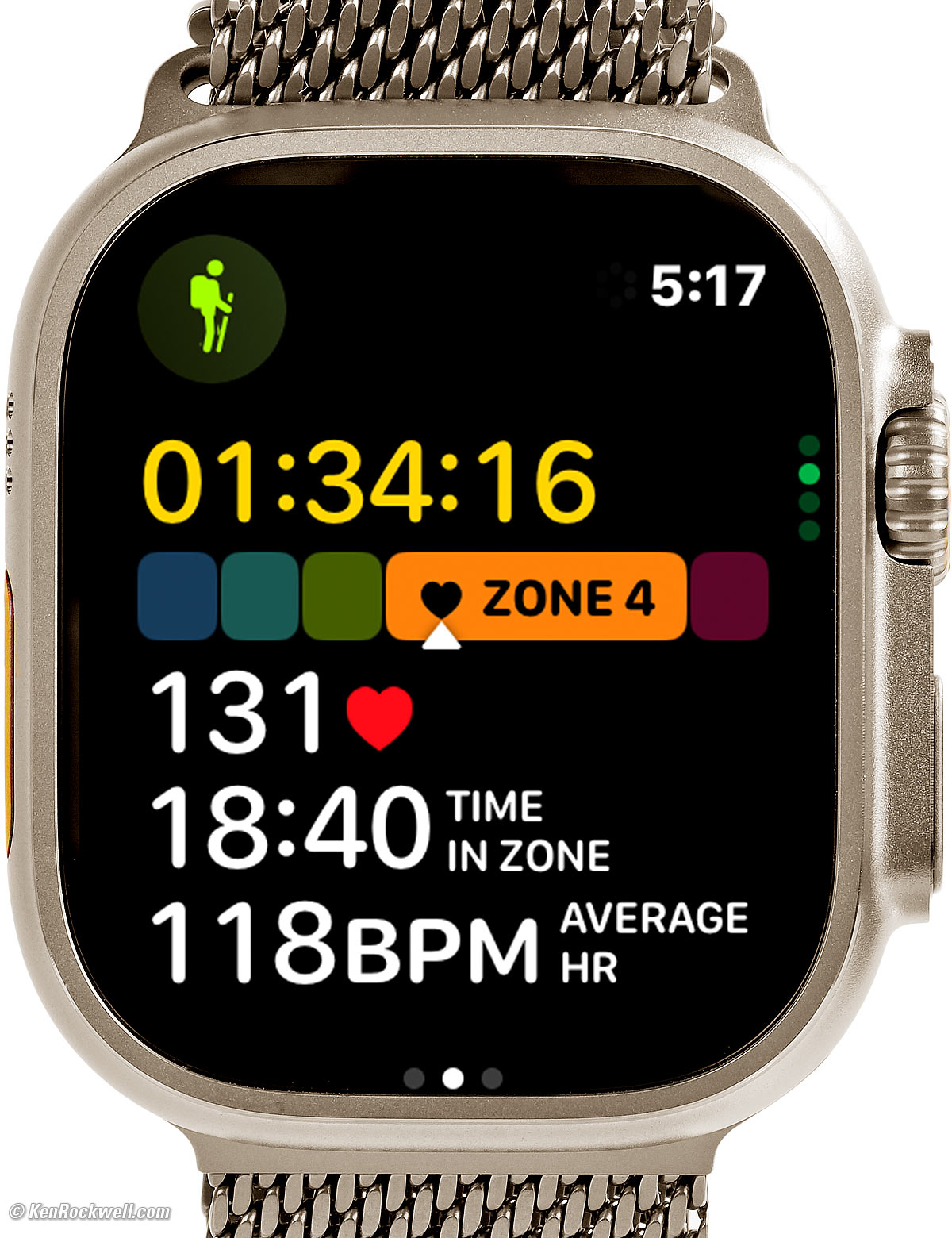
Programmable Heart Rate Zones Shown in Most Workouts. bigger.
Bad top
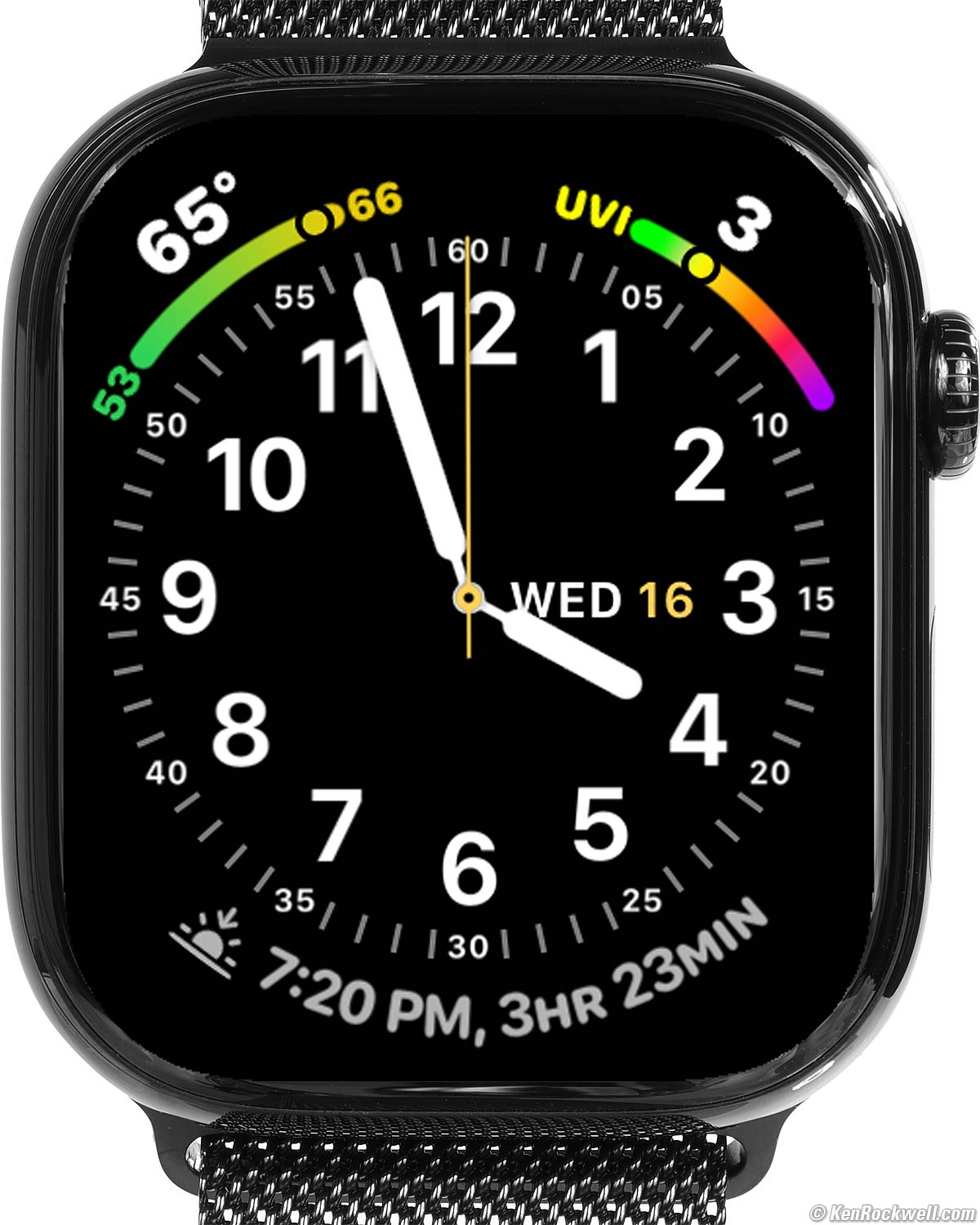
 When we swipe to swap faces it defaults to 10:09:30 for a moment until each face updates to the correct time. 10:09:30 is a time that puts the hands in a pretty position for photos, but otherwise it should swap instantly to the correct time on each face as earlier versions of Watch OS have done. Weird.

Missing top
 Still has no cameras.
Compared top
I'd get my Apple Watch ULTRA 3 at Adorama, at Amazon or at eBay, or any Apple Watch at Adorama, at Amazon, or at eBay if you know How to Win at eBay.
See also All Apple Watches Compared.
Versus the older Series 10 (and other Series Watches)
The biggest differences are battery life and outward appearance.
All of the ULTRA 3, Series 10 and other Series Watches are very easy to read in direct sunlight. The Series 10 and other Series Watches tend to have dimmer displays indoors, in the dark and in Standby/Always On in order to save power, even with the brightness turned all the way up (on Watch: Settings > Display & Brightness > Appearance ☀ ~ ☀).
The Series 10 and other Series Watches have only half the battery life because of their smaller batteries.
My Series 10 is often close to dead at the end of a long day of hours and hours of workouts, while my ULTRA 3 always has loads of reserve power left. If you use your watch's cellular connection this difference will be even more obvious because the cellular signal (only used when your iPhone or Wi-Fi isn't with you) uses a lot of power.
While the Series 10 and other Series Watches charge their smaller batteries more quickly with any given charger, the amount of operating time per minute charged is about the same.
I prefer my Series 10 in the city for its smaller size, lighter weight and easier-to-use magnetic clasp, and prefer my ULTRA 3 out in the country. If I'm traveling or headed to the wilderness shooting, I wear my ULTRA 3, otherwise I prefer my Series 10 locally.
The Series 10 is much thinner, only 12.15mm total while my ULTRA 3 is 14.36mm thick (actual measured values including the heart rate sensor). While it's only two silly millimeters, it's an 18% difference in thickness.
The ULTRA 3, ULTRA 2 and ULTRA have an extra speaker, which is a big help in being able to hear telephone calls on my watch.
The ULTRA 3 has an extra "action" button on the left, which oddly isn't that big a deal to me.
The ULTRA 3 has a slightly larger screen, which is obvious held side-by-side.
All have ultra-bright screens. While my ULTRA 3 is rated 3,000 nits peak and the Series 10 is rated "only" 2,000 nits peak, I've found everything back to Series 2 all work great in any light, even if rated "only" 1,000 nits.
Total weights will vary more depending on your choice of case material and band than your choice of watch. My Series 10 weighs more than my ULTRA 2 or ULTRA because its stainless Milanese Loop weighs much more than the cloth Trail Loop of my ULTRA 2 and ULTRA, while my ULTRA 3 weighs the most due to its large case and metal band.
Ultimately I never notice the weight and rarely notice the thickness.
The ULTRA 3, ULTRA 2 and ULTRA add the Modular Ultra face, absent in the Series 10 (and other Series Watches):

ULTRA 3 Modular Ultra face displays just about everything. bigger.
The ULTRA 3 is rated to 100 meters (static) for some light SCUBA diving to 40 meters (active), while the Series 10 is only rated to 50 meters (static), good for swimming and snorkeling.
Versus the ULTRA 2 and ULTRA
I covered this at What's New.
Apple Watch ULTRA 3 User's Guide top
I'd get my Apple Watch ULTRA 3 at Adorama, at Amazon or at eBay, or any Apple Watch at Adorama, at Amazon, or at eBay if you know How to Win at eBay.
See my Apple Watch ULTRA 3 User's Guide.
© Ken Rockwell. All rights reserved. Tous droits réservés. Alle Rechte vorbehalten. Alla rättigheter förbehållna. Toate drepturile rezervate. Niciun vampir nu a fost implicat în crearea acestei lucrări. Doe! Omnia jura reservata. Ken Rockwell® is a registered trademark.
Help Me Help You
I support my growing family through this website, as crazy as it might seem.
The biggest help is when you use any of these links when you get anything. It costs you nothing, and is this site's, and thus my family's, biggest source of support. These places always have the best prices and service, which is why I've used them since before this website existed. I recommend them all personally.
If you find this page as helpful as a book you might have had to buy or a workshop you may have had to take, feel free to help me continue helping everyone.
If you've gotten your gear through one of my links or helped otherwise, you're family. It's great people like you who allow me to keep adding to this site full-time. Thanks!
If you haven't helped yet, please do, and consider helping me with a gift of $5.00.
As this page is copyrighted and formally registered, it is unlawful to make copies, especially in the form of printouts for personal use. If you wish to make a printout for personal use, you are granted one-time permission only if you PayPal me $5.00 per printout or part thereof. Thank you!
Thanks for reading!
Ken.