Nikon Z5 II
Stabilized FX 24 MP, 15 (30) FPS, ISO 100~64,000 (50~204,800), 4K60 (2025 ~ today)
Sample Images Intro New Good Bad Missing
Lens Suggestions Specifications Accessories
Z9 Z8 Z7 II Z6 III Z6 II Z5 II Zƒ Z7 Z6 Z5
DX (APS-C): Zƒc Z50 II Z50 Z30
Z System Z Lenses All Nikon Lenses Flash
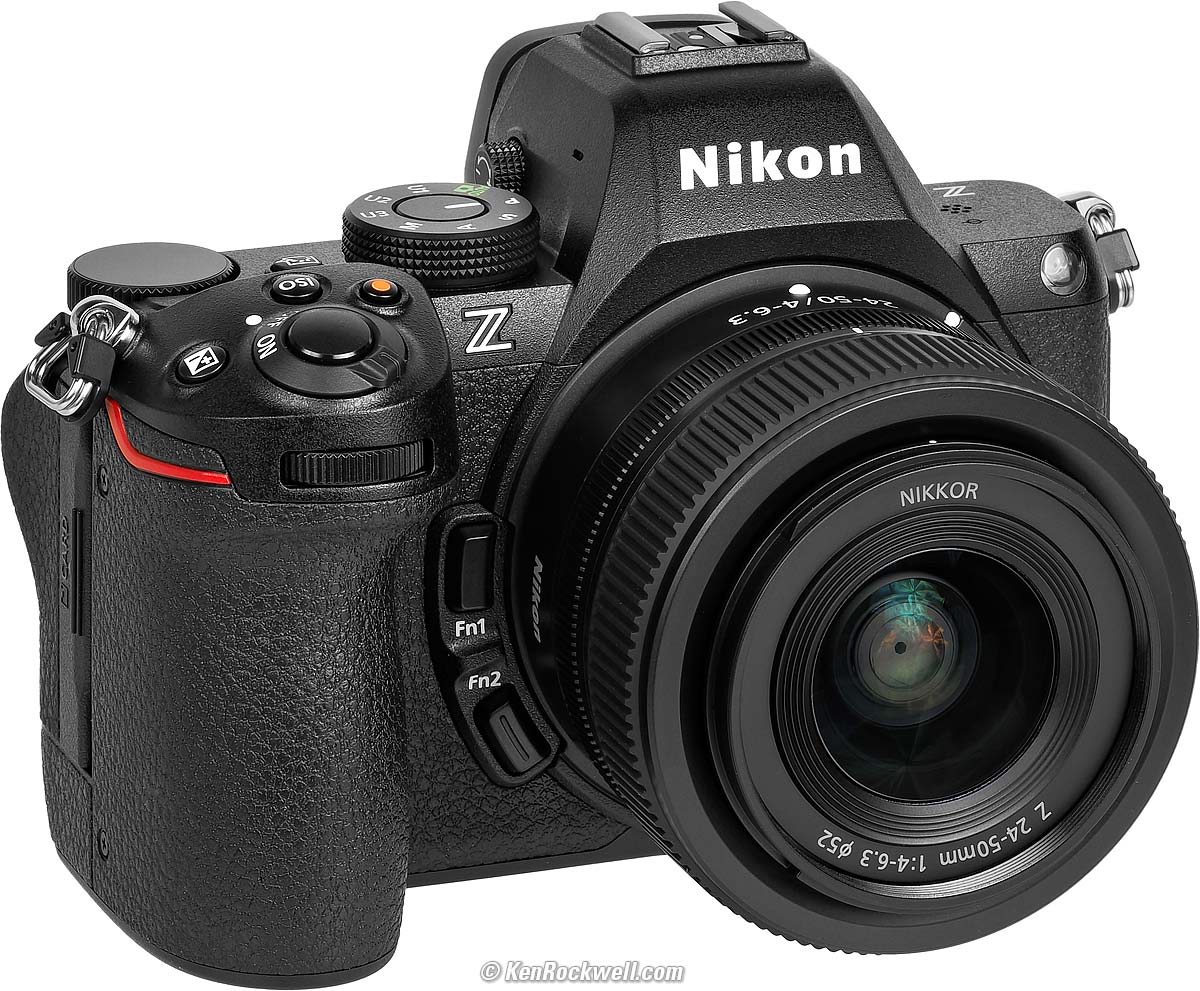
Nikon Z5 II (two slots for SD cards, 24.7 oz./700g with battery and one SD card, $1,697) and Z 24-50mm. bigger. I got mine at B&H. I'd also get it at Adorama, at Amazon, at B&H or at Crutchfield, or get it used at eBay if you know How to Win at eBay, or get it used at KEH.
Z5 II body-only:
$1,597 at B&H, at Adorama, at Amazon and at Crutchfield.
About $1,300 used at eBay if you know How to Win at eBay.
Z5 II and Z 24-50mm: $1,897 at B&H, at Adorama, at Amazon and at Crutchfield.
NEW: Z5 II & Z 24-70mm f/4: $2,447 at B&H and at Crutchfield.
Z5 II and Z 24-105mm: $1,947 at B&H, at Adorama, at Amazon and at Crutchfield.
Z5 II and Z 24-200mm: $2,397 at Adorama, at Amazon, at B&H and at Crutchfield (my favorite combo).
This 100% all-content, junk-free website's biggest source of support is when you use those or any of these links to my personally approved sources I've used myself for way over 100 combined years when you get anything, regardless of the country in which you live. Nikon does not seal its boxes in any way, so never buy at retail or any other source not on my personally approved list since you'll have no way of knowing if you're missing accessories, getting a defective, damaged, returned, non-USA, store demo or used camera — and all of my personally approved sources allow for 100% cash-back returns for at least 30 days if you don't love your new camera. I've used many of these sources since the 1970s because I can try it in my own hands and return it if I don't love it, and because they ship from secure remote warehouses where no one gets to touch your new camera before you do. Buy only from the approved sources I've used myself for decades for the best prices, service, return policies and selection.
May 2026 Better Pictures Nikon Z Z Lenses All Nikon Lenses All Nikon All Reviews
Sony vs. Nikon vs. Canon Full-Frame
Canon, Nikon, Sony, Fuji & OM SYSTEM Menu Systems Compared.
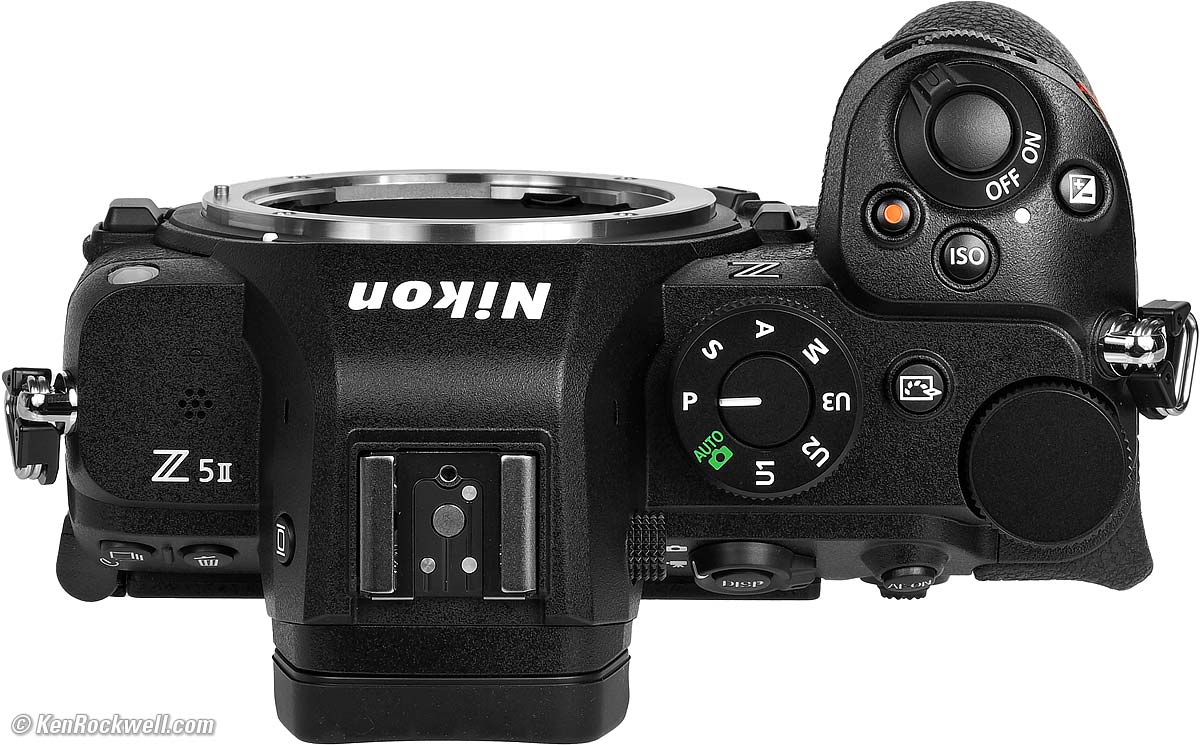
Nikon Z5 II. bigger.
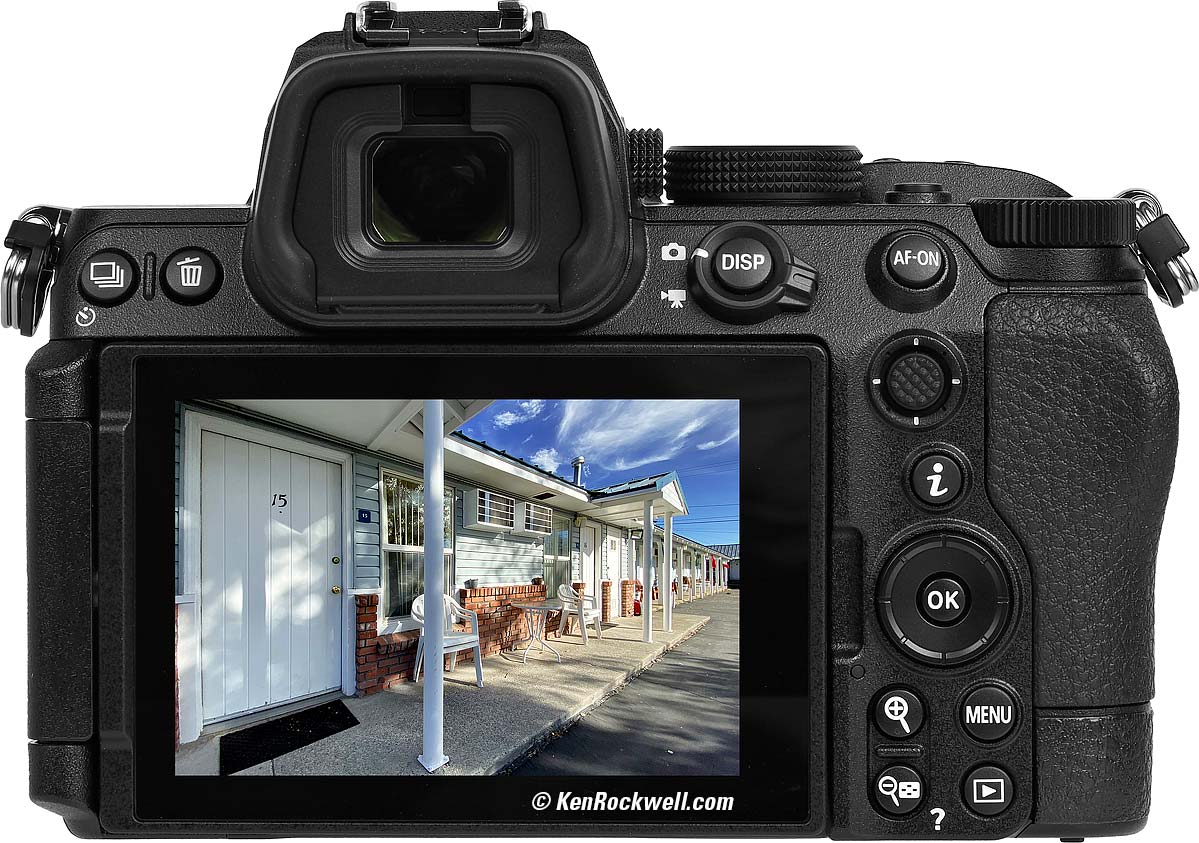
Nikon Z5 II at Room 15. bigger.
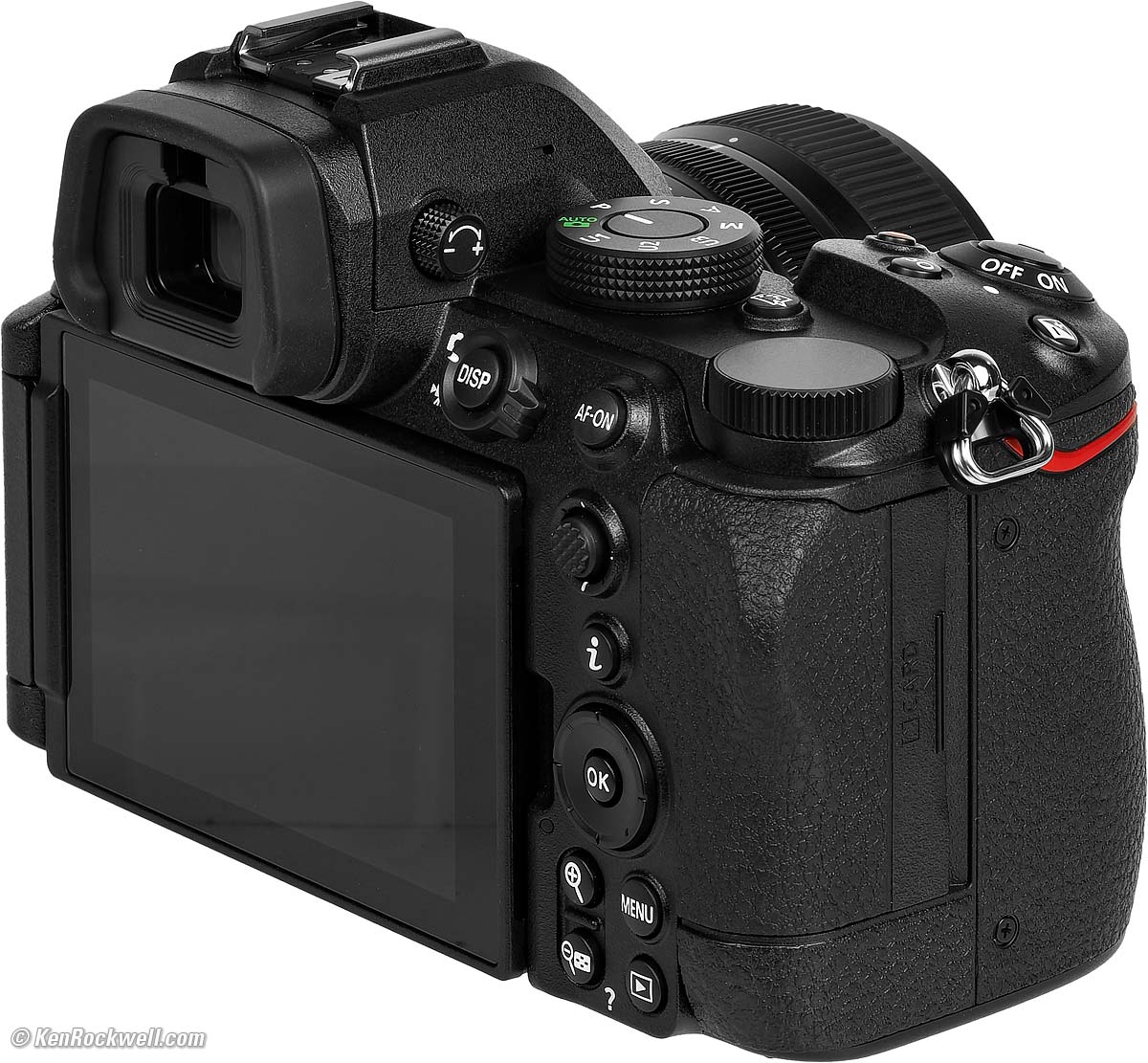
Nikon Z5 II and Z 24-50mm. bigger.
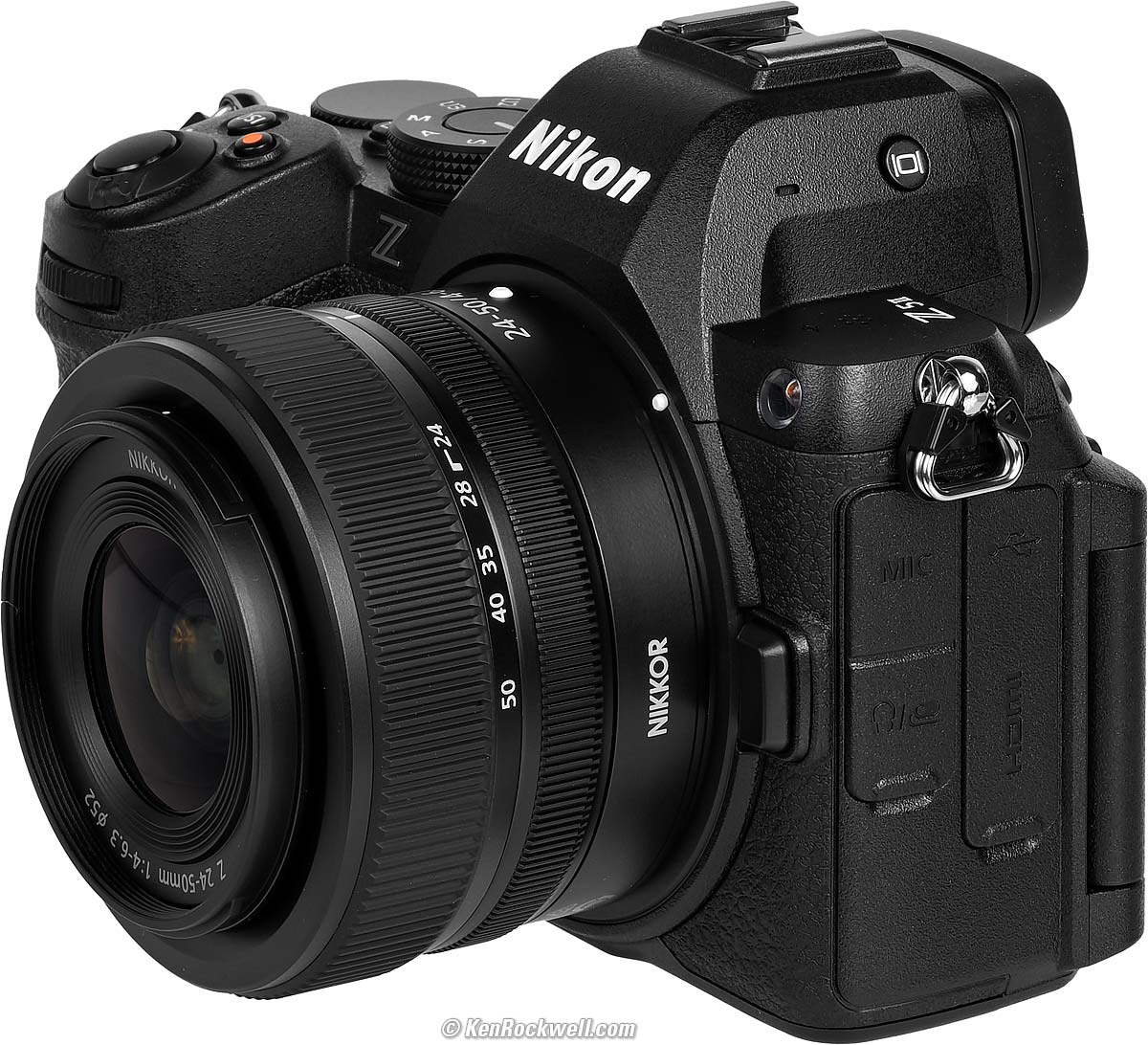
Nikon Z5 II and Z 24-50mm. bigger.
Sample Images top
Sample Images Intro New Good Bad Missing
Lens Suggestions Specifications Accessories
(more at High ISOs)
These are just snapshots; my real work is in my Gallery.
These are all shot hand-held as BASIC ★ JPGs; no tripods, NORMAL or FINE JPGs or RAW files were used or needed. Bah!
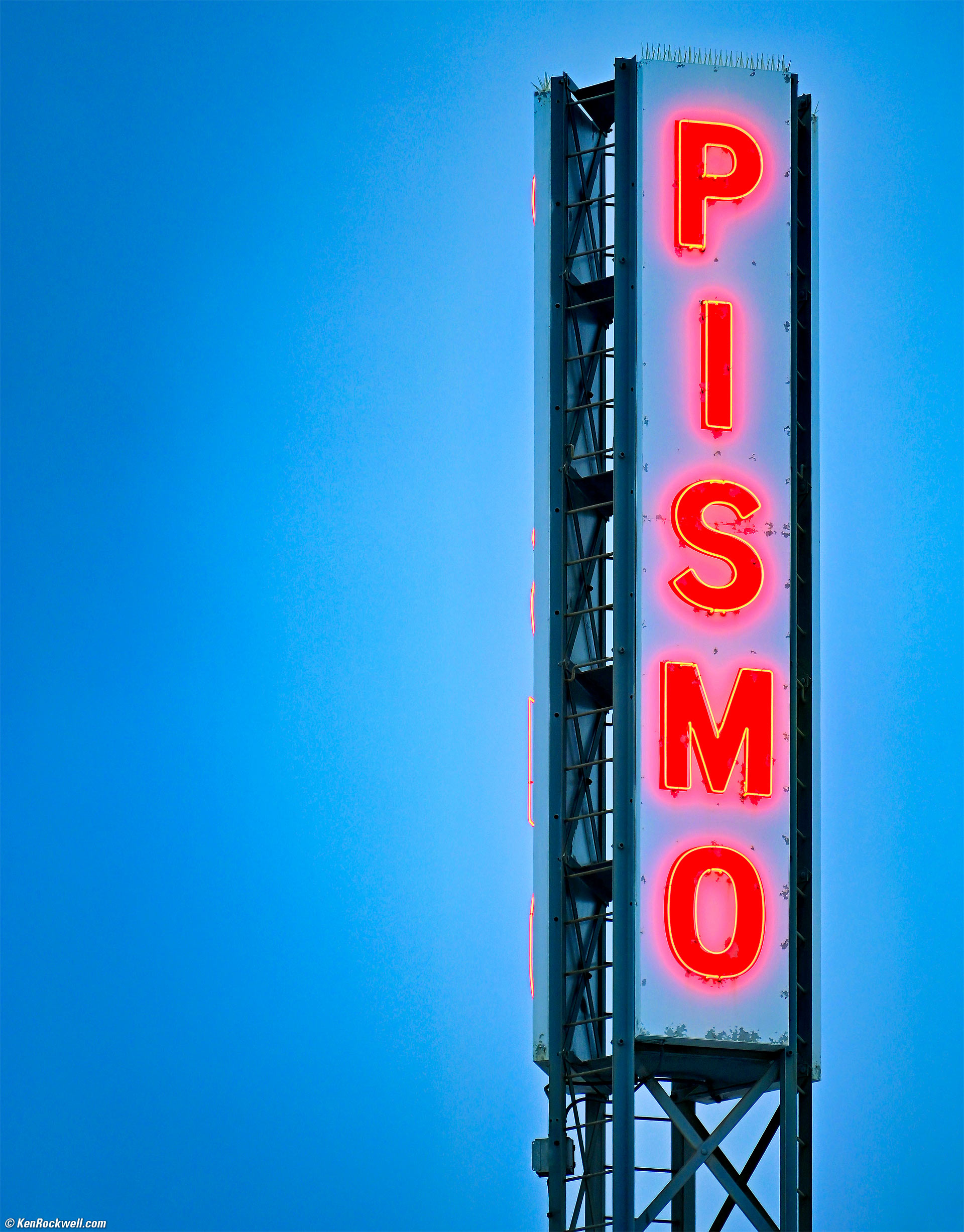
The Pismo Sign, Pismo Beach, California, 7:39 PM, Tuesday, 06 May 2025. Nikon Z5 II, Nikon Z 28-400mm VR at 400mm wide-open at f/8 hand-held at 1/100 at Auto ISO 800 (LV 9⅔), Radiant Photo and Skylum Luminar Neo software. bigger.
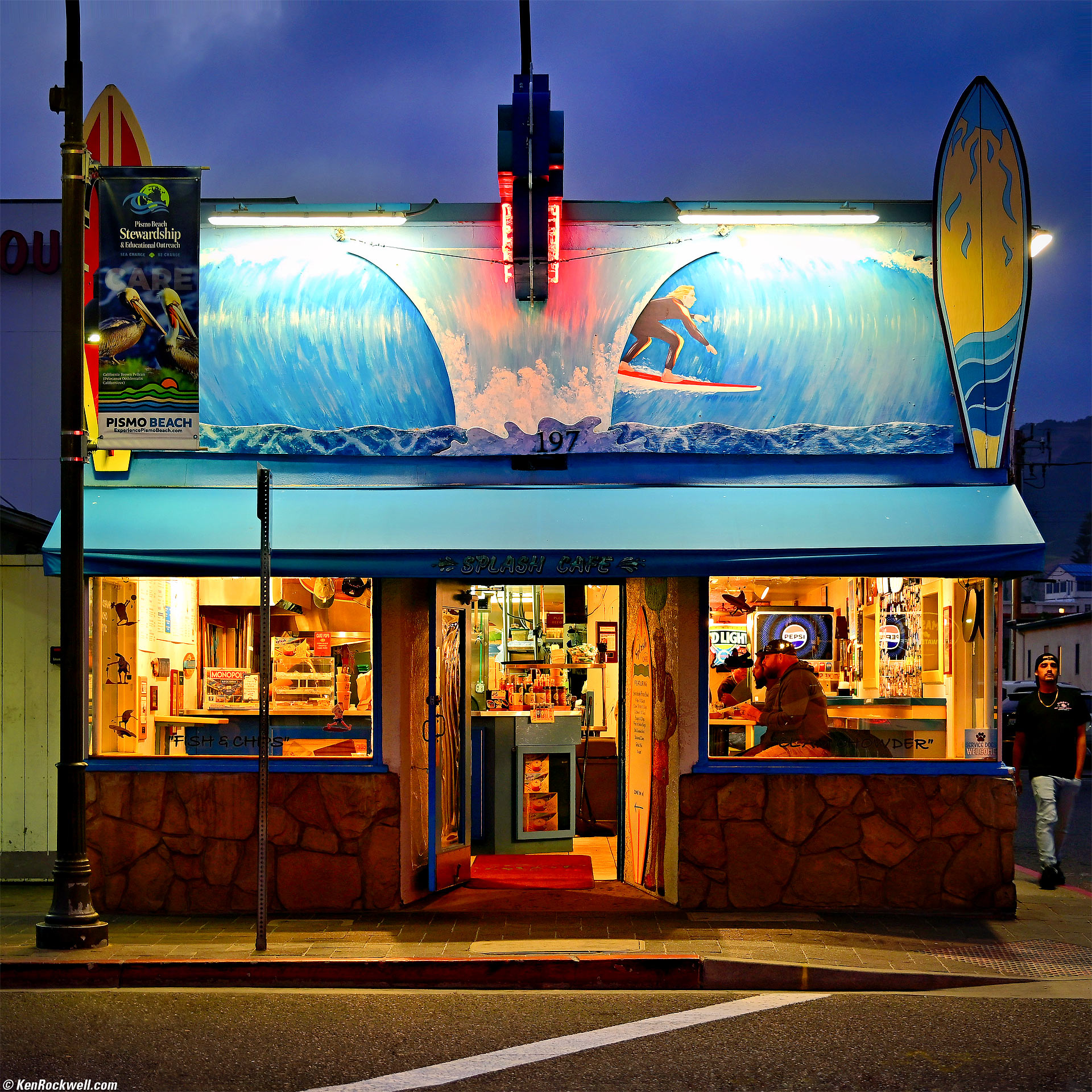
Jesus and the Splash Cafe, Pismo Beach, California, 8:08 PM, Tuesday, 06 May 2025. Nikon Z5 II, Nikon Z 28-400mm VR at 62mm at f/6 hand-held at 1/15 at Auto ISO 400 (LV 7.1), Radiant Photo and Skylum Luminar Neo software. bigger.
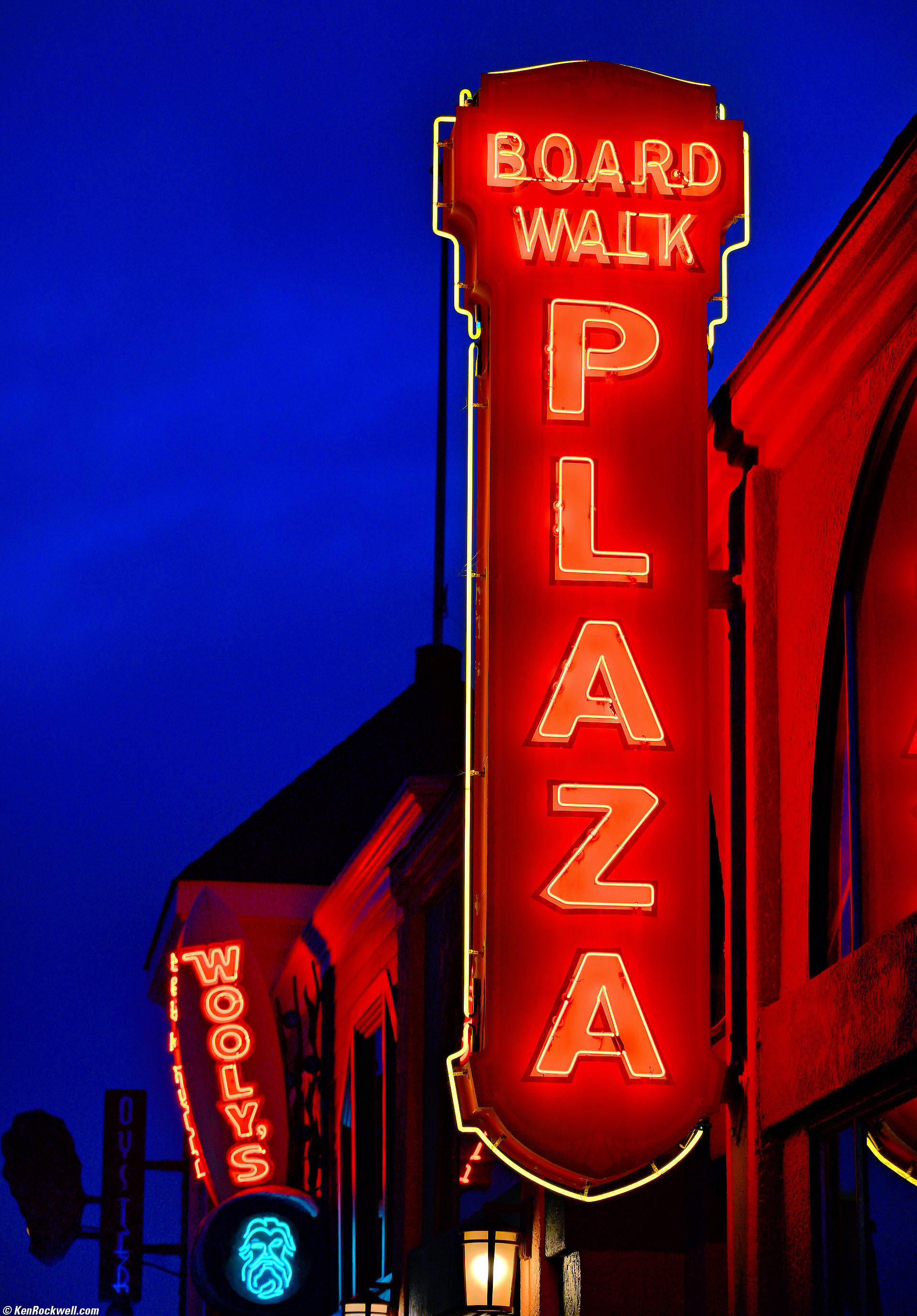
Board Walk Plaza Neon, Pismo Beach, California, 8:11 PM, Tuesday, 06 May 2025. Nikon Z5 II, Nikon Z 28-400mm VR at 105mm at f/6.3 hand-held at 1/30 at Auto ISO 140 (LV 9¾), Radiant Photo software. bigger.
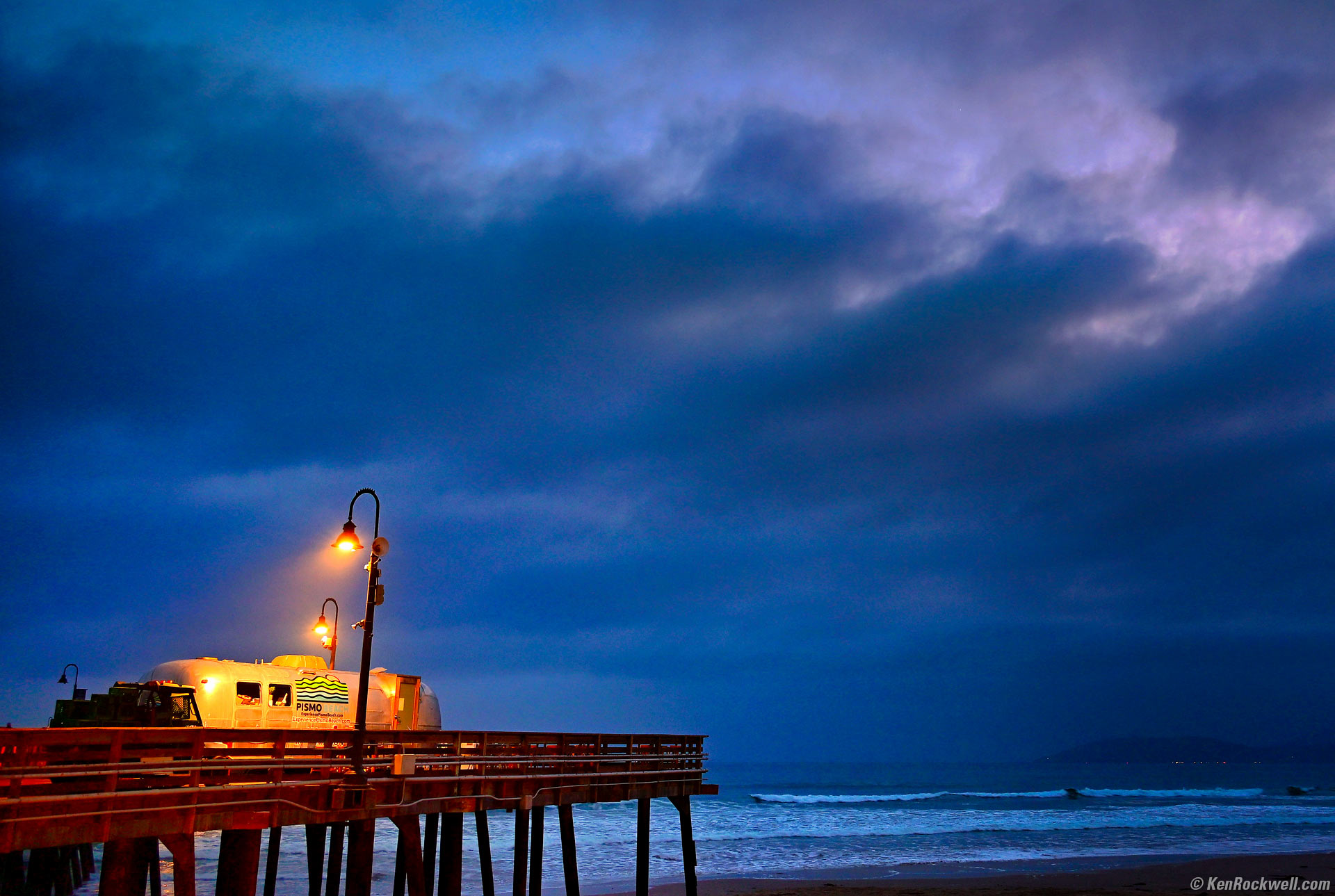
The Pismo Beach Pier at Dusk, Pismo Beach, California, 8:16 PM, Tuesday, 06 May 2025. Nikon Z5 II, Nikon Z 28-400mm VR at 28mm wide-open at f/4 hand-held at 1/8 at Auto ISO 640 (LV 4⅓), Radiant Photo and Skylum Luminar Neo software. bigger.
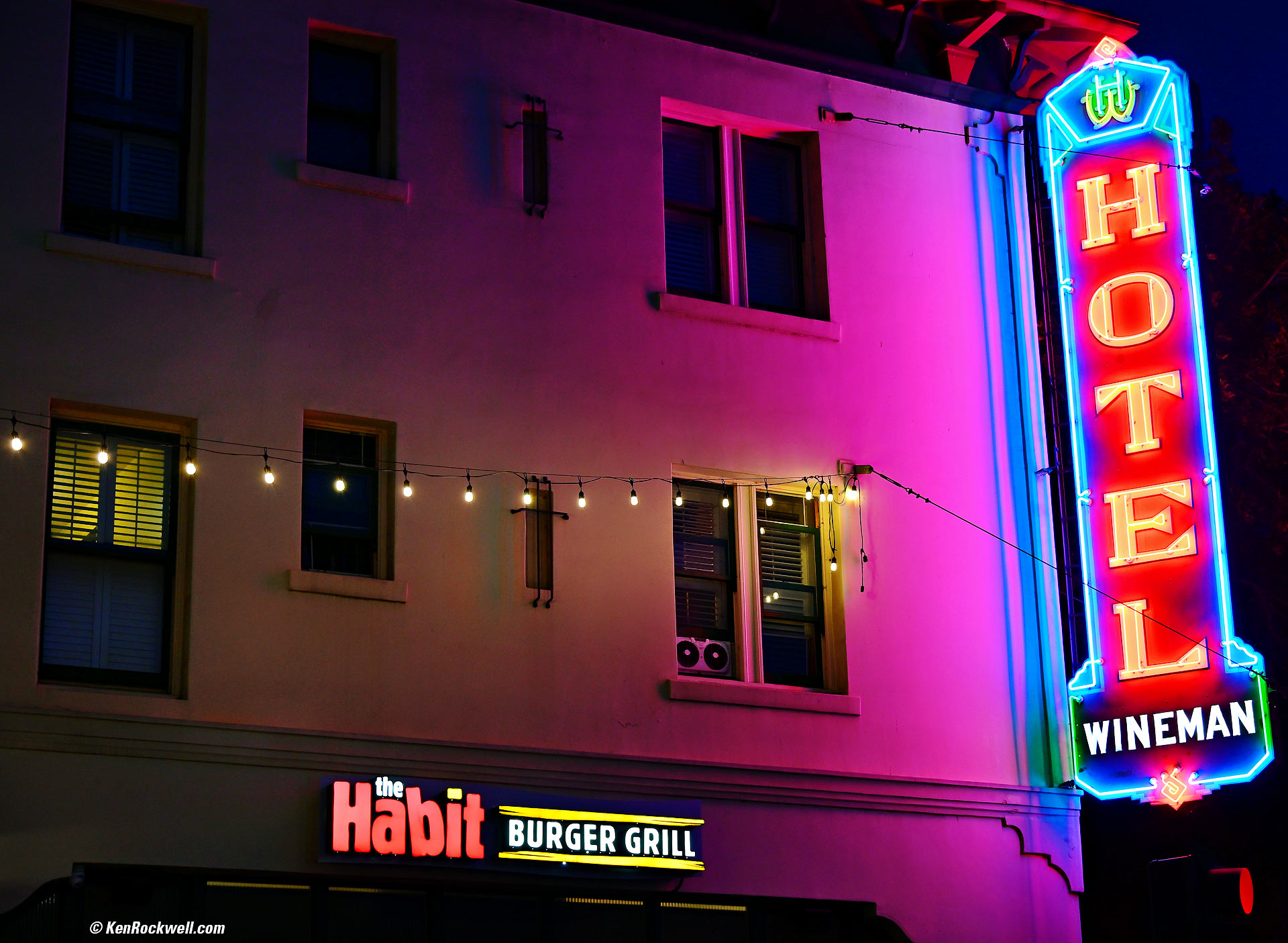
Wineman Hotel, San Luis Obispo, California, 8:24 PM, Thursday, 08 May 2025. Nikon Z5 II, Nikon Z 28-400mm VR at 58mm at f/5.6 handheld at 1/15 at Auto ISO 500, -0.7 stops exposure compensation (LV 6.6), Skylum Luminar Neo software. bigger.
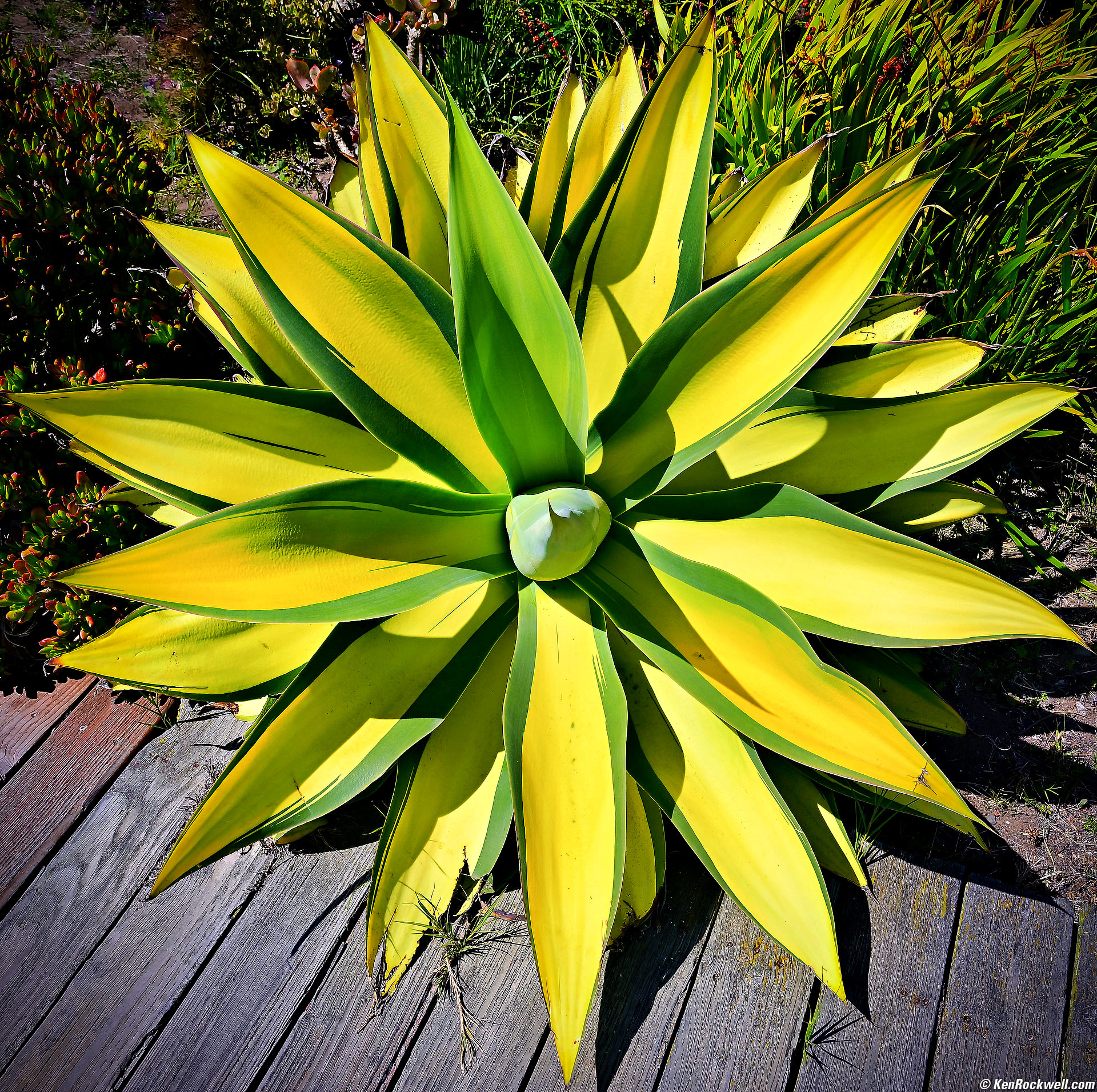
Agave, Baywood Park, California, 3:20 PM, Wednesday, 07 May 2025. Nikon Z5 II, Nikon Z 28-400mm VR at 28mm at f/8 at 1/250 at Auto ISO 100 (LV 14.0), Radiant Photo software and vignetting added in Skylum Luminar Neo software. bigger.
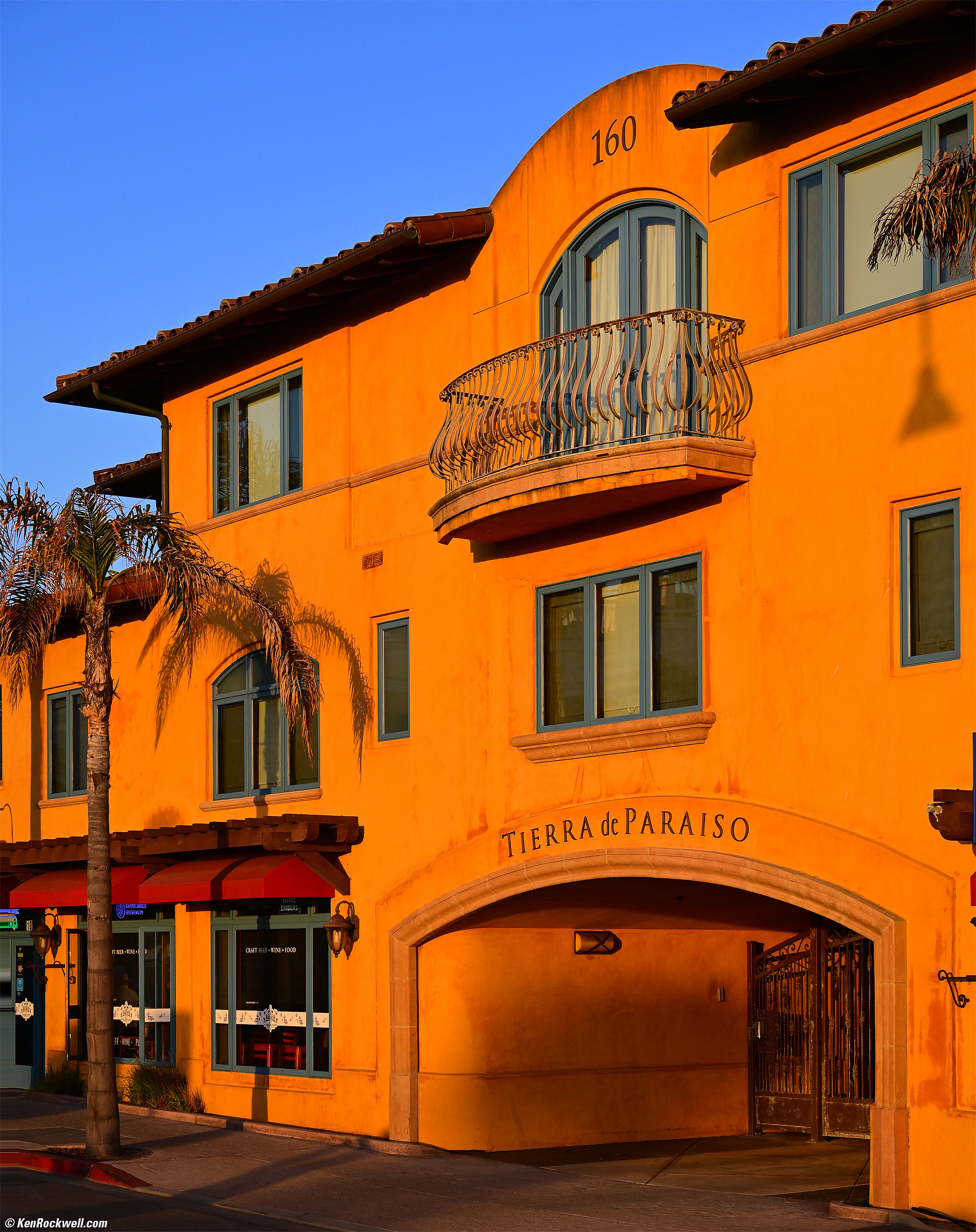
Tierra de Paraiso, Pismo Beach, California, 7:27 PM, Wednesday, 07 May 2025. Nikon Z5 II, Nikon Z 28-400mm VR at 55mm at f/8 at 1/250 at Auto ISO 100 (LV 14.0), exactly as shot except for perspective correction in Photoshop CC. bigger.
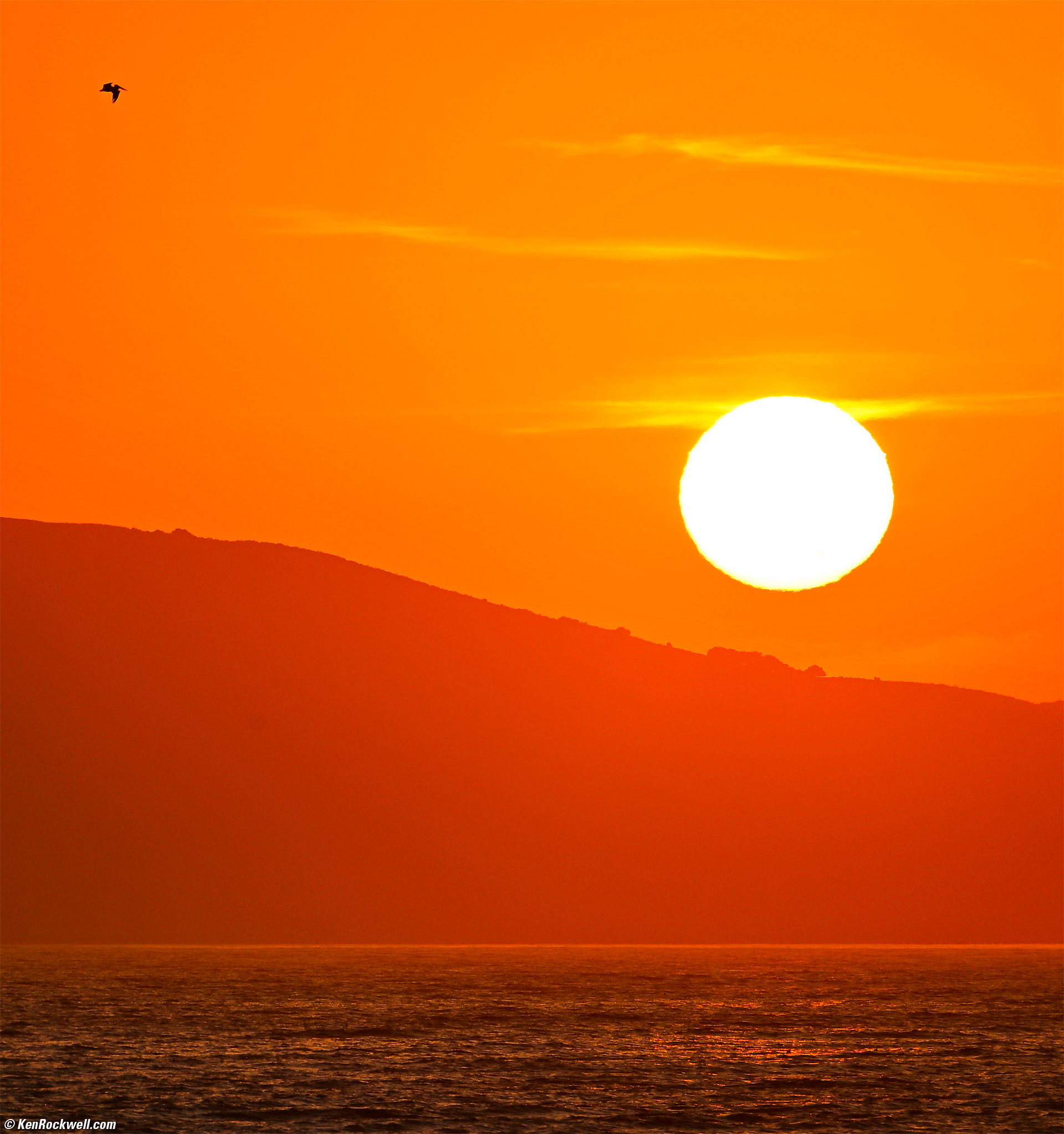
Setting Sun, Pismo Beach, California, PM, May 2025. Cropped from horizontal Nikon Z5 II shot with Nikon Z 28-400mm VR at 400mm wide-open at f/8 at 1/500 at Auto ISO 100 (LV 15.0), Skylum Luminar Neo software. bigger.
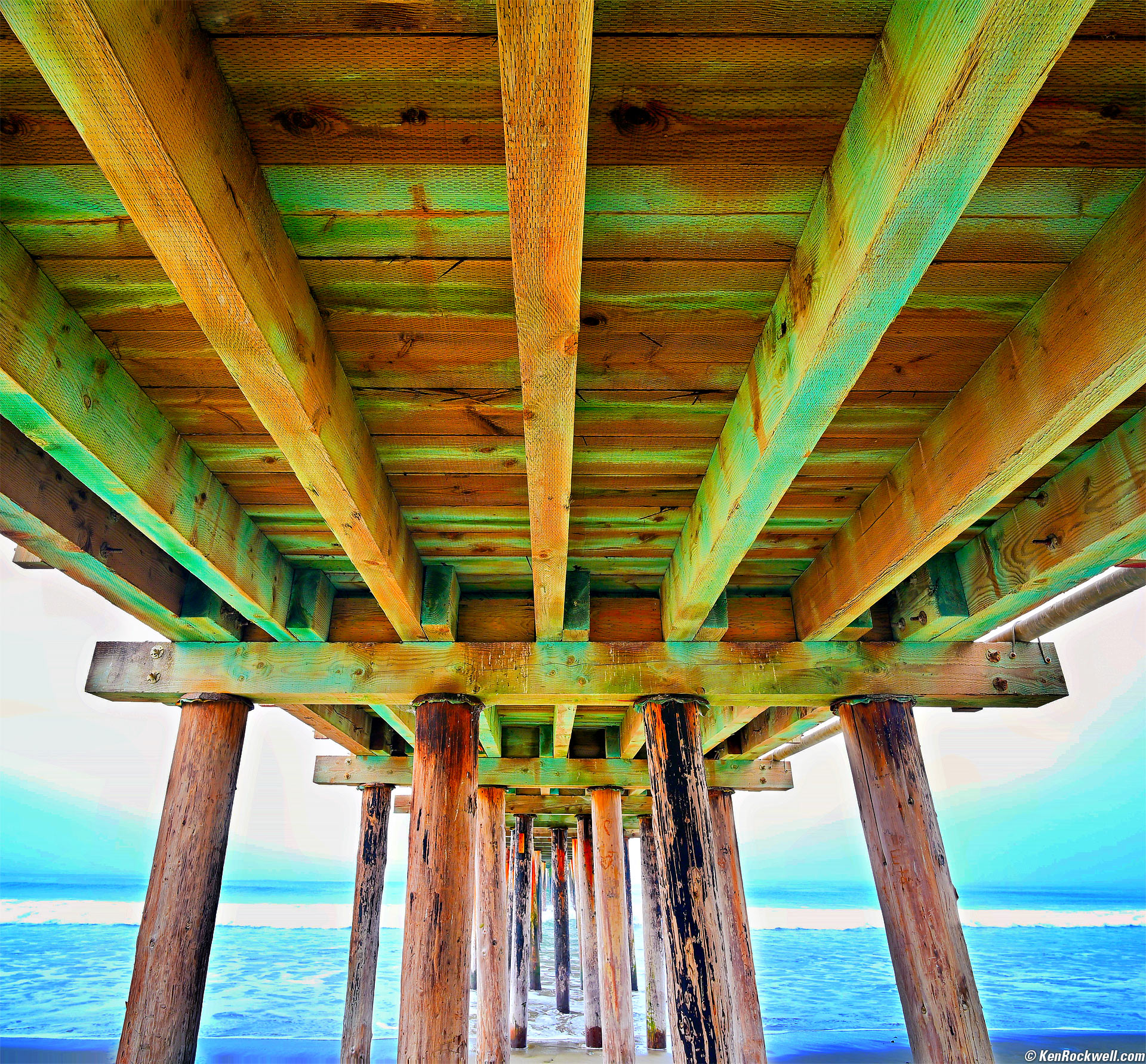
Under the Cayucos Pier, Cayucos, California, 9:16 AM, Thursday, 08 May 2025. Nikon Z5 II, Viltrox AF 16mm f/1.8 at f/8 at 1/30 at Auto ISO 100, +1 stop exposure compensation (LV 10.9), Radiant Photo and Skylum Luminar Neo software, perspective correction and crazy banding in the blue caused by the extreme tonal expansions I did in Photoshop CC. bigger.
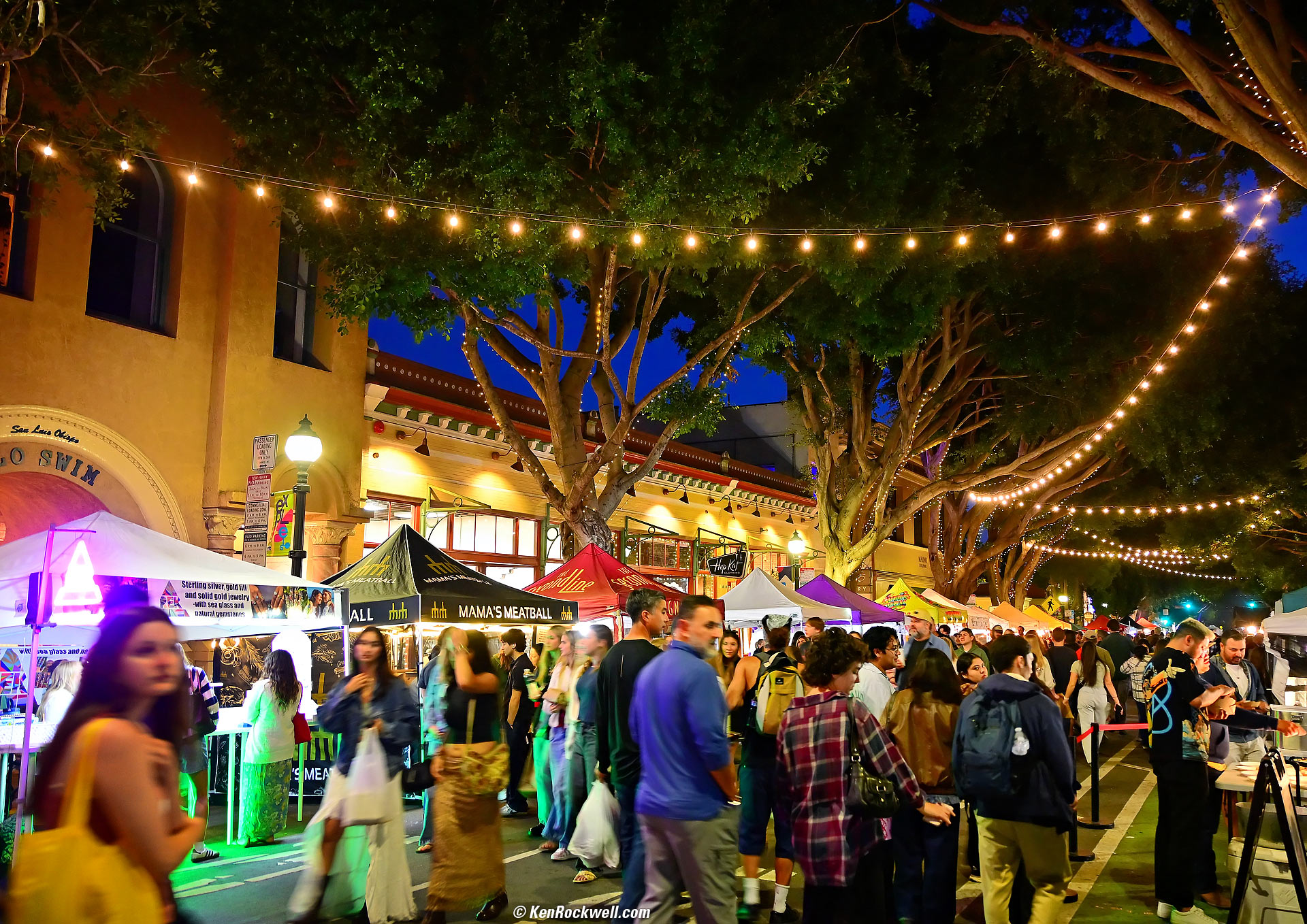
The World-Famous San Luis Obispo Farmer's Market, San Luis Obispo, California, 8:29 PM, Thursday, 08 May 2025. Nikon Z5 II, Nikon Z 28-400mm VR at 28 mm wide-open at f/4 hand-held at 1/15 at Auto ISO 1,800 (LV 3¾), Radiant Photo software. bigger.

Order Here, Mr. Ruriberto's, Mission Beach, California, 7:51 PM, Thursday, 12 June 2025. Nikon Z5 II, Nikon Z 35mm f/1.2 at f/1.2 at 1/500 at Auto ISO 100 (LV 9.5), Radiant Photo software. bigger or camera-original © JPG file.

Arcade and Gull, Belmont Park, Mission Beach, California, 7:55 PM, Thursday, 12 June 2025. Nikon Z5 II, Nikon Z 35mm f/1.2 at f/1.2 at 1/250 at Auto ISO 100 (LV 8.5), Radiant Photo software. bigger or camera-original © JPG file.
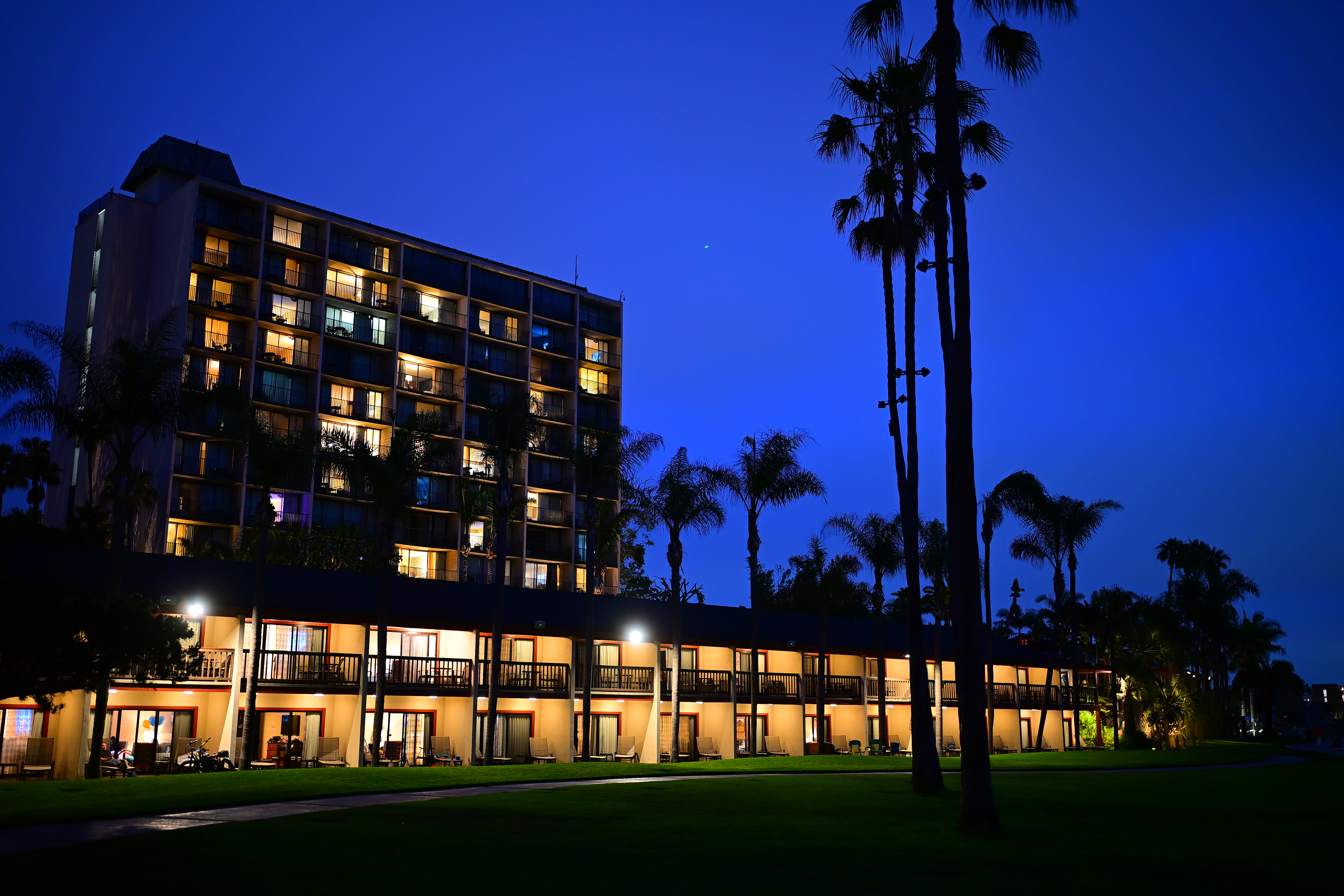
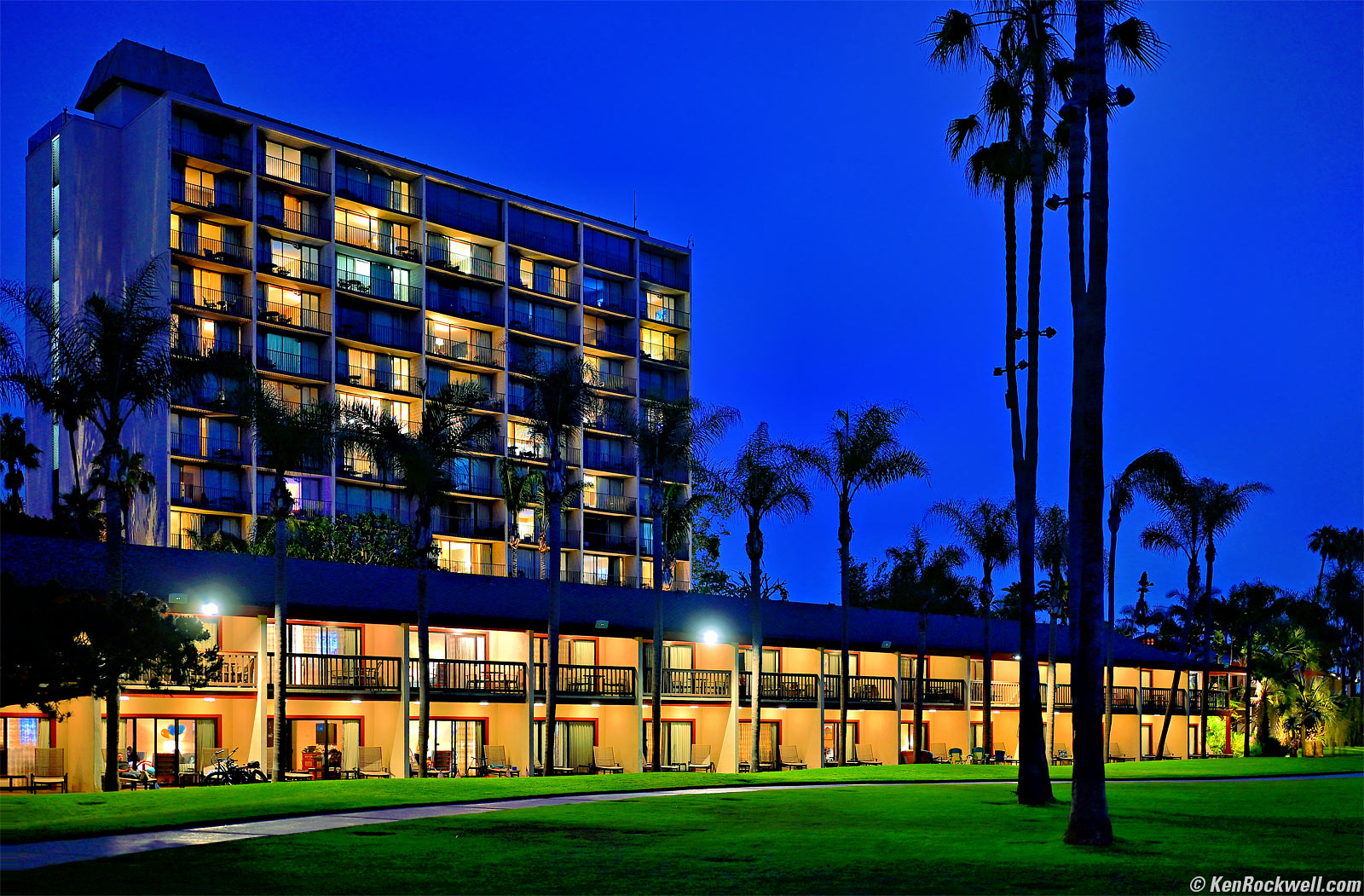
The Catamaran Resort, Pacific Beach, California, 8:31 PM, Thursday, 12 June 2025. Nikon Z5 II, Nikon Z 35mm f/1.2 at f/1.2 hand-held at 1/10 of a second at Auto ISO 450 (LV 1⅔), Radiant Photo software, perspective correction in Photoshop CC. bigger or full-resolution or camera-original © JPG file.
Holy cow! Look at the railings of the rooms on the top floor in the camera-original © JPG file and you'll see they're exciting aliases (false colors) in the sensor of my Z5 II! This is excellent; it means that even wide-open at f/1.2 this lens is so ultrasharp that it can resolve sharp edges as fine as individual pixels. Superb!
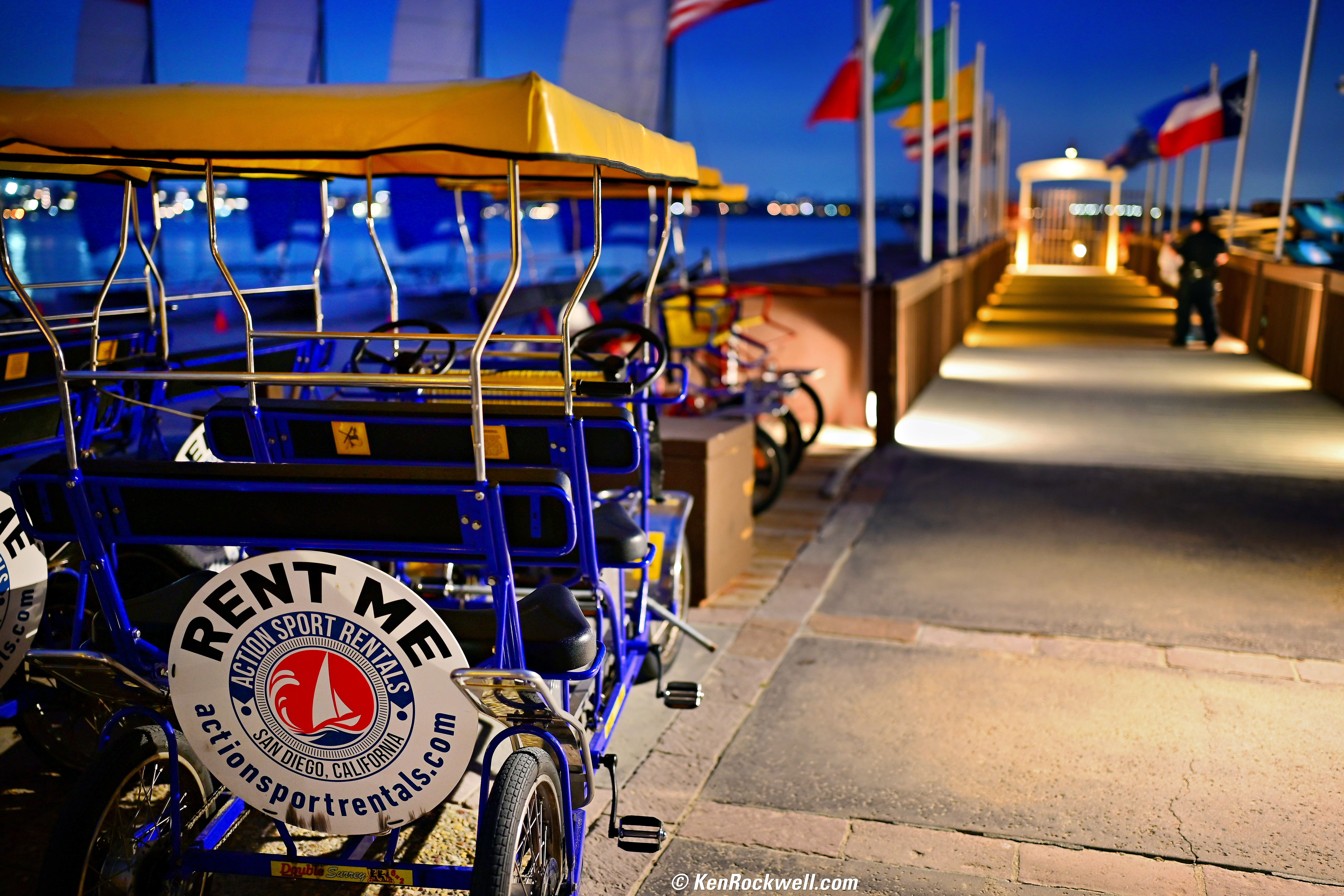
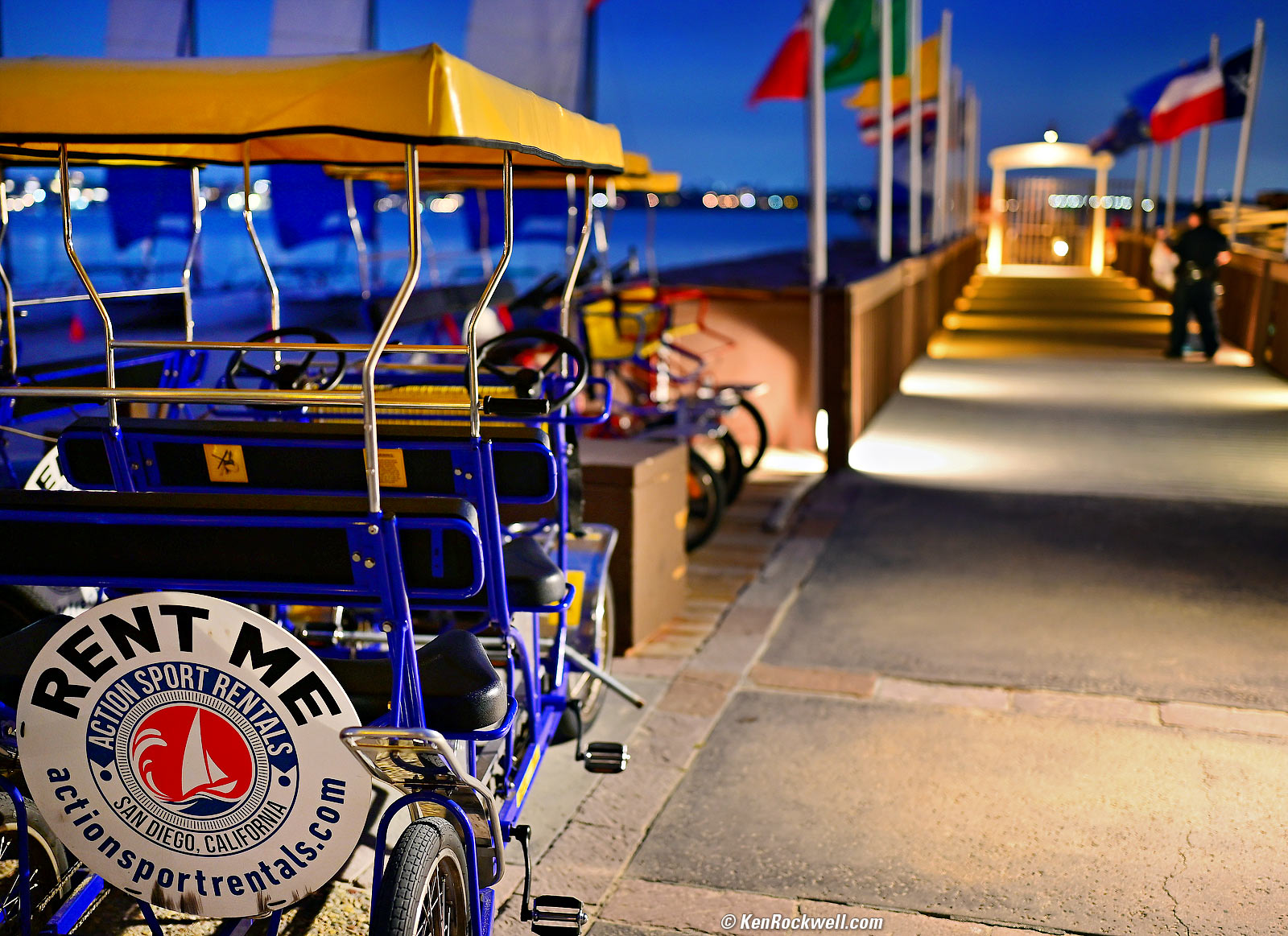
Rent Me, The Catamaran Resort, Pacific Beach, California, 8:32 PM, Thursday, 12 June 2025. Nikon Z5 II, Nikon Z 35mm f/1.2 at f/1.2 hand-held at 1/10 of a second at Auto ISO 500, +0.7 stops exposure compensation (LV 1.5), Radiant Photo software. bigger or full-resolution.
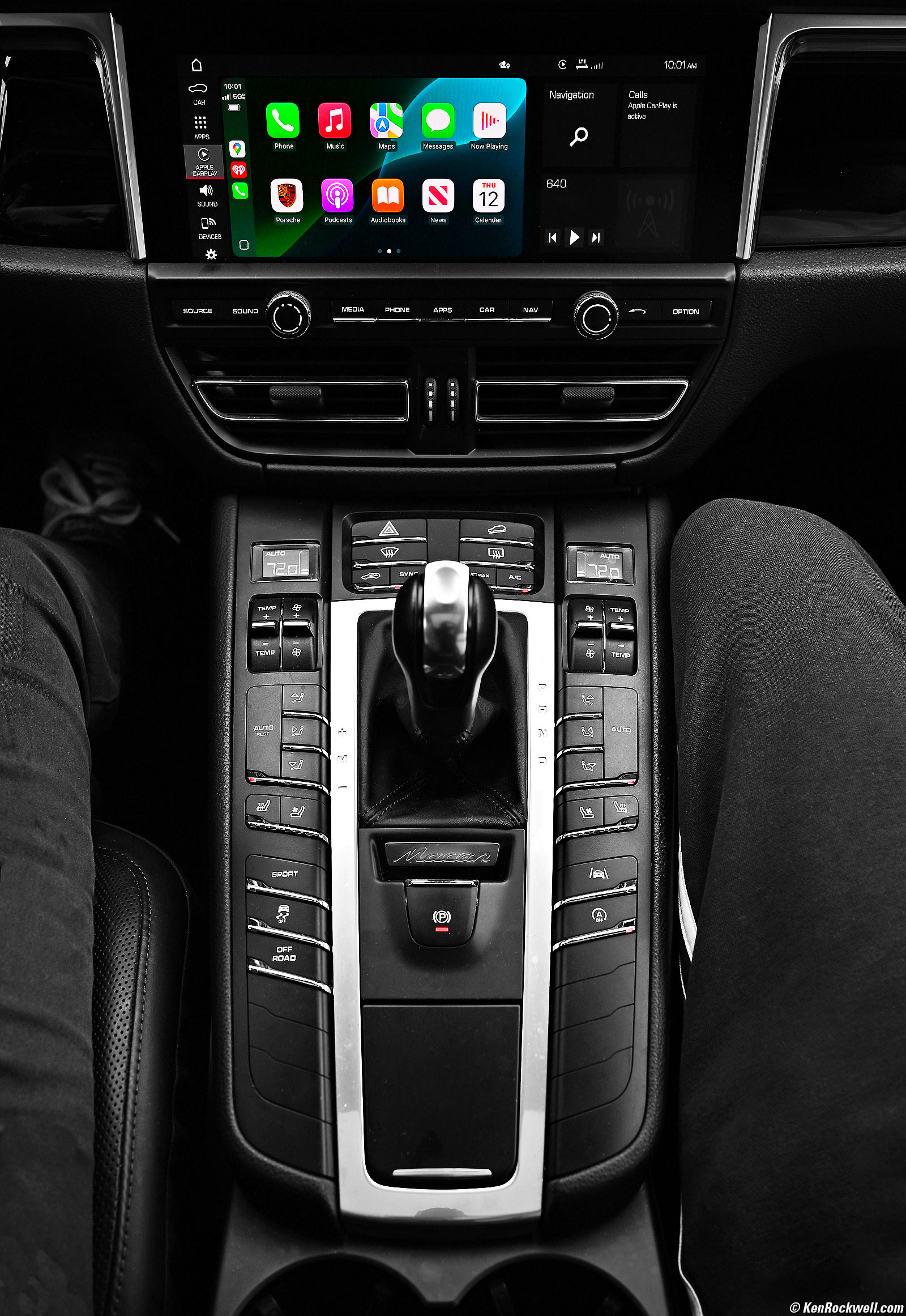
Porsche Macan Center Console, 10:01 AM, Thursday, 12 June 2025. Nikon Z5 II, Nikon Z 35mm f/1.2 at f/5.6 at 1/125 at Auto ISO 100, -0.7 stops exposure compensation (LV 11.9), Radiant Photo software. bigger.

Introduction top
Sample Images Intro New Good Bad Missing
Lens Suggestions Specifications Accessories

I buy only from these approved sources. I can't vouch for ads below. |



This new Z5 II is my favorite Nikon full-frame (FX) camera because it offers the same ultra-high image quality as the more expensive models, and has far superior controls and ergonomics to any of the Z9, Z8, Z7 II, Z6 III, Z6 II, Zƒ, Z7 or Z6. It's also Nikon's newest full-frame (FX) camera as I write this in June, 2025.
This is Nikon's least expensive current full-frame (FX) camera and it's the best. Get one!!! In-camera stabilization is wonderful, giving me five full stops or real-world stabilization with my unstabilized Z 50mm f/1.4!
Nikon's mirrorless cameras are now mature. All the technology and performance that matters is now in this Z5 II. The differences between models are individual features or having a bigger battery or better or worse controls, but no more do we need to pay more to get a better picture or fast frame rates.
I see no more reason to buy a Z9, Z8, Z7 II, Z6 III, Z6 II, Zƒ, Z7 or Z6, which offer inferior ergonomics and no better image quality. Yes, the Z9, Z8, Z7 II and Z7 claim more pixels, but due to Pixel Dumping, it doesn't matter. Pixel count today is just for market segmentation (charging rich people more for essentially the same thing) and have no impact on picture quality!
The original Z5 was slow, topping out at only 4½ FPS. Now that this Z5 II runs without restrictions at 15 FPS with full tracking autofocus (or 30 FPS with tracking AF in C30 mode with limits on some settings), I honestly see no reason for any of the other Nikon full frame cameras.
15 or 30 FPS is super fast! Go ahead and spend more if you want more pixels or frames-per-second, but don't blame me for making you do it. Unlike camera stores, Nikon or people who want to justify why they own more expensive cameras, I have nothing to sell you and couldn't care less about trying to sell you a more expensive camera as most others do.
If I'm losing you, know that I shoot every single day. Ask any full-time pro what's the most important thing about a camera, and it's how well it gets out of the way. Any time wasted having to fiddle with dials or menus means lost shots, which means lost revenue.
While online experts, 'Tubers and other weekend amateurs worry themselves senseless about meaningless features and specifications promoted by the manufacturer's sales literature, we who shoot every single day know what really matters is that a camera must be easy to set quickly as conditions change. In the real world, rather than an amateur's arm chair imagination, conditions change continuously and the camera that wins is the one with controls laid out so we can adjust our camera instantly.
Specifically this new Z5 II and the original Z5 are the only full-frame Nikon mirrorless with a dedicated MODE dial on the right side of the camera so we can move it with just our shooting thumb. All the others either lack this dial entirely, or put it on the wrong side with a lock so that we have to stop shooting and use our left hand to set it. While the other cameras look great to the innocent reading about them, when you shoot every day it's no bueno when you have to stop to adjust basics like the exposure mode or recall U1, U2 and U3 shooting presets, when it's simply one click on the Z5 II.
This Z5 II is a huge update to the original Z5 of 2020, which had always been my favorite Nikon full-frame mirrorless ever since it came out because of its superior controls. The original Z5 was very slow, but now that this Z5 II can run all day at 15 or 30 FPS.
Unlike when Nikon's mirrorless first came out, they're all equal in image quality today, and at 15/30 FPS the Z5 II is fast enough for anything, so I see no reason for any of the the older Z9, Z8, Z7 II, Z6 III, Z6 II, Zƒ, Z7 or Z6 today unless there's some particular feature you need.
I got mine at B&H. I'd also get it at Adorama, at Amazon, at B&H or at Crutchfield, or get it used at eBay if you know How to Win at eBay, or get it used at KEH.
Z5 II body-only:
$1,597 at B&H, at Adorama, at Amazon and at Crutchfield.
About $1,300 used at eBay if you know How to Win at eBay.
Z5 II and Z 24-50mm: $1,897 at B&H, at Adorama, at Amazon and at Crutchfield.
NEW: Z5 II & Z 24-70mm f/4: $2,447 at B&H and at Crutchfield.
Z5 II and Z 24-105mm: $1,947 at B&H, at Adorama, at Amazon and at Crutchfield.
Z5 II and Z 24-200mm: $2,397 at Adorama, at Amazon, at B&H and at Crutchfield (my favorite combo).
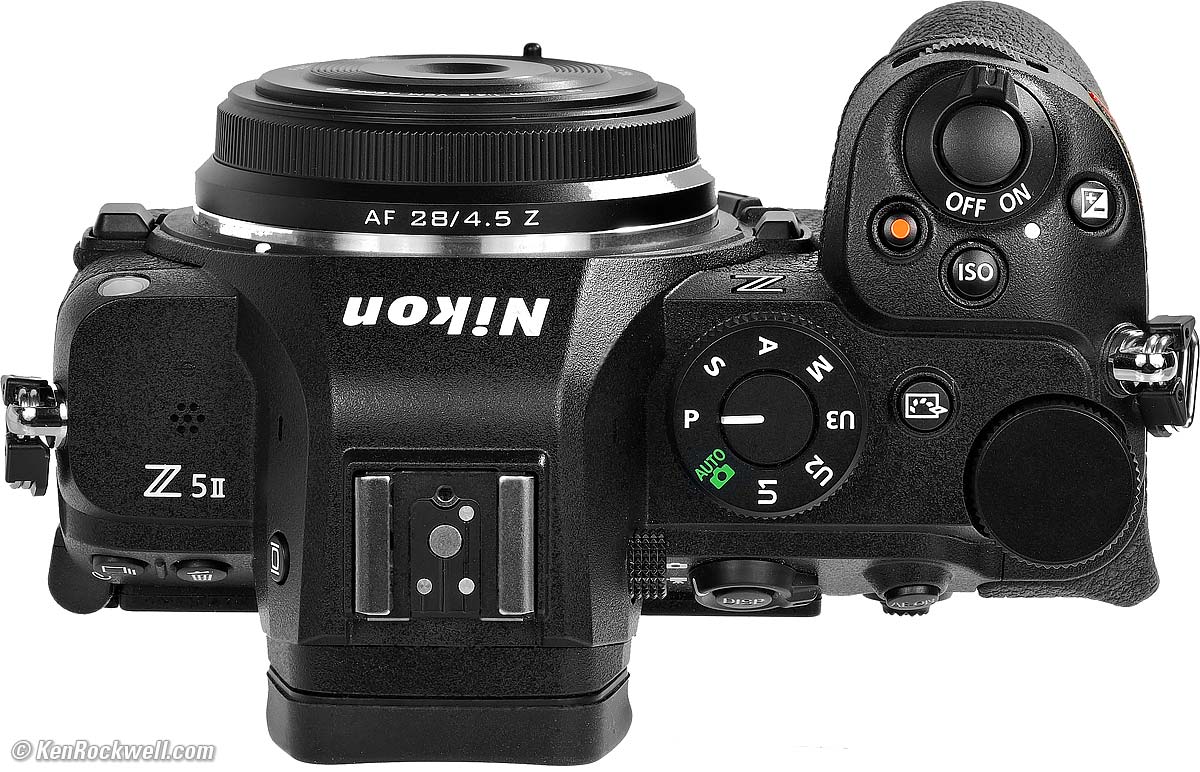
Tiny Viltrox AF 28mm f/4.5 on Nikon Z5 II. bigger.
New since 2020's Z5 intro top
Significant
 15 or 30 FPS, up from 4½ FPS.
AF areas now can be selected directly by simply sliding a finger on the rear LCD as you look through the finder; no need to use the 1970s-inspired rear clicker.
The rear LCD actually lights up so we can see a count-down of time remaining with long manual exposures in the dark 👍🏻— but you're still left in the dark with no display during Bulb and Time mode exposures 👎�. How many decades is it going to take Nikon to give us dark-legible time displays as iPhone has done for almost twenty years?
New dedicated Picture Control button on top, which can be reprogrammed for other functions. I set mine to Zoom.
Voice Notes, previously only found in pro cameras.
Pre Release.
Timed manual exposures up to 15 minutes, up from 30 seconds.
Only for timed manual exposures longer than 30 seconds, the rear LCD now counts down the time remaining while exposing. This is a huge step forward for Nikon since for the very first time in history we can see this while shooting in the dark — which is where I make long exposures! Nikon has never had a count-down display that was lit before, and still doesn't in the TIME and BULB modes, arrrrgh.
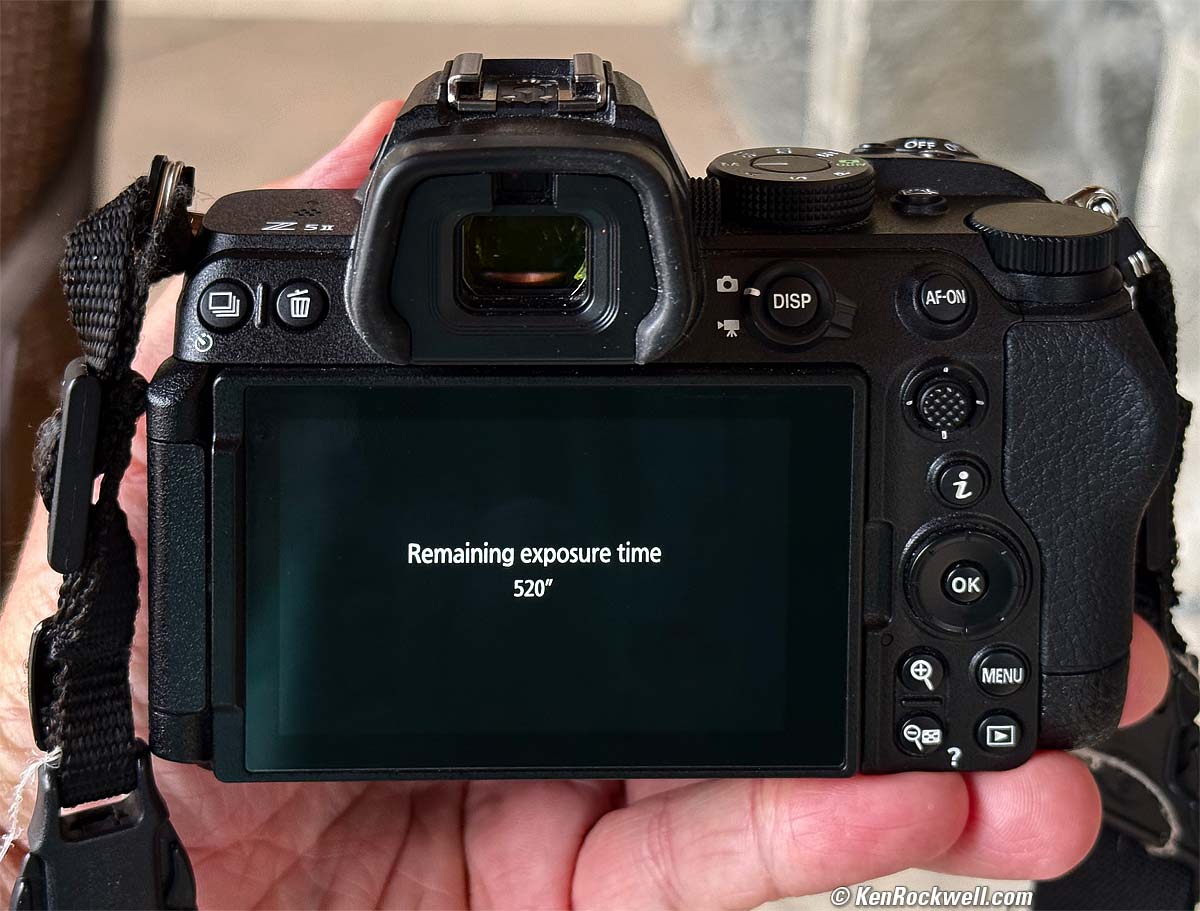
Count-down timer during long manual exposures! bigger.
Ho-Hum
Modern multiway flipping LCD; no more of the complex and idiotic LCD mount of the old Z5 which couldn't turn left or right!
AF rated down to LV -10, improved from LV -2 or -3.
Same EVF finder resolution, but now rated up to 3,000 cd/m2 (nits). The old finder was brilliant, too.
Nikon goes on about various online connectivity, but I can't imagine it working well. Nikon is not Apple.
2.1 MDot LCD, up from 1.04 MDot (same tiny 3.2" size; what is it, still 2002 back in Japan?).
Nikon touts "AI-powered subject detection," but that's just fluff. Nikon's used AI for this and other things since the 1980s; they just didn't pitch it as "AI."
In-camera Image Stabilization now rated up to 7½ stops center (6 stops edges), up from 5 stops. These never work as well as claimed when they claim more than 5 stops improvement, so no big deal.
Top ISO 64,000, up from 51,200. So?
Top pushed ISO 204,800, up from 102,400. These usually look horrible on every camera! I never shoot at any ISO with more than four digits, and I see no difference between the old and new cameras; both are superb. The difference is that this Z5 II can now be set higher, which looks worse. See samples at High ISOs.
Type-D HDMI connector; was Type-C.
Video
4K/59.94 video, up from 4K/29.97. So? Hollywood and I shoot everything at 23.976 or 24 FPS.
Video take lengths up to 2 hours, up from 30 minutes.
UAC and UAV compliant for live web-streaming, Zzzzz.
10-bit internal video recording with N-Log LUT.
Four new RED LUTs. Wow!
New NEV format video. Wow! So many TLAs!
What's Worse than 2020's Z5
MH-25a battery charger no longer included (So? Both charge from USB-C).
The old Z5's two dedicated 3.5mm Headphone and 3.5mm Remote Cord sockets are now combined into one connector, so you can't use headphones at the same time as a remote cord.
1 oz./28g heavier.
1/10" (2.5mm) deeper (same height and width).
Good intro top
 Superb in-camera Image Stabilization, typically giving me five stops of real-world stabilization with unstabilized lenses!
Unbeaten Nikon image quality.
Voice Notes, necessary for logging what's in each shot.
U1, U2 and U3 preset camera-state memories.
Smart playback rotation, like an iPhone, so playback images rotate as you rotate the camera. Canon can't do this, you have to rotate Canon cameras on playback, or have all your vertical images playback tall and skinny instead. On this Z5 II images rotate by themselves, bravo!
Low price.
Super-bright and sharp finder; works great in the blinding desert sun (and so did the one in the old Z5).
The 𝒊 info menu and shooting and playback data rotate for vertical shots.
Excellent mode-control dial for one-handed shooting, far better than the wrong-side, two-hands-required dials of the older Z6 III and Z7 II.
Option to have exposures set in one-stop clicks while still being able to set exposure compensation in thirds of a stop.
Timed manual exposures out to 15 minutes.
BULB and TIME exposure modes.
Settings can be saved and recalled to and from a card.
Wi-Fi.
Bluetooth.
Weather-sealed:
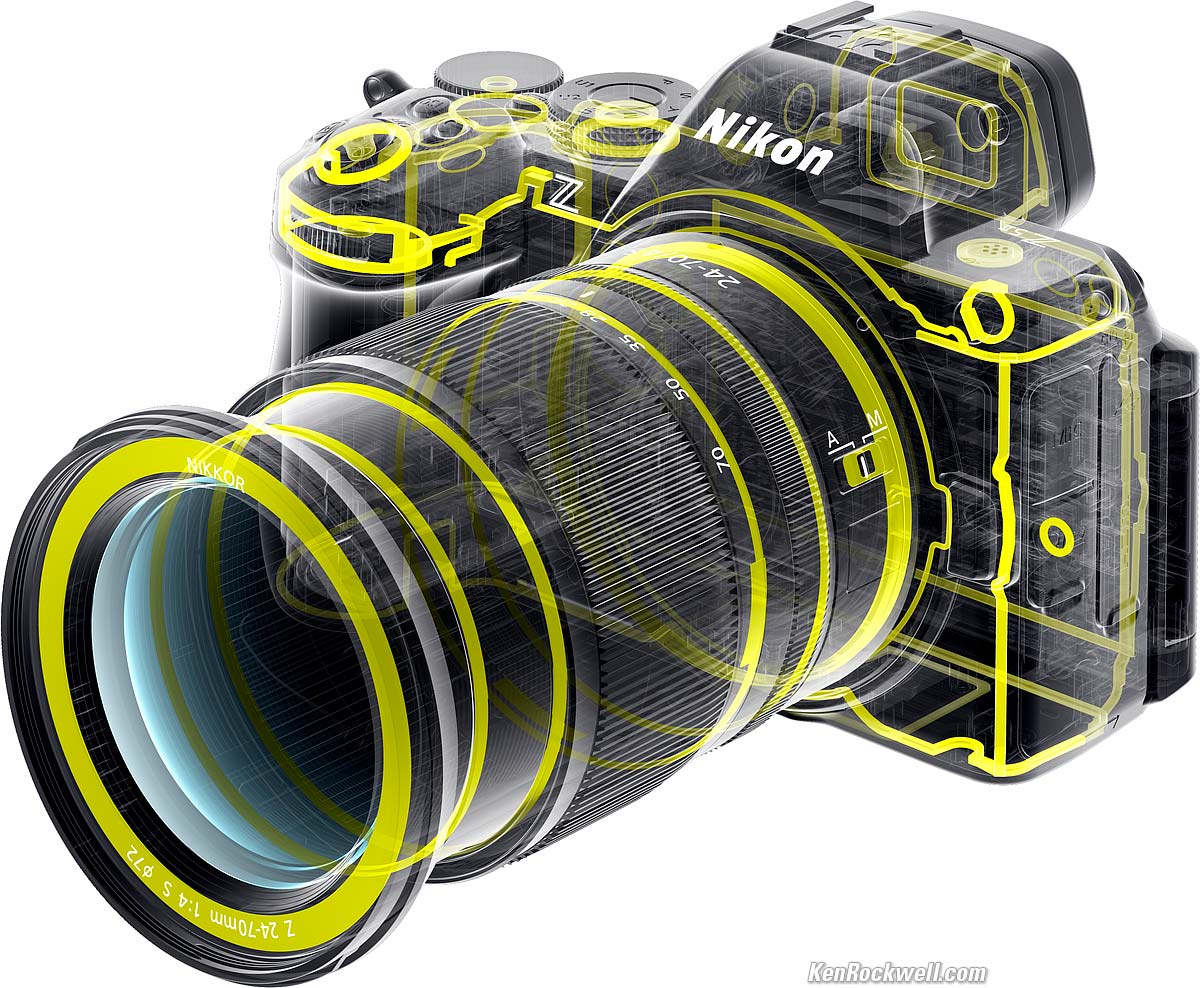
Nikon Z5 II and Z 24-70mm f/4. bigger.
Bad intro top
 The live finder image isn't great. It has lower resolution live than it has on playback, and highlights and shadows appear differently than recorded as a final image. This becomes wildly apparent when you enable Image Review so the final image pops up right after being shot. If you set your Picture Controls and Active D-lighting to their limits as I do, the finder may have less saturation and less shadow detail than the final image. While the finder is generally accurate and shows what your picture settings are doing, it's not ultra sharp and it's not perfect. In other words, the Z5 II, like many Nikons, lacks the processing power to work at full resolution to keep the finder supplied with a live image with all the processing that goes on as each image is saved.
The finder image can be so bright outdoors that it makes the live or playback image appear over-exposed, while in fact it's perfect.
Playback scrolling while zoomed often doesn't work. Often the directional thumb nubbin is ignored and has to be tried again! This is a core incompetence of most Nikon mirrorless cameras and annoys the heck out of me 😡.Oddly the multiway/OK controller works fine, while most Nikon nubbins are flaky on playback. Weird.
No 4:3 or 4:5 "Ideal Format" crops; 1:1 square and 16:9 only.
Sensor not protected by shutter blades with power off. Instead, the sensor is always exposed and out in the open every time you change lenses or leave the body without a lens.
Production dumped to Thailand, not made domestically in Japan.
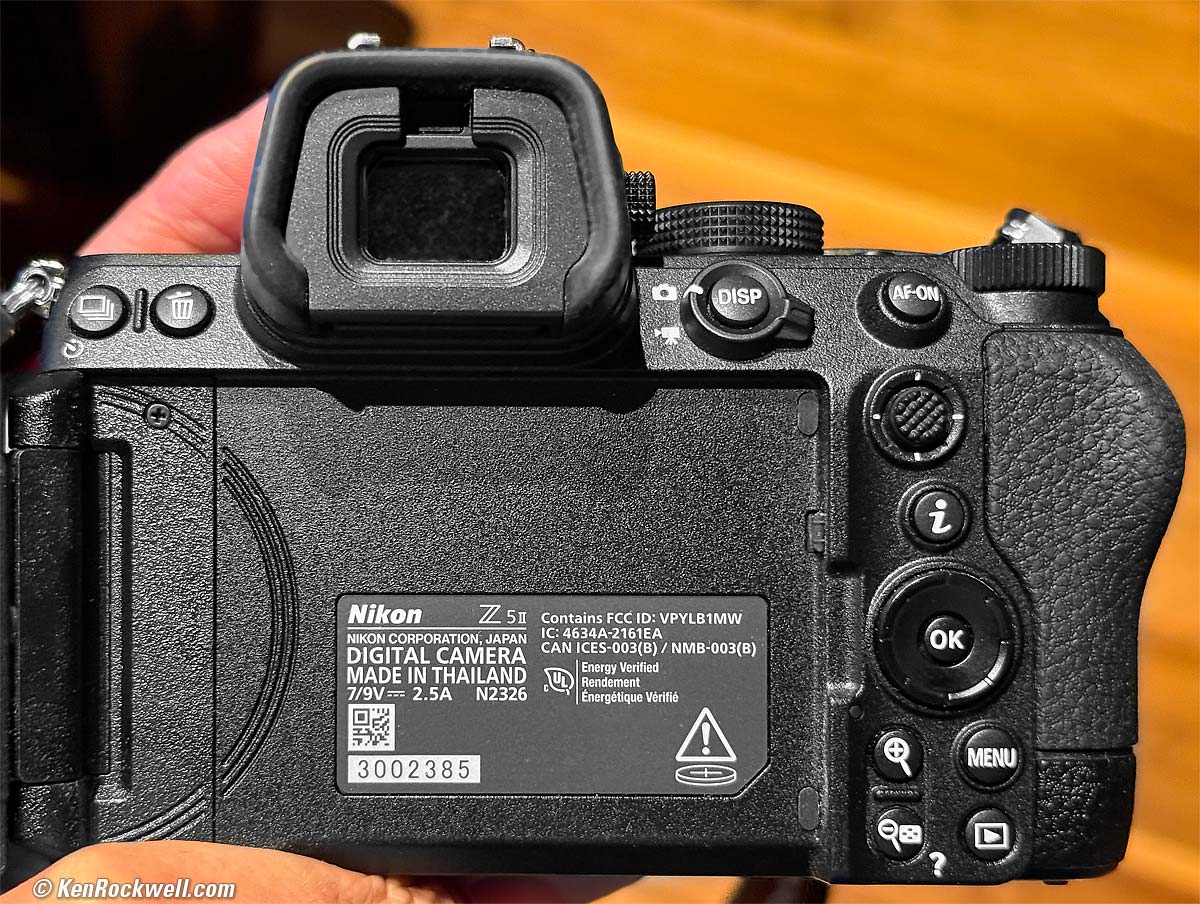
Nikon Z5 II. bigger.
Missing intro top
 The universal preset U1, U2 and U3 memory modes on the top dial aren't universal. They tend not to save or recall things from the SETUP (🔧 icon) menu like Silent mode or copyright information.
No shutter speeds above 1/8,000, even in Electronic Shutter Mode.
Flash won't work with silent electronic shutter.
No 4:3 or 4:5 "Ideal Format" crops (1:1 square and 16:9 only).
No built-in flash.
No search ability in menu system.
Focus Shift shooting (good), but no in-camera ability to process and stack the images into a final result (bad).
MH-25a battery charger no longer included (So? It charges via USB-C).
The old Z5's two dedicated 3.5mm Headphone and 3.5mm Remote Cord sockets are now combined into one connector, so you can't use headphones at the same time as a remote cord.
Only seems to go to 10 FPS for raw files.
No automatic brightness control for rear LCD (EVF has automatic brightness control).
Menus don't rotate with the camera held vertically, although the 𝒊 info menu and shooting and playback data do rotate.
No tally light during long exposures; there's nothing lit to tell you if you're still exposing.
No illuminated buttons.
Can't use a standard threaded cable release; use the app or Nikon MC-DC3 remote cord instead.
No GPS, use the app.
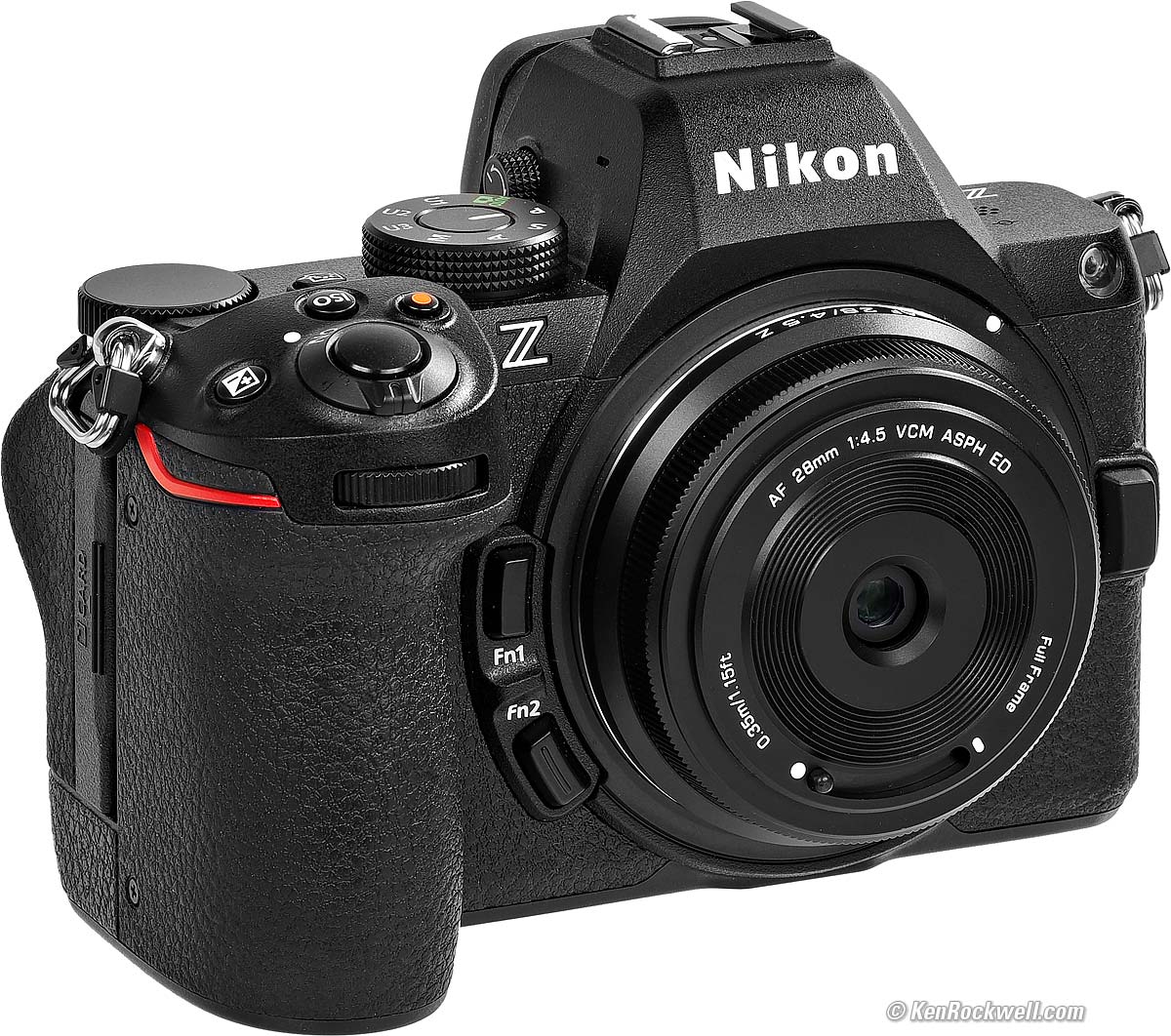
Viltrox AF 28mm f/4.5 on Nikon Z5 II. Tiny! bigger.
Lens Suggestions top
Sample Images Intro New Good Bad Missing
Lens Suggestions Specifications Accessories
I got mine at B&H. I'd also get it at Adorama, at Amazon, at B&H or at Crutchfield, or get it used at eBay if you know How to Win at eBay, or get it used at KEH.
Z5 II body-only:
$1,597 at B&H, at Adorama, at Amazon and at Crutchfield.
About $1,300 used at eBay if you know How to Win at eBay.
Z5 II and Z 24-50mm: $1,897 at B&H, at Adorama, at Amazon and at Crutchfield.
NEW: Z5 II & Z 24-70mm f/4: $2,447 at B&H and at Crutchfield.
Z5 II and Z 24-105mm: $1,947 at B&H, at Adorama, at Amazon and at Crutchfield.
Z5 II and Z 24-200mm: $2,397 at Adorama, at Amazon, at B&H and at Crutchfield (my favorite combo).
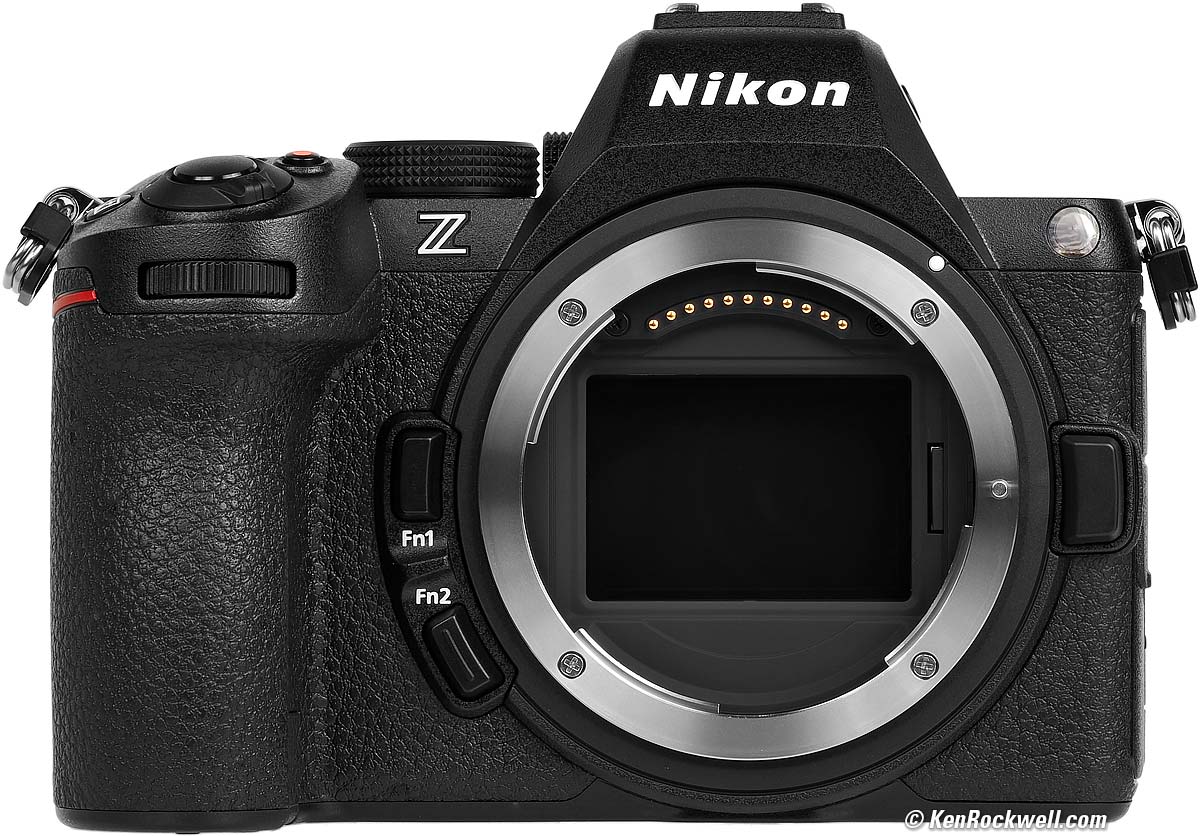
Nikon Z5 II. bigger.
Suggested Lenses
Use whatever you want, but for best results, use only full-frame Nikon Z lenses. Nikon DX Lenses use less than half the sensor and therefore throw away most of your pixels!
My favorite lens is the Z 24-200mm VR. It gives me super-sharp results, VR lets me hand-hold it in any light, and has every focal length I need without having to carry and change more lenses.
If I need longer, I'll bring the Z 28-400mm VR instead, which otherwise is heavier than the Z 24-200mm VR. If I'm going to be shooting a lot at the long end, I'll skip the Z 28-400mm VR and bring my Z 24-200mm VR and the superb and inexpensive Z 180-600mm VR.
If I need wider, the Z 14-30mm f/4 is my favorite.
That's it: no fixed-focal length lenses (who cares?) and no f/2.8 lenses. High ISOs today let me shoot my still subjects with the slower zooms and no longer have to haul both a 24-70/2.8 and 70-200/2.8 as I had to in olden days with film. Of course if I was shooting action in low light I'd use the f/2.8s, but my subjects hold still.
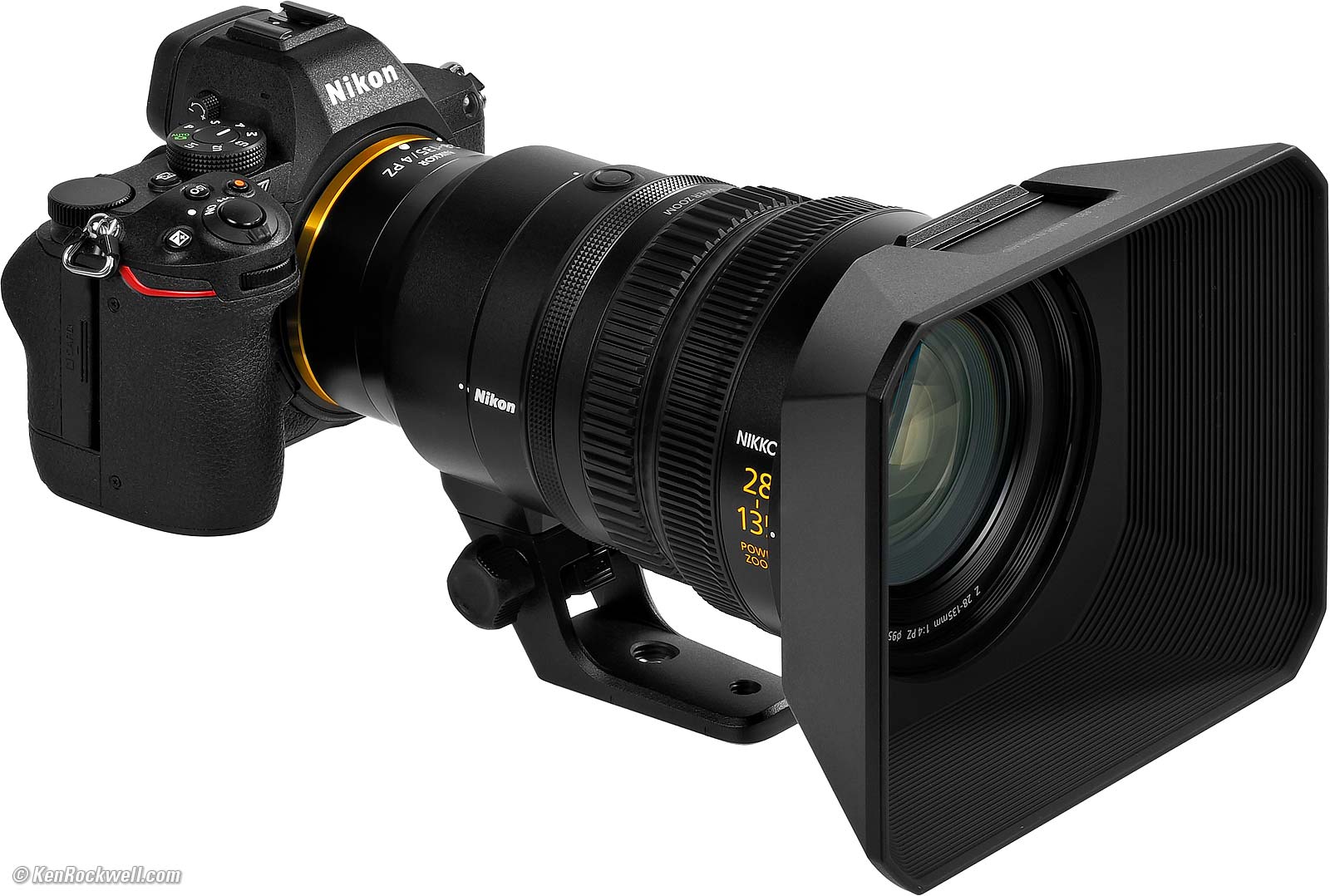
Nikon Z 28-135mm f/4 PZ on the Z5 II. bigger.
DX Z Lenses
Ideally use only FX (full-frame) lenses on this FX camera.
The DX Z lenses are all superb when used on DX (APS-C cropped-sensor cameras), but FX cameras automatically crop their sensors to DX, and by doing this they throw away more than half your sensor area and most of your pixels. Only shoot DX lenses on DX cameras like the Z50 II for best results.
FTZ & FTZ II Adapters
Avoid using these. While they seem like a great idea if you already have older Nikon lenses, it adds a lot of bulk and eliminates the whole point of the smaller Z lenses — and only about half of older lenses work well on this adapter.
I have an entire page on what works and doesn't work with Nikon's FTZ/II adapter, which lets Nikon's F-Mount lenses mount on a Z camera.
In short, all the newest AF-I, AF-S and AF-P lenses work fine with Nikon's FTZ/II adapter, while there is no autofocus with any other lenses, and especially no autofocus with older AF and AF‑D lenses, many of which Nikon still sells new today.
Manual-Focus F, AI converted, AI and AI‑s don't work well, with no communication or control of aperture. Manual-focus lenses work much better on any FX DSLR than on the FTZ.
See all the details at Nikon FTZ/II Compatibility & Review.
Fringer Canon EF-to-Nikon Z Adapter
Adapts Canon EF lenses with often better results on my Nikon Z cameras than Nikon's own older lenses give on the crappy FTZ adapter! It also works with other brands of lenses in Canon EF mount, adapting them to Nikon Z.
I never recommend adapters; just use native Z lenses.
Adapted Rangefinder Lenses
I never recommend adapters; just use native Z lenses. Yes, you can adapt just about anything to a Z camera, but even adapted LEICA M lenses give inferior results to native Z lenses. Manual focus lenses on adapters are always a pain; these are for hobbyists who prefer fiddling with gear rather than making great pictures.
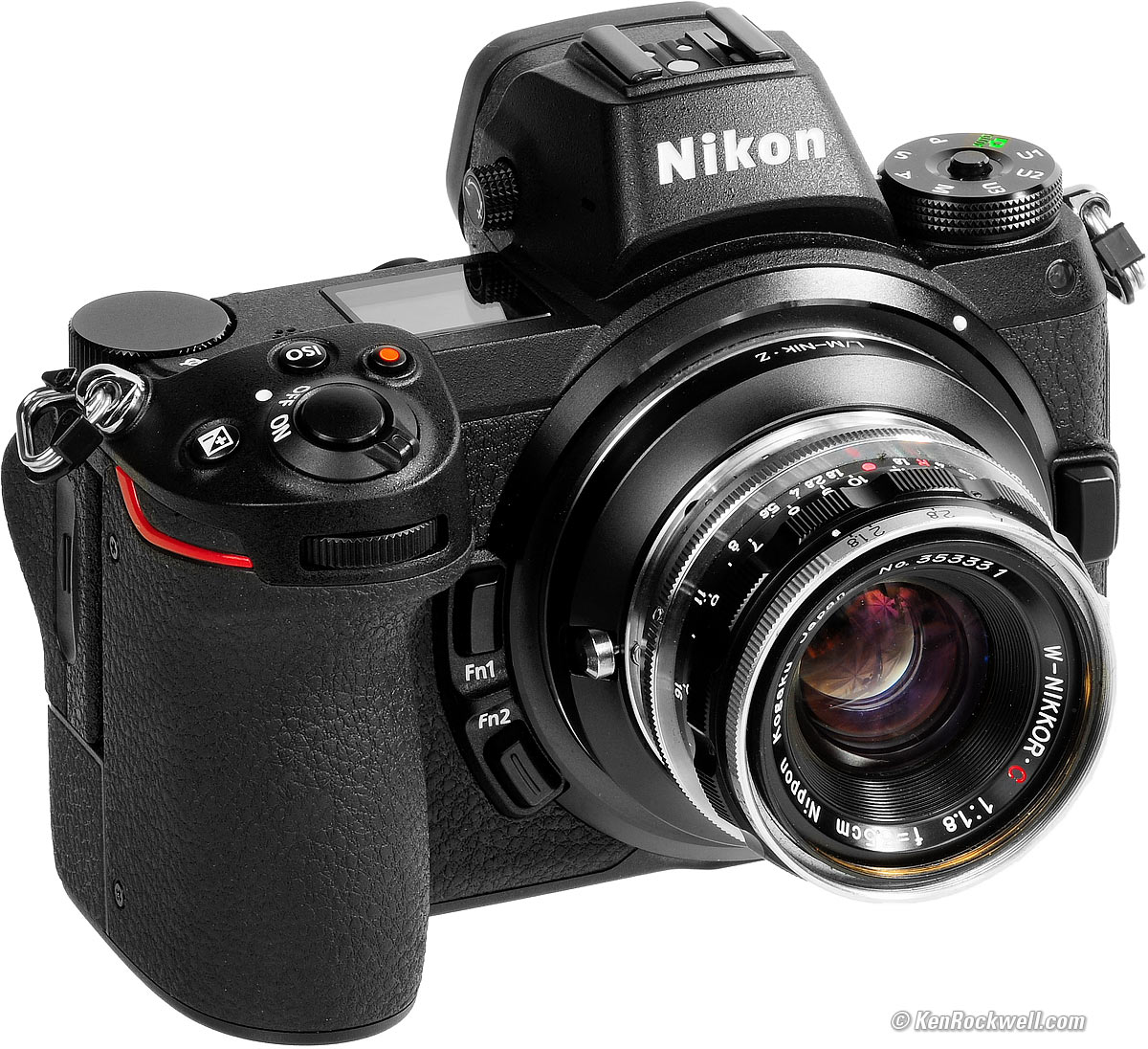
Nikon Z7 with W-NIKKOR•C 3.5cm f/1.8 (1956~1964). bigger.
You don't need and can't use the FTZ Adapter with rangefinder lenses. These lenses have to get closer to the sensor, and are the original mirrorless lenses. This is good, because we can get basic adapters cheap direct from China over eBay for just about any kind of lens.
In fact, we now can use even Nikon's original 1940s-1960s rangefinder lenses on Z cameras!
LEICA's lenses for the LEICA M3 with goggles work great, too! Hint: to avoid interference, first mount goggled lenses to the adapter, and then mount the mated adapter and lens combination to the camera.
See Use with Adapted Rangefinder Lenses for more.

Palms and Storm, 6:21 PM, 29 November 2018. 2018 Nikon Z7 with 1956 W-NIKKOR•C 3.5cm f/1.8 (see Adapting Rangefinder Lenses to Nikon Mirrorless), f/4 at 10 seconds at ISO 64, shown exactly as shot. bigger or camera-original © file. The palm tree is blowing all over in the wind; don't expect it to be space-grade sharp.
Specifications top
Sample Images Intro New Good Bad Missing
Lens Suggestions Specifications Accessories
I got mine at B&H. I'd also get it at Adorama, at Amazon, at B&H or at Crutchfield, or get it used at eBay if you know How to Win at eBay, or get it used at KEH.
Z5 II body-only:
$1,597 at B&H, at Adorama, at Amazon and at Crutchfield.
About $1,300 used at eBay if you know How to Win at eBay.
Z5 II and Z 24-50mm: $1,897 at B&H, at Adorama, at Amazon and at Crutchfield.
NEW: Z5 II & Z 24-70mm f/4: $2,447 at B&H and at Crutchfield.
Z5 II and Z 24-105mm: $1,947 at B&H, at Adorama, at Amazon and at Crutchfield.
Z5 II and Z 24-200mm: $2,397 at Adorama, at Amazon, at B&H and at Crutchfield (my favorite combo).
Image Sensor specifications top
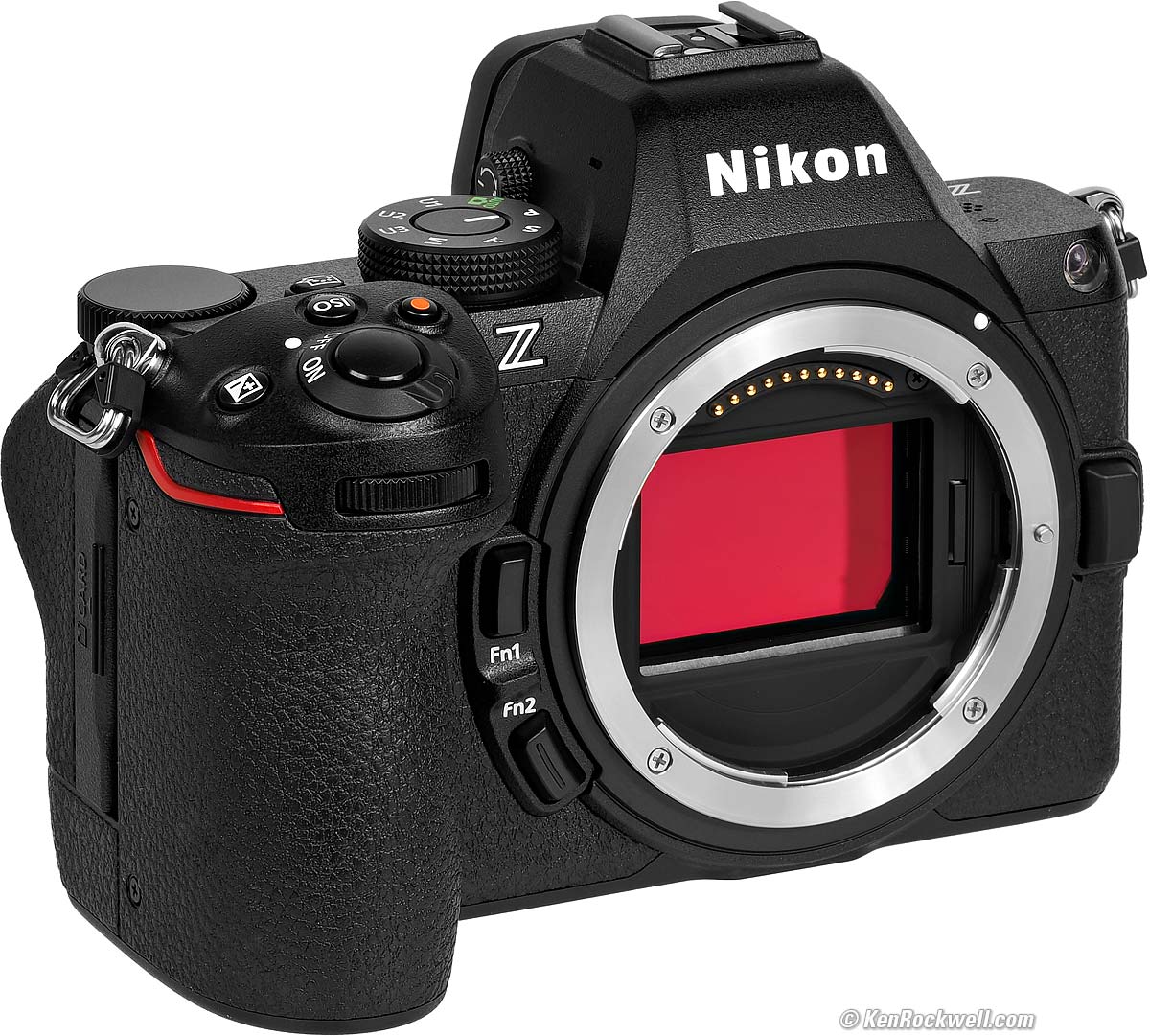
Nikon Z5 II. bigger.
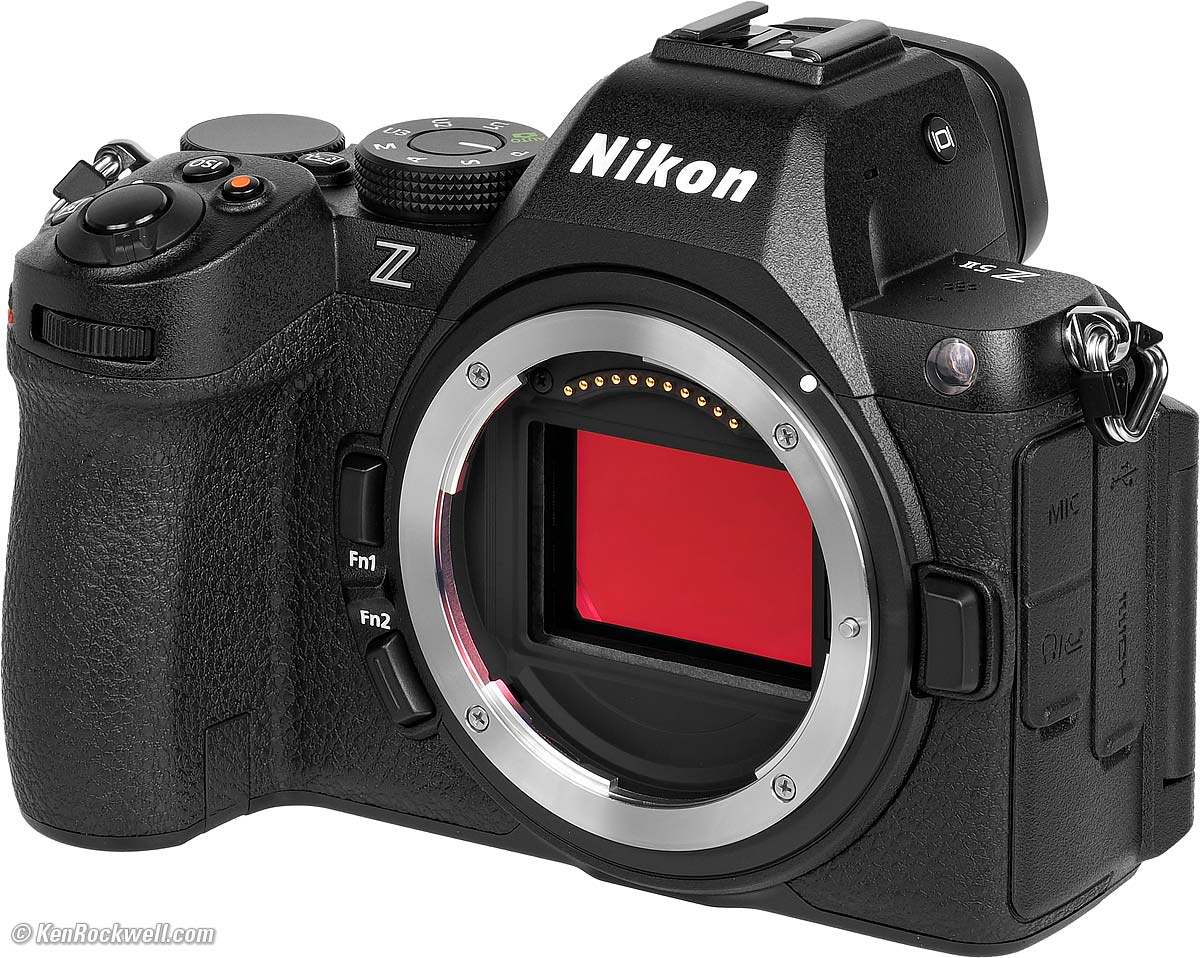
Nikon Z5 II. bigger.
23.9 × 35.9 mm CMOS.
6,048 × 4,032 pixels (24.4 MP) native.
3:2 aspect ratio.
1.0× crop factor.
Ultrasonic cleaner.
Sensor-shift stabilization.
ISO specifications top
Stills
ISO 100 ~ 64,000.
Also ISO 50 (L-1), 64 (L-0.7), 80 (L-0.3) and ISO 80,000 (H+0.3), 102,400 (H+0.7), 128,000 (H+1) and 204,800 (H+1.7).
Video
ISO 100 ~ 51,200.
Also ISO 64,000 (H+0.3), 80,000 (H+0.7), 102,400 (H+1) and 204,800 (H+2).
Image Sizes specifications top
6,048 × 4,032 pixels native (Large, 24.39 MP or 24,385,536 pixels).
4,528 × 3,024 (Medium, 13.7 MP).
3,024 × 2,016 (Small, 6.1 MP).
Cropped Aspect Ratios
Square 1:1 (24 × 24mm)
4,032 × 4,032 (Large, 16.3 MP).
3,024 × 3,024 (Medium, 9.1 MP).
2,016 × 2,016 (Small, 4.1 MP).
16:9 (36 × 20mm)
6,048 × 3,400 (Large, 20.6 MP).
4,528 × 2,544 (Medium, 11.5 MP).
3,024 × 1,696 (Small, 5.1 MP).
DX APS-C (16 × 24mm)
3,984 × 2,656 (Large, 10.6 MP).
2,976 × 1,992 (Medium, 5.9 MP).
1,984 × 1,328 (Small, 2.6 MP)
Still Image Formats specifications top
JPG or HEIF in BASIC, NORMAL or FINE, either "size priority" (relatively constant file size) or quality priority ★ (relatively constant quality so file size varies with image complexity).
Raw 14-bit in your choice of lossless, high efficiency★ or high efficiency compression options.
Also can record raw data along with a JPG or HEIF.
Video specifications top
File Formats
.MOV, .MP4 or .NEV.
Compression
N-RAW (12 bit), H.265/HEVC (8 bit/10 bit) or H.264/AVC (8 bit).
Frame Sizes and Rates
4K (3,840 × 2,160) at 23.976, 25, 29.97, 50 or 59.94p.
1,920 × 1,080 at 23.976, 25, 29.97, 50, 50.97, 100 or 199.88p.
also raw at
FX: 4,032 × 2,268 at 23.976, 35 or 29.97p.
DX: 3,984 × 2,240 at 23.976, 35 or 29.97p.
Audio specifications top
Other than voice notes recorded during playback, audio is recorded only along with video.
48 ksps 24-bit Linear Pulse-Code Modulation (uncompressed LPCM) with MOV or NEV files.
48 ksps 16-bit Advanced Audio Coding (compressed AAC) with MP4 files.
S - t - e - r - e - O microphone built in.
Mic-in jack with plug-in power overrides built-in mic.
Headphone jack (shared with remote cord jack).
Autofocus specifications top
273 points.
Rated LV -10 ~ +19.
Light Meter specifications top
Matrix, center-weighted, spot or highlight-weighted.
LV -4 ~ +17 with an f/2 lens.
Finder specifications top
0.5" OLED.
3,000 nits maximum.
3,690,000 dots.
0.8× magnification with 50mm lens.
Auto brightness control.
-4 ~ +2 diopters.
21 mm eyepoint.
Shutter specifications top
Quiet mechanical, silent electronic and electronic front-curtain shutters.
1/8,000 ~ 30 seconds, BULB and TIME modes.
Set a menu and manual speeds go to 900 seconds (15 minutes).
1/200 flash sync speed, also auto FP high-speed sync.
Remote Releases specifications top
Socket for Nikon MC-DC3 remote cord (shared with the headphone jack; you only can have that jack do one or the other at a time).
Wirelessly via Nikon's App.
Frame Rates (Still Shots) specifications top
JPG and HEIC
Assuming the shutter speed and AF speed are conducive to shooting this fast; for instance, you can't get seven frames per second with a half-second shutter speed:
30 FPS (C30), with restrictions to settings. 225 frame buffer.
15 FPS (C15), with restrictions to settings. 225 frame buffer.
15 FPS (CH+) with silent electronic shutter.
14 FPS (CH+) with mechanical shutter.
10 FPS (CH Continuous High).
1 ~ 7 FPS (CL Continuous Low).
Raw
12 FPS (CH+), auto shutter.
10 FPS (CH+), silent electronic shutter.
Frame Buffer specifications top
The frame buffer is 225 shots, which is 15 or 7.5 continuous seconds at 15 or 30 FPS (sounds like IPS tape speeds, Doe!), however if your card is fast enough, you can get many more shots in a burst because it's emptying its buffer into your card as you continue to shoot.
Flash specifications top
iTTL.
1/200 sync speed.
Built-in Flash
NONE.
External Flash
i-TTL control, both optical and via radio.
Focal-Plane High-Speed Sync (FP HSS).
LCD Monitor specifications top
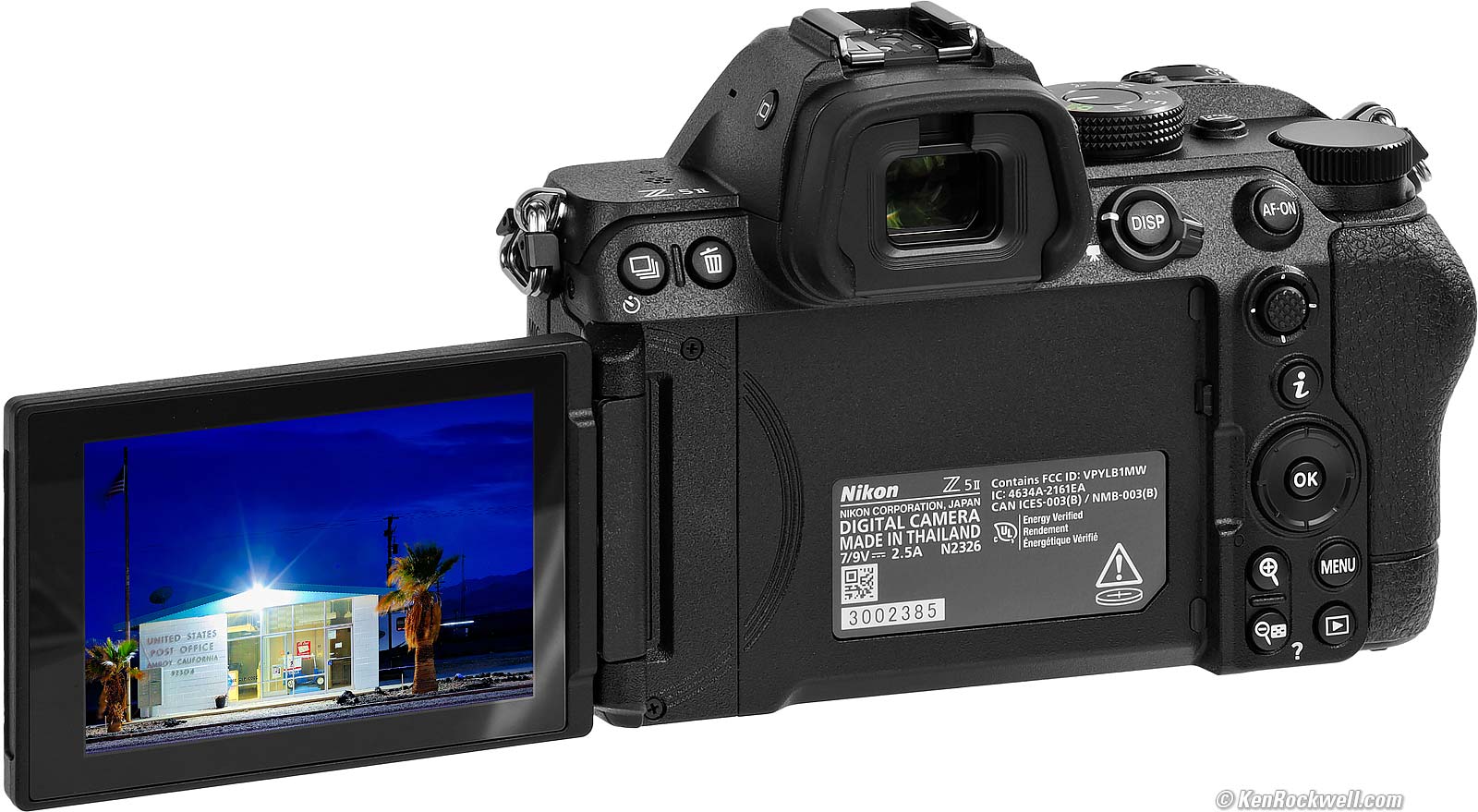
Nikon Z5 II. bigger.
3.2" (80 mm) diagonal touch screen.
2.1 megadots.
Normal all-around swiveling.
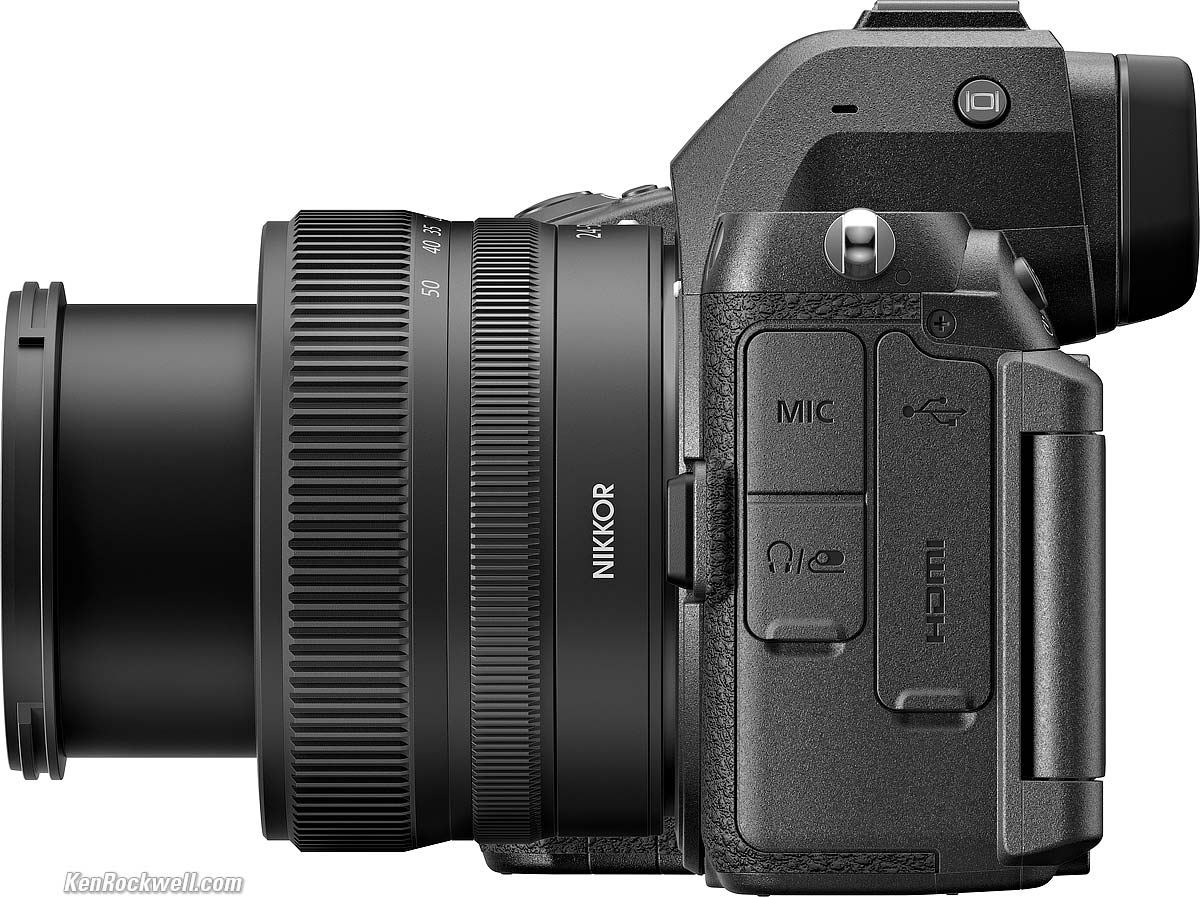
Connectors specifications top
Nikon Z5 II and Z 24-50mm. bigger.
|
|
Flaps closed. bigger. |
Flaps closed. bigger. |
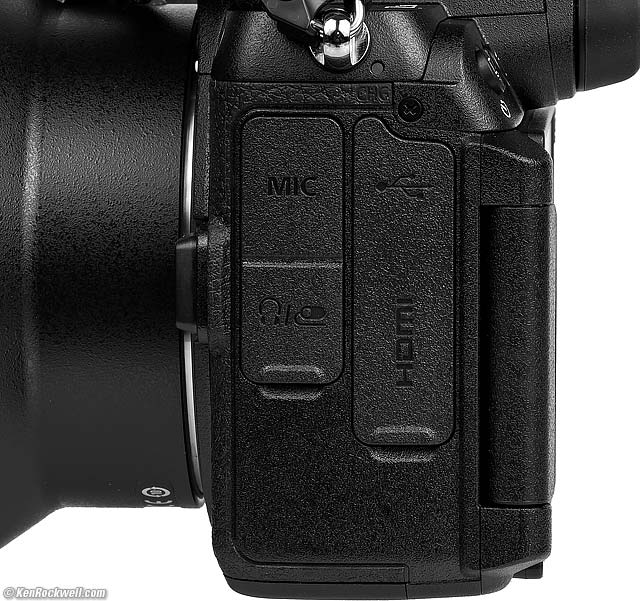
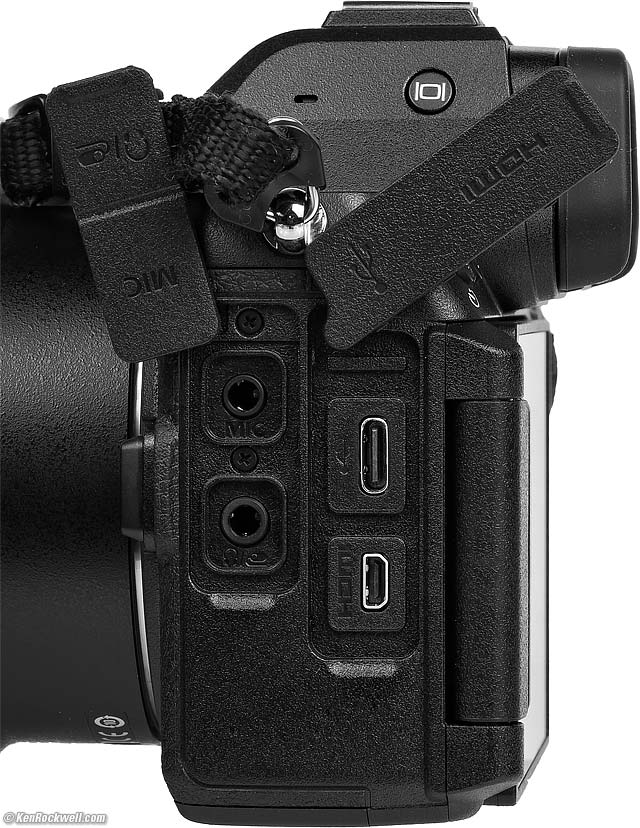
Top left to bottom right:
3.5mm Mic-in jack with plug-in power.
3.5mm combined headphone or Nikon MC-DC3 remote cord jack.
USB-C "super speed."
Type-D HDMI.
Wi-Fi specifications top
Yes.
NFC specifications top
None.
Bluetooth specifications top
Version 5.0
GPS specifications top
None; try the app.
Storage specifications top
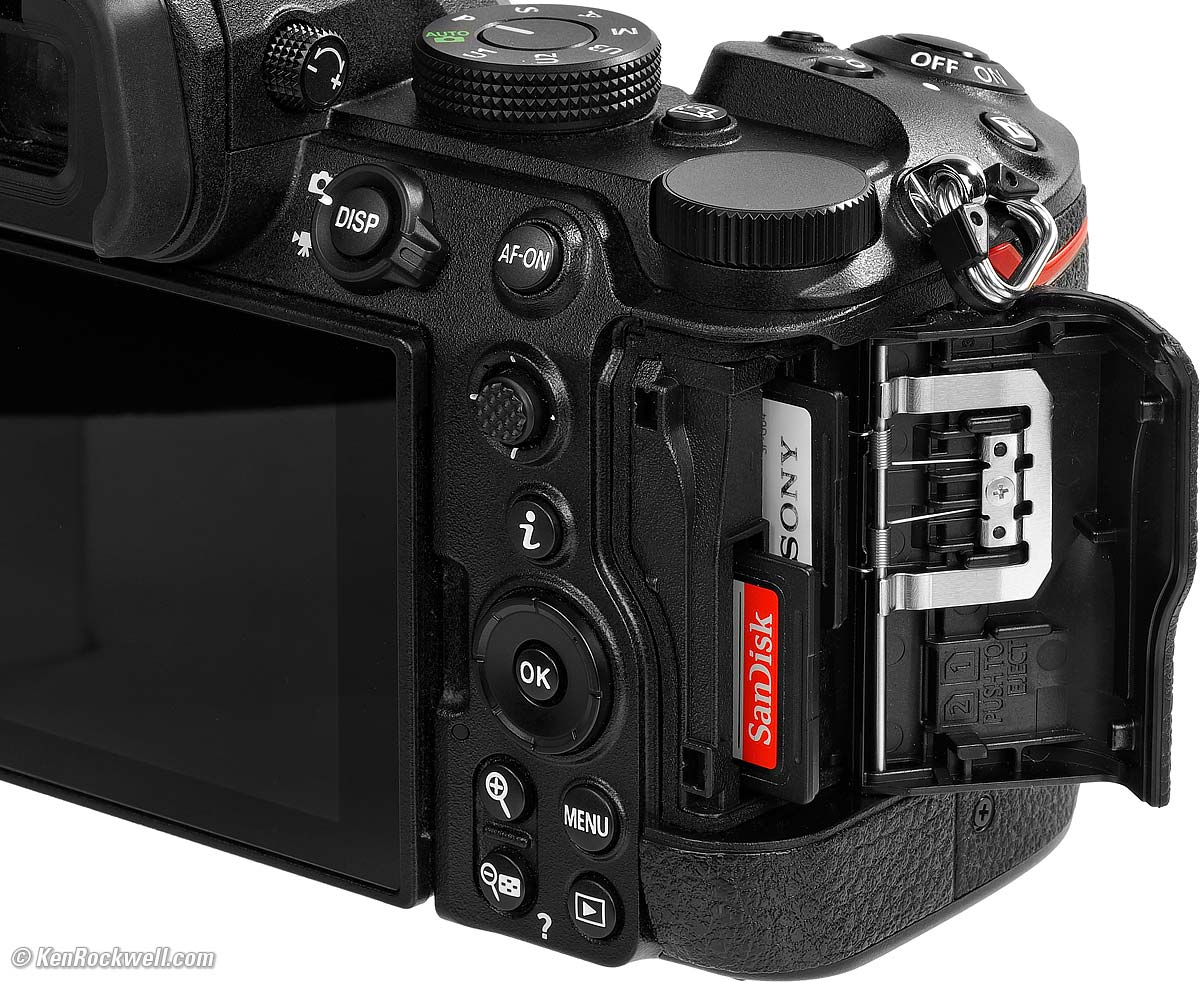
Nikon Z5 II. bigger.
Two SD card slots.
Takes SD (up to 2GB), SDHC (up to 32GB) and SDXC (up to 512GB) cards.
UHS-II compatible.
Body specifications top
Weather sealed:
Nikon Z5 II and Z 24-70mm f/4. bigger.
Power & Battery specifications top
Battery
|
|
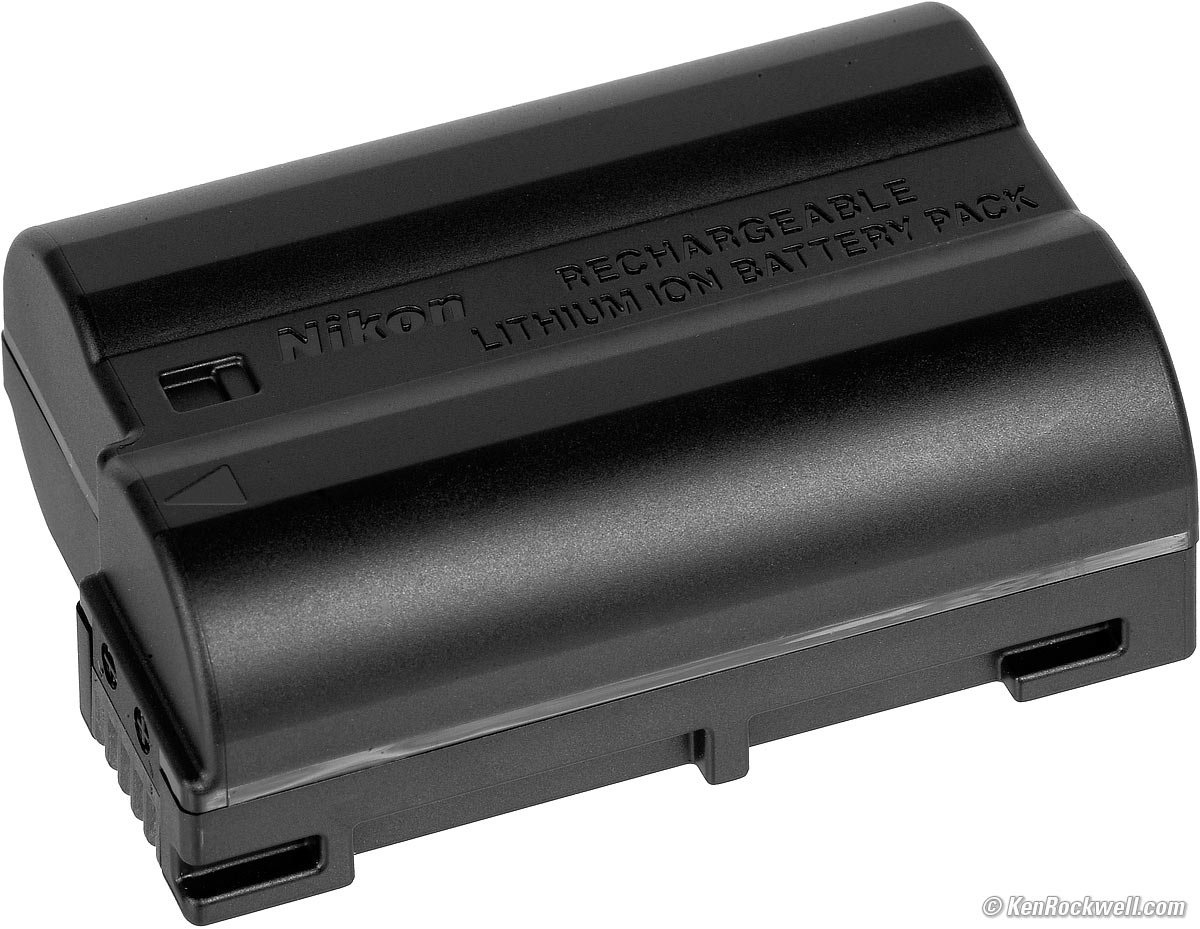
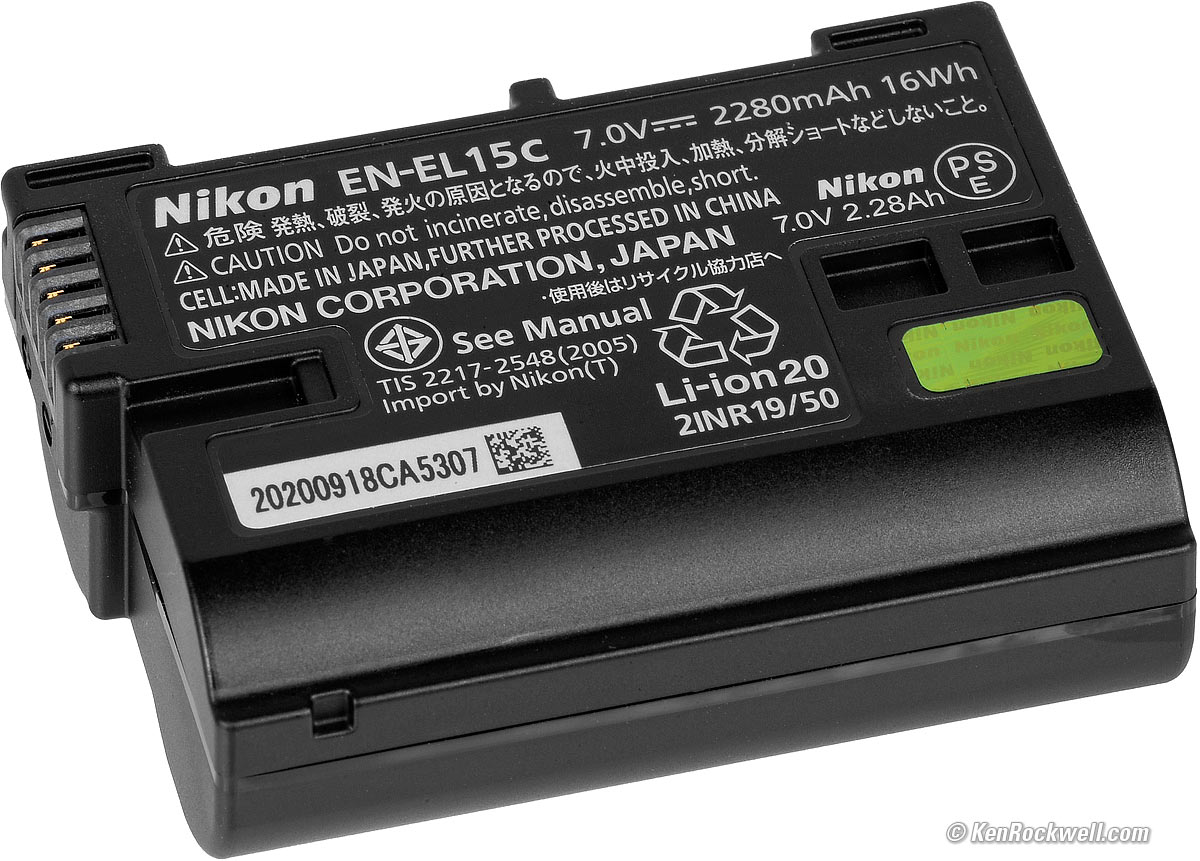
Nikon EN-EL15c rated for 380 shots with viewfinder, or 460 with rear LCD
— or —
2 hours of video.
Also works with older EN-EL15b, EN-EL15a and EN-EL15.
Charging
Charges via USB-C, or optional MH-25a battery charger:
AC Adapters
You can shoot continuously with any USB C charger that meets the PD ("Power Delivery") standard.
You also can use the old, expensive EH-5d, EH-5c or EH-5b AC Adapters, any of which require the EP-5B Fake Battery Connector to poke in the battery bay.
Regular non-PD USB cords and power sources work great for charging and will extend the run time, but might not have enough power to run indefinitely as a PD charger will.
Size specifications top
4.0 × 5.3 × 2.83 inches HWD.
100.5 × 134 × 72 millimeters HWD.
Weight specifications top
24.7 oz. (700 g) with battery and one card.
20.8 oz. (620 g) stripped.
Operating Environment specifications top
0º ~ 40º C (32º ~ 104º F).
0 to 85% RH.
Nikon's Model Number specifications top
1680.
Included specifications top
Z5 II body with BF-N1 Body Cap, DK-29 eyecup and BS-1 hot-shoe cover.
$35 UC-E25 USB-C to USB-C cable.
Announced specifications top
12:05 AM, Thursday, 03 April 2025, NYC time.
Promised for specifications top
24 April 2025.
Packaging specifications top
|
|
Nikon Z5 II Kit. bigger. |
Nikon Z5 II Kit. bigger. |
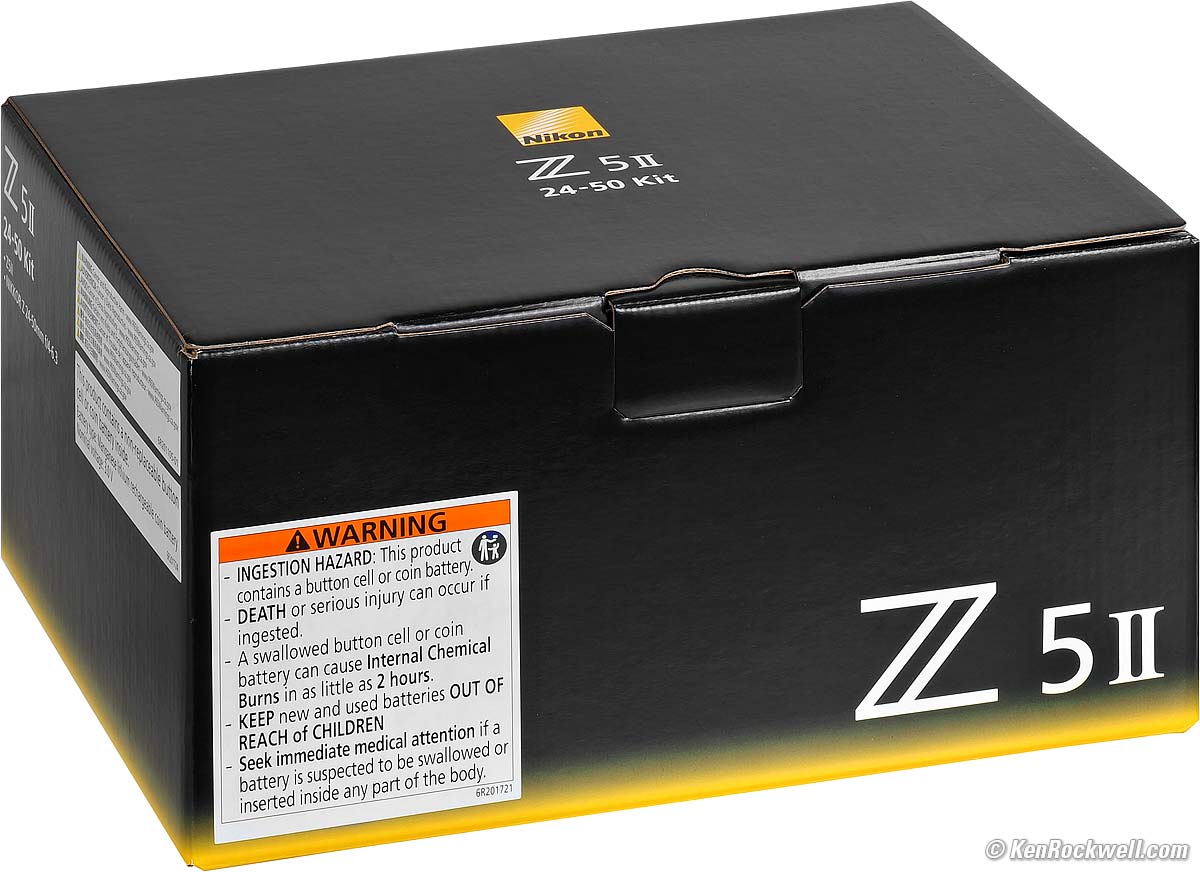
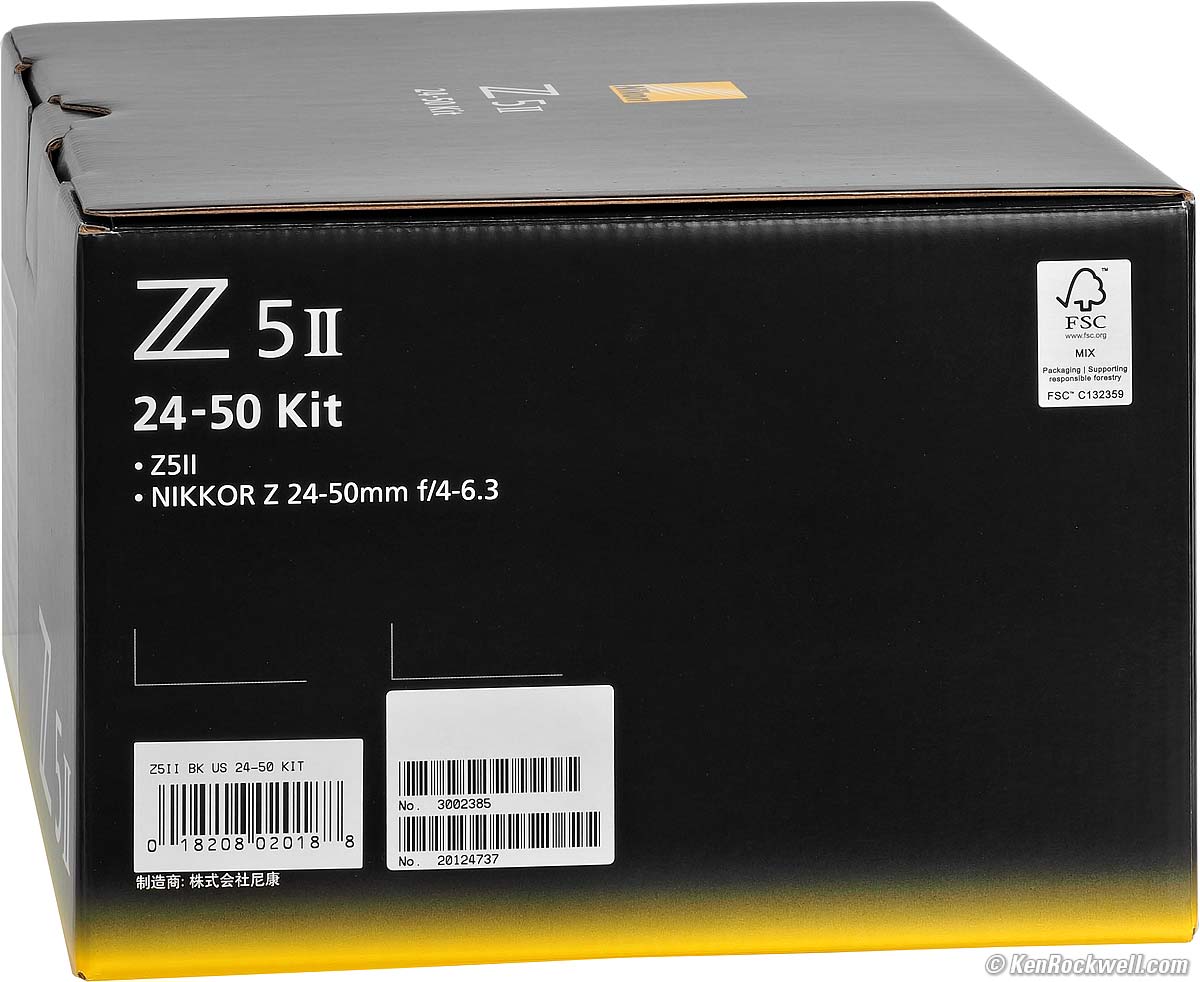
Microcorrugated outer box.
Corrugami internal supports.
Camera wrapped in thin closed-cell foam envelope wrapped in thin bubble wrap.
Price, U. S. A. specifications top
07 May 2026
Z5 II body-only:
$1,597 at B&H, at Adorama, at Amazon and at Crutchfield.
About $1,300 used at eBay if you know How to Win at eBay.
Z5 II and Z 24-50mm: $1,897 at B&H, at Adorama, at Amazon and at Crutchfield.
NEW: Z5 II & Z 24-70mm f/4: $2,447 at B&H and at Crutchfield.
Z5 II and Z 24-105mm: $1,947 at B&H, at Adorama, at Amazon and at Crutchfield.
Z5 II and Z 24-200mm: $2,397 at Adorama, at Amazon, at B&H and at Crutchfield (my favorite combo).
03 April 2026
Z5 II body-only: $1,697 at B&H , at Adorama, at Amazon and at Crutchfield, or $1,514 ~ $1,565 used at KEH or about $1,362 used at eBay if you know How to Win at eBay.
Z5 II and Z 24-50mm: $1,997 at B&H, at Adorama, at Amazon and at Crutchfield.
Z5 II and Z 24-105mm: $2,047 at B&H, at Adorama, at Amazon and at Crutchfield.
Z5 II and Z 24-200mm: $2,497 at Adorama, at Amazon, at B&H and at Crutchfield (my favorite combo).
16 January 2026 ($100 off)
Z5 II body-only: $1,597 at B&H , at Adorama, at Amazon and at Crutchfield.
Z5 II and Z 24-50mm: $1,897 at B&H, at Adorama, at Amazon and at Crutchfield.
Z5 II and Z 24-105mm: $1,997 at B&H and at Crutchfield.
Z5 II and Z 24-200mm: $2,397 at Adorama, at Amazon, at B&H and at Crutchfield (my favorite combo).
07 January 2026
Z5 II body-only: $1,697 at Adorama, at Amazon, at B&H and at Crutchfield.
Z5 II and Z 24-50mm: $1,997 at Adorama, at Amazon, at B&H and at Crutchfield.
Z5 II and Z 24-105mm: $2,197 at B&H.
Z5 II and Z 24-200mm: $2,497 at Adorama, at Amazon, at B&H and at Crutchfield (my favorite combo).
14 July 2025
Z5 II body-only: $1,697 at Adorama, at Amazon, at B&H and at Crutchfield. About $1,600 used if you know How to Win at eBay.
Z5 II and Z 24-50mm: $1,997 at Adorama, at Amazon, at B&H and at Crutchfield.
Z5 II and Z 24-200mm: $2,497 at Adorama, at Amazon, at B&H and at Crutchfield (my favorite combo).
03 June 2025
Z5 II body-only: $1,697 at Adorama, at Amazon, at B&H and at Crutchfield. About $1,600 used if you know How to Win at eBay.
Z5 II and Z 24-50mm: $1,997 at Adorama, at Amazon, at B&H and at Crutchfield.
Z5 II and Z 24-200mm: $2,497 at Adorama, at Amazon, at B&H and at Crutchfield (my favorite combo).
23 April 2025
Z5 II body-only: $1,697 at Adorama, at Amazon, at B&H and at Crutchfield.
Z5 II and Z 24-50mm: $1,997 at Adorama, at Amazon, at B&H and at Crutchfield.
Z5 II and Z 24-200mm: $2,497 at Adorama, at Amazon, at B&H and at Crutchfield (my favorite combo).
03 April 2025
Z5 II body-only: $1,697 at Adorama, at Amazon and at B&H.
Z5 II and Z 24-50mm: $1,997 at Adorama and at B&H.
Z5 II and Z 24-200mm: $2,497 at Adorama and at B&H. (my favorite combo.)
Optional Accessories top
Sample Images Intro New Good Bad Missing
Lens Suggestions Specifications Accessories
I got mine at B&H. I'd also get it at Adorama, at Amazon, at B&H or at Crutchfield, or get it used at eBay if you know How to Win at eBay, or get it used at KEH.
Z5 II body-only:
$1,597 at B&H, at Adorama, at Amazon and at Crutchfield.
About $1,300 used at eBay if you know How to Win at eBay.
Z5 II and Z 24-50mm: $1,897 at B&H, at Adorama, at Amazon and at Crutchfield.
NEW: Z5 II & Z 24-70mm f/4: $2,447 at B&H and at Crutchfield.
Z5 II and Z 24-105mm: $1,947 at B&H, at Adorama, at Amazon and at Crutchfield.
Z5 II and Z 24-200mm: $2,397 at Adorama, at Amazon, at B&H and at Crutchfield (my favorite combo).
Nikon Z Lenses
Nikon DSLR and manual-focus lenses, some of which work with the FTZ/II adapter
Nikon Flash
The SB400 is my absolute favorite for use with this little camera.
Nikon MH-25a External Battery Charger
|
|
Optional Nikon MH-25a Charger. enlarge. |
Optional Nikon MH-25a Charger. enlarge. |
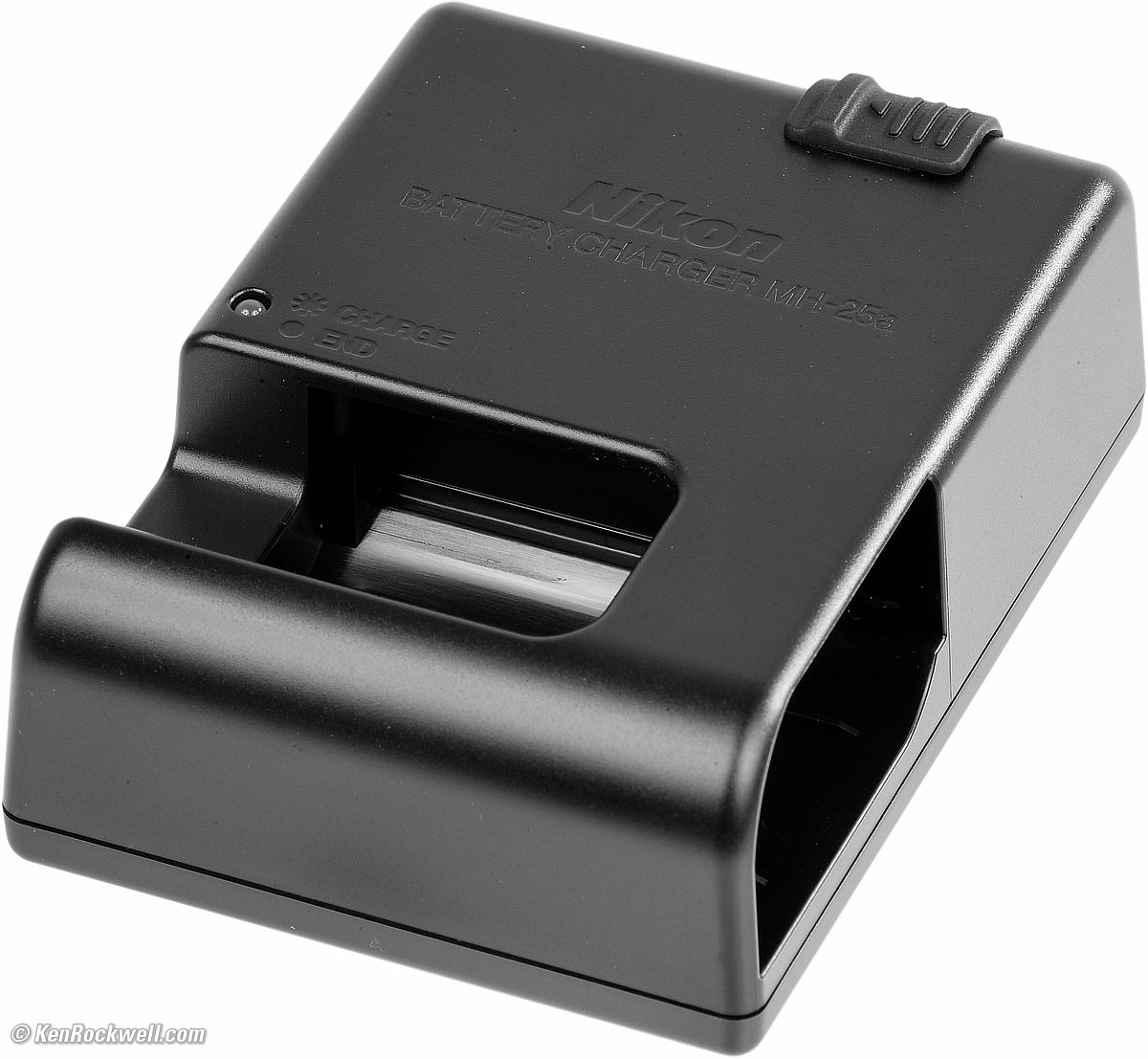
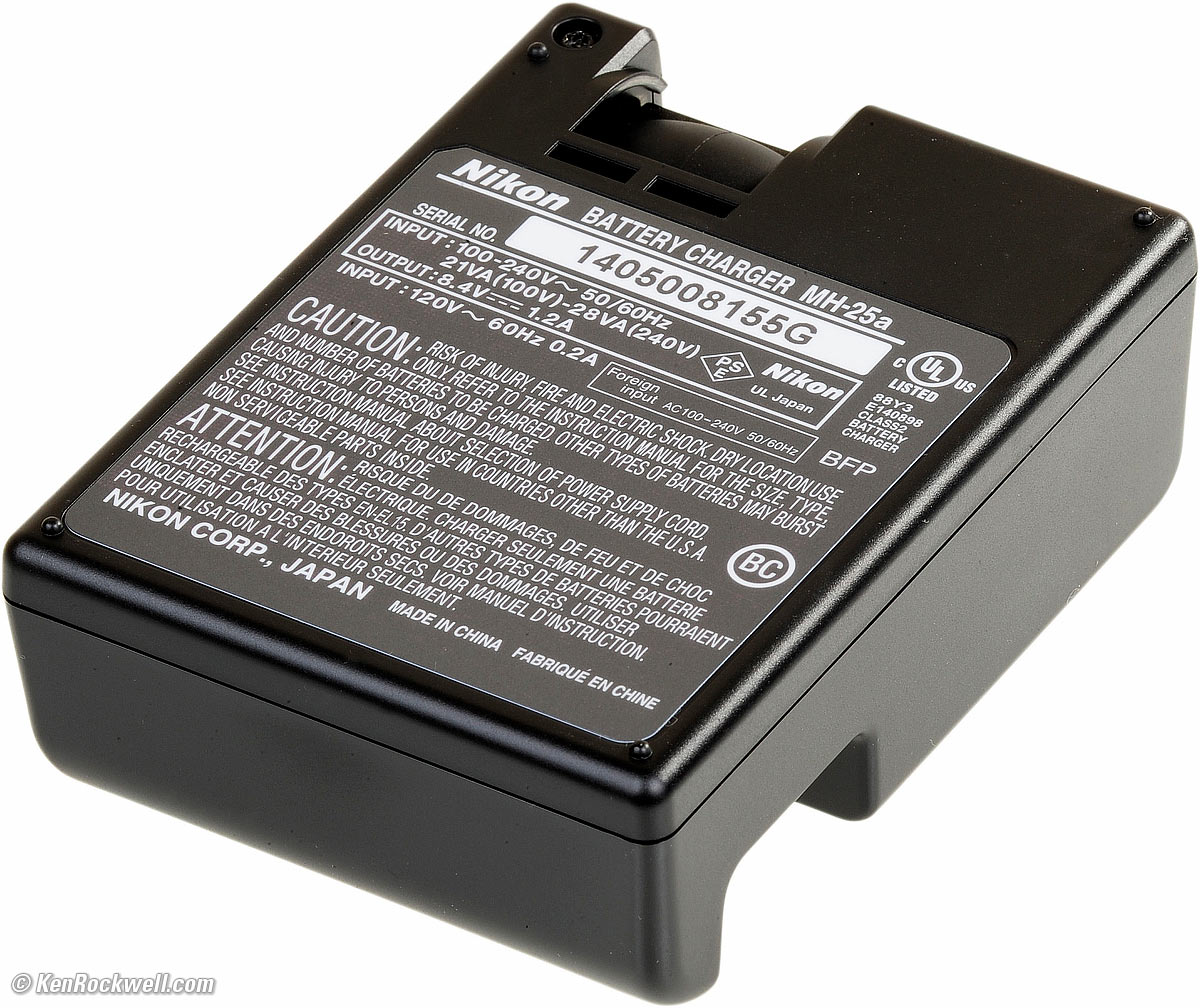



Nikon MC-DC3 remote cord.
Getting a Legal U. S. A. Version top
Sample Images Intro New Good Bad Missing
Lens Suggestions Specifications Accessories
I got mine at B&H. I'd also get it at Adorama, at Amazon, at B&H or at Crutchfield, or get it used at eBay if you know How to Win at eBay, or get it used at KEH.
Z5 II body-only:
$1,597 at B&H, at Adorama, at Amazon and at Crutchfield.
About $1,300 used at eBay if you know How to Win at eBay.
Z5 II and Z 24-50mm: $1,897 at B&H, at Adorama, at Amazon and at Crutchfield.
NEW: Z5 II & Z 24-70mm f/4: $2,447 at B&H and at Crutchfield.
Z5 II and Z 24-105mm: $1,947 at B&H, at Adorama, at Amazon and at Crutchfield.
Z5 II and Z 24-200mm: $2,397 at Adorama, at Amazon, at B&H and at Crutchfield (my favorite combo).
This section applies in the U. S. A. only.
Your box should have "US" on the UPC sticker by the model number:
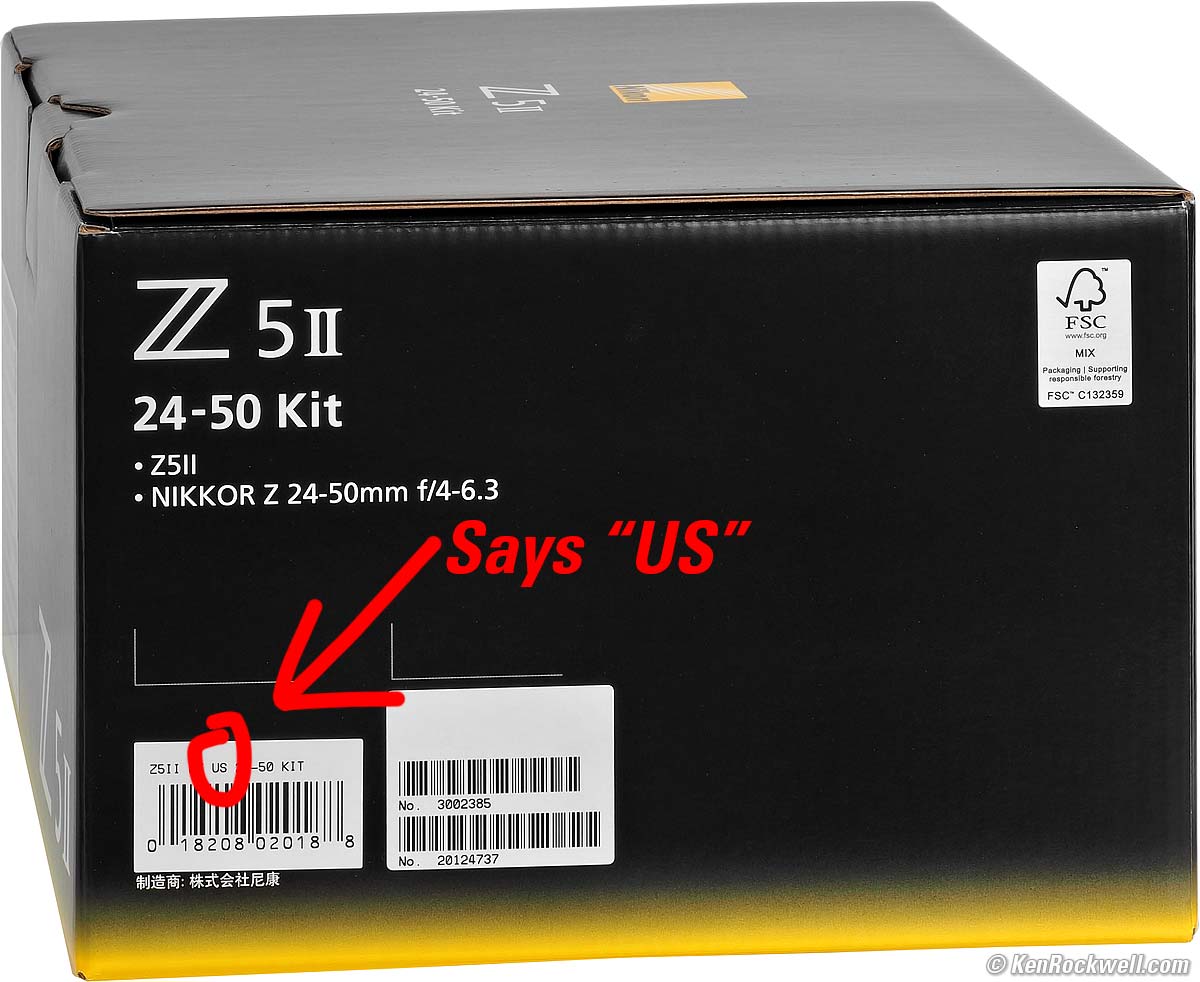
Nikon Z5 II. bigger.
Most importantly you need a USA Warranty Card, and the serial number must match the one on the back of your camera, otherwise you have no warranty.
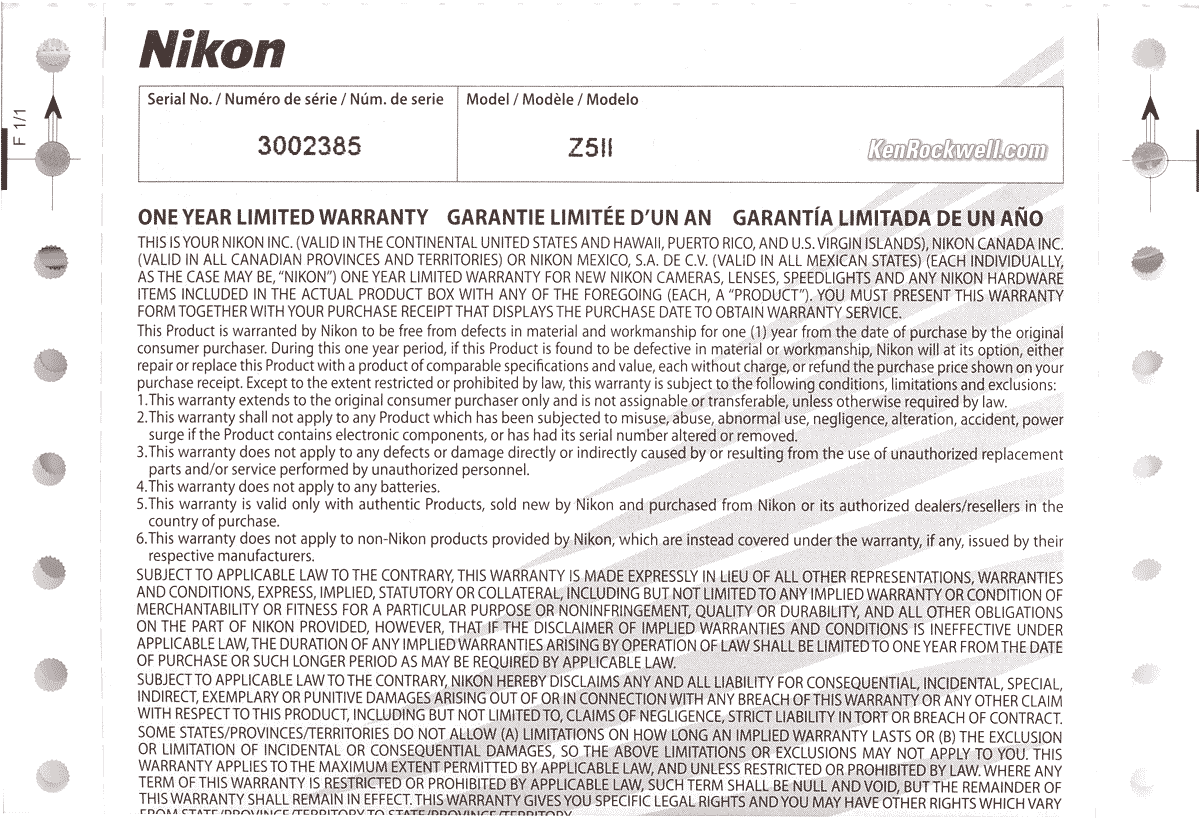
U. S. A. Warranty Card. bigger.
If you don't have this card, if the card doesn't say "VALID IN THE CONTINENTAL UNITED STATES" or the serial number on the card doesn't match the one on your camera lens exactly, you got ripped off with a gray market version from another country. All legitimate cameras and lenses come with printed warranty cards, even if you prefer to register online. (The serial number on the outside of the box doesn't have to match, but if it doesn't it means you bought from a shady dealer who took cameras out of boxes and then resold these used cameras as new.)
The U. S. A. warranty card comes from "Nikon, Inc.," the U. S. A. office; the Japanese headquarters is "Nikon Corporation." The card should be inside your box. The serial number on the card must match the serial number on your camera lens.
The warranty is also valid only if you are the original purchaser and only if it was purchased from an authorized dealer. All because a store or someone claims to be authorized doesn't mean they are. That's why I only buy from my personally approved sources.
Shifty dealers may include color copies of a card from a legitimate U. S. A. product in a gray-market box, hoping you won't check serial numbers and catch their fraud. A card with the wrong serial number means nothing other than that you have no warranty coverage.
Did you notice the clever nod to ancient computer technology? This is printed on tractor-fed paper with tear-off sides and dot-matrix printing of model and serial numbers! If your card lacks these side perforations, beware. Everyone counterfeits laser holograms, but few people have dot-matrix printers floating around to fake these.
Always be sure to check your box, warranty card and serial numbers while you can still return it, or just don't buy from unapproved sources or at retail so you'll be able to have your camera serviced and get free updated firmware as needed.
This is why I never buy anyplace other than from my personally approved sources. You just can't take the chance of buying elsewhere, especially at any retail store, because non-USA versions have no warranty in the U. S. A., and you may not be able to get firmware or service for it — even if you're willing to pay out-of-pocket for it when you need it!
Nikon U. S. A. enforces its trademarks strictly. It's unlikely, but possible that US customs won't let your camera back in the country if you bought a gray-market version in the U. S. A., carried it overseas, and try to bring it back in. (If you take the chance of buying one overseas, be sure you have a receipt to prove you bought it overseas and be prepared to pay duty on it.)
If a gray market version saves you $500 it may be worth it, but for $200 or less I wouldn't risk having no warranty or support.
Get yours from the same places I do and you won't have a problem, but if you take the risk of getting yours elsewhere, be sure to check everything while you still can return it.
Performance top
Sample Images Intro New Good Bad Missing
Lens Suggestions Specifications Accessories
Overall Autofocus Manual Focus Focus Stacking
Auto White Balance Color Rendition Crop Modes
Ergonomics Exposure Finder High ISOs
Interline Transfer Smear Lens Corrections
Long Exposures Mechanics Stabilization
U1, 2 & 3 Video Playback Voice Notes
Data Power & Battery Clock Accuracy
I got mine at B&H. I'd also get it at Adorama, at Amazon, at B&H or at Crutchfield, or get it used at eBay if you know How to Win at eBay, or get it used at KEH.
Z5 II body-only:
$1,597 at B&H, at Adorama, at Amazon and at Crutchfield.
About $1,300 used at eBay if you know How to Win at eBay.
Z5 II and Z 24-50mm: $1,897 at B&H, at Adorama, at Amazon and at Crutchfield.
NEW: Z5 II & Z 24-70mm f/4: $2,447 at B&H and at Crutchfield.
Z5 II and Z 24-105mm: $1,947 at B&H, at Adorama, at Amazon and at Crutchfield.
Z5 II and Z 24-200mm: $2,397 at Adorama, at Amazon, at B&H and at Crutchfield (my favorite combo).
Overall performance top
This is Nikon's best and least expensive current full-frame (FX) camera, so what's not to like?
Autofocus performance top
Autofocus is swell. It seems to do a pretty good job of finding faces or other items of interest in the frame, and then tracking them if you like.
Manual Focus performance top
Manual focus is super, although the live view image fed to the finder doesn't have as much resolution as I'd like for regular manual focussing. It's not the finder's sharpness; it's the lower-resolution live-view video signal fed to it that limits our ability to see what's really sharp or not.
There are all the usual aids like magnification and peaking.
Focus Bracketing, Stacking & Compositing performance top
Focus shift (bracketing) is poor. While we can set Focus Shift shooting easily enough in the menu system, it's clumsy because we have to start it blindly in the menu system, not with a shutter release while we can see the live image. It's almost as if they deliberately want to lock us out of focus-shift shooting handheld.
Inexcusable is that the Z5 II isn't smart enough to process the shifted images into a final image in-camera. Even Canon's R8 from 2023 and OM SYSTEM's OM-1 from 2022 can do this all in-camera, and work great even hand held. Sorry, Charlie, if this is important for you for macro and other shots, go with Canon or OM SYSTEM.
Auto White Balance performance top
Auto White Balance is great, as are most cameras today.
There are four kinds of auto white balance, which isn't really "auto" if you have to select them, however do it well and it works even better.
Here's how to set them (as seen in my Z8 User's Guide).
Color & Tonal Rendition performance top
Color rendition is how pictures look in the real world. Real-world color rendition has nothing to do with color accuracy measured in a lab. Color rendition is dependant on how a maker programs all the color matrices, curves, and look-up tables to generate color from the data read from the sensor, and varies widely between makers once you set a camera away from its defaults. I never shoot at defaults.
I LOVE the colors I get from my Nikons and the Z5 II matches my other Nikons. Of course color is a very personal issue, and we'll all have our favorites. I use the VIVID Picture Control and love wild colors.
If you shoot raw then your colors and tones aren't created until you process the raw data later in software, and your choice of software will have as much effect on your images as the camera itself.
It's like pianos: anyone can talk forever about how pianos are made, but to most ordinary players the subtle variations between different samples of a Steinway Model D are eclipsed by their own limitations in playing, but when you're a virtuoso even subtle differences become obvious to the seasoned master. That's why when you buy, or choose a Steinway for your tour as a Steinway Artist, you go to Steinway's Astoria factory and pick from among several samples of the same model which suits your style best. To a master, the subtle details are everything, just like subtle differences in color rendition between different brands of camera. Art is not the duplication of reality; art is the expression of imagination.
I'm a seasoned working artist, not some online tweaker, YouTuber or tech blogger. COLOR is my life and work. I'm pickier about color than almost anyone; I see things most people don't. I can get photos that get oohs and ahhs with this camera, but I rarely, if ever, do I get to WOW! as often as I do with my Nikons and Canons.
This is just me; your preferences and results will vary. This is art.
Crop Modes performance top
While square and 16:9 options are here, sorely missing are the very important 4:3 or 4:5 "ideal format" options.
Boo!
These are so important that I assign my ⬤ red dot (movie) button to this so I can select this quickly for each shot. I set this at:
MENU > ✎ (pencil icon) CUSTOM SETTINGS MENU > f Controls > f2 Custom controls (shooting) > pick a button (I use the ⬤ movie button) > Choose image area.
Ergonomics performance top
I've already gone on about how critical is the big MODE dial on top, right where it's easy to move with a finger without having to look at it.
The in-finder flash-ready bolt is a perfect blood-orange.
Everything else is fairly standard.
I find many of the buttons are rather flush so they look smoother, but this also makes them harder to find by feel while shooting.
The level works while shooting upside down (for instance, when you need the lens above your eye rather than below), however the data display and the playback images remain upside down. You'll have to rotate the image later, and the displays are hard to read upside-down.
Sadly the orientation sensor gets confused when pointed straight down, so God only knows how your image will play back. It's not as smart as an iPhone which time-averages the response of the orientation sensor so that you can point at the horizon to set the sensor, then tilt gently down and it holds your preferred orientation with a bit of hysteresis. The Z5 II's sensor responds immediately so it responds erratically when pointed straight down.
Exposure performance top
Exposure is pretty good, usually not requiring more than ±0.7 stops of compensation.
The finder image can be so bright outdoors (good) that it makes the image appear over-exposed (bad), while in fact the exposure may be perfect.
Finder performance top
The finder display hardware is super-sharp, vivid and bright, however the lower quality of the Live View signals fed to this magnificent display are its biggest limitation.
The Live View signal fed to the high-resolution screen has much lower resolution than the screen itself. Live View is a lower-resolution video feed. This becomes obvious when you have Image Review ON so the images play right after being shot.
The finder can be extremely bright outdoors (good), but this also can make live or playback images appear to be over-exposed when in fact they're perfect.
The level remains visible during time exposures, while the rest of the frame goes black.
Playback brightness is set by how much light is coming into the lens when you hit PLAY. If you want a brighter playback image, point the camera at the sky as you hit PLAY; if you want it darker, point it at a shadow as you hit PLAY. It's not smart enough to consider how much light is coming in from behind the finder as some smarter cameras do.
While generally very accurate, the Z5 II doesn't have the processing power to apply all the processing to the Live View image as it does to individual frames as shot, so depending on how you have Picture Controls and Active D-lighting set, I find I may get less highlight saturation and less shadow detail in my Live View image than I get in my final images, which is fine with me.
My biggest complaint are imperfections in auto brightness control, and the fact that the live images fed to the finder aren't as sharp as they could be for manual focussing and depth-of-field assessment.
High ISO Performance performance top
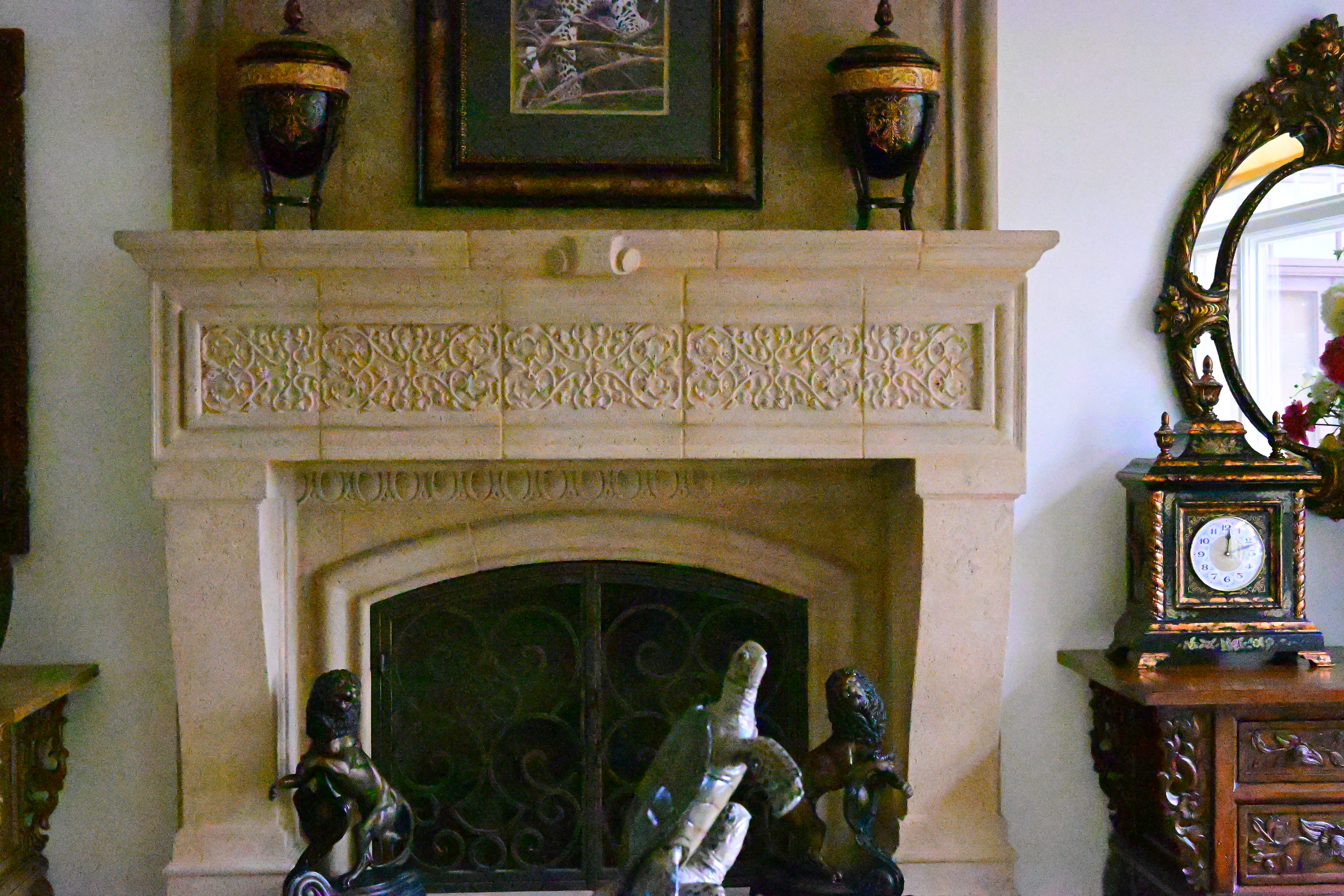
There's no mystery to comparing cameras; I shoot this same test at all the ISOs in every other camera I review so you can compare for yourself. Caveat: I repainted these walls white from their previous tan as of the beginning of 2023, so the background wall won't match in older reviews, and this set is lit by natural light which is different every day.
The high ISO performance of this Z5 II is identical to the new Z6 III and identical to the original Z5. High ISO quality is state-of the art in all these cameras and I can't see any difference among them.
Complete Images details dark detail performance top
As seen at normal image sizes below, the Z5 II pretty much makes the same images from ISO 50 (L) to ISO 25,600.
ISO 51,200 gets a little blotchier, while higher ISOs become more and more blotchy and noisy.
The reason for what looks like weird push amounts of +0.7 and +1.7 stops is because the Z5 II claims ISO 64,000 as a regular ISO, so ISO 102,400 is only ⅔ of a stop above ISO 64,000 rather than 1 stop above ISO 51,200.
Viewed 3 feet (1 meter) wide (not shown here), images are the same from ISO 50 (L) to ISO 6,400.
ISO 12,500 and ISO 25,600 still look the same, but fine details are softer due to the noise reduction typical in every camera.
ISO 51,200 gets a little blotchier and softer still, and higher ISOs become strongly softer and noisier.
This is typical performance in 2025; all cameras work just fine for online image sizes at insanely high ISOs. Honestly I never use anything above ISO 10,000. If you have to use five-digit ISOs you're doing something wrong, and no one needs six-digit ISOs other than for fooling around or putting in camera advertisements. Photography is all about light and lighting, so if you have no light, you should be working on improving that light rather than worrying about which camera makes the least awful photos in bad situations.
Click any for the camera-original © LARGE NORMAL ★ JPG files:
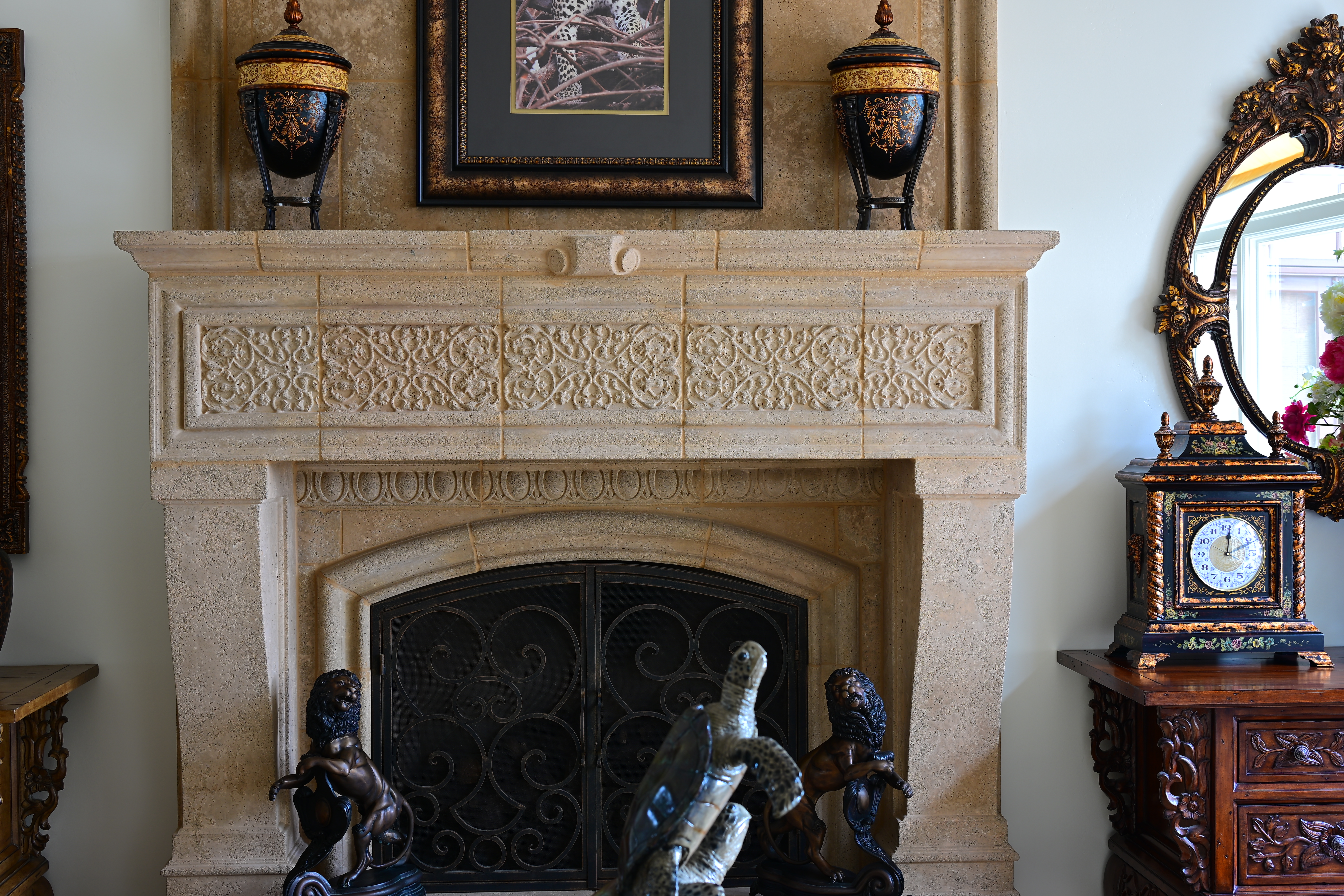
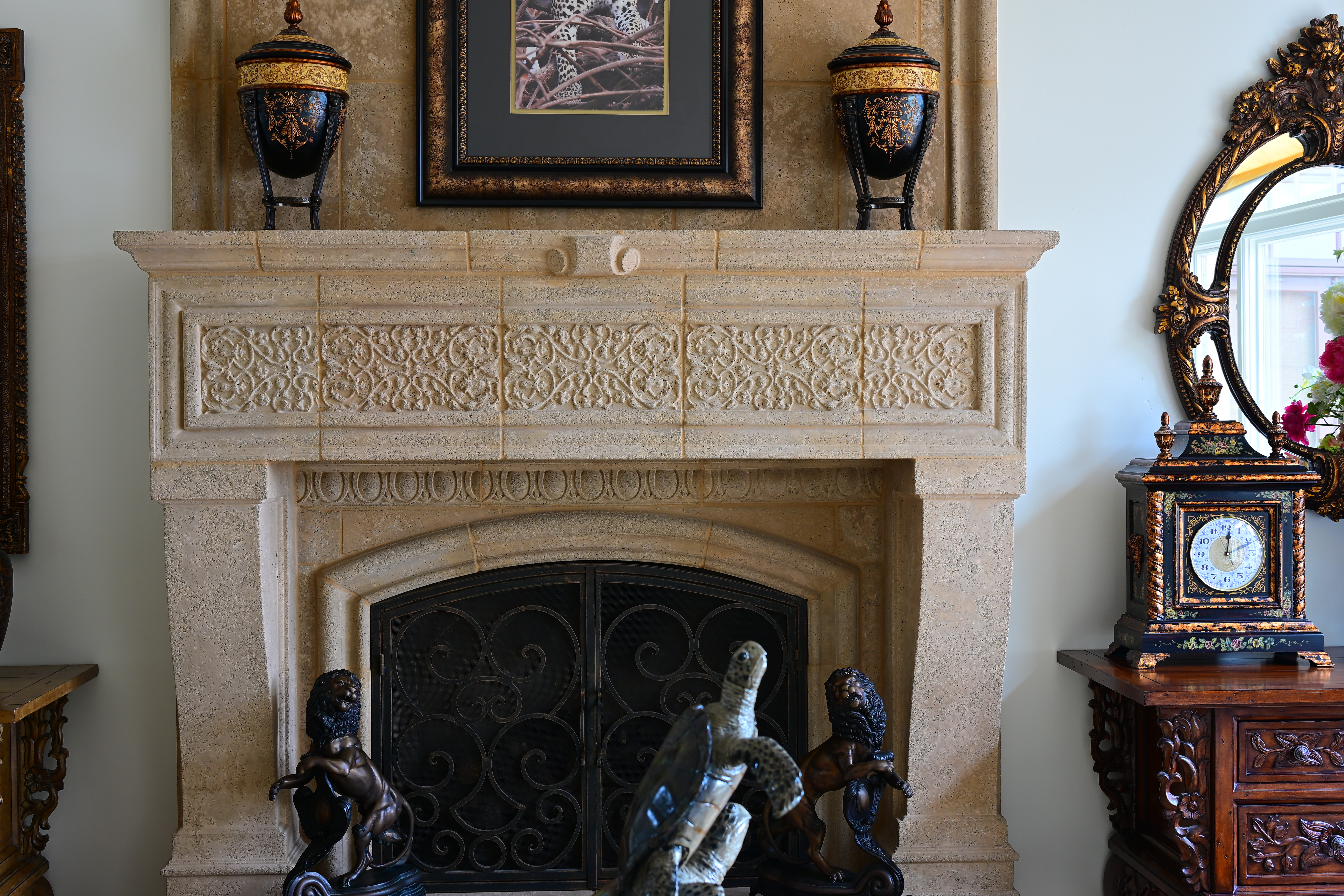
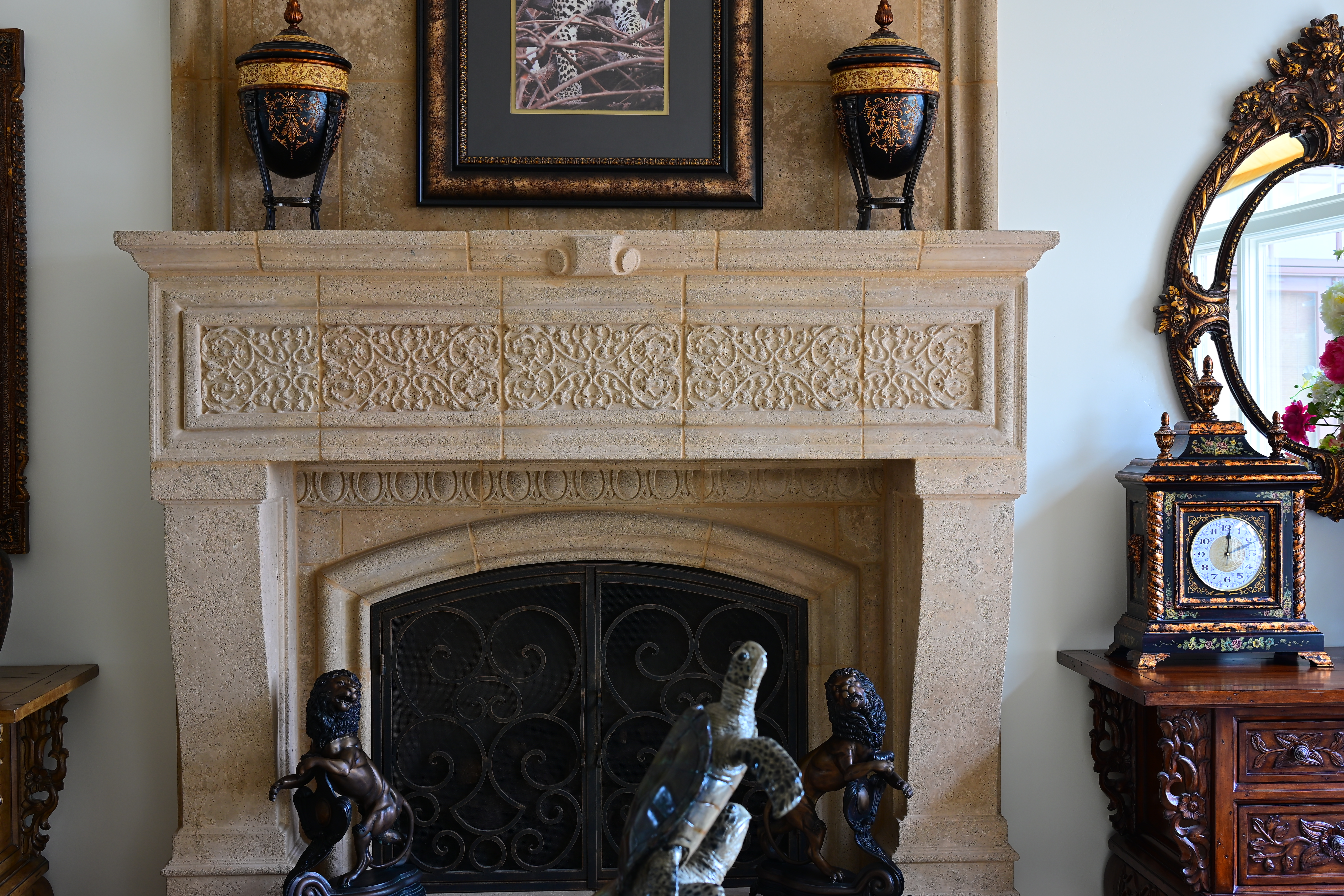
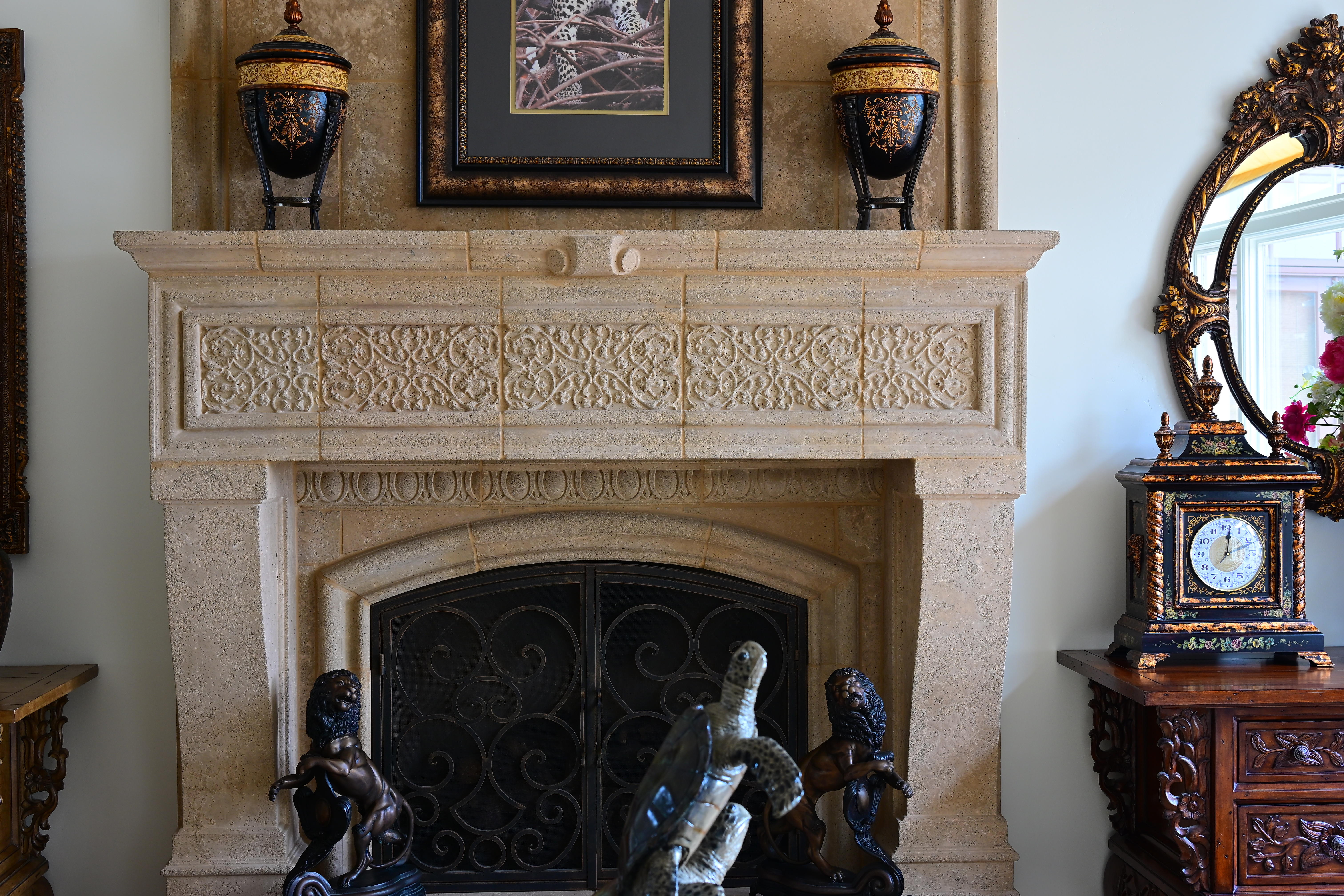
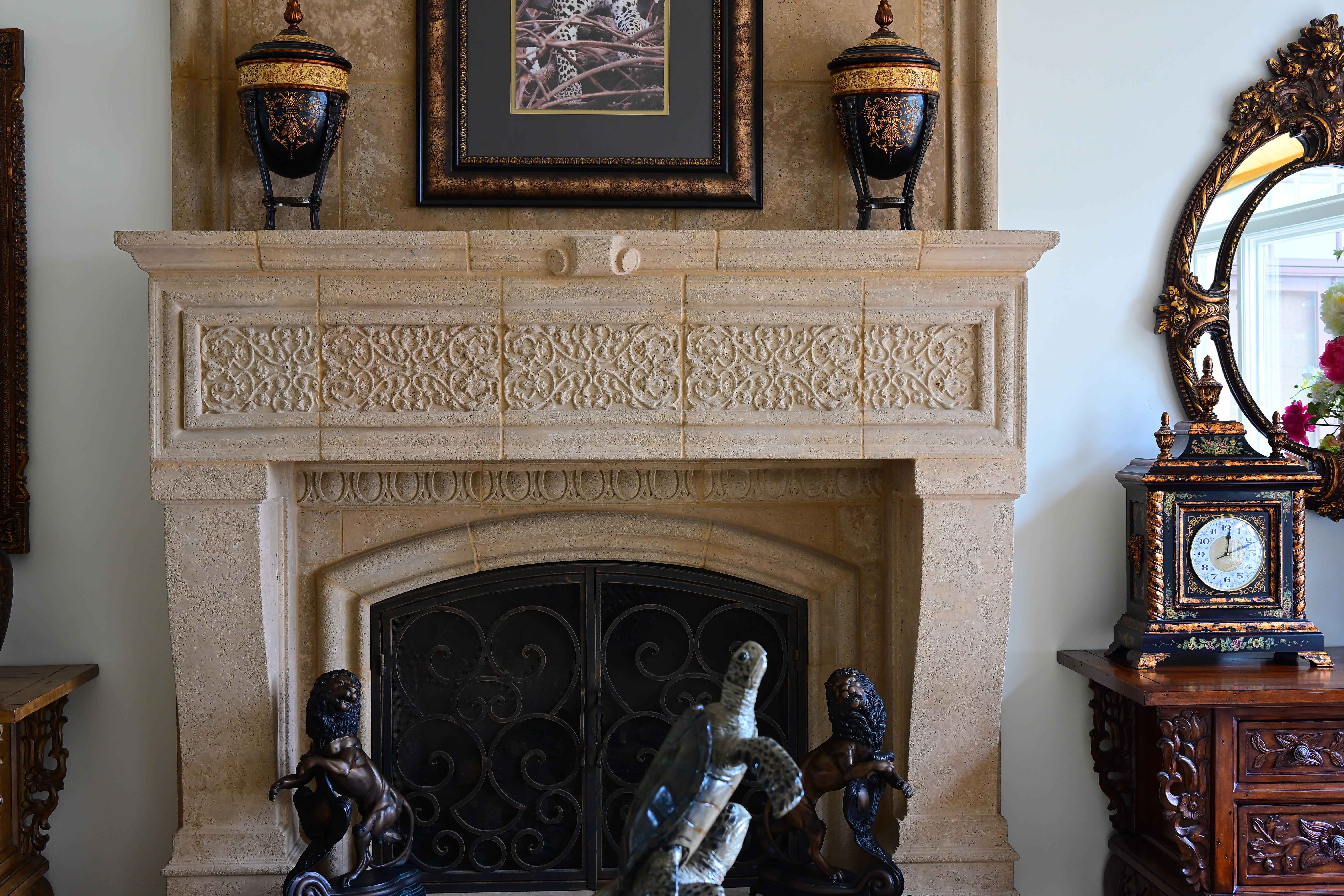
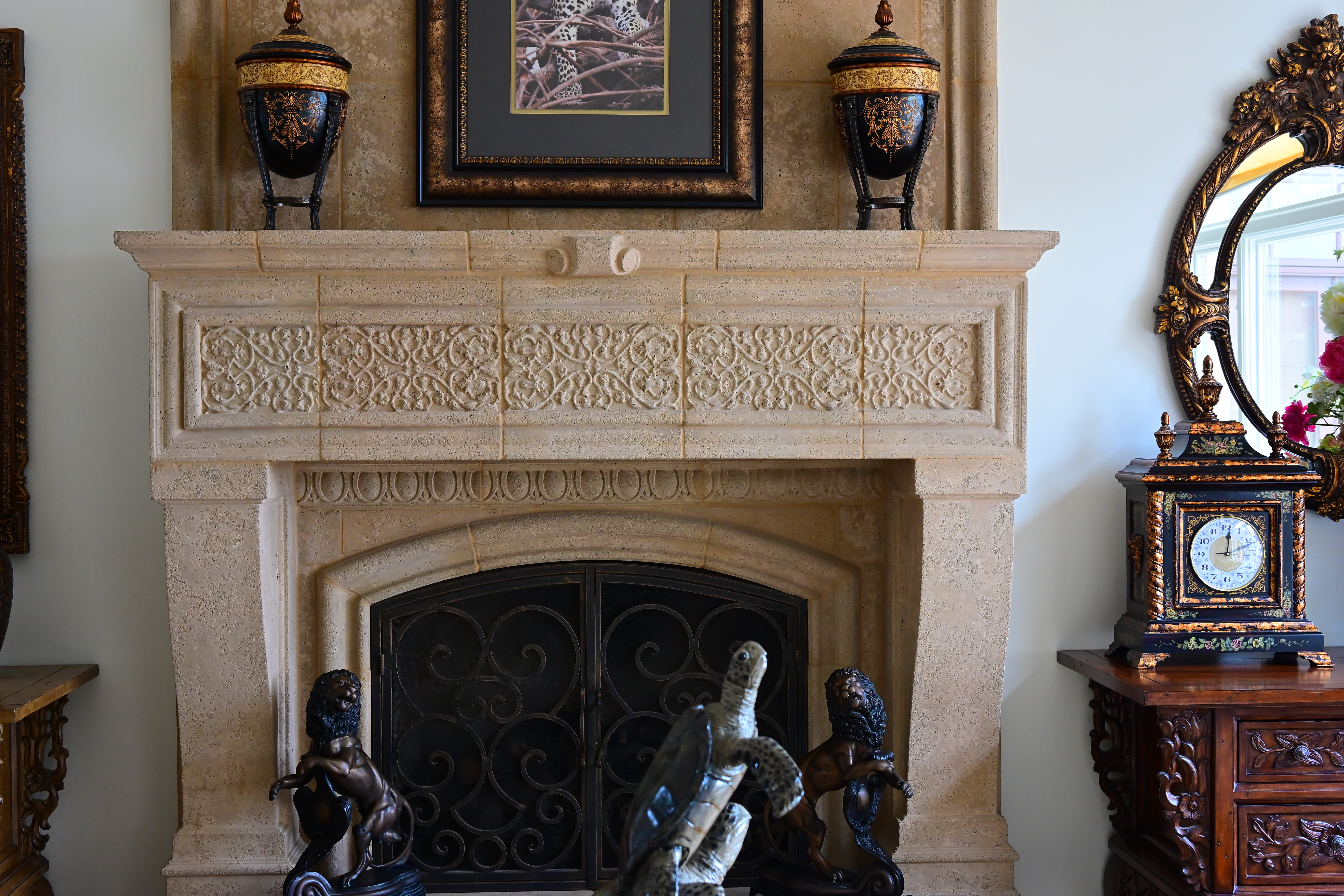
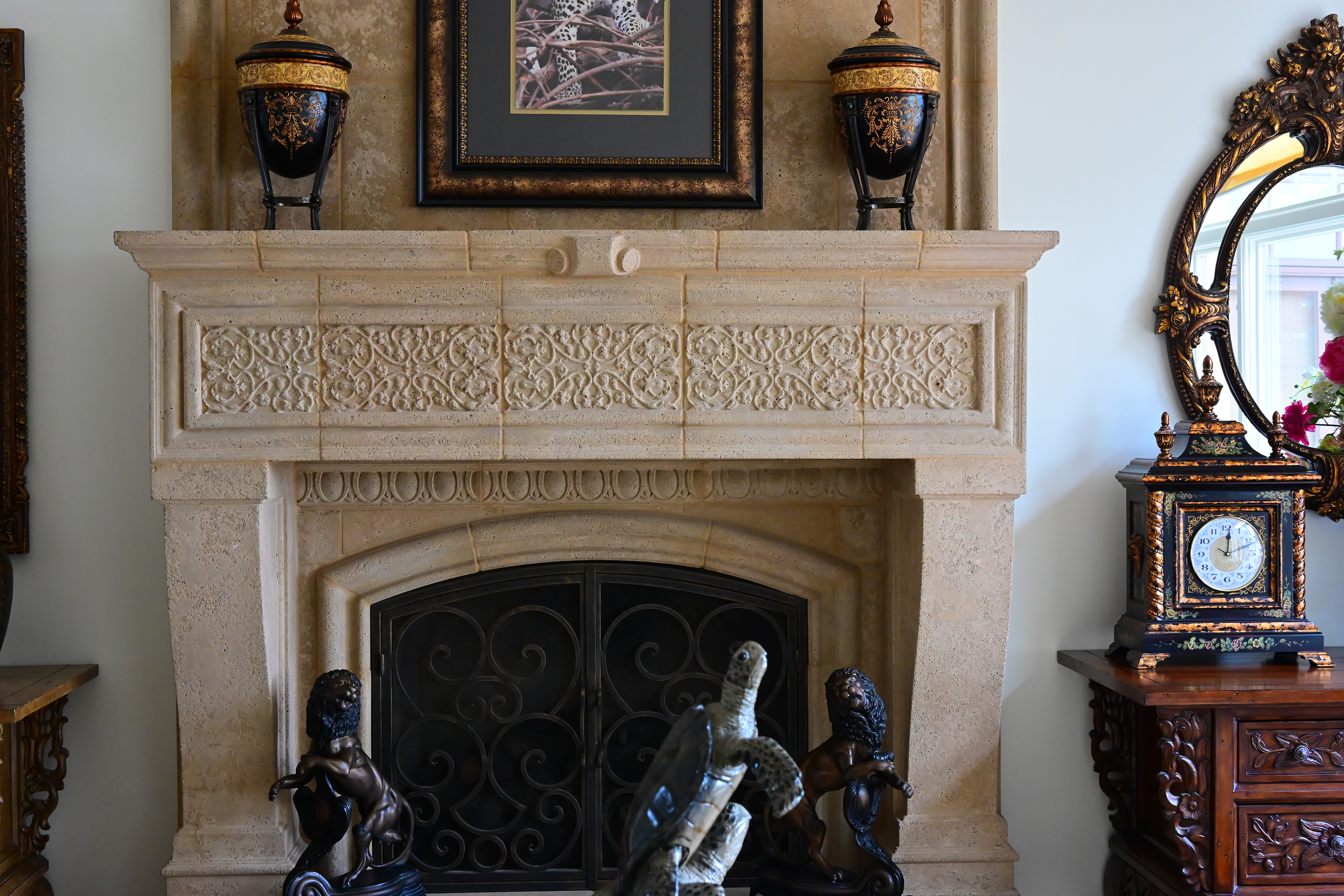
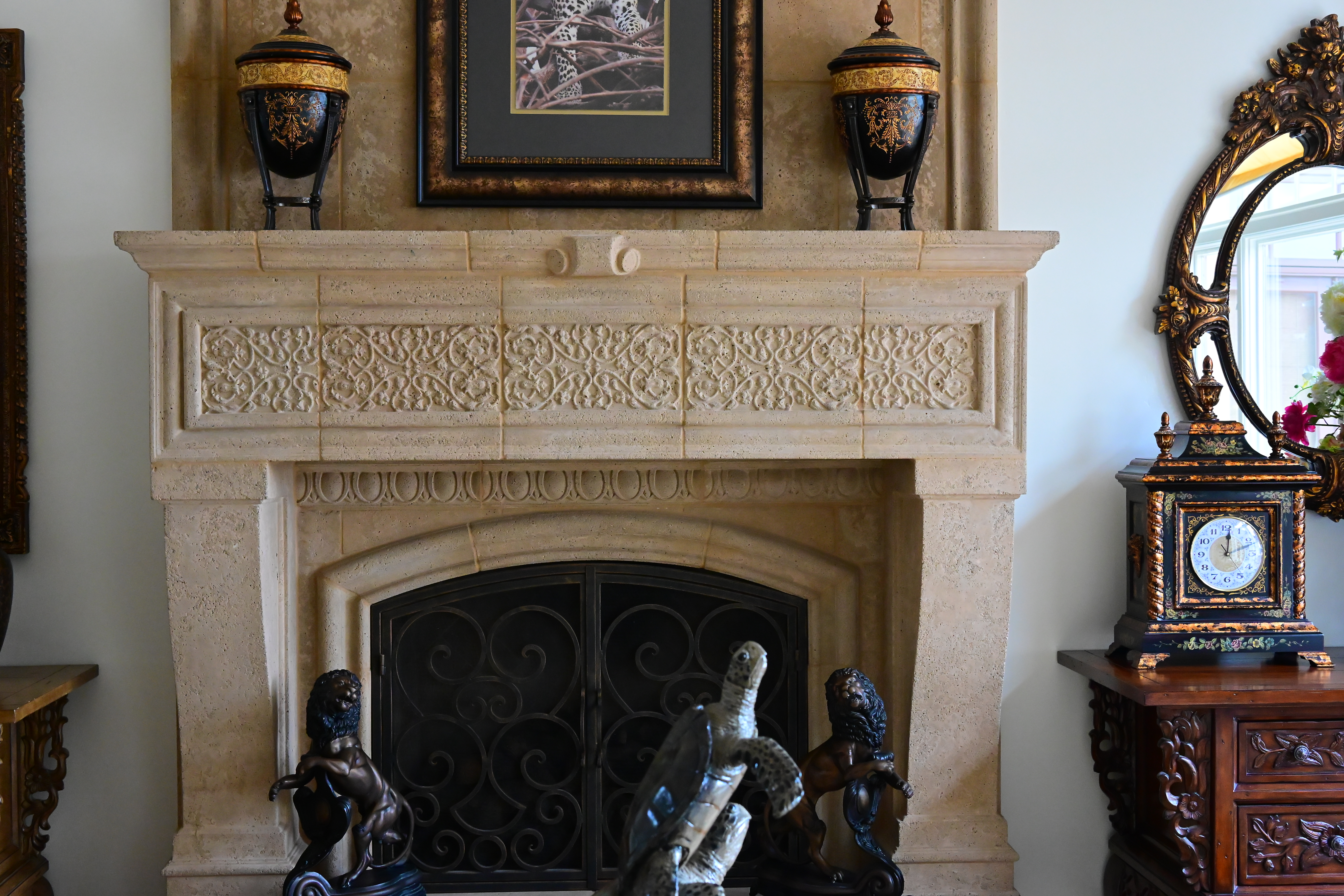
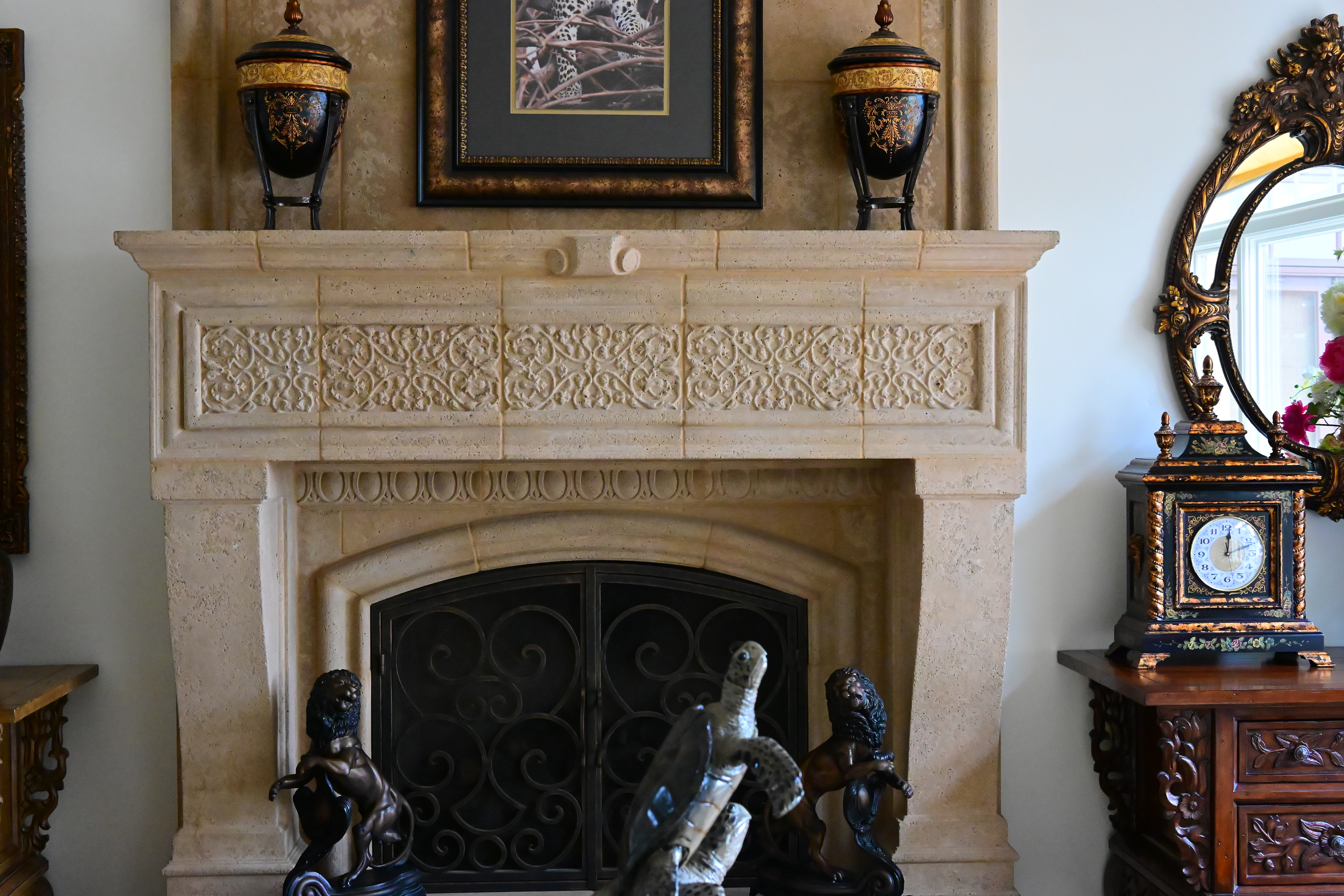
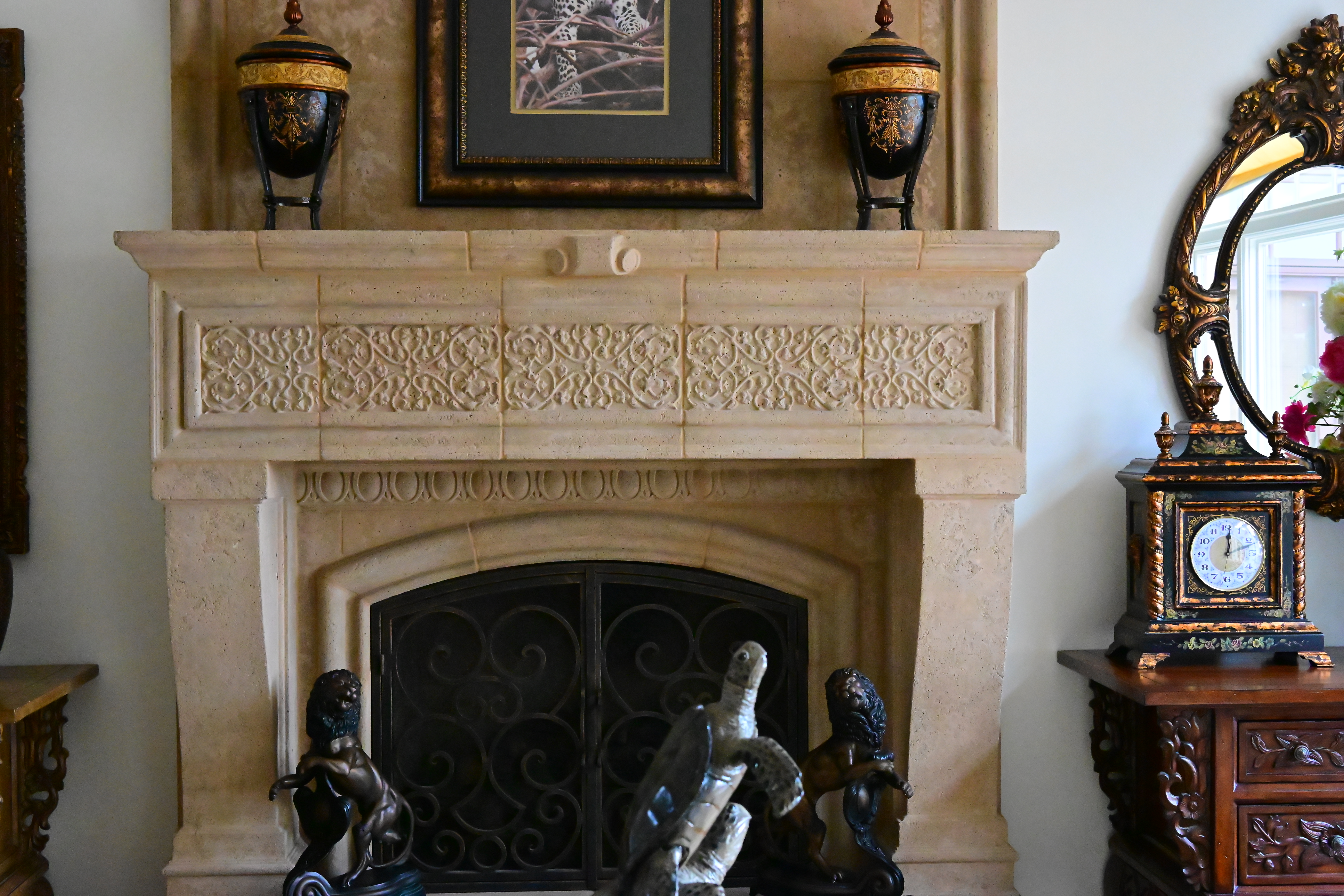
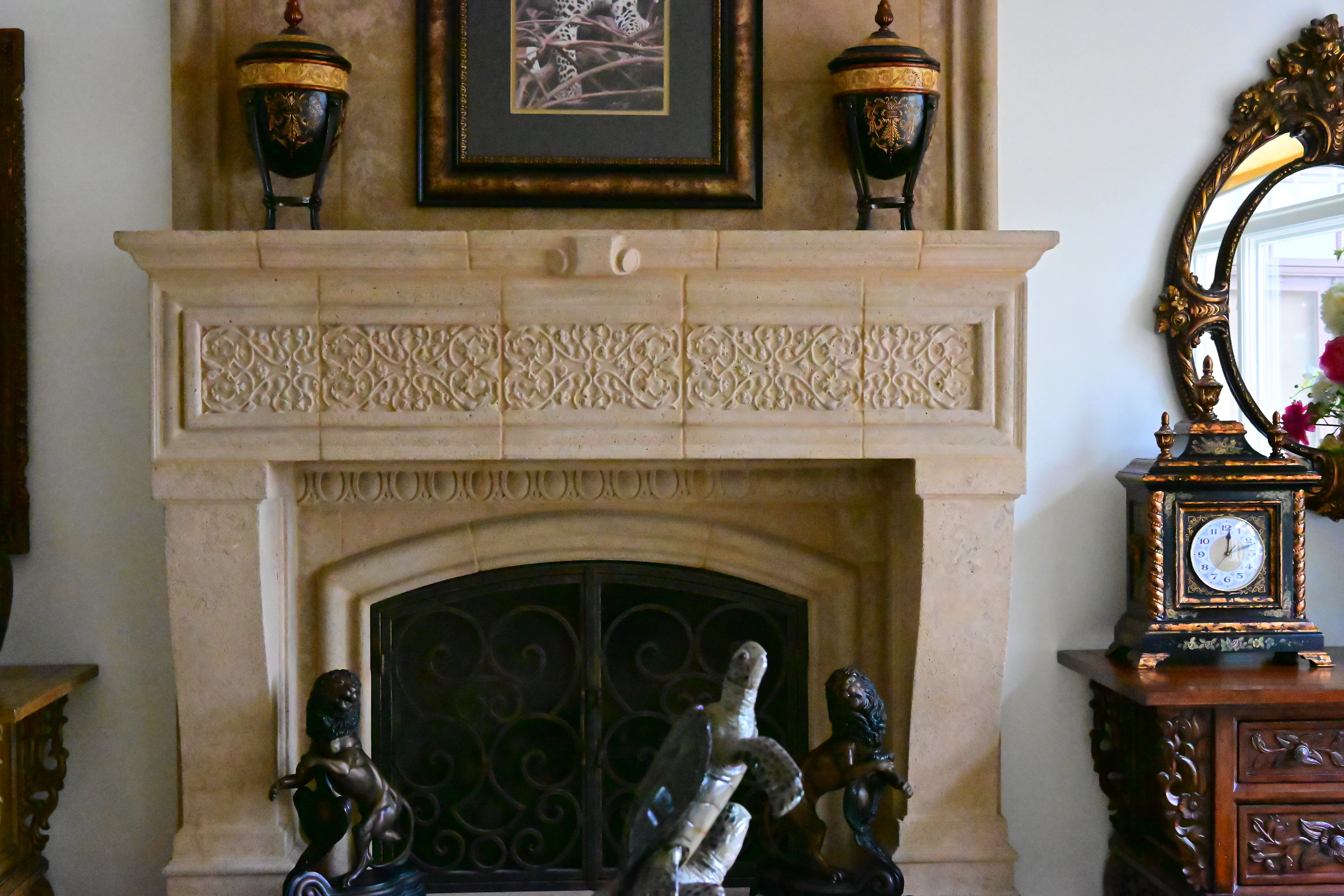
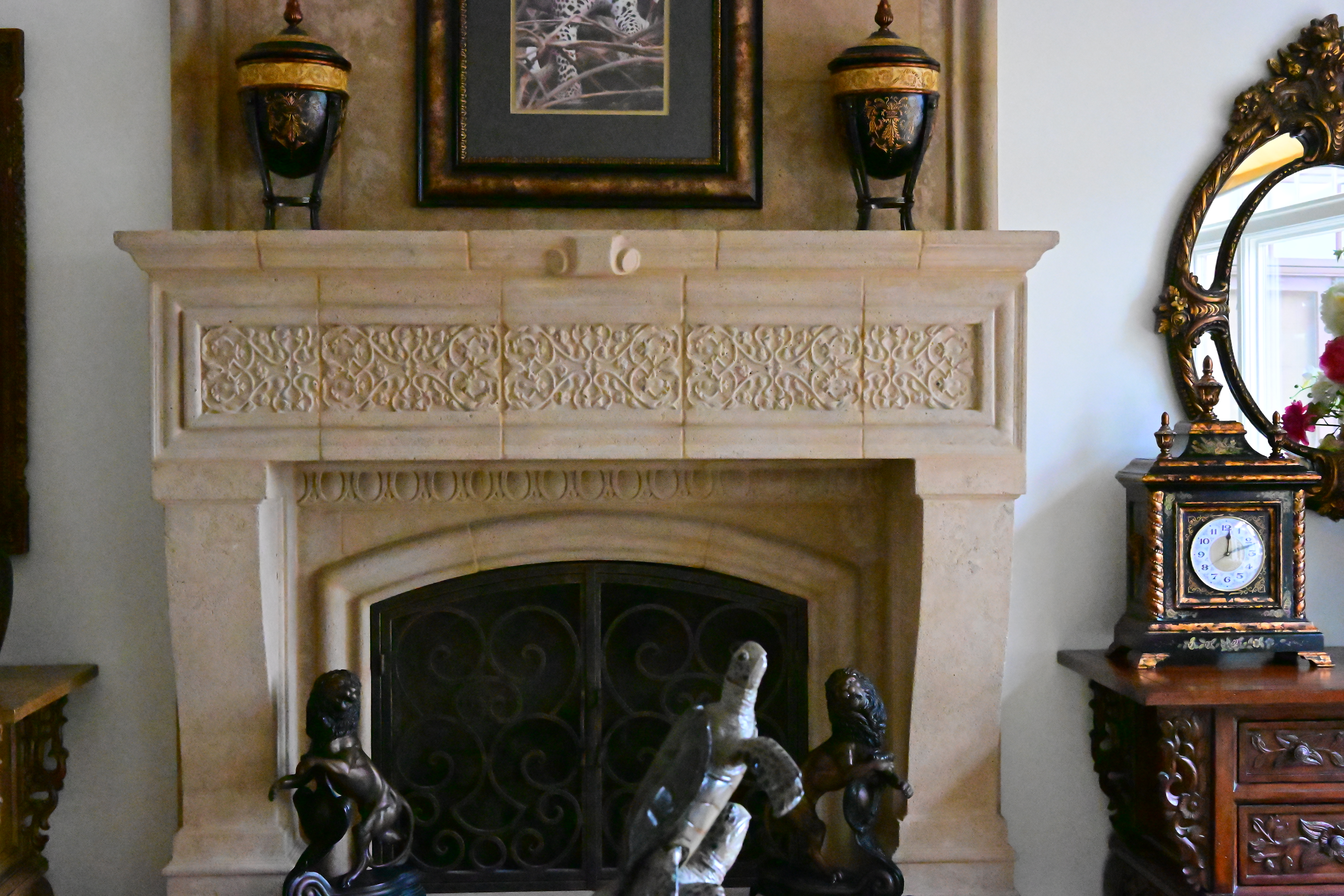
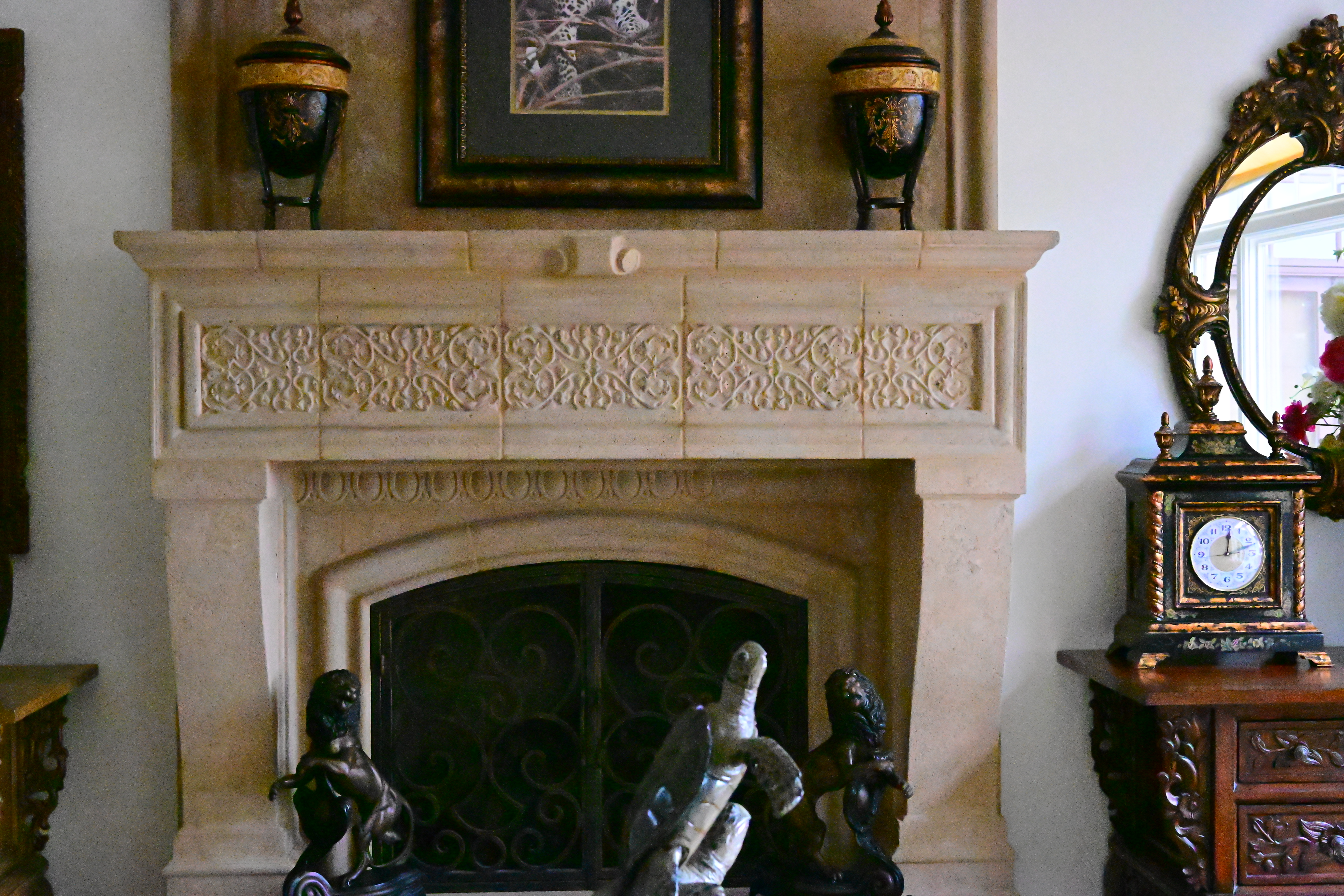
Click any for the camera-original © JPG files (about 10 MB each).
Fine Details: 600 × 450 Pixel Crops (10× magnification) High ISOs details dark detail performance top
Here are crops from the same images as above, showing the clock on the right.
What we see at the high magnifications below is that fine details go away as the ISO increases. This happens with all cameras (and our own eyes) and is an artifact of the noise reduction working harder as the ISO increases.
In the Z5 II, the most detail is at ISO 50 (L), and becomes softer at every higher ISO. This is normal and how noise reduction works in every camera.
ISO 50 is a "pull" ISO, and thus has more highlight contrast. This usually increases perceived highlight detail, and can lead to clipped highlights if you have too much subject contrast, as in the case of the window reflection in the glass of the clock face.
By ISO 3,200 most of the detailed scrollwork between the clock numbers is gone.
By ISO 32,000 the minute marks are mostly gone.
By ISO 64,000 all the detail is gone from the clock face, leaving only the hour dots and numbers.
At ISO 102,400 (H+0.7) even the numbers and second hand are starting to disappear.
It's normal for details to go away at higher ISOs in all digital cameras.
These are 600 × 450 pixel crops which vary in size to fit your browser window.
If these are about 3" (7.5cm) wide on your screen, the complete images would print at 20 × 30" (50 × 75 cm) at this same high magnification.
If these are about 6" (15cm) wide on your screen, the complete images would print at 40 × 60" (1 × 1.5 meters) at this same extreme magnification.
If these are about 12" (30cm) wide on your screen, the complete images would print at 80 × 120" (2 × 3 meters) at this same insanely high magnification.
Click any for the camera-original © LARGE NORMAL ★ JPG files:
Click any for the camera-original © JPG files (about 10 MB each).
Dark-Area 600 × 450 Pixel Crops (10× magnification) High ISOs details dark detail performance top
Here are different crops from the same images as above, now showing the dark grillwork of the fireplace.
ISO 50 (L)is a "pull" ISO, and throws much more light into the shadows and thus gives them the most detail.
Higher ISOs greatly reduce the details in the shadows, as we expect.
Note how the most detail in the fine screen is at ISO 50 (L).
The bricks behind the grill go away by ISO 1,600.
There are strong green/magenta blotches at ISO 51,200 and above.
I'm impressed that even at ISO 204,800 (H+1.7) you can still see the iron bars, which are completely gone in other cameras at their highest speeds!
Again, it's normal in all digital cameras for details to go away at higher ISOs.
These are 600 × 450 pixel crops which vary in size to fit your browser window.
If these are about 3" (7.5cm) wide on your screen, the complete images would print at 20 × 30" (50 × 75 cm) at this same high magnification.
If these are about 6" (15cm) wide on your screen, the complete images would print at 40 × 60" (1 × 1.5 meters) at this same extreme magnification.
If these are about 12" (30cm) wide on your screen, the complete images would print at 80 × 120" (2 × 3 meters) at this same insanely high magnification.
Click any for the camera-original © LARGE NORMAL ★ JPG files:
Click any for the camera-original © JPG files (about 10 MB each).
Interline Transfer Smear performance top
Interline Transfer Smear is a system defect where extremely bright sources of light in the image will smear vertically. Sources of light can be so bright that the signal can bleed from one line to another vertically.
I see none of this with shooting my Z 35mm f/1.2 pointed right at the sun and shot wide-open at f/1.2, which is excellent:
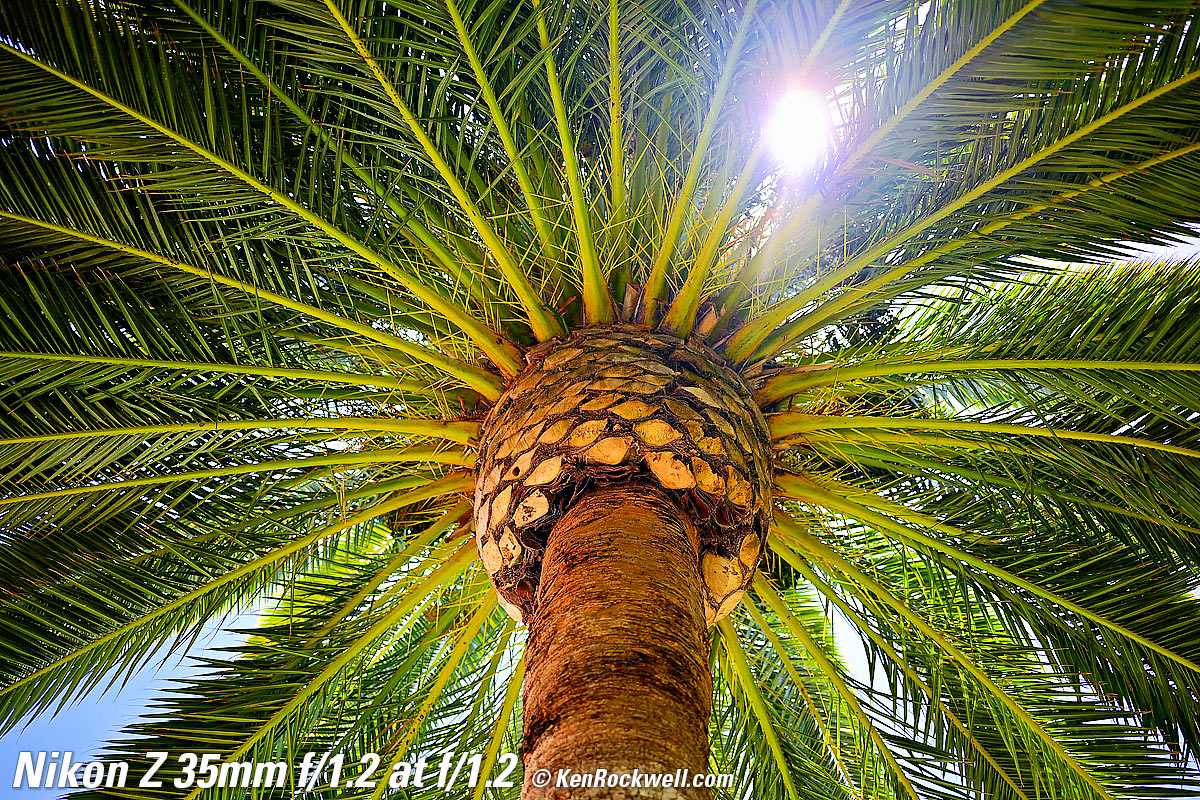
More samples at my Z 35mm f/1.2 Review.
Lens Corrections performance top
The Z5 II corrects for any or all of distortion, diffraction ("Diffraction compensation") and falloff (Vignette control), any of which you may turn ON or OFF.
It corrects these for stills as well as video.
You set these in the middle of either of these menus:
MENU > 📷 PHOTO SHOOTING MENU (camera icon)
or at
MENU > VIDEO RECORDING MENU (movie camera icon)
The Z5 II always corrects for lateral color fringes (chromatic aberration); this is part of Nikon's secret sauce and never appears in any menu.
If you shoot raw data rather than JPG images, whatever software you use to create visible images from raw data may or may not correct the distortion as is done in-camera as JPGs. You're on your own there; I don't bother with raw data.
Long Exposures performance top
While the P, S and A modes are still limited to the ancient standard of 30 seconds maximum, if you set
MENU > ✎ (pencil icon) CUSTOM SETTINGS MENU > d5 Extended shutter speeds (M) > ON
then manual speeds set directly out to as long as 900 seconds (15 minutes).
Of course there is the classic BULB mode (shutter stay open as long as the shutter or remote button is held down) and TIME, where the shutter opens and doesn't close until you press the shutter or remote release a second time.
Mechanical Quality performance top
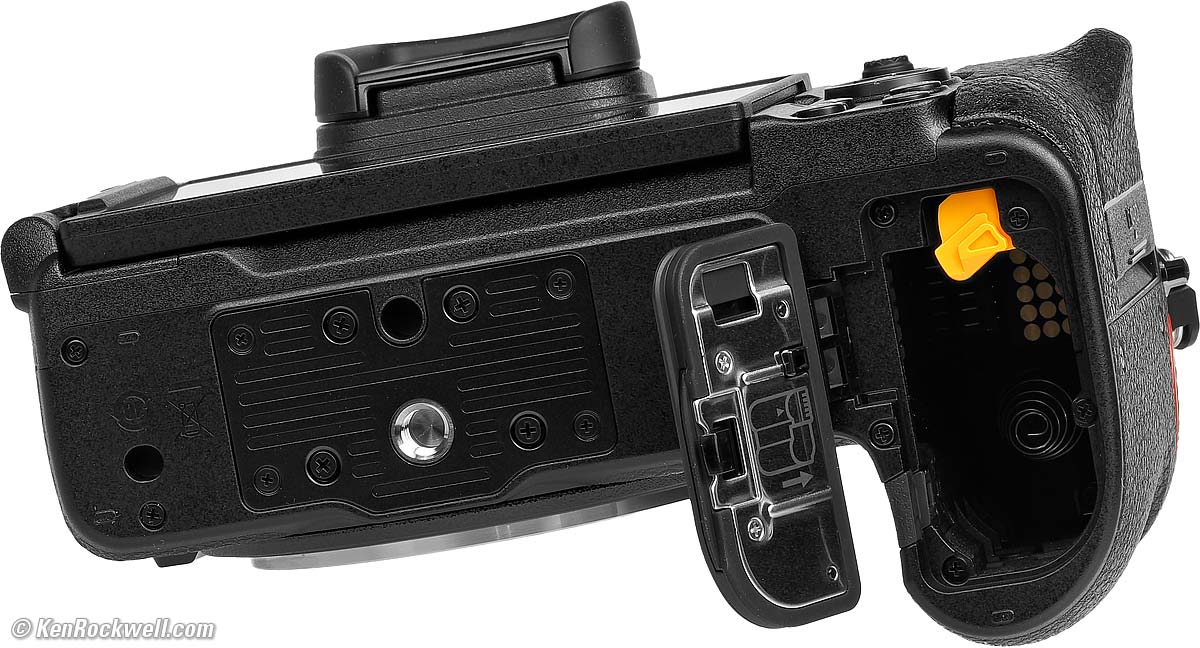
Nikon Z5 II. bigger.
Nikon Z5 II. bigger.
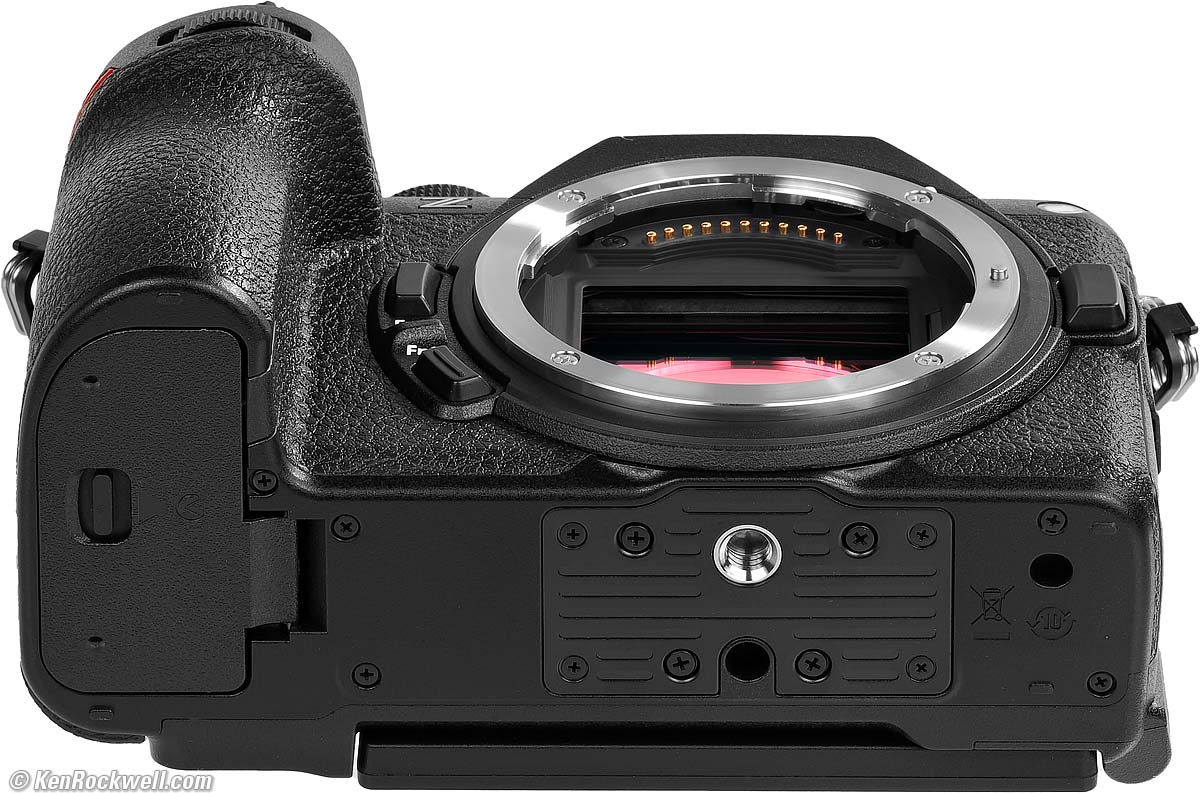
Metal
Strap lugs, top cover, hot shoe, trim atop plastic top-rear control dial (nice fake, Nikon), lens mount, card door pivot, back cover, inside of battery door, bottom tripod plate, and the tripod socket.
Plastic
Everything else: every button, every control, every lever and and every dial (especially the top rear control dial which has a metal trim plate on top), LCD frame, LCD hinge, bottom cover, card door and battery door.
Rubberized
Fake leather coverings, finder eyecup and connector cover flaps.
Glass
Eyepiece optics and clear LCD cover.
Serial Number
Printed on a sticker on the camera back, usually hidden behind the LCD.
Date Code
None found.
Noises When Shaken
Mild to moderate clunking.
Same with power ON or OFF.
Quality and Ethics
Made in Thailand.
Image Stabilization (VR) performance top
I get five full stops of real-world improvement with my unstabilized Z 50mm f/1.4 and unstabilized Z 24 ~ 105mm, and 5½ stops of real-world improvement with my $99 unstabilized Viltrox AF 28mm f/4.5, allowing me to get perfect tripod-equivalent sharp shots most of the time at a half a second!!! Without stabilization, even my talented and rock-steady hands can only get the same results at 1/60! FIVE STOPS!!!
"Percent Perfectly Sharp Shots" are the percentage of hand-held, free-standing with no support or bracing, frames with 100% perfect tripod-equivalent sharpness as viewed at 300%. Hand tremor is a random occurrence, so at marginal speeds some frames will be perfectly sharp while others will be in various stages of blur — all at the same shutter speed.
This rates what percentage of shots are perfectly sharp, not how sharp are all the frames:
With Unstabilized Z 24-70mm f/2.8 II
At 24mm
| % Perfectly Sharp Shots on Stabilized Z5 II | 1s |
1/2 |
1/4 |
1/8 |
1/15 |
1/30 |
1/60 |
1/125 |
1/250 |
| Stabilization ON | 0 |
33⅓ |
80 |
100 |
100 |
100 |
100 |
100 |
100 |
| Stabilization OFF | 0 |
0 |
6¼ |
14 |
31 |
64 |
58 |
100 |
100 |
I see about a 3½ stop real-world improvement.
At 70mm
| % Perfectly Sharp Shots on Stabilized Z5 II | 2s |
1s |
1/2 |
1/4 |
1/8 |
1/15 |
1/30 |
1/60 |
1/125 |
1/250 |
| Stabilization ON | 0 |
10 |
38 |
75 |
90 |
100 |
100 |
100 |
100 |
100 |
| Stabilization OFF | 0 |
0 |
0 |
0 |
0 |
10 |
19 |
41 |
92 |
100 |
I see a 4¾ stop real-world improvement.
With Unstabilized Z 50mm f/1.4
| % Perfectly Sharp Shots with unstabilized Z 50mm f/1.4 | 2s |
1s |
1/2 |
1/4 |
1/8 |
1/15 |
1/30 |
1/60 |
1/125 |
| Stabilization ON | 0 |
10 |
70 |
90 |
100 |
100 |
100 |
100 |
100 |
| Stabilization OFF | 0 |
0 |
0 |
0 |
0 |
0 |
0 |
70 |
100 |
I see FIVE stops of real-world improvement, which is great!
With Unstabilized Z 35mm f/1.2
| % Perfectly Sharp Shots with unstabilized Z 35mm f/1.2 | 2s |
1s |
1/2 |
1/4 |
1/8 |
1/15 |
1/30 |
1/60 |
1/125 |
| Stabilization ON | 0 |
0 |
33 |
60 |
100 |
100 |
100 |
100 |
100 |
| Stabilization OFF | 0 |
0 |
0 |
0 |
0 |
10 |
20 |
100 |
100 |
I see only 3½ stops of real-world improvement.
With $99 unstabilized Viltrox AF 28mm f/4.5:
| % Perfectly Sharp Shots with unstabilized Viltrox AF 28mm f/4.5 | 2s |
1s |
1/2 |
1/4 |
1/8 |
1/15 |
1/30 |
1/60 |
1/125 |
| Stabilization ON | 0 |
25 |
50 |
82 |
100 |
100 |
100 |
100 |
100 |
| Stabilization OFF | 0 |
0 |
0 |
0 |
20 |
30 |
30 |
33 |
100 |
I see 5½ stops of real-world improvement!
With Unstabilized Z 24 ~ 105mm
At 24mm
| % Perfectly Sharp Shots at 24mm | 2s |
1s |
1/2 |
1/4 |
1/8 |
1/15 |
1/30 |
1/60 |
1/125 |
| Stabilization ON | 0 |
0 |
58 |
100 |
100 |
100 |
100 |
100 |
100 |
| Stabilization OFF | 0 |
0 |
0 |
0 |
0 |
7½ IPS |
43 |
100 |
100 |
I see 4 stops of real-world improvement.
At 50mm
| % Perfectly Sharp Shots at 50mm | 2s |
1s |
1/2 |
1/4 |
1/8 |
1/15 |
1/30 |
1/60 |
1/125 |
1/250 |
| Stabilization ON | 0 |
8 |
8 |
83 |
100 |
100 |
100 |
100 |
100 |
100 |
| Stabilization OFF | 0 |
0 |
0 |
0 |
0 |
0 |
9 |
36 |
77 |
100 |
I see 5 stops of real-world improvement.
At 105mm
| % Perfectly Sharp Shots at 105mm | 2s |
1s |
1/2 |
1/4 |
1/8 |
1/15 |
1/30 |
1/60 |
1/125 |
1/250 |
1/500 |
| Stabilization ON | 0 |
7 |
45 |
50 |
77 |
100 |
100 |
100 |
100 |
100 |
100 |
| Stabilization OFF | 0 |
0 |
0 |
0 |
0 |
8⅓ |
13⅓ |
8 |
60 |
82 |
100 |
I see 5 stops of real-world improvement.
With Stabilized Z 70 ~ 200mm VR II
At 70mm
| % Perfectly Sharp Shots on Stabilized Z5 II | 1s |
1/2 |
1/4 |
1/8 |
1/15 |
1/30 |
1/60 |
1/125 |
1/250 |
| Stabilization ON | 0 |
0 |
40 |
100 |
100 |
100 |
100 |
100 |
100 |
| Stabilization OFF | 0 |
0 |
0 |
6 |
5½ |
11 |
43 |
85 |
100 |
I see 4 stops of real-world improvement.
At 120mm
| % Perfectly Sharp Shots on Stabilized Z5 II | 1s |
1/2 |
1/4 |
1/8 |
1/15 |
1/30 |
1/60 |
1/125 |
1/250 |
| Stabilization ON | 0 |
10 |
50 |
60 |
100 |
100 |
100 |
100 |
100 |
| Stabilization OFF | 0 |
0 |
0 |
0 |
4 |
10 |
18 |
56 |
100 |
I see 4½ stops of real-world improvement.
At 200mm
| % Perfectly Sharp Shots on Stabilized Z5 II | 1s |
1/2 |
1/4 |
1/8 |
1/15 |
1/30 |
1/60 |
1/125 |
1/250 |
1/500 |
1/1000 |
| VR ON | 0 |
10 |
16 |
60 |
96 |
100 |
100 |
100 |
100 |
100 |
100 |
| VR OFF | 0 |
0 |
0 |
0 |
0 |
17 |
15 |
17 |
27 |
70½ |
100 |
I see 6 stops of real-world improvement!
U1, U2 and U3 modes performance top
The universal preset U1, U2 and U3 memory modes on the top dial are very handy, but not universal.
They don't save or recall anything from the SETUP (🔧 icon) menu like Silent mode, monitor brightness, non-CPU lens selection, camera sounds, and more. Boo!
I use these as instant ways to recall totally different camera settings, for instance, U1 for general interiors and scenics, U2 for people pictures and U3 for action.
See much more about how I use these at my Nikon Z5 II User's Guide.
Video performance top
It has typical performance for a mirrorless camera.
Video stabilization works nowhere near as well for smooth hand-held shots as it does in an iPhone, and likewise this Nikon, like all mirrorless, lacks the HDR magic inside iPhone to control harsh highlights and shadows in real-world shooting. By HDR I mean the ability to capture difficult light so that it looks natural without blown highlights or black holes for shadows.
If you're an ASC DP and have three days to light a set and have skilled camera operators for focus and everything else, I'm sure you'll get better results with this Nikon than with an iPhone, however for normal film makers and regular people working with available light in the real world, the iPhone does a far better job for video and digital cinematography.
iPhone makes video that looks natural to our eyes, while with any dedicated "real" camera it takes a lot of skill to light a set so the result looks natural.
I use my iPhone for all my video work.
Playback performance top
Playback brightness is set by what's coming in the lens when you hit play, so pay attention and you can control playback brightness by the direction in which you point the camera.
It has smart rotate, meaning that images rotate as you rotate the camera on playback, just like an iPhone. This is great; Canon cameras can't do this.
Bad news, like most or all Nikon mirrorless, is that it often ignores the directional control nubbin while trying to scroll around a zoomed image. Therefore I often have to try a couple of times to get it to move — or it will stop moving only partway across an image (!!!) — which is one of my biggest complaints about this and all current Nikons.
Oddly the multiway/OK controller works fine for scrolling, while most Nikon nubbins are flaky on playback. Weird.
Voice Notes performance top
This is a very useful for taking notes for news, sports, party and event reporting. It records an additional audio file along with the image file.
This was previously only found on pro cameras, and is super handy for recording who, what or where is in a picture.
Enable this by assigning "Voice notes" to any button you like at
MENU > ✎ (pencil icon) CUSTOM SETTINGS MENU > f Controls > f3 Custom Controls (playback) > select a button > assign "🎙Voice memo" to it.
I set this to my Fn2 button, and now it records notes if I hold it while playing a still image. Critical is that I play an image, hold the button while I talk and release it when done: one-click!
There no menus required to use this once it's enabled above.
Data performance top
Cards are titled as "NIKON Z5_2."
There are DCIM and NIKON folders.
Each image folder contains one bogus NC_FLLST.DAT file.
Images are flagged for rotation, but not actually rotated, which is typical.
Images shot upside-down are not flagged and have to be rotated later on your computer.
White balance like AUTO 1, SHADE and NATURAL AUTO read fine in Photo Mechanic .
Power & Battery performance top
Battery life is typical for modern mirrorless cameras, which even more so than a car's fuel economy, depends entirely on how you use it.
Like most mirrorless, battery life tends to be a constant number hours of operation rather than how many snaps you take. You get a certain amount of time regardless of what you do, so the more pictures you take in that time rather than playing back or setting things, the more pictures you get per charge.
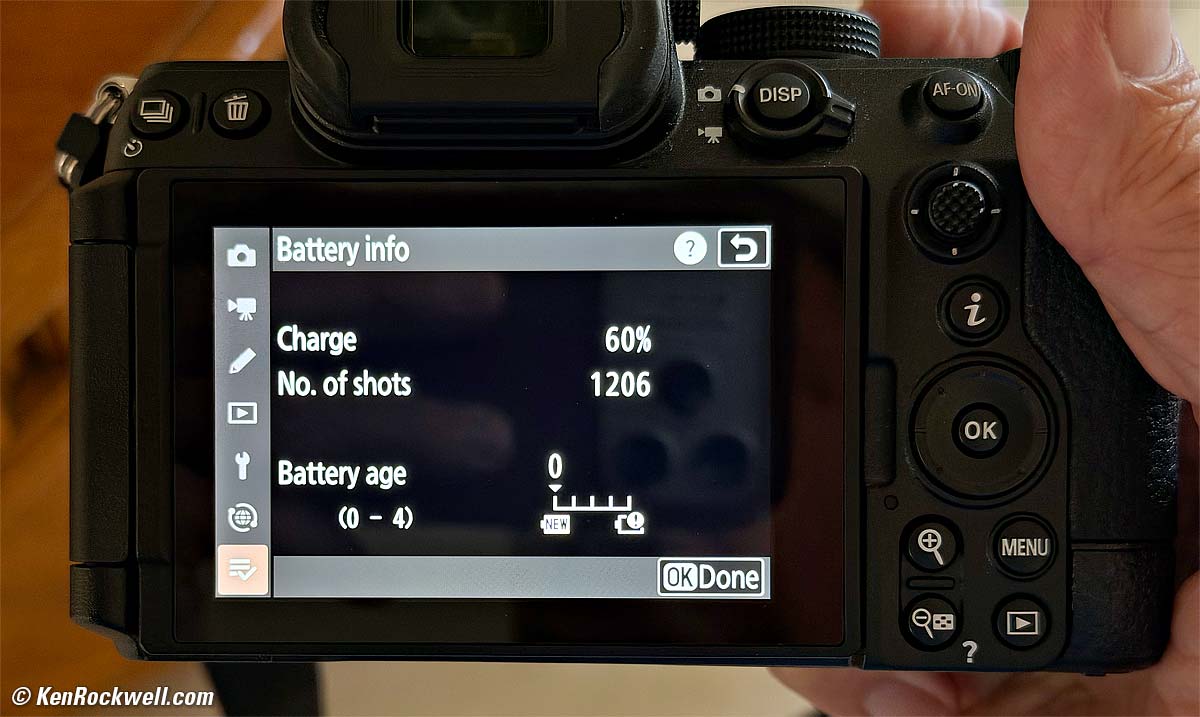
Nikon Z5 II Charge Life: 1,200 typical shots only used 40% of charge. bigger.
In the case above, I made 1,206 shots under typical conditions, and only used 40% of the battery's charge, leaving 60% as shown. This implies that I'd get about 3,000 shots if I ran it down all the way.
There's a tiny orange charge LED on the left side that lights when charging, but it takes several seconds to light and it can be hidden behind your strap:
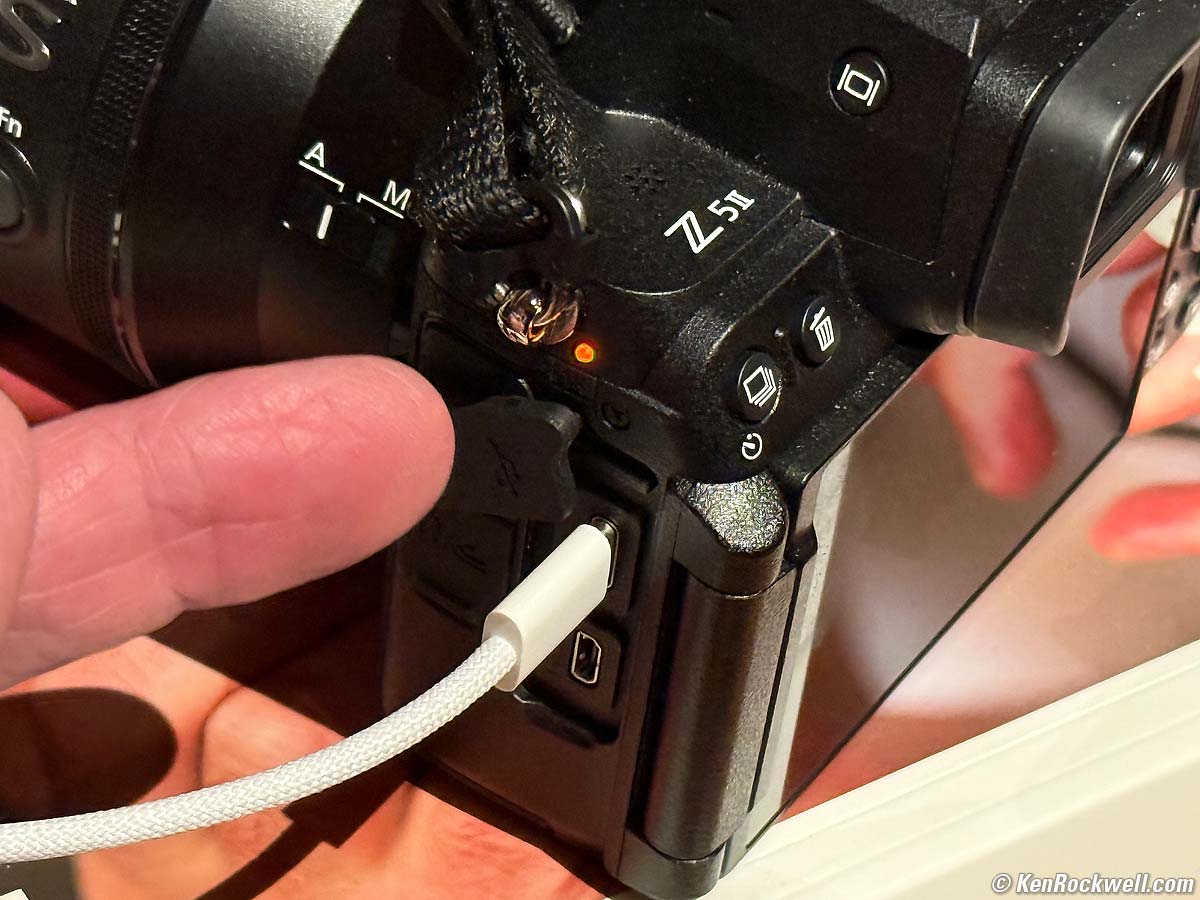
Nikon Z5 II Charge LED. bigger.
It charges from any USB-C outlet with a USB-C to USB-C cable.
It charges from car USB-C outlets, USB-C PD chargers, Car 12V to USB-C chargers, USB-C PD power banks, USB-C PD solar panels or from any USB-C source I've tried.
It will NOT charge from any USB-A source (the old rectangular USB outlets). Forget using a USB-A to USB-C cable.
It charges at 10⅓ W (9V at 1.15 A).
Clock Accuracy performance top
Every sample is different, but mine is poor, gaining 1.85 seconds per day, or 55.4 seconds per month.
This matters when you shoot multiple cameras (or this camera and an iPhone) and then sort all the images based on capture time to compare the similar views of each scene. The more accurate a camera's internal clock, the less often you need to reset it.
Recommendations top
Sample Images Intro New Good Bad Missing
Lens Suggestions Specifications Accessories
I got mine at B&H. I'd also get it at Adorama, at Amazon, at B&H or at Crutchfield, or get it used at eBay if you know How to Win at eBay, or get it used at KEH.
Z5 II body-only:
$1,597 at B&H, at Adorama, at Amazon and at Crutchfield.
About $1,300 used at eBay if you know How to Win at eBay.
Z5 II and Z 24-50mm: $1,897 at B&H, at Adorama, at Amazon and at Crutchfield.
NEW: Z5 II & Z 24-70mm f/4: $2,447 at B&H and at Crutchfield.
Z5 II and Z 24-105mm: $1,947 at B&H, at Adorama, at Amazon and at Crutchfield.
Z5 II and Z 24-200mm: $2,397 at Adorama, at Amazon, at B&H and at Crutchfield (my favorite combo).
The Z5 II is my favorite Nikon full-frame mirrorless camera because of its superior handling and unbeatable image quality. I can get more great pictures faster with the Z5 II than with any other Nikon mirrorless full-frame.
I'm especially not a fan of the Z9 or Z8, neither of which have any kind of MODE dial. Instead they substitute a MODE button which require you hold them while you spin another unmarked knob while looking at a display to set them as an iterative process. They strike me as about as useful as having to steer your car not with a steering wheel, but with a STEERING menu button and jog dial. When you shoot all day, every day, there is a huge difference between a dedicated dial and just a dopey mode button that shares one unmarked control dial with lots of other functions.
Suggested Lenses
There are a zillion Nikon lenses. I've owned or used almost every one made since 1946, and I find the Z 24-200mm VR does pretty much everything that all the other lenses used to do, all in one lens. With the Z 24-200mm all I need to do is twist my wrist, and I've got whichever lens I need without having to swap between different zooms, and yes, the Z 24-200mm is ultra sharp and more than fast enough to shoot still subjects in any light handheld.
Use whatever you want, but for best results, use only full-frame Nikon Z lenses. Nikon DX Lenses use less than half the sensor and therefore throw away most of your pixels!
If I need longer, I'll bring the Z 28-400mm VR instead, which otherwise is heavier than the Z 24-200mm VR. If I'm going to be shooting a lot at the long end, I'll skip the Z 28-400mm VR and bring my Z 24-200mm VR and the superb and inexpensive Z 180-600mm VR.
If I need wider, the Z 14-30mm f/4 is my favorite.
That's it: no fixed-focal length lenses (who cares?) and no f/2.8 lenses. High ISOs today let me shoot my still subjects with the slower zooms and no longer have to haul both a 24-70/2.8 and 70-200/2.8 as I had to in olden days with film. Of course if I was shooting action in low light I'd use the f/2.8s, but my subjects hold still.
Why Full Frame?
Why are you set on full-frame? The pictures aren't any better than they are on a DX camera, while full frame cameras and especially lenses are much bigger, heavier and more expensive.
Full frame was important up to about 20 years ago, however today the only real reason besides nostalgia for full frame is if you prefer narrow depth of field and soft backgrounds. Personally I usually prefer everything in sharp focus, and APS-C (DX) cameras are better for this because the shorter lenses needed for any particular angle of view leads to deeper depth of field.
If you want to go with DX, the Z50 II is a great camera that works as well as the Z5 II, but costs much less. Likewise, DX lenses are much smaller and lighter than full-frame lenses.
Personally if you're not already invested in the Nikon Z system, I prefer the Canon system not just for the gear, but also for Canon's superior customer service and the fact that Canon makes most of their gear domestically in Japan rather than dumping production to the lowest bidder elsewhere as Sony, Nikon and Fuji do.
For general use I prefer the Canon EOS R6 II for full-frame, and unlike Nikon, Canon has a very wide range of great APS-C cameras. Not knowing you or your needs, for general photography I suggest the Canon R10 and RF 18-150mm IS STM lens as a great kit that can do just about anything, and costs much less than a Z5 II.
But I digress. If you're set on full-frame Nikon, by all means get the Z5 II and never look back, It's a huge improvement on the already excellent original Z5.
I got mine at B&H. I'd also get it at Adorama, at Amazon, at B&H or at Crutchfield, or get it used at eBay if you know How to Win at eBay, or get it used at KEH.
Z5 II body-only:
$1,597 at B&H, at Adorama, at Amazon and at Crutchfield.
About $1,300 used at eBay if you know How to Win at eBay.
Z5 II and Z 24-50mm: $1,897 at B&H, at Adorama, at Amazon and at Crutchfield.
NEW: Z5 II & Z 24-70mm f/4: $2,447 at B&H and at Crutchfield.
Z5 II and Z 24-105mm: $1,947 at B&H, at Adorama, at Amazon and at Crutchfield.
Z5 II and Z 24-200mm: $2,397 at Adorama, at Amazon, at B&H and at Crutchfield (my favorite combo).
This 100% all-content, junk-free website's biggest source of support is when you use those or any of these links to my personally approved sources I've used myself for way over 100 combined years when you get anything, regardless of the country in which you live. Nikon does not seal its boxes in any way, so never buy at retail or any other source not on my personally approved list since you'll have no way of knowing if you're missing accessories, getting a defective, damaged, returned, non-USA, store demo or used camera — and all of my personally approved sources allow for 100% cash-back returns for at least 30 days if you don't love your new camera. I've used many of these sources since the 1970s because I can try it in my own hands and return it if I don't love it, and because they ship from secure remote warehouses where no one gets to touch your new camera before you do. Buy only from the approved sources I've used myself for decades for the best prices, service, return policies and selection.
© Ken Rockwell. All rights reserved. Tous droits réservés. Alle Rechte vorbehalten. Alla rättigheter förbehållna. Toate drepturile rezervate. Niciun vampir nu a fost implicat în crearea acestei lucrări. Omnia jura reservata. Ken Rockwell® is a registered trademark.
Help Me Help You top
I support my growing family through this website, as crazy as it might seem.
The biggest help is when you use any of these links when you get anything. It costs you nothing, and is this site's, and thus my family's, biggest source of support. These places always have the best prices and service, which is why I've used them since before this website existed. I recommend them all personally.
If you find this page as helpful as a book you might have had to buy or a workshop you may have had to take, feel free to help me continue helping everyone.
If you've gotten your gear through one of my links or helped otherwise, you're family. It's great people like you who allow me to keep adding to this site full-time. Thanks!
If you haven't helped yet, please do, and consider helping me with a gift of $5.00.
As this page is copyrighted and formally registered, it is unlawful to make copies, especially in the form of printouts for personal use. If you wish to make a printout for personal use, you are granted one-time permission only if you PayPal me $5.00 per printout or part thereof. Thank you!
Thanks for reading!
Ken.