Nikon Z6 III
Stabilized 24MP FX, ISO 100~64,000 (50L~204,800H), Silent 120 FPS, 6K/60
Sample Images Intro New Good Bad Missing
Lens Compatibility Specifications Accessories
Z9 Z8 Z7 II Z6 III Z6 II Z5 II Zƒ Z7 Z6 Z5
DX (APS-C): Zƒc Z50 II Z50 Z30
Z System Z Lenses All Nikon Lenses Flash

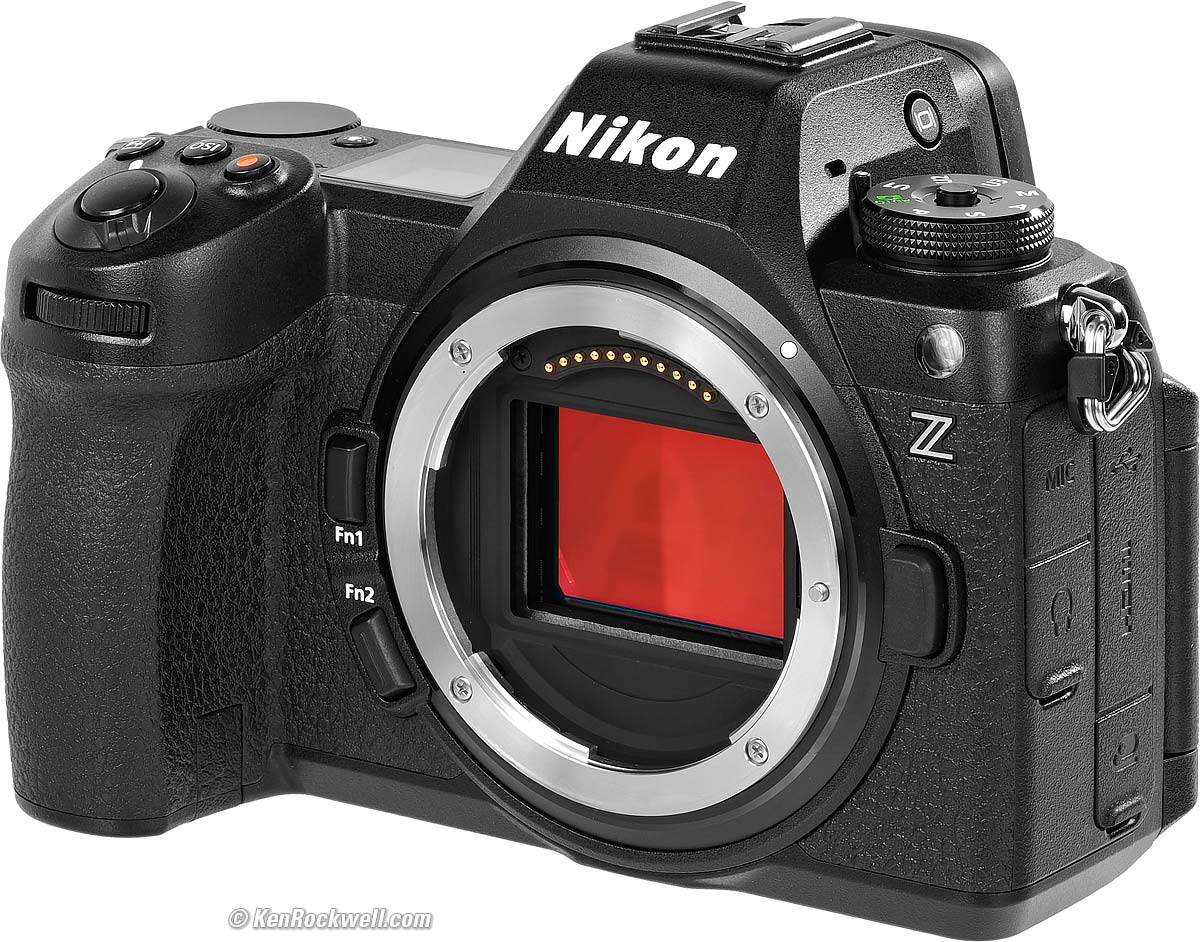
Nikon Z6 III (one SD card slot and a second XQD card slot that also works with CFexpress type B cards, 26.8 oz./760g with battery and one card, $1,997 or about $1,840 used if you know How to Win at eBay) and Nikon Z 24-120mm f/4. bigger.
I got my Z6 III at B&H. I'd also get it at Adorama, at Amazon or at Crutchfield, or used at eBay (How to Win at eBay) or used at KEH:
Z6 III body-only:
$1,997 at B&H, at Adorama, at Crutchfield and at Amazon.
$2,075 used at KEH (KEH's prices aren't reflecting the current new discount).
About $1,840 used at eBay (How to Win at eBay).
Kit with the Z 24-70mm f/4 as shown: $2,597 at B&H, at Adorama, at Crutchfield and at Amazon.
New: Kit with the Z 24-120mm f/4: $2,894 at B&H and $3,597 at Crutchfield.
New: Kit with the Z 28-400mm VR: $2,997 at B&H and at Adorama.
This 100% all-content, junk-free website's biggest source of support is when you use those or any of these links to my personally approved sources I've used myself for way over 100 combined years when you get anything, regardless of the country in which you live. Nikon does not seal its boxes in any way, so never buy at retail or any other source not on my personally approved list since you'll have no way of knowing if you're missing accessories, getting a defective, damaged, returned, non-USA, store demo or used camera — and all of my personally approved sources allow for 100% cash-back returns for at least 30 days if you don't love your new camera. I've used many of these sources since the 1970s because I can try it in my own hands and return it if I don't love it, and because they ship from secure remote warehouses where no one gets to touch your new camera before you do. Buy only from the approved sources I've used myself for decades for the best prices, service, return policies and selection.
May 2026 Nikon Mirrorless Mirrorless Lenses All Nikon Lenses Nikon Flash All Reviews
Nikon vs Canon vs Sony Full Frame Mirrorless Compared

Nikon Z6 III. bigger.
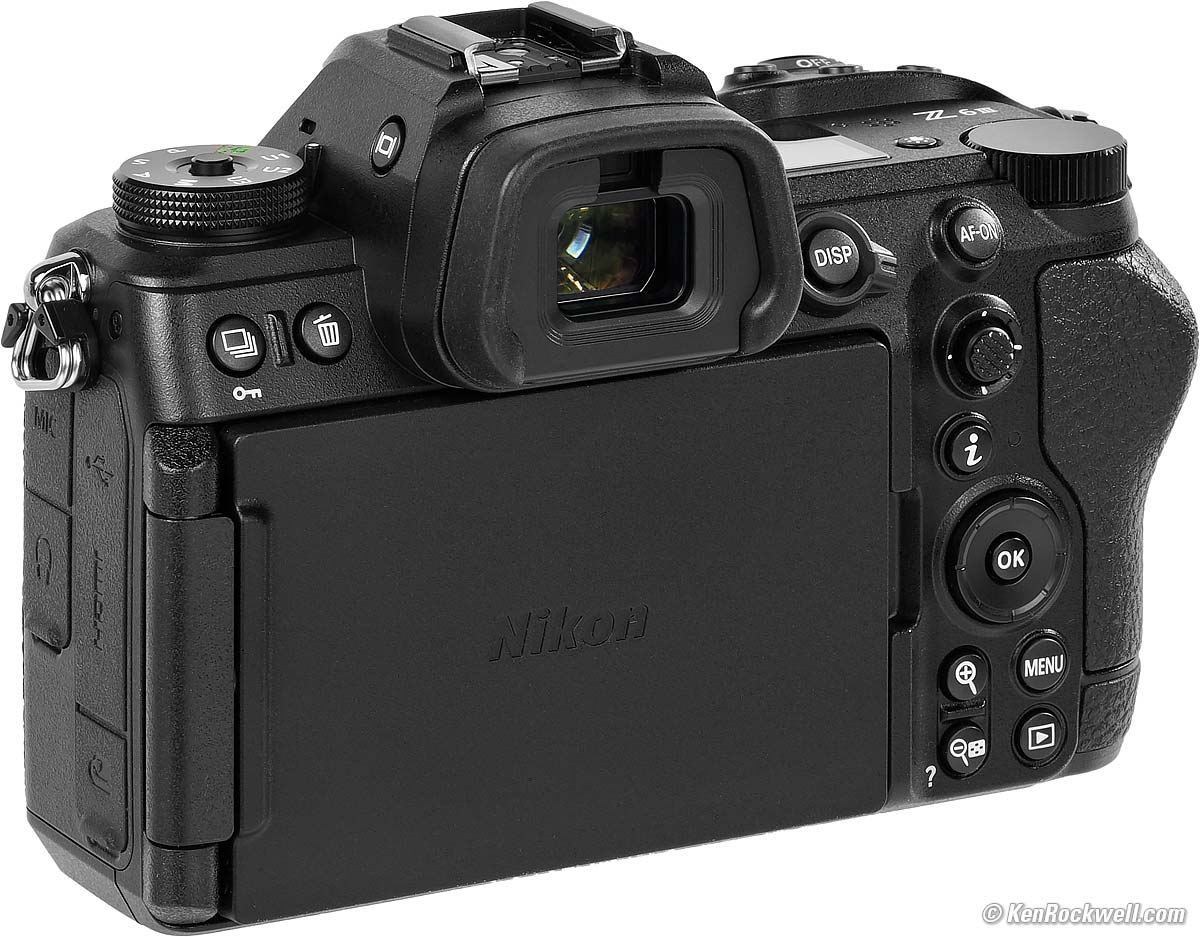
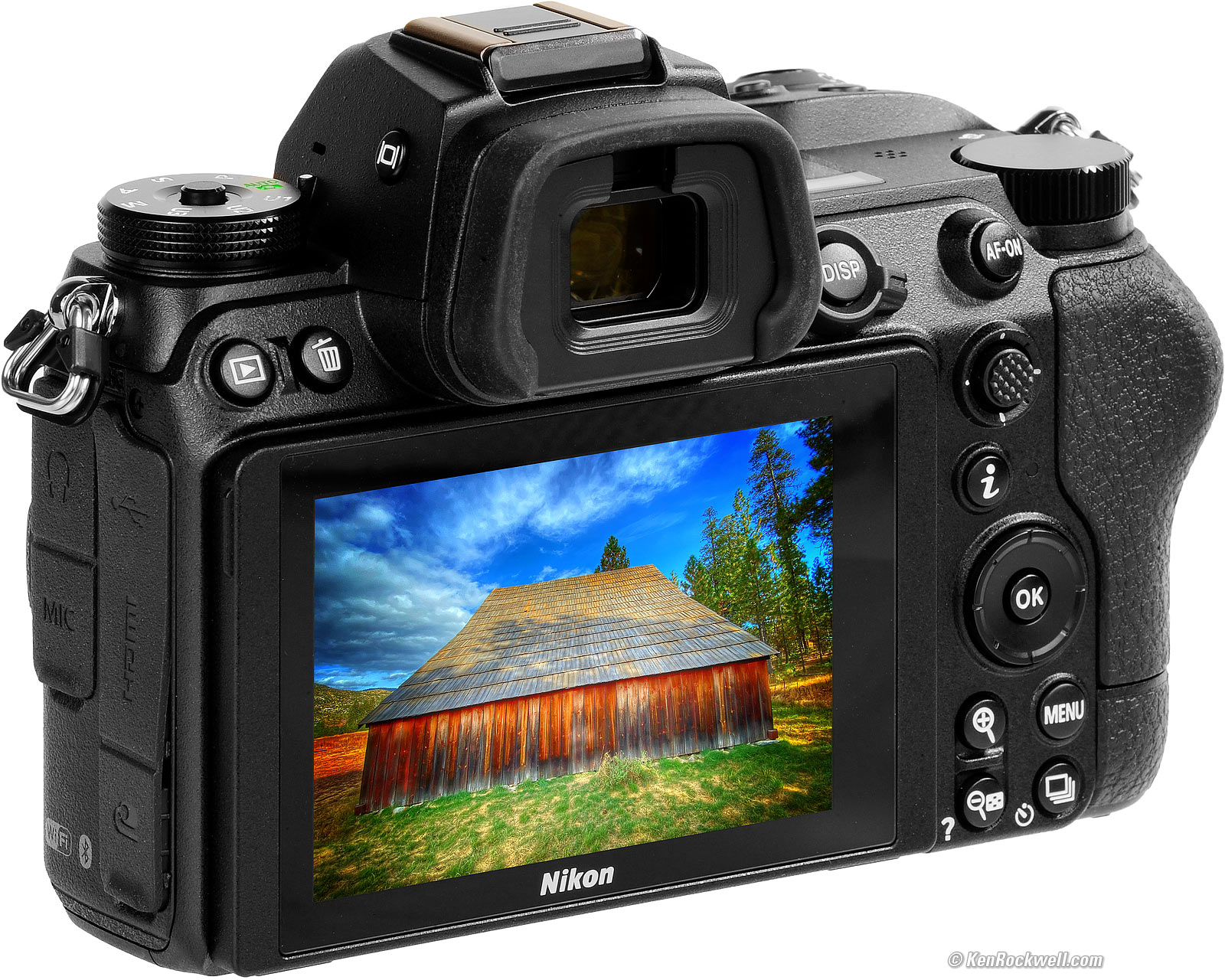
Nikon Z6 III, LCD flipped-over and protected. bigger.
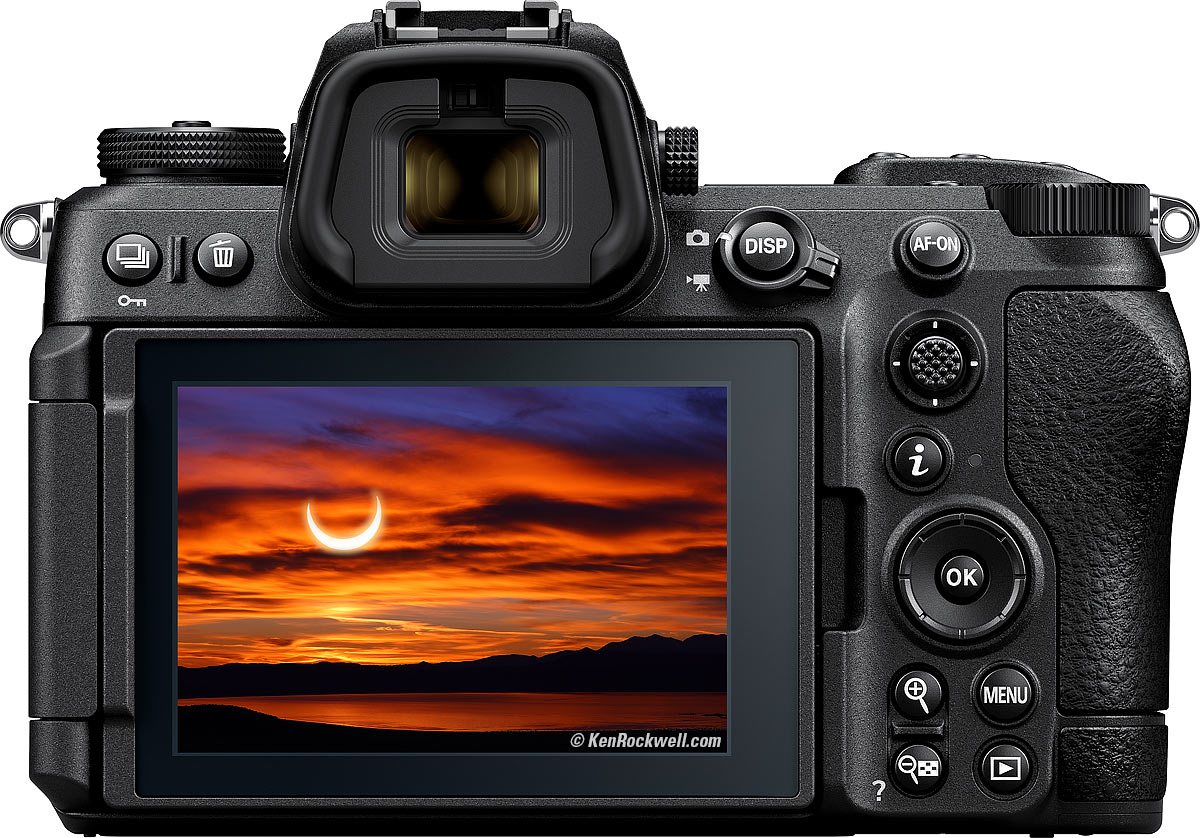
Nikon Z6 III. bigger.
Sample Images top
Sample Images Intro New Good Bad Missing
Lens Compatibility Specifications Accessories
The Z6 III has superb technical and artistic image quality, as all Nikons have had for years.
These are just snapshots; my real work is in my Gallery. I have more samples at High ISOs.
These are all shot hand-held as BASIC ★ JPGs; no tripods, NORMAL or FINE JPGs or RAW files were used or needed.
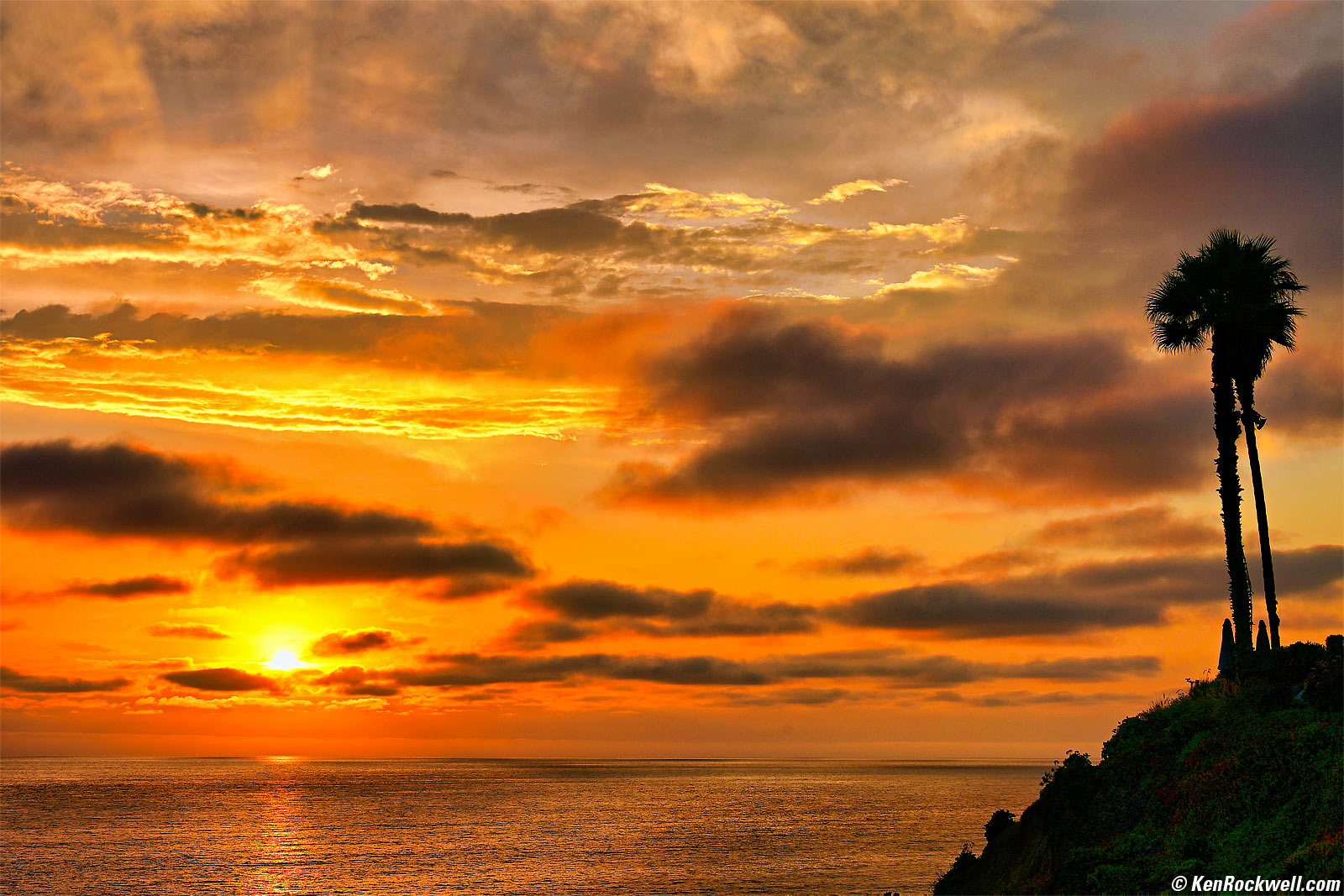
California Sunset, 7:34 PM, Tuesday, 01 August 2024. Nikon Z6 III and Nikon AF-S 28-300mm VR on my FTZ at 62mm at f/10 at 1/250 at Auto ISO 100 (LV 14.6) Skylum Luminar Neo software to explode it and then Radiant Photo software to bring back a hint of detail in the verdant hill on the right, Photoshop CC 2021. bigger.
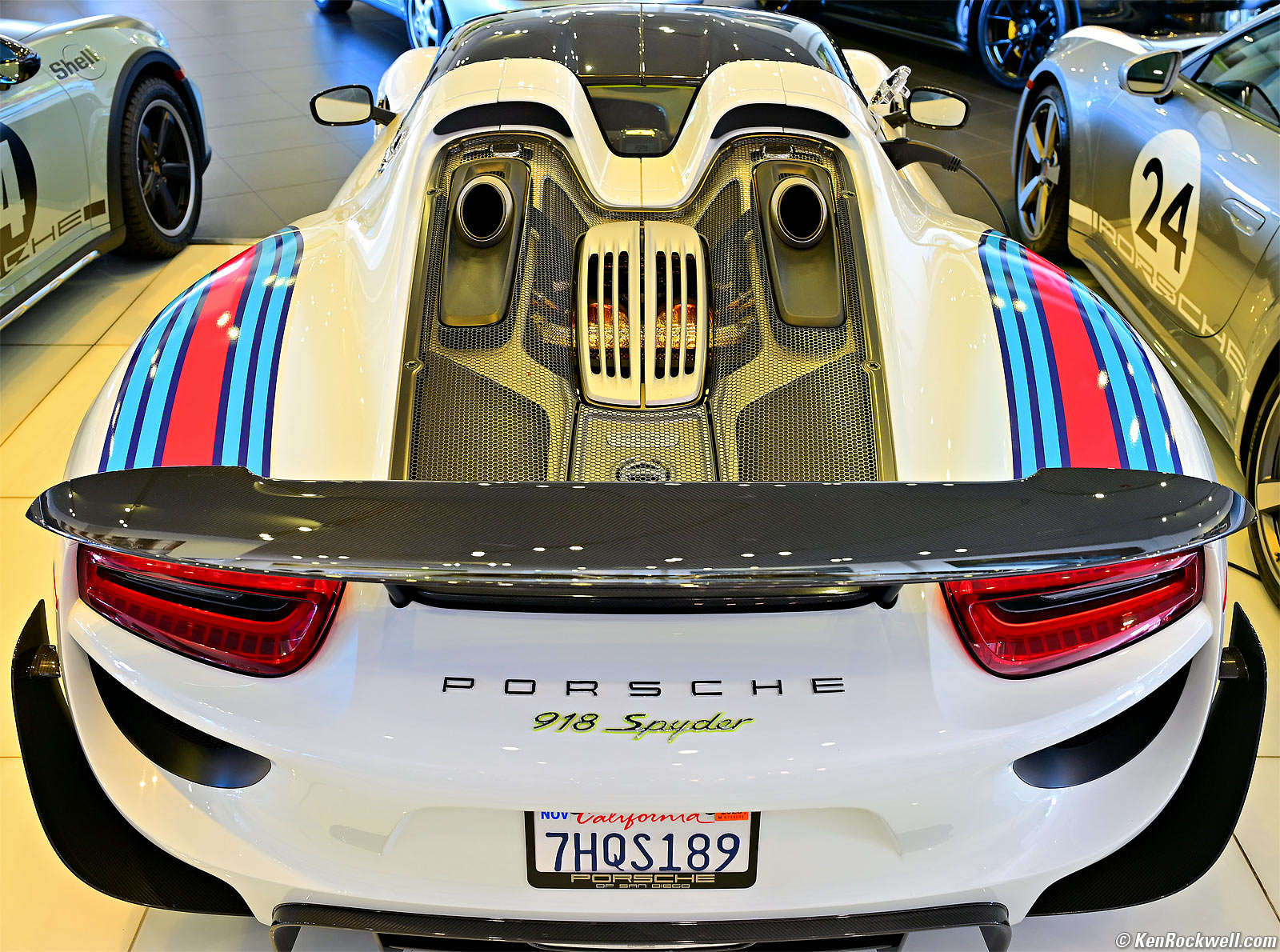
Porsche 918 Spyder, 8:14 AM, Saturday, 03 August 2024. Nikon Z6 III and Nikon Z 24-120mm f/4 at 28.5mm at f/4 handheld at 1/15 at Auto ISO 280 (LV 6.4), Radiant Photo and Photoshop CC 2021. bigger. The off-white colors come from different mixed lighting coming from different directions.
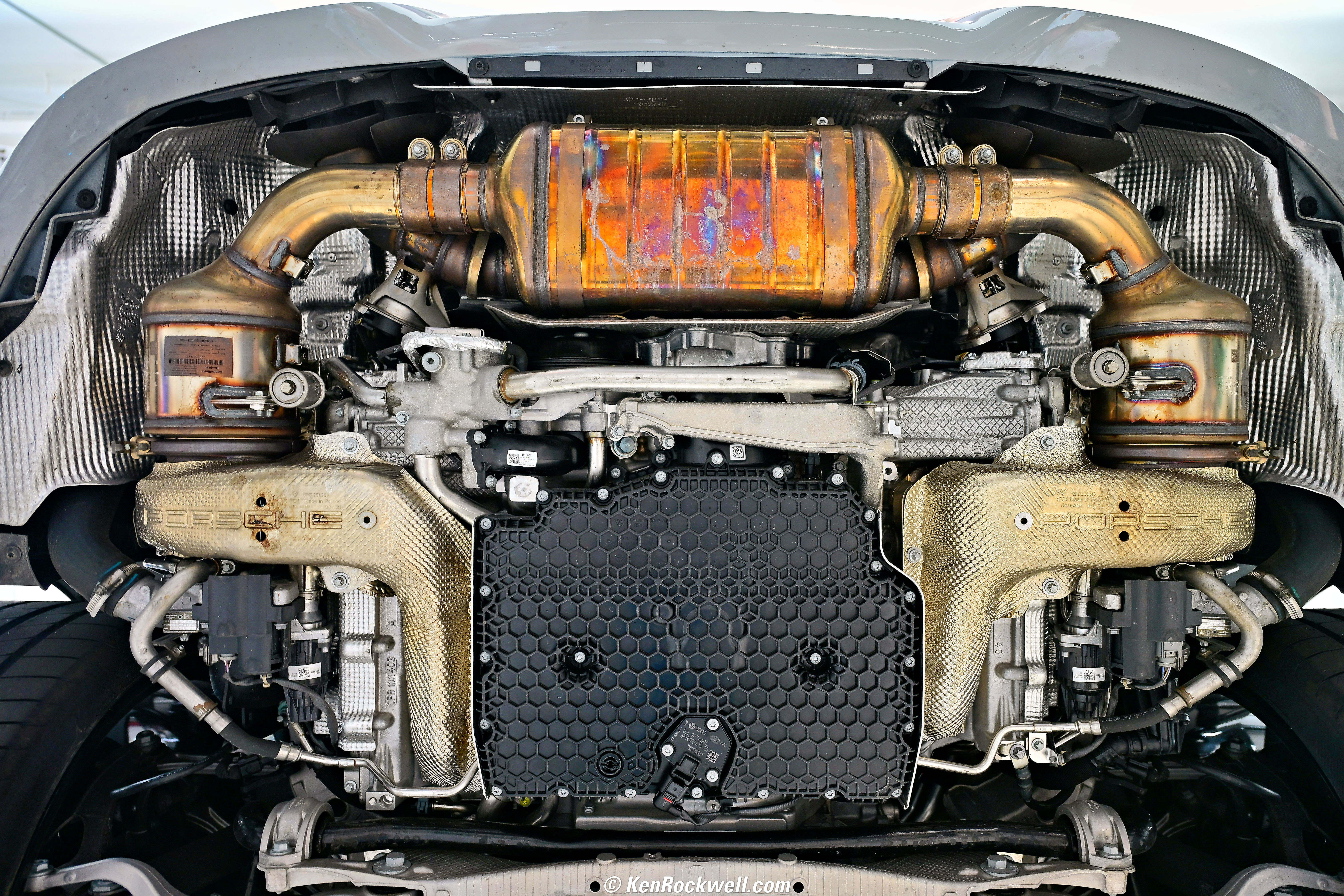
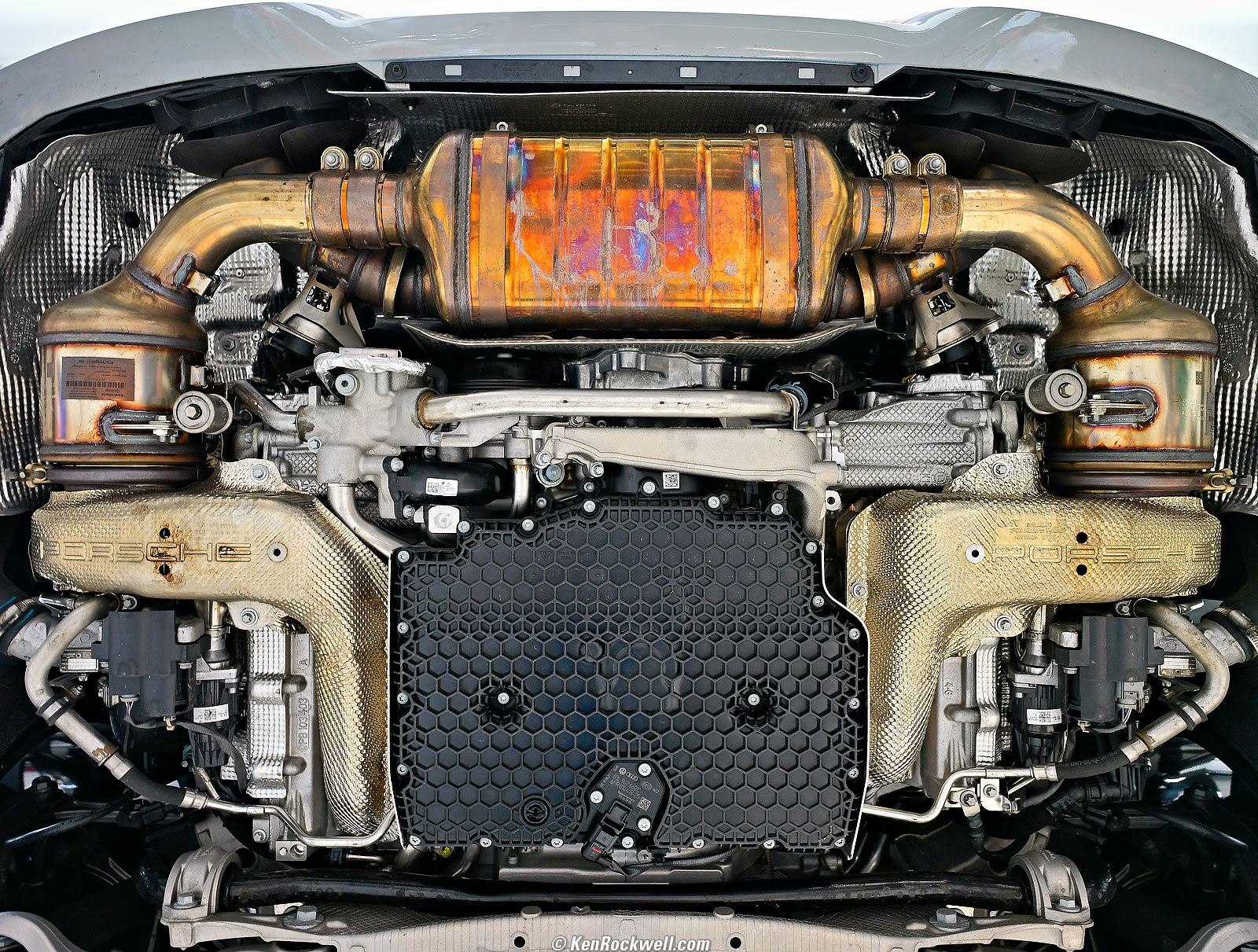
2022 Porsche GT3 Underside, 9:18 AM, Saturday, 03 August 2024. Slight crop from Nikon Z6 III and Nikon Z 24-120mm f/4 at 24mm at f/4 handheld at 1/13 at Auto ISO 500 (LV 5.4), Radiant Photo and Photoshop CC 2021. bigger or full 24 MP resolution (4.8 MB JPG).
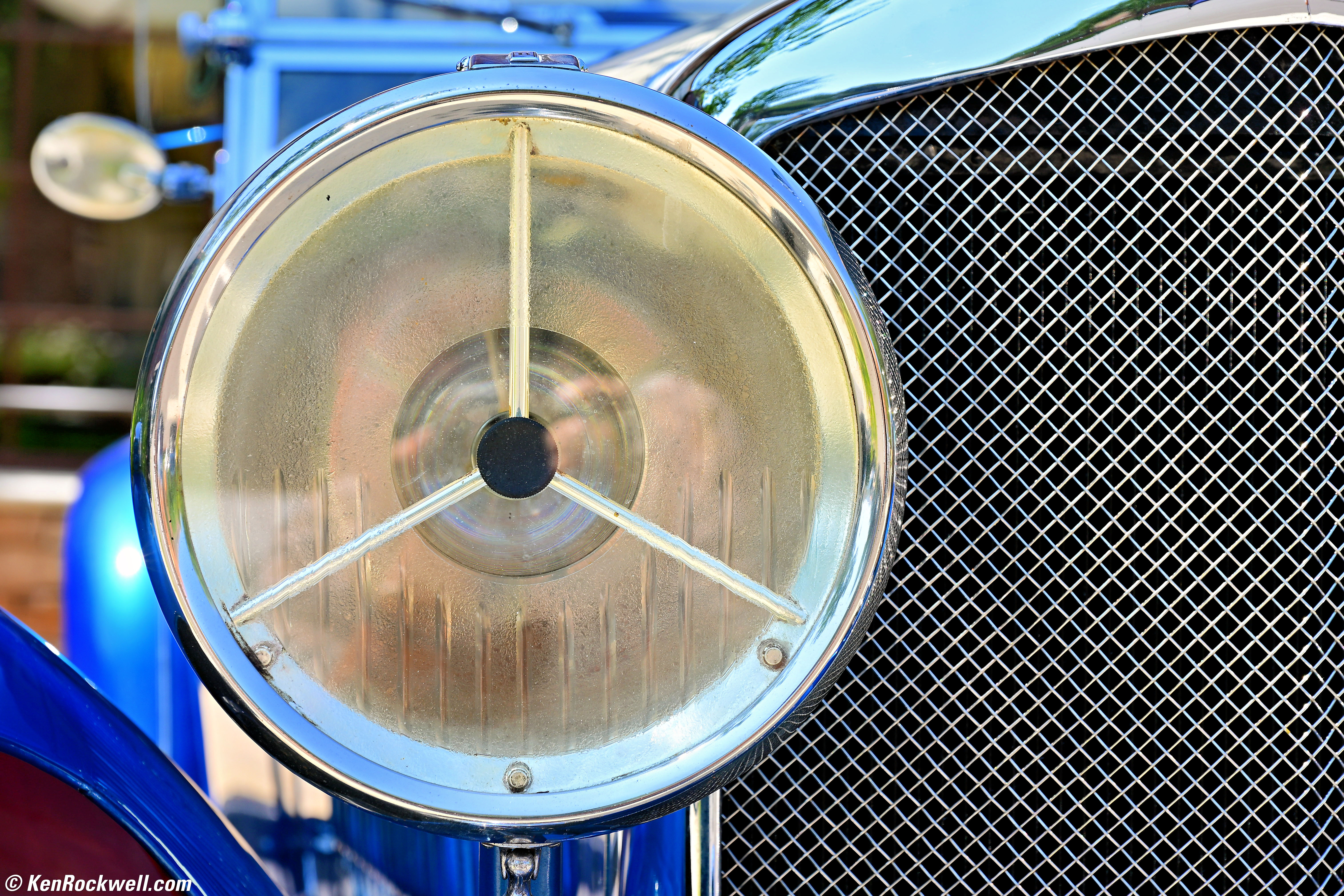
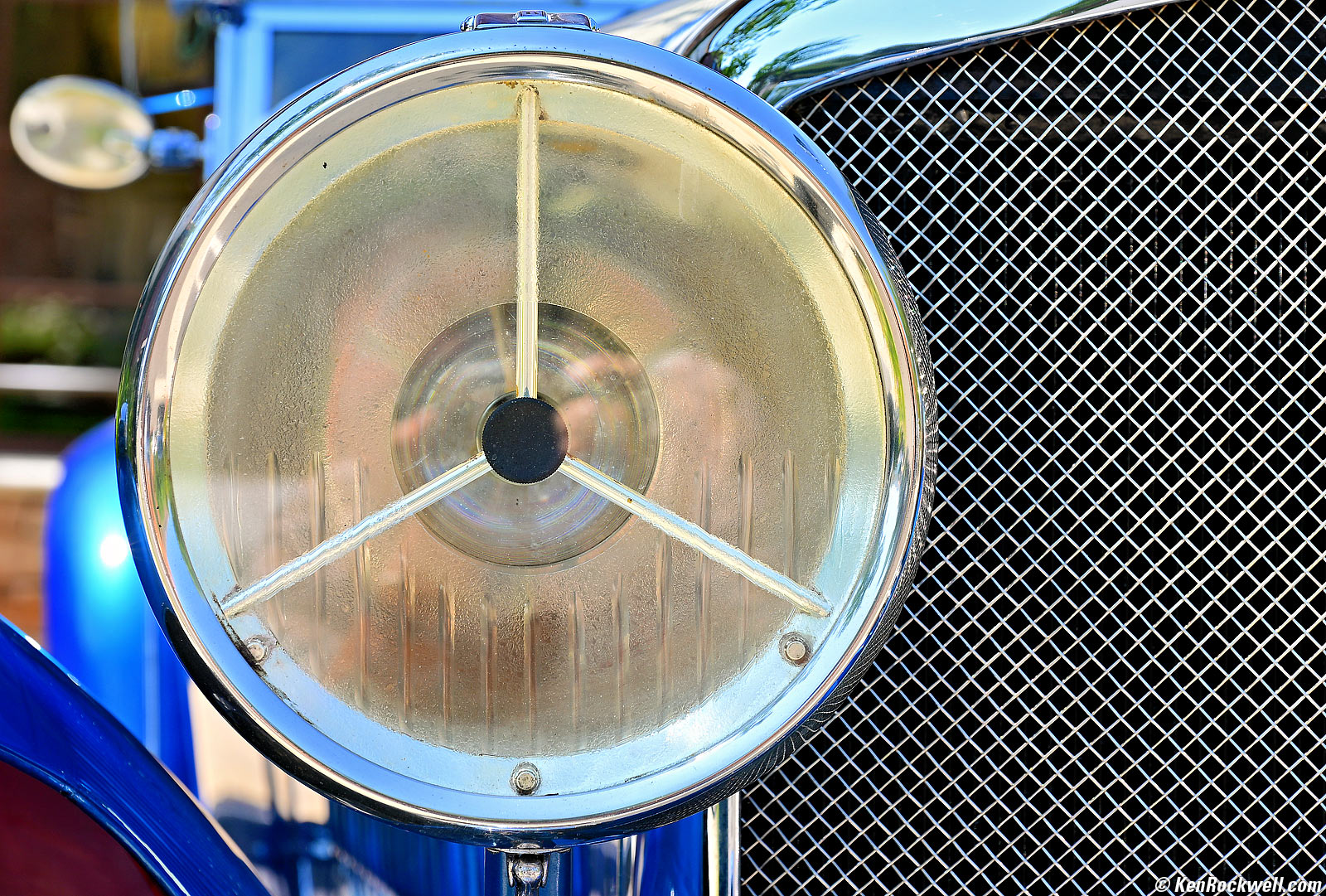
Bentley Headlight, 8:14 AM, Saturday, 03 August 2024. Slight crop from Nikon Z6 III and Nikon Z 24-120mm f/4 at 96mm at f/8 at 1/80 at Auto ISO 100 (LV 12.3), Radiant Photo and Photoshop CC 2021. bigger or full 24 MP resolution (4.6 MB JPG).
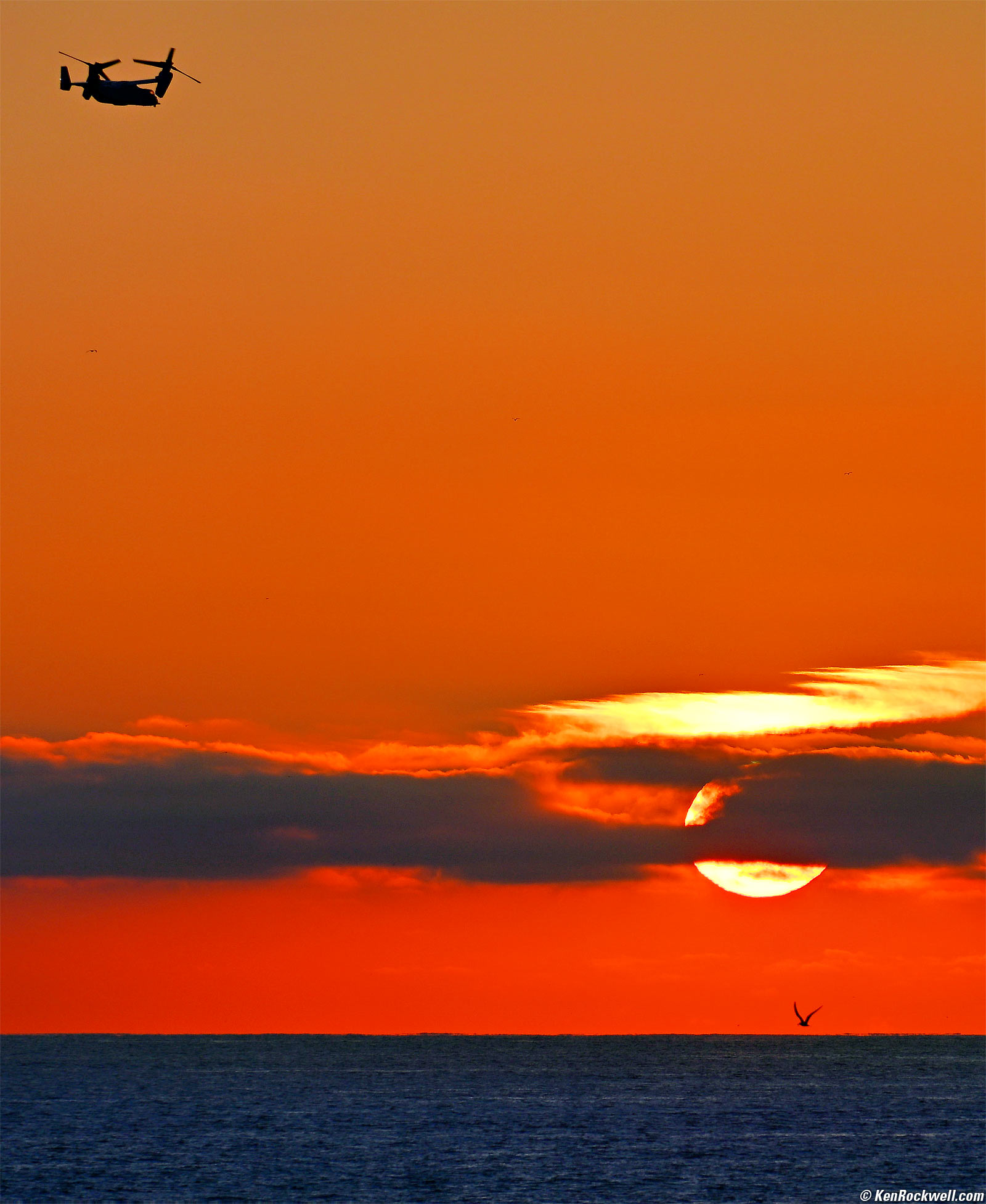
Osprey and Gull at Sunset, Pacific Beach, California, 7:44 PM, Tuesday, 30 July 2024. Cropped from a horizontal shot with Nikon Z6 III and Nikon AF-S 28-300mm VR on my FTZ at 300mm at f/8 at 1/640 at Auto ISO 100, -0.7 stops exposure compensation to keep color in the highlights and Radiant Photo software to bring back detail in the shadows (LV 15⅓), Photoshop CC 2021. bigger.

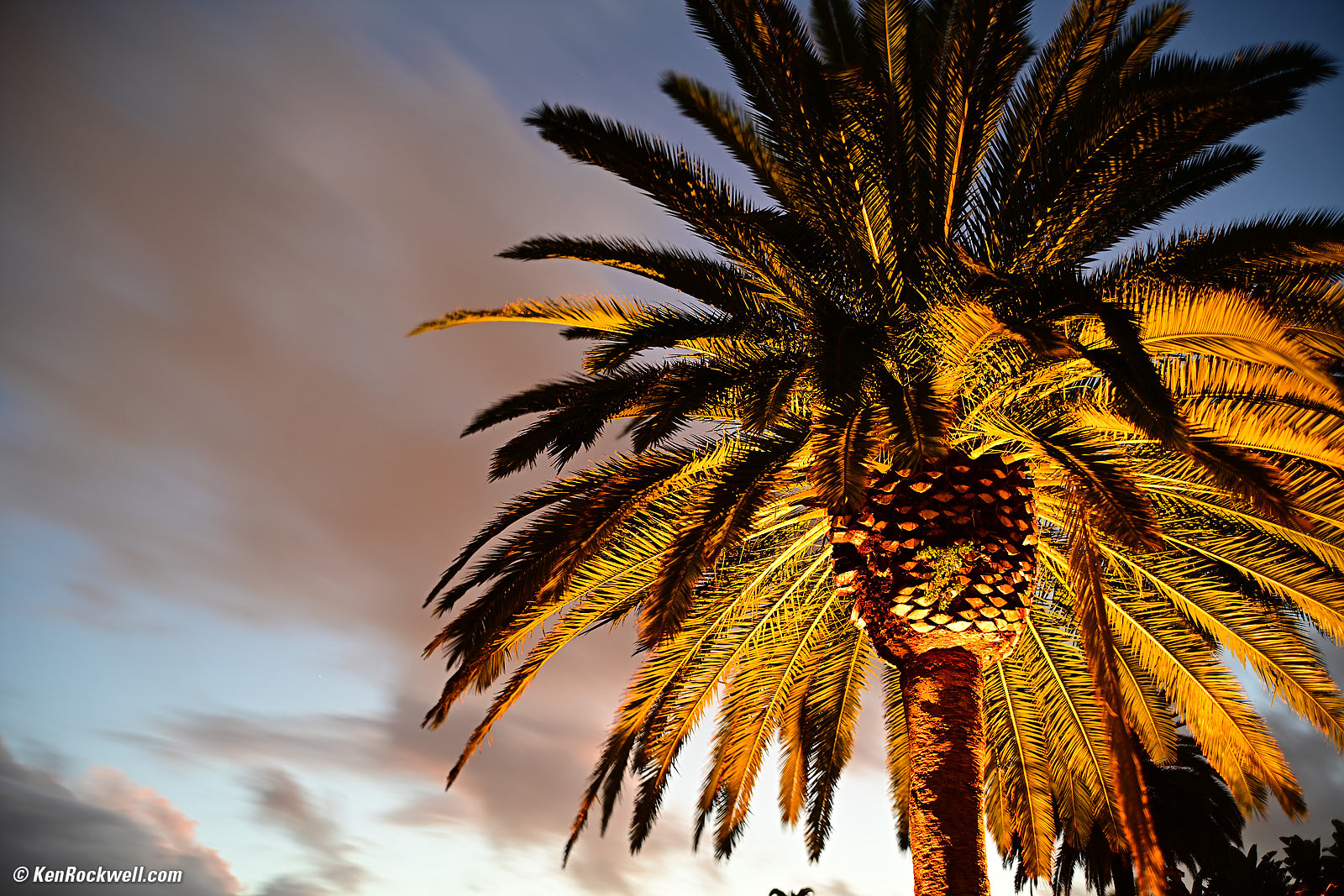
Canary Palm at Dusk (No Helos), San Diego, California, 8:05 PM, Friday, 23 August 2024. Nikon Z6 III, Nikon Z 35mm f/1.4 wide-open at f/1.4 for 2½ seconds at ISO 100 (LV -⅓), as shot, perspective correction in Photoshop CC 2021. bigger or 24 MP Camera-Original 5.6 MB Basic ★ JPG file.

Ryan on the First Day of his Senior Year in High School, 7:52 AM, Tuesday, 13 August 2024. Slight crop from Nikon Z6 III with SB-400 flash and Nikon Z 24-200mm VR at 150mm wide-open at f/6.3 at 1/125 at Auto ISO 160 (LV 11.6), Radiant Photo and Photoshop CC 2021. bigger or full-resolution 24 MP JPG file (5 MB).
Note how Nikon has always had superb flash exposure ever since they went TTL forty years ago. We were all in a huge rush, and BAM!, popped-on my SB-400 flash and the fill-flash exposure was just perfect. Ditto for Auto White Balance. Is it sharp? Yes (too sharp!), and it has great bokeh for portraits. What more could you want
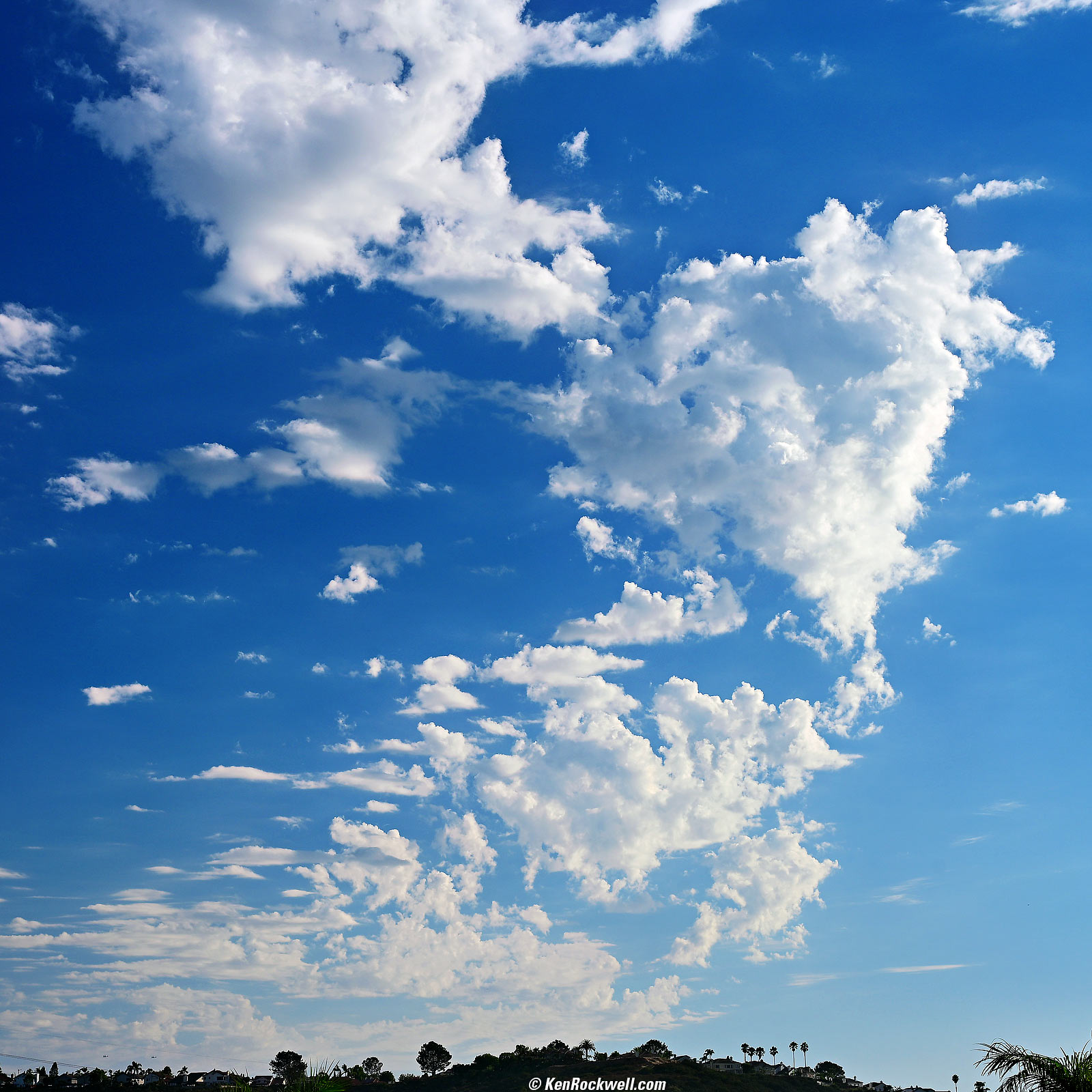
Clouds and Two Ospreys in the Lower Left, San Diego, California, 5:38 PM, Wednesday, 21 August 2024. Nikon Z6 III in square-crop mode, Nikon Z 24-120mm f/4 with Nikon 77mm Circular Polarizer II filter held over the front at 48mm at f/8 at 1/250 at Auto ISO 100 (LV 14.0), Radiant Photo software, Photoshop CC 2021. bigger.

Introduction top
Sample Images Intro New Good Bad Missing
Lens Compatibility Specifications Accessories

I buy only from these approved sources. I can't vouch for ads below. |



The Z6 Mark III replaces the old Z6 II, adding a variety of updates. If these updates are important to you, then bravo, and if they're not, then you can get the old Z6 II for $900 less for mostly the same camera.
I'm a shooter, not a reader or believer of specifications or marketing material, so I'm not impressed with my Z6 III any more than I was with my Z6 II or my original Z6.
While the technical and artistic qualities of its images are superb, sadly, three big problems remain:
1.) My Z6 III still has autofocus that too often doesn't find the correct subject, gets lost or won't focus.
2.) While my Z6 III's finder screen has very high resolution and playback is ultrasharp, during actual shooting (Live View) it has much lower resolution because the live image fed to the finder has a much lower resolution than the screen itself. This becomes very obvious with Picture Review active (MENU > [▶] PLAYBACK > Picture review > ON) and the much sharper playback image pops-up right after it's shot!
3.) Scrolling around a zoomed playback image with the rear nubbin doesn't always work; often it just doesn't respond — or stops in the middle of what I'm trying to do! Man, this ticks me off! That's why I prefer any of my Canon cameras; they just work.
I got my Z6 III at B&H. I'd also get it at Adorama, at Amazon or at Crutchfield, or used at eBay (How to Win at eBay) or used at KEH:
Z6 III body-only:
$1,997 at B&H, at Adorama, at Crutchfield and at Amazon.
$2,075 used at KEH (KEH's prices aren't reflecting the current new discount).
About $1,840 used at eBay (How to Win at eBay).
Kit with the Z 24-70mm f/4 as shown: $2,597 at B&H, at Adorama, at Crutchfield and at Amazon.
New: Kit with the Z 24-120mm f/4: $2,894 at B&H and $3,597 at Crutchfield.
New: Kit with the Z 28-400mm VR: $2,997 at B&H and at Adorama.
New since the Z6 II intro top
 AF now rated to LV -10 with an f/1.2 lens, which is darker than full moonlight. This is rated 2.5 stops better than the Z6 II which was rated to LV -6 with a 1.5-stop slower f/2 lens. Blah, blah, blah; I still find the Z6 III's autofocus poor.
Claimed "20% faster" autofocus than the old Z6 II. I still find the Z6 III's autofocus poor. The Z6 III finally passes my "hand test" so it will focus on my hand held right in front of it rather than continuing to focus on the background behind it as older models did.
Automatic AF subject detection.
1/16,000 top electronic shutter speed, up from 1/8,000.
The top LCD now counts-up the time in minutes and seconds in TIME and BULB exposure modes, but sadly the backlight turns off.
HEIF file format for HDR stills, but no more TIF.
96 MP high-rez "pixel shift" — but it only saves NEFs for you to process later in your computer! It can't process them in-camera like the OM SYSTEM OM-1 or OM-1 Mk II can, and the OM-1s even do this really well hand-held!
Precapture: set this option, and the camera will save all the images from up to a second before you fully press the shutter. Half-press the shutter to start buffering images, and when the shutter is pressed all the way, it saves images buffered up to one second earlier. Great for lightning and animals and action.
14 or 20 FPS with one second of precapture at 24 MP, with full AF tracking.
120 FPS with one second of precapture at 10 MP (DX crop), with full AF tracking.
Burst depths slightly deeper at 60 and 120 FPS. At 30 FPS it's unlimited, with a fast enough card.
Slightly less restricted settings (but still limited and no raw) at 30, 60 or 120 FPS.
In-camera stabilization claims 8-stops improvement, up from 5 stops in Z6 II. These systems never work as well as claimed; my Z6 III gives me 4⅓ stops of real-world improvement with my unstabilized 1977 55mm f/1.2 AI.
Focus-point VR optimizes stabilization to the selected focus point.
Electronic and mechanical shutters. Electronic shutter syncs at up to 1/60 with flash (1/200 with mechanical shutter).
5.76 MDot OLED EVF, up from 3,686,400 dots.
Ultra-bright EVF rated 4,000 nits, best yet from Nikon or possibly anyone. P3 gamut. (Z9 is only 3,000 nits, which was also more than enough to look awesome in daylight).
Nikon claims it's the first mirrorless camera finder to "support" a DCI-P3 equivalent color gamut. Nikon didn't say it actually has that gamut, but that it merely "supports" that gamut. Other display makers have lost lawsuits when it came out that when they said "support" a certain number of pixels, colors or bits that the DSP engine was simply downconverting from the higher standard to whatever the panel could handle.
The PLAY and MENU buttons are now on the same (right) side for one-handed shooting!!! The advance-mode button moves to the right side of the camera where MENU used to be on the old Z6 II.
Normal flippy screen, not the older idiotic Nikon flippy LCD system.
Can run indefinitely powered by USB-C; no more need for goofy battery-replacement gizmos.
6K/60p 12-bit N-RAW internal recording.
6K/30p ProRes RAW internal recording.
5.4K 10-bit ProRes 4:2:2 and H.265 video.
1,080/240 slo-mo.
2 hour longest video take (125 minutes; was only 30 minutes in Z6 II).
HLG video.
Full-size HDMI-A connector (older was HDMI-C) . Raw recording is internal only, not output through the HDMI connector.
Works with Bluetooth Atomos UltraSync Blue to keep multiple video cameras in sync.
Audio input level now switchable to LINE IN as well as MIC.
New MB-N14 dual-battery charging vertical grip (also at Adorama).The batteries are hot-swappable and the new one also works in the old Z6 II and Z7 II.
Works with MC-N10 Wired Remote Grip.
Bluetooth 5.0, up from 4.2. So?
1.9 oz. (55g) heavier than the old Z6 II.
Tiny bit larger in each dimension.
Regular ISO 100 ~ 64,000 (Z6 II was 50,000 tops), and has same ISO 204,800 push speed.
Rated to work down to -10º C (14º F).
No more 12-bit or uncompressed raw options. It's now all 14-bit, and lossless compression is the top option (good; uncompressed was only for olden days where the onboard computers lacked to power to compress in real time).
No longer includes the MH-25A external battery charger. (I never used it; I charge in-camera via USB-C.)
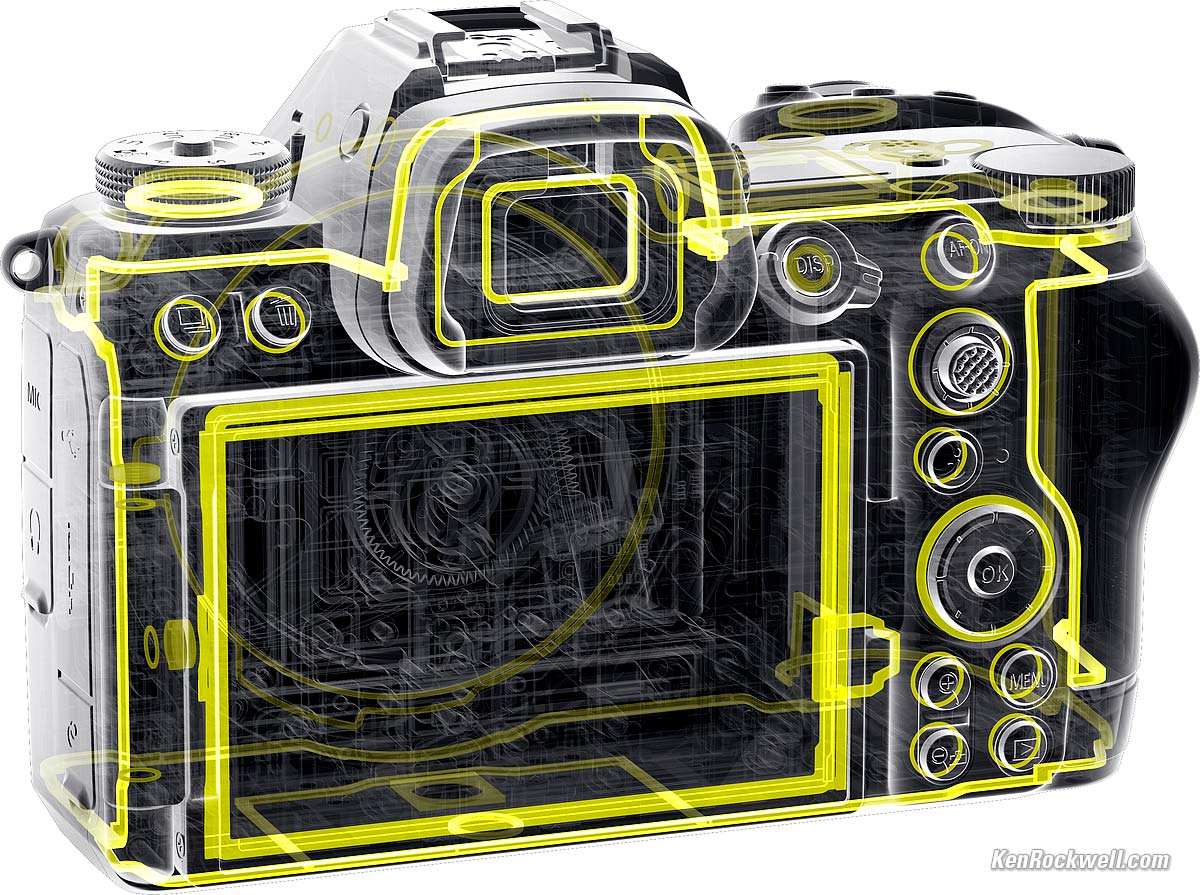
Claims to be sealed to the same level as the Z8.
"Flexible Color Picture Control" in Nikon's NX Studio software. (I haven't used Nikon's software in 20 years; I've always found it buggy and unnecessary.)
Good intro top
 Ultra-bright finder.
Superb technical and artistic image quality, like everything from Nikon and from Canon today.
Auto distortion control also corrects the in-finder image as you're shooting. (older cameras only corrected it after you took the picture).
In-camera sensor-shift image-stabilization rated for 8 stops improvement.
In-finder and rear LCD data displays rotate with the camera for verticals (menus still don't rotate).
Timed manual exposures out to 15 minutes (900 seconds) if you enable them at MENU > CUSTOM SETTING MENU (✎ pencil icon) > d Shooting/display > d7 Extended shutter speeds (M) > ON.
The top LCD counts-up the time in minutes and seconds in TIME and BULB exposure modes, but sadly the backlight turns off.
The top LCD counts-down the time remaining with manual exposures set to longer than 30 seconds, but sadly the backlight turns off.
It has a very useful fake shutter sound. Set it at Usage.
Three user presets on the top dial: U1, U2 and U3.
PLAY and MENU buttons are now on the same (right) side for one-handed shooting!!!
Optional square 1:1 and 16:9 crops as-shot. I usually shoot in 1:1 since the native 3:2 is usually to long and skinny for me, and with square images I never have to turn the camera to shoot verticals.
HDR.
Flicker shoot-through.
Superior Nikon image quality for colors and dynamic range. No longer do we have to settle for inferior Sony or Fuji color rendition just to get mirrorless!
Crud-resistant fluorine-coated finder eyepiece.
Multiple exposures.
Flash system fully compatible with Nikon's existing DSLR flashes, with both optical and radio remote control.
Claimed weather sealing:
Nikon Z6 III. bigger.
Bad intro top
 My Z6 III still has autofocus that too often doesn't find the correct subject, gets lost or won't focus. It usually works fine, but as a seasoned user I'm sensitive to the fact that it just doesn't work as well as often as Sony's and Canon's AF systems do. I've found Nikon's practical AF performance to be third-rate because it misses maybe 3% of the time in real-world use, versus maybe 0.08% with the other brands.
While my Z6 III's finder screen has very high resolution and playback is ultrasharp, during actual shooting (Live View) it has much lower resolution because the Live View signal is fed to it at a much lower resolution This becomes very obvious with Picture Review active (MENU > [▶] PLAYBACK > Picture review > ON) and much sharper playback images pop-up right after we shoot it.
Scrolling around a zoomed playback image with the rear nubbin doesn't always work; too often it just doesn't respond — or stops in the middle of what we're trying to do!
The finder is ultra-bright, but sadly its automatic brightness control algorithm often makes the finder too bright or too dim. Not only is this inconvenient, often it's so ridiculously bright in daylight that it makes images seem overexposed, when in fact they are fine.
Like the Z8, the Z6 III clicks, clunks or makes noise every time it wakes or sleeps with sensor-shift VR ON. This drives me up the wall with the camera constantly sounding like it's straining with constant clicks and clunks. It's 2024; I'm amazed that the Z6 III is this inelegant.
While it really can shoot and track at 120 FPS, sadly it has only four digits for file numbers (0001 to 9,999), so after less than 84 seconds of burst shooting at 120 FPS it duplicates file numbers! On any typical action shoot you will have to deal with repeated file numbers, which cannot be put in the same folder unless you rename or append to them 😡.
While it has many great display options and doesn't black out at H+ (20 FPS) and above, the finder blacks-out for every frame at H (16 FPS) and below with the electronic shutter at 1/200 and slower. Having the finder blink on and off at 16 FPS is a very fast road to insanity; it's nearly impossible to see a display flickering like this and not turn into a lunatic.
Still essentially the same as 2018's Z6, which makes this camera already obsolete and way behind Canon's brand-new and far superior EOS R6 Mk II. I suggest doing what I did for mirrorless and upgrade directly to Canon rather than throw more money at the number-three camera brand (Nikon).
New second card slot only works with expensive XQD or CFexpress type B cards. The second slot should have been another SD slot.
There's an 82 kB junk file called "NC_FLLST.DAT" in each image folder.
The FTZ adapter autofocuses only with Nikon's newest lenses with a built-in AF motor (AF-S and AF-P). It does not autofocus with any other lenses. The FTZ is a dud for those of us with a large collection of Nikon lenses because it only works (autofocuses or indexes properly) with about half of them. Nikon likes to forget to mention that all traditional AF and AF-D (screw-type) lenses will not autofocus. The FTZ works very poorly with manual-focus F, AI , AI'd and AI-s lenses, having no diaphragm control meaning you have to open and close the diaphragm manually for precise focus before and after each shot, has no exposure or EXIF data so you have no in-finder indication of aperture and have no EXIF aperture data, and there is no Matrix metering, Program or Shutter-priority automation with manual-focus lenses — which offer all these functions and more if used on 1984's Nikon FA! Worse, the Z6 II's automatic viewfinder brightness varies all over the place as you change the aperture on a manual lens. F, AI , AI'd, AI-s, AF and AF-D lenses, many of which Nikon still sells new today, work much better on any FX DSLR like a D750. Poo!
No AF MODE (M, AFC, AFS) switch; you have to assign a button and use dials to set this.
Missing intro top
 No shutter blind to keep crud off the sensor when off or without a lens mounted.
Pixel-shift high-resolution can't be processed in-camera as the OM SYSTEM OM-1 and OM-1 Mk II can; you have to take a stack of NEFs and process them later in your computer.
While the top LCD can count up or down for time, bulb and long manual exposures, it won't illuminate so we can't see it in the dark!!!
Focus stacking can't be processed in-camera as the Canon EOS R6 Mk II, OM SYSTEM OM-1 and OM-1 Mk II can.
No search ability in menu system.
No battery percentage displayed in-finder while shooting, just an icon (percentage will appear in the menus in the finder).
Only one control dial is active in A or S exposure modes, while the other is simply ignored. Both should work.
No built-in flash.
The FTZ adapter autofocuses with F-mount lenses with a built-in AF motor (AF-S and AF-P), but does not autofocus with traditional AF and AF-D (screw-type) lenses.
No auto brightness control for the rear LCD; heck, every iPhone does this. (the finder does have auto brightness control).
No AF-A mode (automatic selection between single AF-S and continuous AF-C modes).
No GPS, but you might be able to tag images using your phone over an app.
No 4:3 or 4:5 "Ideal Format" crops, but does have square 1:1 and 16:9 crops. (Oddly the Z7 II has the 4:5 crop).
Like most cameras, no illuminated buttons.
Like most cameras, most advance mode icons are simply labeled as H or H+ instead of their actual frame rates (10 FPS, 20 FPS, etc.).
Not threaded to use a standard threaded cable release.
No GPS.
Menus don't rotate when held vertically (Shooting displays do rotate).
No advance mode lever.
No "Delete Burst" option during playback.
No shutter speed dial.
No ISO dial.
No color histograms while shooting (only on playback).
No Sony-like mode to create a new folder for each day of shooting.
Like most cameras except iPhone, no FIND mode in menu system.
No Stabilizer switch for in-camera stabilization.
Lens Compatibility specifications top
Sample Images Intro New Good Bad Missing
Lens Compatibility Specifications Accessories
I got my Z6 III at B&H. I'd also get it at Adorama, at Amazon or at Crutchfield, or used at eBay (How to Win at eBay) or used at KEH:
Z6 III body-only:
$1,997 at B&H, at Adorama, at Crutchfield and at Amazon.
$2,075 used at KEH (KEH's prices aren't reflecting the current new discount).
About $1,840 used at eBay (How to Win at eBay).
Kit with the Z 24-70mm f/4 as shown: $2,597 at B&H, at Adorama, at Crutchfield and at Amazon.
New: Kit with the Z 24-120mm f/4: $2,894 at B&H and $3,597 at Crutchfield.
New: Kit with the Z 28-400mm VR: $2,997 at B&H and at Adorama.

Nikon Z6 III. bigger.
It works best with full-frame Nikon Z lenses.
DX Z Lenses
Ideally only use FX lenses on this FX camera.
The inexpensive DX Z lenses are optically superb and the Z6 III automatically crops its sensor to DX so you might not realize this while you're shooting, but by doing this you're throwing away more than half your sensor area and getting less resolution than by shooting these lenses on a Z50.
FTZ Adapters
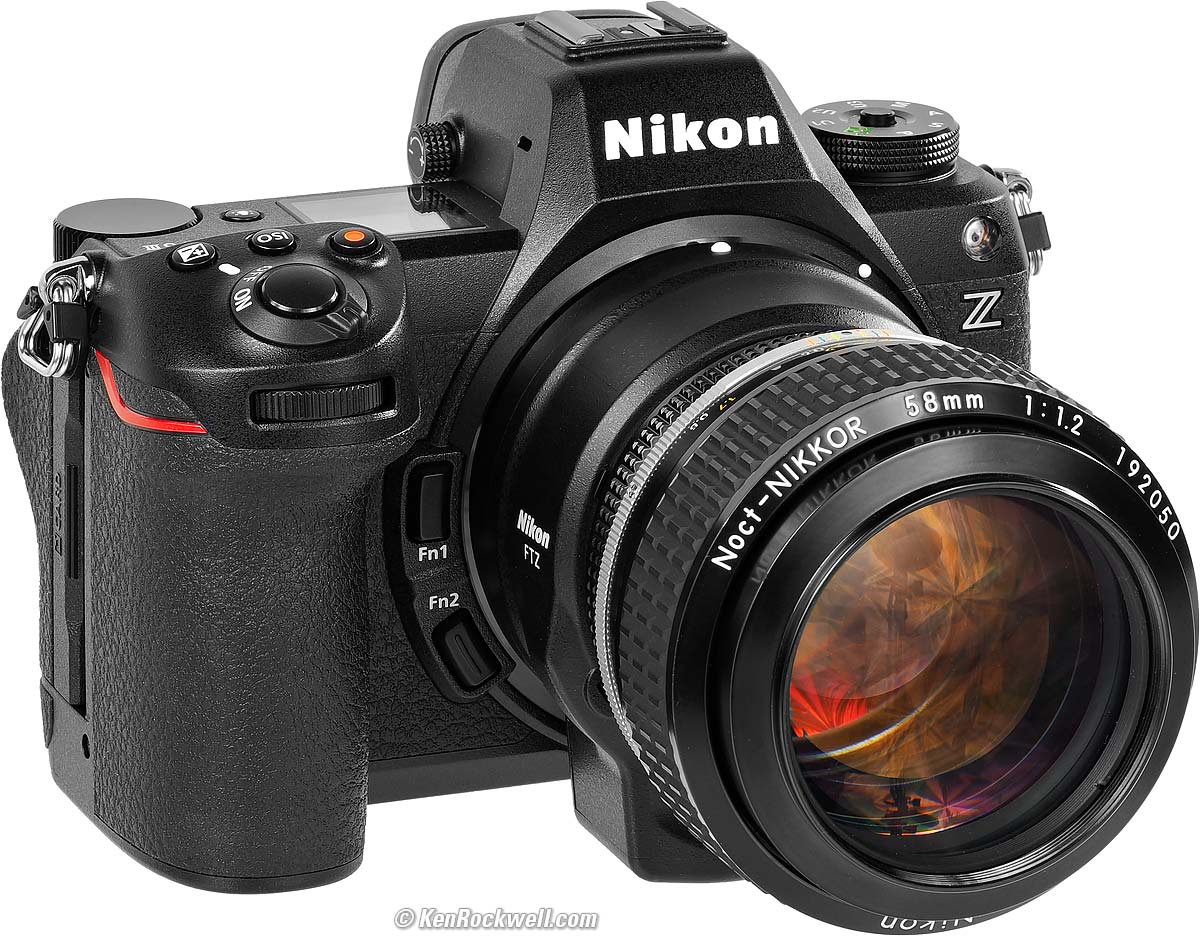
Nikon Noct-NIKKOR 58mm f/1.2 on an FTZ on a Nikon Z6 III. bigger.
I have an entire page on what works and doesn't work with Nikon's FTZ adapters, which lets Nikon's F-Mount lenses mount on a Z camera.
In short, all the newest AF-I, AF-S and AF-P lenses work fine with Nikon's FTZ adapter, while there is no autofocus with any other lenses, and especially no autofocus with older AF and AF‑D lenses, many of which Nikon still sells new today.
Manual-Focus F, AI converted, AI and AI‑s don't work very well, with no communication or control of aperture. Manual-focus lenses work much better on any FX DSLR than on the FTZ.
See all the details at Nikon FTZ & FTZ II Compatibility & Review.
Fringer Canon EF-to-Nikon Z Adapter
Adapts Canon EF lenses with often better results on my Nikon Z cameras than Nikon's own lenses give on this crappy FTZ adapter! It also works with other brands of lenses in Canon EF mount, adapting them to Nikon Z.
Adapted Rangefinder Lenses
The Z6 III has sensor-shift image stabilization, and it works great, even with ancient 1940s rangefinder lenses!
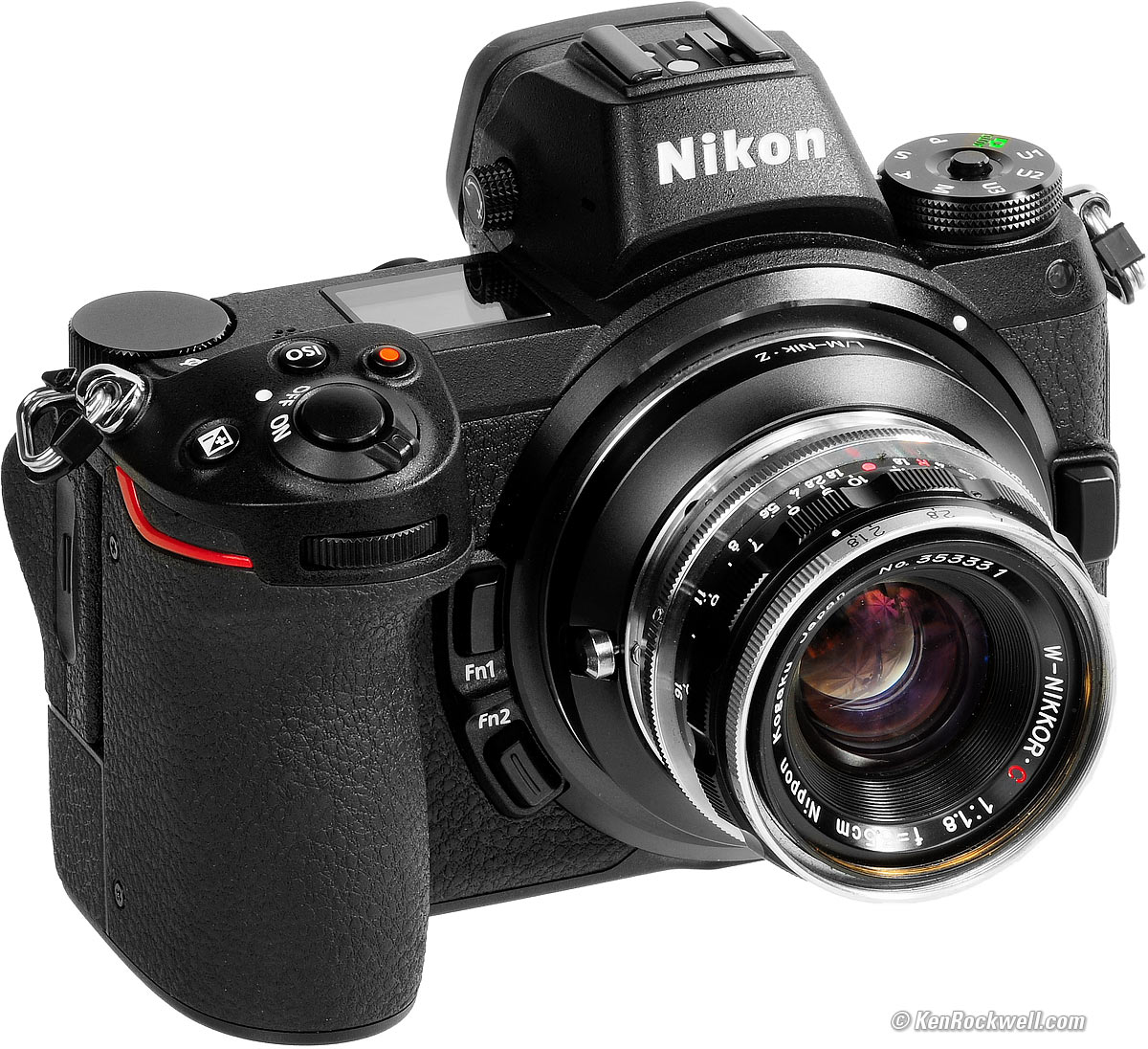
Nikon Z7 with W-NIKKOR•C 3.5cm f/1.8 (1956~1964). bigger.
You don't need and can't use the FTZ Adapter with rangefinder lenses. These lenses have to get closer to the sensor, and are the original mirrorless lenses. This is good, because we can get basic adapters cheap direct from China over eBay for just about any kind of lens.
In fact, we now can use even Nikon's original 1940s-1960s rangefinder lenses on the Z6 II!
LEICA's lenses for the LEICA M3 with goggles work great, too!
See Use with Adapted Rangefinder Lenses for more.
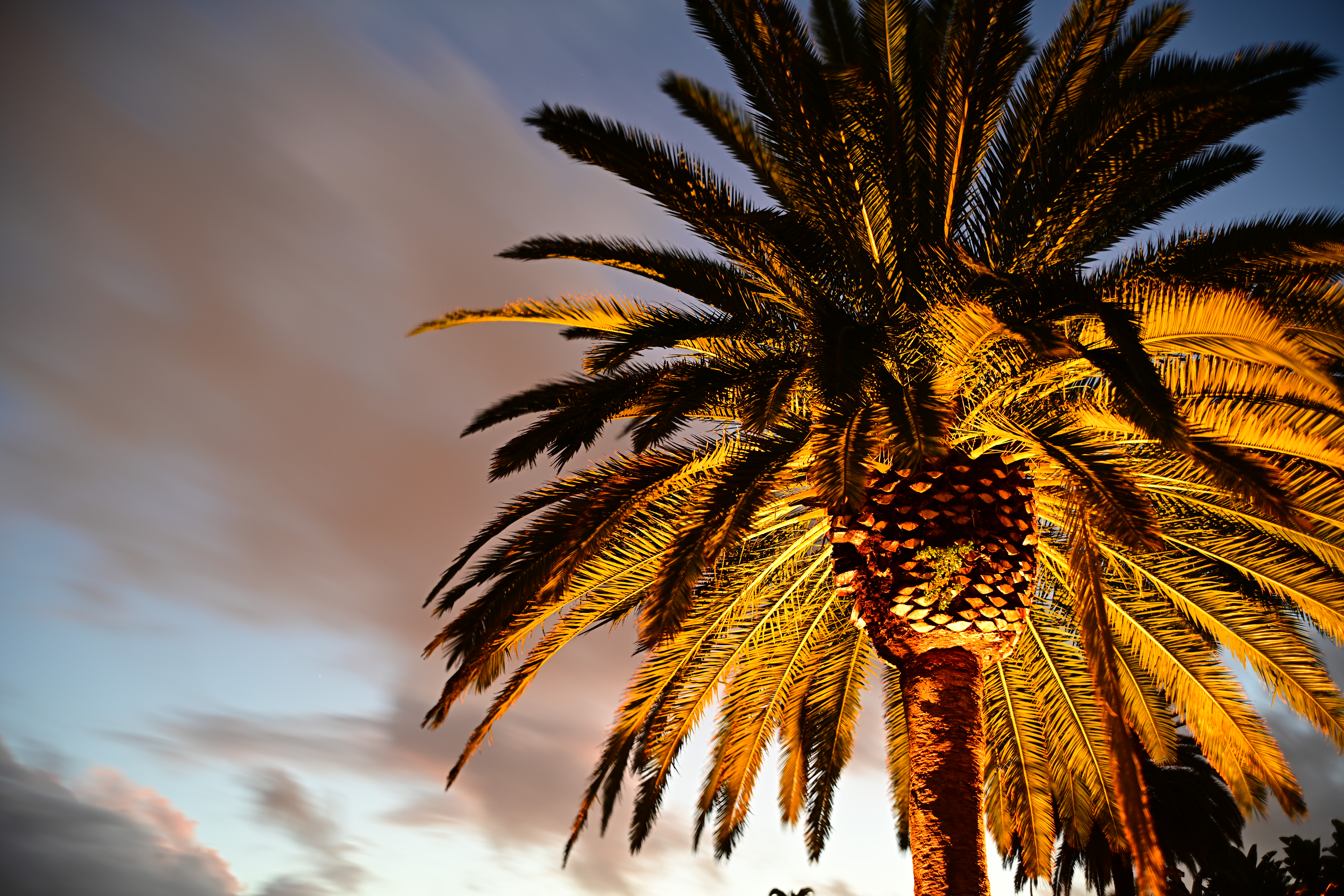
Palms and Storm, 6:21 PM, 29 November 2018. 2018 Nikon Z7 with 1956 W-NIKKOR•C 3.5cm f/1.8 (see Adapting Rangefinder Lenses to Nikon Mirrorless), f/4 at 10 seconds at ISO 64, shown exactly as shot. bigger or camera-original © file. The palm tree is blowing all over in the wind; don't expect it to be museum-sharp.
Specifications top
Sample Images Intro New Good Bad Missing
Lens Compatibility Specifications Accessories
I got my Z6 III at B&H. I'd also get it at Adorama, at Amazon or at Crutchfield, or used at eBay (How to Win at eBay) or used at KEH:
Z6 III body-only:
$1,997 at B&H, at Adorama, at Crutchfield and at Amazon.
$2,075 used at KEH (KEH's prices aren't reflecting the current new discount).
About $1,840 used at eBay (How to Win at eBay).
Kit with the Z 24-70mm f/4 as shown: $2,597 at B&H, at Adorama, at Crutchfield and at Amazon.
New: Kit with the Z 24-120mm f/4: $2,894 at B&H and $3,597 at Crutchfield.
New: Kit with the Z 28-400mm VR: $2,997 at B&H and at Adorama.
Image Sensor specifications top

Nikon Z6 III. bigger.
23.9 × 35.9 mm partially stacked CMOS with phase-detection AF pixels.
24 MP (6,048 x 4,032 native)
Ultrasonic cleaner.
Image Dust Off reference data.
Uncovered with power off.
ISO specifications top
ISO 100 ~ 64,000 (video only to 51,200).
Stills are pullable to ISO 50 and pushable to ISO 204,800.
Only ISO 400 ~ 51,200 in HLG tone mode.
N-Log has its own restrictions, but criminy, real cinematographers don't need crazy ISOs because we know how to light a set.
Auto ISO specifications top
Programmable for high and low limits from ISO 100 to ISO 51,200.
Auto and manual lowest shutter speed settings.
Image Stabilization specifications top
5-axis in-camera sensor-shift.
Works great with VR lenses, too.
Additional electronic stabilization for video.
Rated 8 stops improvement.
With F-mount VR lenses the camera corrects roll while the lens corrects pitch and yaw.
With F-mount non-VR lenses the camera corrects roll, pitch and yaw.
Autofocus
299 AF points, auto-area AF.
273 AF points, manually selected.
Phase and contrast detection.
Range: LV -10 ~ +19 with an f/1.2 lens. This is the same as LV -8.5 ~ +19 with an f/2 lens, with which the old Z6 II was rated LV -6 ~ +19.
Distance-Axis AF Modes
AF-S (single and lock), AF-S (continuous tracking) with predictive tracking.
"Full-time" AF-F in movie mode only.
Manual focus.
Electronic rangefinder.
AF-Area Selection Modes (X & Y axes)
Auto area selection.
Pinpoint (still photo mode only).
Single-point.
Dynamic area AF (still photo mode only).
Wide-area AF (S or L).
Nikon Z6 III. bigger.
Still Image Sizes specifications top
Full-Frame
6,048 × 4,024 pixels native (Large, 24.34 MP)
4,528 × 3,016 (Medium, 13.7 MP)
3,024 × 2,016 (Small, 6.1 MP)
Cropped
4:5 (24 × 30mm)
NO 4:5 crop; you need the Z7 II for that.
Square 1:1 (24 × 24mm)
4,016 × 4,016 (Large, 16.1 MP)
3,008 × 3,008 (Medium, 9.0 MP)
2,000 × 2,000 (Small, 4.0 MP)
16:9 (20 × 36mm)
6,048 × 3,400 (Large, 20.6 MP)
4,528 × 2,544 (Medium, 11.5 MP)
3,024 × 1,696 (Small, 5.1 MP)
DX (16 × 24mm)
3,936 × 2,624 (Large, 10.3 MP)
2,944 × 1,968 (Medium, 5.8 MP)
1,968 × 1312 (Small, 2.6 MP)
Stills grabbed while rolling in 4K
3,840 × 2,160
Stills grabbed while rolling video in any other size
1,920 × 1,080
Frame Rates (Still images) specifications top
With tracking AF & AE:
There's Low, High and High+, but no Medium. Go figure:
Electronic Shutter |
Electronic First Curtain |
Mechanical Shutter |
|
High + |
20 FPS |
14 FPS |
14 FPS |
High |
16 FPS |
10 FPS |
8.1 FPS |
Low |
1 ~ 7 FPS |
1 ~ 7 FPS |
1 ~ 7 FPS |
Works with flash? |
Yes, 1/60 sync |
Yes, 1/200 sync |
Yes, 1/200 sync |
Also it runs at 30, 60 or 120 FPS with restricted setting options. For instance, you only can shoot JPG as I do, not raw.
More at Measured Frame Rates.
Still Formats specifications top
JPG, HEIF and/or 14-bit raw. (No more TIF option.)
Every format offers several compression options, probably the best selection of options in the industry.
JPG or HEIF is saved as LARGE, MEDIUM or SMALL resolution in FINE, NORMAL or BASIC compression, with constant file size or constant quality-optimized (★) compression options.
Raw saved as 14-bit lossy or losslessly compressed at full LARGE resolution.
You can choose to saw raw along with either JPG or HEIF, but you can;t save JPG and HEIF at the same time (it is possibly you could save each to a different card; I haven't explored that).
sRGB and Adobe RGB.
Picture Controls specifications top
Auto, Standard, Neutral, Vivid, Monochrome, Portrait, Landscape and Flat.
Gimmick Picture Controls: Dream, Morning, Pop, Sunday, Somber, Dramatic, Silence, Bleached, Melancholic, Pure, Denim, Toy, Sepia, Blue, Red, Pink, Charcoal, Graphite, Binary and Carbon.
Of course these each can be adjusted and saved, and apply to both still images and video.
Video specifications top
All recorded internally. External HDMI limited to just 4K.
Video File Formats
MOV, MP4 and Nikon's proprietary NEV raw format.
N-RAW (12 bit), Apple ProRes RAW HQ (12 bit), Apple ProRes 422 HQ (10 bit), H.265/HEVC (8 bit/10 bit), H.264/AVC (8 bit).
Video Image Sizes
ProRes RAW/ProRes RAW HQ/Raw
6,048 x 3,404 (6K) at 23.976, 25, 29.97, 50 or 59.94 FPS.
4,032 x 2,268 (pseudo 4K DCI) at 23.976, 25, 29.97, 50 or 59.94 FPS.
3,984 x 2,240 (4K) at 23.976, 25, 29.97, 50, 59.94, 100 or 119.88 FPS.
H.264/H.265 8/10-Bit
5,376 x 3,024 (5.3K) at 23.976, 25, 29.97, 50 or 59.94 FPS.
3,840 x 2,160 (4K) at 23.976, 25, 29.97, 50, 59.94, 100 or 119.88 FPS.
1,920 x 1,080 (1,080p) at 23.976, 25, 29.976, 50, 59.94, 100, 119.88, 200 or 239.76 FPS.
1,920 x 1,080 (1,080p) slo-mo at 23.976 (×5), 25 (×4) or 29.976 (×4).
Video Features
HDR-HLG or Nikon N-Log gamma curves.
Uses the same Picture Controls as still images.
Active D-Lighting, electronic vibration reduction, and focus peaking can be used with 4K UHD and 1,080 movie recording.
The N-Log color profile can also be used with 10-bit HDMI output. The N-Log setting utilizes extensive color depth and twelve-stop, 1,300% dynamic range to record a wealth of tone information from highlights and shadows for more effective color grading.
Timecode.
Time-lapse.
Electronic vibration reduction.
125 minutes maximum take length.
Audio specifications top
Recorded only along with video.
48 ksps 24 bit LPCM (Linear Pulse-Code Modulation) in MOV or NEV raw.
48 ksps, 16 bit AAC in MP4.
Stereo microphones built in.
Mic-in jack with plug-in power overrides built-in mic.
Headphone jack.
Linear PCM or AAC coding.
Metering Modes specifications top
Matrix.
75% center-weighted in center 12mm.
Full-frame unweighted average.
4mm spot on selected AF point.
Highlight-weighed.
Metering Range specifications top
LV -4 ~ +17 with an f/2 lens at 20º C.
Finder specifications top
0.80× magnification with 50mm lens.
5,760,000 dots.
3,686,400 dots.
4:3 aspect ratio.
0.5" (12.7mm) 1,600 × 1,200 pixel (1.9 MP) OLED.
Auto (or manual) brightness control.
-4 to +2 diopters.
21 mm eyepoint.
Auto eye sensor selects read LCD or finder.
Crud-resistant fluorine-coated finder eyepiece.
Aspherical eyepiece elements.
Shutters specifications top
No shutter blind to keep crud off the sensor when off or without a lens mounted.
Silent Electronic Shutter
Also has an Electronic First Curtain option.
1/16,000 ~ 32 seconds in P, S, A and M modes.
Additionally goes to 900 seconds (15 minutes) in manual mode, with TIME and BULB options as well.
1/60 flash sync speed.
Self Timer.
Multiple Exposures (standard, average, lighten or darken modes).
Vertical Metal Focal Plane Shutter
Also an Electronic First Curtain option.
1/8,000 ~ 32 seconds in P, S, A and M modes.
Additionally goes to 900 seconds (15 minutes) in manual mode, with TIME and BULB options as well.
1/200 flash sync speed mechanical shutter, 1/60 with electronic shutter.
Self Timer.
Multiple Exposures (standard, average, lighten or darken modes).
Remote Releases specifications top
App via Bluetooth.
Corded Nikon MC-DC2 and similar.
Flash specifications top
1/200 flash sync speed with mechanical or electronic first-curtain shutter.
1/60 flash sync speed with electronic shutter.
Auto FP High Speed Sync.
Standard i-TTL system.
Balanced fill-flash in matrix, center-weighted, and highlight-weighted metering modes. The flash level balances with ambient light.
Standard i-TTL fill-flash in spot metering. The flash exposure takes precedence over ambient light.
Front-curtain sync, slow sync, rear-curtain sync, red-eye reduction, red-eye reduction with slow sync and slow rear-curtain sync modes.
i-TTL flash control, radio-controlled Advanced Wireless Lighting, optical Advanced Wireless Lighting, modeling illumination, FV lock, Color Information Communication, Auto FP High-Speed Sync and unified flash control.
Built-in Flash
NONE.
External Flash
Dedicated ISO-518 hot shoe.
LCD Monitor specifications top
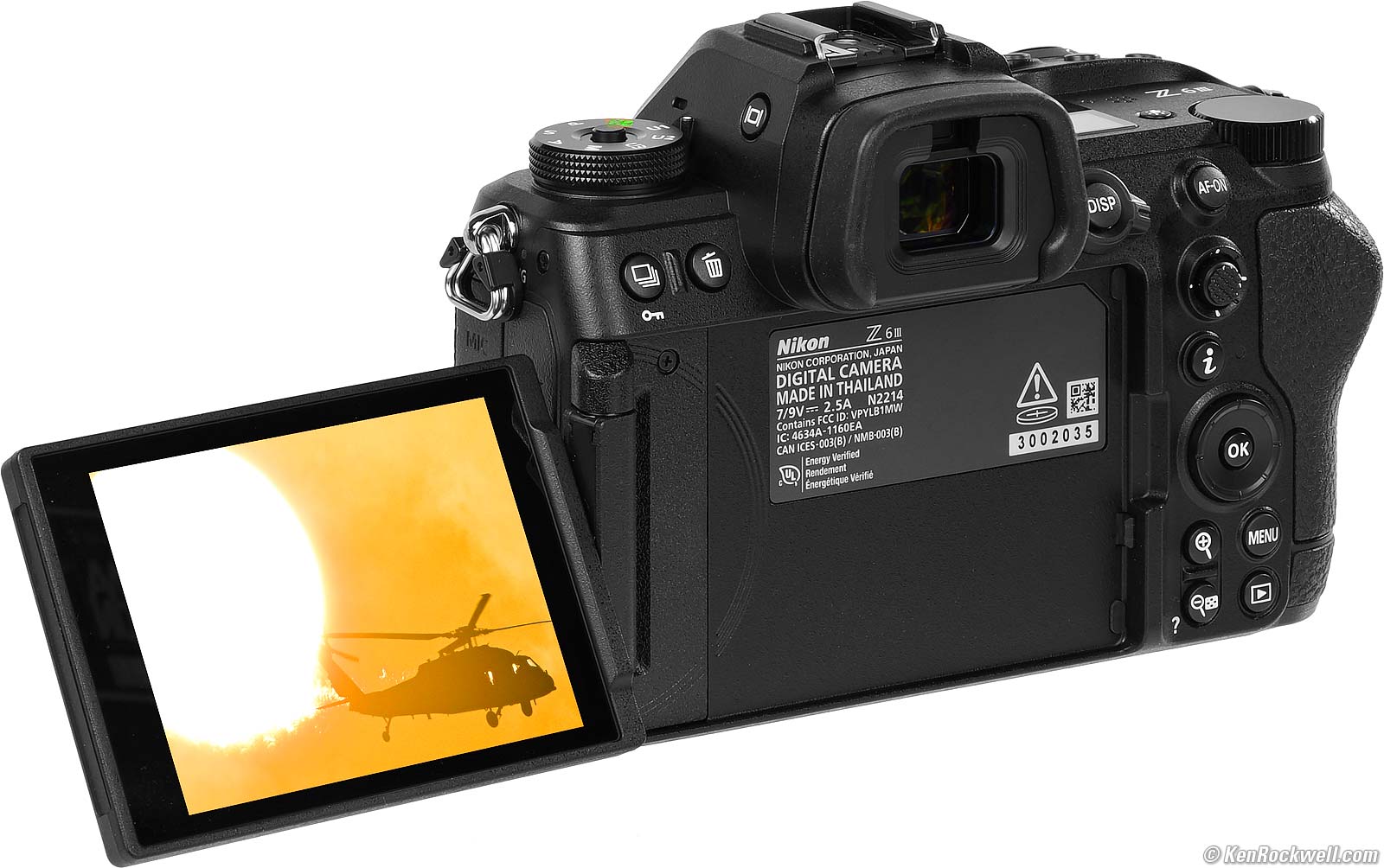
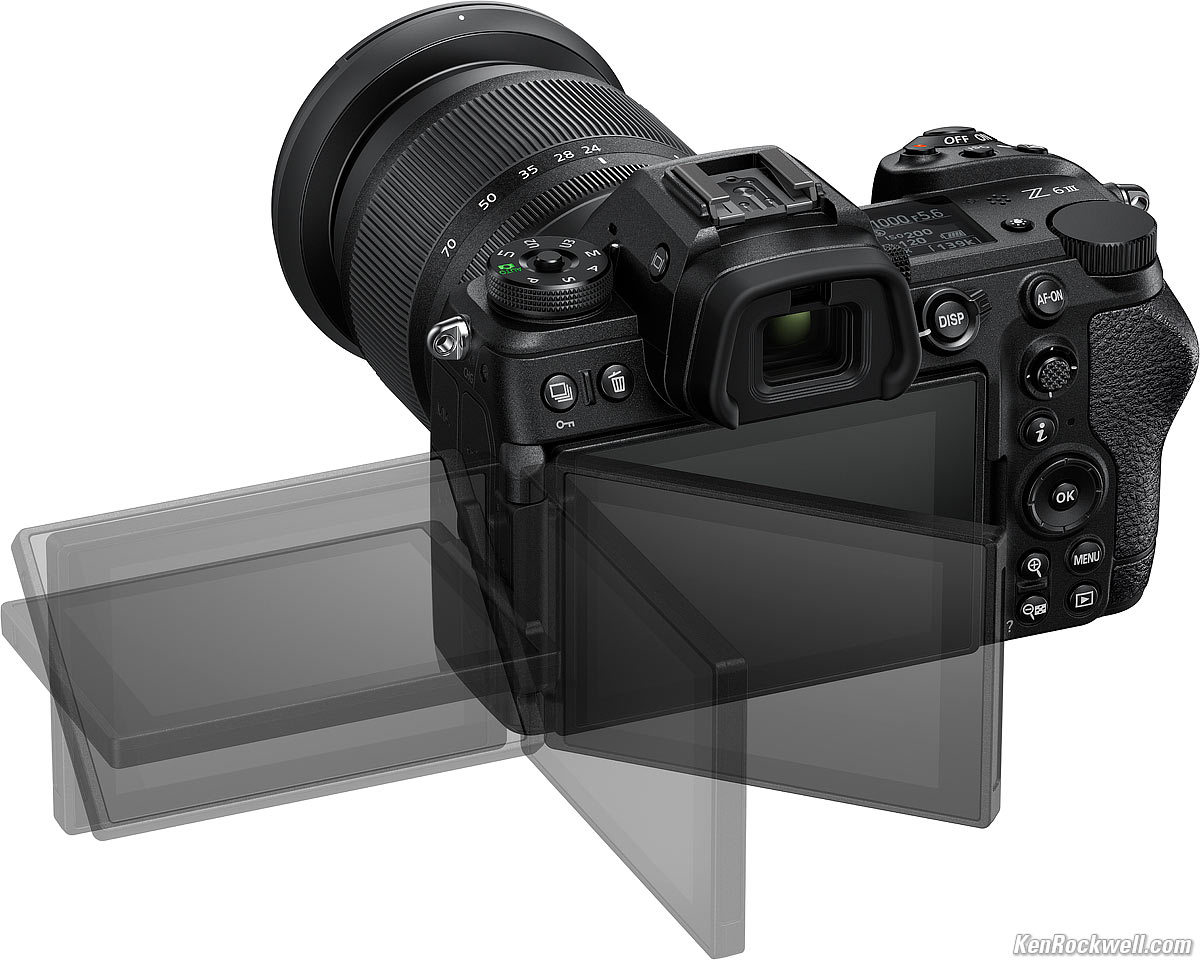
Nikon Z6 III 3.2" flipping LCD. bigger.
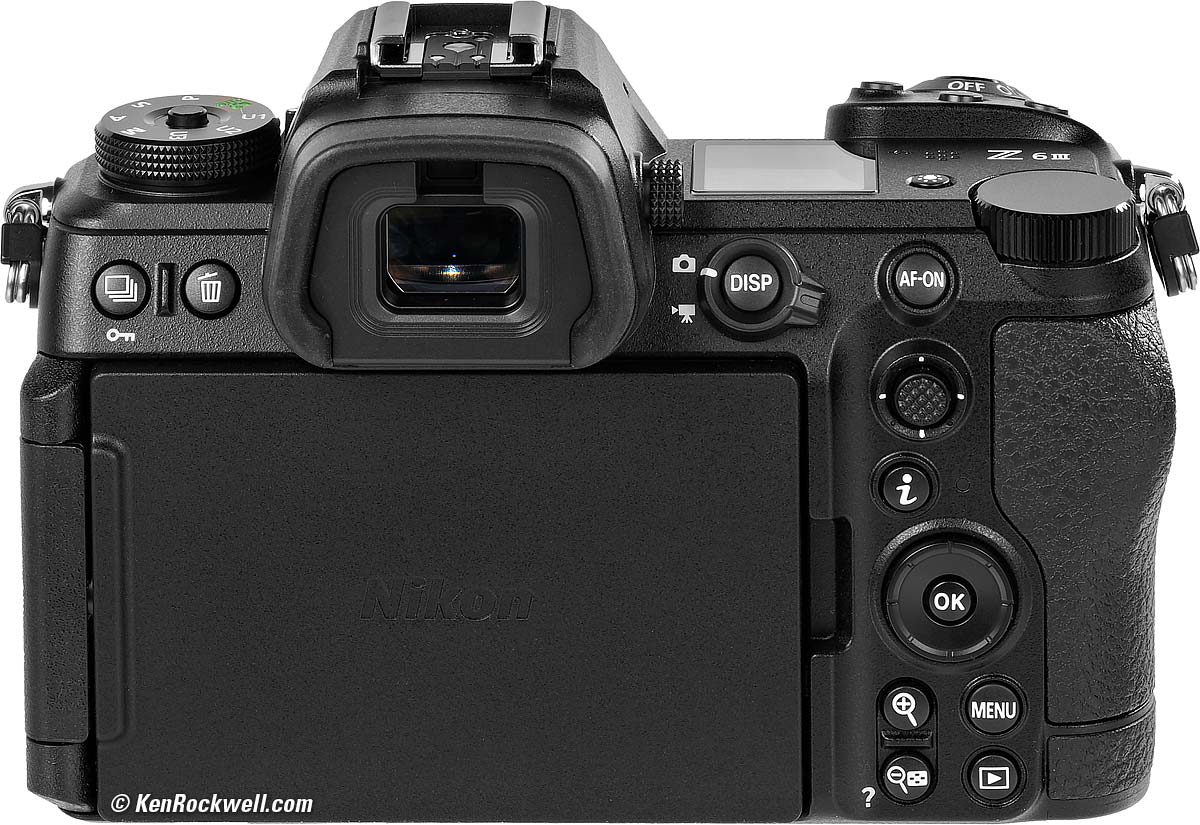
Nikon Z6 III, LCD flipped-over and protected. bigger.
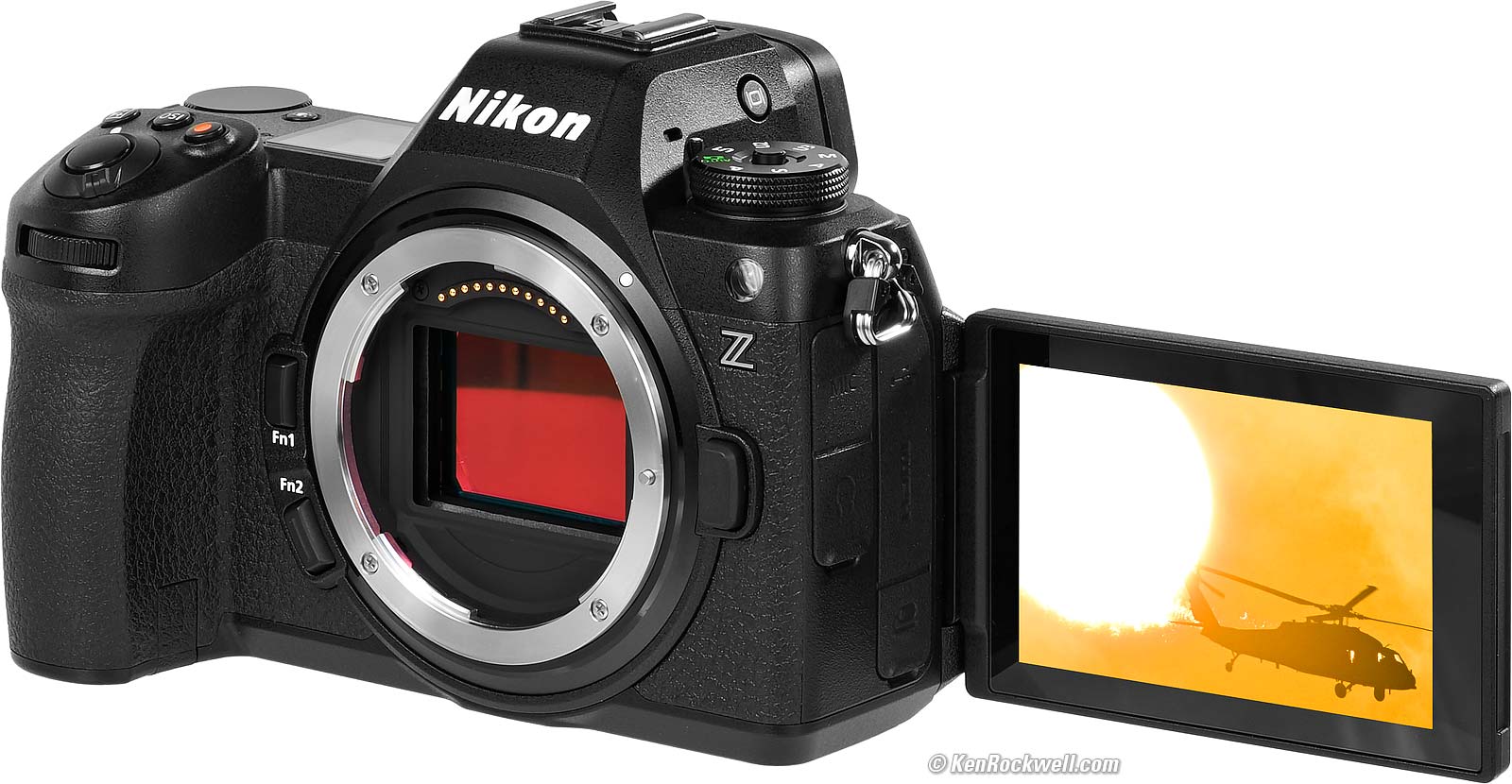
Nikon Z6 III 3.2" flipping LCD. bigger.
3.2" (8 cm) diagonal.
Touch screen.
2,100,000 dots.
170º viewing.
Manual brightness control only.
Top LCD Display specifications top
Yes, monochrome.
Connectors specifications top

Nikon Z6 III Connectors. bigger.
All these connectors are covered by crappy plastic covers that flop around while you're using the connectors, and have to be snapped-in carefully when you're done so they stay down.
In Nikon's publicity picture above, note how they deceptively have ripped-off the covers so you can see better. There is no door, there are usually plastic covers attached to the two holes at the upper-right of each column above, and if you pull-out the flaps as shown here, I suspect they won't reattach again.
Left Side, from top
3.5mm stereo mic-in or line-in jack (select this in menus).
3.5mm stereo headphone jack.
Right Side, from top
USB C.
HDMI A (full-sized).
Special rectangular remote-control connector for corded Nikon MC-DC2 and similar.
Wi-Fi specifications top
IEEE 802.11b/g/n/a/ac
2.412 ~ 2.462 GHz (channel 11) at up to 7 dBm EIRP (effective isotropic radiated power).
5.180 to 5.320 GHz at up to 12.1 dBm EIRP (effective isotropic radiated power).
Open system, WPA2-PSK authentication.
10m (30 foot) range on a good day.
Bluetooth specifications top
Version 5.0 — wow! (JK.)
Low energy.
2.402 to 2.480 GHz.
GPS specifications top
NONE, use the app.
Storage specifications top
Two slots:
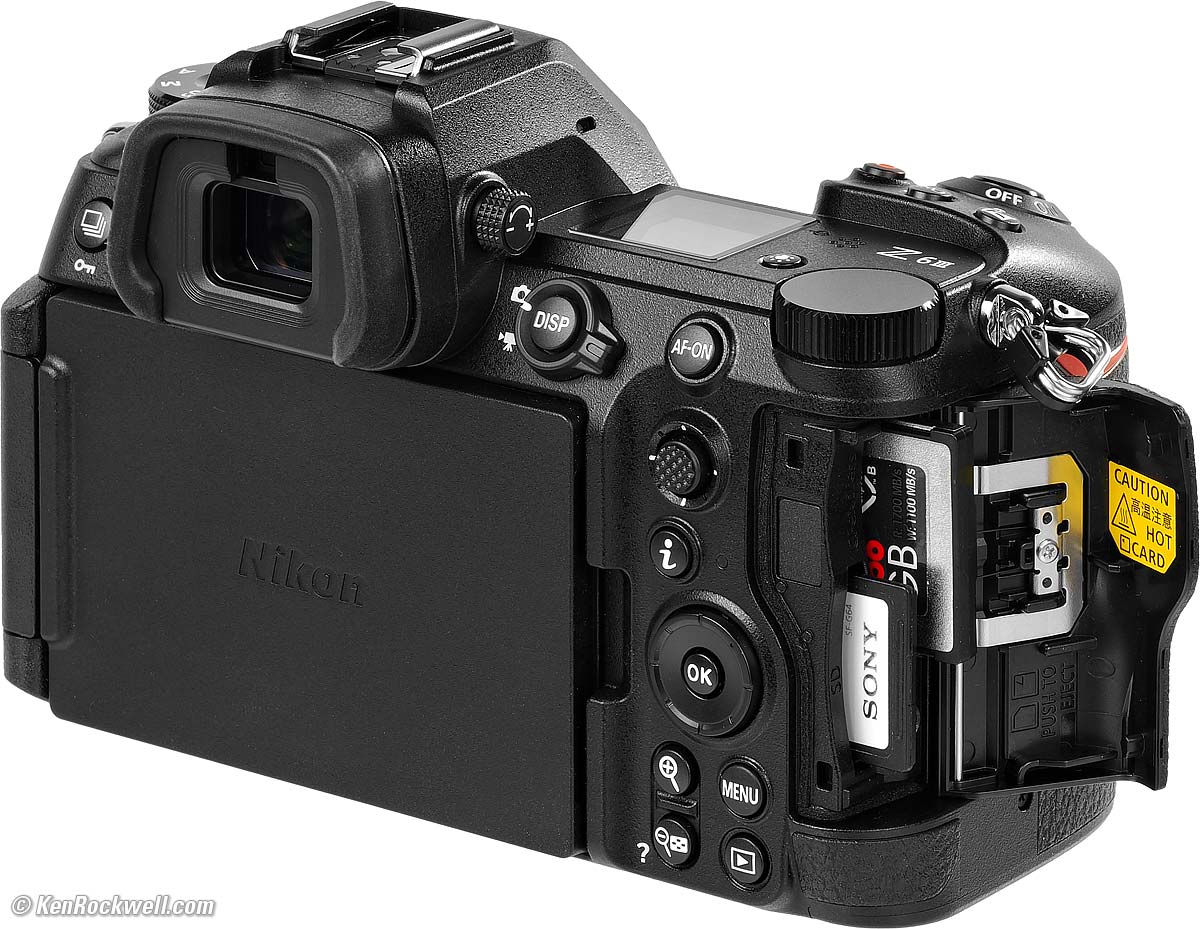
Nikon Z6 III Storage. bigger.
One XQD slot, which also works with CFexpress type B cards.
One SD card slot, UHS-II.
Body specifications top
Nikon claims it's built as tough as the Z8.
Weather sealed magnesium alloy.
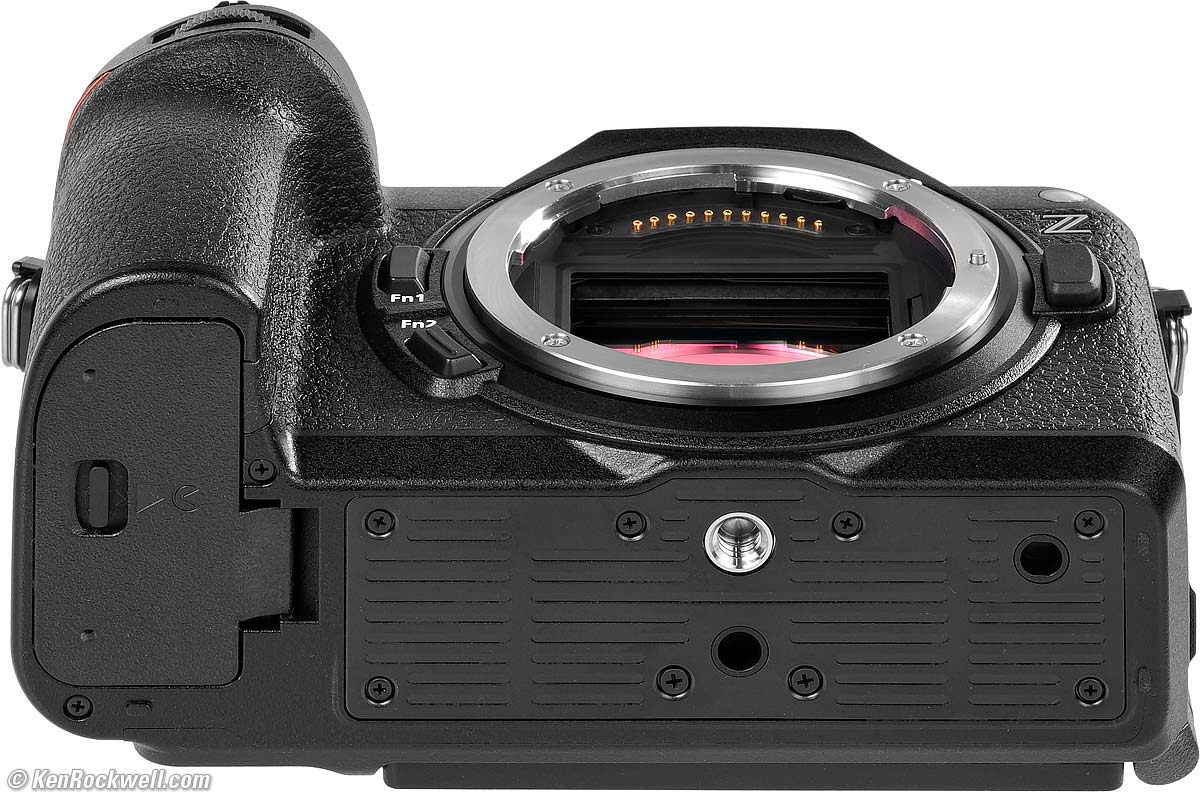
Bottom, Nikon Z6 III. bigger.
Power & Battery specifications top
Battery
EN-EL15c battery (same as in Z6 II) has a little more capacity than the old EN-EL15, EN-EL15a and EN-EL15b batteries.
Charging
The Z6 III charges via any basic USB-C source, 12V to USB-C charger, USB-C PD power bank or even a solid USB-C PD solar panel with any USB-C to USB-C cable.
You can use the optional MH-25A external battery charger, but I always charge via USB.
You can charge the batteries inside the MB-N14 dual battery charging vertical grip.
Size specifications top
4 × 5.5 × 2.9 inches HWD.
101.5 × 138.5 × 74 millimeters HWD.
(Z6 II was 4 × 5.3 × 2.8 inches (100.5 × 134 × 69.5 mm) HWD.)
Weight specifications top
Rated 26.8 oz. (760g) with battery and one card.
Rated 23.6 oz. (670 g) stripped naked.
(Z6 II was rated 24.9 oz. (705g) with battery and one card, 21.7 oz. (615 g) stripped naked.)
Quality specifications top
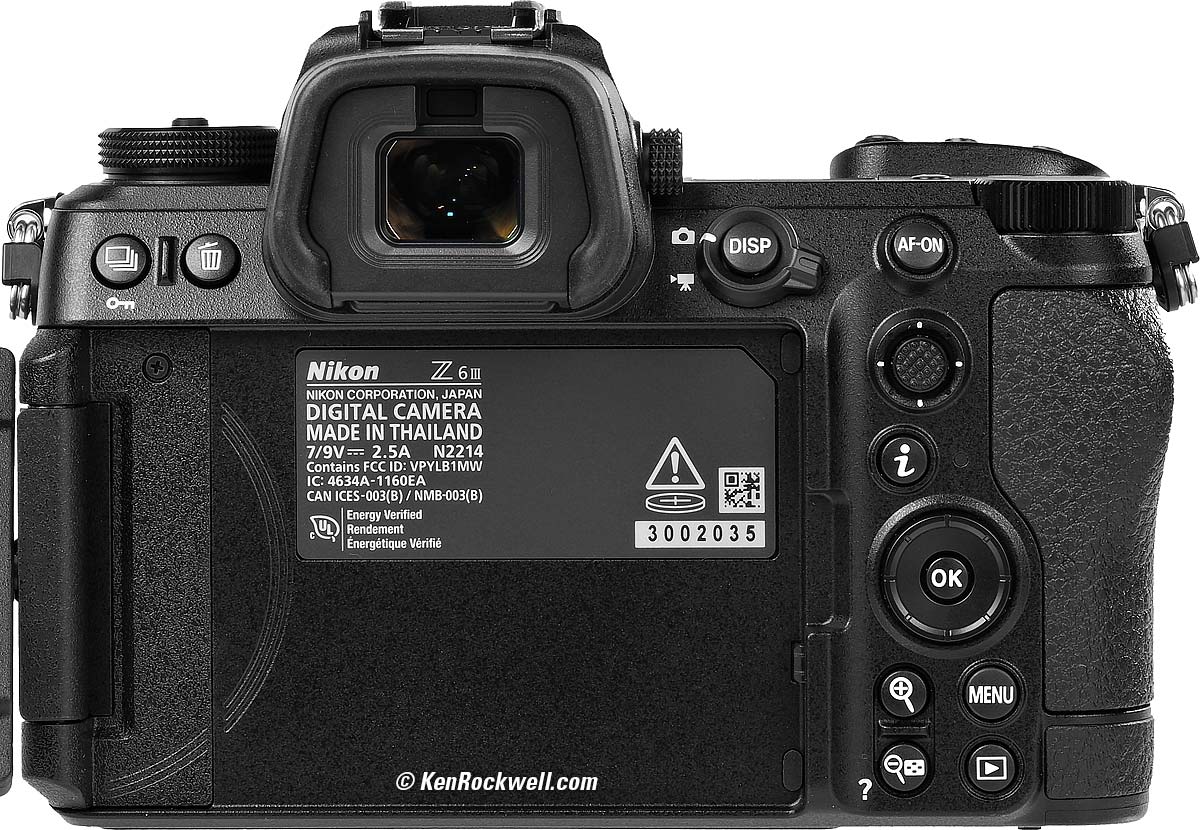
Nikon Z6 III. bigger.
Made in Thailand.
Environment specifications top
Operating
-10 ~ 40º C (14 ~ 104º F).
0 to 85% RH, no condensation.
Included specifications top
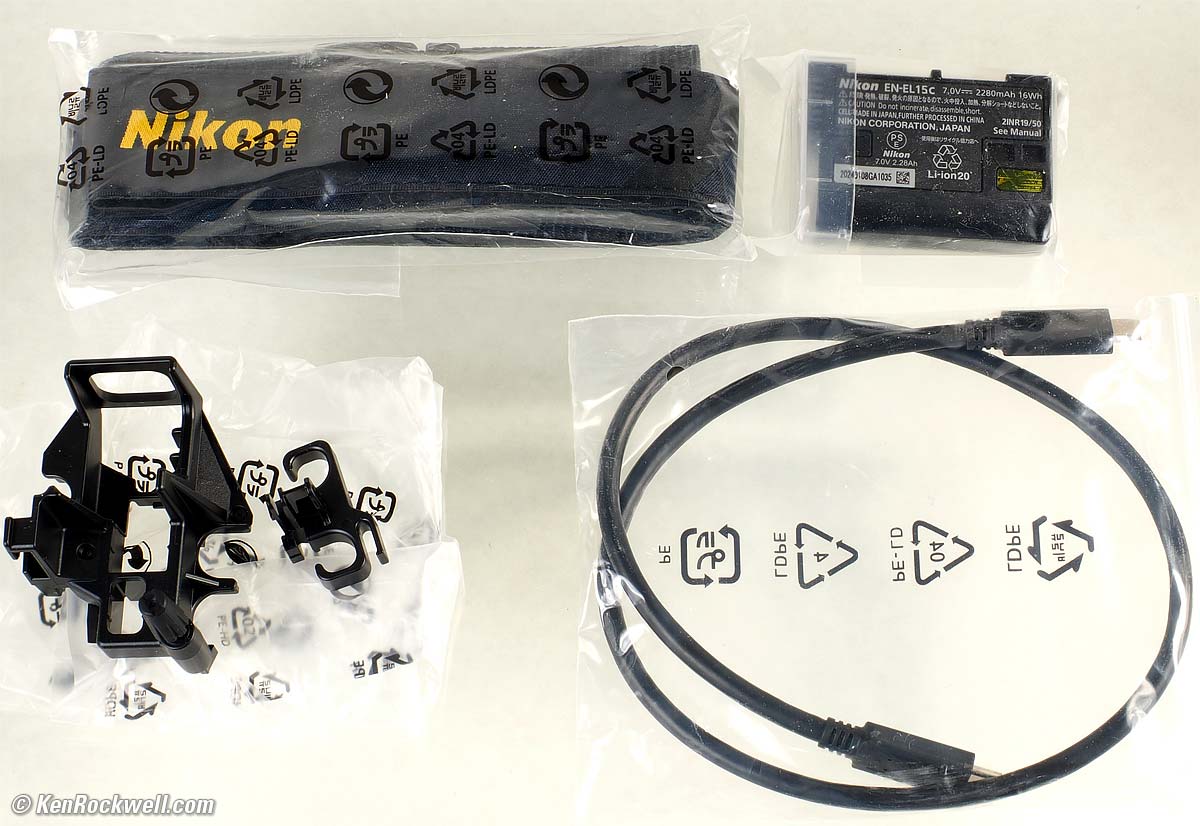
What's included with the Nikon Z6 III. bigger.
Nikon Z6 III Body.
BF-N1 Body Cap.
DK-29 Rubber Eyecup.
BS-1 Hot-Shoe Cover.
EN-EL15c Rechargeable Lithium-Ion Battery with terminal cover.
UC-E25 USB Cable.
HDMI/USB Cable Clip.
1-Year USA Warranty paperwork.
As shipped:
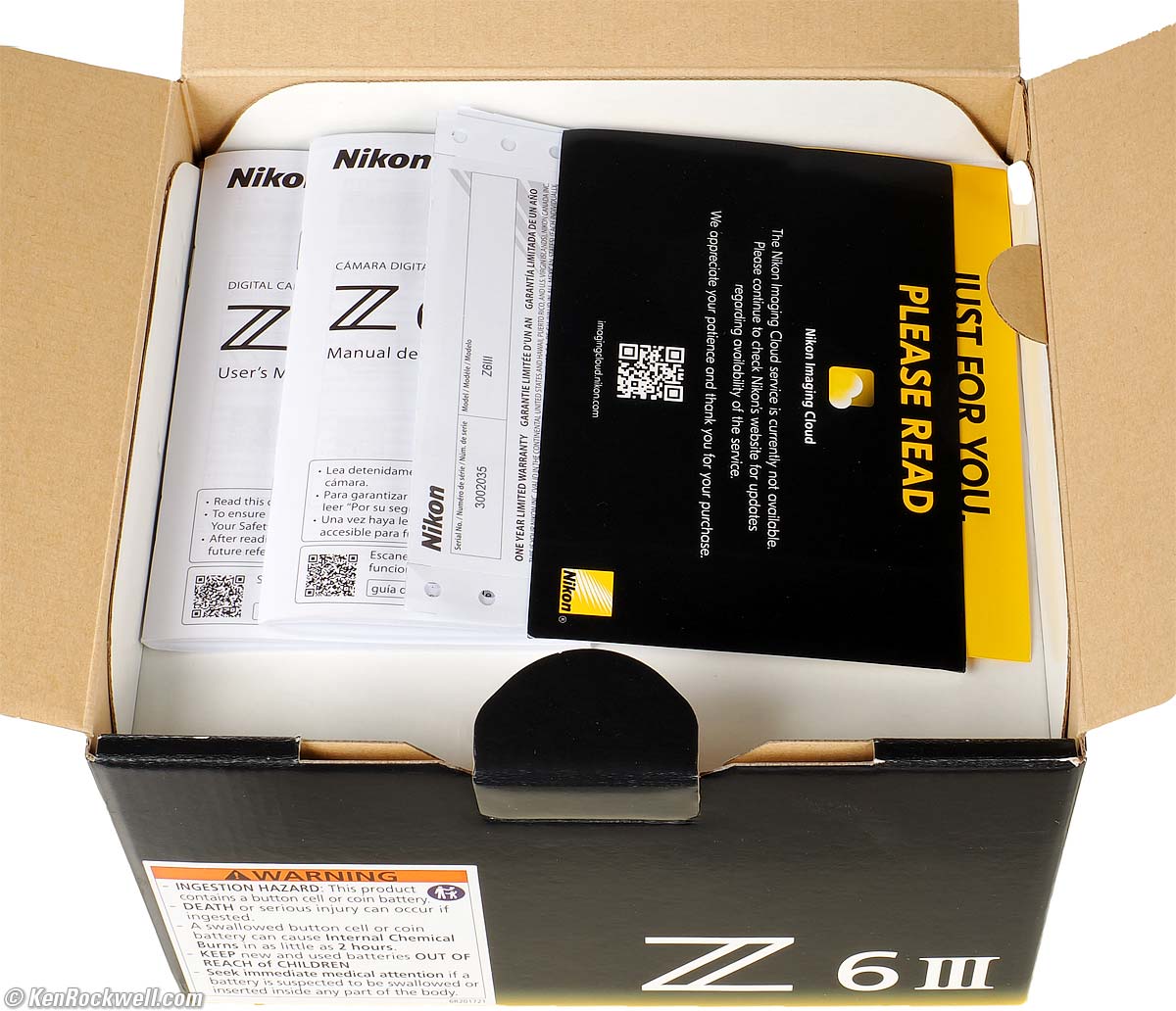
Paperwork on top, Nikon Z6 III. bigger.
Announced specifications top
12:01 AM, Monday, 17 June 2024, NYC time.
Promised for specifications top
June 2024.
Nikon's Model Number specifications top
1890.
Price, U. S. A. specifications top
07 May 2026 ($500 off)
Z6 III body-only:
$1,997 at B&H, at Adorama, at Crutchfield and at Amazon.
$2,075 used at KEH (KEH's prices aren't reflecting the current new discount).
About $1,840 used at eBay (How to Win at eBay).
Kit with the Z 24-70mm f/4 as shown: $2,597 at B&H, at Adorama, at Crutchfield and at Amazon.
New: Kit with the Z 24-120mm f/4: $2,894 at B&H and $3,597 at Crutchfield.
New: Kit with the Z 28-400mm VR: $2,997 at B&H and at Adorama.
25 November 2025 ($400 Off)
Z6 III body-only: $2,097 at B&H, at Adorama and at Crutchfield, or about $2,625 used at eBay (How to Win at eBay).
Kit with the Z 24-70mm f/4: $2,697 at B&H, at Adorama and at Crutchfield.
About $1,933 used if you know How to Win at eBay.
15 November 2024 ($200 Off)
Z6 III body-only: $2,297 at B&H, at Adorama and at Crutchfield, or about $2,625 used at eBay (How to Win at eBay).
Kit with the Z 24-70mm f/4: $2,897 at B&H, at Adorama and at Crutchfield.
About $2,000 used if you know How to Win at eBay.
14~28 August 2024
Z6 III body-only: $2,497 at B&H, at Adorama and at Crutchfield, or about $2,625 used at eBay (How to Win at eBay).
Kit with the Z 24-70mm f/4: $3,097 at B&H, at Adorama and at Crutchfield.
About $2,300 used if you know How to Win at eBay.
27 July 2024
Z6 III body-only: $2,497 at B&H, at Adorama and at Crutchfield, or about $2,625 used at eBay (How to Win at eBay).
Kit with the Z 24-70mm f/4: $3,097 at B&H, at Adorama and at Crutchfield.
About $2,500 used (same as new) if you know How to Win at eBay.
16 July 2024
Z6 III body-only: $2,497 at B&H, at Adorama and at Crutchfield, or about $2,625 used at eBay (How to Win at eBay).
Kit with the Z 24-70mm f/4: $3,097 at B&H, at Adorama and at Crutchfield.
It's hard to get, so yes, it has been selling for more used than if you order it and wait for it new.
June 2024 (Introduction)
Z6 III body-only: $2,497 at B&H or at Adorama.
Kit with the Z 24-70mm f/4: $3,097 at B&H, and at Adorama.
Not yet at eBay (How to Win at eBay).
Optional Accessories top
Sample Images Intro New Good Bad Missing
Lens Compatibility Specifications Accessories
I got my Z6 III at B&H. I'd also get it at Adorama, at Amazon or at Crutchfield, or used at eBay (How to Win at eBay) or used at KEH:
Z6 III body-only:
$1,997 at B&H, at Adorama, at Crutchfield and at Amazon.
$2,075 used at KEH (KEH's prices aren't reflecting the current new discount).
About $1,840 used at eBay (How to Win at eBay).
Kit with the Z 24-70mm f/4 as shown: $2,597 at B&H, at Adorama, at Crutchfield and at Amazon.
New: Kit with the Z 24-120mm f/4: $2,894 at B&H and $3,597 at Crutchfield.
New: Kit with the Z 28-400mm VR: $2,997 at B&H and at Adorama.
The included EN-EL15c battery charges in-camera. You can get the optional Nikon MH-25a charger to charge spares outside of the camera:
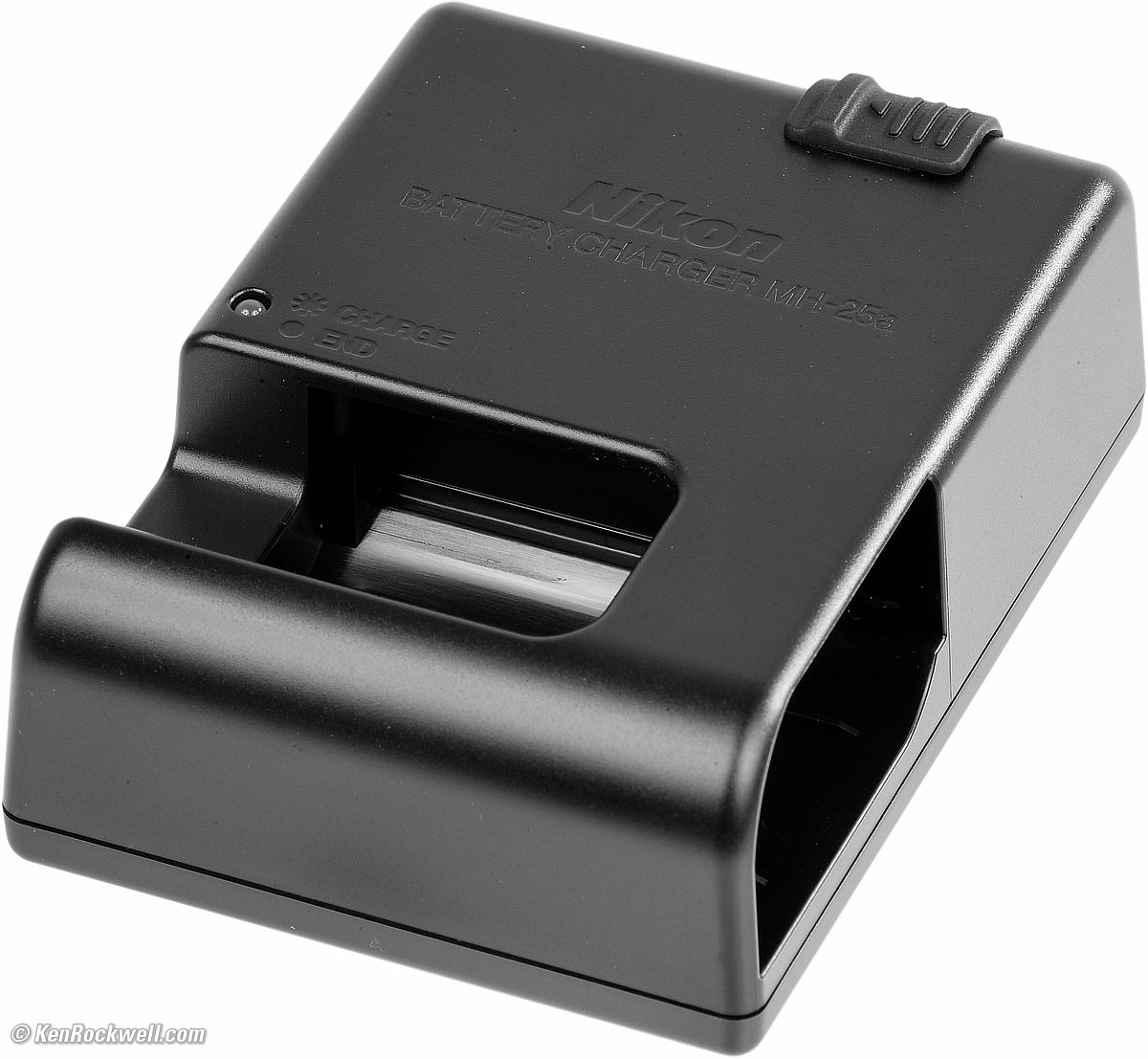
Optional Nikon MH-25a charger. enlarge.
Nikon MC-DC2 wired remote release and similar corded remotes.
MC-N10 Wired Remote (Video) Grip.
New MB-N14 dual battery charging vertical grip (also at Adorama).The batteries can charge in the grip and they are hot-swappable. This grip also works on the old Z6 II and Z7 II:
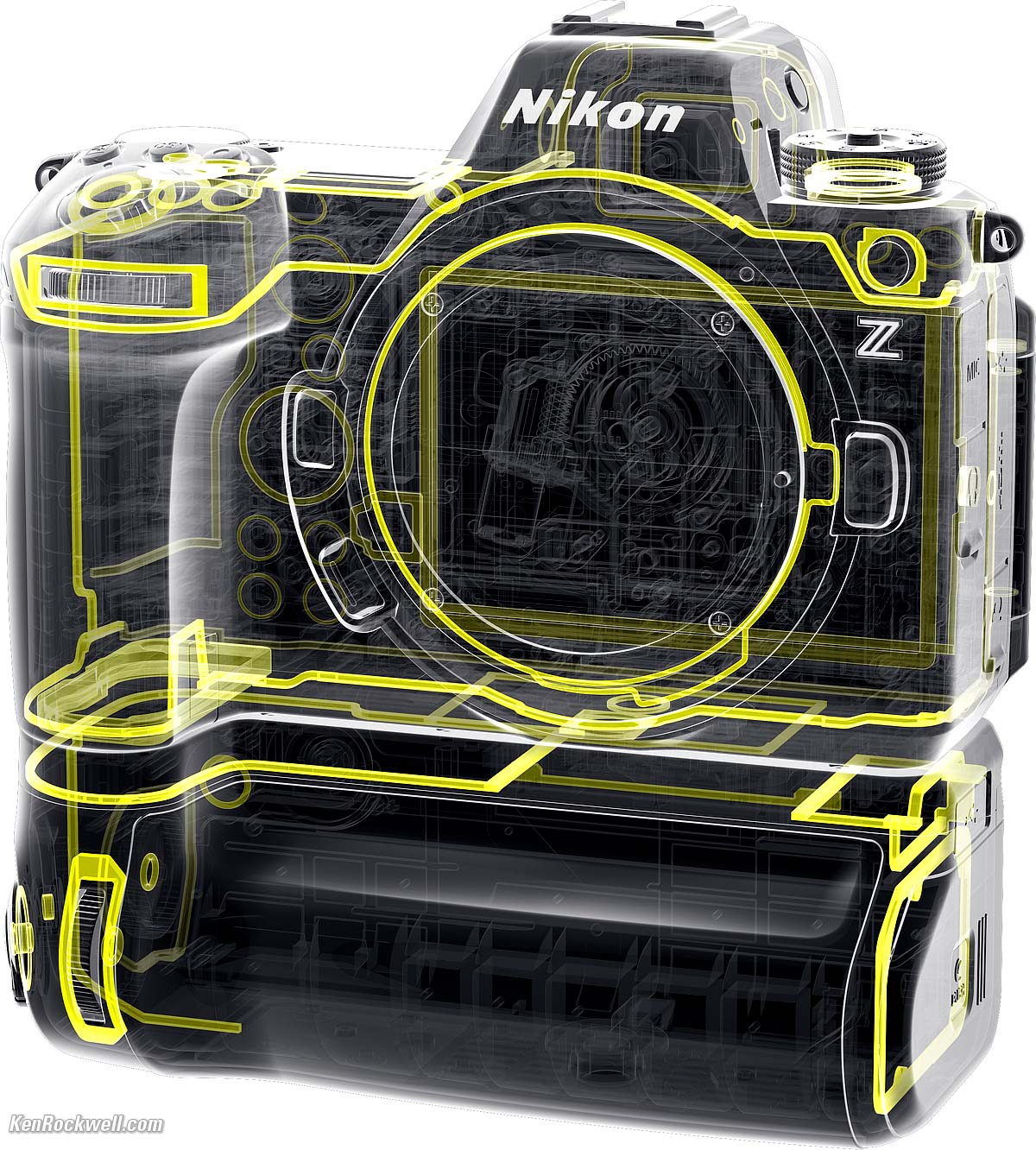
Nikon Z6 III and MB-N14 Dual Battery Charging Vertical Grip. bigger.
AC Adapters
Don't buy the goofy Nikon-branded thing below; use your choice of USB-C PD source, 12V to USB-C charger, USB-C PD power bank or even a solid USB-C PD solar panel with a USB-C to USB-C cable.
Here are Nikon's expensive adapters:
EH-8P AC to USB-C power adapter, used with included UC-E25 USB Cable.
EH-5d or older EH-5c or EH-5b AC adapter, which requires an EP-5B fake battery ("power connector")!!!
Performance top
Sample Images Intro New Good Bad Missing
Lens Compatibility Specifications Accessories
Overall Autofocus Focus Stacking Auto ISO
Auto White Balance Color Rendition Crop Modes
Ergonomics Exposure Finder Frame Rates
High ISOs Lens Corrections Mechanics
Rolling Shutter Stabilization Top LCD
Playback Data Power & Battery Clock Accuracy
I got my Z6 III at B&H. I'd also get it at Adorama, at Amazon or at Crutchfield, or used at eBay (How to Win at eBay) or used at KEH:
Z6 III body-only:
$1,997 at B&H, at Adorama, at Crutchfield and at Amazon.
$2,075 used at KEH (KEH's prices aren't reflecting the current new discount).
About $1,840 used at eBay (How to Win at eBay).
Kit with the Z 24-70mm f/4 as shown: $2,597 at B&H, at Adorama, at Crutchfield and at Amazon.
New: Kit with the Z 24-120mm f/4: $2,894 at B&H and $3,597 at Crutchfield.
New: Kit with the Z 28-400mm VR: $2,997 at B&H and at Adorama.
Overall performance top
The Z6 III has superb technical image quality, even if I whine about its ergonomics.
See also Nikon as Canon versus Sony Full Frame Mirrorless Compared and Menu Systems Compared for more details.
Autofocus performance top
While Nikon claims improved autofocus, the Z6 III's autofocus is still poor compared to what I get from Canon and Sony. The problem is that while the percentage of shots which miss focus are small, missing is still much more common in this Z6 III than the essentially always-perfect results I get from Canon and Sony. I find about 1% of my shots either miss, focus on the wrong part of the image or get lost hunting back-and-fourth with my Z6 III, while I find my Canons and Sonys have error rates closer to 0.05 to 0.01% — to me, a huge difference as 1% is just too often. Your results and thresholds for satifaction will vary; I need all my photos in-focus and 1% is just too many to lose. Speed isn't the issue; it's if the camera gets correct focus on its own every time as my iPhone always does.
My Z6 III still has autofocus that too often doesn't find the correct subject, gets lost or won't focus.
While most of the time it works swell, and if you're used to shooting Nikon Z you might give the camera a pass when it goofs, but being used to more consistent (actually almost always flawless) results from Canon and Sony, I can't recommend any Nikon Z camera. My Z6 III misses too often for me.
Specifically it doesn't always focus, and on occasion — too often for my liking — it will hunt back and forth and miss the target. Just for kicks I pulled out my ten-year-old Canon EOS 5DS/R for comparison, and holy cow, it worked much better than my new Z6 III focusing on a moon in a bare sky:
|
|
| 16 July 2024, 6:51 PM: 9½-day-old waxing gibbous moon (73%) three hours after moonrise with a 200mm lens far up in the sky. My Z6 III often had to hunt back and forth, and needed a few tries each time to focus on this rather obvious moon. bigger. | 29 July 2024, 1:26 PM. 23½-day old (34%) waning crescent moon two hours before moonset with a 200mm lens. My 2014 Canon EOS 5DS/R nailed this much lower contrast moon every time. My Z6 III rarely could focus on this at all. bigger. |
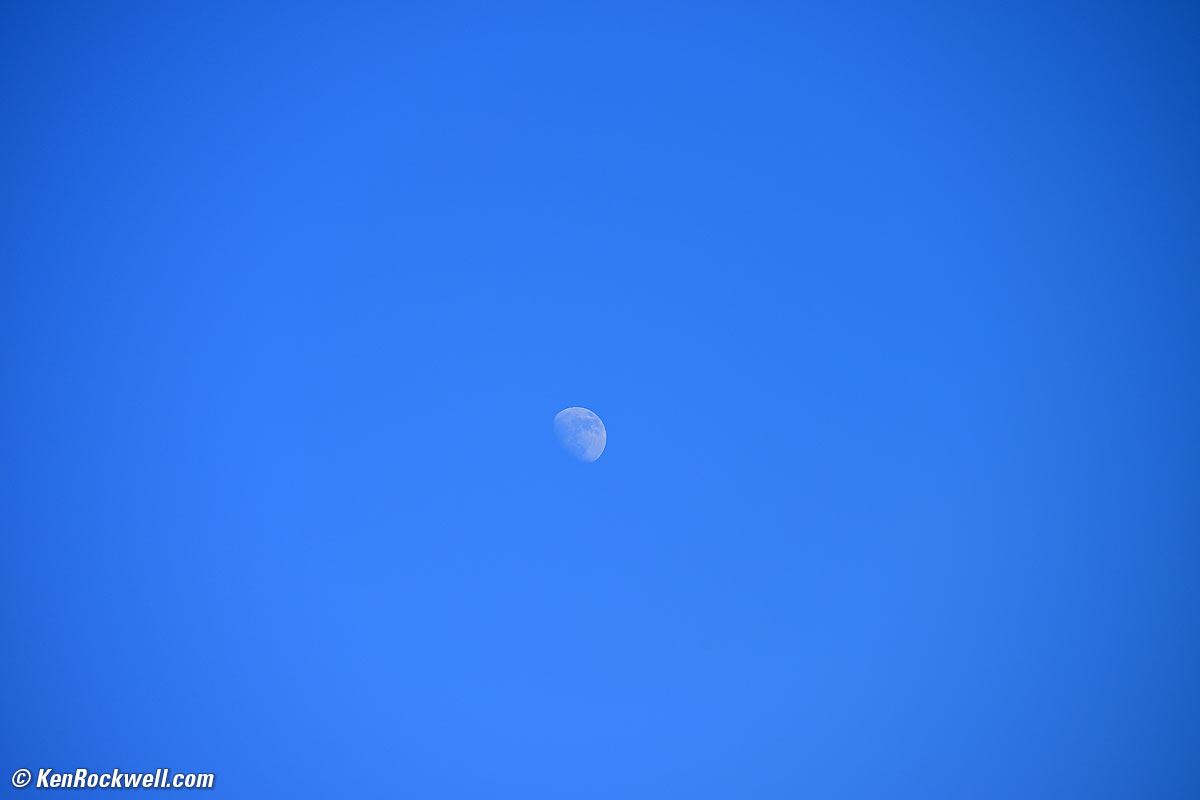
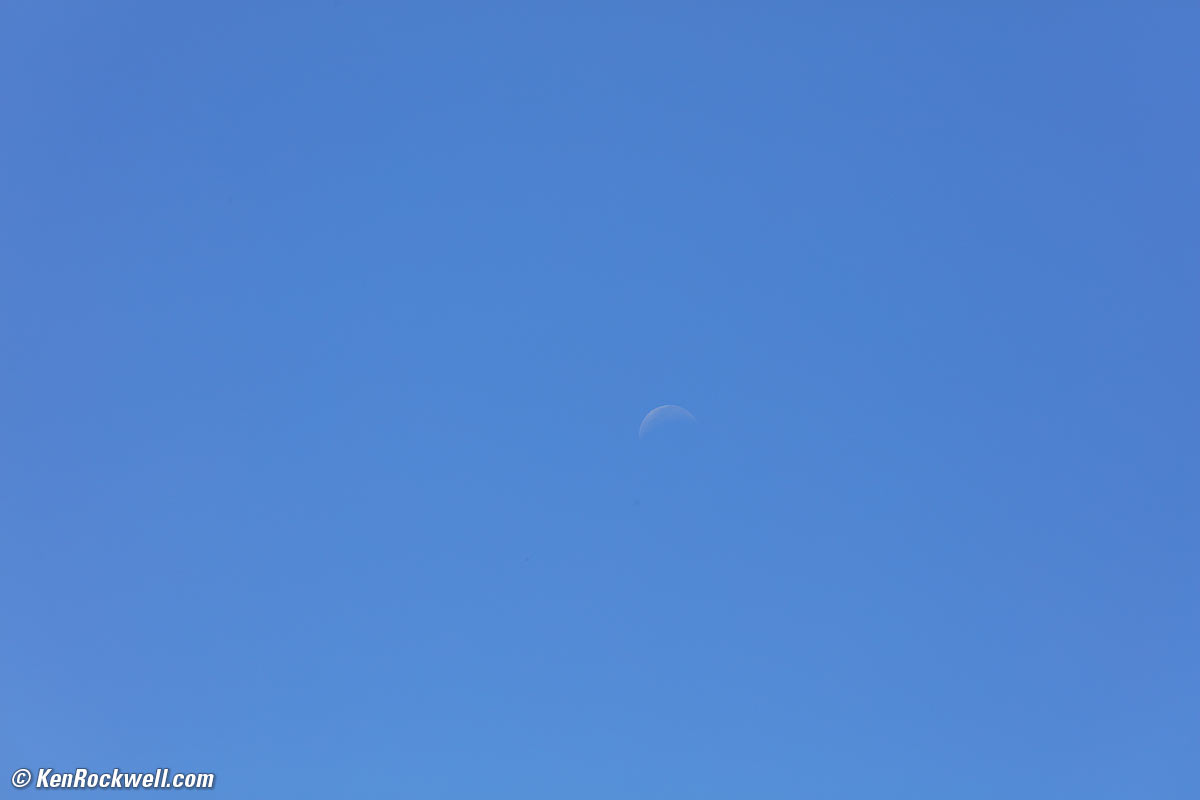


I tried with basic wide-range ultra zooms at 200mm as well as pro-level 200mm zooms on each and saw the same differences. My Canon EOS 5DS/R almost always just nailed this, even in all-area auto-select mode, while my new Z6 III too often got lost.
The Z6 III generally works fine; its just that the small percentage of goofs is too high for picky shooters like me who shoot every day and raise our eyebrows any time AF doesn't just nail it. Out of tens of thousands of shots on my iPhone 15 Pro Max, for instance, I can't recall any occasion where it didn't just focus by magic. My Sonys and Canons have much smaller — vanishingly smaller — percentages of shots on which that they miss or can't focus.
A big improvement over older models is that my Z6 III finally passes my "hand test" so it will focus on my hand held right in front of it, rather than continuing to focus on the background behind it as older models did. Every other brand has always passed this, only the older Nikons were so bad that they insisted on staying focussed on a background in all-area AF mode when you held a hand right in front of them at a focusable distance.
Focus Stacking & Depth Compositing performance top
While the Z6 III has an automated mode which will capture multiple frames at different focus distances, it gives up and can't do anything with these files once captured. It expects you to import them into a computer like it's 20 years ago and process them on your own manually or with Nikon's software, so I didn't bother with this.
If this is important, stick with cameras like the Canon EOS R6 Mk II, OM SYSTEM OM-1 and OM-1 Mk II which, even hand-held, can do the whole job and miraculously deliver complete composited final images right from the camera.
Auto ISO performance top
Auto ISO is the usual state-of-the-art, with the usual settings for high and low limits and slowest shutter speeds.
You have options of ±2, in full steps, for shifted slowest shutter speeds based on focal length.
Auto White Balance performance top
Auto White Balance is great, with the usual four options from Nikon.
Funny is that there are four Auto White Balance settings, so selecting among them doesn't feel like Auto WB,but it does let us optimize AWB for each situation. How to use them.
Color Rendition performance top
The Z6 II's color rendition is the same great look we've had since Nikon's second generation of 2007. The Z6 III is the same.
I've never shot a digital camera with better color rendition for all subjects; all recent Nikons match and are all superb.
Color rendition is more critical to picture quality than resolution or dynamic range or any of the other pedagogical but invisible measures of performance; color rendition is how the picture actually looks and the Z6 III is first class.
Color rendition is how pictures look in the real world. Real-world color rendition has nothing to do with color accuracy measured in a lab. Color rendition is dependant on how a maker programs all the color matrices, curves, and look-up tables to generate image color from the data read from the sensor, and varies widely between makers once you set a camera away from its defaults.
I never shoot at defaults; I usually shoot at VIVID picture control with +3 saturation unless I'm photographing people.
Like all my Nikon digital cameras, I love the images I get right out of my Z6 III as JPGs, no raw, no processing and no "fixing" needed.
If you shoot raw then your colors and tones aren't created until you process that raw data later in software, and your choice of software will have as much effect on your images as the camera itself.
I'm a working artist, not some online tweaker, YouTuber or tech blogger. Color is critical to my work. I'm pickier about color than almost anyone; I see things most people don't.
It's like pianos: anyone can talk forever about how pianos are made, but to most ordinary players the subtle variations between different samples of a Steinway Model D are eclipsed by their own limitations in playing, but when you're a virtuoso even subtle differences become obvious to the seasoned master. That's why when you buy, or choose a Steinway for your tour as a Steinway Artist, you go to Steinway's Astoria factory and pick from among several samples of the same model which suits your style best. To a master, the subtle details are everything, just like subtle differences in color rendition between different brands of camera. Art is not the duplication of reality; art is the expression of imagination.
That's just me; your preferences and results w
Crop Modes performance top
We've got FX, DX, square (1:1) and 16:9.
Maddening is that it completely excludes the Ideal Format 4:3 crop, which is very useful for vertical shots — if it had it.
Ergonomics performance top
Ergonomics are mostly the same as the Z6 II, with the usual Nikon goods and bads.
The exposure mode dial on the top left is always locked. Press-down its unlock button to move it.
The play button has been moved to be on the right side right under the MENU button so we can hit it while shooting one-handed (yay!); the old Z6 II had its play button on the wrong side, demanding a second hand to hit it!
The top LCD now counts-up the time in minutes and seconds in TIME and BULB exposure modes, but sadly the backlight turns off.
It has a very useful fake shutter sound which lets you hear shutter speeds and frame rates, up to about 16 FPS, above which it sounds the same for the sake of sanity. Set it at Usage.
By default, it takes pictures of your feet when hung around your neck because anything touching the rear LCD takes a picture! To stop this, look at the rear LCD and tap the icon towards the lower left showing a finger on a screen until it says OFF. The Touch Shutter/Touch AF setting is the one that takes pictures by itself.
While charging the top LCD shows a battery icon, however it doesn't update until you wake the camera again, making it useless for monitoring charge!
It has an unusually light trigger (shutter) pull so I find that it often fires unexpectedly, even if it's around my neck and my arm glances across the shutter button.
Controls have taken step backwards since great cameras like the F6. The Z6 III's dials are square, hard metal or hard plastic and not comfortable like the rubberized dials of the F6, Z8 and Z9. C'mon, guys, you had this figured out already.
Only one control dial is active in A or S exposure modes, while the other is simply ignored. Both should work.
Like the Z8, the Z6 III clicks, clunks or makes noise every time it wakes or sleeps with sensor-shift VR ON. This drives me up the wall with the camera constantly sounding like it's straining with constant clicks and clunks. It sounds so weary having to wait a fraction of a second every time I turn-on the power switch, tap the shutter or press MENU for it to make weird noises and wake up when it's done. This is the sensor moving itself into place. At least the funny noises it makes locking-down the sensor when it goes to sleep do prevent most of the rattling we have from Sony cameras when they're turned off.
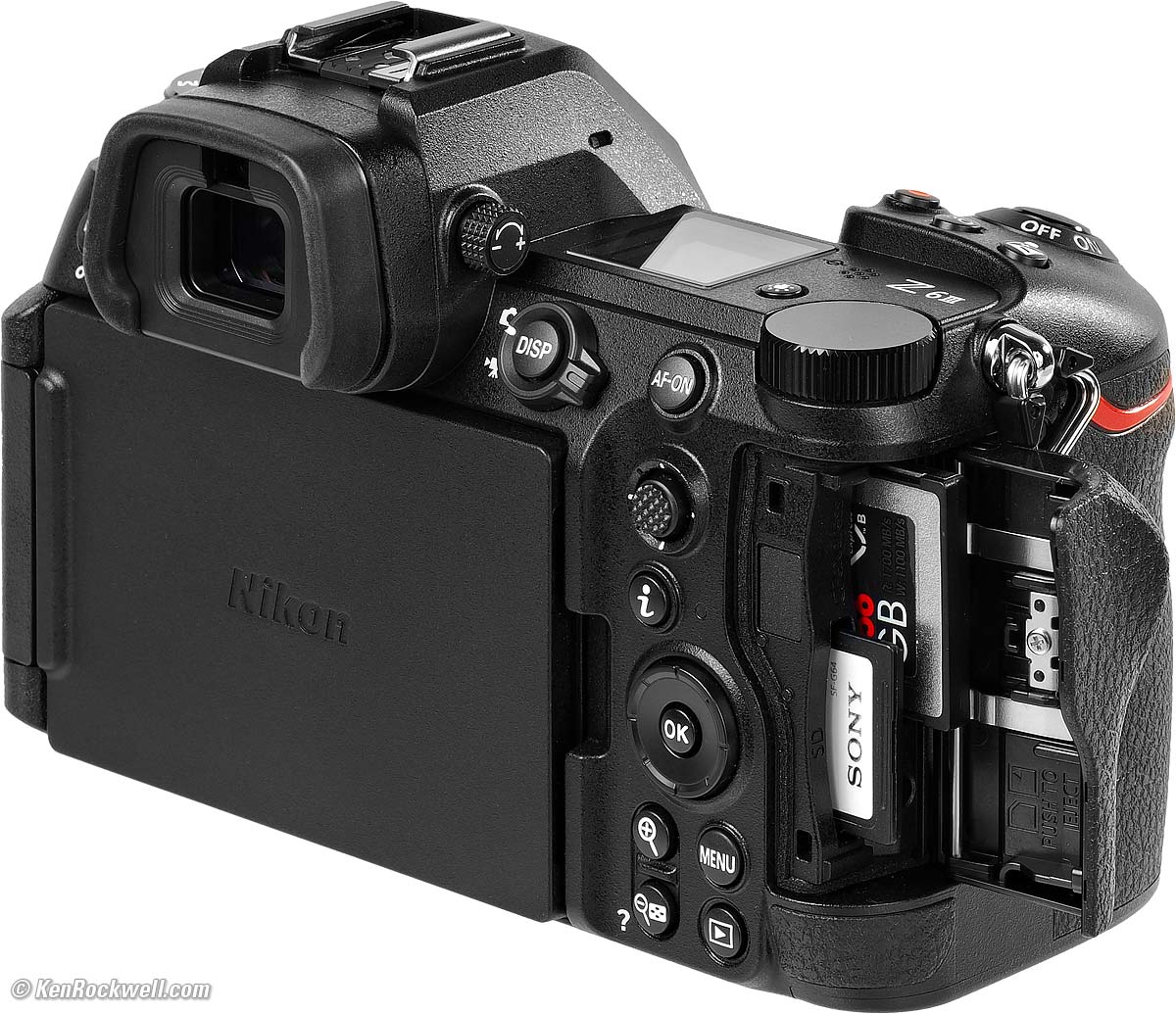
Oddly the strap lug is too close to the card door so you have to lift the strap out of the way to open the door all the way. Note how I lifted it up so I could open the door fully for this photo:
Nikon Z6 III card door and cards. bigger.
This is how far it opens if you open the door with the lug hanging down:
Nikon Z6 III card door blocked, and therefore not open all the way. bigger.
When this happens it's more difficult to get to the cards, so be sure your door is open all the way. Here's how it looks in practice with a strap pushed out of the way:
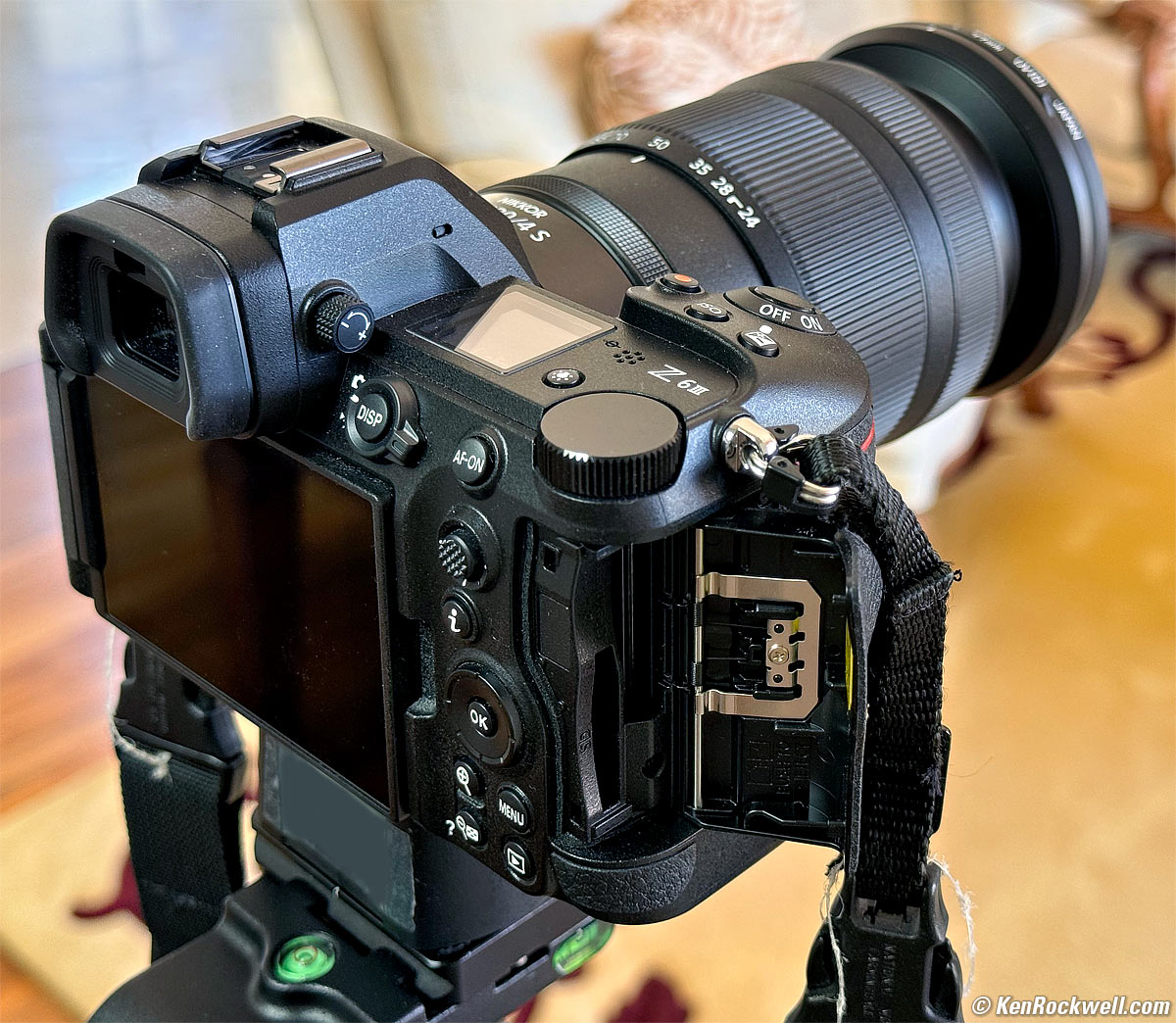
Nikon Z6 III card door after pushing strap out of the way, mounted on Oben GH3W-15 geared head. bigger.
Exposure performance top
Exposure, even in Matrix mode, is very dependant on which AF sensors are active and what they're seeing. Therefore exposure can vary greatly as I recompose, which is annoying. I wish it wouldn't do that.
Worse, the brilliantly bright finder gets so bright in daylight or shooting sunsets that it's hard to judge exposure without stopping to play back and look at the histograms. Since the finder brightness varies over such a wide range it's hard to tell the difference between image exposure and finder brightness.
Worse still, today's Matrix Meter is worse than it was back when it was invented over 40 years ago because it's no longer smart enough to make bright sand, snow or clouds in direct sunlight look like light sand, snow or clouds. Today's meter is no longer smart enough to recognize absolute brightness levels, and thus underexposes these things as medium gray.
Finder performance top
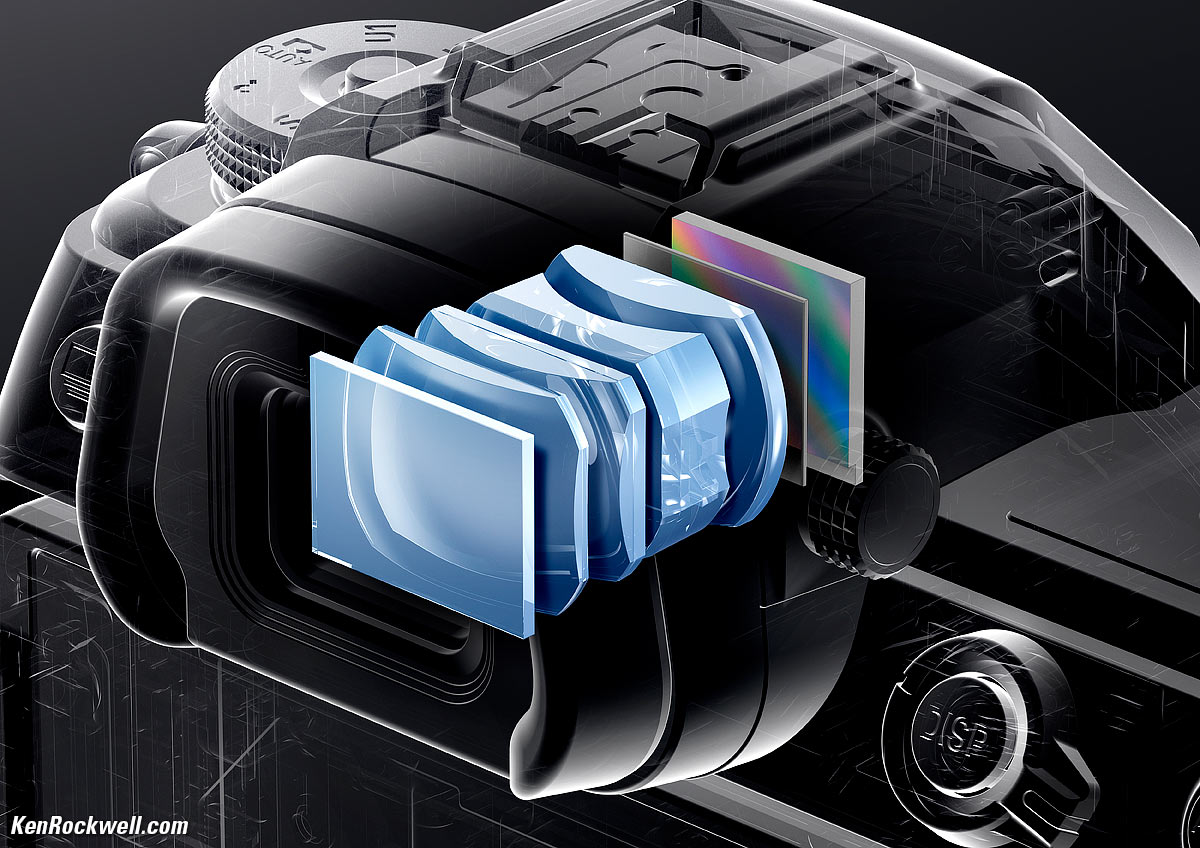
Nikon Z6 III Finder Optics. bigger.
The finder screen and optics are magnificent. It's brilliantly bright when needed, and super-sharp.
Live View images are distortion-corrected as you shoot, if you have distortion correction turned on.
The finder gets so brilliantly bright in daylight or when shooting into the sun that it's hard to judge exposure without stopping to play back and look at the histograms.
The problem is that while playback images take full advantage of the finder screen's high resolution, images seen live as we're shooting aren't sent to the finder in full resolution, so those Live View images are much softer. This is very obvious with Picture Review active and you see the just-shot image pop up after seeing it live in lower resolution.
The finder is ultra-bright, but sadly its automatic brightness control algorithm often makes the finder too bright or too dim. Not only is this inconvenient, often it's so ridiculously bright in daylight that it makes images seem overexposed, when in fact they are fine.
It's OK at in the dark at LV 1, but getting noisier.
For playback, the screen sets its brightness based on where the camera was pointed when you press the PLAY button, so I try to point the camera at the sky to make the finder brighter rather than the floor as others might do.
Frame Rates (still images) performance top
Measured Speeds, all with tracking AF & AE:
There's Low, High and High+, but no Medium. Go figure:
Electronic Shutter |
Electronic First Curtain |
Mechanical Shutter |
|
High + |
20 FPS |
14 FPS |
14 FPS |
High |
16 FPS |
10 FPS |
8.1 FPS |
Low |
1 ~ 7 FPS |
1 ~ 7 FPS |
1 ~ 7 FPS |
Works with flash? |
Yes, 1/60 sync |
Yes, 1/200 sync |
Yes, 1/200 sync |
These all agree with Nikon's claims, which is excellent. I didn't see much in the way of slowing down trying to focus from frame-to-frame, at least in Release+Focus Priority mode at MENU > CUSTOM SETTING MENU (✎ pencil icon) > a Autofocus > a1 Release + Focus, but that's because it shot plenty of out-of-focus frames as things move around.
Every frame is not in focus, but the Z6 III tries. If you want it only to shoot the frames that are actually in focus, set Focus Priority for Continuous AF at
MENU > CUSTOM SETTING MENU (✎ pencil icon) > a Autofocus > a1 Focus, which will slow it down and ensure it only shoots the in-focus frames. This is probably how we want to shoot it, but it's not a default as the Z6 III stops or slows down every time it loses focus while tracking.
Also it runs faster, with very restricted setting options, at:
120 FPS, C120 trick high speed mode in DX crop only, with feature restrictions.
60 FPS, C60 trick high speed mode with feature restrictions.
30 FPS, C30 trick high speed mode with feature restrictions.
High ISO Performance performance top
The Z6 III is about the same as other state of the art 24 MP cameras. When compared to the same images in my other camera reviews, the Z6 III seems to prefer more contrast and forced detail at hyper ISOs, looking less natural than, say the EOS R6 Mark II, which simply gets noisier but without the weird artifacts forced in the Z6 III.
By "forced," I mean the Z6 III's noise reduction is obviously working very hard to pull an image out of the dirt, while other cameras are more subtle about it. I prefer the subtlety of the R6 Mark II; you might prefer the harder contrast of this Z6 III.
Which you prefer is a matter of personal taste; neither is particularly better or worse. Honestly no one should be using five- or six-digit ISOs in the first place, especially if you're concerned about image quality or fine details; every camera looks awful at six-digit ISOs.
Complete Images details dark detail performance top
As seen at normal online image sizes below, the Z6 III pretty much makes the same images from ISO 50 (L) to ISO 25,600.
ISO 51,200 and above starts to lose fine details in the stone and gets a little blotchier or noisy.
At ISO 102,400 (Hi +0.7) and above it becomes very blotchy and grainy, but still usable if I really, really needed it for normal-sized images. The shadows are also filled with noise and crud.
ISO 102,400 is Hi +0.7 because Nikon lets the Z6 III go to ISO 64,000 as a "normal" ISO, so ISO 102,400 is only pushed 0.7 stops from ISO 64,000, rather than most cameras (like the Z6 II) which have ISO 51,200 as the highest normal ISO, making ISO 102,400 a +1.0 up from ISO 51,200.
At ISO 204,800 (H +1.7) it's pretty awful: no detail and the image looks like it's all smudged, which is exactly what noise reduction does. The shadows are filled with noise and crud than any detail.
This is typical performance in 2024; all cameras work just fine for online images at insanely high ISOs. Honestly I never use anything above ISO 10,000. If you have to use five-digit ISOs you're doing something wrong, and no one needs six-digit ISOs other than for fooling around; photography is all about light and lighting so if you have no light, you should be working on improving that light rather than worrying about what camera makes the best photos in bad situations. The Z6 III is as good as the rest of the state-of-the-art.
There's no mystery to comparing cameras; I shoot this same test at all the ISOs of every other camera I review so you can compare for yourself. Caveat: I repainted these walls white from their previous tan as of the beginning of 2023. The background wall won't match in older reviews, and this set is lit by natural light which is different every day.
Click any for the camera-original © LARGE NORMAL ★ JPG files (about 10 MB each):
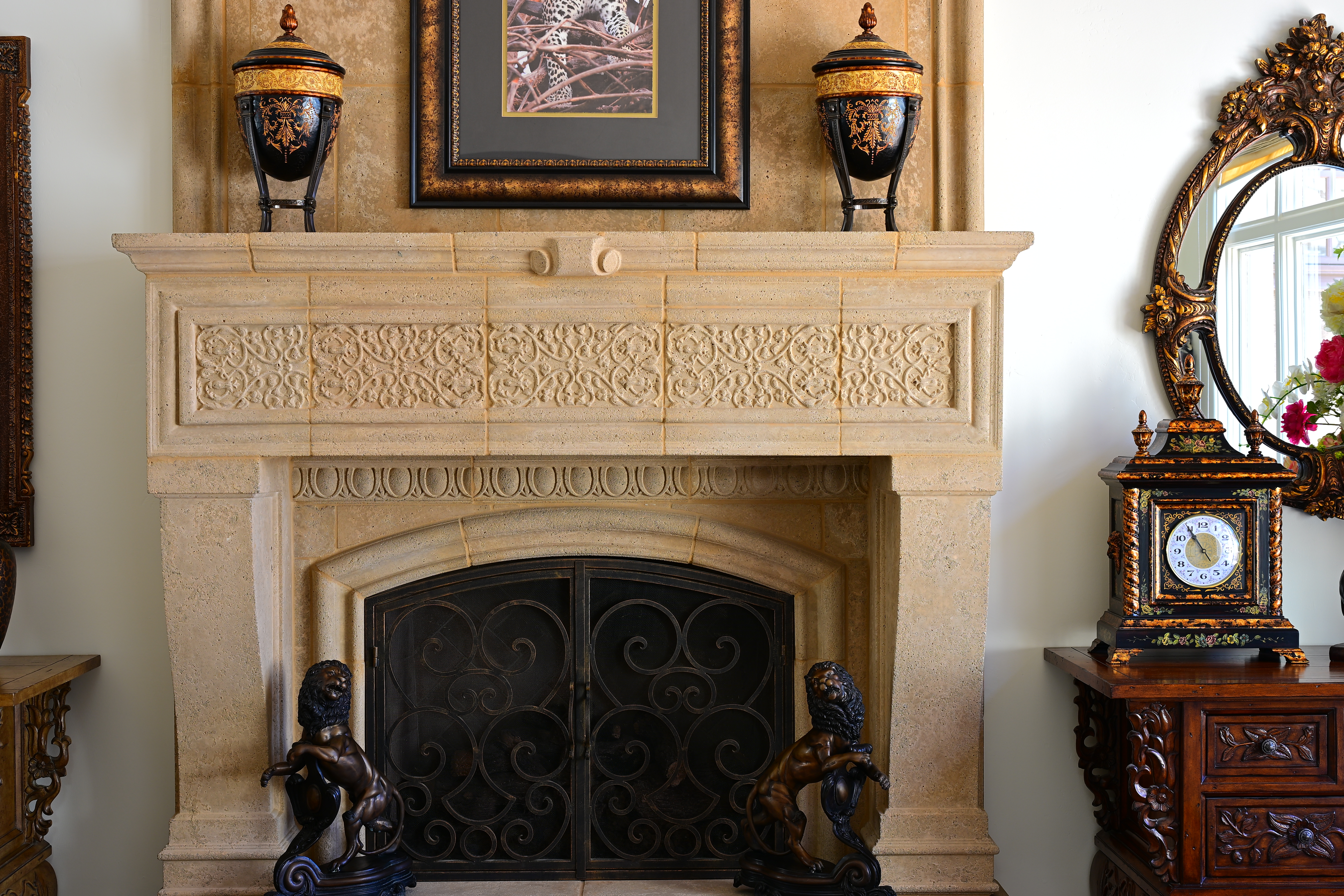
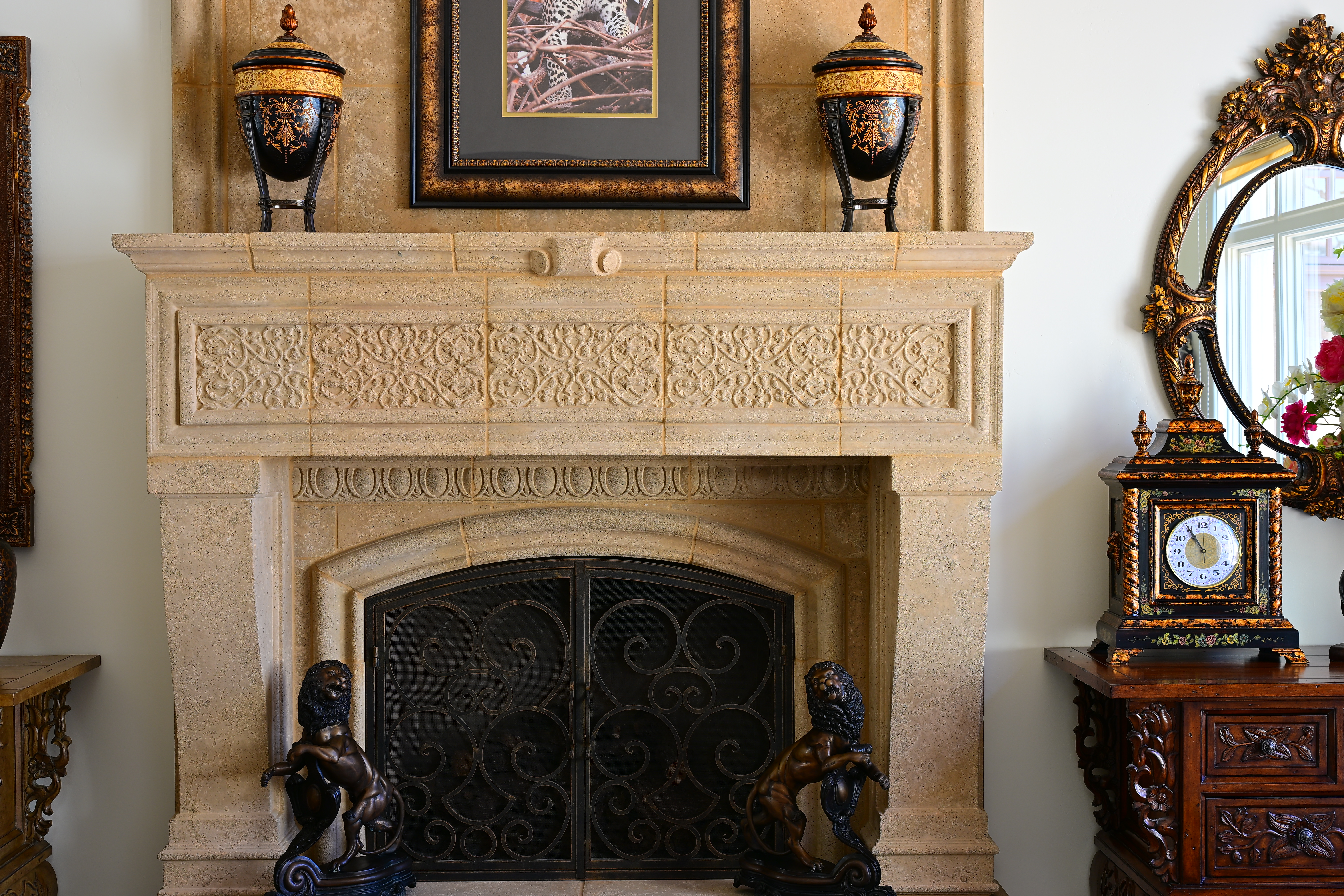
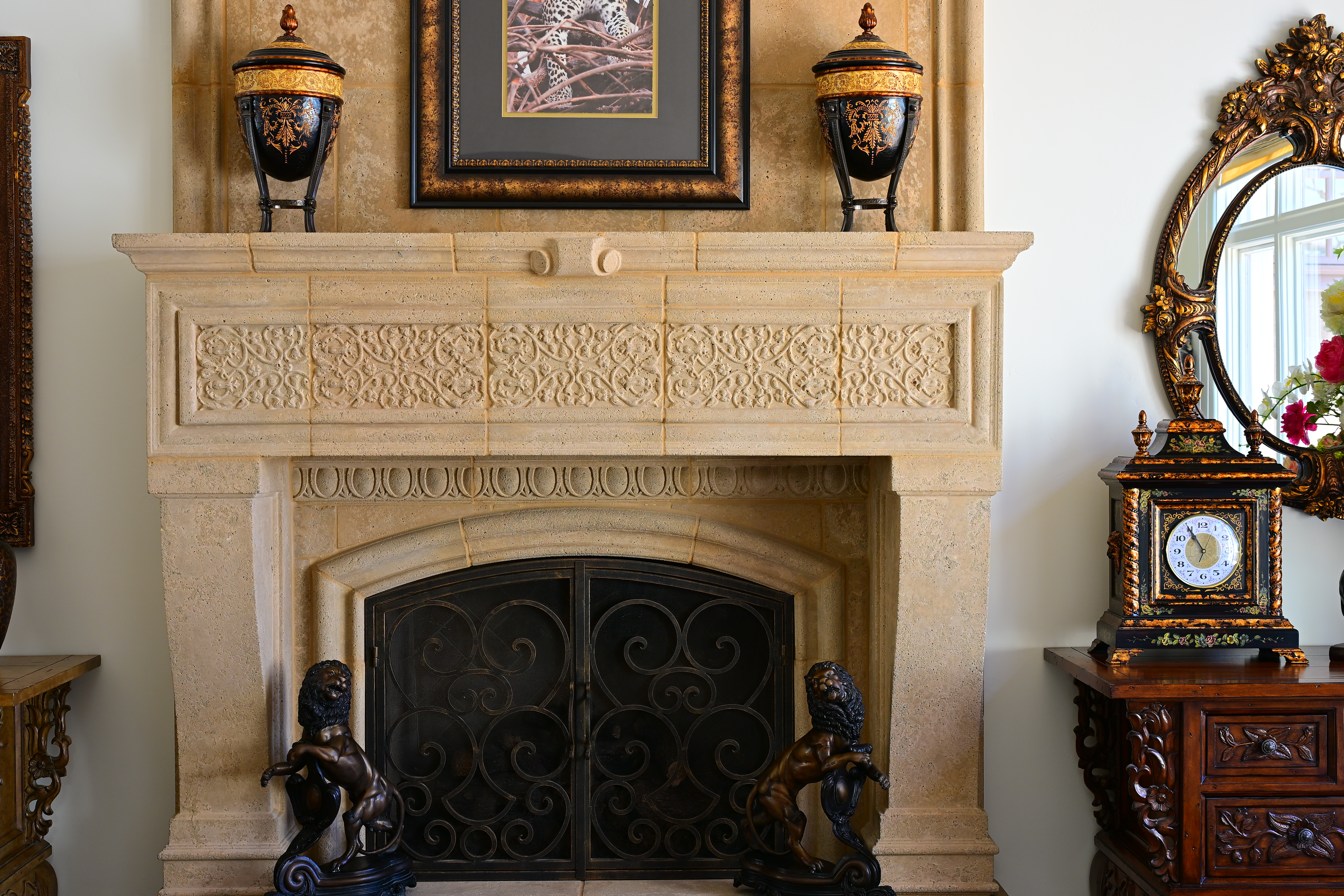
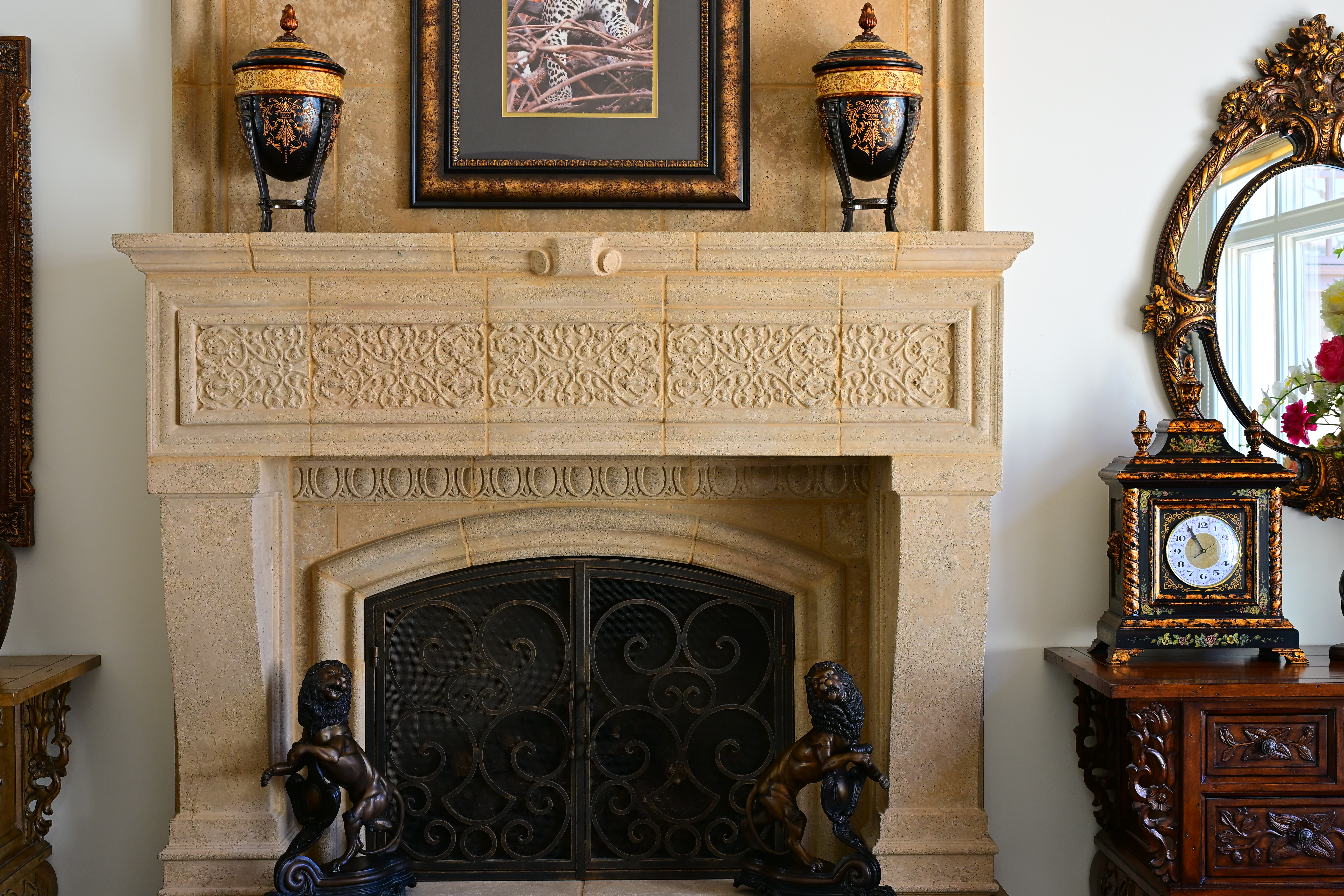
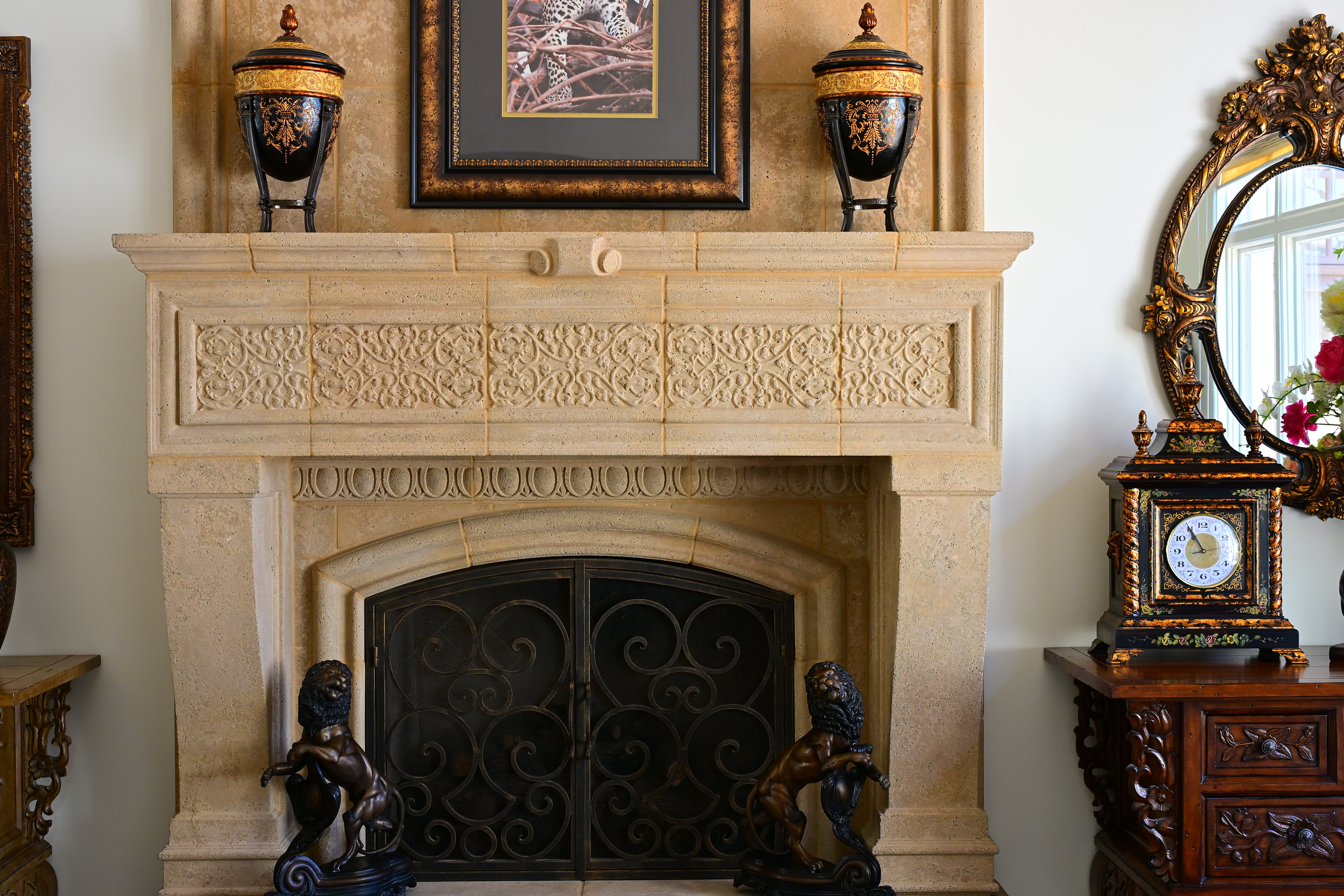
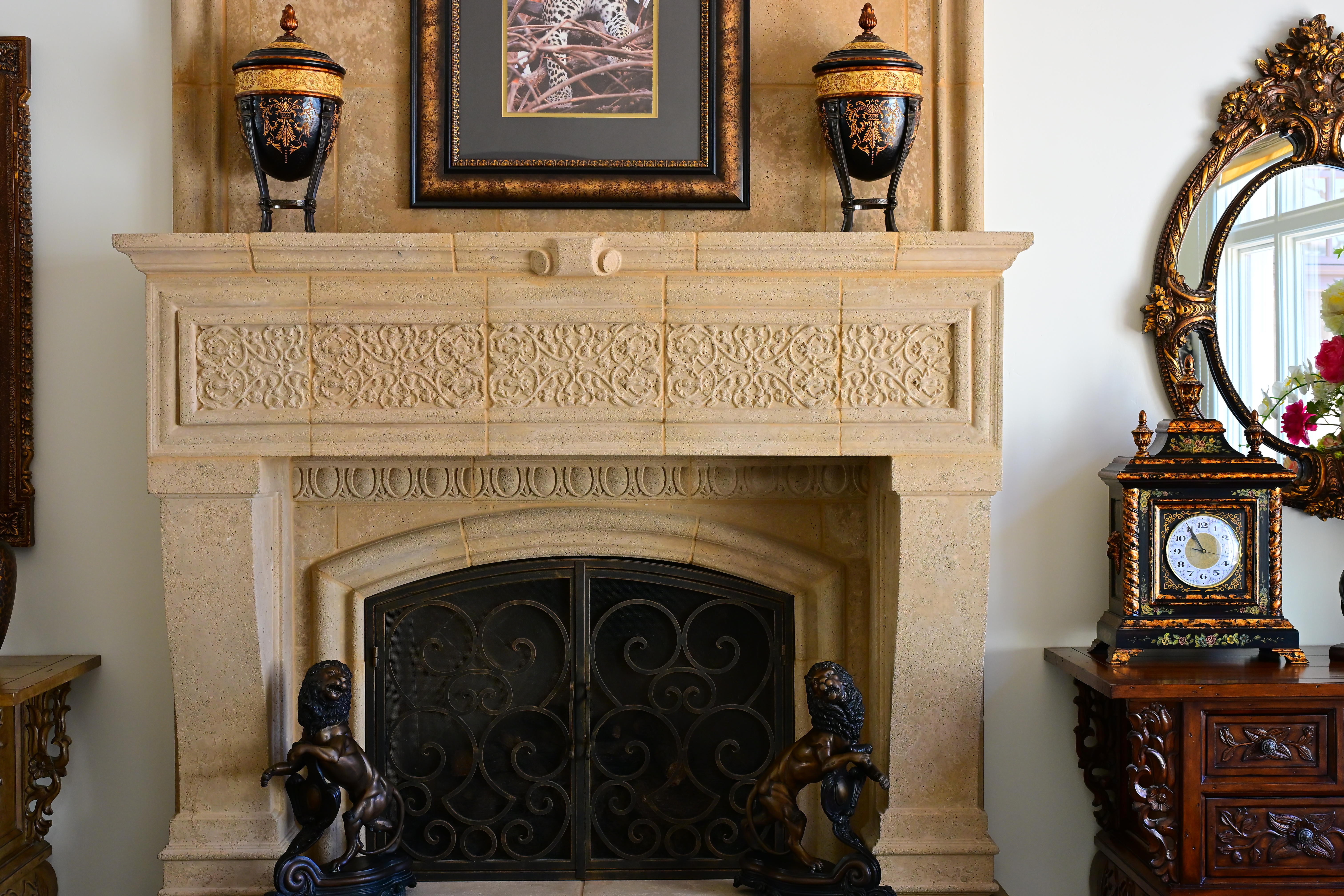
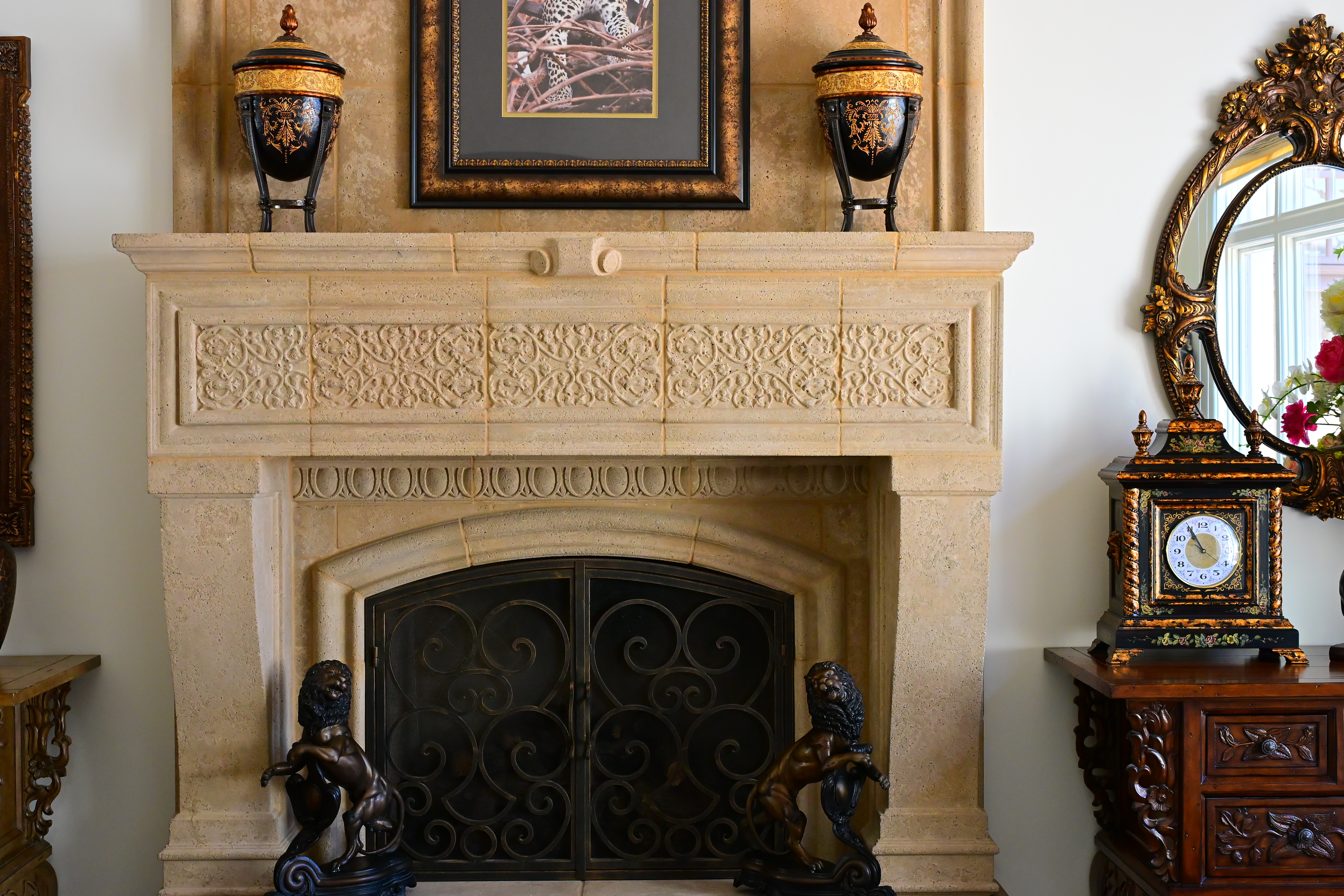
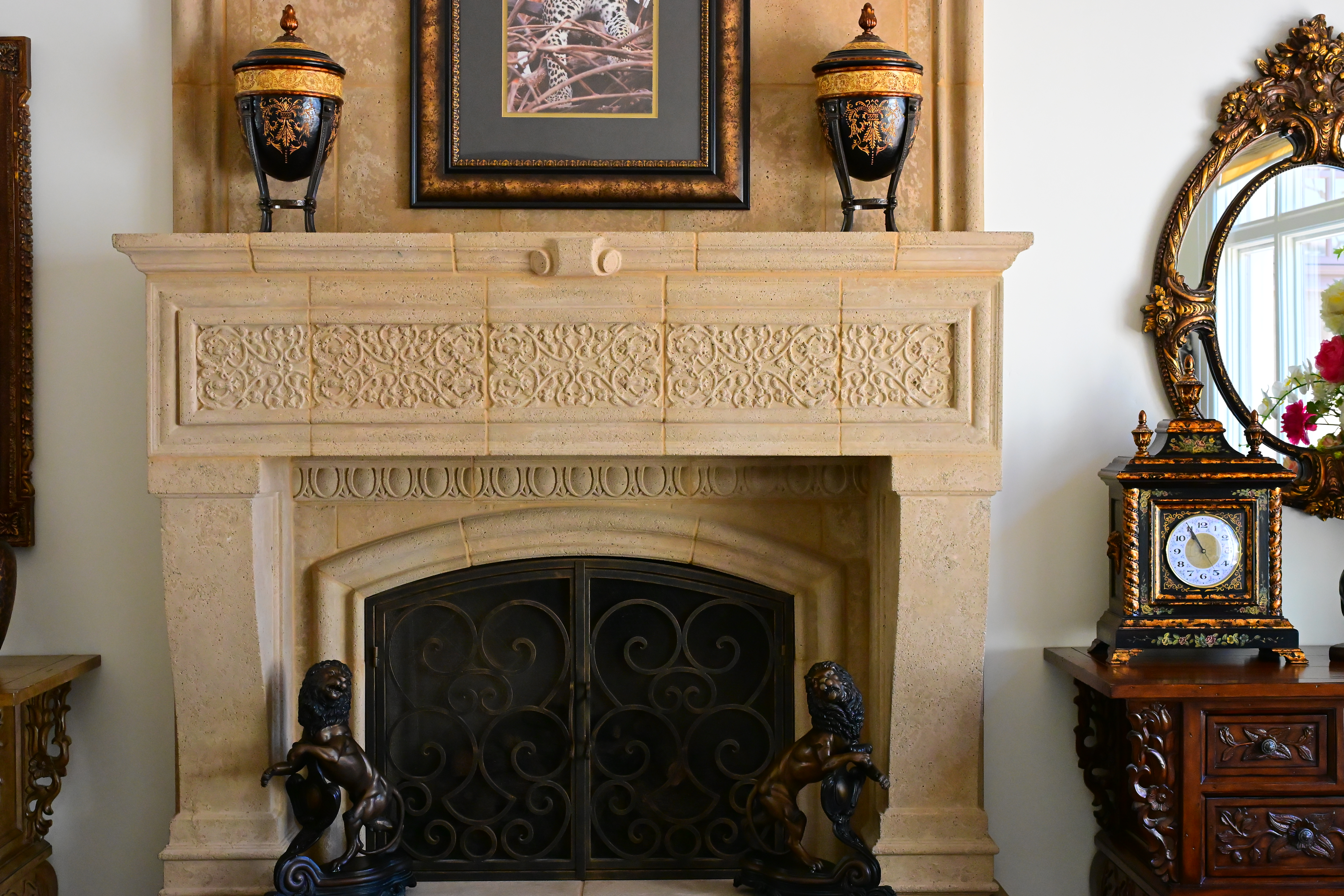
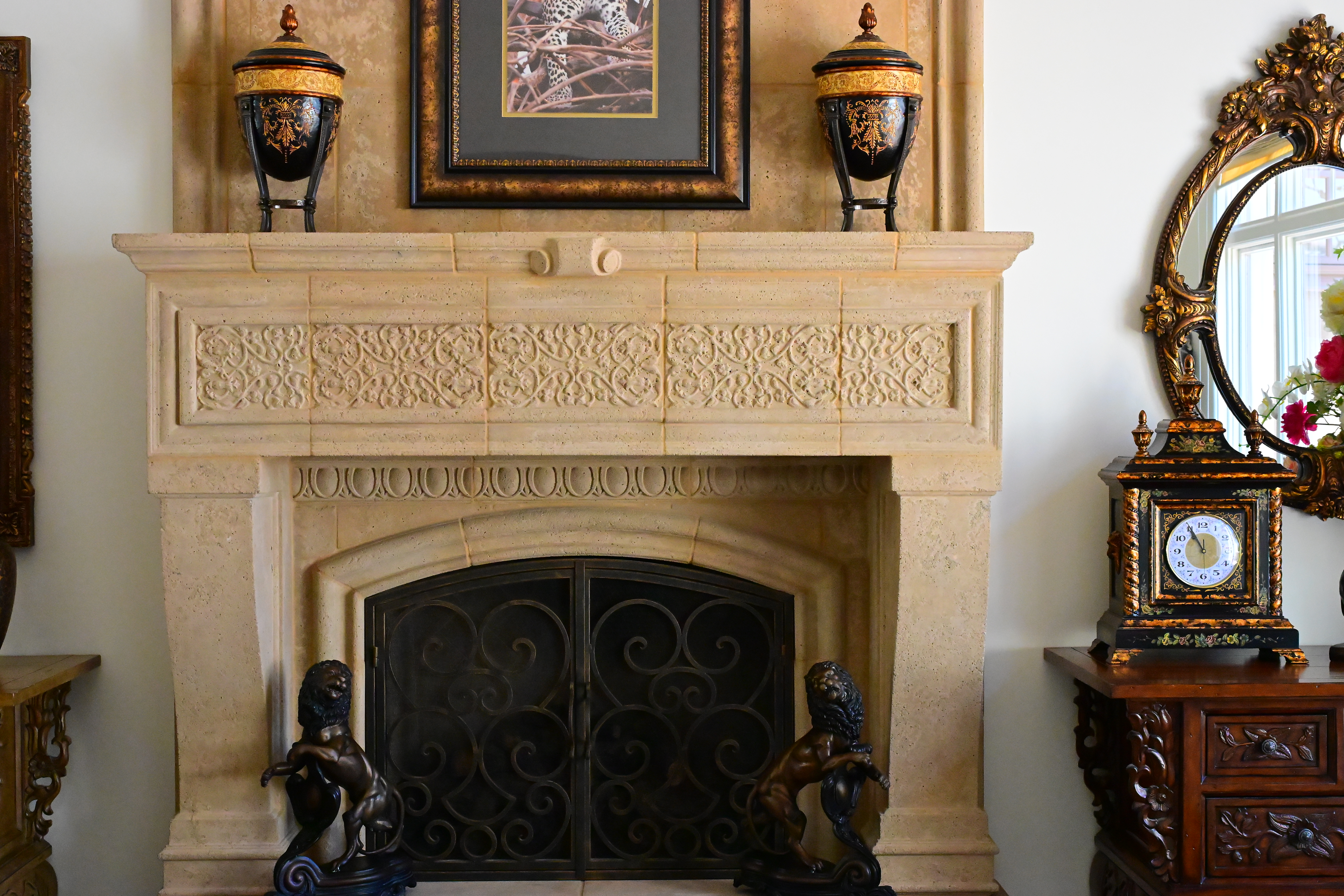
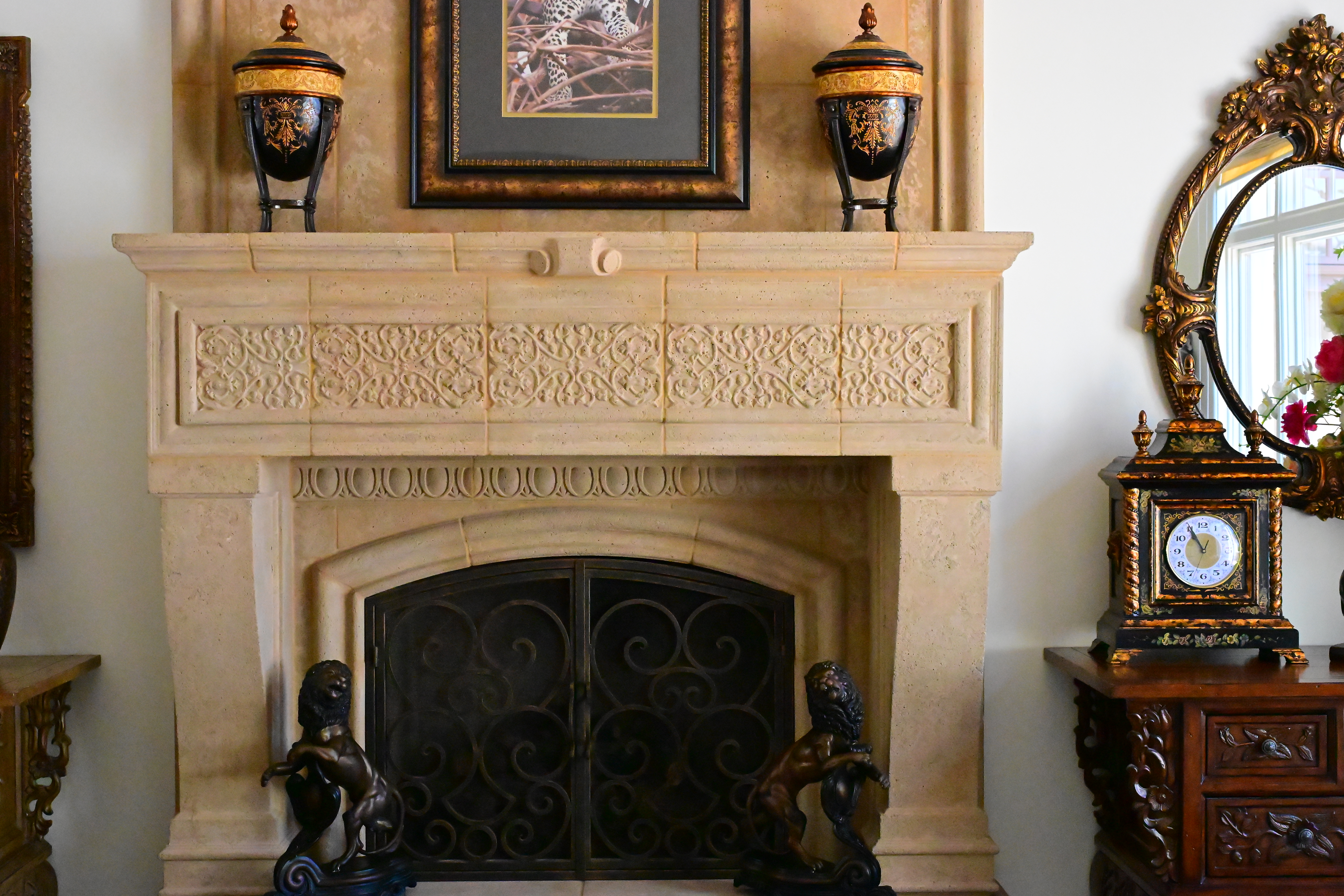
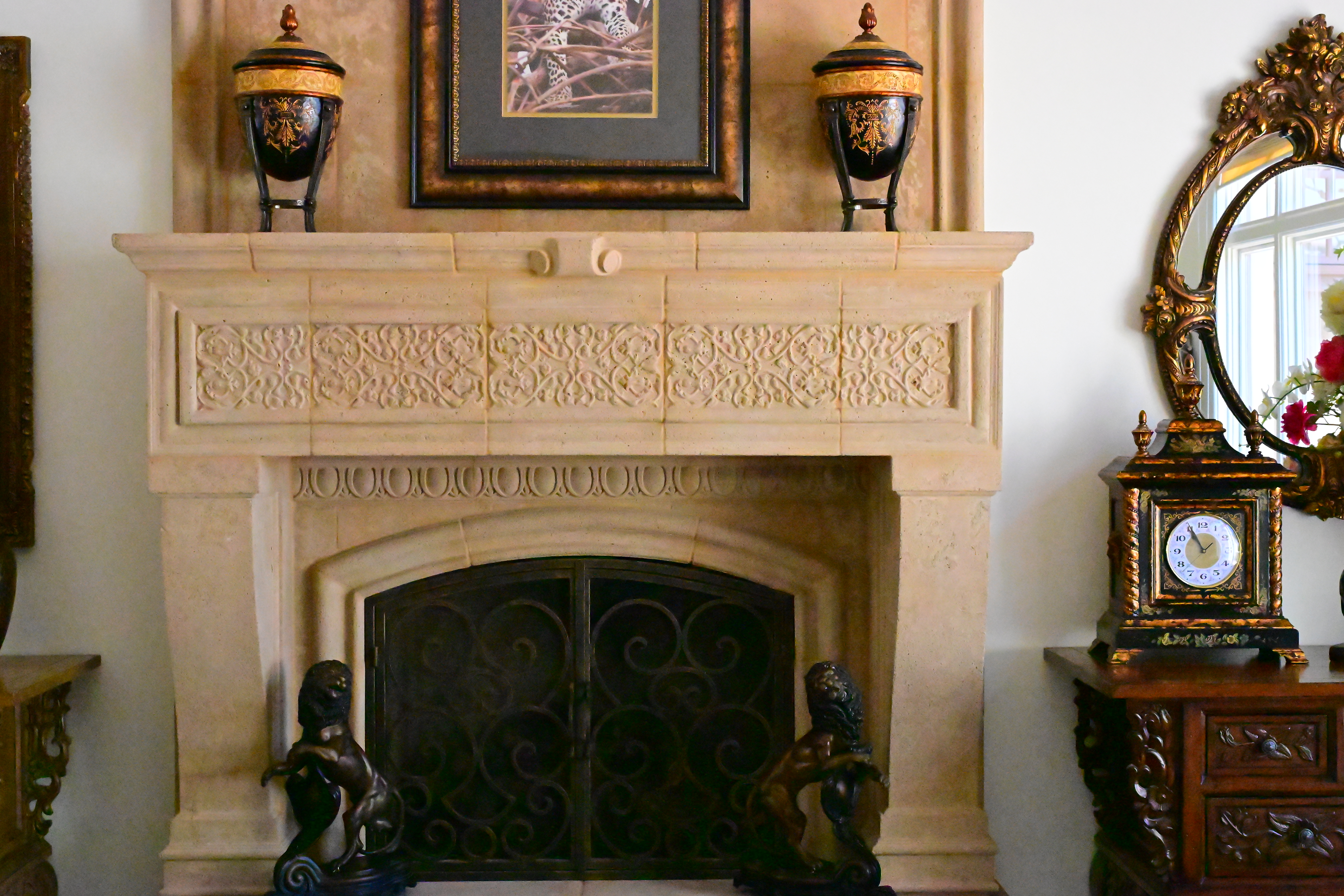
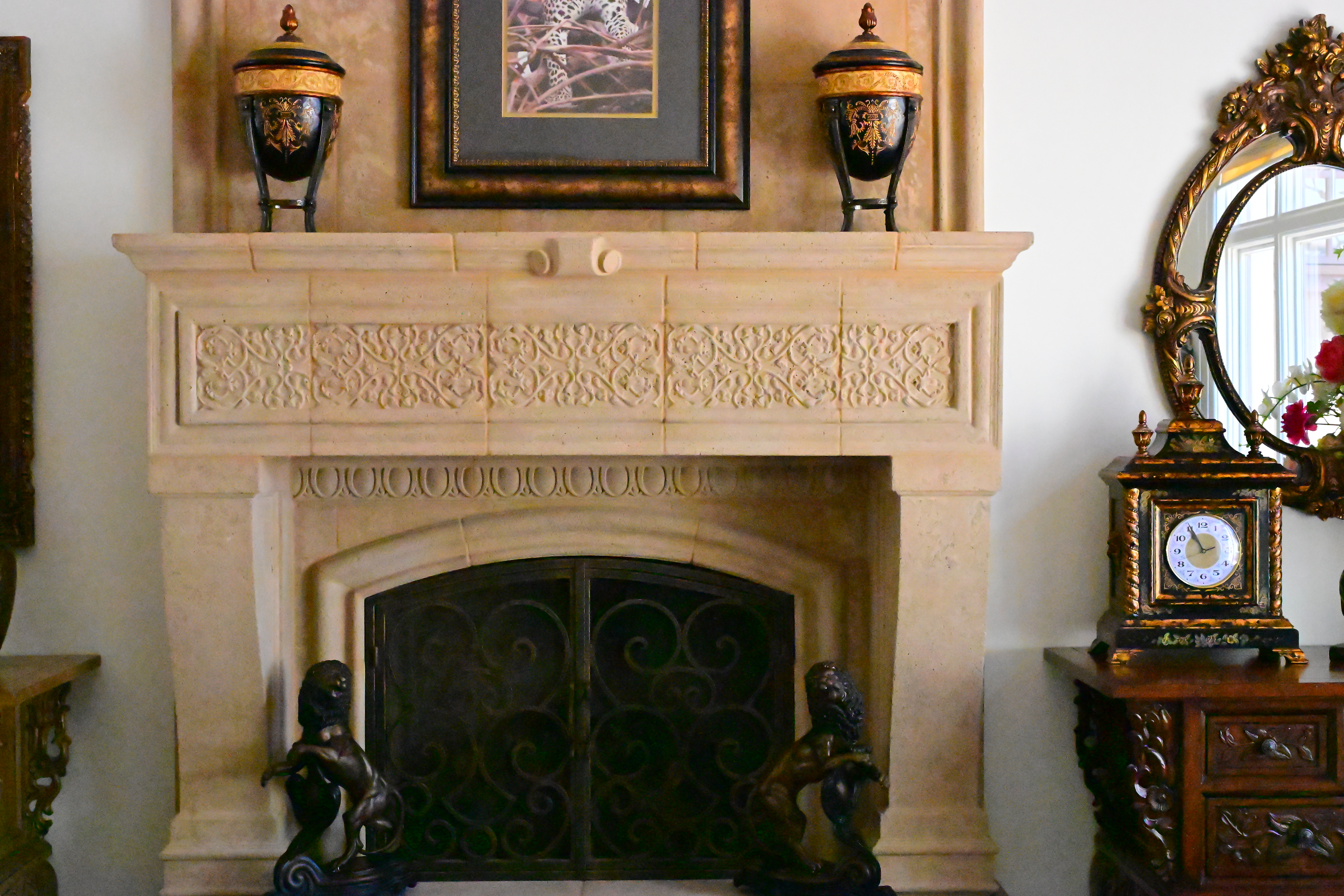
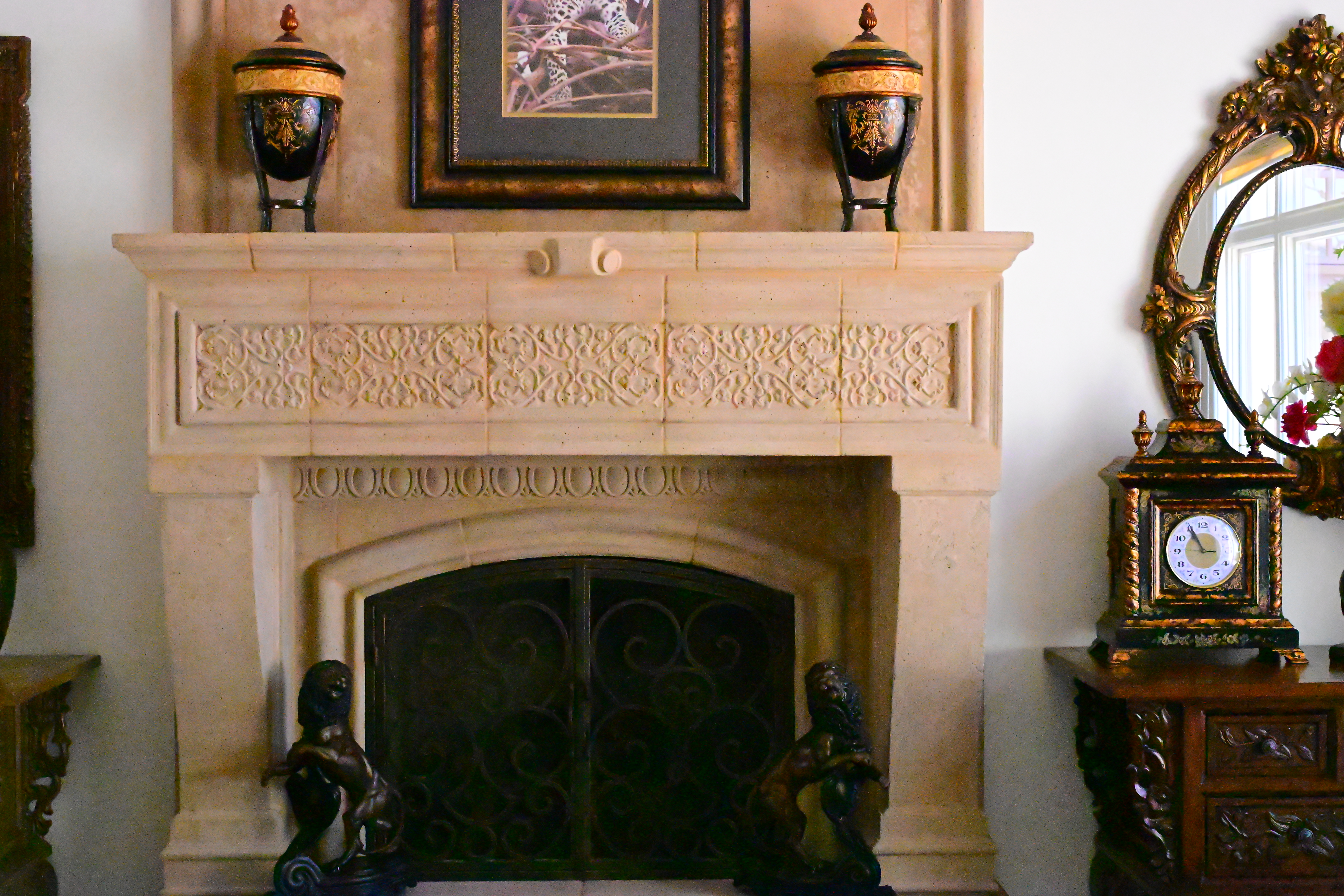
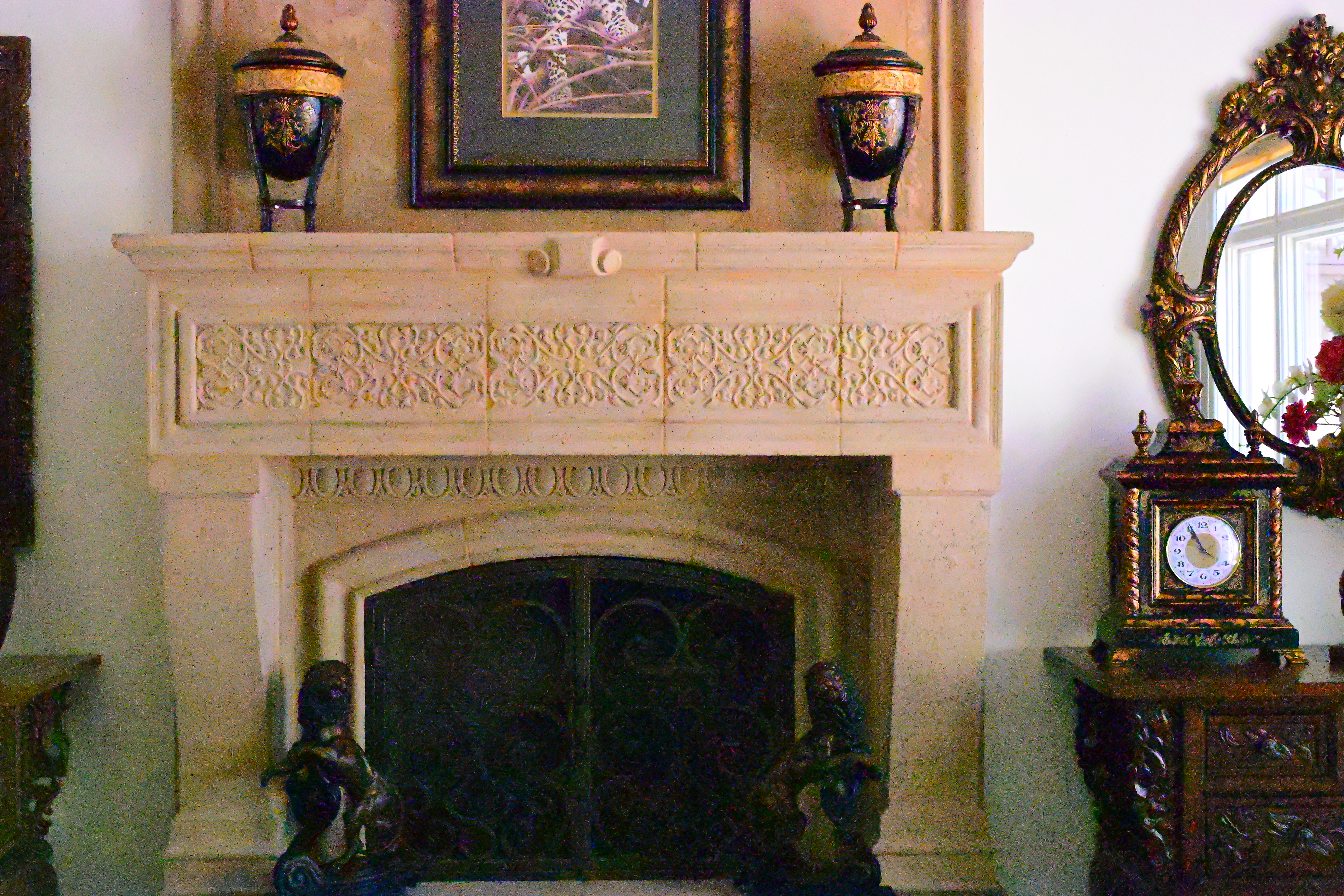
Click any for the camera-original © JPG files (about 10 MB each).
Fine Details: 600 × 450 Pixel Crops (10.1× magnification) High ISOs details dark detail performance top
Here are crops from the same images as above, showing the clock on the right.
What we see at the high magnifications below is that fine details go away as the ISO increases. This happens with all cameras (and our own eyes) and is an artifact of the noise reduction working harder as the ISO increases.
In the Z6 III, the most detail is at ISO 50 (L), and becomes softer at every higher ISO. This is normal and how noise reduction works in every camera.
ISO 50 is a "pull" ISO, and thus has more highlight contrast. This usually increases perceived highlight detail, and can lead to clipped highlights if you have too much subject contrast, as in the case of the window reflection in the glass of the clock face.
By ISO 3,200 most of the detailed scrollwork between the clock numbers is gone.
By ISO 25,600 the minute marks are mostly gone.
By ISO 51,200 all the detail is gone from the clock face, leaving only the numbers.
At ISO 102,400 (H+0.7) and above there isn't much detail left in anything.
ISO 204,800 (H +1.7) is atrocious, loaded with more noise than subject detail.
It's normal for details to go away at higher ISOs in all digital cameras.
These are 600 × 450 pixel crops which vary in size to fit your browser window.
If these are about 3" (7.5cm) wide on your screen, the complete images would print at 20 × 30" (50 × 75 cm) at this same high magnification.
If these are about 6" (15cm) wide on your screen, the complete images would print at 40 × 60" (1 × 1.5 meters) at this same extreme magnification.
If these are about 12" (30cm) wide on your screen, the complete images would print at 80 × 120" (2 × 3 meters) at this same insanely high magnification.
Click any for the camera-original © LARGE NORMAL ★ JPG files (about 10 MB each):
Click any for the camera-original © JPG files (about 10 MB each).
Dark-Area 600 × 450 Pixel Crops (10.1× magnification) High ISOs details dark detail performance top
Here are different crops from the same images as above, now showing the dark grillwork of the fireplace.
ISO 50 is a "pull" ISO, and throws much more light into the shadows and thus gives them the most detail.
Higher ISOs greatly reduce the details in the shadows, as we expect.
Note how the most detail in the fine screen is at ISO 50 (L).
At ISO 800 the screen is starting to be erased by the noise reduction.
At ISO 6,400 the screen is completely erased.
The lines between the bricks behind the grill go away by ISO 25,600.
At ISO 51,200 we're getting chroma noise (colored blotches), hot pixels, and the iron bars are mostly gone.
ISO 64,000 brings many more hot pixels and more noise.
At ISO 102,400 (H +0.7) you can't even see the iron bars and there are more hot pixels than subject details!
The image at ISO 204,800 (H +1.7) is all noise and no subject, at least as seen in the shadows here.
Again, it's normal in all digital cameras for details to go away at higher ISOs.
These are 600 × 450 pixel crops which vary in size to fit your browser window.
If these are about 3" (7.5cm) wide on your screen, the complete images would print at 20 × 30" (50 × 75 cm) at this same high magnification.
If these are about 6" (15cm) wide on your screen, the complete images would print at 40 × 60" (1 × 1.5 meters) at this same extreme magnification.
If these are about 12" (30cm) wide on your screen, the complete images would print at 80 × 120" (2 × 3 meters) at this same insanely high magnification.
Click any for the camera-original © LARGE NORMAL ★ JPG files (about 10 MB each):
Click any for the camera-original © JPG files (about 10 MB each).
Lens Corrections performance top
The Z6 III corrects for any or all of distortion, diffraction and falloff, any of which you may turn ON or OFF.
Even better is that Live View images are distortion-corrected as you shoot, if you have distortion correction turned on.
TheZ6 III always corrects for lateral color fringes (chromatic aberration), this is part of Nikon's secret sauce and never appears in any menu.
If you shoot raw data rather than JPG images, whatever software you use to create visible images from raw data may or may not correct any of this as is done in-camera as JPGs. You're on your own there; I don't bother with raw data.
Mechanical Quality performance top
The Z6 III is a typical blend of plastic and metal:
Metal
Strap lugs, exposure mode dial, hot shoe, top rear control dial (so painful to use!), card door pivot bar, camera-bottom tripod-mating surface, tripod socket.
Glass
Finder optics, LCD cover.
Plastic
Almost everything: the top cover, exposure-mode dial lock button and every other button, lever and control, all doors, LCD frame, camera back and bottom.
Rubberized
All the grips with leather-like grain, eyecup, the crappy connector-cover flaps on the left and both door gaskets.
Serial Number
Printed on a sticker on the back, under the LCD where it should be safe:
Nikon Z6 III. bigger.
Date Code
None found.
Noises When Shaken
Mild clattering.
Made in
Made in Thailand.
Rolling Electronic Shutter performance top
It's pretty good here; with the ability to shoot flash with 1/60 sync with the electronic shutter.
Here's how it shoots a helicopter in flight. Here's about the worst bending:
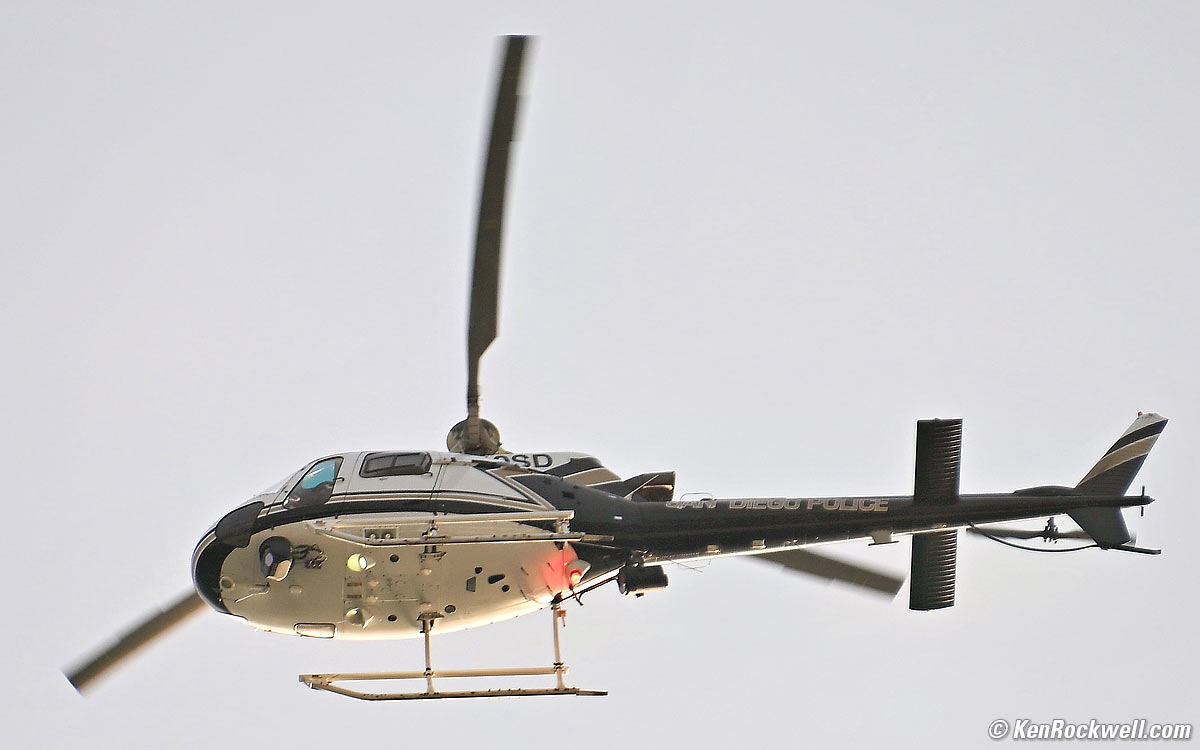
San Diego Police Helicopter, 6:53 PM, Thursday, 01 August 2024. Cropped Nikon Z6 III with Nikon AF-S 28-300mm VR on my FTZ at 300mm at f/5.6 at 1/1,000 at Auto ISO 360, +0.7 stops exposure compensation for the light sky and Radiant Photo software to bring back detail in the shadows (LV 13.1), Photoshop CC 2021. bigger.
While most shots look pretty good, like this one:
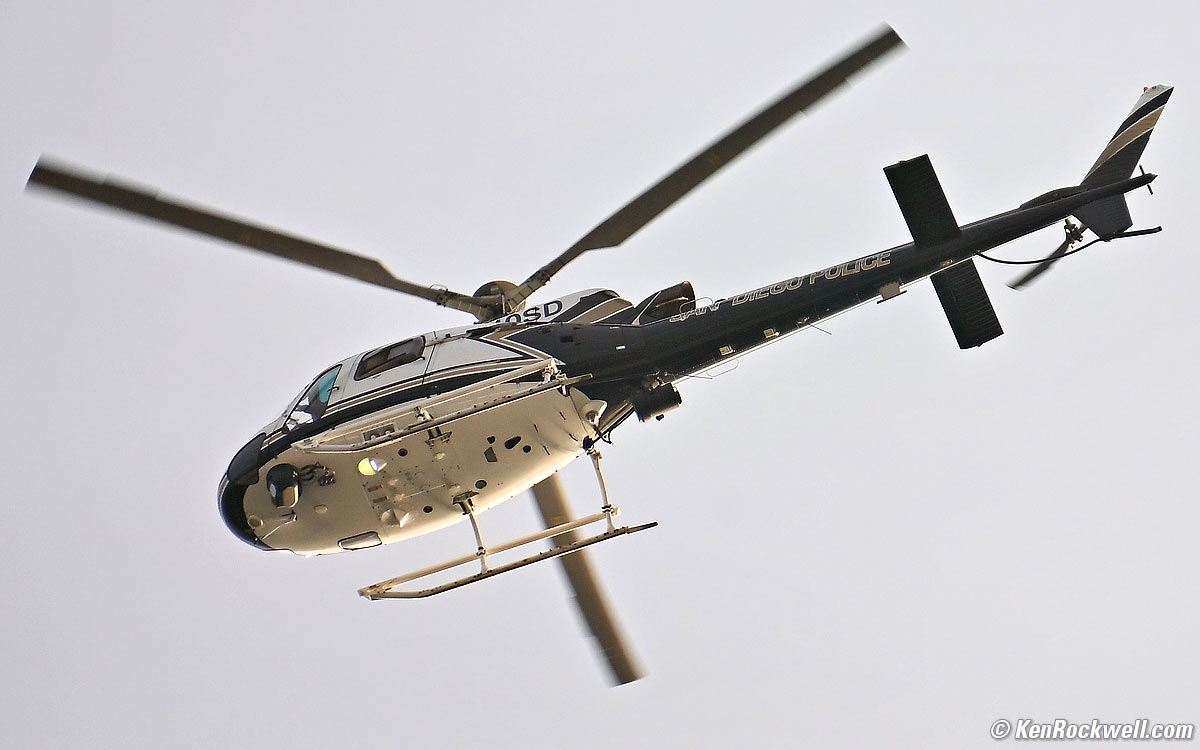
San Diego Police Helicopter, 6:53 PM, Thursday, 01 August 2024. Cropped Nikon Z6 III with Nikon AF-S 28-300mm VR on my FTZ at 300mm at f/5.6 at 1/1,000 at Auto ISO 360, +0.7 stops exposure compensation for the light sky and Radiant Photo software to bring back detail in the shadows (LV 13.1), Photoshop 2021. bigger.
Of course a professional helicopter photographer wouldn't care, because much slower shutter speeds would be used to blur the blades to look realistic, not stopped here which says the helicopter is about to fall out of the sky.
Image Stabilization performance top
Image Stabilization (IS or VR (Vibration Reduction)) works great in-body with unstabilized lenses, as well as with optically stabilized lenses.
"Percent Perfectly Sharp Shots" are the percentage of hand-held, free-standing with no support or bracing, frames with 100% perfect tripod-equivalent sharpness as viewed at 300%. Hand tremor is a random occurrence, so at marginal speeds some frames will be perfectly sharp while others will be in various stages of blur — all at the same shutter speed.
This rates what percentage of shots are perfectly sharp, not how sharp are all the frames:
With unstabilized Z 35mm f/1.4
| % Perfectly Sharp Shots | 4s |
2s |
1s |
1/2 |
1/4 |
1/8 |
1/15 |
1/30 |
1/60 |
1/125 |
| Stabilization ON | 0 |
10 |
20 |
90 |
100 |
100 |
100 |
100 |
100 |
100 |
| Stabilization OFF | 0 |
0 |
0 |
0 |
0 |
10 |
30 |
30 |
70 |
100 |
I see a five stop real-world improvement, which is superb.
Even if I don't get perfect sharpness at 300% magnification as plotted above, at normal image sizes in-camera stabilization makes it easy to get sharp shots at a few seconds hand-held.
With unstabilized Nikon NIKKOR 55mm f/1.2 AI, "Starshine" from 1977 on my FTZ
| % Perfectly Sharp Shots | 1s |
1/2 |
1/4 |
1/8 |
1/15 |
1/30 |
1/60 |
1/125 |
1/250 |
| Stabilization ON | 0 |
17 |
67 |
83 |
100 |
100 |
100 |
100 |
100 |
| Stabilization OFF | 0 |
0 |
0 |
0 |
0 |
22 |
50 |
87½ |
100 |
I see a 4⅓ stop real-world improvement with my 1977 lens, which is great!
Top LCD performance top
The top LCD is pure black-or-white, so it's very visible in any light.
It has a dim cool-white LED backlight if you tap the ☀ button.
It now counts-up the time in minutes and seconds in TIME and BULB exposure modes, but sadly the backlight turns off. Geesh, how many decades will it take until we have a visible on-camera timer from Nikon for night shots?
Awake. bigger.
When the Z6 III goes to sleep with the power switch on, you lose the top line that shows the shutter speed and aperture, while the ISO and everything else remains.
While charging it shows a battery icon, however it doesn't update until you wake the camera again, making it useless.
Turn it off and you also lose the middle section, leaving just the bottom:
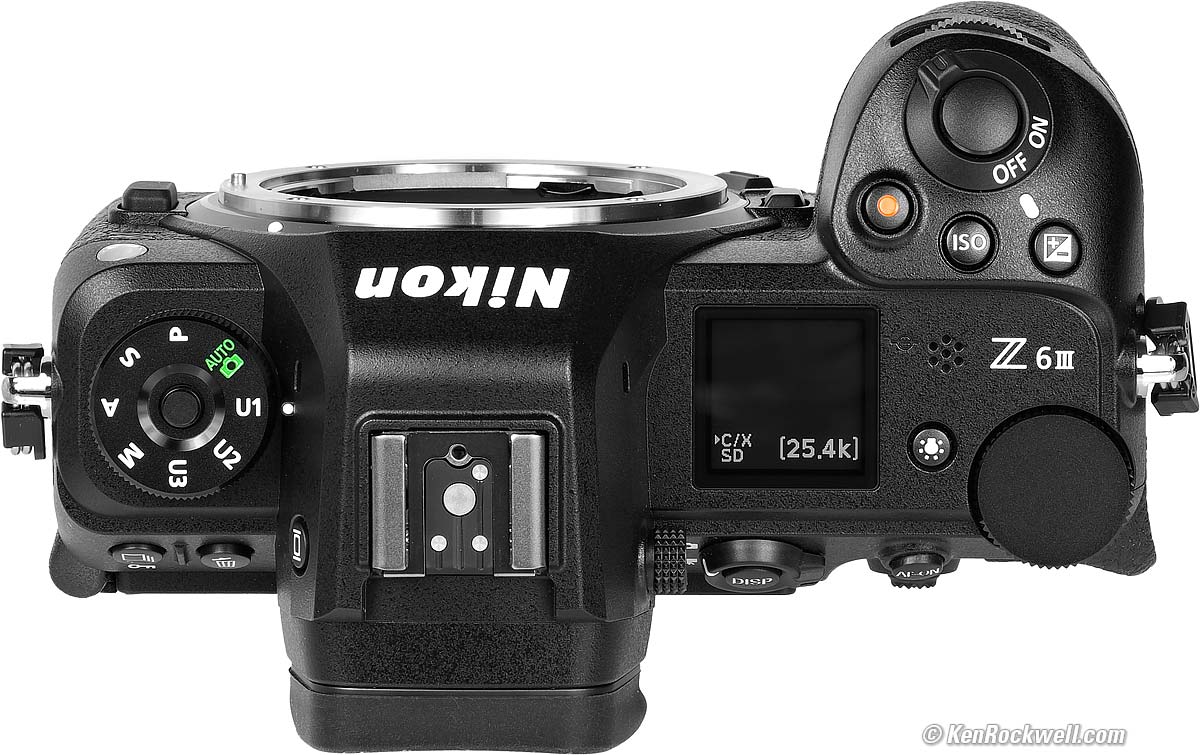
Power Off. bigger.
The top LCD goes all white with a completely dead or absent battery. You'll probably never see this except when you first open the camera or pop in the as-shipped battery, which arrives stone-cold dead:
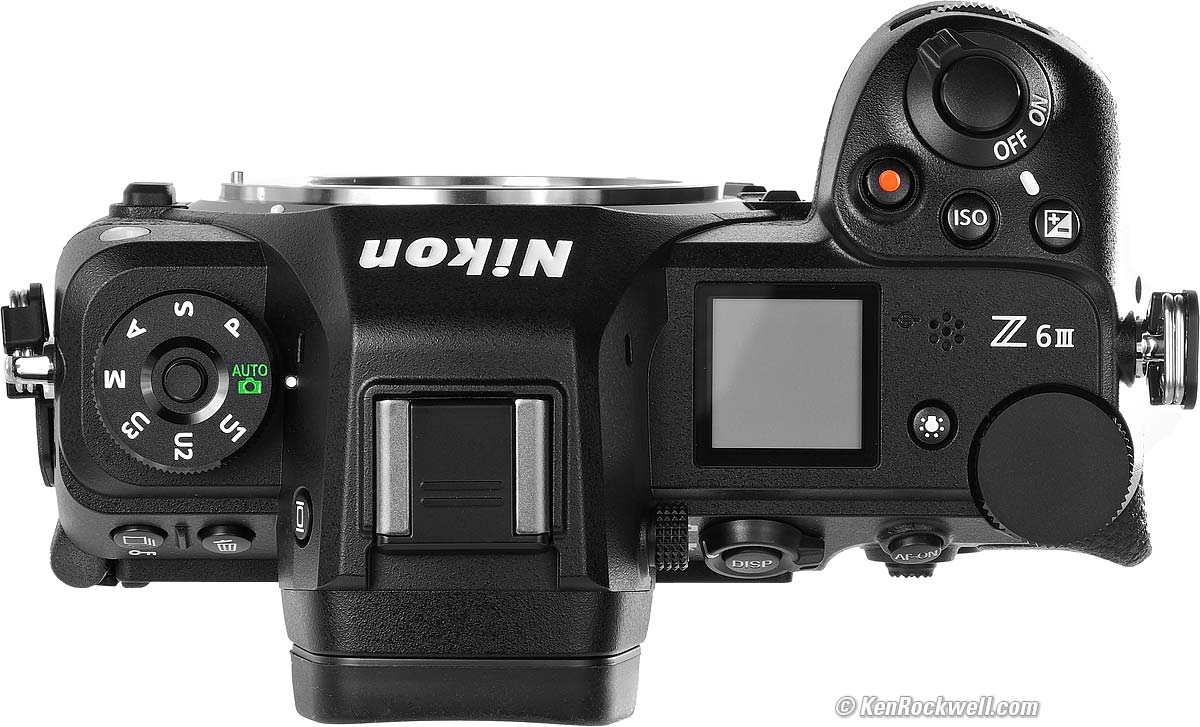
With a completely dead or absent battery. bigger.
While it shows lots of data crammed-in there, sadly as you make settings it doesn't enlarge the display to make it much more legible; the adjusted value stays tiny. Here's how it looks setting exposure compensation:
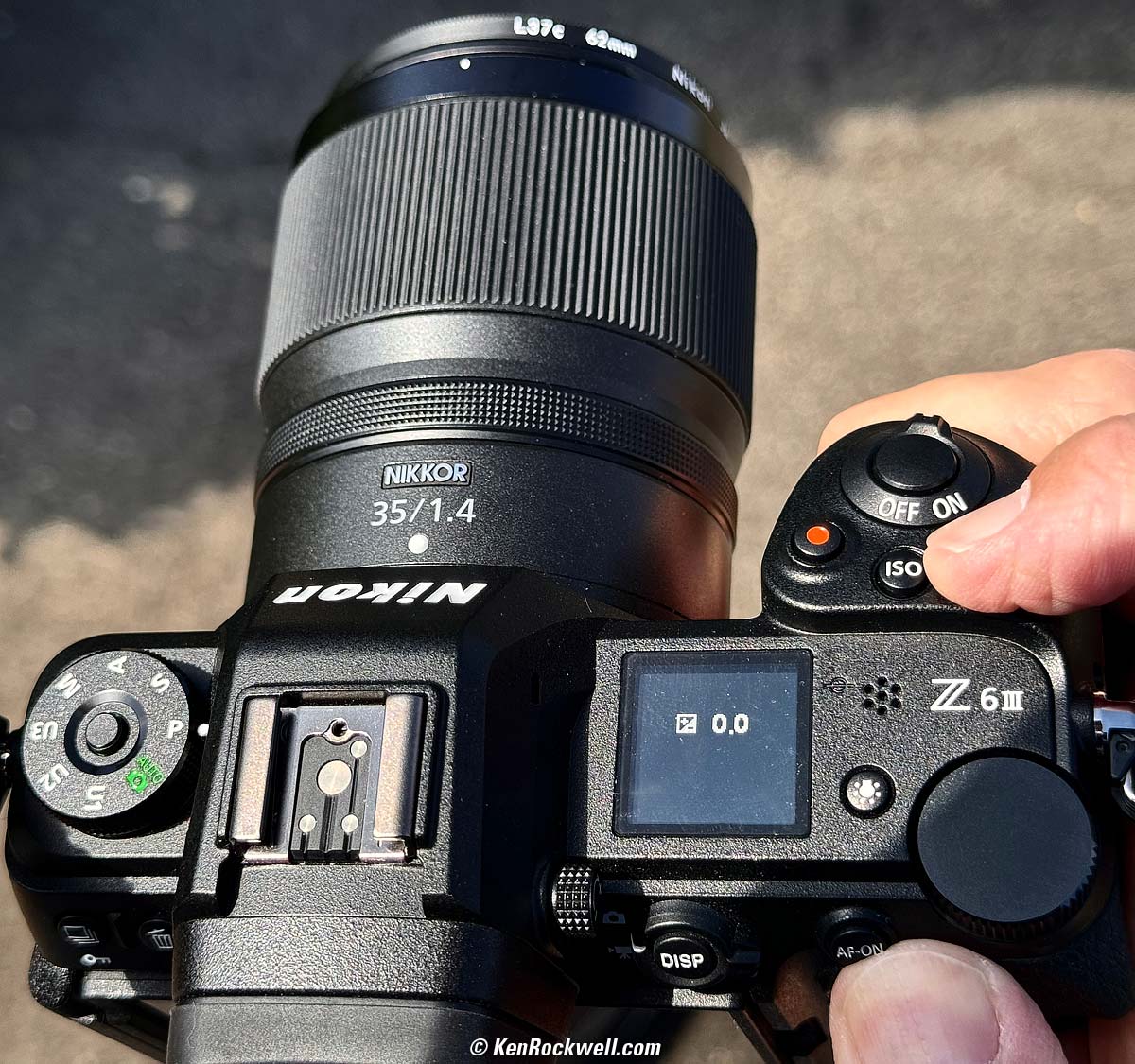
Display stays small even when adjusting just one setting. bigger.
Playback performance top
Sadly it's the usual from Nikon, meaning that often when zoomed and I try to scroll around the image with the nubbin, often it won't work, or simply stops in the middle of a move!
Data performance top
Cards are well titled as "NIKON Z6_3."
The images are stored in folders that by default start at "100NZ6_3."
Good job. (Sony and Fuji still haven't learned to title their cards, simply coming up as NO NAME.)
Sadly frame numbers only go to 9,999 before rolling around back to 0001, so shooting at high frame rates it's easy to have duplicate file names that can't be put in the same folder!
The camera's serial number embedded in the EXIF of each and every file, and so is the lens' serial number! I read these in Photoshop at FILE > FILE INFO > CAMERA DATA.
Power & Battery performance top
Battery life is typical for modern mirrorless cameras, which even more so than a car's fuel economy, depends mostly on how you use it.
Like most mirrorless cameras, battery life tends to be a constant number of operating hours rather than how many snaps you take. You get so much time regardless of what you do, so the more pictures you take in that time rather than playing back or setting things, the more pictures you get per charge.
I get about 1,500 shots per charge with a general mix between single shots and long continuous bursts with the electronic shutter.
If all I did was take single shots and play each one and fiddle, most cameras and my Z6 III only gives a few hundred shots as specified, and if all I did was shoot long continuous bursts with the electronic shutter with no playback or fiddling, I'd probably get north of 10,000 shots per charge.
See also How to Charge in my User's Guide.
Clock Accuracy performance top
Every sample is different. Mine gains about 179 milliseconds per day, or about 5.45 seconds per month, which is reasonably good.
This matters when you shoot multiple cameras (or this camera and an iPhone) and then sort all the images based on capture time to compare the similar views of each scene. The more accurate a camera's internal clock, the less often you need to reset it.
It probably will set to GPS with an app; I haven't tried that.
Compared top
Sample Images Intro New Good Bad Missing
Lens Compatibility Specifications Accessories
I got my Z6 III at B&H. I'd also get it at Adorama, at Amazon or at Crutchfield, or used at eBay (How to Win at eBay) or used at KEH:
Z6 III body-only:
$1,997 at B&H, at Adorama, at Crutchfield and at Amazon.
$2,075 used at KEH (KEH's prices aren't reflecting the current new discount).
About $1,840 used at eBay (How to Win at eBay).
Kit with the Z 24-70mm f/4 as shown: $2,597 at B&H, at Adorama, at Crutchfield and at Amazon.
New: Kit with the Z 24-120mm f/4: $2,894 at B&H and $3,597 at Crutchfield.
New: Kit with the Z 28-400mm VR: $2,997 at B&H and at Adorama.
Versus the old Z6 II
These are the new or different features.
Nikon vs Canon vs Sony Full Frame Mirrorless Compared.
Canon, Nikon, Sony, Fuji & OM SYSTEM Menu Systems Compared.
Versus Sony Mirrorless
Huge advantages of Nikon mirrorless over Sony are:
Feels and handles like a real camera, not a VCR as Sonys do.
Superior Nikon color rendition. While mirrorless is fun, I get better colors on my Canons and Nikons than I get from Fuji or Sony.
Full-time instant manual-focus override. A core incompetency of Sony's and Fuji's systems are that only one lens I've used does this. The rest of the system only can do this part time, only if you set the camera in certain modes, and often the other brand lenses use electronic manual focus which doesn't respond instantly.
Versus Canon Mirrorless
Back in 2018 Canon was ahead, and in the past two years Canon has made huge strides with many innovative new lenses uniquely suited to mirrorless, as well as the world's two best mirrorless cameras — all while Nikon has pretty much done nothing and tried to get us excited about this "III" version that isn't much different from five years ago.
I wouldn't spend any more money buying into the Nikon mirrorless system. I'd upgrade to Canon as soon as you can.
User's Guide top
Sample Images Intro New Good Bad Missing
Lens Compatibility Specifications Accessories
I got my Z6 III at B&H. I'd also get it at Adorama, at Amazon or at Crutchfield, or used at eBay (How to Win at eBay) or used at KEH:
Z6 III body-only:
$1,997 at B&H, at Adorama, at Crutchfield and at Amazon.
$2,075 used at KEH (KEH's prices aren't reflecting the current new discount).
About $1,840 used at eBay (How to Win at eBay).
Kit with the Z 24-70mm f/4 as shown: $2,597 at B&H, at Adorama, at Crutchfield and at Amazon.
New: Kit with the Z 24-120mm f/4: $2,894 at B&H and $3,597 at Crutchfield.
New: Kit with the Z 28-400mm VR: $2,997 at B&H and at Adorama.
See my Nikon Z6 III User's Guide.
Recommendations top
Sample Images Intro New Good Bad Missing
Lens Compatibility Specifications Accessories
I got my Z6 III at B&H. I'd also get it at Adorama, at Amazon or at Crutchfield, or used at eBay (How to Win at eBay) or used at KEH:
Z6 III body-only:
$1,997 at B&H, at Adorama, at Crutchfield and at Amazon.
$2,075 used at KEH (KEH's prices aren't reflecting the current new discount).
About $1,840 used at eBay (How to Win at eBay).
Kit with the Z 24-70mm f/4 as shown: $2,597 at B&H, at Adorama, at Crutchfield and at Amazon.
New: Kit with the Z 24-120mm f/4: $2,894 at B&H and $3,597 at Crutchfield.
New: Kit with the Z 28-400mm VR: $2,997 at B&H and at Adorama.
The Z6 III has numerous enhancements from the Z6 II, but nothing that exciting by itself. I'd use this as an opportunity to get the old Z6 II at $1,000 off and call it a day, rather than getting this Z6 III. See also Is It Worth It.
As I said four years ago with the old Z6 II, Nikon lacks the budgets it used to have and I don't see Nikon catching up anytime to the Canon mirrorless system. I'd strongly suggest upgrading to the Canon EOS R mirrorless system and not throwing any more money into Nikon. I've owned and shot Nikon every day since 1983, and things have changed. It's not 1983 anymore and I much prefer my Canon mirrorless.
Lenses
Personally I prefer the Nikon Z 24-200mm for most of my shots. It's sharp, compact and does everything. For ultrawide I love the Nikon Z 14-30mm and I'm done. Of course we all have different needs; see my reviews of all Nikon Z lenses.
Get your Z6 II as a kit with the excellent Nikon Z 24-70mm f/4 S for day-to-day use. It's super sharp, small and compact — but I find 70mm way too short for half my photos.
Use the FTZ or FTZ II adapters for your other Nikon lenses, for instance the excellent 28-300mm VR or the 16-35mm VR and/or your choice of telephoto (I use the 28-300mm VR as my telephoto).
Use the FTZ adapters only with Nikon's newest lenses with a built-in AF motor (AF-S and AF-P). These are the only lenses that autofocus with this adapter.
Don't get the FTZ for use with traditional AF-D, AF or manual-focus lenses. Traditional AF-D and AF lenses do not autofocus on the FTZ. Nikon still sells many of these lenses new today, and they work much better on any FX DSLR like a D850. Poo!
Manual-focus F, AI , AI'd, AI-s and adapted rangefinder lenses works poorly on the FTZ with no automatic diaphragm control, poor exposure control, poor finder brightness control and no EXIF or in-finder aperture data — and you have to open-and-close the diaphragm manually for precise focus for each shot!
Flash
The SB-400 is the ultimate mirrorless flash. It works flawlessly with the Z6 III, even turning on and off with the Z6 III's power switch.
Even more than it was on DSLRs, it's tiny as you want on mirrorless, and it's powerful and recycles fast and the Z6 III balances it for fill perfectly.
The SB-400 was discontinued; no worry, you can get them on eBay for about $125 (see How to Win at eBay).
The SB-400 is much better for mirrorless than today's bigger, crummier and more expensive SB-300 and SB-500. The SB300 is bigger, junkier, lower powered and takes too long to recycle from it's pathetic AAA cells, and the SB500 is too darn big and costs more than twice as much for about the same performance as the tiny SB400.
I got my Z6 III at B&H. I'd also get it at Adorama, at Amazon or at Crutchfield, or used at eBay (How to Win at eBay) or used at KEH:
Z6 III body-only:
$1,997 at B&H, at Adorama, at Crutchfield and at Amazon.
$2,075 used at KEH (KEH's prices aren't reflecting the current new discount).
About $1,840 used at eBay (How to Win at eBay).
Kit with the Z 24-70mm f/4 as shown: $2,597 at B&H, at Adorama, at Crutchfield and at Amazon.
New: Kit with the Z 24-120mm f/4: $2,894 at B&H and $3,597 at Crutchfield.
New: Kit with the Z 28-400mm VR: $2,997 at B&H and at Adorama.
This all content, junk-free website's biggest source of support is when you use those or any of these links to approved sources when you get anything, regardless of the country in which you live. Nikon does not seal its boxes in any way, so never buy at retail or any other source not on my personally approved list since you'll have no way of knowing if you're missing accessories, getting a defective, damaged, returned, non-USA, store demo or used camera. I use the stores I do because they ship from secure remote warehouses where no one gets to touch your new camera before you do. Buy only from the approved sources I use myself for the best prices, service, return policies and selection.
Thanks for helping me help you!
Ken Rockwell.
© Ken Rockwell. All rights reserved. Tous droits réservés. Alle Rechte vorbehalten. Alla rättigheter förbehållna. Toate drepturile rezervate. Niciun vampir nu a fost implicat în crearea acestei lucrări. Omnia jura reservata. Ken Rockwell® is a registered trademark.
Help Me Help You top
I support my growing family through this website, as crazy as it might seem.
The biggest help is when you use any of these links when you get anything. It costs you nothing, and is this site's, and thus my family's, biggest source of support. These places always have the best prices and service, which is why I've used them since before this website existed. I recommend them all personally.
If you find this page as helpful as a book you might have had to buy or a workshop you may have had to take, feel free to help me continue helping everyone.
If you've gotten your gear through one of my links or helped otherwise, you're family. It's great people like you who allow me to keep adding to this site full-time. Thanks!
If you haven't helped yet, please do, and consider helping me with a gift of $5.00.
As this page is copyrighted and formally registered, it is unlawful to make copies, especially in the form of printouts for personal use. If you wish to make a printout for personal use, you are granted one-time permission only if you PayPal me $5.00 per printout or part thereof. Thank you!
Thanks for reading!
Ken.