Sony RX1 RIII
60 MP Unstabilized Full Frame, 35mm f/2, Leaf Shutter, 1/2,000 sync, 5 FPS, 4K30, No AF/MF Switch (2025 ~ today)
Sample Images Intro New Good Bad Missing
Specifications Accessories Performance
Sony: A9 III A1 II A1 A9 II A7R V A7R IV A7 V A7 IV A7 III A7S III A7CR A7C II A7c FX3 FX2 ZV-E1 A6700 A6600 A6400 ZV-E10 II ZV-E10 ZV-1 II RX1R III RX10/4 RX100/7 Flash Lenses
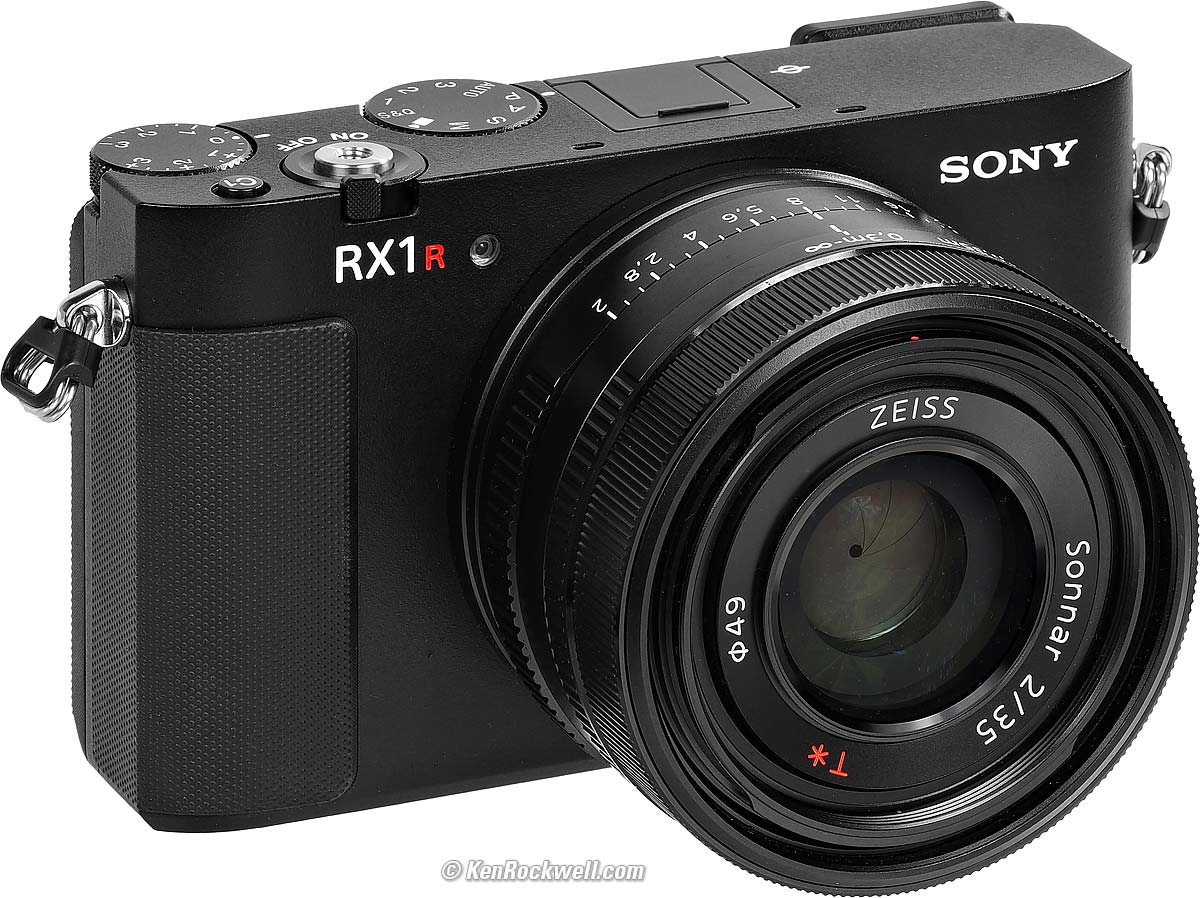
Sony RX1 RIII (49mm filters, 17.6 oz./498 g with battery and SD card, one SD card slot, 0.7'/0.2 m close focus, 0.26× macro ratio, $5,098). bigger. I'd get mine at B&H, at Adorama or at Crutchfield, or get it used if you know How to Win at eBay, or get it used at KEH.
This 100% all-content, junk-free website's biggest source of support is when you use those or any of these links to my personally approved sources I've used myself for way over 100 combined years when you get anything, regardless of the country in which you live. Sony does not seal its boxes, so never buy at retail or any other source not on my personally approved list since you'll have no way of knowing if you're missing accessories, getting a defective, damaged, returned, non-USA, store demo or used RX1R III — and all of my personally approved sources allow for 100% cash-back returns for at least 30 days if you don't love your new RX1R III. I've used many of these sources since the 1970s because I can try it in my own hands and return it if I don't love it, and because they ship from secure remote warehouses where no one gets to touch your new camera before you do. Buy only from the approved sources I've used myself for decades for the best prices, service, return policies and selection.
September 2025 Better Pictures Sony Sony Lenses Canon Nikon Fuji LEICA Zeiss All Reviews
Why Fixed Lenses Take Better Pictures
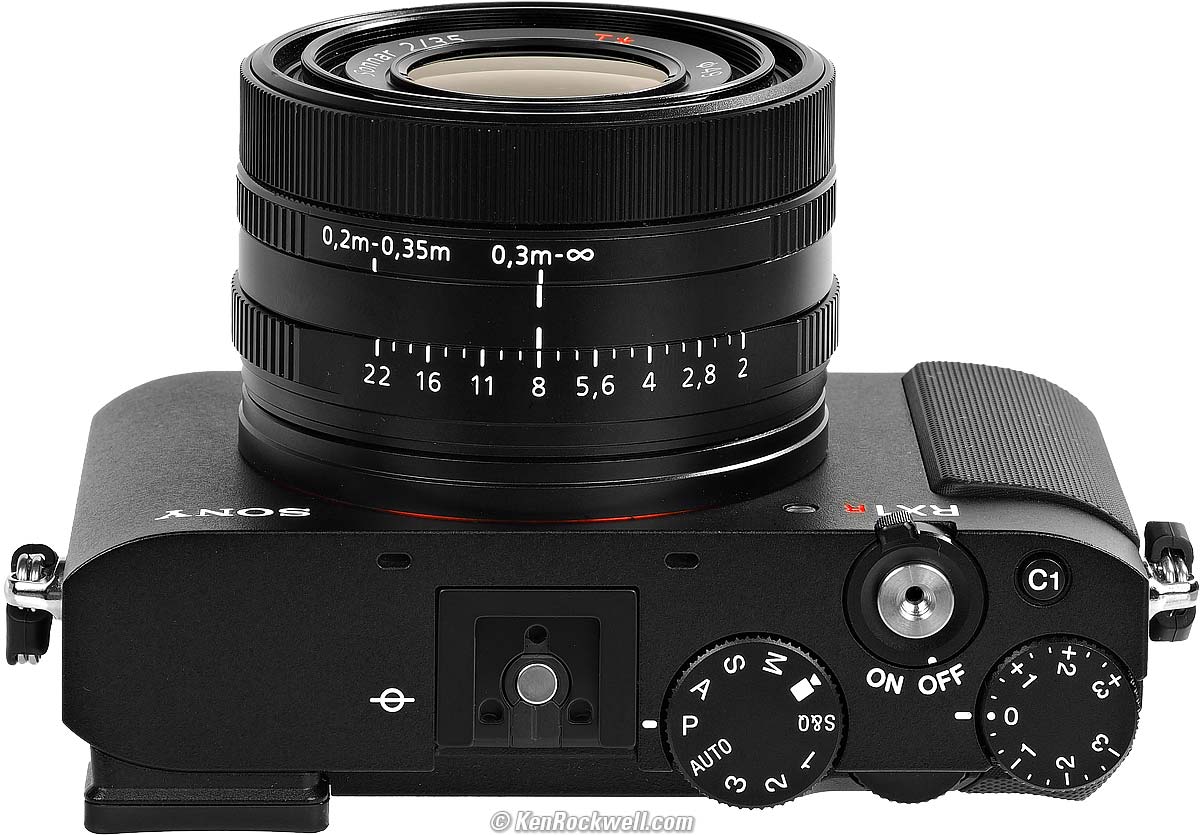
Sony RX1 RIII. bigger.
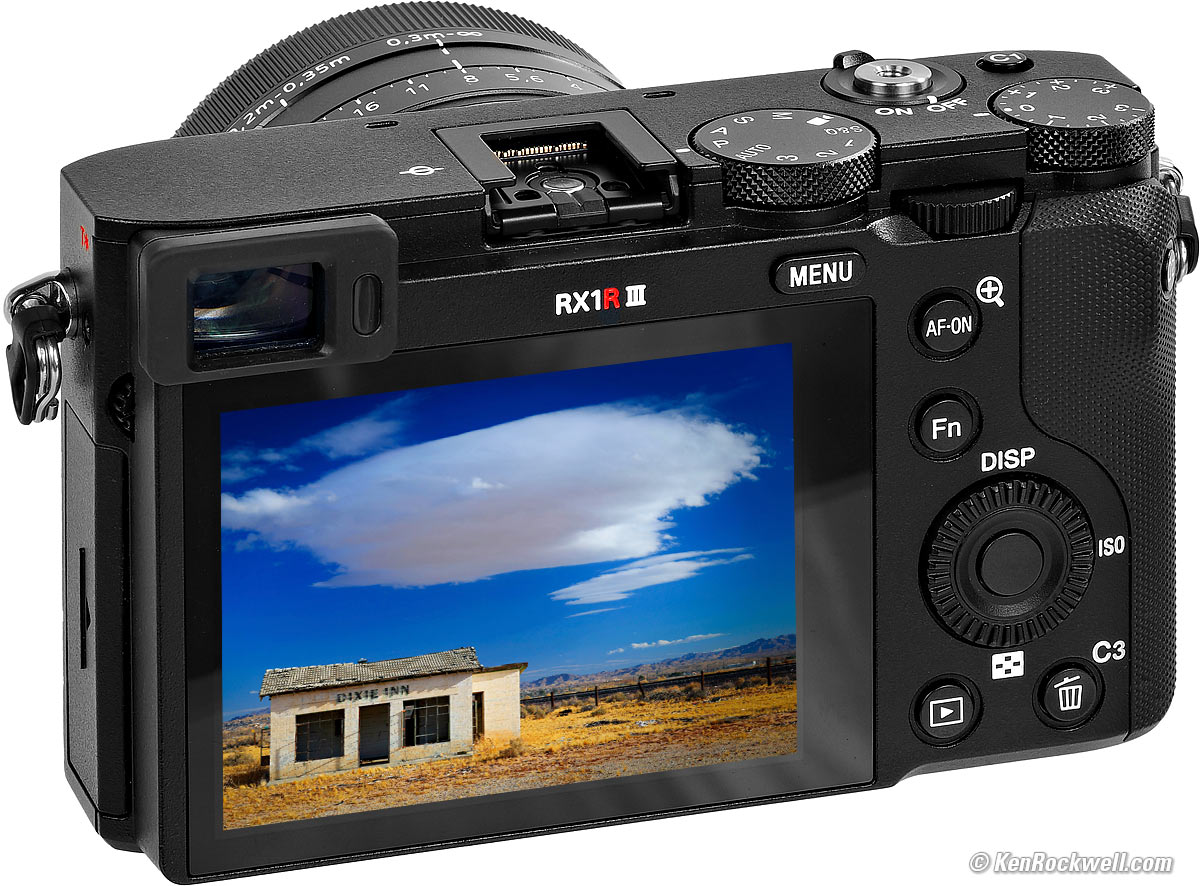
Sony RX1 RIII. bigger.
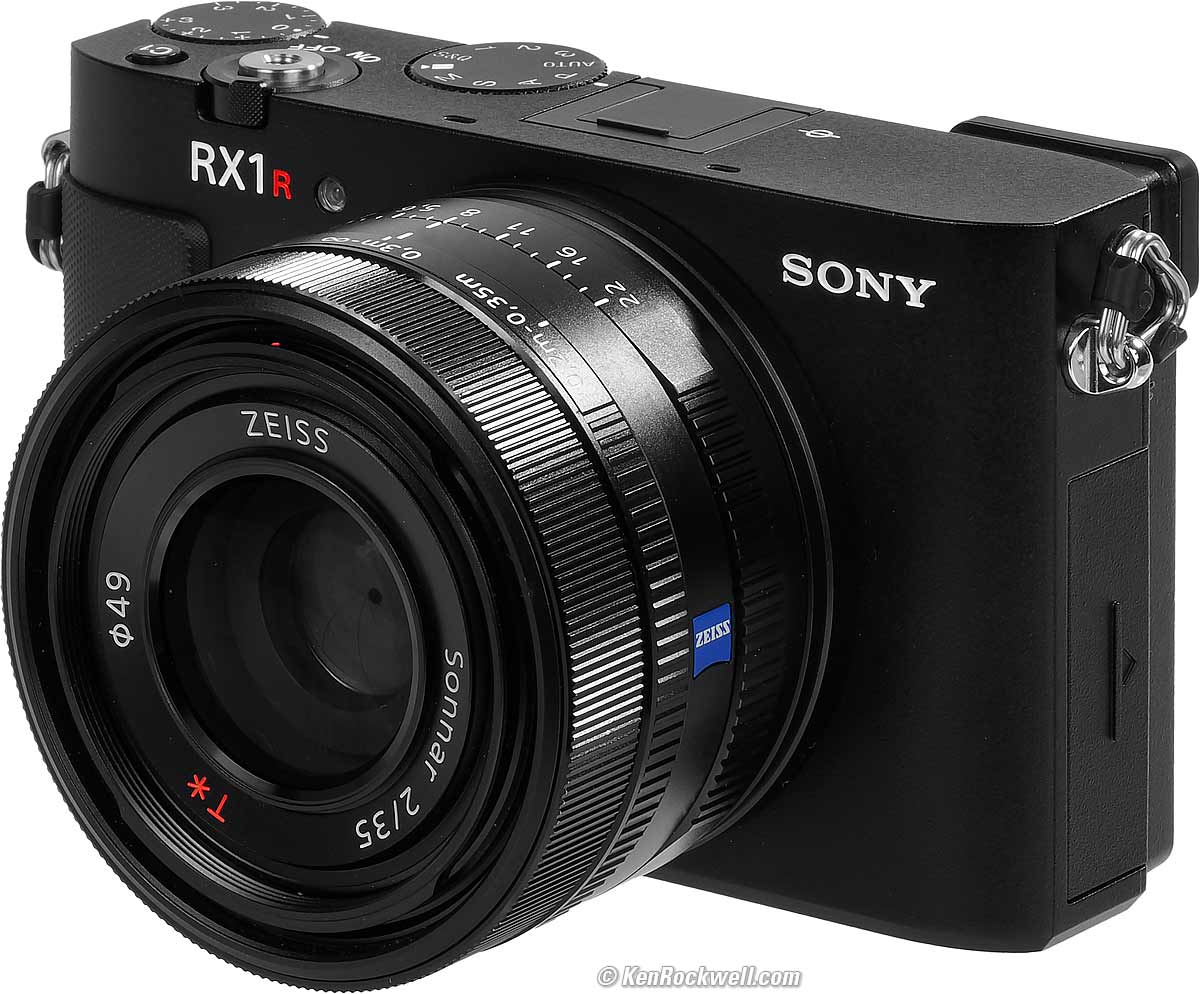
Sony RX1 RIII. bigger.
Sample Images top
Sample Images Intro New Good Bad Missing
Specifications Accessories Performance
More samples throughout this review at Bokeh, Falloff, High ISOs, Macro, Spherochromatism and Sunstars.
These are just snapshots; my real work is in my Gallery.
These are all shot hand-held as LIGHT JPGs; no tripods, no STANDARD, FINE or EXTRA FINE JPGs or RAW files were used or needed.
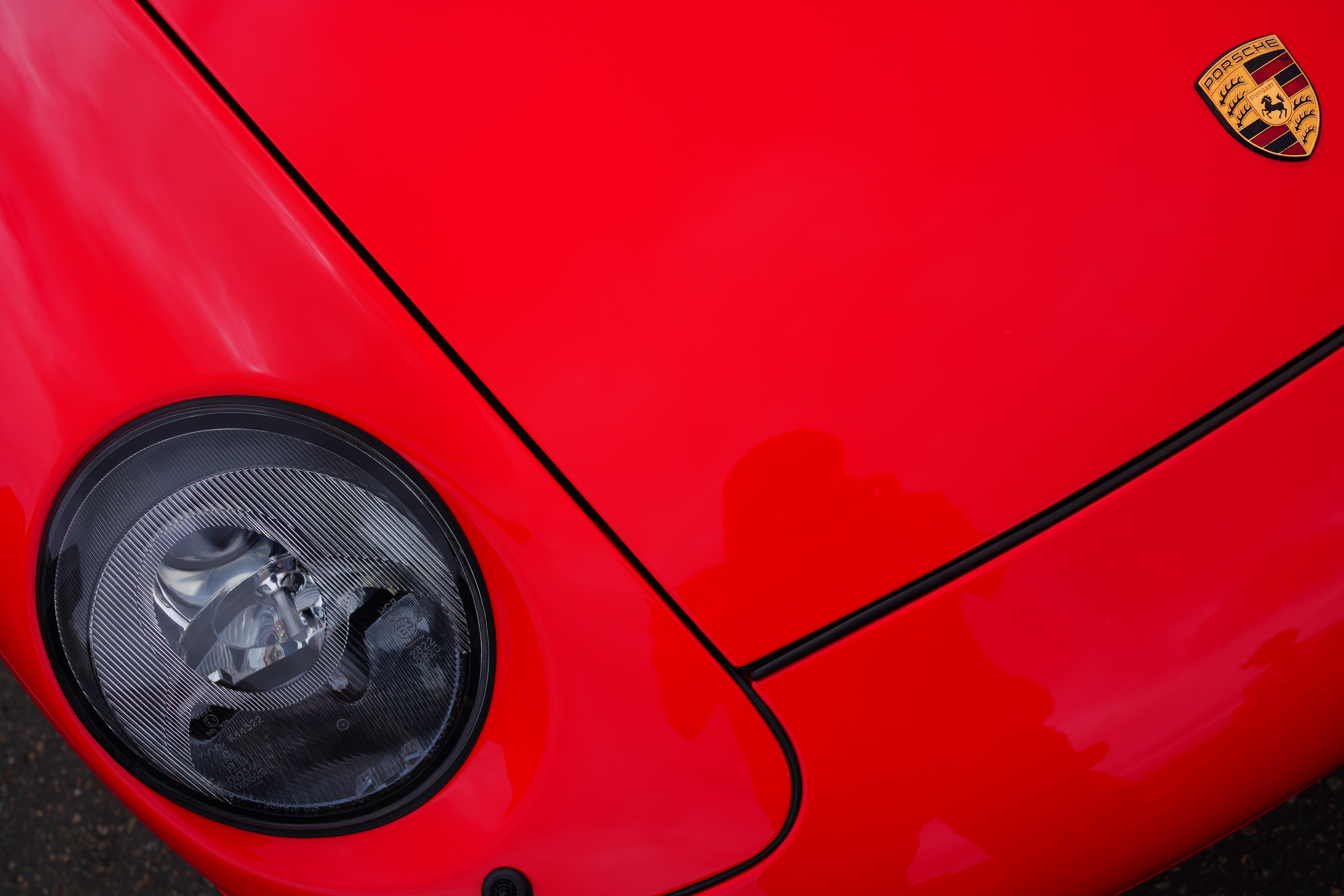
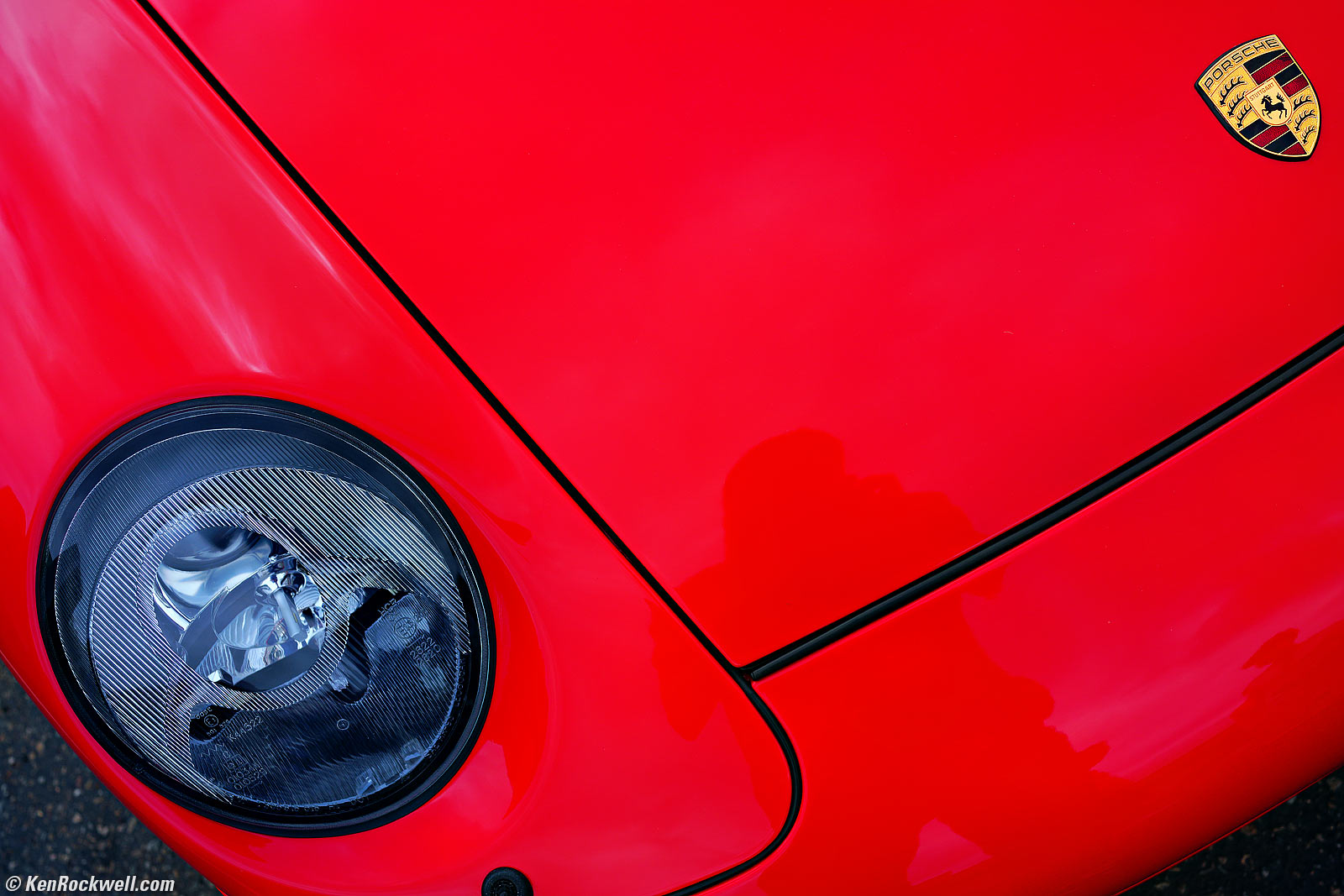
Guards Red Porsche, Pebble Beach, California, 10:31 AM, Saturday, 16 August 2025. Sony RX1 RIII at f/5.6 at 1/125 at Auto ISO 100, -0.7 stops exposure compensation (LV 13.6), Radiant Photo software. bigger or camera-original © JPG file.
Square Crop from 70mm Crop Mode
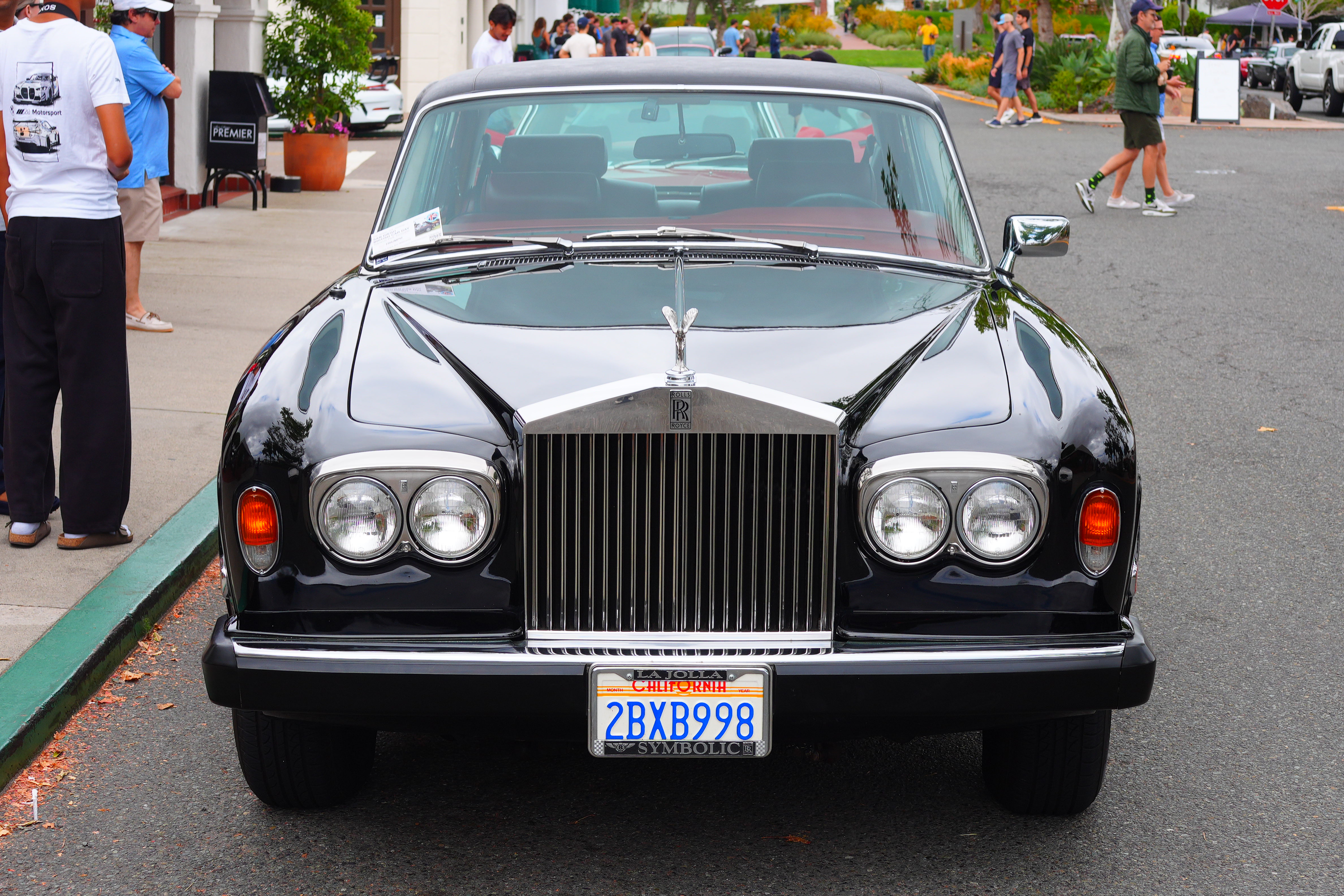
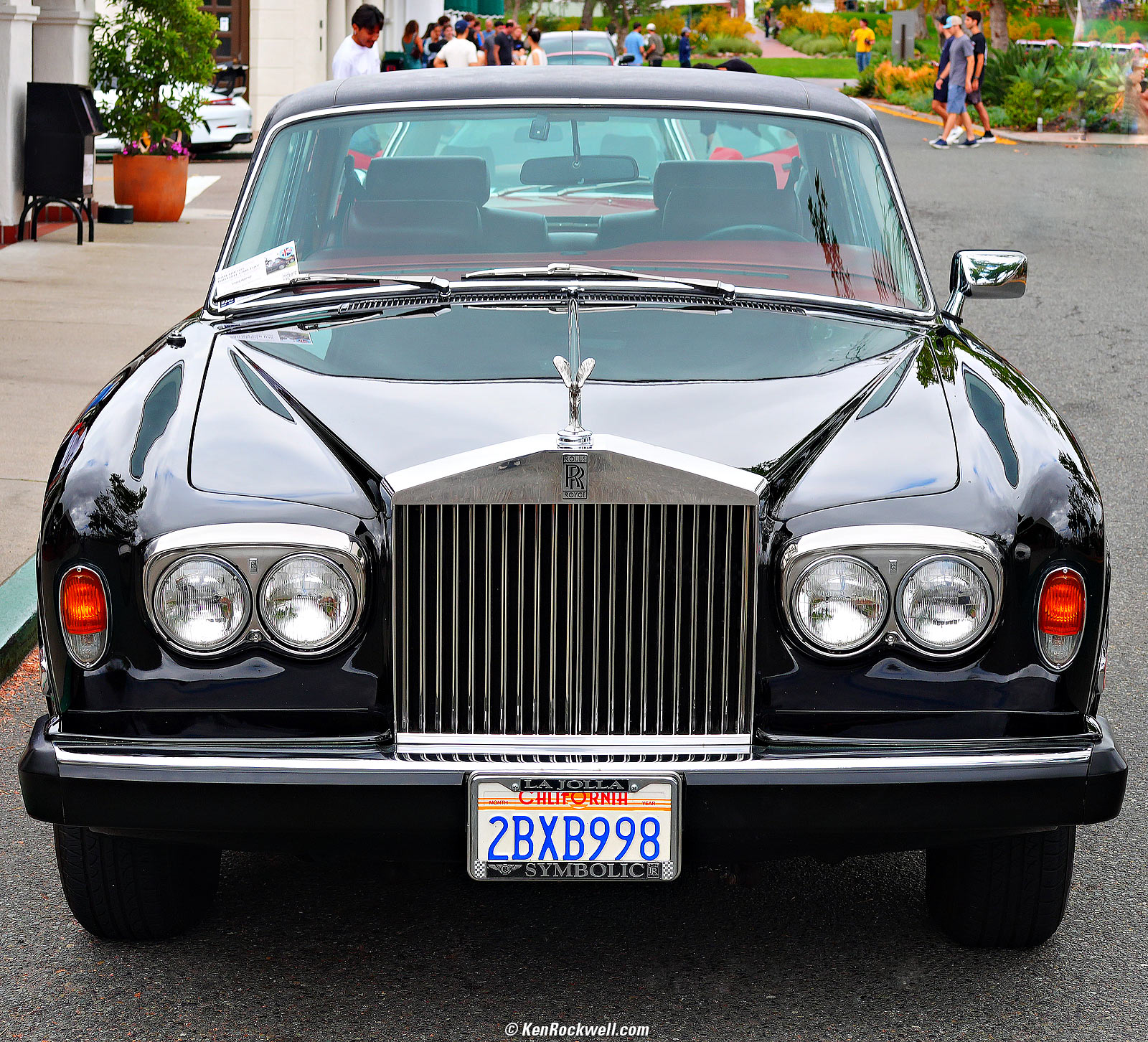
Rolls Royce, Carmel, California, 10:33 AM, Saturday, 16 August 2025. Cropped to a square from Sony RX1 RIII in micro 4/3 (70mm eq.) 2× crop mode at f/5.6 at 1/200 at Auto ISO 100 (LV 12.6), Radiant Photo software. bigger or camera-original © JPG file.

Porsche 911 S/T Emblem (close-up), Pebble Beach, California, 10:37 AM, Saturday, 16 August 2025. Sony RX1 RIII at f/8 at 1/250 at Auto ISO 100, -1.0 stop exposure compensation (LV 14.0), exactly as shot. bigger or camera-original © JPG file.

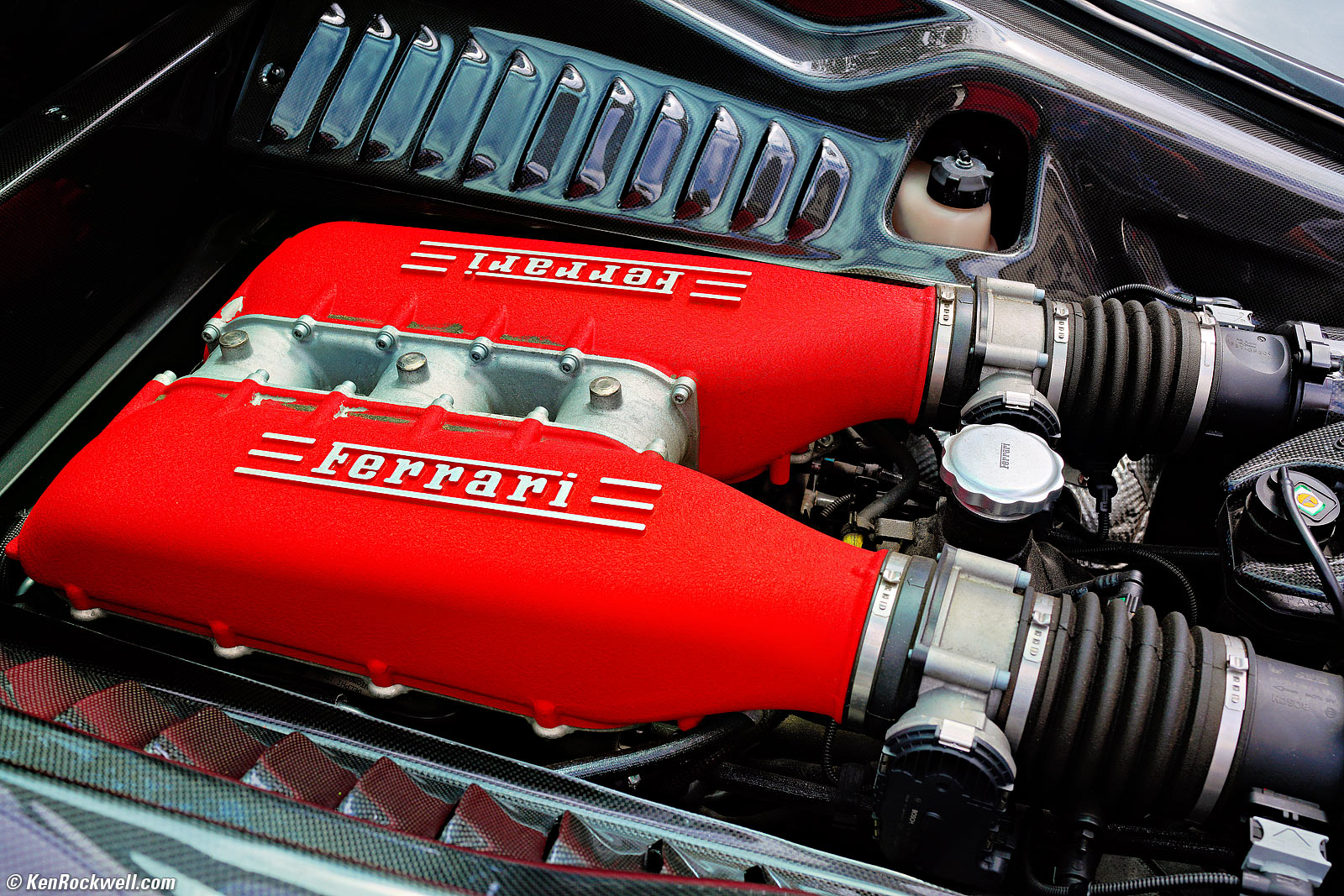
Dirty Ferrari Power Plant, Portofino, Italia, 11:41 AM, Sabato, 16 agosto 2025. Sony RX1 RIII at f/8 at 1/160 at Auto ISO 100, -0.7 stops exposure compensation (LV 13⅓), Radiant Photo software. bigger or camera-original © JPG file.
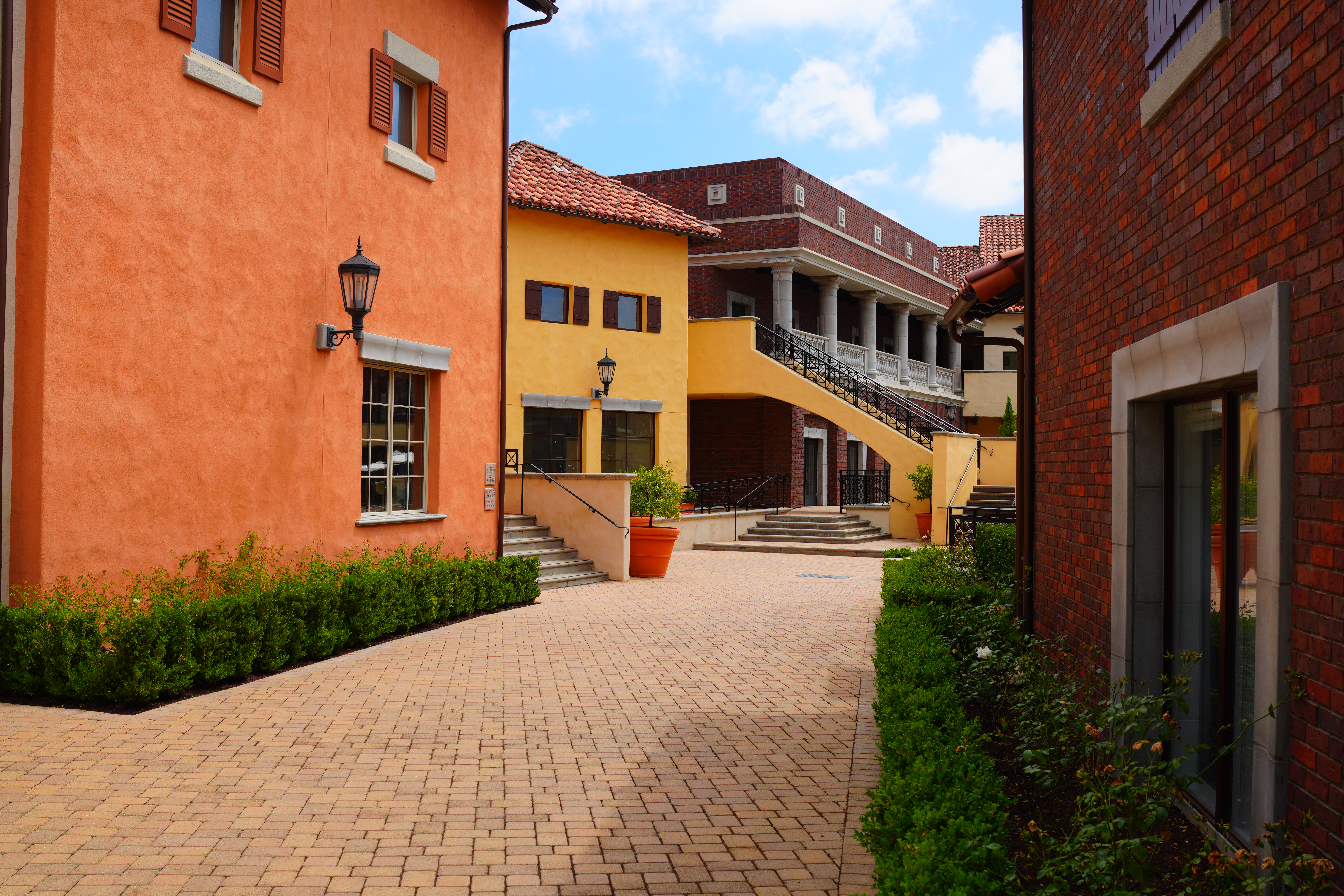
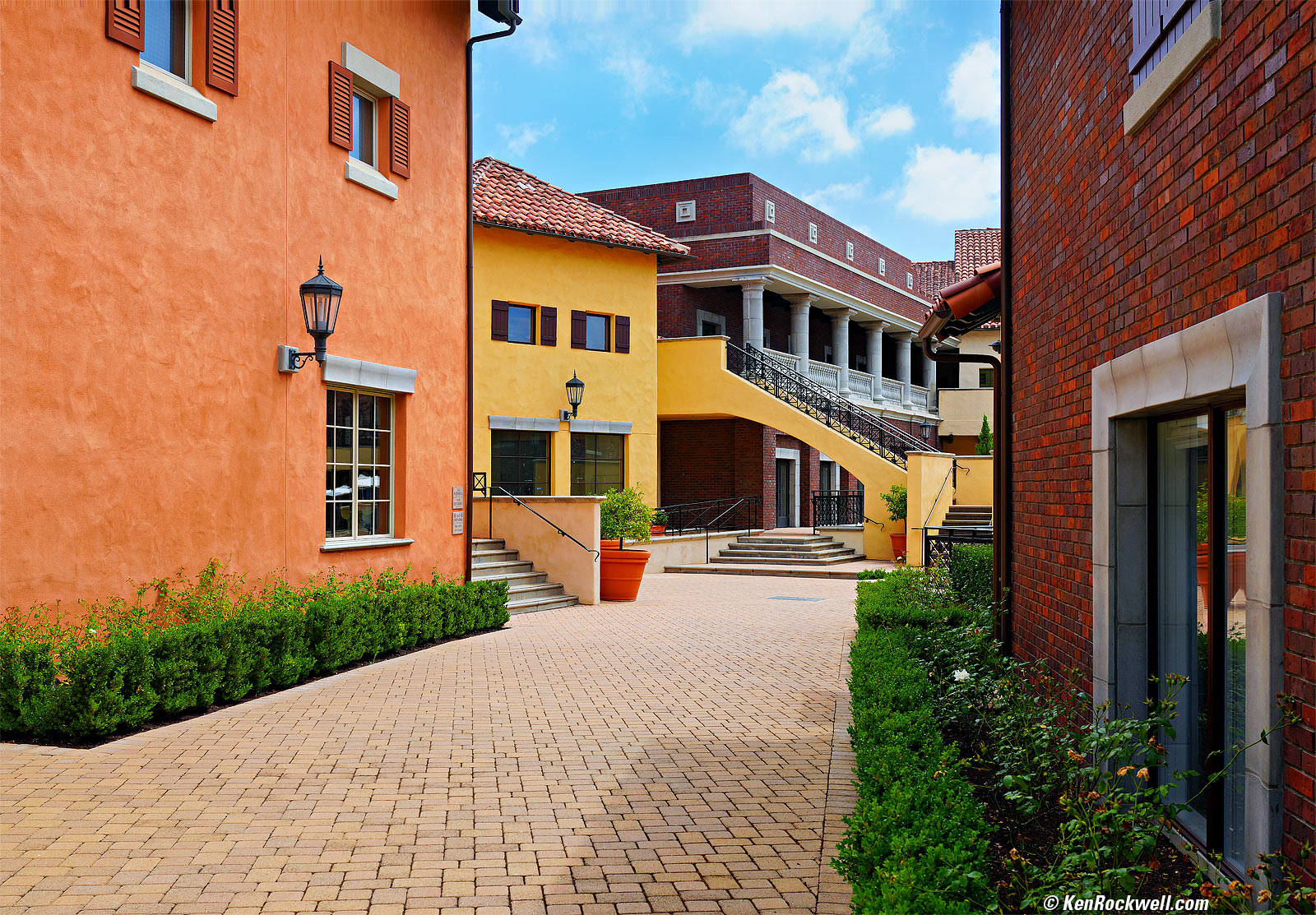
Portofino, Italia, 16 agosto, 11:43 AM, Sabato, 16 August 2025. Sony RX1 RIII at f/5.6 at 1/125 at Auto ISO 100, -0.7 stops exposure compensation (LV 13.6), Radiant Photo software. bigger or camera-original © JPG file.

Introduction top
Sample Images Intro New Good Bad Missing
Specifications Accessories Performance

I buy only from these approved sources. I can't vouch for ads below. |



The RX1 RIII is an expensive fixed-lens point and shoot which does the same thing as the Fuji X100 VI and LEICA Q3 — and is significantly smaller and lighter than either of them! The RX1 RIII is very compact and optimized for still photos.
The RX1 RIII has no internal stabilization and no optical stabilization. Except for electronic (post-shooting frame-shaking) video stabilization, you're quite limited for available-light shooting in the dark. (The Fuji X100 VI and iPhone 16 Pro Max are stabilized by comparison.)
The RX1 RIII is a luxury all-metal, engraved markings, made-in-Japan camera intended for people who enjoy luxury lifestyles and don't fret about prices or features. If features or "value" matter to you, this is not your camera.
The RX1 RIII lacks the performance of larger, less expensive models. The A7CR has the same resolution and more features, like a battery twice the size, faster frame rates and stabilization which are completely lacking in this camera, but the A7CR is bigger and the body alone weighs more than RX1R III complete with its lens!
This RX1 RIII is all about cramming as much performance as possible into an impossibly tiny space — without regard to price. Thank goodness Sony still makes the occasional luxury item for people who deserve them.
God bless Sony for being big enough to make luxury special-interest and professional products. I remember when I bought one of the world's very first digital audio recorders back in 1981 for what was over $10,000 considering inflation, and today Sony still sells the (mono) C-800G tube microphone for music recording for $17,000 — each — and they came out back in 1992! Sony makes everything, so don't expect it to all be boring and mid-priced, thank goodness.
The RX1 RIII has a leaf shutter for excellent use with fill-flash because it syncs to 1/2,000 and beyond! This lets even a tiny flash work well in full sunshine.
For the sake of size and power limits, it uses a smaller, lower resolution finder OLED screen, a small battery which gives only limited shots and has more limited video rates, only up to 4K/30 — which honestly is not a problem, as in Hollywood everything is shot at 24.000 or 23.976 FPS anyway.
It uses a stepper motor for focus, optimized for still shooting. It's not intended for tracking fast action.
I'd get mine at B&H, at Adorama or at Crutchfield, or get it used if you know How to Win at eBay, or get it used at KEH.
New intro top
 Integral EVF like a real camera, no longer the silly pop-up of the old RX1R II.
Fixed LCD, no more flippy screen like the old RX1R II.
60 MP.
More fake film looks.
4K/30 video.
I see a new-to-me "Sharpening Range" adjustment in the picture controls. This seems like what we usually call a sharpening radius radius setting, and I can't recall seeing it before on other Sony cameras (it may very well have been there and gone unnoticed).
No more dedicated video record button. No worries, you can program another button to do this, or just switch to the video mode and use the regular shutter button. Sony took this out because the dedicated roll-video-while-in-stills-mode button was resulting in too many butt-dialed videos in actual use.
No internal neutral-density filter
Controls are flush with the top of the camera; the buttons don't poke up from the top plate. It's flat, a bit like the Minolta LEICA CLE.
Good intro top
 All metal.
All markings engraved, not simply painted.
Quality MADE IN JAPAN:
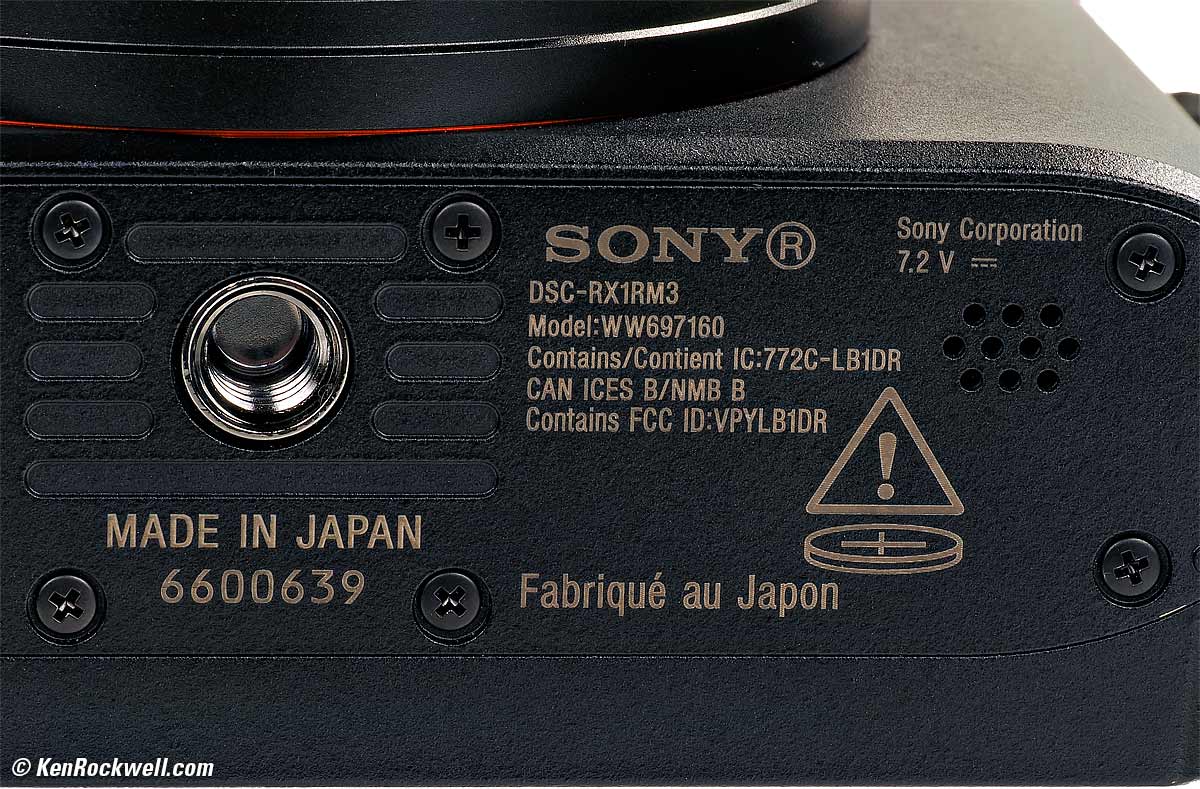
Sony RX1 RIII. bigger.
Leaf shutter for ultra fast flash sync!
1.5× APS-C and 2× Micro 4/3 crops to simulate 50mm and 70mm lens equivalents.
Miraculously these 1.5× APS-C and 2× Micro 4/3 crops are already pre-programmed to the top right C1 button.
Set to 60MP these 1.5× APS-C and 2× Micro 4/3 crops simply crop down to lower resolution, while when the camera is set to lower resolutions it's smart enough not to reduce the resolutions of the crops below the set resolution. In other words, if you set the main resolution to 15MP, all of the 35mm, 50mm and 70mm shots will be at the same 15MP resolution.
All buttons are on the right side so it's easy to shoot with just one hand.
4:3, square & 16:9 crops.
Smart playback rotation: just like an iPhone, horizontal and vertical images rotate as you turn the camera while playing back.
Threaded to use a standard threaded cable release.
Bad intro top
 No Optical Image Stabilization.
No In-Body Image Stabilization.
No AF/MF switch.
Seems to have a lower autofocus hit ratio than with most other cameras.
No built-in flash.
Horribly complex menu system no one can figure out.
Like other 60MP cameras, ISO 100 is relatively noisy. Ideally, like an iPhone, the default ISO would be ISO 25 or so, but that gets us back into other problems since this camera has zero stabilization.
Lens has strong barrel distortion which corrects reasonably well if you go out of your way to turn on distortion correction at most distances. It's worst at macro distances.
I haven't had that much stick time with the RX1 RIII yet, but what I have shot seems to have less consistent exposure than other cameras. In other words, it seems that I more often need to use exposure compensation. A perfect camera with modern metering wouldn't need a compensation dial and would just nail everything by magic.
Color and exposure relatively inconsistent across different ISOs (color and exposure should match at every ISO). Worse, at the most insanely high ISOs no one should use, different frames at ISO 102,400 may not match in color and exposure!
Still uses a screen layout like a 1970's touch-tone phone requiting multiple taps for each letter for text entry rather than a regular keyboard layout.
Strong rolling shutter (motion warping) effect in electronic shutter mode.
Tiny NP-FW50 battery has only half the capacity (rated only 270 shots) of the full-size NP-FZ100 used in other Sony cameras, so you may want to buy and carry a spare.
Missing intro top
 No Optical Image Stabilization.
No In-Body Image Stabilization.
No AF/MF switch.
No built-in flash.
No rear thumb control nubbin, just the old-fashioned round rear controller. In other words, you have to keep tapping different parts of this control rather than just wiggle around a nubbin.
No obvious in-finder warning that you're in the hard mechanical MACRO MODE, in which you can't focus at a distance.
No obvious in-finder warning that you're in 50mm or 70mm modes, so you may shoot all day cropped before you notice the tiny icon.
Electronic shutter only goes to 1/8,000.
Oddly one can't scroll all the way out to the edges with magnified playback.
No automatic electronic/mechanical shutter selection mode; you have to select them manually.
No A setting on aperture dial to allow instant access to Shutter and Program exposure modes without needing a MODE dial.
No shutter speed dial, and no A setting on it to allow faster exposure mode changes without needing a MODE dial.
No fast frame rates for still shots.
No focus stacking.
No 25 - 50 - 75% marks in the histogram displays.
No flip screen. So? As I said, this a camera for the jet set, not a kid's selfie cam.
Specifications top
Sample Images Intro New Good Bad Missing
Specifications Accessories Performance
I'd get mine at B&H, at Adorama or at Crutchfield, or get it used if you know How to Win at eBay, or get it used at KEH.
Lens
35mm f/2.
Takes 49mm filters.
8 elements in 7 groups.
3 Aspherical elements, including some with Sony's Advanced Aspherical technology.
T✻-brand multicoating.
Close Focus
1 foot (0.3 meters).
Turn a ring for an additional 0.7 ~ 1.15 feet (0.2 ~ 0.35 meters) focus range in macro mode.
Diaphragm
9 blades.
f/22 minimum aperture.
Stabilization
NONE.
Hood
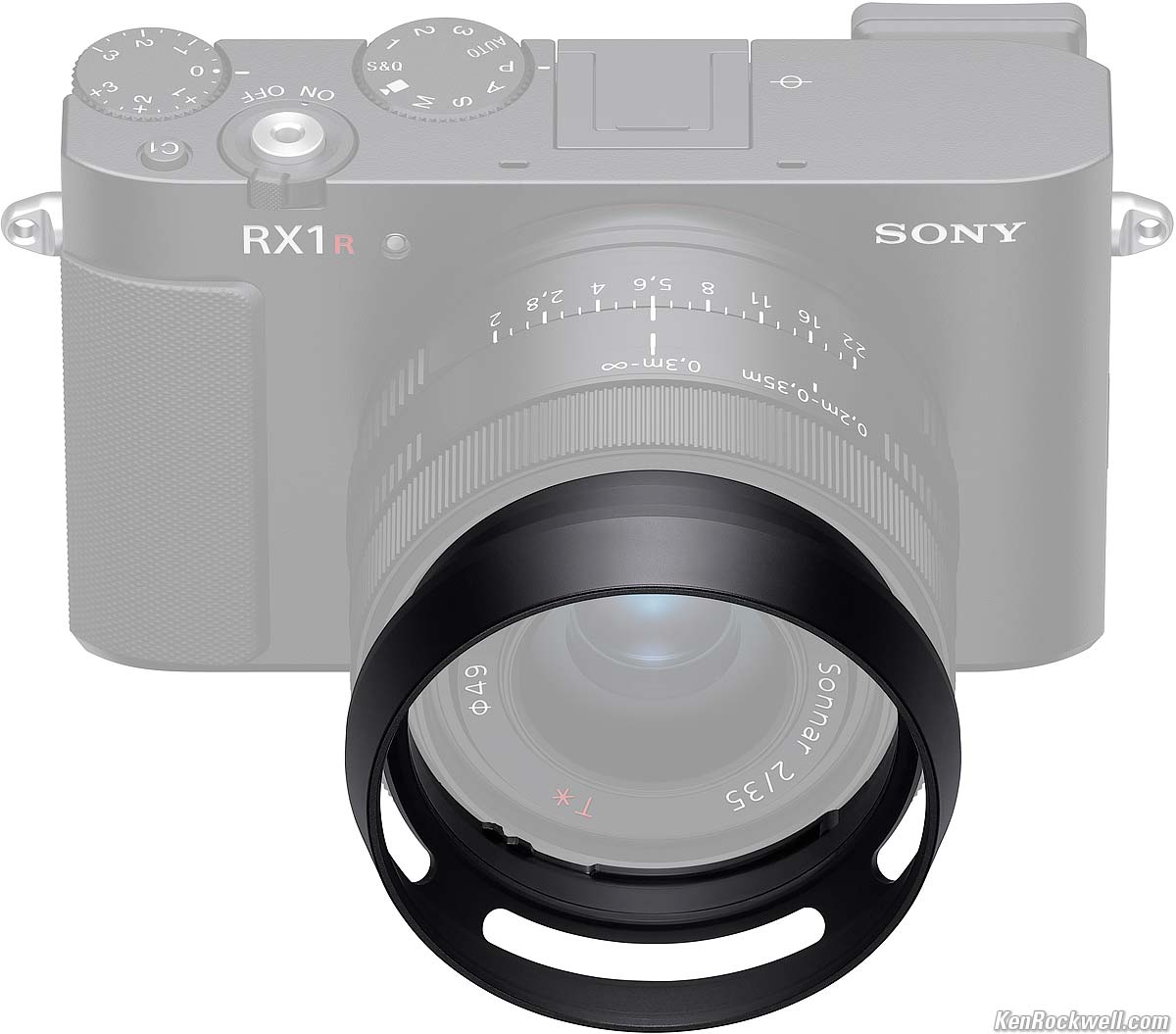
Optional LHP-1 hood for Sony RX1 RIII. bigger.
None included, it's a $199 option.
Autofocus specifications top
Stepper motor.
693 AF zones.
LV -4 ~ +20.
Image Sensor specifications top
60 MP.
9,504 × 6,336 pixels native (60.2 MP or 60,217,344 pixels, certainly not "61 MP" as advertised).
23.8 × 35.7 mm CMOS.
3:2 aspect ratio.
ISO specifications top
ISO 100 ~ 32,000, video and stills.
Stills additionally can push or pull from ISO 50 to ISO 102,400.
Auto ISO specifications top
Adjustable for high and low limits from ISO 100 to ISO 12,800 for stills or video.
Still Formats specifications top
JPG and/or raw.
sRGB and Adobe RGB.
Video specifications top
4K at 23.976 or 29.97 FPS.
1,080 at 23.976, 29.97, 59.94 or 119.99 FPS.
Audio specifications top
Recorded only along with video.
S - t - e - r - e - O microphone built in.
48 ksps at 16 or 24 bits.
3.5mm mic-in jack with plug-in power overrides built-in mic.
No headphone jack - use a USB-C Headphone Adapter if you need it.
Light Meter specifications top
1,200 zones.
LV -3 ~ +20.
Electronic Finder specifications top
1 cm (0.39") OLED.
2,359,296 dots.
Rated 0.7× magnification with 50mm lens, which is an odd spec as this cameras has a 35mm lens.
-4 ~ +3 diopters.
22 mm eyepoint.
Shutters specifications top
Mechanical Leaf Shutter (stills only)
1/2,000~ 30 seconds and Bulb from f/2 to f/3.5.
1/3,200~ 30 seconds and Bulb from f/4 ~ f/5.
1/4,000 ~ 30 seconds and Bulb from f/5.6 ~ f/22.
Silent Electronic Shutter (stills & video at all apertures)
Stills: 1/8,000~ 30 seconds.
Video: 1/12,800~ 1 second.
Remote Releases specifications top
Standard threaded cable release.
Still Frame Rates specifications top
5 FPS High and 2.7 FPS Low, measured.
Flash specifications top
1/2,000 sync speed at all apertures.
1/3,200 sync speed at f/4 and smaller.
1/4,000 sync speed at f/5.6 and smaller.
Built-in Flash
None.
External Flash
Dedicated "Multi-Function" shoe:
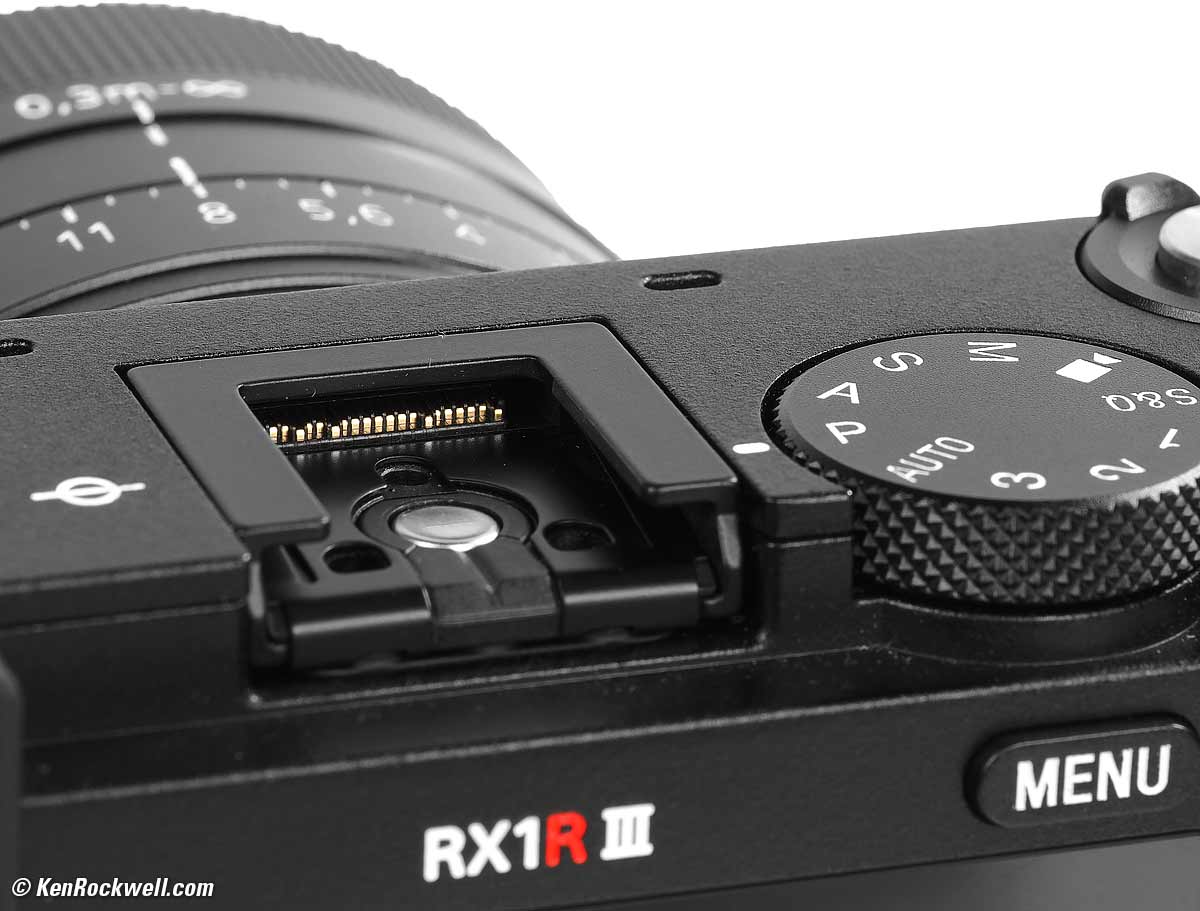
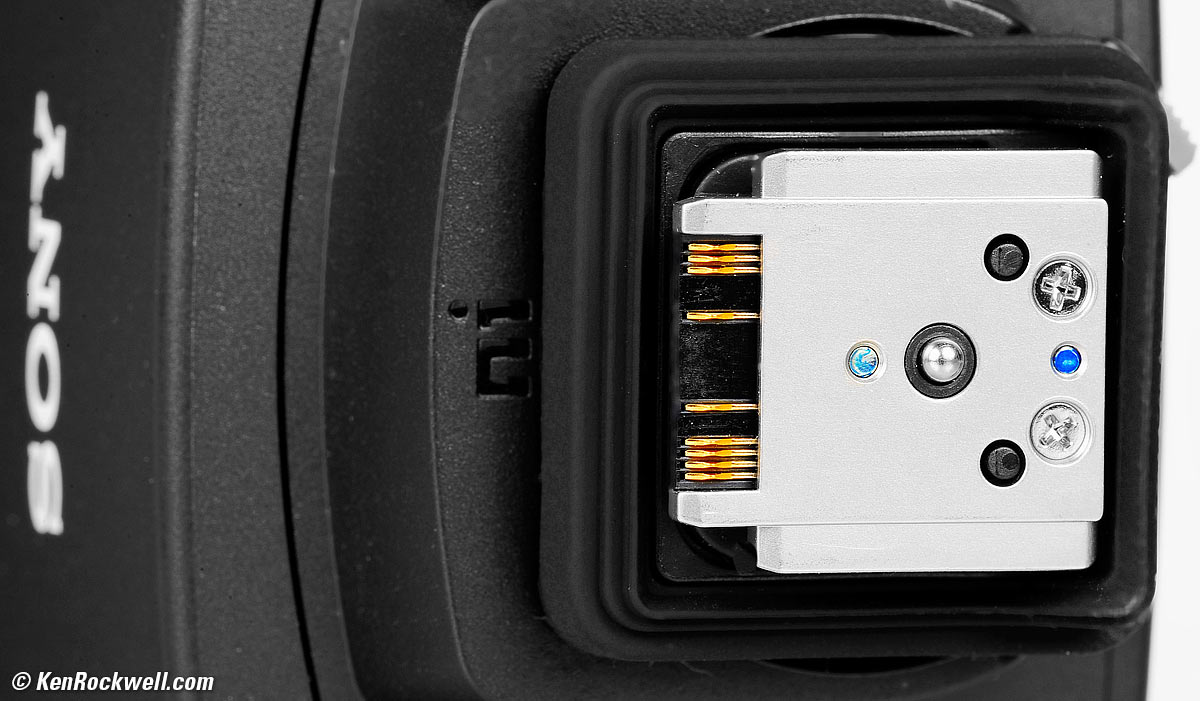
Flash Contacts, Sony RX1 RIII. bigger.
I see only the center pin for basic triggering of traditional flash; for all the TTL modes you'll need the newest flashes like the HVL-F46RM with all the additional contacts.
No Prontor-Compur (PC) terminal; use a hot-shoe adapter for corded sync.
LCD Monitor specifications top
3" (75mm) diagonal.
4:3 aspect ratio.
2,359,296 dots.
Does not swivel.
Storage specifications top
One slot for an SD, SDHC or SDXC card.
It's right next to the battery accessed through a door on the bottom.
Connectors specifications top
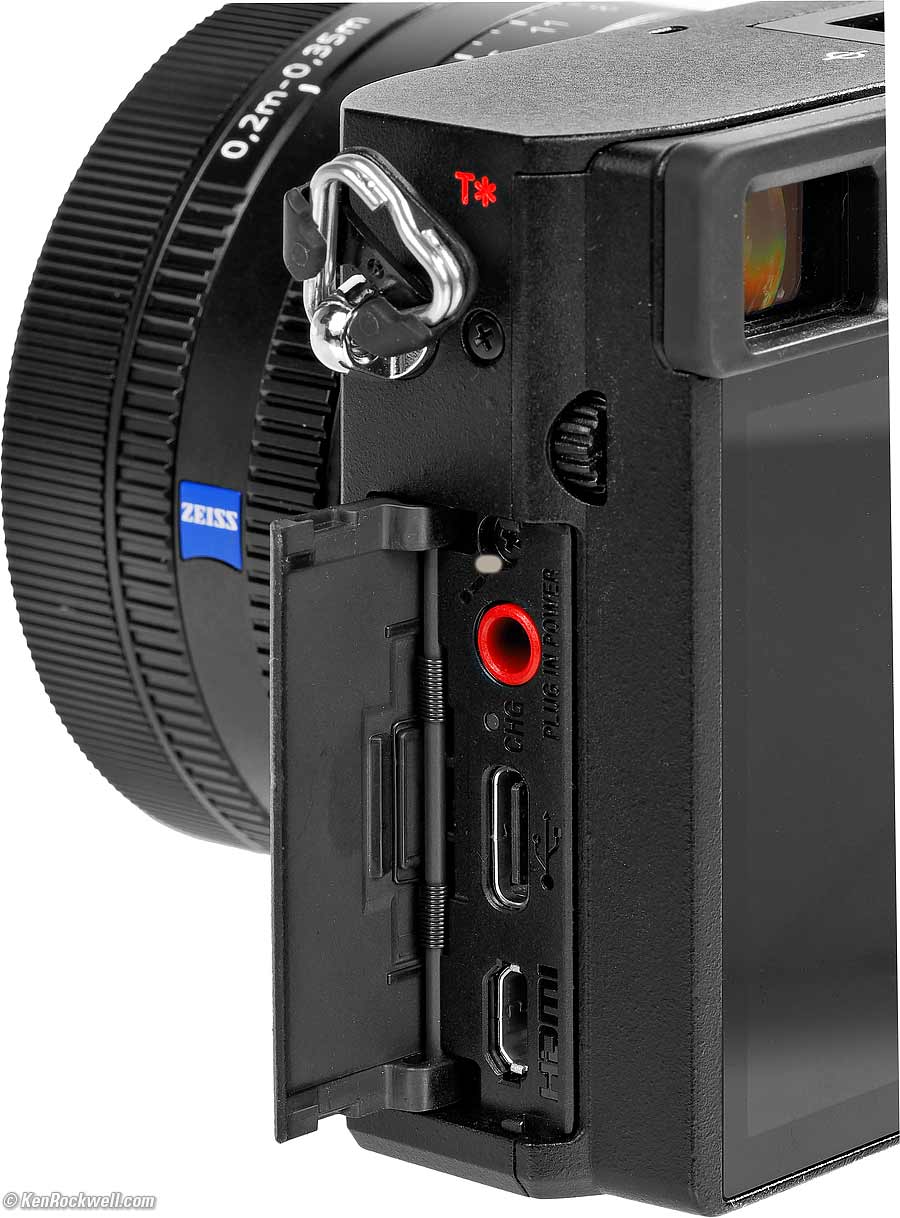
Connectors, Sony RX1 RIII. bigger.
Power & Battery specifications top
Rated 270 shots with the finder or 300 with the LCD.
Draws about 3.2W with the finder or 2.9W with the LCD.
Battery
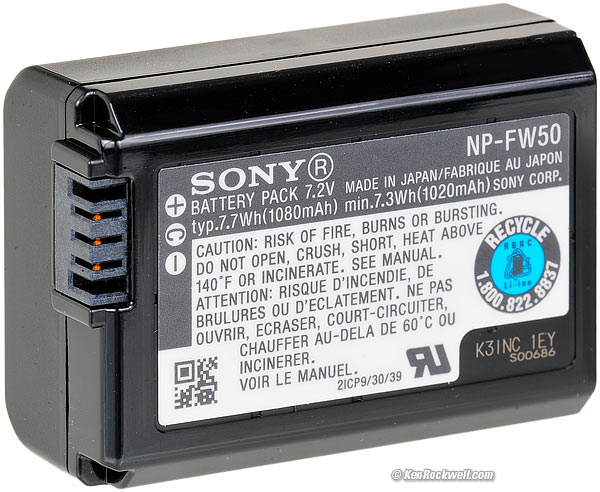
Sony NP-FW50 battery.
Charging
Charges in-camera via USB-C.
Size specifications top
2.74 × 4.46 × 3.44 inches HWD.
67.9 × 113.3 × 87.5 millimeters HWD.
Weight specifications top
17.6 oz. (498 g) with battery and SD card, or 16.0 oz. (454 g) stripped.
Environment specifications top
Operating
0º ~ 40º C (32º ~ 104º F).
Sony's Model Number specifications top
DSCRX1RM3B.
Included Luxury Appointments specifications top
Camera with attached lens and fancy metal cap:
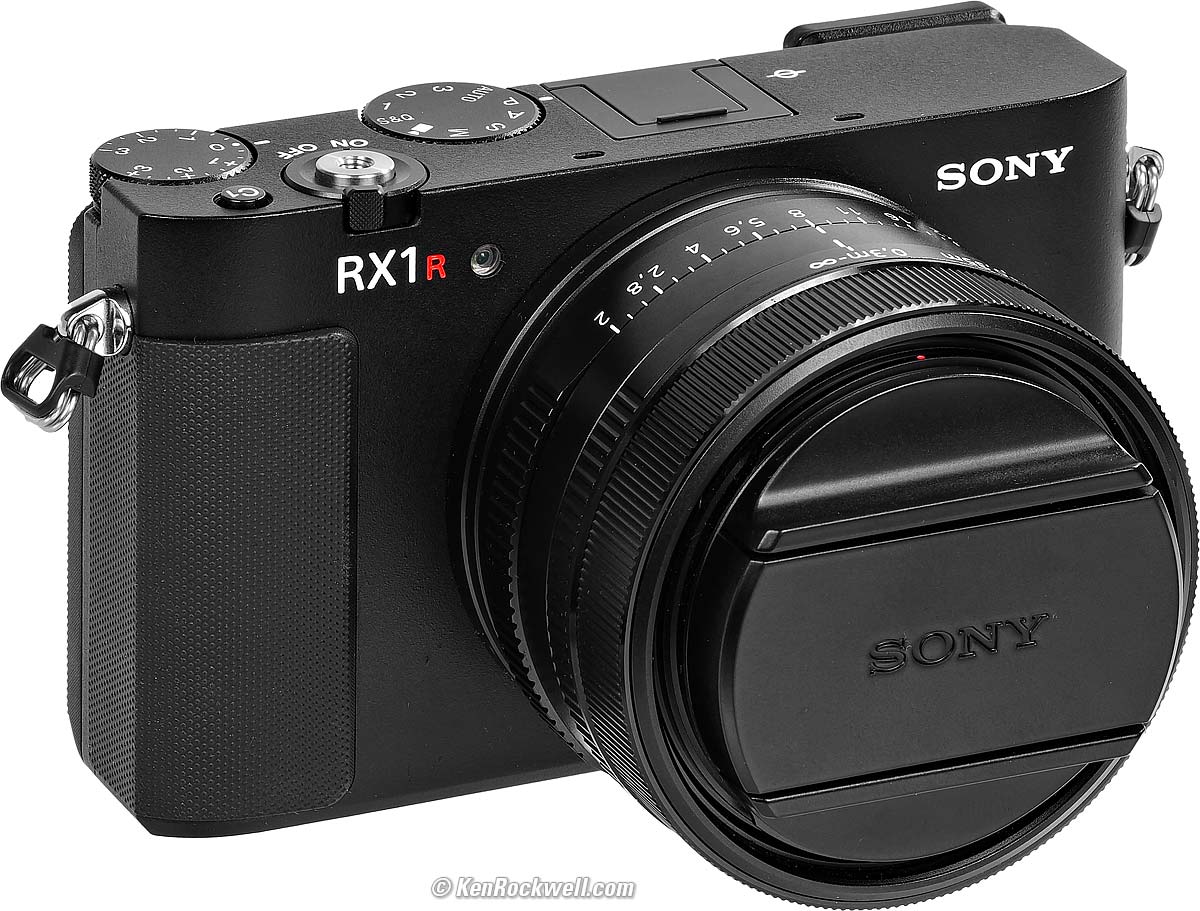
Shown with included fancy metal cap. bigger.
The fancy cap is metal on the front for show, and plastic inside.
Eyecup (attached).
Hot shoe cover.
Strap.
Magic cloth:
Included microvelcro wrap. bigger.
NP-FW50 battery.
No external charger; charges in-camera.
Announced specifications top
10:30 AM, Tuesday, 15 July 2025, NYC time.
Promised for specifications top
31 July 2025.
Price, U. S. A. specifications top
15 July 2025 (introduction)
$5,098 at Adorama and at B&H.
Optional Accessories top
Sample Images Intro New Good Bad Missing
Specifications Accessories Performance
I'd get mine at B&H, at Adorama or at Crutchfield, or get it used if you know How to Win at eBay, or get it used at KEH.
49mm filters
I use a clear (UV) protective filter instead of a cap (exactly like an iPhone) so I'm always ready to shoot instantly. I only use a cap when I throw this in a bag with other gear without padding — which is never. The UV filter never gets in the way, and never gets lost, either.
The very best protective filter is the Multicoated Hoya HD3 49mm which uses hardened glass and repels dirt and fingerprints. This fine camera deserves this filter.
The LEICA faithful use the LEICA 19 691 49mm UVa II filter. Fuji sells a PRF-49S filter if you prefer.
For less money, Canon makes a great 49mm UV filter, and the multicoated B+W 010, the Hoya NXT Plus multicoated and the basic multicoated Hoya filters are all optically superb, while the Hoya HD3 is the toughest and therefore the best.
Filters last a lifetime, so you may as well get the best. The Hoya HD3 stays cleaner than the others since it repels oil and dirt.
All these filters are just as sharp and take the same pictures, the difference is how much abuse they'll take and stay clean and stay in one piece. Since filters last a lifetime or more, there's no reason not to buy the best as it will last you for the next 50 years. Filters aren't throwaways like digital cameras which we replace every few years, like it or not. I'm still using filters I bought back in the 1970s!
49mm caps
I'm not a cap kind of guy, but if you use caps, you may want a basic cap to use out and about so you don't lose the original metal one, which you will need when reselling your RX1 RIII when the RX1 RIV comes out in 2034.
Standard threaded cable releases
I'm sure you can use an app as well, but where's the fun in that?
Then again, why ever put this camera on a tripod? It's born to be handheld.
LHP-1 hood for Sony RX1 RIII. bigger.
NEW: LHP-1 hood: $199!!!
This $200 hood is a lie, styled with vents that were needed for rangefinder cameras — but this isn't a rangefinder camera! The X100VI or real LEICAs need a hood like this because they have optical finders that would be blocked by regular hoods, but NOT this Sony. Arrgh.
Any other 49mm hood should work, but I never use hoods — and short, round hoods are fairly useless. I use my left hand if I need to keep light out of the lens.
Don't let Sony know you can get just about the same thing for $7.99.
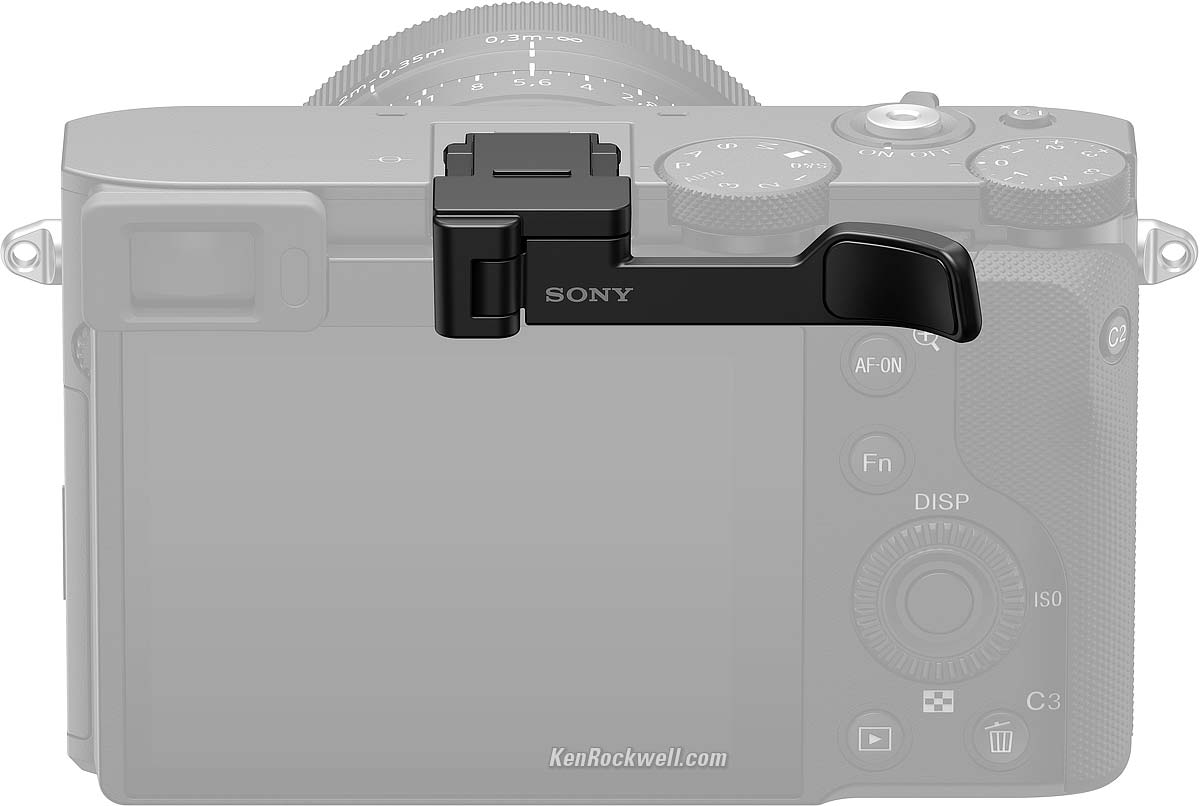
TG-2 thumb grip for Sony RX1 RIII. bigger.
NEW: TG-2 thumb grip: $300!!!
$300 thumb grip. Love it! $300!
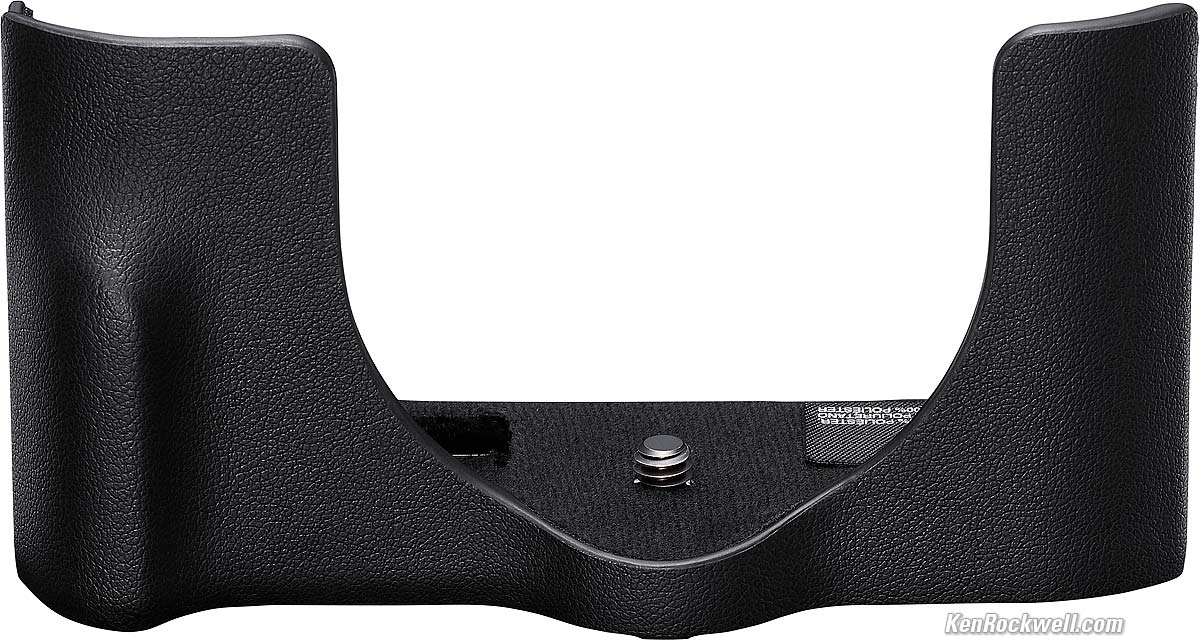
LCS-RXL Fake-leather bottom-half-of-a-case for Sony RX1 RIII. bigger.
NEW: LCS-RXL Fake-leather bottom-half-of-a-case: $250!!!
Fake leather? $250? Who cares? It's only the bottom half, which as we know, is only about one-quarter of a case. This "case" protects the bottom of the camera, but so does a piece of gaffer's tape. A real case protects the whole camera, which this bottom holder doesn't.
I'll assume this "case" has a cut-out on the bottom so you can get to the battery and card, and likewise ought to have a hole for a USB-C cable.
The Fuji X100 VI and LEICA Q3 each have real leather cases available.
Spare NP-FW50 batteries.
Performance top
Sample Images Intro New Good Bad Missing
Specifications Accessories Performance
Overall Autofocus Manual Focus Bokeh Distortion
Ergonomics Exposure Falloff Finder Flare & Ghosts
High ISOs Lateral Color Fringes Lens Corrections
Macro Mechanics Sharpness Spherochromatism
Sunstars Power & Battery Playback Data
I'd get mine at B&H, at Adorama or at Crutchfield, or get it used if you know How to Win at eBay, or get it used at KEH.
Overall performance top
The RX1 RIII is a great little camera if you need a great little camera. Less expensive but bigger cameras can be even greater; the RX1 RIII is a luxury item for the accomplished, not a tool for someone who worries about stabilization or prices.
Picture quality is OK but ergonomics are iffy, with an exceptionally poor and complex menu system that makes this a pain to set up.
Autofocus performance top
My images aren't always in focus. While it always indicates that it thinks I'm in focus (good), not all of these photos are actually in-focus (bad).
I'll chalk this up to the combination of extreme resolution and lack of stabilization, which means you need to be at least at a 1/125 for a sharp shot, and therefore maybe the AF system isn't yet calibrated to focus well with shaky live images at 60 MP hand-held.
Manual Focus performance top
Manual focus is very precise rather than fast.
It is difficult to get into the manual focus mode because THERE IS NO AF/MF SWITCH! It's a pain trying to set this in menu functions every time, and that's even after you find this setting in the function menu. If you're actually going to take pictures, the Fuji X100 VI and LEICA Q3 both have easy AF/MF switches (and so does the Canon EOS R10).
You can't magnify all the way out to the edges.
Manual focusing is entirely electronic; the manual focus ring isn't connected to anything other than a digital encoder.
Bokeh performance top
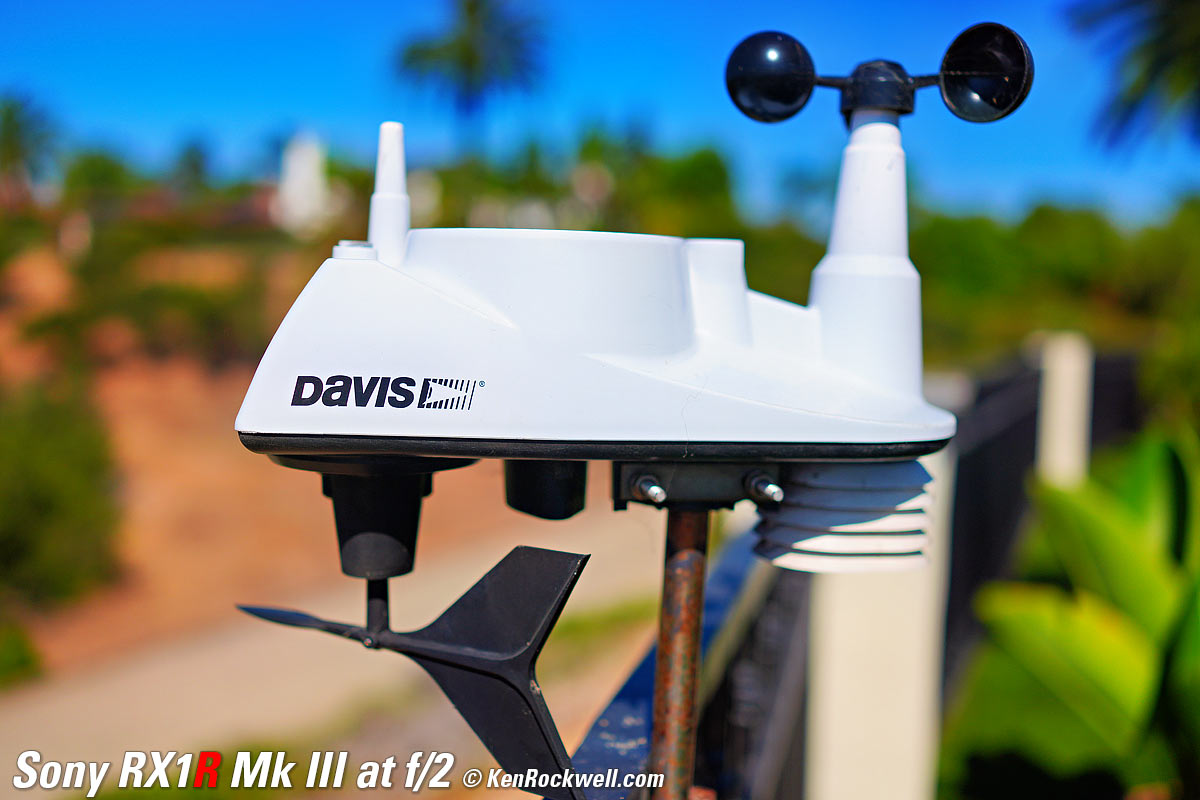
Bokeh, the feel, character or quality of out-of-focus areas as opposed to how far out of focus they are, is very good, even though no 35mm f/2 lens ever gets that far out of focus except at very close distances.
Here's a photo from headshot distance wide-open. I'm focused on the DAVIS logo. Click for the © camera-original file:

Made-in-U. S. A. Davis 6357 Vantage Vue Wireless Sensor Suite (use with WeatherLink console), 18 August 2025. Sony RX1R Mk III at f/2 at 1/8,000, (electronic shutter) at Auto ISO 100 (LV 15.0). bigger or camera-original © file.
As always, if you want to throw the background as far out of focus as possible, shoot at f/2 and get as close as possible.
Distortion performance top
There is strong barrel distortion which may be visible unless you go out of your way to turn on distortion correction, which oddly is off by default. It gets worse at macro distances:

Small Plaque, California, 16 August 2025. Sony RX1 RIII at f/8 at 1/125 at Auto ISO 250 (LV 11.6), Radiant Photo software, distortion correction at its default of OFF. bigger.
Use these corrections in Photoshop's lens correction filter to JPG images. If you shoot raw data rather than JPG images, whatever software you use to create visible images from raw data may or may not correct the distortion as can be done done in-camera as JPGs. You're on your own there; I don't bother with raw data.
These aren't facts or specifications, they are the results of my research that requires hours of photography and calculations on the resulting data.
On Full-Frame and 35mm |
Correction factor with uncorrected images (default) |
Correction factor to use with images made with correction ON |
At 30' (10m) |
+3.50* | +0.20 |
At macro |
+5.00* | +1.00 |
* Slight waviness remains after this correction.
HINT: Use the Micro 4/3 ("70mm") crop option for close-ups, which greatly reduces distortion.
Ergonomics performance top
The data in the finder rotates for verticals.
Playback rotation is smart, rotating the playback images as we rotate the camera, just like an iPhone, so all our horizontals and verticals always look their best. Sadly other brands like Canon still haven't figured out how to rotate playback images as we rotate the camera.
The default fake shutter sound is like a quiet, slow and floppy HASSELBLAD medium-format SLR!
The card labels face the back of camera when inserted.
There are the usual delays in response as you change settings. The longest is that it takes a moment to swap between different playback images when zoomed.
It's an old-style menu system were we need three clicks to get into a setting, turn it OFF or ON, and hit OK before the setting takes effect. Better menu systems let us toggle OFF/ON items with just one OK click directly from their menu listing without having to open that item.
No rear thumb control nubbin, just the old-fashioned round rear controller. In other words, you have to keep tapping different parts of this control rather than just wiggle around a nubbin.
No obvious in-finder warning that you're in the hard mechanical MACRO MODE, in which you can't focus at a distance.
No obvious in-finder warning that you're in 50mm or 70mm modes, so you may shoot all day cropped before you notice the tiny icon. Suggestion: the frame border could be colored to let you know you're not shooting full frame. This is important as without this you could shoot all day and not realize it had been cropped all the time.
Still uses a "keyboard" layout like a 1970's touch-tone phone or Asteroids video game requiring multiple taps for each letter for text entry rather than a regular QWERTY keyboard:
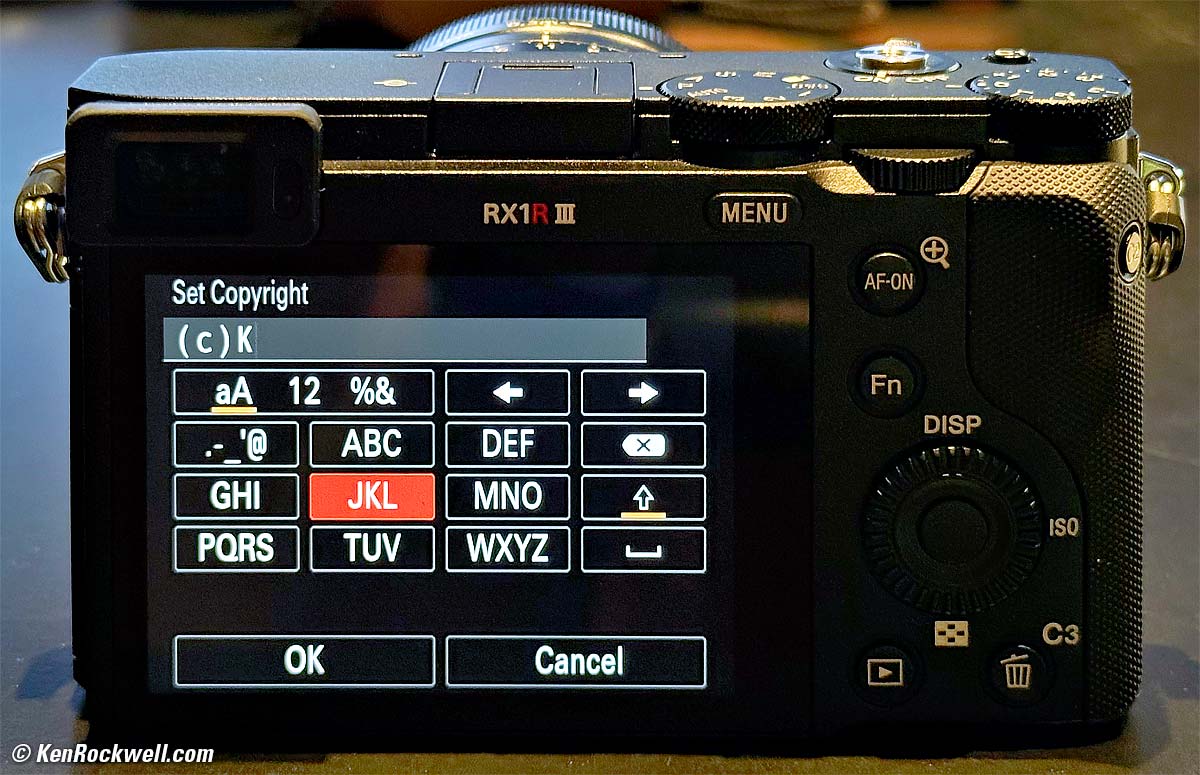
Sony RX1 RIII. bigger.
The finder/LCD sensor is so close to the screen that the screen often turns off while attempting to enter data and settings. Especially if you use your left hand to run the menus on the LCD while holding the camera in your right hand, the sensor sees your hand, thinks it's your face, and turns off the LCD!
The buttons all feel the same, so you'll be hitting all the wrong ones. Better cameras have each button feel subtly different so we can tell them apart by feel.
There's no AF/MF switch; you have to set this in a menu. This is awful if you actually want to take pictures with this camera, but remember, this is a luxury item, not something that people buy only for taking pictures. The people who own these already have people to take pictures for them.
Ergonomics are poor, dragged down by the horribly complex menu system that no one has every figured out, as well as a body with too many hard, sharp edges that make it uncomfortable to hold for long periods.
The atrocious menu system makes it nearly impossible to find things, even after you've used the camera. Sonys are like this; there are zillions of features crammed in that have never been properly organized. Good luck finding a menu item again!
Exposure performance top
Sadly from what little I got to shoot with this, I had to use exposure compensation more often than I usually do to get correct exposure.
In other words, a perfect camera never needs exposure compensation. Only an iPhone seems to be able to do this, while every other camera still requires us to change the exposure compensation for some images, thankfully with a dedicated dial on the RX1R III.
My concern is that I had to use compensation for more images than usual with the RX1R III; in other words, exposure seemed less consistent, and at insane ISOs, could vary from shot to shot of the same thing.
Falloff performance top
Falloff is invisible with the default Shading correction left ON.
I've greatly exaggerated the falloff by shooting a gray field and placing these on a gray background, and it's still invisible:
Falloff on full-frame at infinity, "Shading" correction at its default of ON:
© 2025 KenRockwell.com. All rights reserved. |




If you save only raw data rather than create JPG images in-camera, whatever software you use to create visible images from that raw data later may or may not correct this as is done in-camera as JPGs. You're on your own there; I don't bother with raw data.
If you go out of your way to turn off the correction, or possibly in some raw software, this is what you get, which is still no big deal for actual shooting:
Falloff on full-frame at infinity, "Shading" correction deliberately turned OFF:
© 2025 KenRockwell.com. All rights reserved. |





Finder performance top
The finder is swell: bright and sharp, and it's always automatically at the correct brightness, bravo!
The data in the finder rotates for verticals, bravo encore!
No obvious mark in the finder if you're shooting in the cropped 50mm or 70mm settings, so you may shoot all day cropped before you notice the tiny icon. Suggestion: the frame border could be colored to let you know you're not shooting full frame. This is important as without this you could shoot all day and not realized it had been cropped all the time.
No obvious in-finder warning that you're in the hard mechanical MACRO MODE, in which you can't focus at a distance.
Flare & Ghosts performance top
Flare and ghosts are reasonably well controlled.
See examples at Sunstars.
High ISO Performance performance top
There's no mystery to comparing cameras; I shoot this same test at all the ISOs in every other camera I review so you can compare for yourself. Caveat: I repainted these walls white from their previous tan as of the beginning of 2023, so the background wall won't match in older reviews, and this set is lit by natural light which is different every day.
Sadly the images are inconsistent and don't match that well at different ISOs. This is not a good look; better cameras do a better job of retaining the same colors and tones at every rational ISO, while I see differences in saturation and color balance at different ISOs. Worse, I see frame-to-frame variations at the highest ISO 102,400 (H).
Complete Images details dark detail performance top
As seen at normal image sizes below, ISO 50 (L) and ISO 100 seem less saturated, while ISO 200 and above seem more saturated. Different ISOs tend to give somewhat different exposures as shot in aperture priority mode; on better cameras saturation and exposure usually match just about perfectly throughout the range.
ISO 25,600 gets a little blotchier or noisy, and higher ISOs get worse and worse. As with most cameras, the highest ISO 102,400 (H) looks awful all over.
Click any for the camera-original © LARGE LIGHT JPG files:












Click any for the camera-original © JPG files (about 11 MB each).
Fine Details: 600 × 450 Pixel Crops (15.8× magnification) High ISOs details dark detail performance top
Here are crops from the same images as above, showing the clock on the right.
What's bad about Sony's 60 MP cameras is that they start at a base ISO of 100, but since the pixels are so small even at ISO 100 it's noisy. Ideally, like an iPhone, it should start at a base ISO of ISO 25 or so, but for some reason the Japanese don't seem to understand this. That's OK, because in this particular camera with no stabilization, it would be asking for trouble at ISO 25 handheld.
What we see at the high magnifications below is that fine details go away as the ISO increases. This happens with all cameras (and our own eyes) and is an artifact of the noise reduction working harder as the ISO increases.
The most detail is at ISO 50 (L), and becomes softer at every higher ISO. This is normal and how noise reduction works in every camera.
ISO 50 (L) is a "pull" ISO, and thus has more highlight contrast. This usually increases perceived highlight detail, and can lead to clipped highlights if you have too much subject contrast, as in the case of the window reflection in the glass of the clock face.
By ISO 6400 much of the detailed scrollwork between the clock numbers is gone.
At ISO 12,800 the seconds hand is starting to be eaten away by noise reduction, and most of the detailed scrollwork between the clock numbers is gone.
By ISO 25,600 the minute marks are starting to disappear.
By ISO 51,200 (H) there are big blobs of color noise.
While I'm unhappy with the images not matching at different ISOs, the detail performance here is actually pretty good at high ISOs.
These 600 × 450 pixel crops will vary in size to fit your browser window.
If these crops are about 3" (7.5cm) wide on your screen, then the complete images printed at this same high magnification would be about 32 × 47½" (2.6 × 4 feet or 0.75 × 1.2 meters).
If these crops are about 6" (15cm) wide on your screen, then the complete images printed at this same extreme magnification would be about 63 × 95" (5.3 × 7.9 feet or 1.6 × 2.4 meters).
If these crops are about 12" (30cm) wide on your screen, then the complete images printed at this same insane level of magnification would be about 11 × 16 feet (3.2 × 4.8 meters)!!!
Click any for the camera-original © JPG files:
Click any for the camera-original © JPG files (about 11 MB each).
Dark-Area 600 × 450 Pixel Crops (15.8× magnification) High ISOs details dark detail performance top
Here are different crops from the same images as above, now showing the dark grillwork of the fireplace.
Higher ISOs greatly reduce the detail in the shadows, as we expect with less light hitting the sensor when set to higher ISOs.
The most detail in the fine screen is at ISO 50 (L). ISO 50 (L) is a "pull" ISO, and throws much more light into the shadows and thus gives them the most detail. We can see every wire in the screen and all the detail in the patina of the larger iron bars.
By ISO 200 there is much less detail in the patina of the large iron bars.
By ISO 1,600 the white lines between the bricks behind the grill are starting to disappear.
At ISO 6,400 the lines between the bricks ad the screen are mostly gone.
All we see at ISO 12,800 are the iron bars.
At ISO 51,200 (H) the noise is making it hard to see anything, and at ISO 102,400 (H) the noise is hiding everything else.
Again, it's normal in all digital cameras for details to go away at higher ISOs.
While I'm unhappy with the images not matching at different ISOs, the dark detail performance here is actually pretty good at high ISOs.
These 600 × 450 pixel crops will vary in size to fit your browser window.
If these crops are about 3" (7.5cm) wide on your screen, then the complete images printed at this same high magnification would be about 32 × 47½" (2.6 × 4 feet or 0.75 × 1.2 meters).
If these crops are about 6" (15cm) wide on your screen, then the complete images printed at this same extreme magnification would be about 63 × 95" (5.3 × 7.9 feet or 1.6 × 2.4 meters).
If these crops are about 12" (30cm) wide on your screen, then the complete images printed at this same insane level of magnification would be about 11 × 16 feet (3.2 × 4.8 meters)!!!
Click any for the camera-original © JPG files:
Click any for the camera-original © JPG files (about 11 MB each).
Lateral Color Fringes performance top
There are only the slightest and essentially invisible magenta-green fringes as shot with the default automatic correction ON.
If you shoot raw data rather than JPG images, whatever software you use to create visible images from raw data may or may not correct this as is done in-camera as JPGs. You're on your own there; I don't bother with raw data.
Lens Corrections performance top
The RX1R III corrects for any or all of Falloff ("Shading Comp."), Lateral Color ("Chromatic Aberration Comp.") and Distortion.
By default Falloff ("Shading Comp.") and Lateral Color ("Chromatic Aberration Comp.") are ON, and Distortion is OFF.
Seeing how much distortion this lens has, I 'd be sure to turn ON distortion correction.
Macro Performance performance top
It's surprisingly good. It gets pretty close, and it's super sharp even at f/2.
It does have a lot of distortion, and you can get twice as close and reduce the distortion if you use the 70mm crop mode.
At f/2
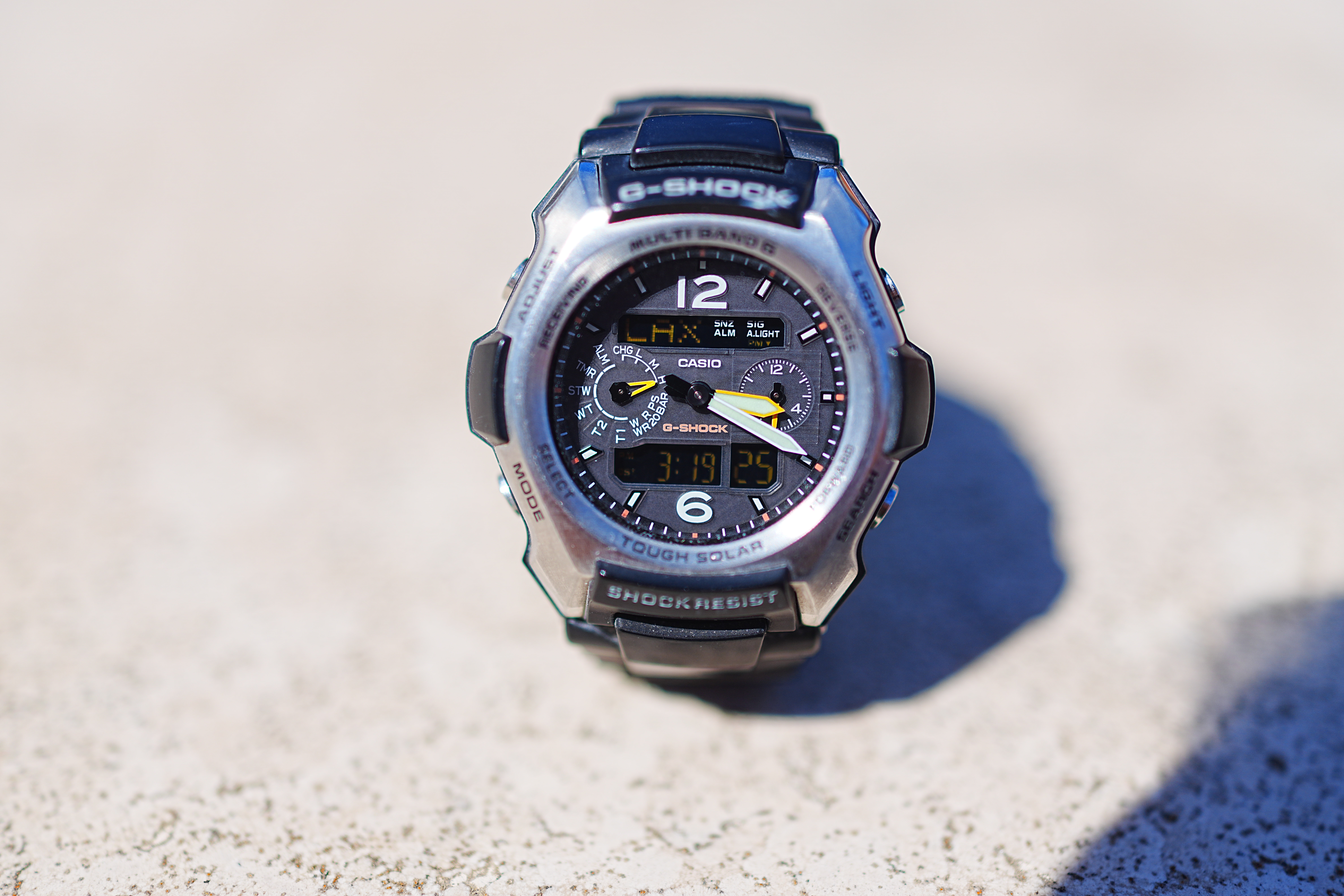
Casio G-Shock Solar Atomic Watch at close-focus distance, 15 August 2025. Sony RX1R Mk III at f/2 at 1/5,000 (electronic shutter) at Auto ISO 100 (LV 14.3). bigger or camera-original © file.
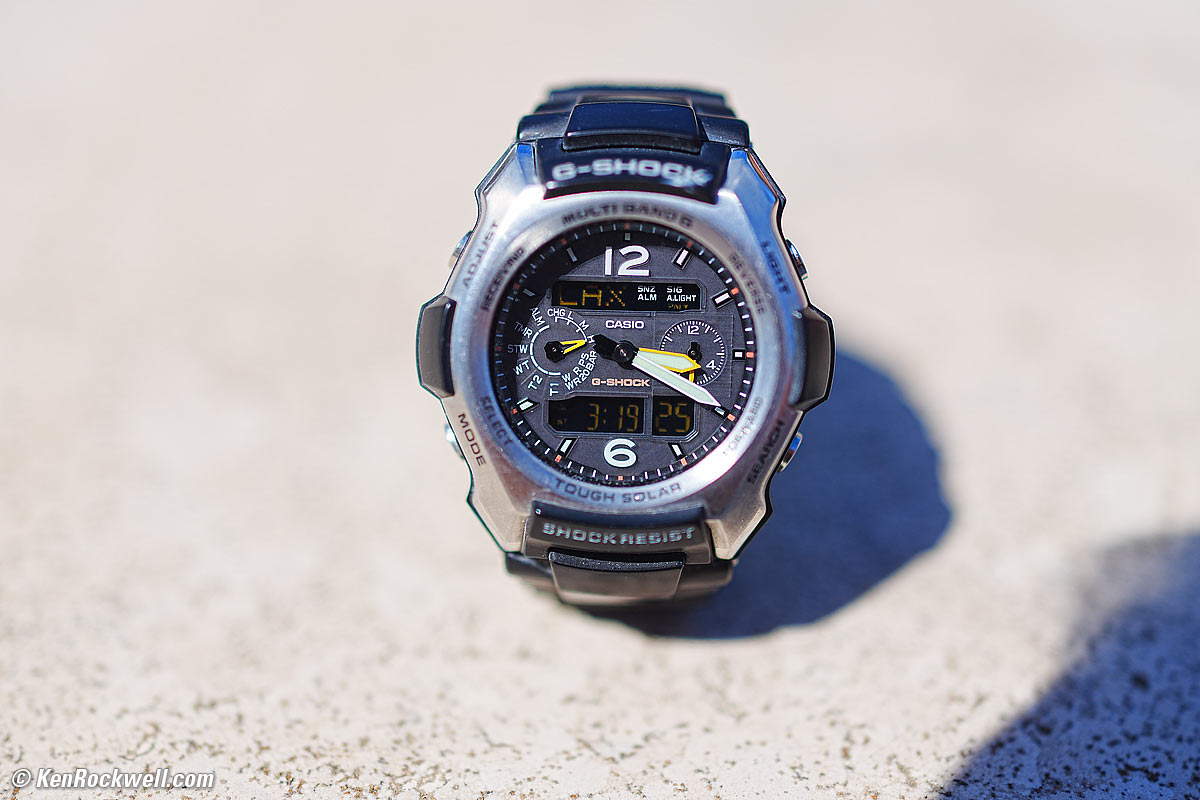
1,200 × 900 pixel (7.9× magnification) crop from above. bigger or camera-original © file.
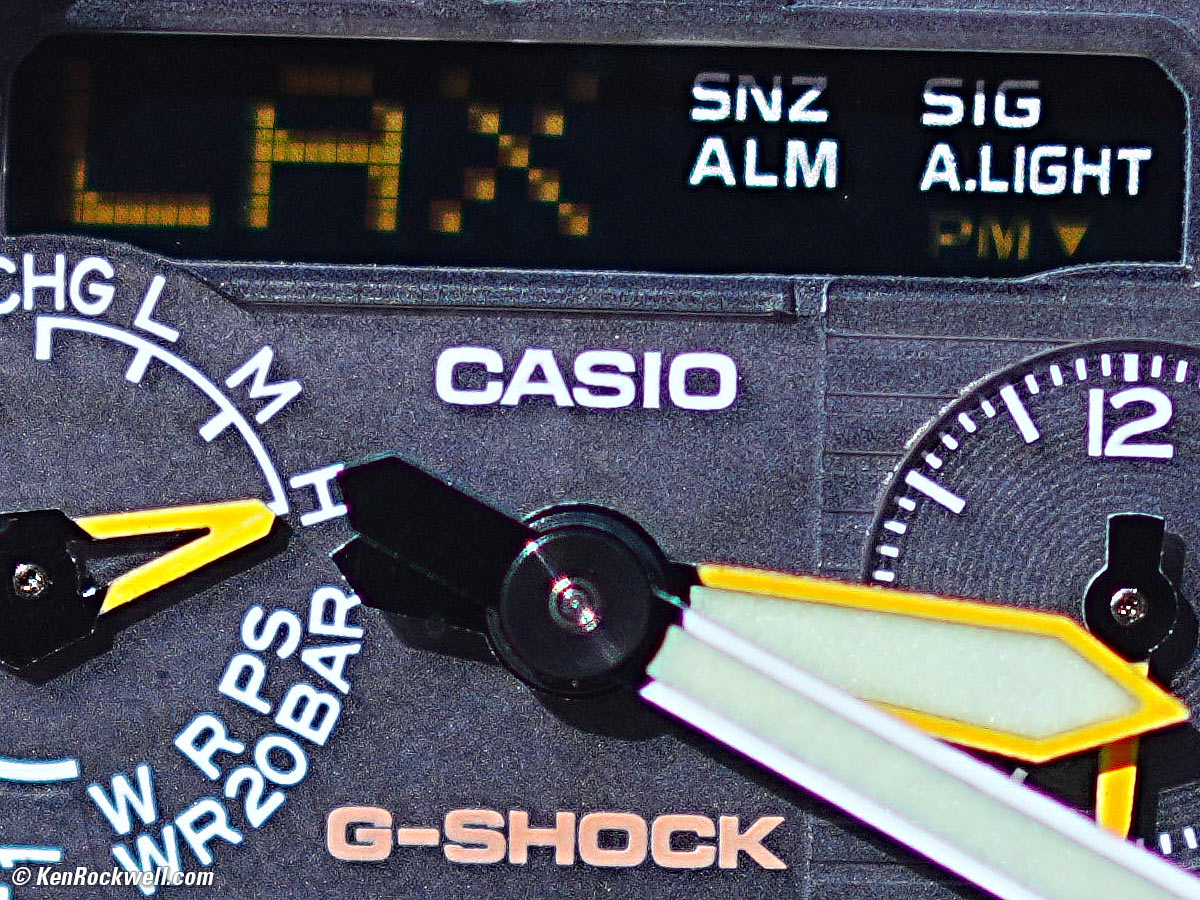
The texture you're seeing is on the watch face.
If this 1,200 × 900 pixel crop is about 3" (7.5cm) wide on your screen, then the complete image printed at this same large magnification would be about 16 × 24" (1.3 × 2 feet or 40 × 60 cm).
If this 1,200 × 900 pixel crop is about 6" (15cm) wide on your screen, then the complete image printed at this same extreme magnification would be about 32 × 47½" (2.6 × 4 feet or 0.75 × 1.2 meters).
If this 1,200 × 900 pixel crop is about 12" (30cm) wide on your screen, then the complete image printed at this same insanely high magnification would be about 63 × 95" (5.3 × 7.9 feet or 1.6 × 2.4 meters).
At f/8

Casio G-Shock Solar Atomic Watch at close-focus distance, 15 August 2025. Sony RX1R Mk III at f/8 at 1/320 at Auto ISO 100 (LV 14.3). bigger or camera-original © file.
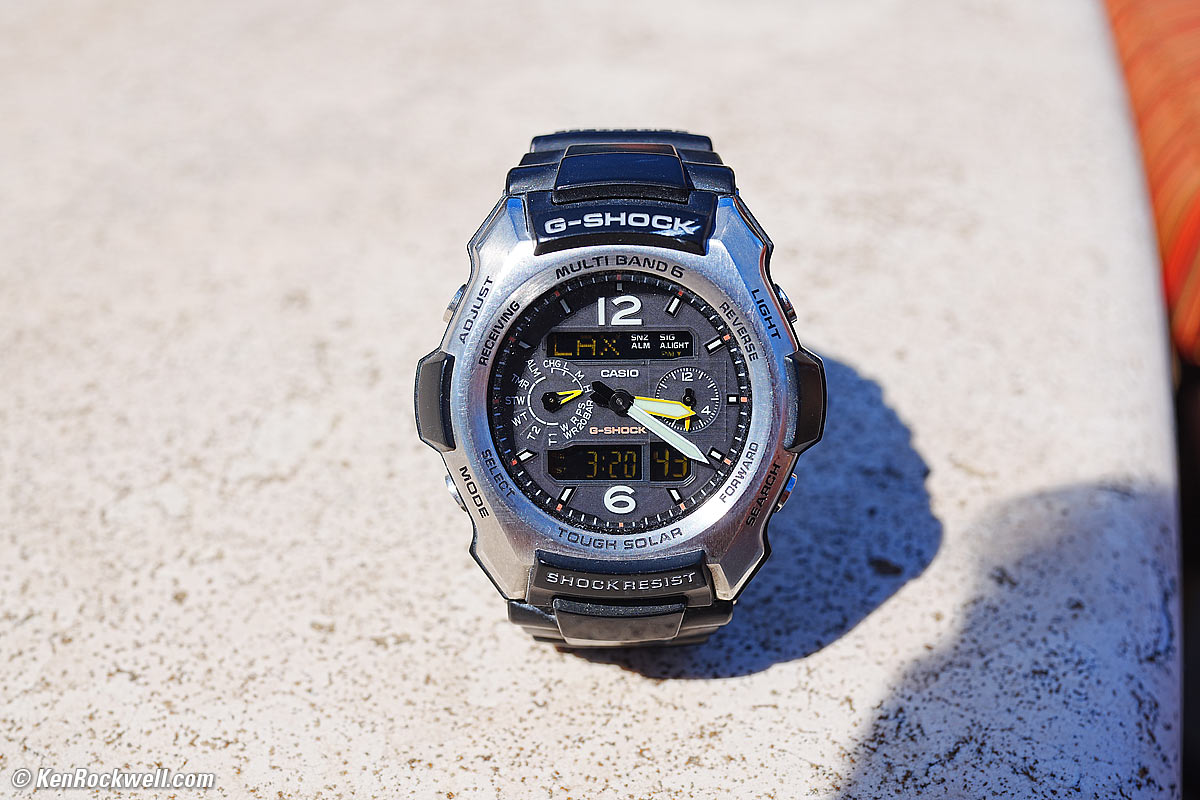
1,200 × 900 pixel (7.9× magnification) crop from above. bigger or camera-original © file.
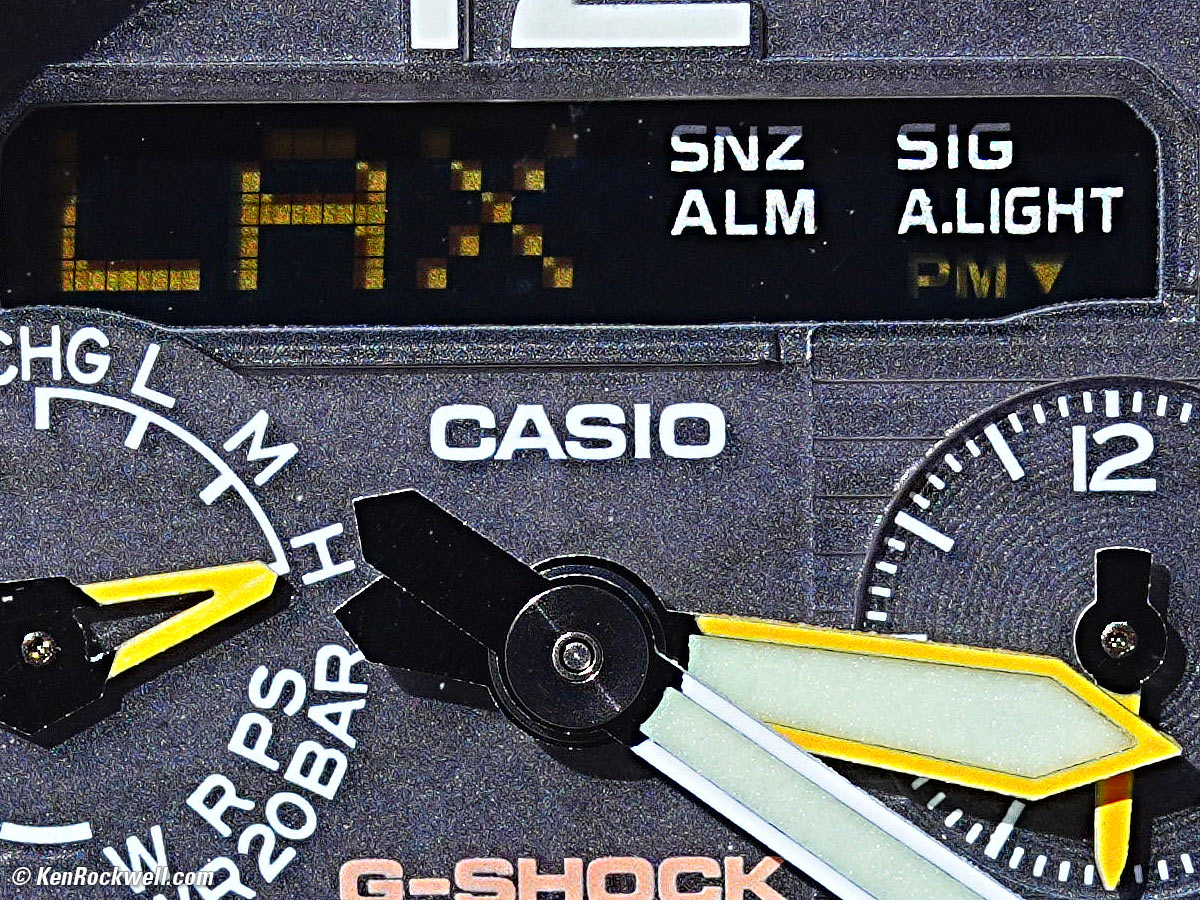
The texture you're seeing is on the watch face.
If this 1,200 × 900 pixel crop is about 3" (7.5cm) wide on your screen, then the complete image printed at this same large magnification would be about 16 × 24" (1.3 × 2 feet or 40 × 60 cm).
If this 1,200 × 900 pixel crop is about 6" (15cm) wide on your screen, then the complete image printed at this same extreme magnification would be about 32 × 47½" (2.6 × 4 feet or 0.75 × 1.2 meters).
If this 1,200 × 900 pixel crop is about 12" (30cm) wide on your screen, then the complete image printed at this same insanely high magnification would be about 63 × 95" (5.3 × 7.9 feet or 1.6 × 2.4 meters).
Mechanical Quality performance top
The RX1 RIII is very nicely made in Japan out of all metal, with engraved markings, just like a real camera. Bravo!
Metal
Filter threads, lens barrel, focus & aperture rings, levers dials knobs, strap lugs, top and bottom covers, accessory shoe and shutter button.
Plastic
All other buttons, card & battery door and connector cover.
Rubbery
Grip & eyepiece guard.
Glass
Lens and finder optics and LCD cover.
Markings
All engraved and filled with paint.
Identity & Serial Number
Laser engraved into the metal:
Sony RX1 RIII. bigger.
Sharpness performance top
Camera and lens sharpness has nothing to do with picture sharpness; every camera and lens made in the past 100 years is more than sharp enough to make super-sharp pictures if you know what you're doing. The only limitation to picture sharpness is your skill as a photographer. It's the least talented who spend the most time worrying about lens sharpness and blame crummy pictures on their equipment rather than themselves. Skilled photographers make great images with whatever camera is in their hands; I've made some of my best images of all time with an irreparably broken camera! Most pixels are thrown away before you see them, but camera makers don't want you to know that.
The lens is super sharp at every aperture and the 60MP sensor records everything it sees. The biggest limitation to sharpness with this camera is the complete lack of any kind of stabilization, be it optical or in-body sensor shift, and it's so small and light that it has very little rotational inertia for passive mechanical stabilization, so hand-held at 60MP I often get camera-motion blur at any speed below 1/125, and even can get soft results at 1/125 — and I have very steady hands.
If you're not getting ultra-sharp pictures with this, be sure not to shoot at f/11 or smaller where all lenses are softer due to diffraction, always shoot at ISO 100 or below because cameras become softer at ISO 200 and above, be sure everything is in perfect focus, set your camera's sharpening as you want it (I set mine to the maximum, 9) and be sure nothing is moving, either camera or subject. If handheld, be sure to shoot at at least 1/125 of a second, otherwise you will get camera shake due to the complete lack of stabilization. That's the tough part hand held: shooting at ISO 100 not slower than 1/125 and stopping down enough to get everything in perfect focus all at the same time. Sure, put it on a tripod and you're golden, but that defeats the whole purpose of this compact camera.
If you demand sharp handheld pictures, you want a stabilized camera.
In the lab - which is not why you buy this camera - the RX1R III is super sharp corner-to corner at every aperture, limited by your vision as an artist and of course by diffraction at the smallest apertures, but getting this sharpness is difficult in the field hand-held.
Spherochromatism performance top
Spherochromatism, also called secondary spherical chromatic aberration or "color bokeh," is an advanced form of spherical and chromatic aberration in a different dimension than lateral chromatic aberration and therefore cannot be corrected with software or automatic corrections. It happens mostly in fast normal and tele lenses when spherical aberration at the ends of the color spectrum are corrected differently than in the middle of the spectrum. Spherochromatism can cause colored fringes on out-of-focus highlights, usually seen as green fringes on backgrounds and magenta fringes on foregrounds. Spherochromatism is common in fast lenses of moderate focal length when shooting contrasty items at full aperture. It goes away as stopped down.
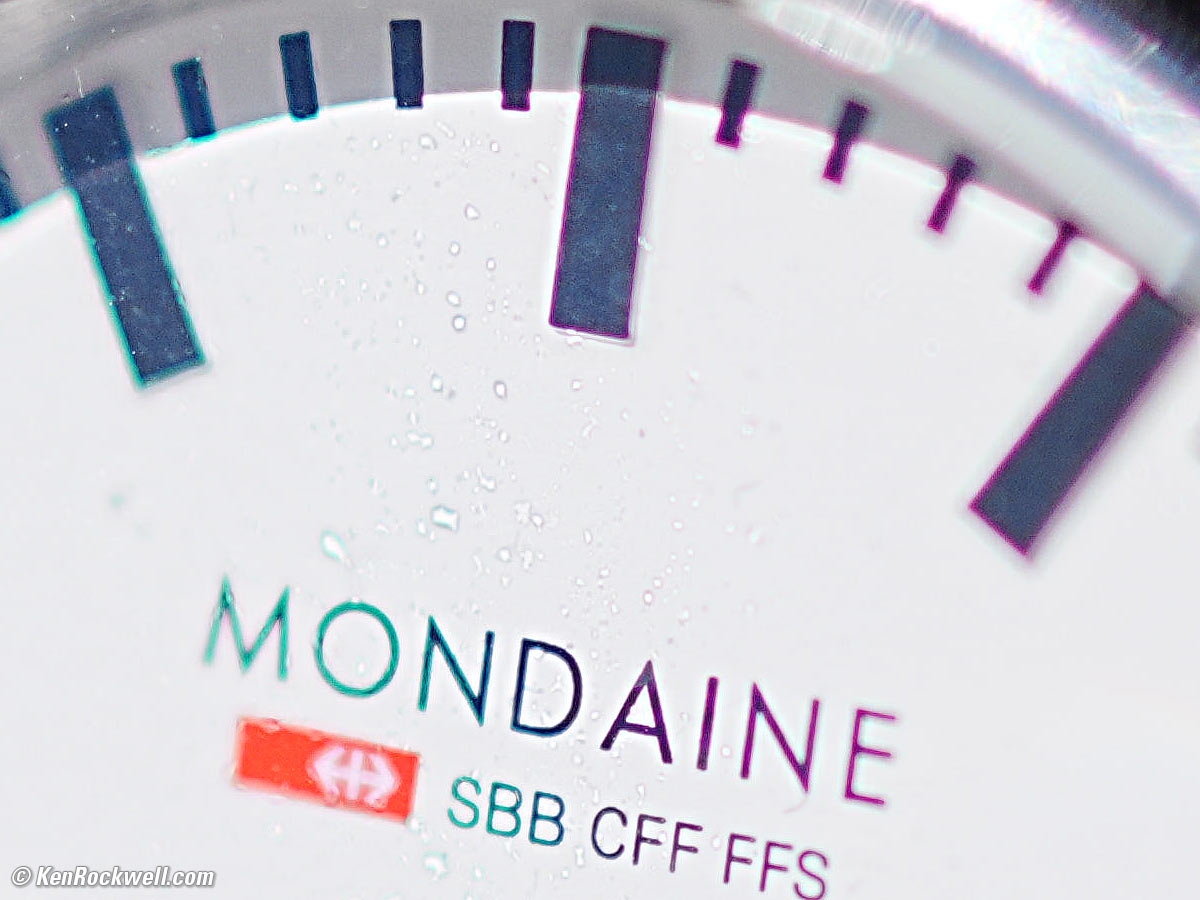
It has strong spherochromatism, with yellow-green fringes behind and violet fringes ahead of the plane of perfect focus:
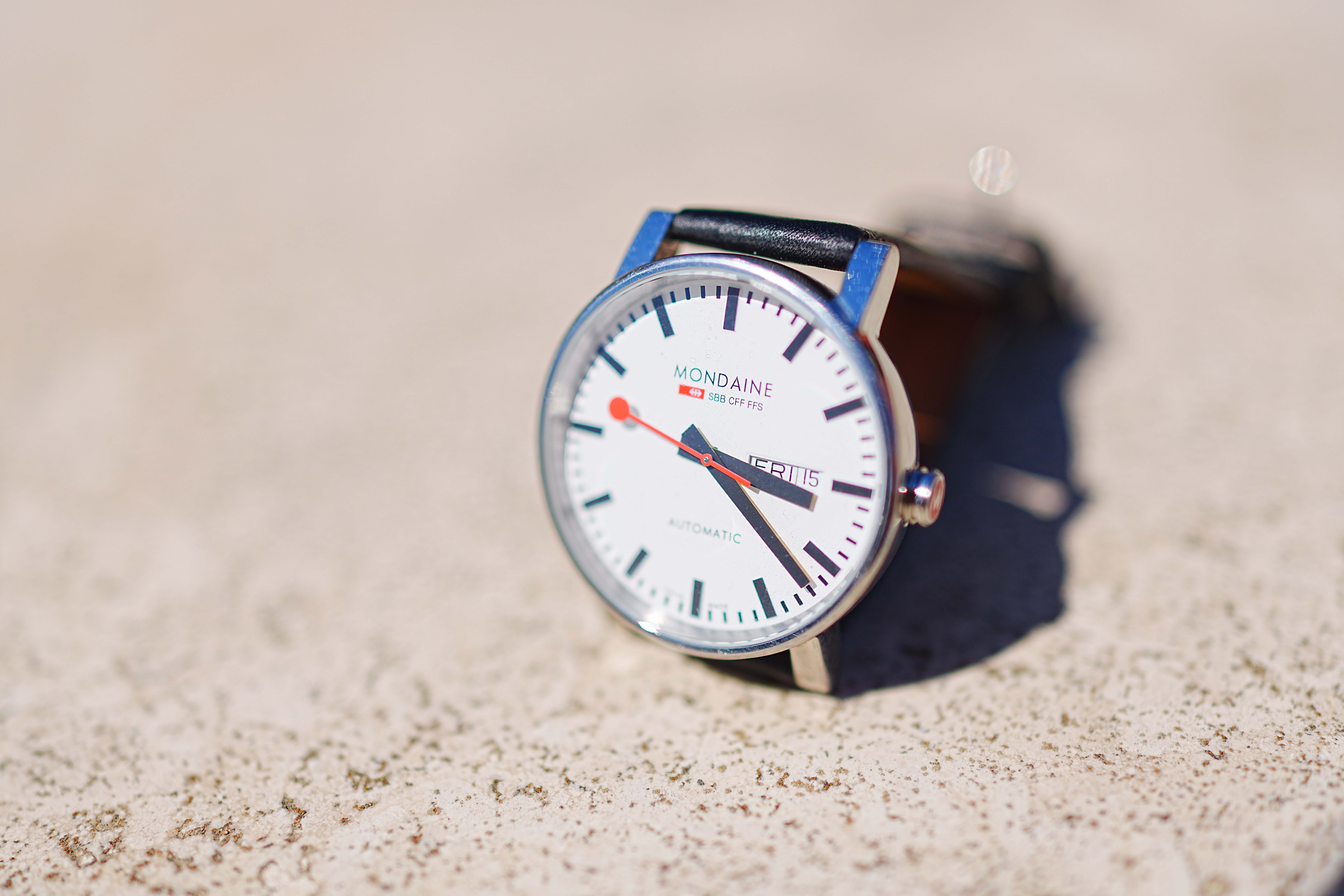
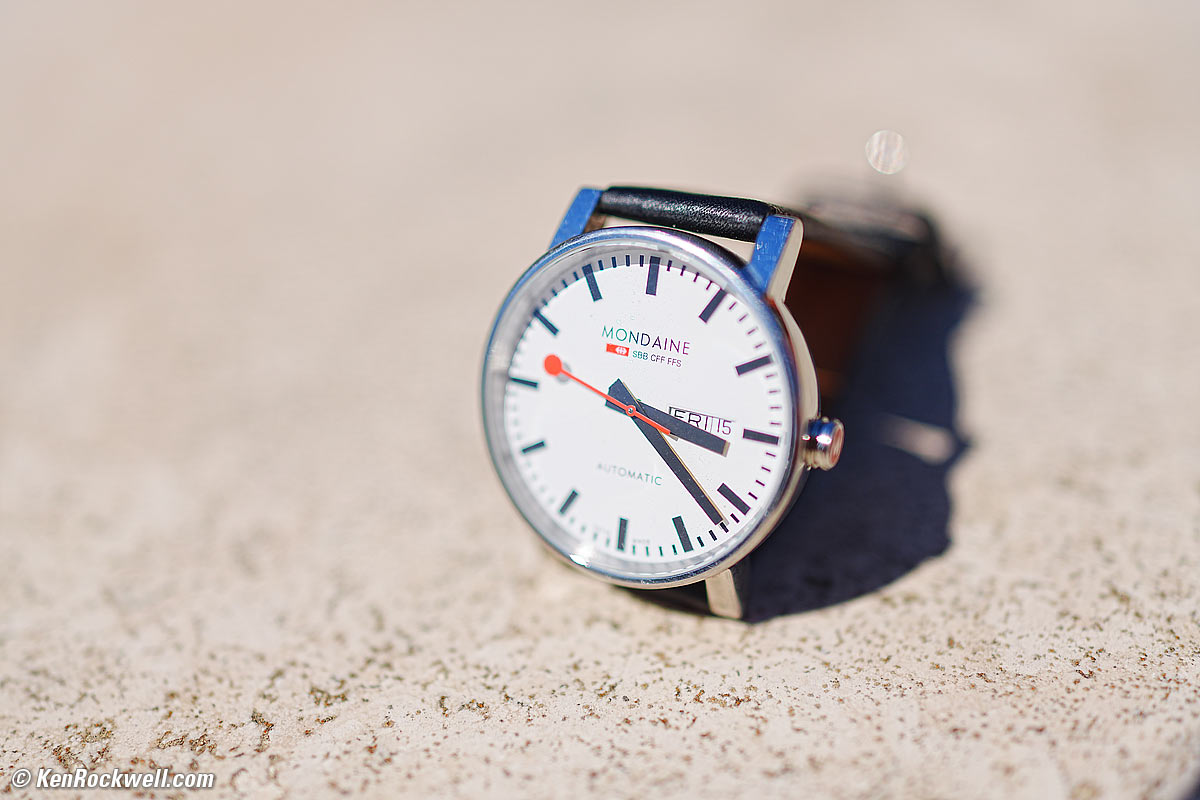
Casio G-Shock Solar Atomic Watch at close-focus distance, 15 August 2025. Sony RX1R Mk III at f/2 at 1/8,000 (electronic shutter) at Auto ISO 100 (LV 15.0). bigger or camera-original © file.
1,200 × 900 pixel (7.9× magnification) crop from above. bigger or camera-original © file.
If this 1,200 × 900 pixel crop is about 3" (7.5cm) wide on your screen, then the complete image printed at this same large magnification would be about 16 × 24" (1.3 × 2 feet or 40 × 60 cm).
If this 1,200 × 900 pixel crop is about 6" (15cm) wide on your screen, then the complete image printed at this same extreme magnification would be about 32 × 47½" (2.6 × 4 feet or 0.75 × 1.2 meters).
If this 1,200 × 900 pixel crop is about 12" (30cm) wide on your screen, then the complete image printed at this same insanely high magnification would be about 63 × 95" (5.3 × 7.9 feet or 1.6 × 2.4 meters).
Sunstars performance top
With a 9-bladed rounded diaphragm, I get sloppy sunstars on brilliant points of only at the smallest apertures.
Ignore the crazy rainbow artifacts at small apertures; these are sensor artifacts caused by interference among the divisions between pixels on the sensor. These are made visible because we're using enough exposure to show the dark underside of a huge palm tree, and then putting the blinding disk of the mid-day sun in it. Doing this will show everything due to the insane lighting range.
Click any to enlarge:
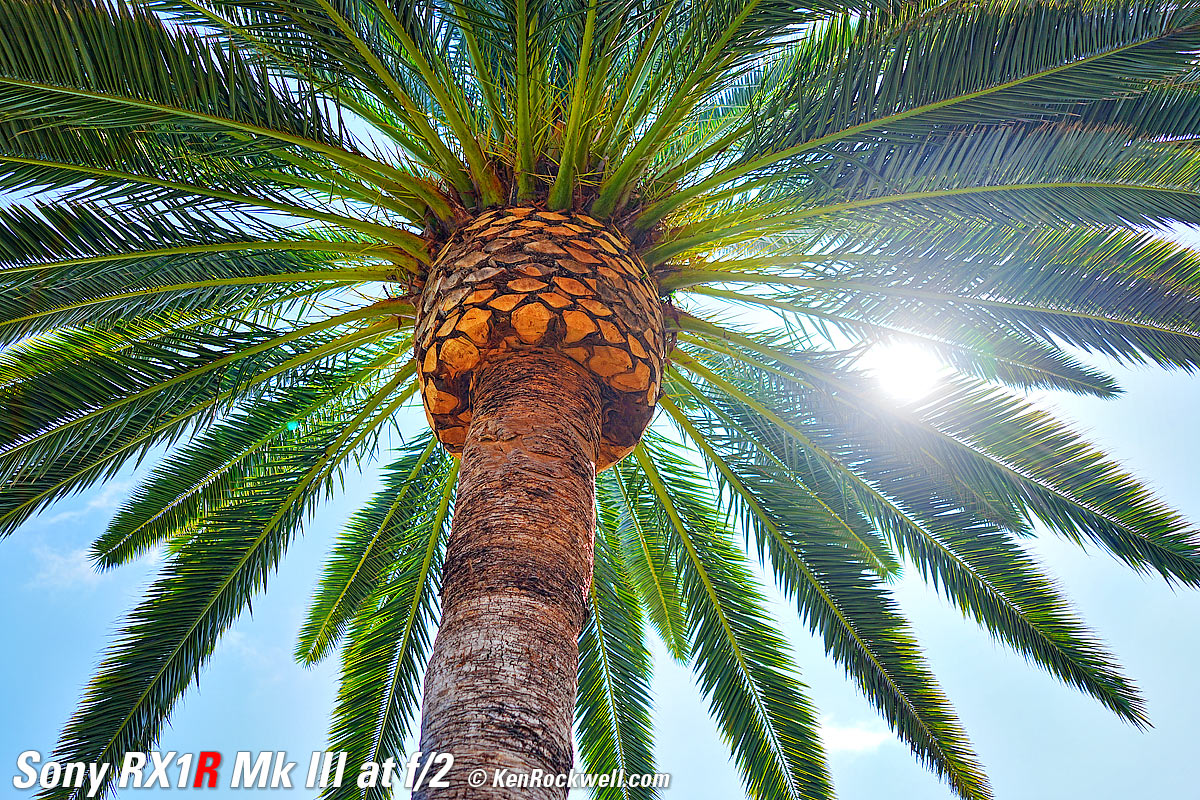
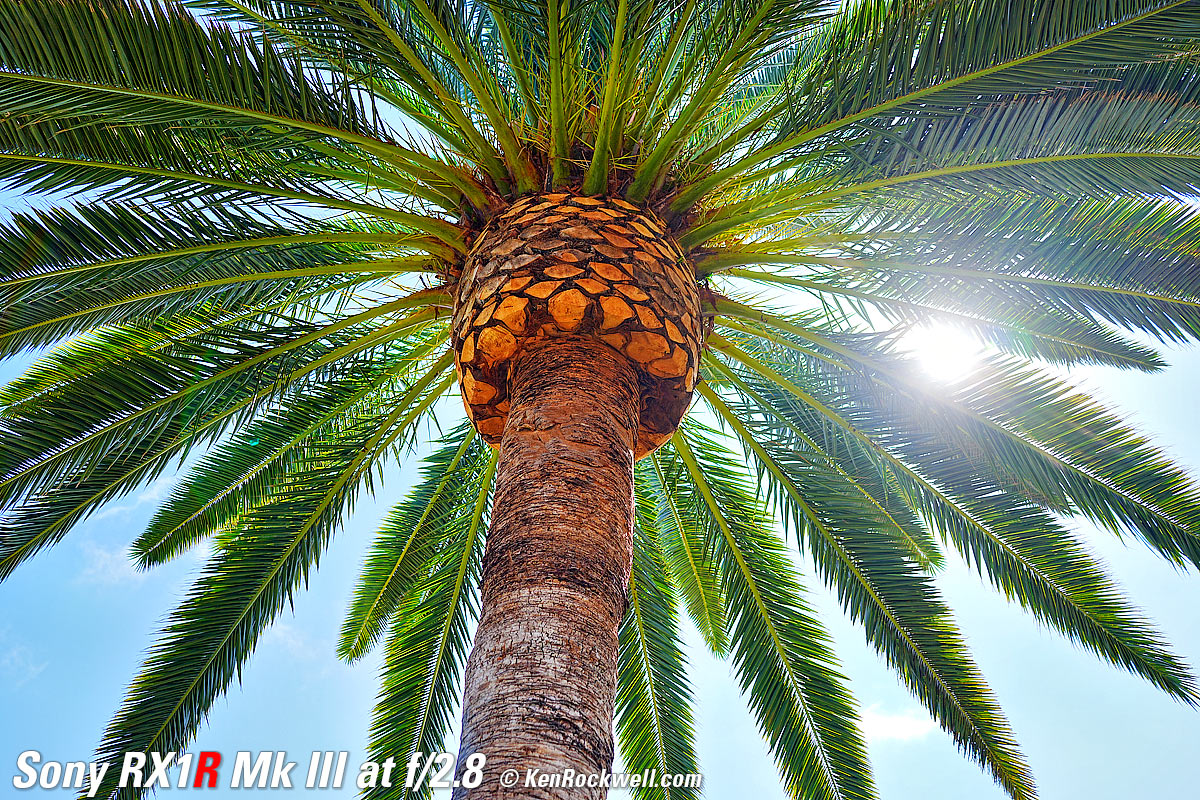
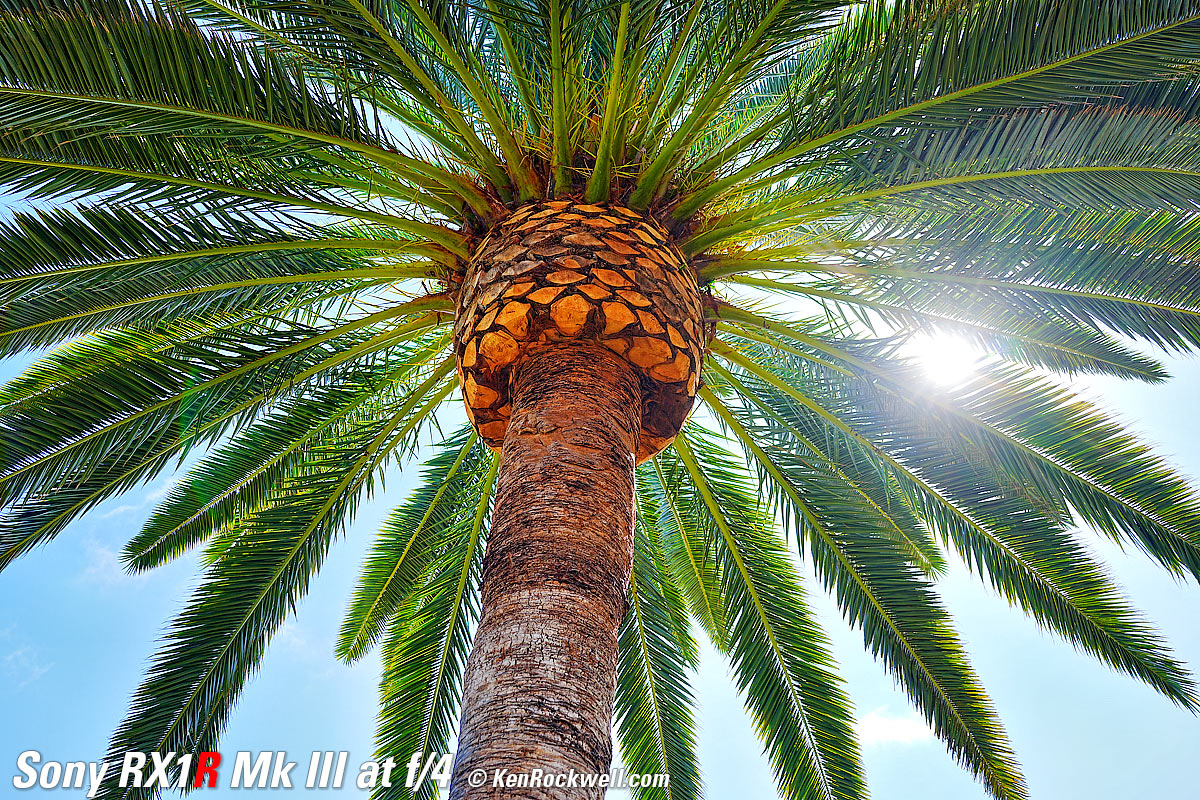
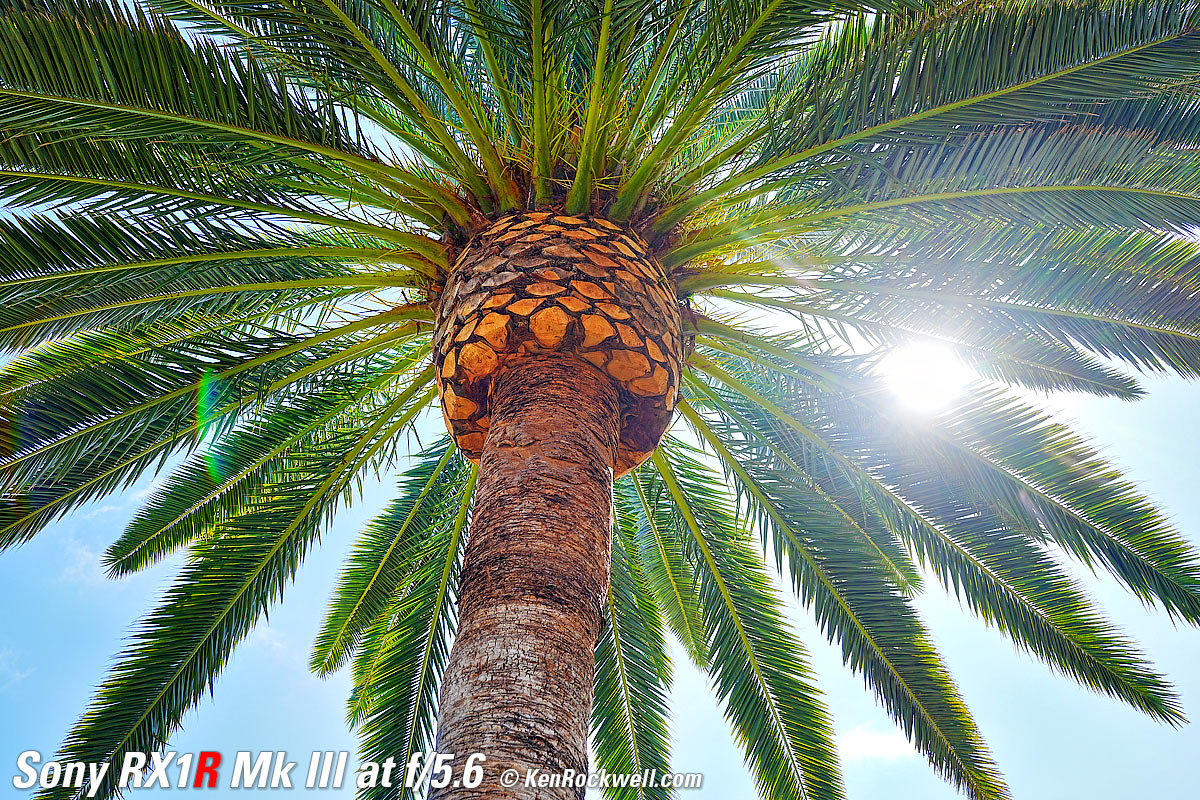
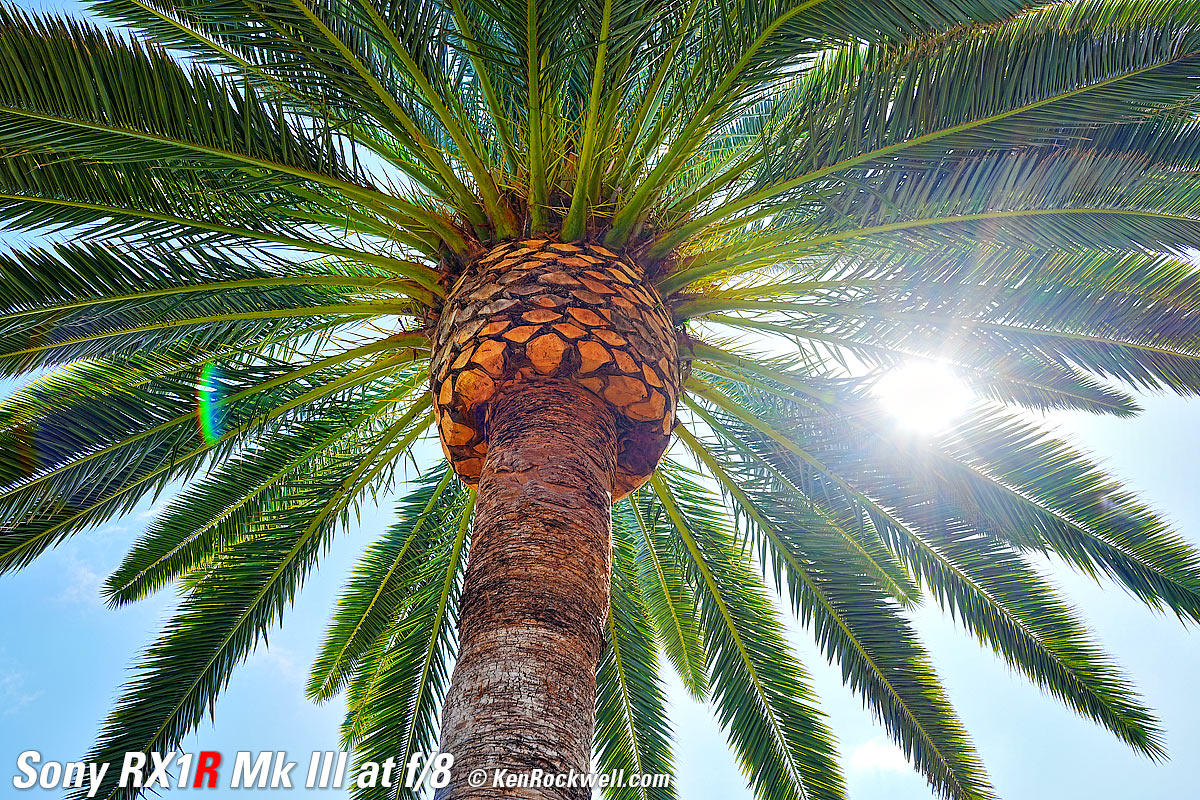
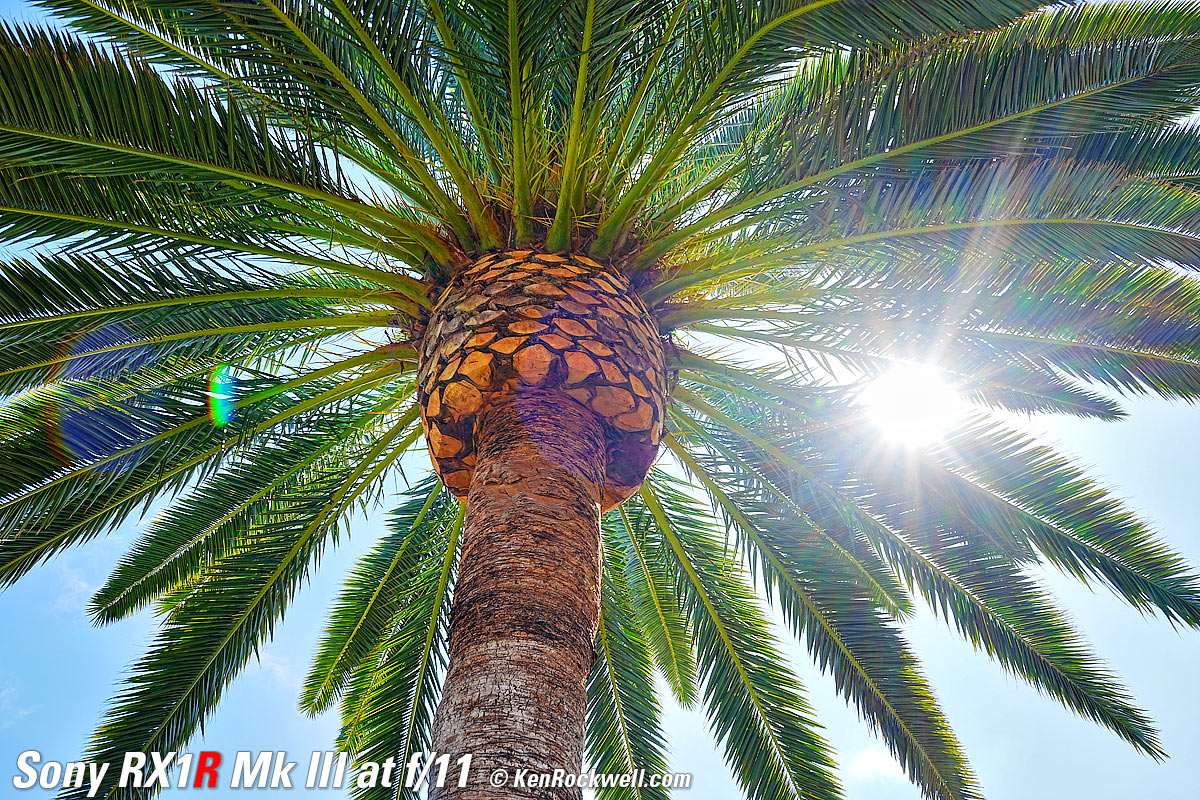
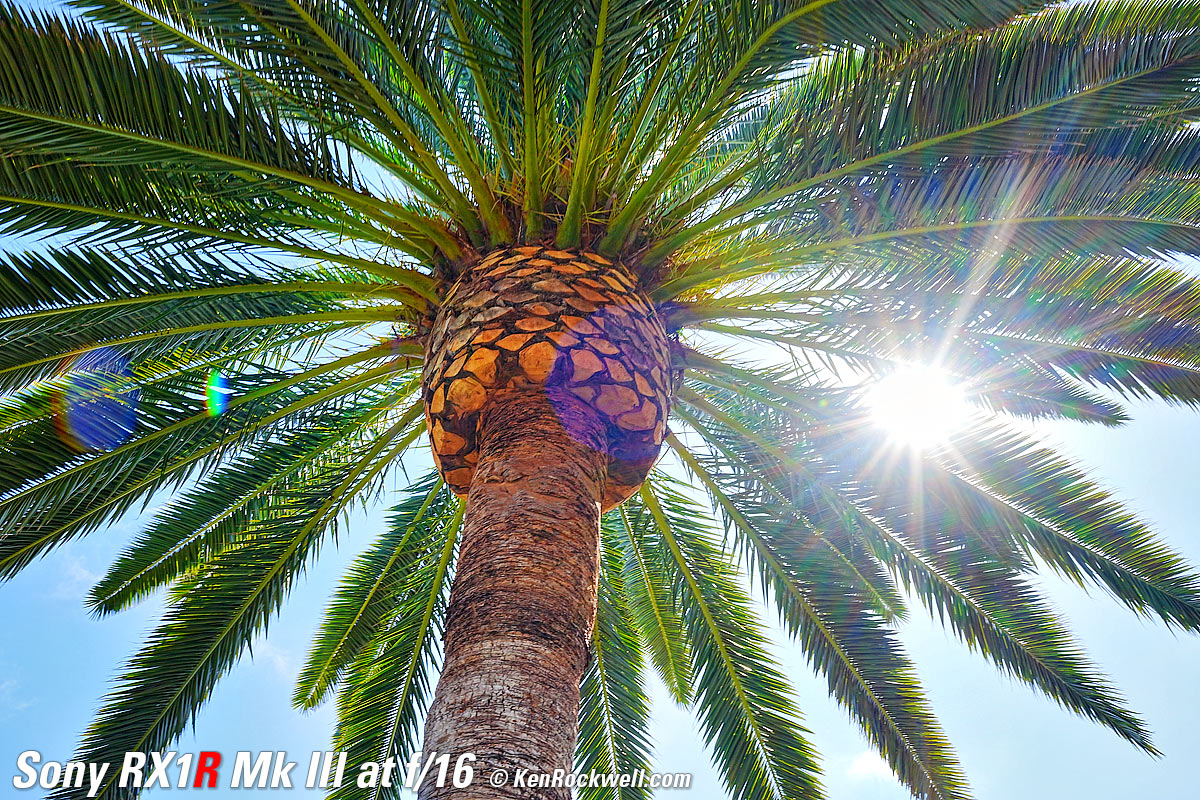
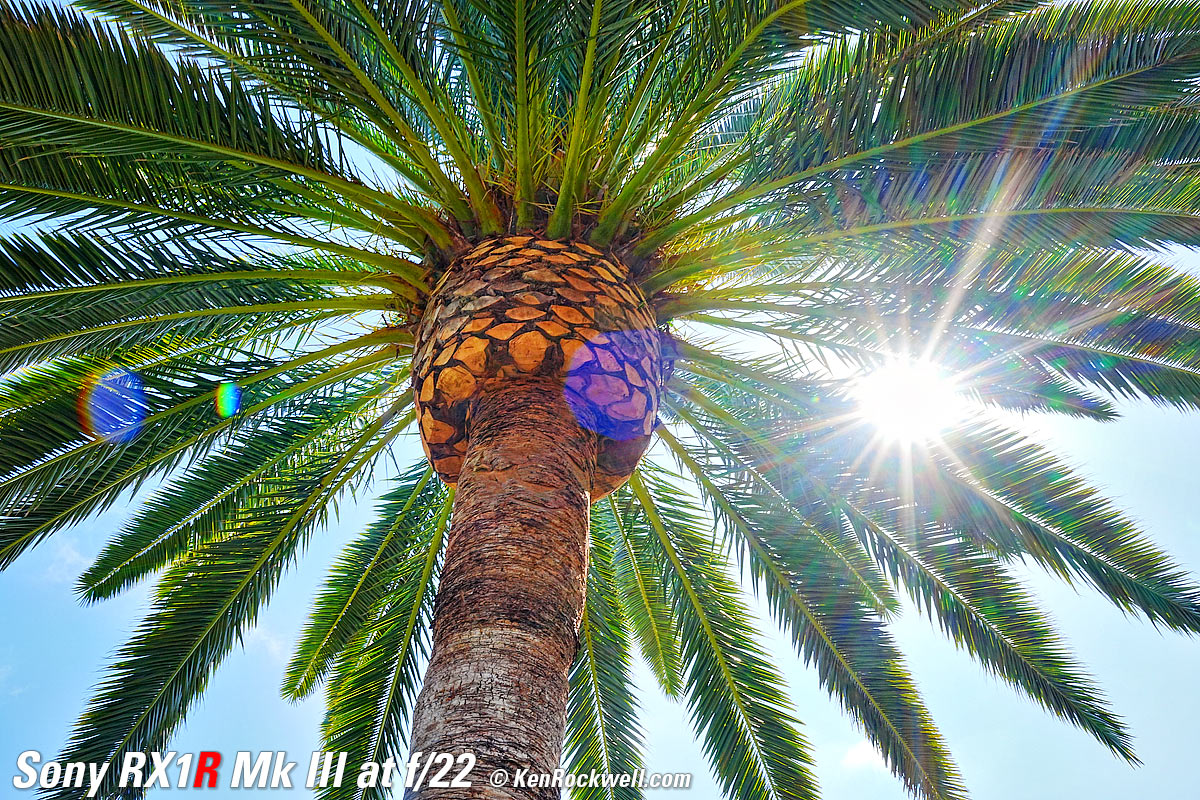
Click any to enlarge.
I used Radiant Photo software to light up these otherwise dull photos of the underside of a palm tree.
Power & Battery performance top
The teeny little NP-FW50 battery has only half the capacity of the full-size NP-FZ100 used in other Sony cameras, so you may want to buy and carry a spare. Otherwise don't expect to get much life out of a charge.
Worse, the finder sensor sees your body while hung around your neck so it doesn't go to sleep while carrying it around. Thus if you don't always remember to turn it off, it stays running all the time and runs down the battery quickly. For instance one day I only made 75 shots but the battery was down to 50%.
I measure it drawing 8.4W (933 mA at 9V) while charging, and 260mw (28.5 mA at 9V) when done.
The tiny amber charge LED is almost invisble unless you see it at just the right angle. Hint: it's just above the USB-C cable:
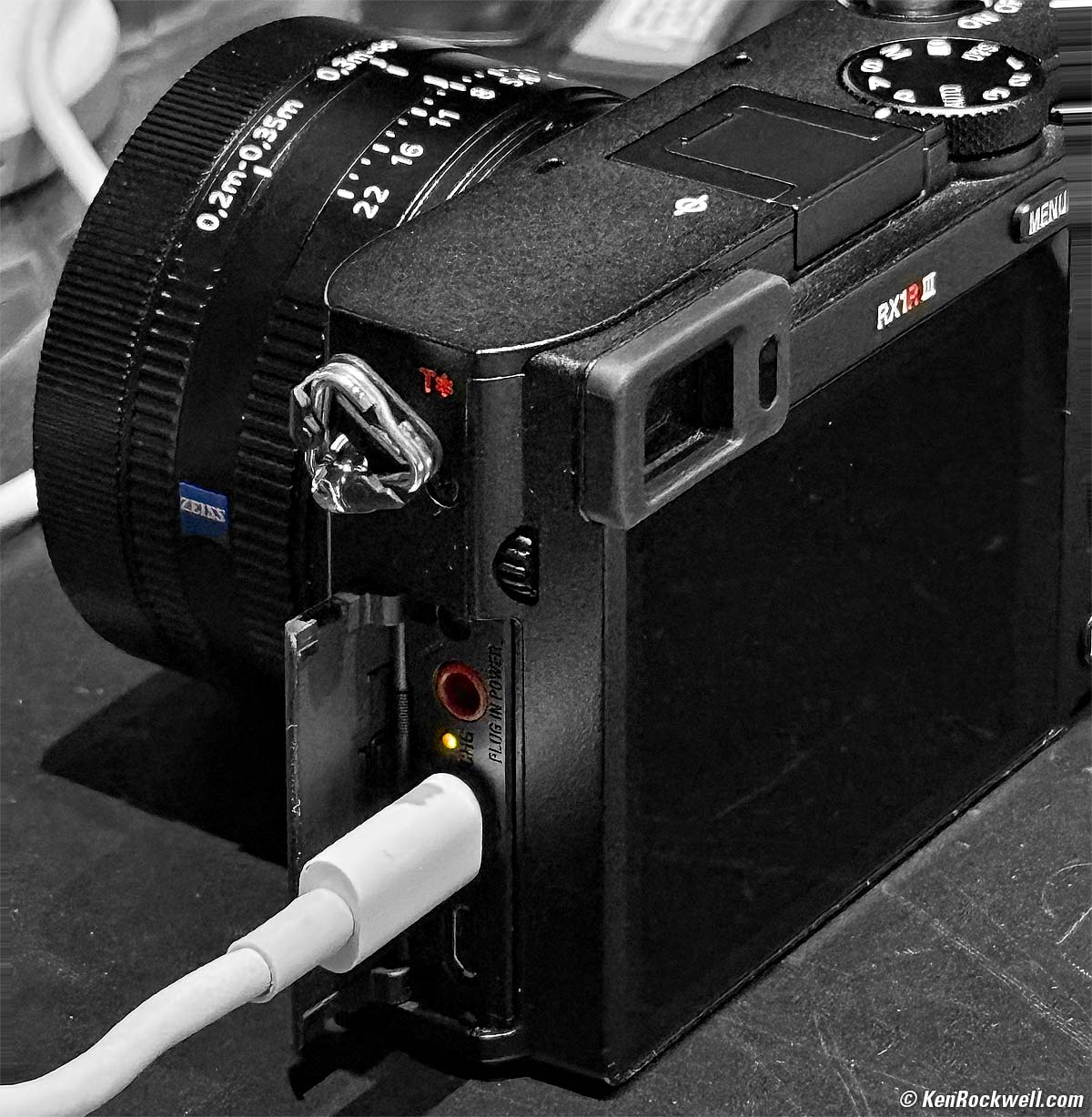
Sony RX1 RIII. bigger.
Playback performance top
Smart playback rotation: just like an iPhone, horizontal and vertical images rotate as you turn the camera while playing back.
There are are slightly longer delays when swapping between different playback images when zoomed.
No 25 - 50 - 75% marks in the histogram displays.
Oddly one can't scroll all the way out to the edges with magnified playback.
Data performance top
JPG files vary in file size to retain the same quality regardless of the level of detail. That's good.
60 MP JPG LIGHT files have a median file size of about 6 MB, typically varying from about 4 MB to 19 MB.
It has the ability to create a new folder every day, by date. I use this feature as it's super helpful when downloading to find one job from the other.
Sadly Sony still hasn't learned how to title a card properly when formatted to read something like RX1RM3; instead, each card reads as "Untitled," which is no help in a professional environment where we have multiple cards connected to card readers and we need to know which is which.
Cropping settings (50mm and 70mm) don't appear in the EXIF data as seen in Photo Mechanic.
Compared top
Sample Images Intro New Good Bad Missing
Specifications Accessories Performance
I'd get mine at B&H, at Adorama or at Crutchfield, or get it used if you know How to Win at eBay, or get it used at KEH.
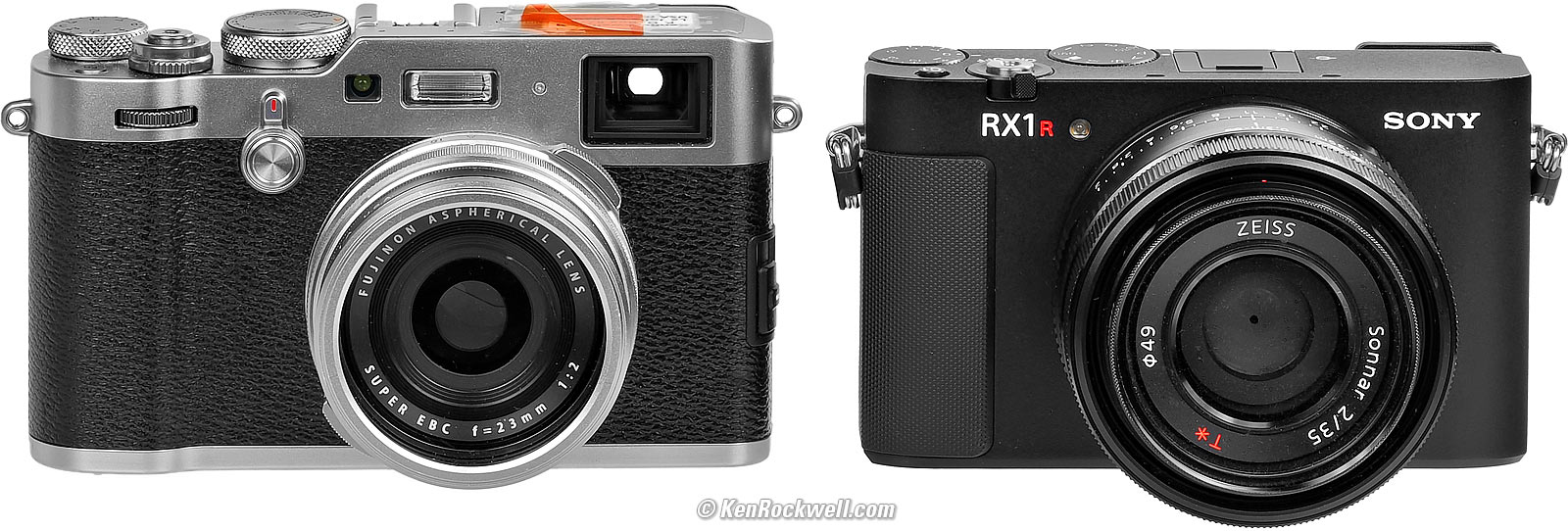
Fuji X100F (best of the X100 series) and Sony RX1 RIII. The orange gel on my X100F is for when I need to balance its flash to tungsten. bigger.
Oddly the diminutive Fuji X100VI is bigger and heavier than this full-frame Sony. Then again, the X100 also adds a combination optical and electronic finder and a built-in flash. Both have aggravating menu systems.
As luxury items go, the LEICA Q3 is in an entirely different and immortal klasse, and doesn't cost that much more. Seeing how the RX1R III is primarily a luxury item to be enjoyed at home or while having beers or cigars and cognac with your friends at the local clubhouse, the LEICA makes more sense. The LEICA also has far superior ergonomics, which is a stand-out feature of LEICA for people who intend to do more than just sit around and worship the camera. The LEICA is also bigger and heavier than the other two, and also comes in a version with a universal 43mm rather than 28mm lens.
Only the X100 has a built-in flash, which is critical if you actually intend to use this for making people photos.
Recommendations top
Sample Images Intro New Good Bad Missing
Specifications Accessories Performance
I'd get mine at B&H, at Adorama or at Crutchfield, or get it used if you know How to Win at eBay, or get it used at KEH.
See Accessories for recommendations about hoods, filters, caps and more.
This is a premium camera for people with premium lifestyles. It's not for people who compare specs or worry about prices. It's for people who fly private to their vacations and wear a basic $60,000 watch to club meetings while their "good" watches are back in their vault. They forget how many homes or cars they own. They certainly have no idea how many bathrooms are in their main house. This fine camera is for those who enjoy their day and don't work for anyone. Half the fun of this camera is just to hold it, pass it around to your friends and enjoy how it's all-metal precision feels in-hand compared to the plastic rubbish consumers use.
You people know who you are; the people whose work deserves the very finest camera of all.
I really love the Fuji X100 VI which does the same thing and costs less (actually I prefer the older X100F even more), and if I want premium, then I'll just man-up to the LEICA Q3 / 28mm or LEICA Q3 / 43mm which doesn't cost much more — but that's just me.
I'm not afraid to admit that prefer my iPhone 16 Pro Max as my take-everywhere, do everything camera. This RX1R III, like any other work of fine art, is possessed for love, not for rational reasons.
I'd get mine at B&H, at Adorama or at Crutchfield, or get it used if you know How to Win at eBay, or get it used at KEH.
This 100% all-content, junk-free website's biggest source of support is when you use those or any of these links to my personally approved sources I've used myself for way over 100 combined years when you get anything, regardless of the country in which you live. Sony does not seal its boxes, so never buy at retail or any other source not on my personally approved list since you'll have no way of knowing if you're missing accessories, getting a defective, damaged, returned, non-USA, store demo or used RX1R III — and all of my personally approved sources allow for 100% cash-back returns for at least 30 days if you don't love your new RX1R III. I've used many of these sources since the 1970s because I can try it in my own hands and return it if I don't love it, and because they ship from secure remote warehouses where no one gets to touch your new camera before you do. Buy only from the approved sources I've used myself for decades for the best prices, service, return policies and selection.
© Ken Rockwell. All rights reserved. Tous droits réservés. Alle Rechte vorbehalten. Alla rättigheter förbehållna. Toate drepturile rezervate. Niciun vampir nu a fost implicat în crearea acestei lucrări. Omnia jura reservata. Ken Rockwell® is a registered trademark.
Help Me Help You top
I support my growing family through this website, as crazy as it might seem.
The biggest help is when you use any of these links when you get anything. It costs you nothing, and is this site's, and thus my family's, biggest source of support. These places always have the best prices and service, which is why I've used them since before this website existed. I recommend them all personally.
If you find this page as helpful as a book you might have had to buy or a workshop you may have had to take, feel free to help me continue helping everyone.
If you've gotten your gear through one of my links or helped otherwise, you're family. It's great people like you who allow me to keep adding to this site full-time. Thanks!
If you haven't helped yet, please do, and consider helping me with a gift of $5.00.
As this page is copyrighted and formally registered, it is unlawful to make copies, especially in the form of printouts for personal use. If you wish to make a printout for personal use, you are granted one-time permission only if you PayPal me $5.00 per printout or part thereof. Thank you!
Thanks for reading!
Ken.